

Web:
App:
Futures trading
A futures trading refers to an agreement between two parties to trade an asset at a specific price and quantity at a predetermined time in the future, with the aim of generating profit. Futures trading are generally classified into settled futures and perpetual futures. Investors may go long to gain from rising digital asset prices or go short to profit from falling prices.
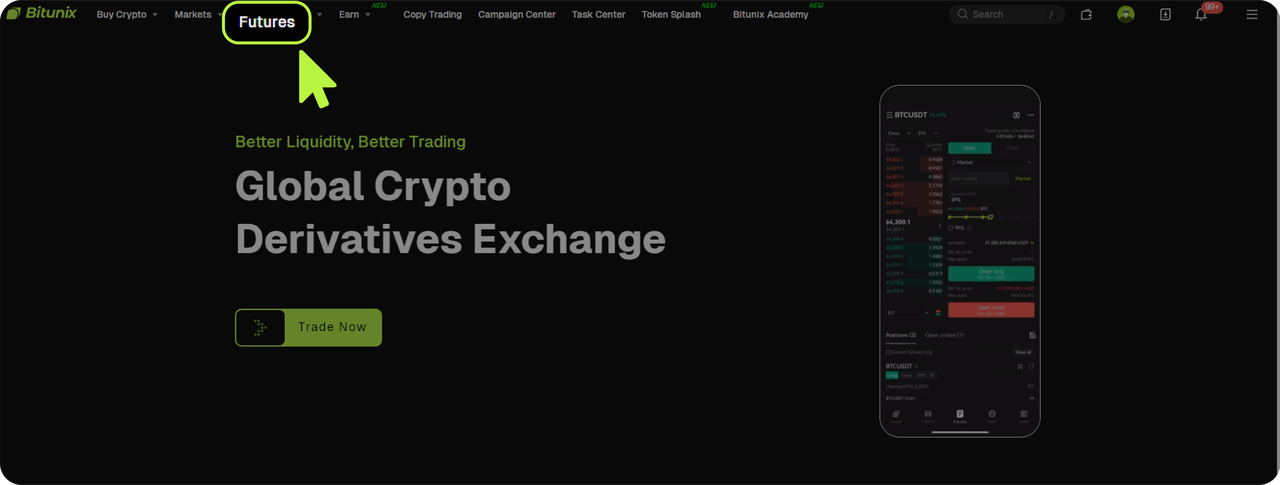
Step 1: Open Bitunix.com and log in, click 【Futures】above to enter futures trading.
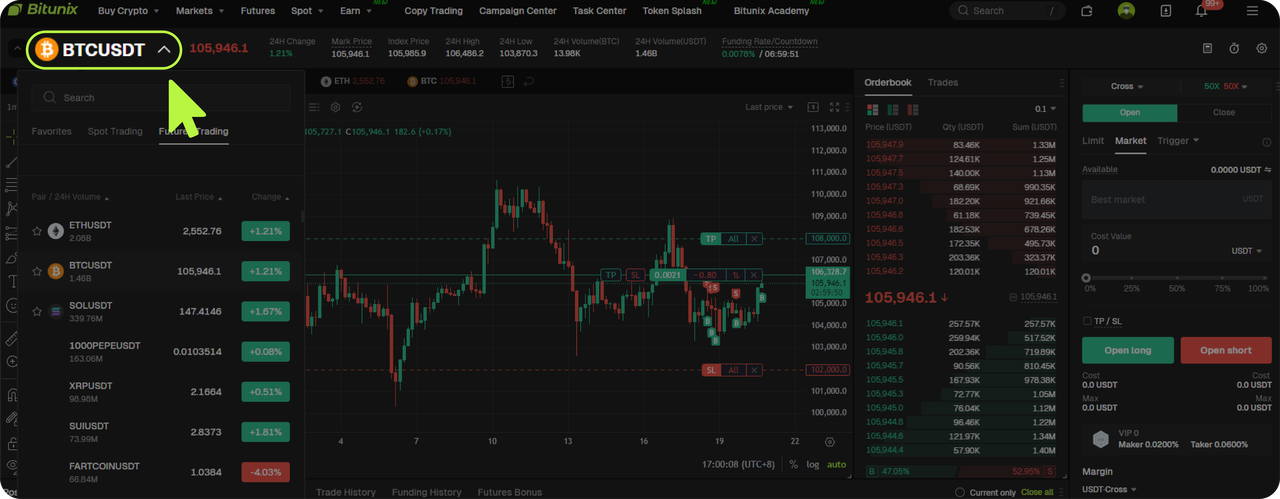
Step 2: Enter the perpetual futures trading page, click on 【BTC/USDT】 on the left panel to expand the list, and select your preferred trading pair.
Step 3: Set Leverage and Order Type.
In this example, we'll use the [BTC/USDT USDT-margined futures] pair. Set the leverage to [Open Long]50x, and select [Market Order] as the order type.
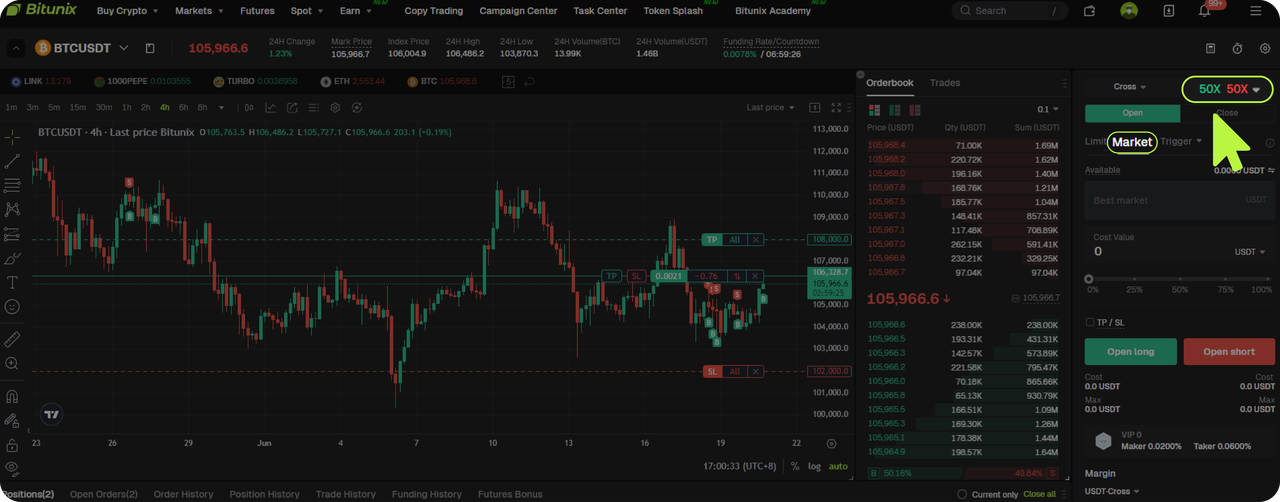
Order Types: You can choose between Limit Orders and Market Orders. Limit Orders allow you to specify
the price at which you want to trade, while Market Orders are executed instantly at the current market price.
Margin Modes – Cross vs. Isolated:
- Cross Margin uses a shared margin across all open positions in your account. Profits and losses from different positions can offset each other.
- Isolated Margin treats each position independently. Risk, margin, and profit/loss are calculated separately for each trade.
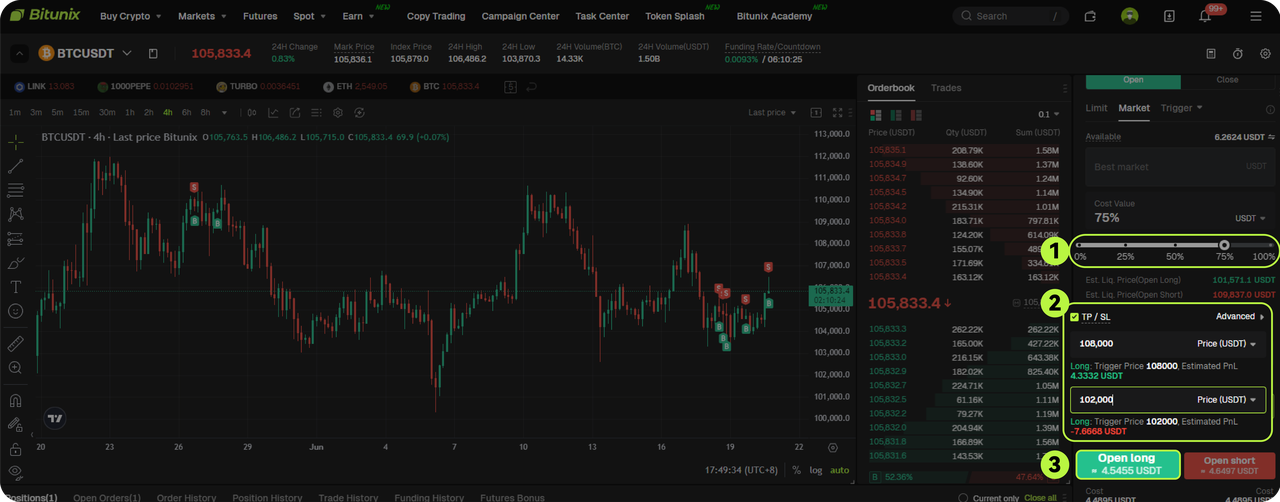
Step 4: Enter the Quantity and Place Your Order (Set Take Profit and Stop Loss).
Enter the quantity or amount for your futures position, and set your Take Profit and Stop Loss levels as needed.
Once configured, select either [Buy Open Long] or [Sell Open Short] to place your order.
In this example, we proceed with [Open Long] to complete the transaction.
Buy Long / Sell Short
Buy Long refers to entering a futures trade at a favorable price with the expectation that the market will rise. When it does, the trader closes the position to earn the difference. This is similar to spot trading and is often described as "buy first, sell later."
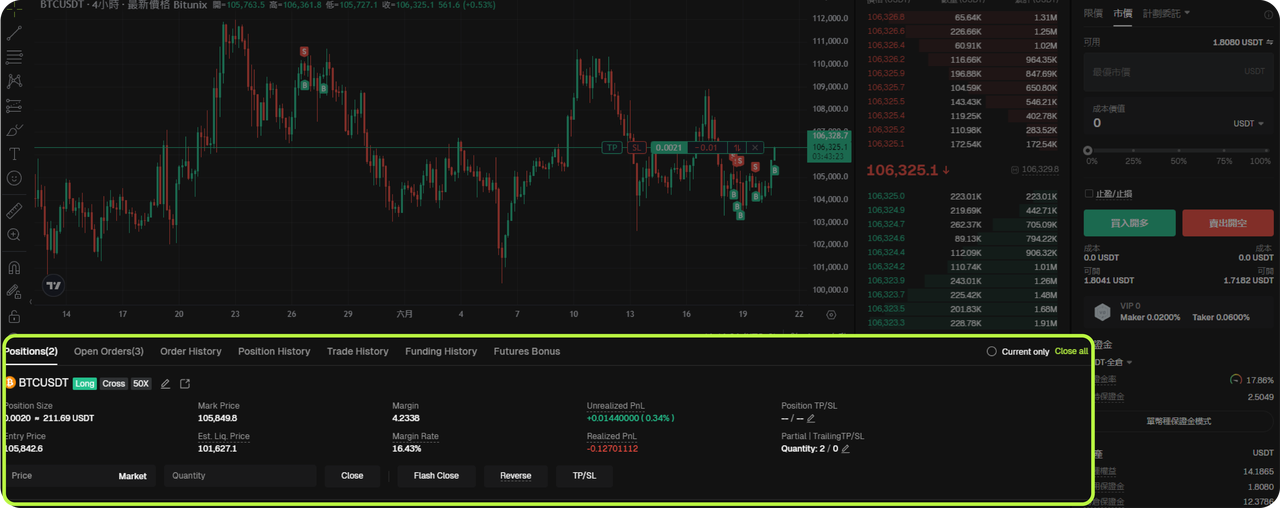
After opening a long position, you can view the order under the [Positions] section. From there, you can set Take Profit and Stop Loss levels or manually close the trade.
Sell Short involves opening a futures position at a higher price with the expectation that the market will
fall. Once the price drops, the trader buys to close the position and earns the difference — known as "sell
first, buy later."
Once the short position is open, the order details are also accessible in the [Positions] section, where
you can manage the trade, including setting Take Profit and Stop Loss, or performing a manual close.
Step 5: Review and Finalize .
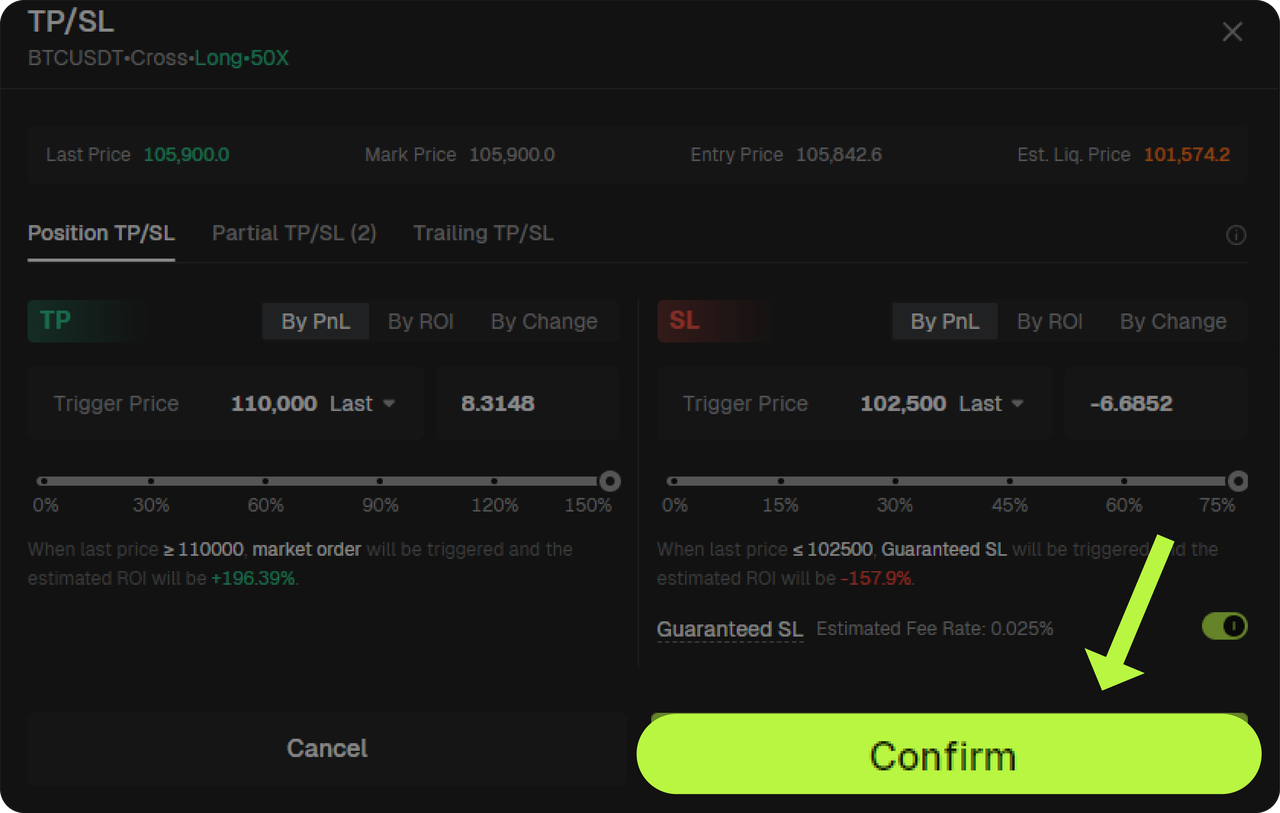
Once your order is placed, the futures position details will be visible. Here, you can also set or update your Take Profit and Stop Loss levels. After confirming your settings, click Confirm to complete the configuration.
Risk warning:
Beginners should adhere to the principle of low leverage, small position sizes, and strict stop-loss settings. Use Bitunix’s integrated TradingView tools to perform proper market analysis.
Take advantage of event rewards and promotions to help offset initial trading costs. At the same time, remain cautious of high market volatility, and avoid emotionally driven decisions such as blindly buying during price surges or selling in panic during declines.
Disclaimer
This material is provided for general information only. It is not intended to provide:
- Investment advice or investment recommendations.
- an offer or solicitation to buy, sell, or hold digital assets;
- Financial, accounting, legal, or tax advice.
- Digital assets, including stablecoins and NFTs, carry a high level of risk and can fluctuate significantly in value. Consider carefully whether trading or holding digital assets is suitable for your financial situation. Consult your legal, tax, or investment professional for guidance tailored to your circumstances. You are responsible for understanding and complying with all applicable laws and regulations in your location.