Quick Information Summary
Item | Details |
Platform | Bitunix — Futures Trading |
Topic | Leverage configuration, adjustment, and risk management |
What Leverage Does | Opens larger positions with less capital (e.g., 10x = $1,000 margin → $10,000 exposure) |
Max Leverage | Up to 125x on select trading pairs (varies by pair and market conditions) |
Where to Configure | Futures Trading → leverage indicator (e.g., "50x") → Adjust Leverage window |
Supported Devices | Bitunix mobile app and web platform |
Adjust After Opening | Yes — leverage can be changed on existing positions; margin requirements update automatically |
Position Size Impact | Adjusting leverage changes margin used; position size stays the same |
Leverage Adjustment Fee | Free — no fee to change leverage; margin allocation adjusts accordingly |
Liquidation Effect | Higher leverage = smaller margin buffer = liquidation price closer to entry |
Recommended Practice | Use the same leverage for both long and short on the same pair |
Risk Tools | Combine with stop-loss and take-profit orders |
Related Series | Trading Settings 1: Position Size & Margin Mode · Bitunix Academy |
What Is Leverage in Futures Trading?
Leverage is a core feature of Bitunix futures trading. It lets you control a position larger than your deposited margin by borrowing against your collateral. Leverage is expressed as a multiple — such as 10x, 20x, 50x, or up to 200x on eligible pairs.
Example
If you are trading BTC/USDT, here’s how leverage works:
Using 10x leverage: $1,000 in margin allows you to open a $10,000 position.
Using 50x leverage: $1,000 in margin allows you to open a $50,000 position.
Key Points About Leverage
Amplified Exposure: Leverage increases both profit and risk exposure. It magnifies price changes, so proper risk management is essential.
Impact on Liquidation Price: Higher leverage reduces the margin buffer and brings the liquidation price closer to the entry price.
Margin Requirement: To avoid forced liquidation, ensure that your account has adequate margin at all times.
How to Set Leverage on the Bitunix App
Step 1: Go to the Futures Trading Page
Open the Futures Trading page and select your desired trading pair.
Step 2: Locate the Leverage Option
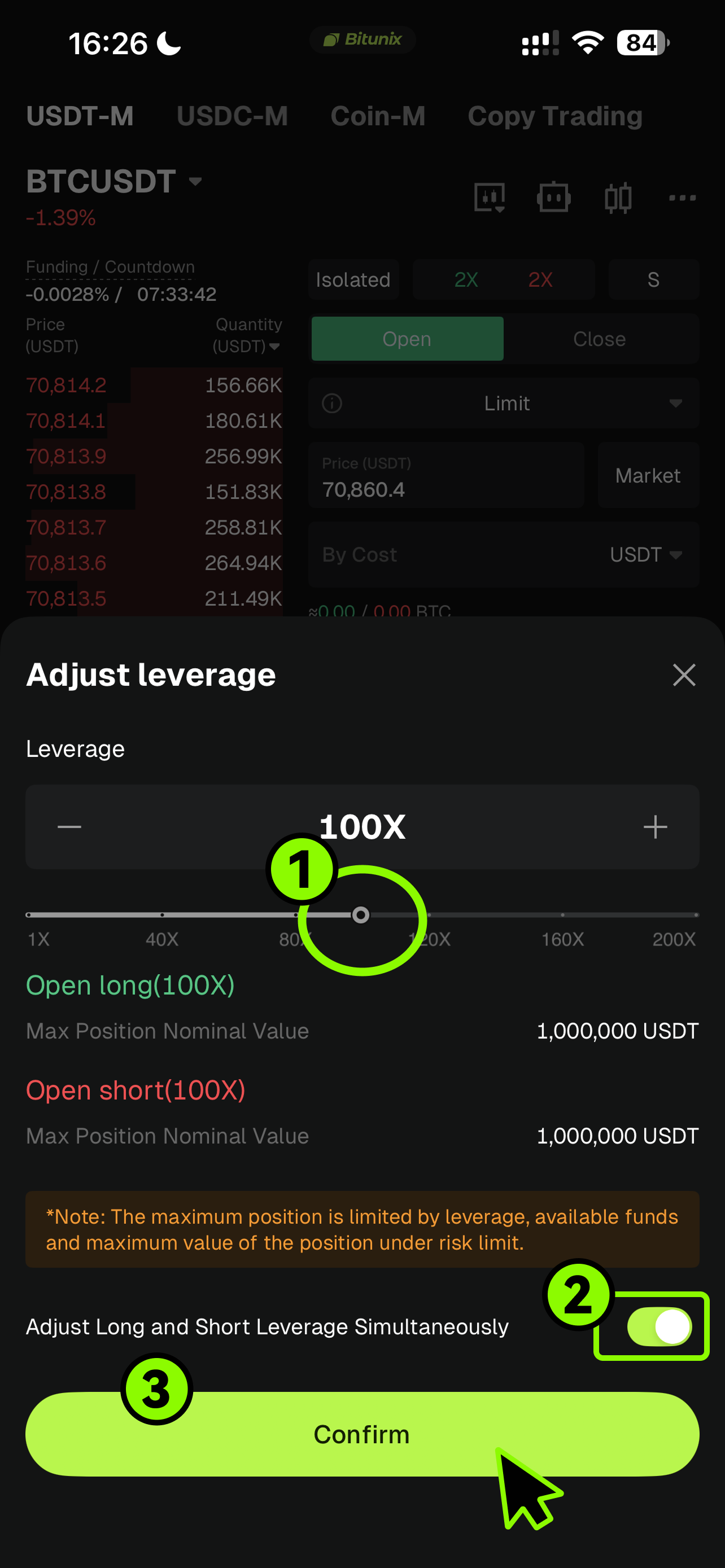
Find the leverage setting, typically displayed as a multiple (for example, “50x”). Tap it to open the leverage adjustment window.
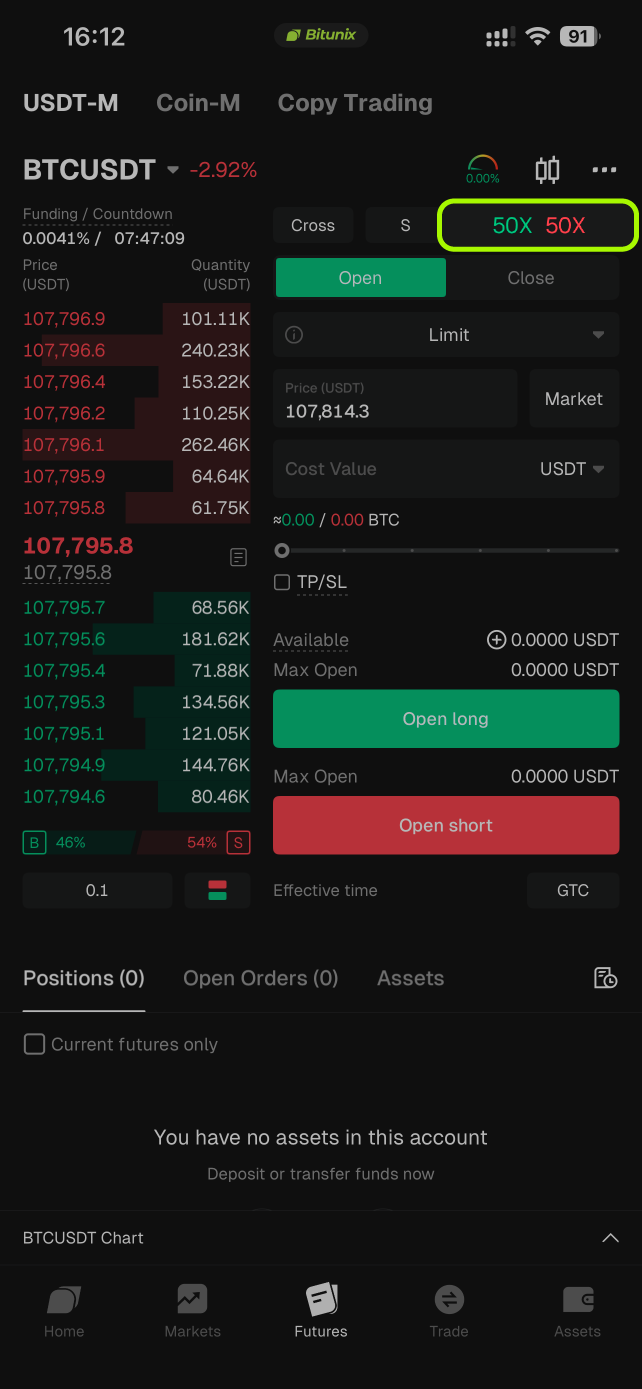
Step 3: Adjust the Leverage
Use the slider or manually enter your desired leverage value. Click Confirm to apply the new settings.
Tip: It is recommended to use the same leverage for both long and short positions.
How to Adjust the Leverage of an Existing Position
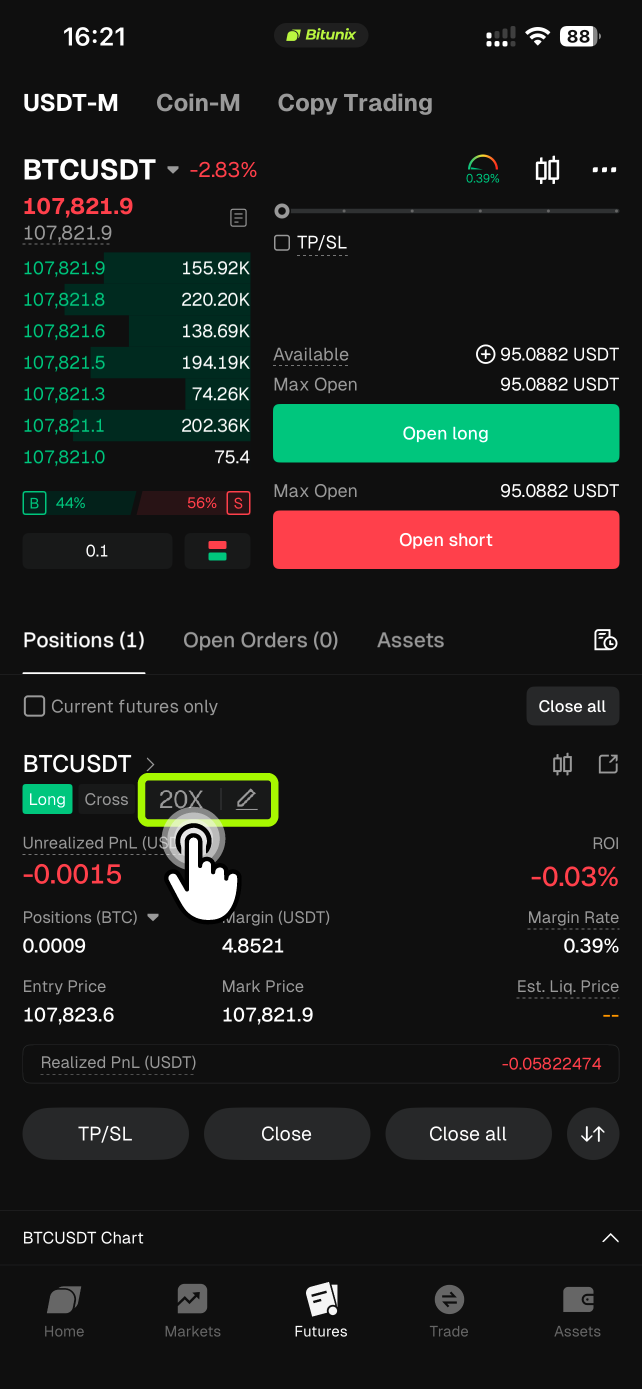
Step 1: Tap the leverage indicator displayed near your open position (for example, “20x”).
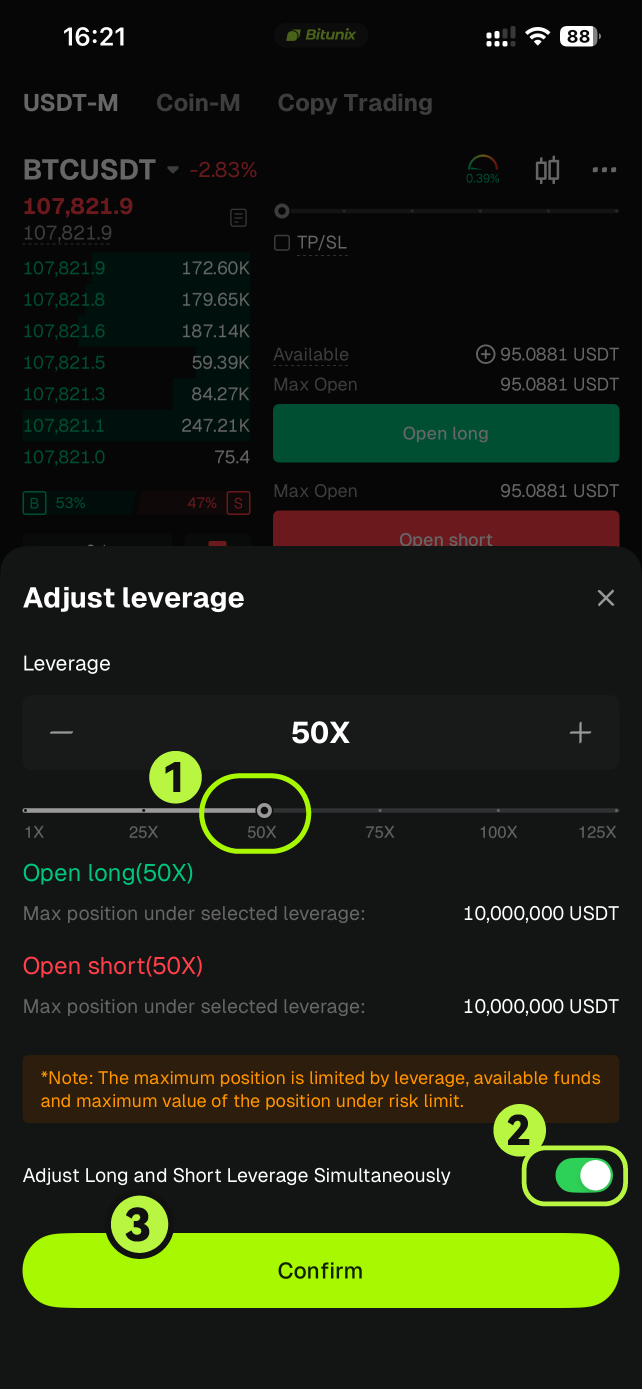
Step 2: Move the slider or input the new leverage manually, then click Confirm to save the change.
How to Set Leverage on the Bitunix Web Platform
Step 1: Go to the Futures Trading Page
Open the Futures Trading section and select the currency pair you want to trade.
Step 2: Locate the Leverage Adjustment Button
Find the leverage adjustment option, shown as a number such as “50x.” Click it to open the Adjust Leverage window.
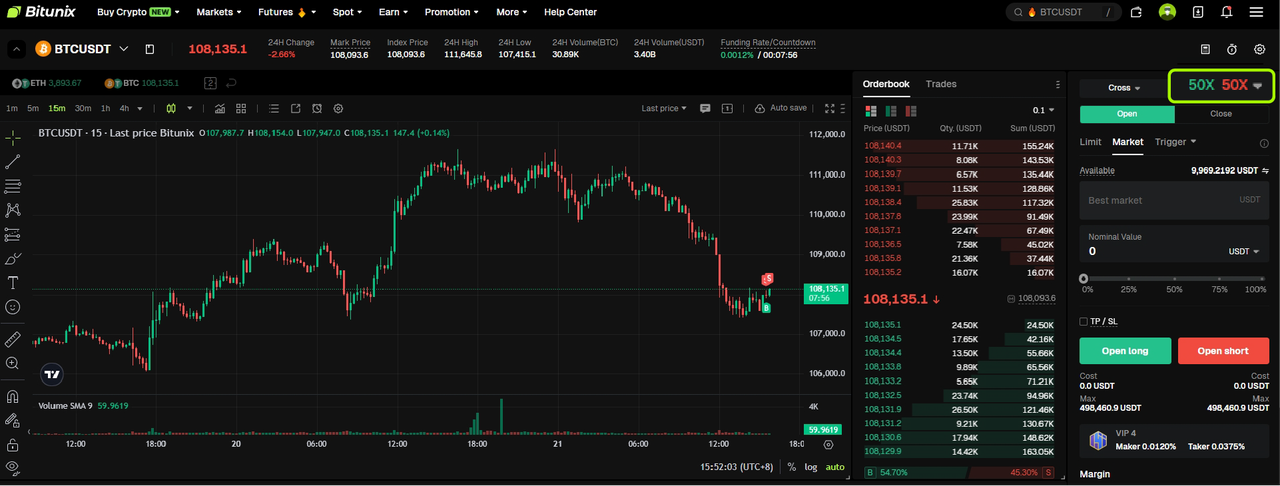
Step 3: Adjust the Leverage
Use the slider or type in the desired leverage value. Click Confirm to apply the change.
Tip: It is recommended to use the same leverage for both long and short positions.
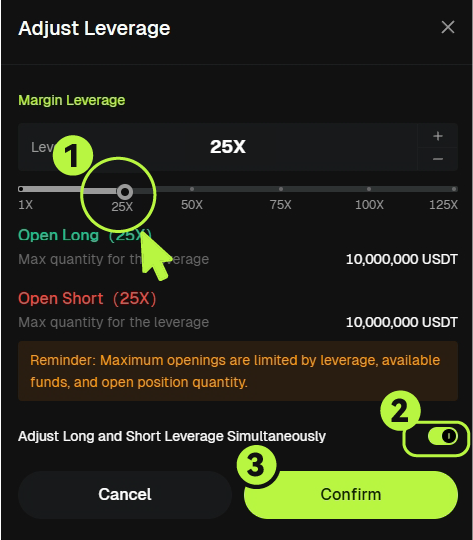
How to Adjust the Leverage of an Active Position
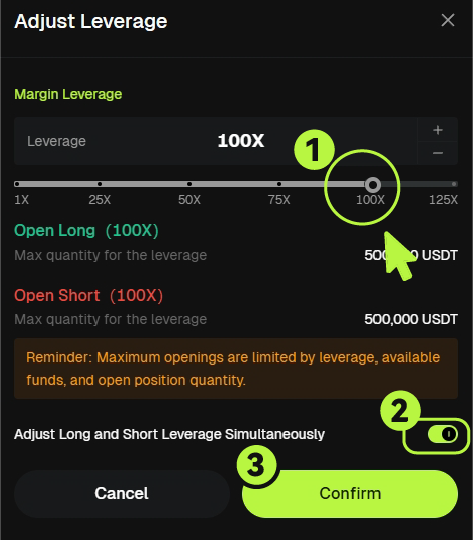
Step 1: Click the leverage displayed on the position (for example, “25x”).

Step 2: Enter the new leverage value or use the slider, then click Confirm to update.
Tips for Using Leverage Effectively
Start with Low Leverage: New traders should begin with smaller leverage ratios to minimize risk.
Monitor Margin Levels: Always ensure your available margin is sufficient to prevent forced liquidation.
Use Risk Management Tools: Combine leverage with stop-loss and take-profit orders to control risk.
Understand Your Risk Exposure: Avoid using excessive leverage that could amplify losses beyond your intended risk.