
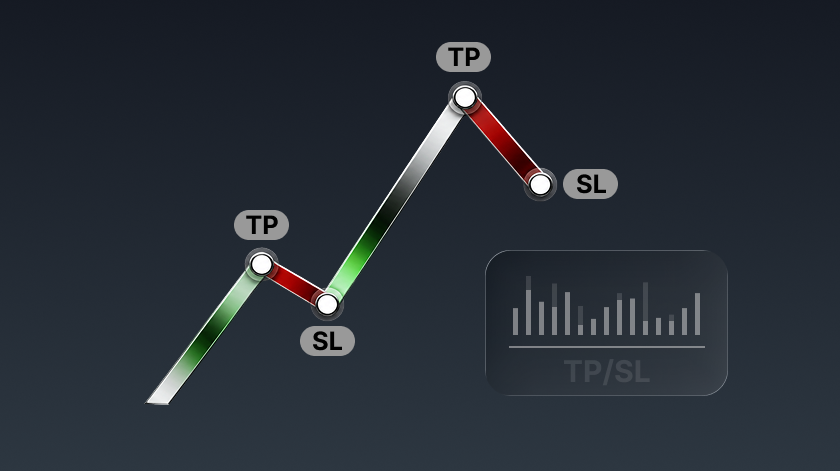
What Are Take-Profit and Stop-Loss Orders?
Take-profit (TP) and stop-loss (SL) orders are commonly used risk management tools in futures trading. They allow traders to set predefined trigger conditions in advance. When the market price reaches the specified conditions, the system will automatically execute a closing order to help traders lock in profits or limit potential losses.
Bitunix offers four types of take-profit and stop-loss methods:
- Position Take-Profit & Stop-Loss
- Partial Take-Profit & Stop-Loss
- Trailing Take-Profit & Stop-Loss
- Account Take-Profit & Stop-Loss
Traders can choose the most suitable method based on their trading strategies, risk tolerance, and position management needs.
Four Typical Use Cases of Take-Profit and Stop-Loss for Bitunix Futures Positions
1.Position Take-Profit & Stop-Loss | Ideal for Basic Risk Management of a Single Position
- Example: A user opens a BTC long position at 60,000 USDT and sets a take-profit price at 65,000 USDT to close the entire position. If the price falls to 58,000 USDT, the position will be fully closed to limit losses. By setting predefined exit conditions in advance, traders can execute their trading plan without constantly monitoring the market while managing the risk of an individual position.
- Key Takeaway: When the target price is reached, the entire position is closed at once, providing a straightforward all-in/all-out exit strategy.
2.Partial Take-Profit & Stop-Loss | Ideal for Flexible Position Management
- Example: A user holds a BTC long position and sets a plan to close 30% of the position when the price reaches 65,000 USDT. If BTC continues rising to 68,000 USDT, another 40% of the position is closed, while the remaining position stays open to capture potential further upside. By exiting in stages, traders can secure partial profits while keeping a remaining position to benefit from future market movements.
- Key Takeaway: As the market reaches different price levels, positions are gradually closed in portions, helping traders balance profit-taking with the opportunity to capture additional gains.
3.Trailing Take-Profit & Stop-Loss | Ideal for Dynamic Trend Following
- Example: A user opens a BTC long position at 50,000 USDT and expects the upward trend to continue. The user sets an activation price of 55,000 USDT and a callback rate of 10%. Once BTC rises to 55,000 USDT, the trailing take-profit and stop-loss order is activated. If BTC continues climbing to 70,000 USDT and later drops to 63,000 USDT, triggering the 10% callback rate, the system automatically closes the position to lock in trend-based profits.
- Key Takeaway: For long positions, the system automatically closes the position when the price rises and then retraces; for short positions, it automatically closes the position when the price declines and then rebounds. This allows traders to dynamically follow market movements while securing profits.
4.Account Take-Profit & Stop-Loss | Ideal for Unified Risk Management Across Multiple Positions
- Example: A user holds BTC, ETH, and SOL futures positions simultaneously and sets an account-level take-profit trigger when total profits reach 1,000 USDT and an account-level stop-loss trigger when total losses reach 500 USDT. This method is suitable for traders managing multiple assets and looking to control overall account risk through unified settings.
- Key Takeaway: Instead of monitoring the profit and loss of individual assets, the system automatically closes all futures positions once the account's overall profit or loss reaches the predefined threshold.
How to Set Up Four Take-Profit and Stop-Loss Methods for Bitunix Futures Positions
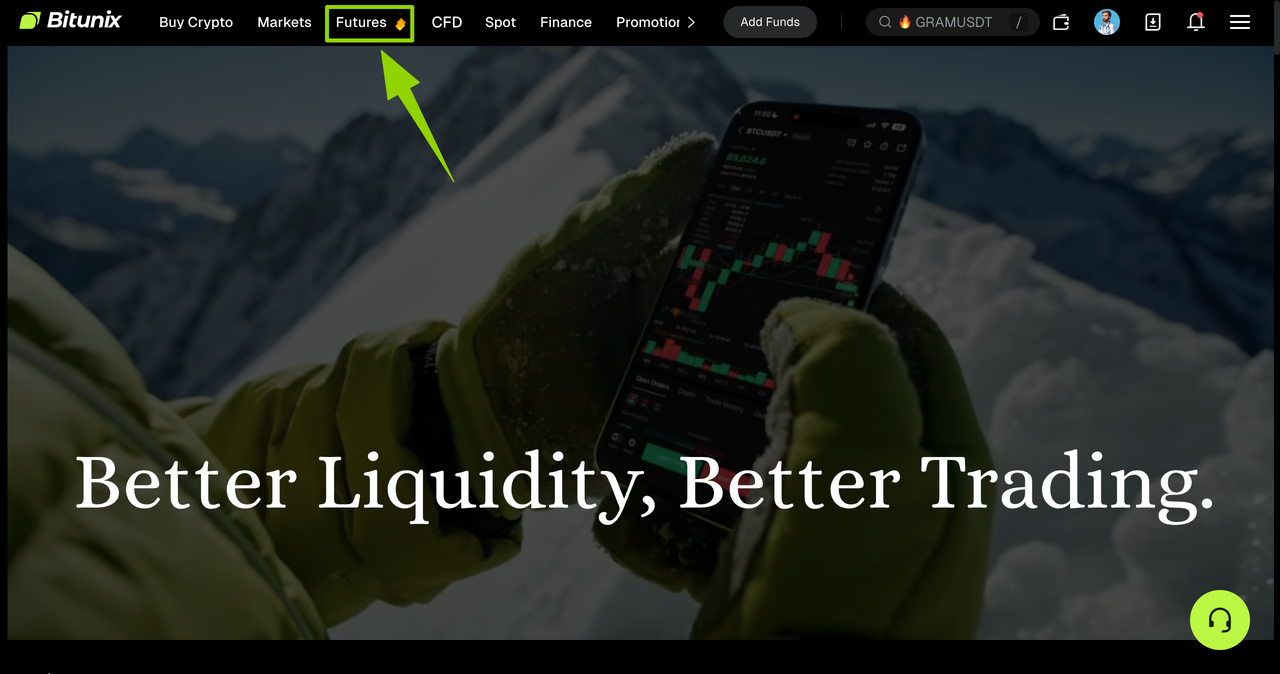
1、Access the Bitunix official website and click the [Futures] button. You will be automatically redirected to the futures trading page.
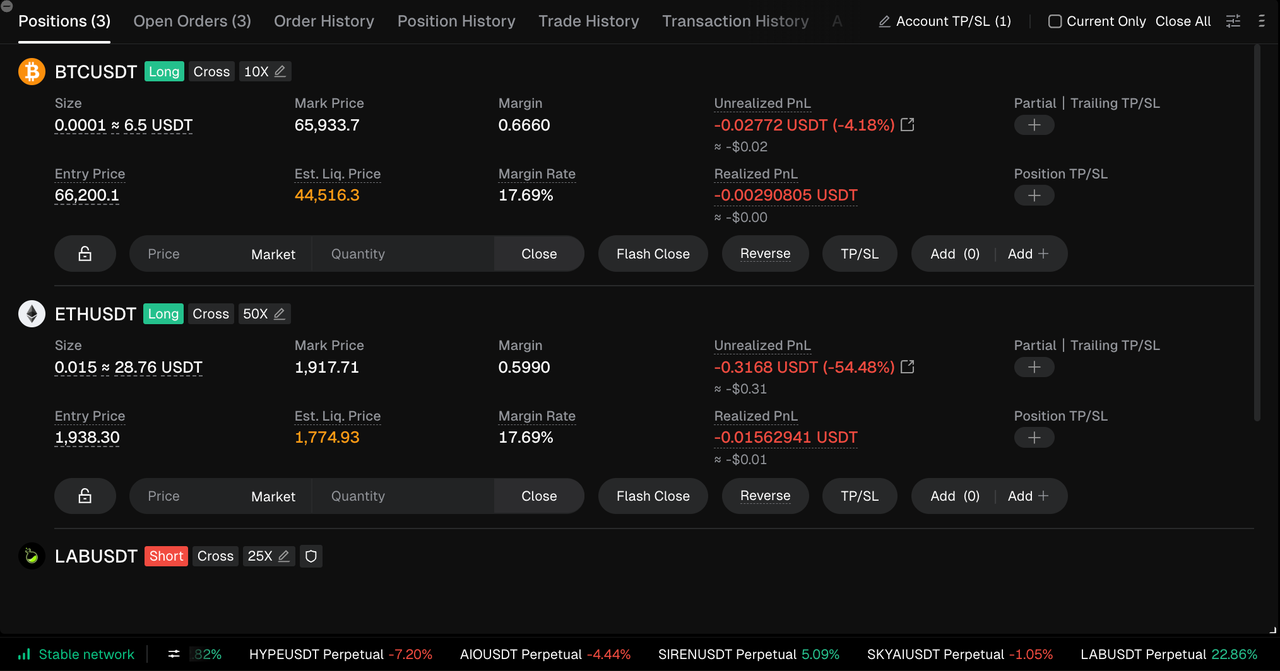
2、On the futures trading page, scroll down to view your currently held futures positions.
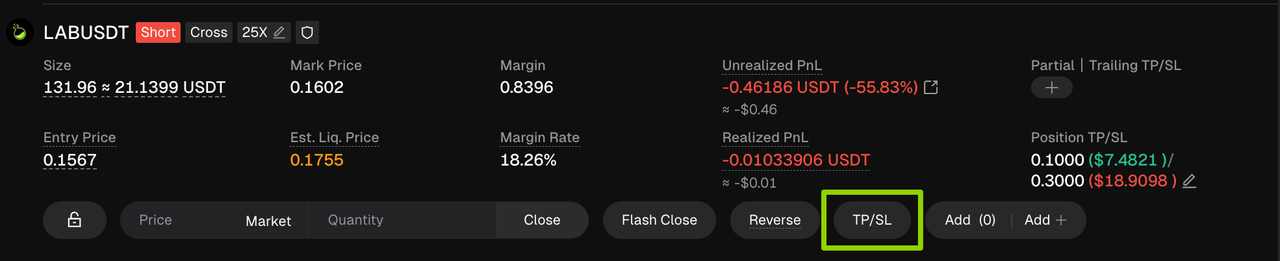
3、Click the [TP/SL] button to choose from different take-profit and stop-loss methods.
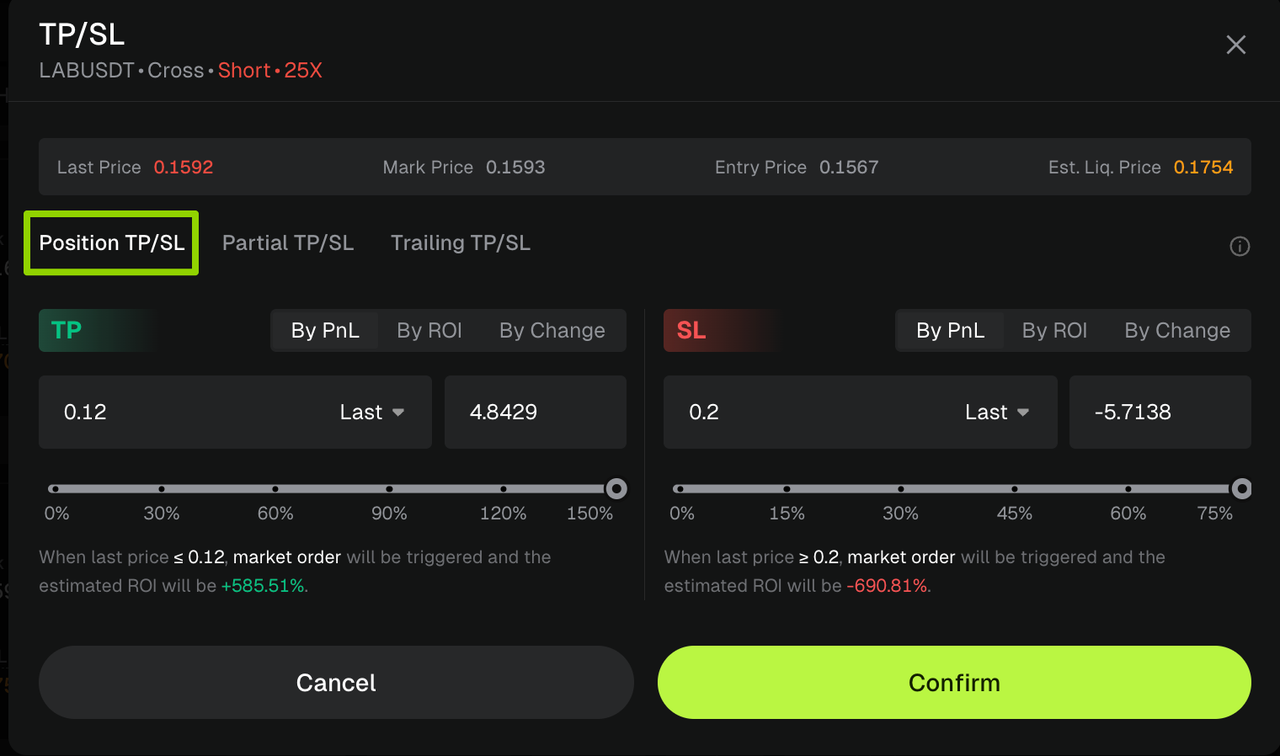
4、[Position TP/SL] Setup Guide
To set up position take-profit and stop-loss, manually enter the trigger price or adjust the slider to select the expected return rate or price change percentage.
The system will automatically calculate the estimated profit and loss. Click [Confirm] to complete the final review, and the order will take effect immediately.
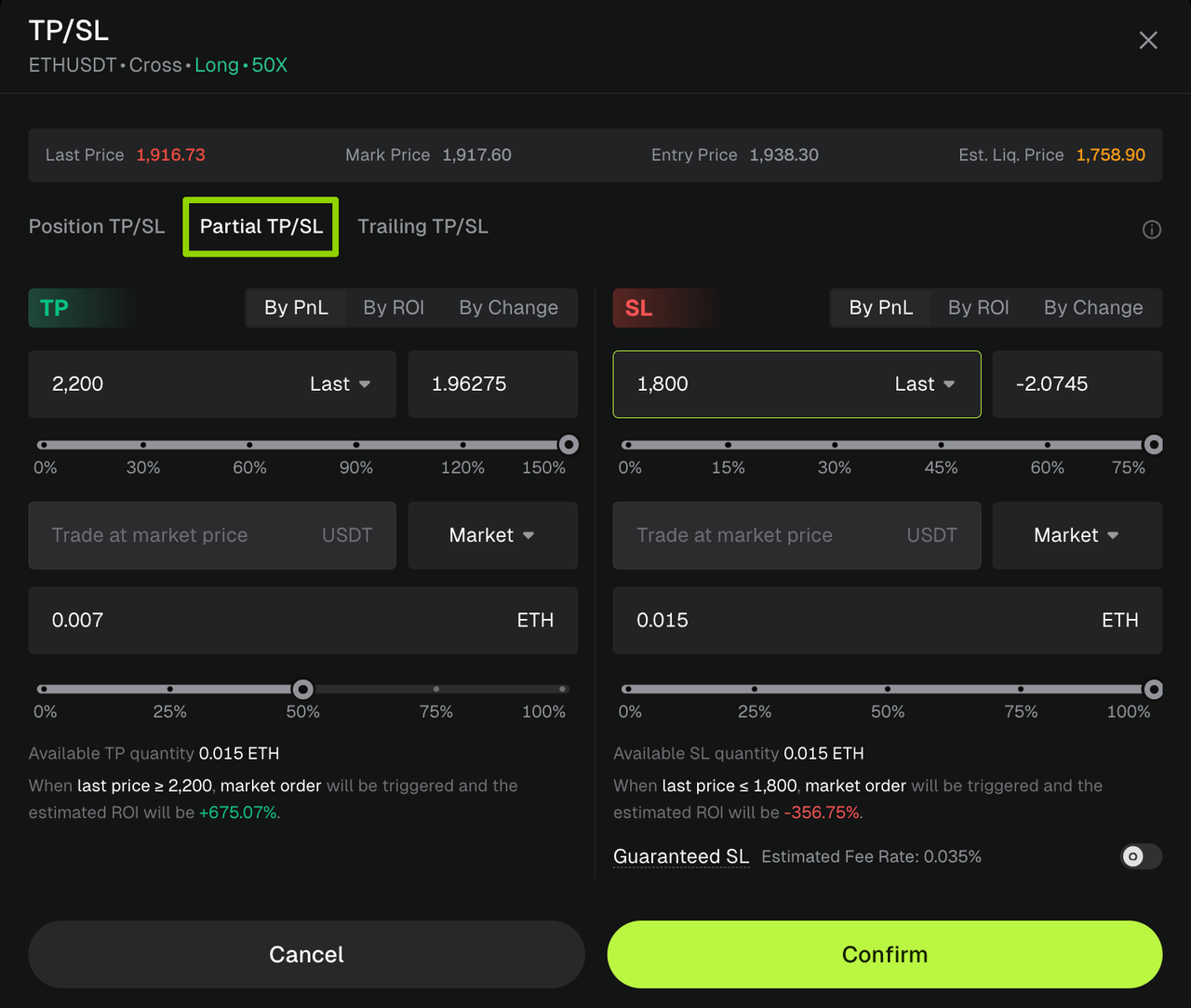
5、[Partial TP/SL] Setup Guide
To set up partial take-profit and stop-loss, manually enter the trigger price or adjust the slider to select the expected return rate or price change percentage. Then adjust the position ratio slider below to determine the percentage of the position to close.
The system will automatically calculate the estimated profit and loss. Click [Confirm] to complete the final review, and the order will take effect immediately.
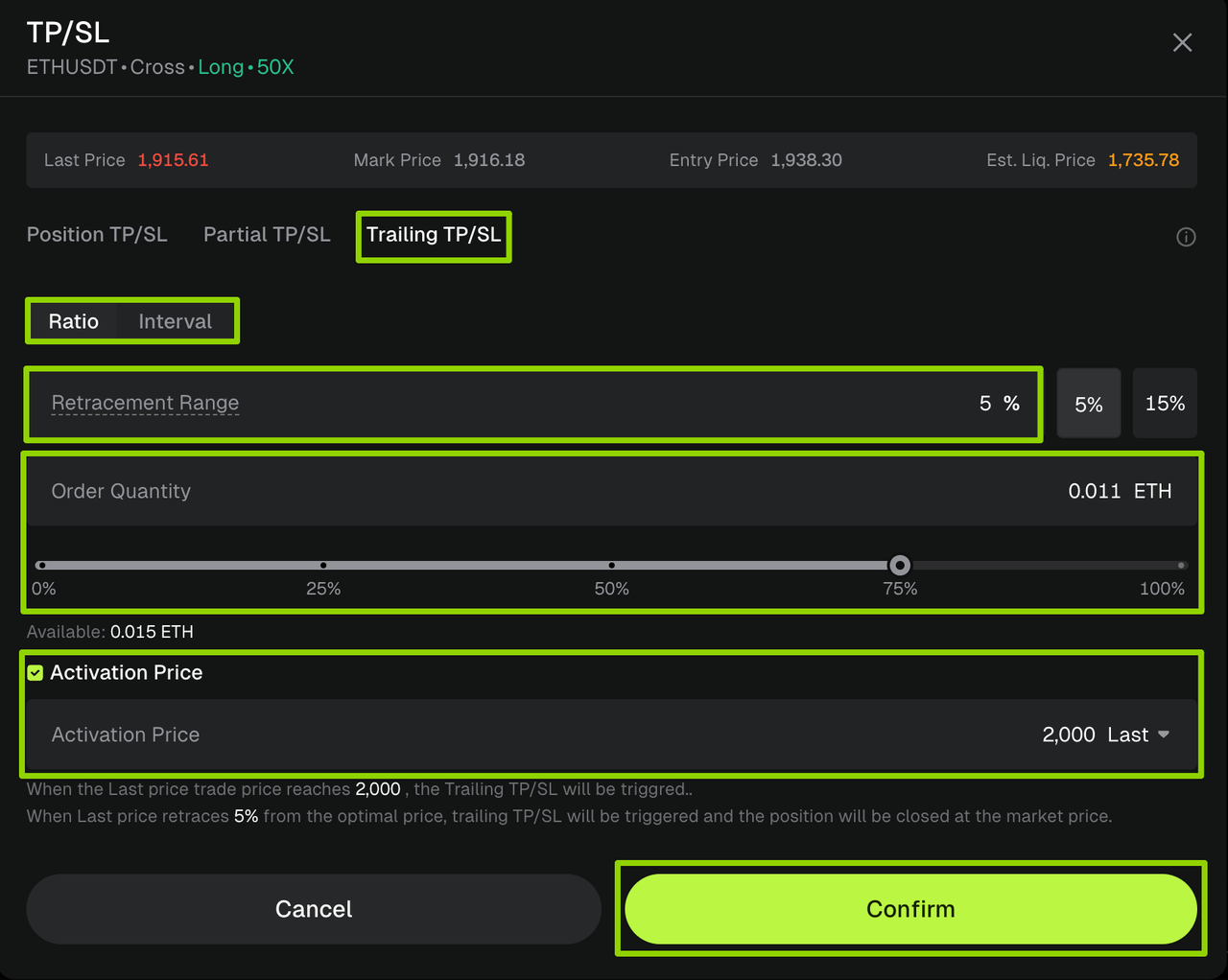
6、[Trailing TP/SL] Setup Guide:
To set up trailing take-profit and stop-loss, enter the activation price, select the retracement range and order quantity, and choose between two modes: Ratio or Interval.
Once the market price reaches the activation price, the trailing function will be enabled. When the market retracement reaches the preset level, the system will automatically close the position. Click [Confirm] to complete the final review, and the order will take effect immediately.
Example: A user opens an ETH long position at 1,938.30 USDT and expects the price to continue rising. The user sets an activation price of 2,000 USDT and a retracement range of 5%. Once ETH reaches 2,000 USDT, the trailing take-profit and stop-loss order is activated. After ETH continues climbing and then retraces, the system will automatically close the position at market price when the retracement from the peak reaches 5%, helping lock in trend-based profits.
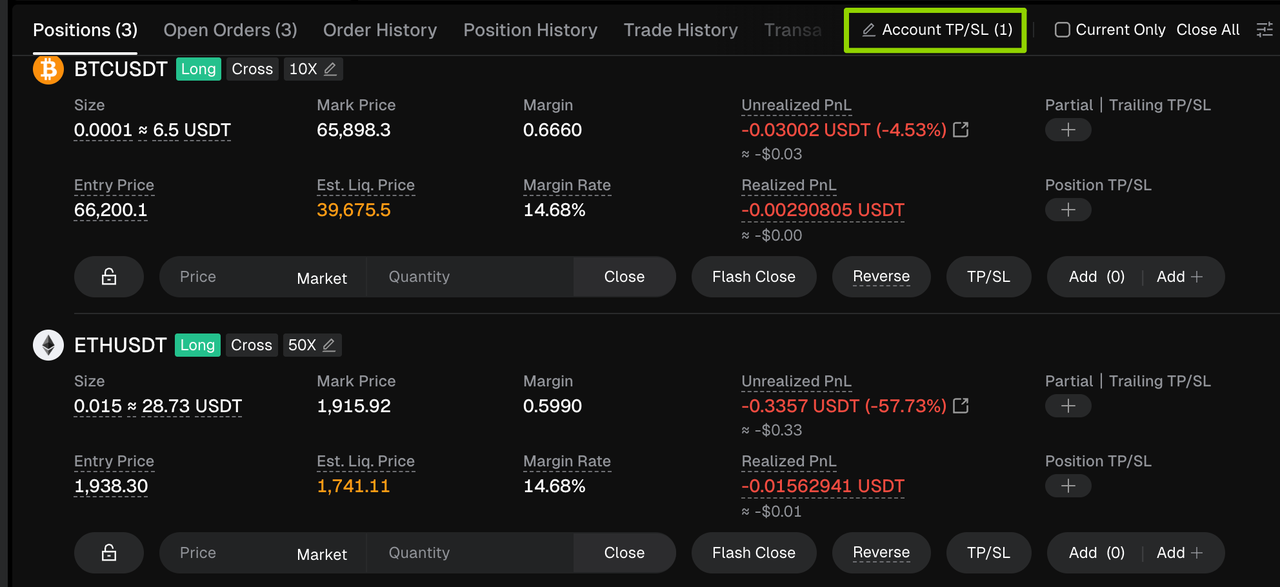
7、[Account TP/SL] Setup Guide
Click the [Account TP/SL] button in the position section to enter the settings page. Set the desired take-profit and stop-loss values, then click [Confirm] to activate the order.
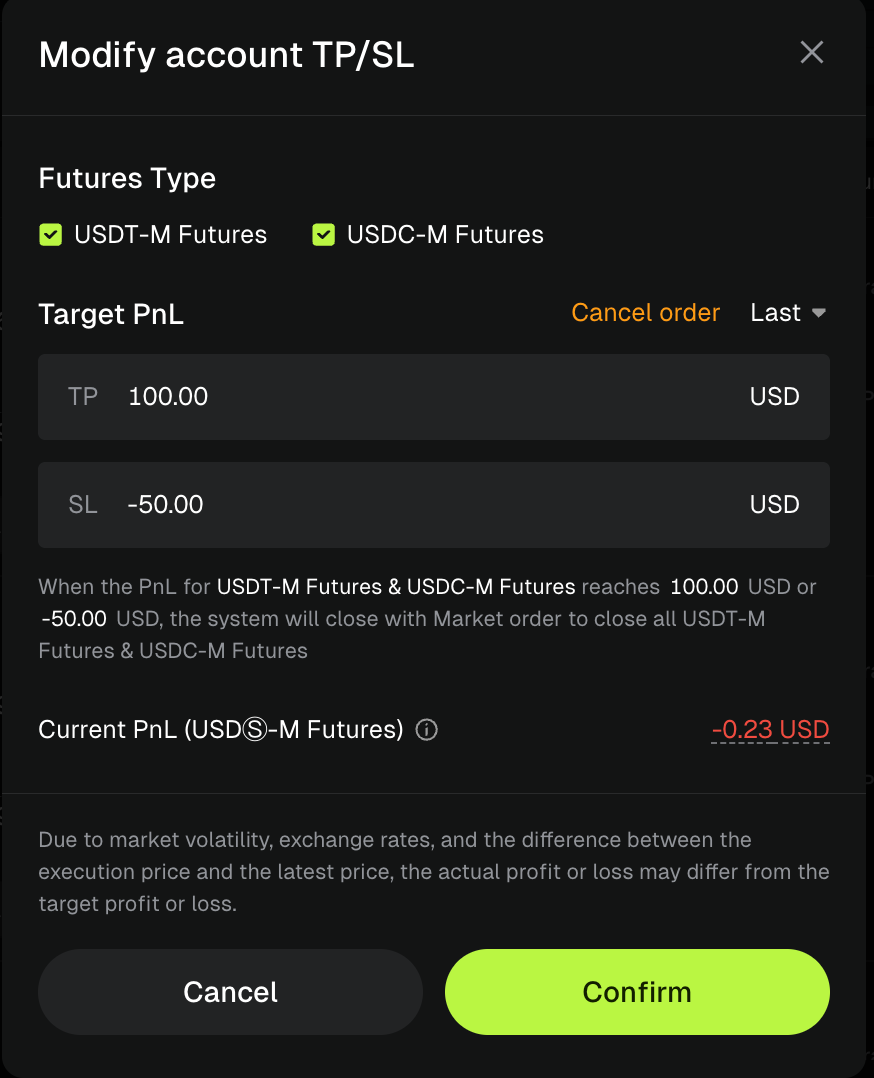
If market conditions change, you can modify or cancel your take-profit and stop-loss orders at any time.


Advantages of Four Take-Profit and Stop-Loss Methods for Bitunix Futures Positions
1. Position Take-Profit & Stop-Loss
Overview:
The most basic and widely used risk management method, allowing traders to set fixed take-profit and stop-loss conditions for an individual futures position.
Summary:
Once the target price is reached, the entire position is closed at once for a straightforward full-position exit.
Advantages:
Simple and intuitive to use, with multiple trigger options including price, profit/loss amount, and profit/loss percentage. This helps traders quickly establish clear risk management rules for their positions.
2. Partial Take-Profit & Stop-Loss
Overview:
Allows traders to set multiple closing ratios for a single position and exit the position in stages.
Summary:
Close portions of the position at different price levels to secure profits progressively.
Advantages:
Provides more flexible position management and adapts to changing market conditions. Traders can lock in partial profits while keeping a remaining position open to capture potential future market opportunities.
3. Trailing Take-Profit & Stop-Loss
Overview:
A dynamic risk management tool that automatically adjusts the trigger level based on market movements.
Summary:
For long positions, the system automatically closes the position after the price rises and then retraces. For short positions, it automatically closes the position after the price declines and then rebounds, helping secure trend-based profits automatically.
Advantages:
Follows market trends dynamically to lock in profits, maximize potential gains from market movements, reduce the need for frequent manual price adjustments, and better suit trending market conditions.
4. Account Take-Profit & Stop-Loss
Overview:
A risk management method that uses the overall futures account as the control unit and triggers position closures based on total account profit or loss.
Summary:
Instead of monitoring the profit and loss of individual assets, all futures positions are closed once the account's total profit or loss reaches the preset threshold.
Advantages:
Ideal for traders managing multiple positions simultaneously. It eliminates the need to set risk controls for each individual position, enables unified account-level risk management, and significantly improves trading management efficiency.
Disclaimer
This article is not intended to provide:
(i) investment advice or investment recommendations;
(ii) an offer or solicitation to buy, sell, or hold digital assets; or
(iii) financial, accounting, legal, or tax advice.
Digital assets you hold, including stablecoins and NFTs, involve significant risks and may experience substantial price volatility. You should carefully consider whether trading or holding digital assets is suitable for you based on your financial circumstances.
For advice specific to your situation, please consult your legal, tax, or investment professionals. You are solely responsible for understanding and complying with all applicable local laws and regulations.
About Bitunix
Bitunix is a global cryptocurrency derivatives exchange trusted by over 3 million users across more than 100 countries. At Bitunix, we are committed to providing a transparent, compliant, and secure trading environment for every user. Our platform features a fast registration process and a user-friendly verification system supported by mandatory KYC to ensure safety and compliance. With global standards of protection through Proof of Reserves (POR) and the Bitunix Care Fund, we prioritize user trust and fund security. The K-Line Ultra chart system delivers a seamless trading experience for both beginners and advanced traders, while leverage of up to 200x and deep liquidity make Bitunix one of the most dynamic platforms in the market.
Bitunix Global Accounts
X | Telegram Announcements | Telegram Global | CoinMarketCap | Instagram | Facebook | LinkedIn | Reddit | Medium