
Article Summary
- This guide introduces Bitunix Pro, the official, full-featured Android trading application for the Bitunix exchange.
- It highlights the key benefits of using the app, such as the ability to trade anywhere, anytime with access to all spot and futures markets.
- The article provides a detailed overview of the app's core features, including advanced charting tools, real-time notifications, and a secure, user-friendly interface.
- A simple, step-by-step section shows users exactly how to download and install the app safely from the Google Play Store.
- It concludes by positioning Bitunix Pro not just as a mobile version of the website, but as a powerful, standalone trading tool designed for both convenience and performance.
The Bitunix Pro application for Android has successfully positioned itself as a leading mobile crypto exchange platform. It offers dozens of professional trading features alongside the security standards that have helped Bitunix grow its user base to over three million and maintain consistent trading volume growth over recent years.
Mobile-first crypto trading continues to accelerate in 2026, driven by traders who expect full market access without being tied to a desktop terminal. As volatility increases and opportunities move faster, mobile execution is no longer a convenience but a requirement.
For experienced traders, performance, security, and feature parity with desktop platforms are critical. A serious mobile app must deliver reliable charts, advanced toolkits, fast execution, and a clean interface that supports real decision-making on the move.
This guide provides a complete overview of the Bitunix Pro Android app, covering its features, trading tools, security framework, and how it compares to other mobile trading solutions.
What Is Bitunix Pro?
Bitunix Pro is the official Bitunix application for Android. The mobile application has integrated many of the most valuable trading features available on desktop and successfully adapted them for use on a smaller screen.
The app is designed specifically for the Android operating system, ensuring high performance, smooth navigation, and reliable execution even during periods of high market volatility.
Bitunix Pro provides full access to the Bitunix ecosystem on mobile, including spot trading, perpetual futures, advanced charting tools, order management, and real-time account monitoring.
The goal of the application is to deliver a seamless mobile trading experience with no feature compromises compared to desktop, making it suitable for both professional and casual traders who need flexibility without sacrificing functionality.
Key Features of the Bitunix Pro App
Bitunix Pro offers a broad range of tools designed to support professional traders while also making the trading experience secure and user-friendly for casual traders and passive investors. The app balances advanced functionality with intuitive design, ensuring accessibility without sacrificing depth.
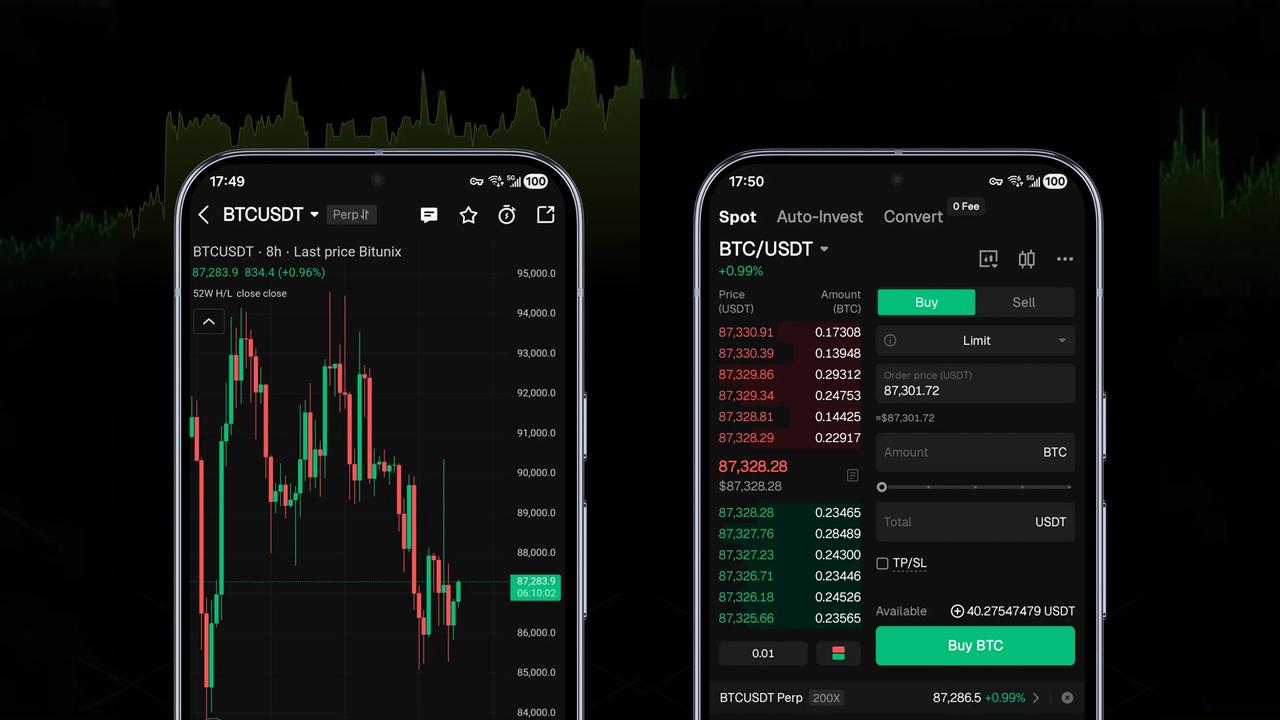
Users can access all spot markets available on Bitunix and trade perpetual futures directly from the app. This includes full trade execution, position monitoring, and the ability to place market, limit, and stop-loss orders entirely within the mobile interface.
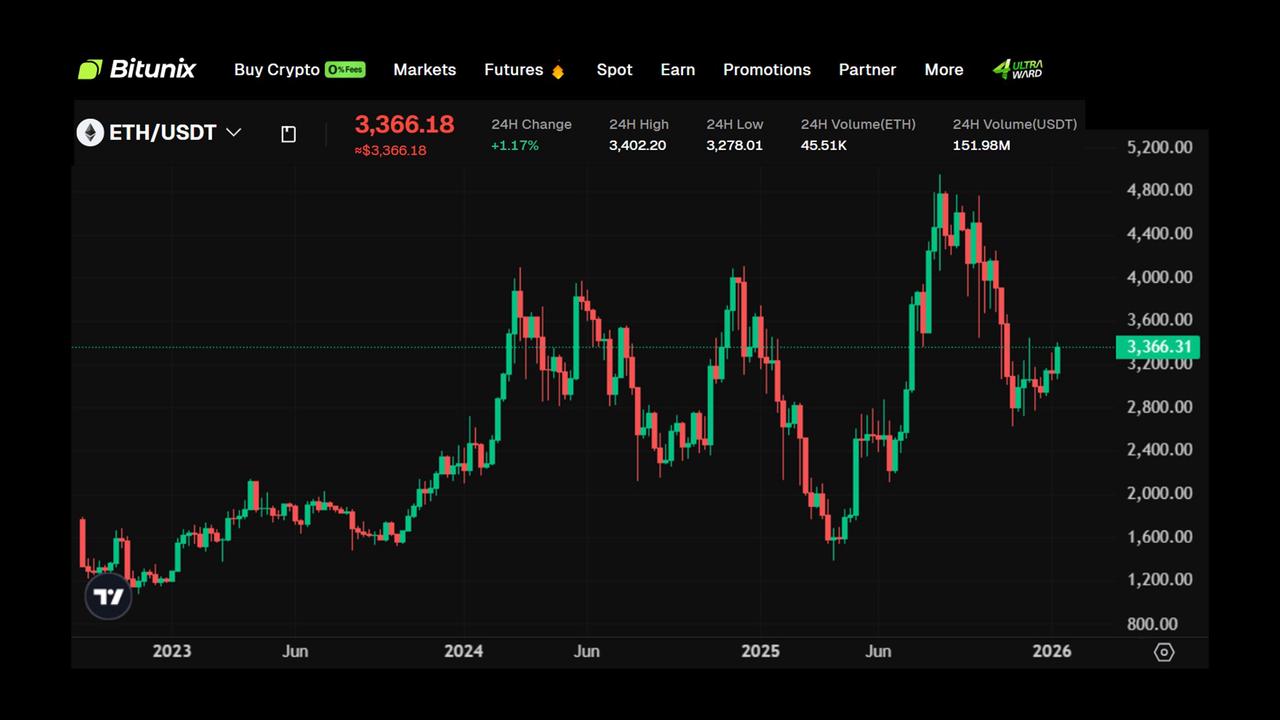
The app features mobile-optimized professional trading charts, including support for up to 16 multi-window charts and full TradingView (K-Line) integration. Traders can easily switch between timeframes and chart types, with smooth performance optimized for Android devices.
Real-time alerts and notifications allow users to set custom price alerts and receive instant updates for order executions. Secure asset management tools enable deposits and withdrawals, real-time portfolio tracking, and live P&L monitoring, delivering a complete trading experience on Android.
Why Bitunix Pro Is a Market-Leading Trading App
Before downloading the Bitunix Pro app, it is worth taking a closer look at the specific features that set it apart from much of the competition. Many of these features are designed to support professional traders who rely on time-sensitive technical analysis, while others focus on ensuring that funds stored on the exchange are secure and easily accessible.
- Up to 16 multi-window charts: Bitunix Pro supports up to 16 simultaneous chart windows on mobile, allowing advanced traders to monitor multiple markets, timeframes, or strategies at once without switching screens.
- 100% mobile TradingView (K-Line) integration: The app delivers a full TradingView experience on Android, including advanced indicators, drawing tools, and professional-grade charting that mirrors desktop functionality.
- Advanced indicators and synced layouts: Traders can use a wide range of indicators, drawing tools, and real-time price and volume tracking, with chart layouts that sync seamlessly between desktop and mobile.
- No deposit fees on SEPA transfers for EU users: Bitunix offers very low trading fees, along with the fact that European clients benefit from zero-fee SEPA deposits, reducing friction and lowering the cost of funding trading accounts.
- Proof of Reserves with 1:1 asset backing: Bitunix maintains transparent Proof of Reserves with full 1:1 asset backing, providing users with verifiable assurance that their funds are securely held and the Bitunix Care Fund holds $30 million USDC.
Together, these features position Bitunix Pro as a mobile trading app that combines professional-grade tools with strong security and usability, making it suitable for both active and high-volume traders.
How to Download and Install the Bitunix Pro App
- Open the Google Play Store, search “Bitunix Pro,” verify it is published by Bitunix, then tap Install. Or use this link to download the application.
- Open the app and log in or sign up for a new Bitunix account.
- Fund your account by depositing fiat or crypto, and EU users can choose SEPA for 0 deposit fees.
- Go to the Trade tab, select Spot or Futures, and choose your preferred trading pair.
- Place your first order using a market, limit, or stop-loss order type, then confirm.
- Monitor the position in Orders/Positions, then continue trading or move crypto into earn products.
Final Thoughts on the Bitunix Pro App
The Bitunix Pro application is ideal for professional traders looking to leverage cutting-edge trading tools directly from their smartphones. It also includes the features millions of Bitunix users have become accustomed to, such as staking and up to 200x leveraged futures. Anyone can download and test the app today to experience Bitunix Pro mobile trading.
FAQs
Is the Bitunix Pro app free to download and use?
Yes. The Bitunix Pro app is free to download and use, with no additional mobile-specific fees charged.
Is there an official Bitunix app for iOS/iPhone?
Currently, Bitunix Pro is available for Android, with iOS support expected to follow as the platform expands.
Are all the trading pairs from the website available on the app?
Yes. The Bitunix Pro app provides access to the same spot and futures trading pairs available on the desktop platform.
How secure is the Bitunix Pro app?
The app uses the same security infrastructure as the Bitunix exchange, including encryption, account-level protections, Proof of Reserves, and optional two-factor authentication to ensure user funds and data remain protected.
Can I complete KYC verification through the app?
Yes. Users can complete KYC verification directly within the Bitunix Pro app using the built-in onboarding flow.
Does the app have the same fee structure as the website?
Yes. Trading fees on the Bitunix Pro app are identical to those on the desktop platform, with no mobile trading surcharge.
How much data does the Bitunix Pro app use?
Data usage depends on chart activity and live updates, but normal trading and monitoring typically consume minimal mobile data.
How do I set up price alerts on the app?
Price alerts can be configured directly from trading charts or market pages, with notifications delivered in real time.
What should I do if the app is not working correctly?
First, check for app updates and your internet connection. If issues persist, contact Bitunix customer support through the app or official channels for prompt assistance.
Glossary
Spot Trading: Buying and selling assets at market price.
Perpetual Futures: Derivative contracts without expiration dates.
PnL: Profit and loss from trading activity.
Order Book: Live list of buy and sell orders.
TradingView: Advanced charting and technical analysis platform.
SEPA: European bank transfer payment network.
Leverage: Borrowed capital used to increase exposure.
Price Alert: Notification triggered at a specific price.
About Bitunix
Bitunix is a global cryptocurrency derivatives exchange trusted by over 3 million users across more than 100 countries. The platform is committed to providing a transparent, compliant, and secure trading environment for every user. Bitunix offers a fast registration process and a user-friendly verification system supported by mandatory KYC to ensure safety and compliance. With global standards of protection through Proof of Reserves (POR) and the Bitunix Care Fund, Bitunix prioritizes user trust and fund security. The K-Line Ultra chart system delivers a seamless trading experience for both beginners and advanced traders, while leverage of up to 200x and deep liquidity make Bitunix one of the most dynamic platforms in the market.
Bitunix Global Accounts
X | Telegram Announcements | Telegram Global | CoinMarketCap | Instagram | Facebook | LinkedIn | Reddit | Medium