Crypto copy trading allows users to automatically replicate another trader’s positions without manually placing every order. On Bitunix, followers can choose lead traders, configure copy parameters, and manage exposure through settings such as copy mode, allocation limits, and risk controls.
Copy trading does not remove trading risks. Since copied trades are executed in real market conditions, factors such as leverage, available margin, execution timing, and liquidation risk can affect follower results. Understanding how futures positions are managed is essential before using any copy trading strategy. Learn more about how forced liquidation works in crypto futures in our crypto liquidation guide.
This guide explains how Bitunix copy trading works, what followers and lead traders control, how copied futures positions are executed, and how to configure settings more effectively.
What Is Copy Trading in Crypto?
Crypto Copy trading is a feature that allows users to automatically replicate the trades of selected traders, known as lead traders.
Instead of manually analyzing markets and opening positions, followers connect their account to a lead trader and allow the platform to copy eligible trading actions automatically.
On Bitunix, copy trading is mainly designed around crypto futures trading. When a lead trader opens, adjusts, or closes a position, the system attempts to execute the corresponding action in the follower’s account based on the follower’s configured settings.
The important point is that copy trading follows execution behavior, not a trader’s entire historical portfolio.
For example, if a follower starts copying after a lead trader has already opened a position, the follower may not receive the same entry price or exposure as the original trade. Copy trading works as a live execution process rather than a complete strategy import.
The Two Roles in Crypto Copy Trading
Every copy trading system involves two participants:
Understanding the responsibilities of each role helps users set realistic expectations.
Followers: Managing Copy Settings and Risk Exposure
Followers choose which lead traders to follow and decide how copied trades are managed in their own accounts.
Follower controls typically include:
Selecting lead traders
Choosing copy mode
Setting copy amount or allocation ratio
Configuring maximum position limits
Managing multiple copied traders
Adjusting or stopping copy relationships
Followers do not control:
A follower’s main responsibility is configuring appropriate risk parameters before copying begins.
Lead Traders: Providing Trading Strategies
Lead traders are experienced traders whose positions can be copied by followers.
When followers generate eligible profits, lead traders may receive a percentage of those profits based on the platform’s profit-sharing rules.
Lead traders are responsible for:
Managing their own trading strategy
Opening and closing positions
Maintaining transparent performance information
Following platform trading rules
Lead traders cannot guarantee follower profits or control follower account settings.
How Bitunix Copy Trading Works Step by Step

Bitunix copy trading follows a simple workflow:
Select a lead trader
Configure copy parameters
Start copying positions
Monitor performance and adjust settings when needed
The setup process is simple, but the configuration choices determine how much exposure a follower takes.
Step 1: Choose a Lead Trader in Copy Square
Bitunix Copy Trading provides a marketplace where users can browse available lead traders.
Before copying, followers should review more than just ROI numbers.
Important factors include:
Metric | Why It Matters |
|---|
ROI | Shows historical return percentage but does not reflect full risk |
Profit and Loss | Shows actual trading results |
Drawdown | Helps evaluate previous downside periods |
Trading frequency | Indicates whether the strategy relies on frequent entries |
Trading pairs | Shows which markets the trader focuses on |
Position size behavior | Helps identify aggressive leverage usage |
A trader with higher historical returns may also use higher risk exposure. Performance data should always be viewed together with risk indicators.
For beginners, starting with one lead trader can make it easier to understand execution behavior before adding additional strategies.
Step 2: Choose a Copy Mode and Set Your Copy Amount
Copy mode determines how Bitunix calculates the size of copied positions in your account.
Bitunix supports two main copy modes:
Fixed Amount Mode
Fixed Ratio Mode
Each mode creates a different risk profile.
Fixed Amount Mode
With Fixed Amount Mode, followers set a fixed margin amount for each copied trade.
Example:
A follower sets a $50 copy amount. Each eligible copied position uses approximately that amount of margin based on available conditions.
Advantages:
Easier to understand exposure
More predictable position sizing
Suitable for users who want clearer trade-by-trade limits
Potential limitation:
If the lead trader normally uses larger or smaller positions, fixed amount copying may not perfectly reflect the original position sizing.
Fixed Ratio Mode
Fixed Ratio Mode adjusts copied position size according to the relationship between follower funds and the lead trader’s position size.
Advantages:
Risk consideration:
If a lead trader increases position size significantly, follower exposure may also increase. Users should review allocation limits carefully before using ratio-based copying.
Step 3: Configure Advanced Copy Settings
Copy settings act as the first layer of risk control before a trade is copied.
Before starting, followers should review:
Maximum Allocation
Set the maximum amount of funds used for copying a lead trader.
This helps prevent one trader from using a large portion of your available capital.
Margin Buffer
Avoid allocating all available funds to copying.
A remaining balance can help reduce failed copy attempts caused by insufficient available margin.
Trading Pair Limits
Pair-level limits can prevent excessive exposure if a lead trader repeatedly trades the same contract.
Stop Loss and Take Profit Settings
Bitunix copy trading supports risk management through TP/SL settings.
Followers can configure take-profit and stop-loss conditions based on their own risk preferences rather than relying only on the lead trader’s decisions.
A practical setup process:
Open Copy Trading and enter My Copy
Select the active lead trader or copied position
Open position management settings
Set your preferred Take Profit (TP) or Stop Loss (SL) price
Confirm the settings and monitor execution
TP/SL settings help followers define exit conditions in advance, but they do not eliminate market risk. Fast price movements, liquidity conditions, and execution differences may affect final results.
Step 4: Monitor Performance in My Copy
My Copy is the main dashboard where followers track copied positions, trading activity, and account performance after starting copy trading.
Starting a copy relationship does not mean the process becomes completely passive. Followers should regularly review their copy activity to understand how the strategy is performing and whether their settings still match their risk preferences.
In My Copy, followers can monitor:
Active copied positions: View current futures positions opened through copy trading.
Copy trading history: Review completed copied trades and execution records.
Real-time PnL: Track current profit and loss changes from copied positions.
Copy status: Check whether copying is active, paused, or stopped.
Risk settings: Review allocation limits, copy mode, and other parameters.
Regular monitoring helps followers identify changes that may affect results, including:
A lead trader increasing position sizes or trading frequency
More frequent copy failures caused by insufficient available margin
Higher exposure on specific trading pairs
Changes in trading behavior compared with previous performance
For example, a lead trader may have maintained a consistent strategy when you started copying but later increase leverage or open larger positions. Reviewing your copy activity regularly allows you to adjust settings before your exposure changes significantly.
What Gets Copied in Crypto Futures Copy Trading?

Bitunix copy trading replicates eligible futures trading actions from lead traders, but it does not duplicate a trader’s complete account history or guarantee identical results.
Most crypto copy trading activity takes place in futures markets, where leverage and margin management directly affect trading outcomes. Understanding how copied positions are executed helps followers set realistic expectations.
Copying Happens at the Position Level
Bitunix copy trading follows a lead trader’s position actions after the follower starts copying.
If a lead trader already has an open position before you begin copying, that existing exposure may not be fully replicated in your account. Instead, you join the trader’s ongoing execution flow from the moment copying starts.
For example:
A lead trader opens a BTC perpetual futures position at $60,000. A follower starts copying after the market moves to $60,200.
The follower’s copied position may have a different entry price, which can affect:
Copy trading mirrors execution behavior, not historical performance.
Slippage Controls Affect Copy Execution
Slippage is the difference between the expected execution price and the actual filled price.
In fast-moving crypto markets, prices can change between the time a lead trader opens a position and when the follower’s copy order is processed.
Bitunix applies slippage controls to reduce unexpected execution differences. If market movement exceeds the allowed tolerance, the copied order may fail instead of executing at a significantly different price.
Followers should understand the trade-off:
Closing and Reducing Positions Use Market Execution
When a lead trader closes or reduces a position, the follower’s corresponding action is executed based on current market conditions.
The final execution price may differ because:
Market prices continue changing
Liquidity conditions vary
The follower’s order is processed separately
This is why two accounts copying the same trader can still show different PnL results.
Why Follower Results Can Differ From Lead Traders
Follower results may differ from lead trader performance because copied trades are affected by execution timing, account conditions, and risk settings.
Even when following the same lead trader, each follower account has different balances, available margin, and configuration parameters. The main factors include:
Execution Timing
Copy trading does not execute all accounts at exactly the same moment.
A lead trader’s position is opened first, and follower orders are processed afterward. During fast market movements, even a short delay can affect:
Entry price
Position size
Unrealized PnL
Liquidation distance
Slippage and Liquidity
Market liquidity and price movement can affect whether a copied trade is executed at the expected price.
Liquidity conditions may change between the lead trader’s fill and the follower’s execution. During periods of high volatility, the market may move beyond the allowed slippage range.
When this happens, the copy order may fail instead of executing at a significantly different price.
Common situations include:
Sudden price movements after major market news
Low liquidity trading pairs
Large position sizes that require more market depth
Followers should understand that slippage controls help manage execution risk, but they cannot guarantee identical fills.
Insufficient Available Margin
A copied trade may be skipped if your account does not have enough available margin when the lead trader opens a position.
This can happen when:
Too much capital is already used in existing positions
Multiple lead traders open positions at the same time
Your allocation settings are too high relative to your available balance
To reduce failed copy attempts:
Keep a margin buffer instead of allocating all funds
Review your active copied positions regularly
Adjust copy amount based on your available capital
Pair-Level Caps
Pair-level caps limit the maximum exposure you can have on a specific trading pair during copy trading.
For example, if you have reached the maximum allocation limit for BTCUSDT, additional BTCUSDT copy orders may not be opened until your existing exposure decreases.
Pair-level caps help prevent:
Excessive concentration in one trading pair
Unexpected position accumulation
Overexposure caused by repeated copying
Followers should review their allocation limits regularly, especially when following traders who frequently trade the same contracts.
Costs in Bitunix Copy Trading
Before starting crypto copy trading, followers should understand the different costs that may affect overall performance.
Copy trading results are not determined only by trading profits or losses. Trading fees, funding payments, execution differences, and profit sharing can all influence the final outcome.
A clear understanding of costs helps followers evaluate performance based on net results rather than displayed returns alone.
Trading Fees
Copied trades are executed as futures trades, which means standard trading fees apply based on the relevant product rules.
Trading fees may vary depending on factors such as:
Followers should consider trading fees when reviewing copied trading performance, especially for strategies that open and close positions frequently.
Funding Fees
For perpetual futures positions, funding fees may apply depending on market conditions.
Funding payments are exchanged between long and short position holders and are separate from copy trading profit sharing.
The impact of funding fees depends on:
Position direction
Holding duration
Funding rate conditions
Position size
Lead traders who hold positions for longer periods may create different funding cost exposure compared with short-term trading strategies.
Copy Trading Service Fees
Depending on the program structure, additional copy trading-related fees may apply.
Followers should review the current copy trading rules and fee information before starting a copy relationship.
Understanding all applicable costs helps users evaluate the actual performance of a copied strategy.
Profit Sharing and Weekly Settlement
Profit sharing is the incentive model that allows lead traders to receive a percentage of follower profits when eligible conditions are met.
The general process works as follows:
If a follower generates eligible net profits during a settlement period, a portion may be allocated to the lead trader based on the applicable profit-sharing ratio.
If a follower ends the settlement period with a net loss, profit sharing is not charged for that cycle.
Settlement calculations follow the platform’s scheduled rules.
Bitunix uses a weekly settlement schedule:
Item | Details |
|---|
Settlement time | Monday 00:00 UTC |
Calculation period | Monday 00:00:00 UTC to Sunday 23:59:59 UTC |
Profit sharing | Based on applicable program rules |
The standard profit-sharing ratio may vary depending on lead trader category or program settings.
Followers should evaluate performance after considering:
Trading fees
Funding costs
Profit sharing
Execution differences
A strategy with high gross returns may have a different net outcome after all costs are included.
Common Copy Trading Problems and How to Fix Them
Most copy trading issues come from account configuration, market conditions, or execution limitations.
Understanding why a copy trade fails can help followers adjust settings and manage exposure more effectively.
Problem 1: Insufficient Available Margin
What Happens
A copied position may not open if your account does not have enough available margin when the lead trader executes a new trade.
Common causes include:
Existing futures positions already use available margin
Multiple lead traders open positions at the same time
Copy allocation is too high compared with account balance
How to Reduce the Risk
Maintain a margin buffer
Avoid allocating your entire balance to copy trading
Review active positions before increasing allocation
Adjust copy amount based on your available funds
Problem 2: Copy Order Failed Due to Slippage
What Happens
A copy order may fail if the market moves beyond the allowed slippage range between the lead trader’s execution and the follower’s order processing.
This is more common during:
High volatility periods
Major market events
Rapid price movements
How to Reduce the Risk
Consider traders focusing on liquid trading pairs
Avoid strategies relying on extremely precise entries
Understand that some missed trades are a result of execution protection mechanisms
Problem 3: Pair-Level Cap Reached
What Happens
A copied trade may not open when your maximum exposure limit for a specific trading pair has already been reached.
For example:
If your BTCUSDT copy limit has been reached, additional BTCUSDT positions from the same lead trader may not be copied until your existing exposure decreases.
How to Reduce the Risk
Review pair-level limits regularly
Avoid excessive concentration in one trading pair
Adjust allocation settings based on your risk preference
Problem 4: Lead Trader Strategy Changes
What Happens
A lead trader’s current trading behavior may differ from their previous performance history.
Changes may include:
How to Reduce the Risk
Review recent activity, not only historical ROI
Monitor changes in position sizing
Pause copying if the strategy no longer matches your expectations
Best Practices for Copy Trading Followers
A better copy trading experience starts with managing your own settings, not simply choosing a trader with the highest historical return.
Copy trading can reduce the need to manually place every trade, but followers still need to understand how exposure, leverage, and account settings affect their results.
The following practices can help users build a more controlled copy trading setup.
Start With a Manageable Allocation
New followers should avoid allocating a large portion of their funds before understanding how a lead trader’s strategy behaves.
A practical approach:
Start with a smaller allocation
Observe copied trade execution
Review performance across multiple trading cycles
Adjust allocation only after understanding the strategy
The goal is to understand how the strategy behaves in real market conditions, not only during favorable periods.
Evaluate Risk Metrics Alongside Returns
Historical ROI is only one measurement when evaluating a lead trader.
A more complete review should include:
Metric | What It Shows |
|---|
ROI | Historical return performance |
Drawdown | Previous periods of losses |
Trading frequency | How often positions are opened |
Average position size | Typical exposure level |
Trading pairs | Market concentration |
Holding time | Short-term or longer-term trading style |
A trader with higher returns may also use higher leverage or experience larger drawdowns.
Use TP/SL Settings to Define Your Own Exit Rules
Take-profit (TP) and stop-loss (SL) settings allow followers to create predefined exit conditions for copied positions.
A basic risk management approach may include:
Setting a maximum acceptable loss level
Defining profit-taking conditions
Reviewing settings when market conditions change
On Bitunix, followers can manage TP/SL settings from their copy trading interface:
Open Copy Trading and go to My Copy
Select the active copied position or lead trader
Open position management settings
Set the desired Take Profit or Stop Loss parameters
Confirm the settings
TP/SL settings provide additional control over individual positions, but they cannot remove risks caused by market volatility, liquidity changes, or rapid price movements.
Review Copy Performance Regularly
Copy trading should be monitored rather than treated as a completely passive process.
A regular review can include:
Whether the lead trader’s position sizing has changed
Whether trading frequency has increased
Whether copy orders are being skipped
Whether your allocation still matches your preferred risk level
A weekly review cycle is practical because it aligns with the copy trading settlement schedule and allows followers to identify changes early.
Best Practices for Lead Traders
Lead traders influence follower experience through both trading behavior and how clearly they communicate strategy risks.
A responsible lead trader should focus on consistency, transparency, and realistic expectations.
Maintain Consistent Position Management
Large changes in position size or leverage can make it harder for followers to manage their exposure.
Good practices include:
Maintaining reasonable position sizing
Avoiding sudden increases in leverage
Keeping trading behavior consistent with the strategy profile
Provide Clear Strategy Information
Followers need enough context to understand what they are copying.
Lead traders should avoid:
Exaggerated performance claims
Statements implying guaranteed profits
Misleading descriptions of risk
Clear communication helps followers make more informed decisions.
Consider Follower Execution Conditions
Lead traders should remember that followers may experience different execution results.
Factors include:
Trading strategies that account for these differences can create a better follower experience.
Conclusion
Crypto copy trading allows users to automatically replicate eligible futures positions from selected lead traders without manually placing every order.
On Bitunix, followers can choose lead traders, configure copy modes, set allocation limits, manage TP/SL settings, and monitor activity through My Copy.
The key difference between copy trading and manual trading is that execution happens across multiple accounts. Because of timing differences, liquidity conditions, margin availability, leverage exposure, and account settings, follower results may not exactly match lead trader performance.
A more controlled copy trading approach starts with understanding the mechanics:
Choose lead traders based on both returns and risk indicators
Configure copy settings before starting
Maintain available margin
Review performance regularly
Adjust exposure when strategy behavior changes
Copy trading works best when users understand both the opportunities and the risks involved.
Glossary
Copy Trading: A feature that allows users to automatically replicate selected traders’ positions in their own accounts.
Follower: A user who copies a lead trader’s positions through a copy trading system.
Lead Trader: A trader whose positions can be followed and copied by other users.
Margin: Collateral used to open and maintain a futures position.
Leverage: A mechanism that allows users to control a larger position with less margin.
Liquidation: Forced closure of a futures position when account margin falls below the required maintenance level.
Perpetual Futures: A futures contract without a fixed expiration date.
Funding Rate: Periodic payments exchanged between long and short traders in perpetual futures markets.
PnL: Profit and loss generated from trading positions.
Slippage: The difference between expected execution price and actual filled price.
Liquidity: The availability of market participants and order depth for executing trades.
Market Order: An order executed immediately at the best available market price.
Limit Order: An order executed at a specified price or better.
About Bitunix
Bitunix is a global cryptocurrency derivatives exchange trusted by over 5 million users across more than 150 countries. The platform is committed to providing a transparent, compliant, and secure trading environment for every user. Bitunix offers a fast registration process and a user-friendly verification system supported by mandatory KYC to ensure safety and compliance.
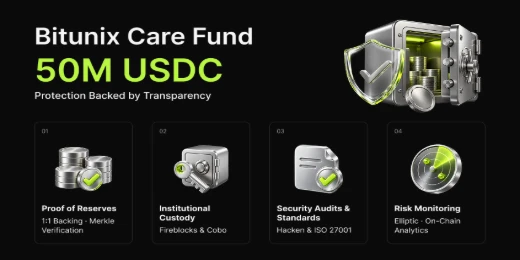
With global standards of protection through Proof of Reserves (POR) and the Bitunix Care Fund, Bitunix prioritizes user trust and fund security. The K-Line Ultra chart system delivers a seamless trading experience for both beginners and advanced traders, while leverage of up to 200x and deep liquidity make Bitunix one of the most dynamic platforms in the market.
Bitunix Global Accounts
X | Telegram Announcements | Telegram Global | CoinMarketCap | Instagram | Facebook | LinkedIn | Reddit | Medium