Key Takeaways
Item | Summary |
Product | Bitunix Card is a Visa card for spending your crypto. Purchases convert to fiat in real time for online, in-store, and cross-border payments, subject to eligibility and compliance. |
Virtual Card | Digital only; ready on issuance. Use online and with Apple Pay / Google Pay at Visa merchants, subject to regional limits. |
Physical Card | Visa card with number, expiry, CVV, chip, and contactless pay. Use in-store, online, or in wallets. Expected mid-November. |
Fees | No annual, monthly, issuance, cancellation, replacement, or failed-transaction fees; conversion 0%. Non-USD: Visa rate + 1.5% FX. USD, including cross-border: 0.9% fee, no extra FX. Under USD 10: USD 0.30; first 3 each month waived. After 12 inactive months: USD 1/month from month 13; card use stops and resets it. |
Activation | Transfer at least 10 USDT from Spot to your Card account. Not an issuance fee; remains spendable. |
Cashback | Up to 8% crypto cashback on eligible spend, capped at 1,000 USDT/month. 130 million+ Visa merchants. |
1. Product Basics
1.1 What Is Bitunix Card?
Bitunix Card is a Visa payment card offered by Bitunix in both virtual and physical formats. Its core functions include:
Payments: Spend the crypto assets in your Bitunix account directly, without repeatedly selling crypto, withdrawing funds to a bank account, and then using a separate card to make purchases.
Conversion: Crypto assets are converted into the merchant's required fiat currency in real time during the payment process to complete authorization and settlement.
Card Management: View your card details, card balance, transaction history, and cashback records through the Bitunix app or website.
Identity verification and KYC checks are supported by compliance service providers such as Sumsub. Card approval is subject to eligibility and compliance reviews. Completing KYC does not guarantee card approval.
1.2 Who Should Choose a Virtual Card or a Physical Card?
For a detailed comparison, see the official guide: Bitunix Card: Virtual Card & Physical Card.
If you mainly pay for subscriptions, international online shopping, and digital services, a virtual card may be the better choice. It is typically available shortly after issuance and can be added to supported digital wallets.
If you primarily make in-store purchases using a physical card or contactless payments, consider a physical card, which must be delivered and activated before use.
1.3 How Does a Payment Work?
When you make a purchase at a merchant that accepts Visa, Bitunix Card deducts the applicable crypto funds from your Bitunix Card account or linked crypto balance and processes the payment in fiat currency according to the card's rules.
For online purchases, enter your card number, expiration date, and CVV, or pay through supported digital wallets such as Apple Pay or Google Pay. In-store payments may be made using the card's chip, magnetic stripe, or contactless functionality, subject to the card's supported payment methods and the merchant's terminal.
1.4 Advantages of Bitunix Card
Up to 8% Cashback: Earn up to 8% cashback on eligible purchases, with a monthly cashback cap of USD 1,000.
Global Acceptance: Powered by the Visa network, Bitunix Card is accepted at more than 130 million merchants worldwide.
Secure and Convenient, with No Card Issuance Fee
1.5 Bitunix Card User Guide: From Application to Everyday Spending
Official Resources
Visit the official website: https://www.bitunix.com
2. Step-by-Step Guide
2.1 Before You Apply
Register and log in to the official Bitunix website or the official iOS or Android app.
Complete identity verification (KYC). Commonly accepted documents include a valid national ID, passport, or driver's license. If your initial document is not accepted, you may be asked to provide a passport and valid proof of address.
Make sure your Spot Account has enough USDT to activate the card. The current Help Center requirement is at least 10 USDT, subject to the amount displayed in the app.
2.2 Apply for and Activate a Bitunix Virtual Card in the App
Step 1 — Access the Card Application
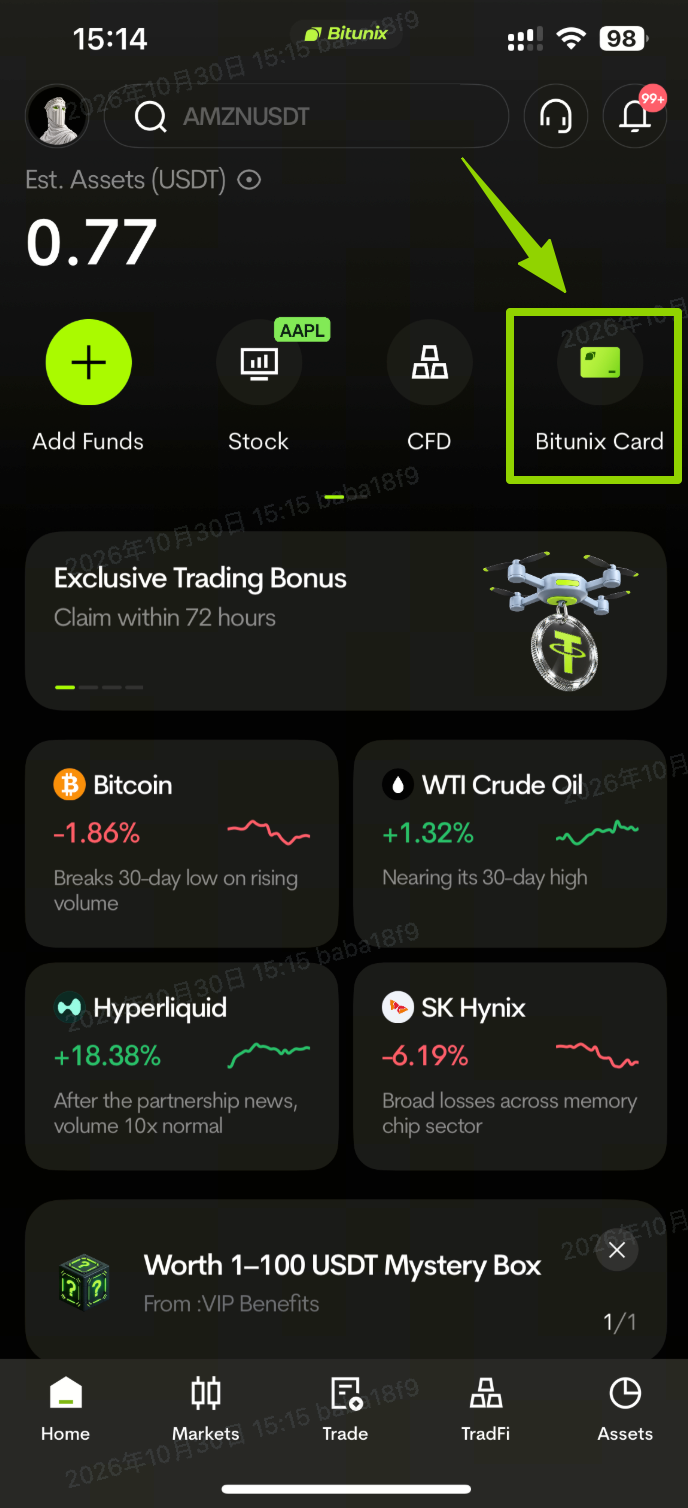
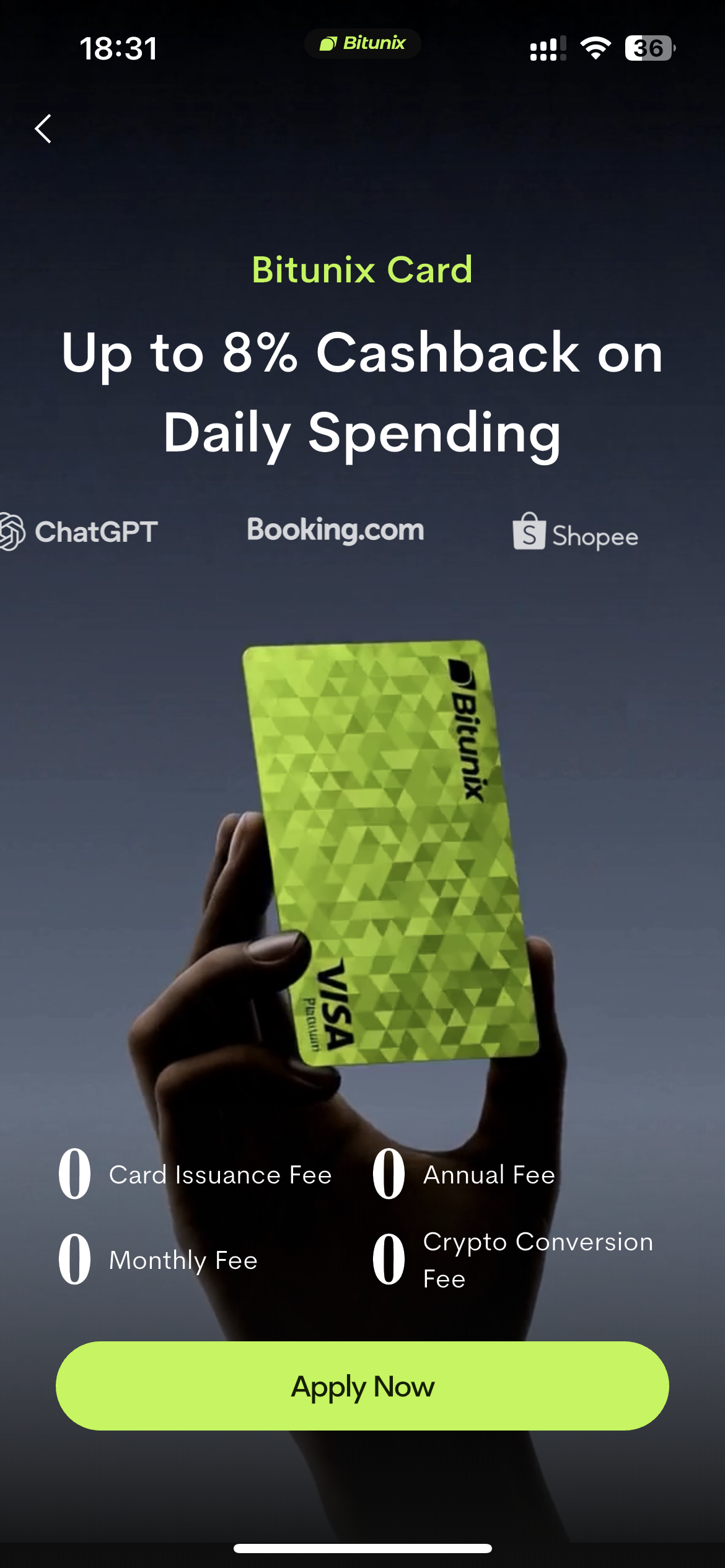
Open the Bitunix app and tap Bitunix Card on the home screen to begin your application.
Step 2 — Submit Your Information and Complete Verification
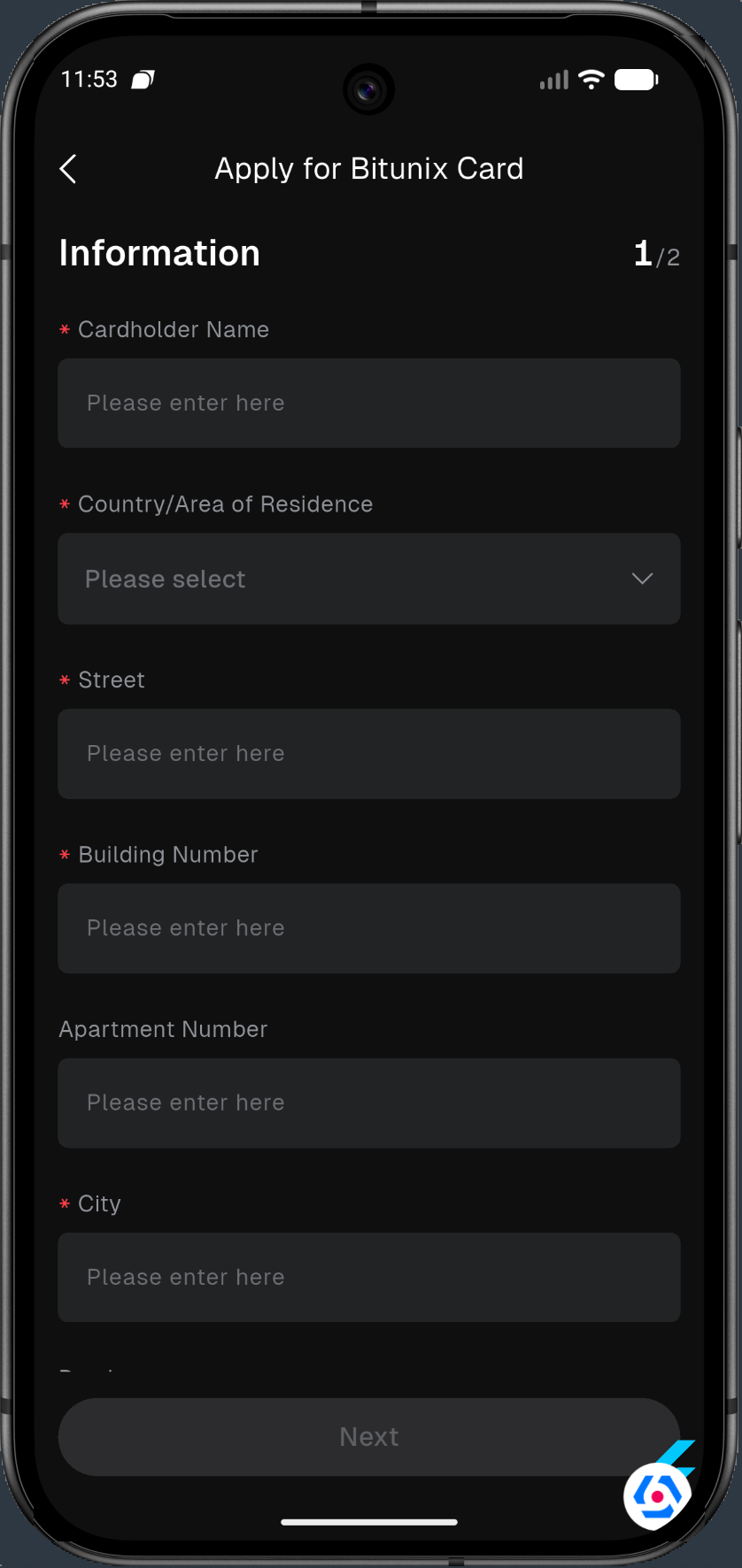
Complete KYC and tap Start verification. Follow the on-screen instructions to submit the required identity and address information.
Step 3 — Activate Your Card
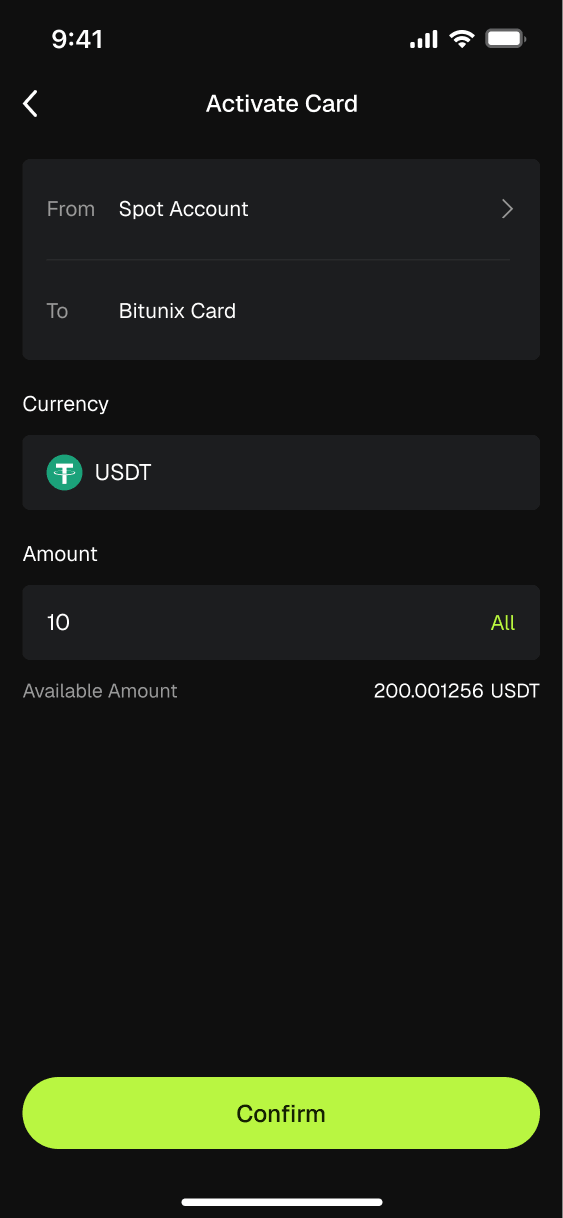
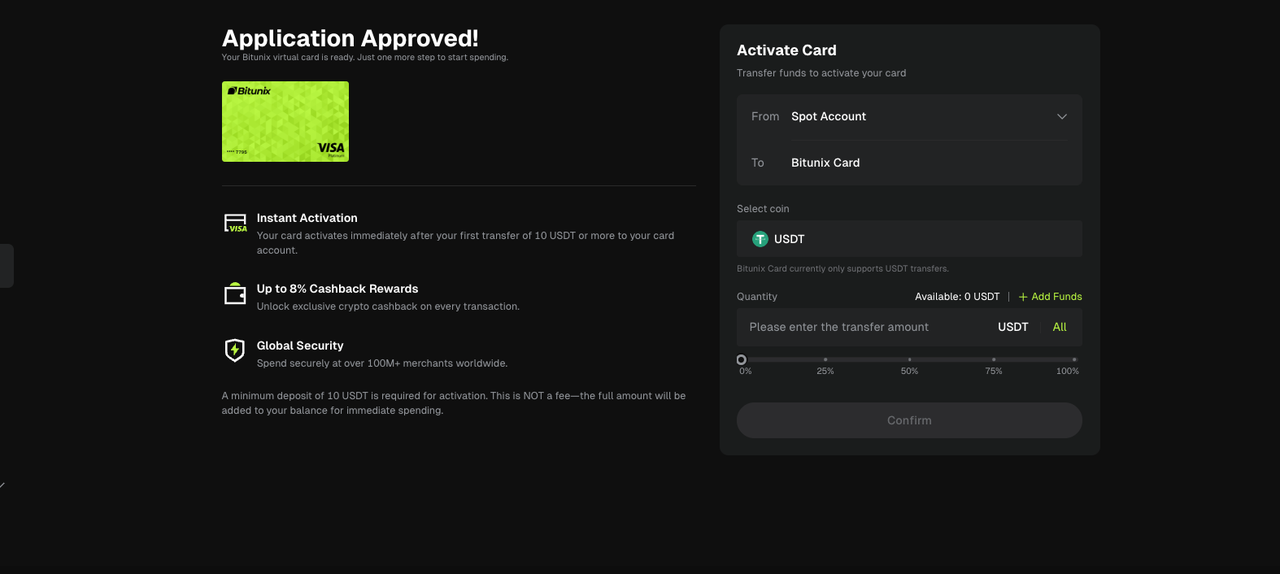
Transfer at least 10 USDT from your Spot Account to your Bitunix Card Account.
Important: This amount is added to your available card balance. It is not a card issuance fee and can be used to make purchases.
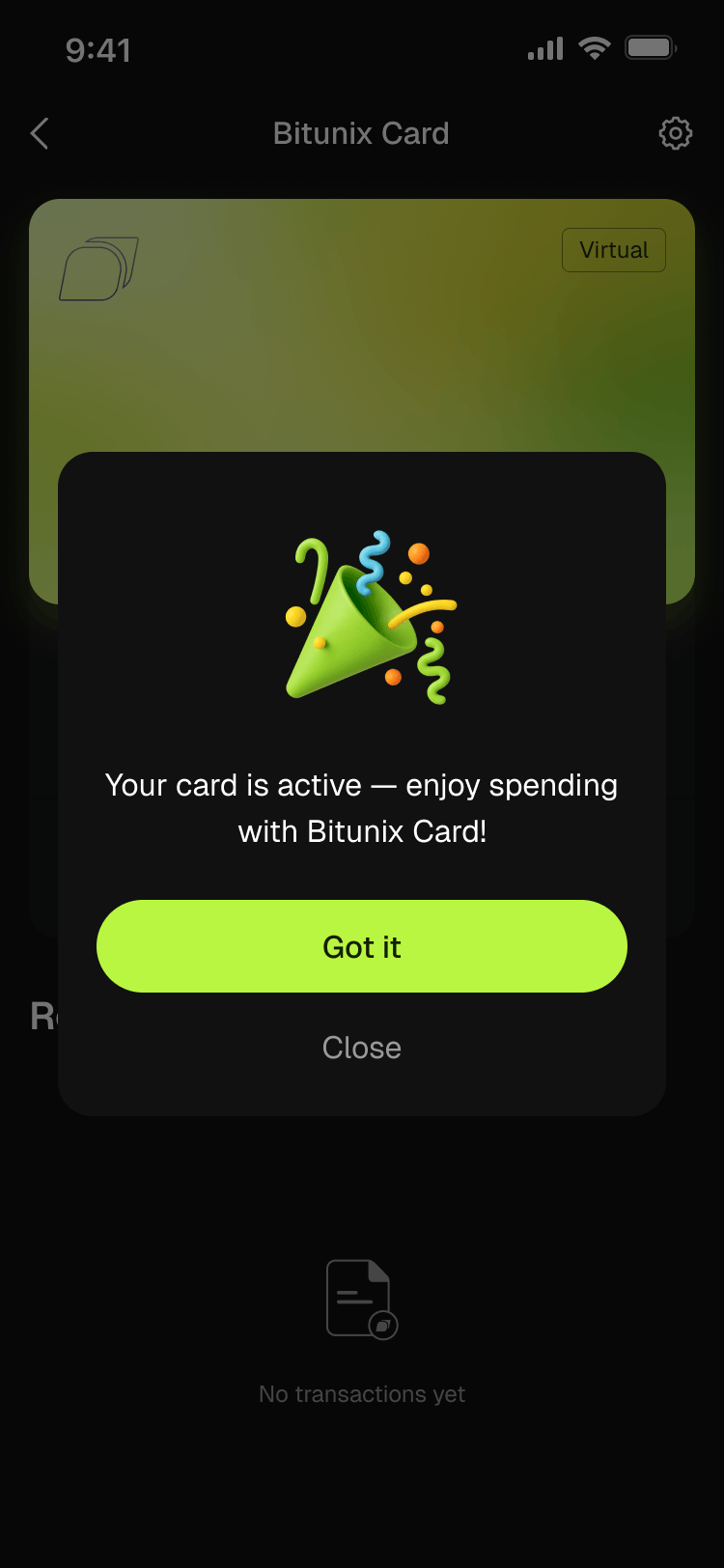
Step 4 — View Your Card Details and Start Spending
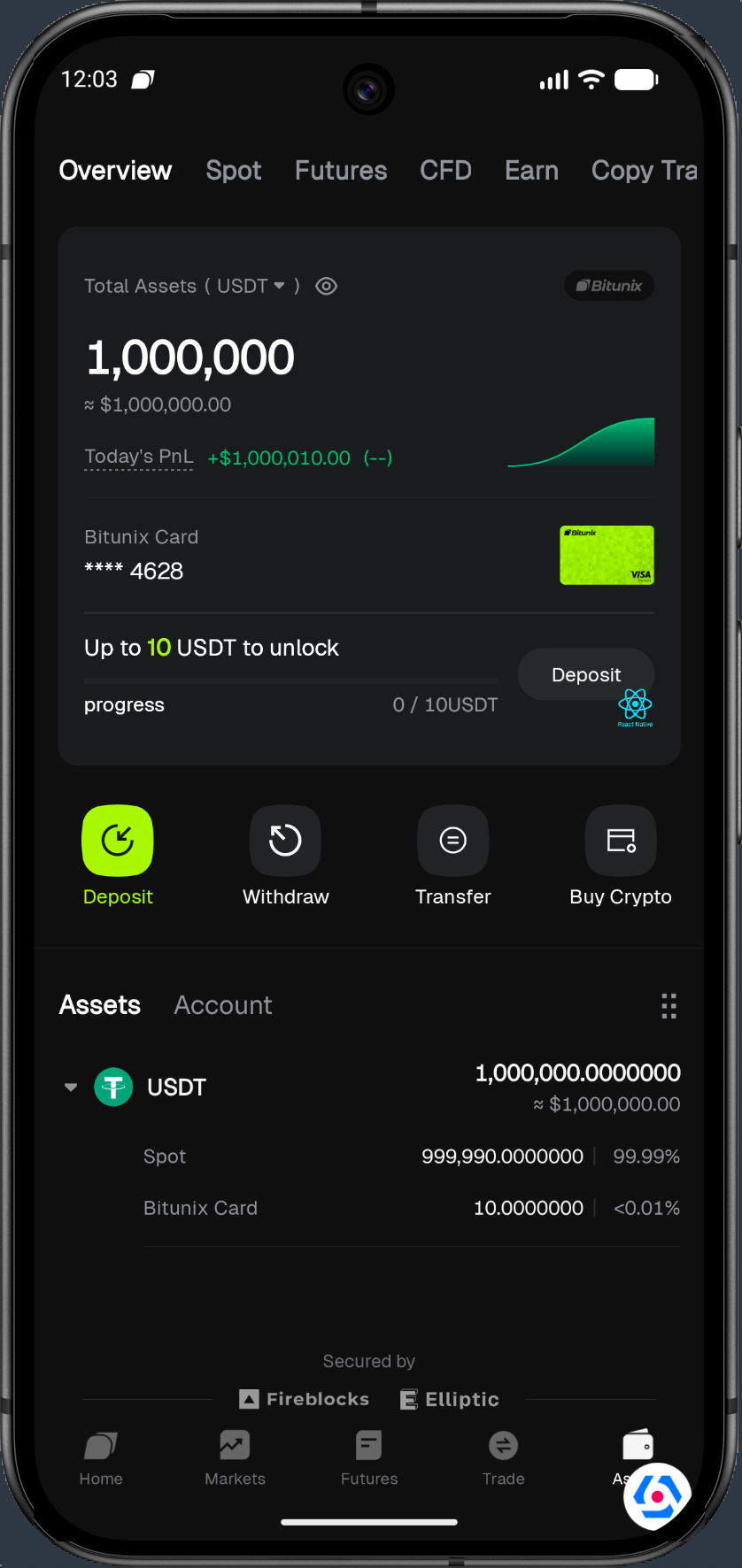
In the app, tap Assets in the bottom-right corner, then open Bitunix Card to view your virtual card details, balance, transaction history, and cashback records.
2.3 Apply for and Activate a Bitunix Card on the Website
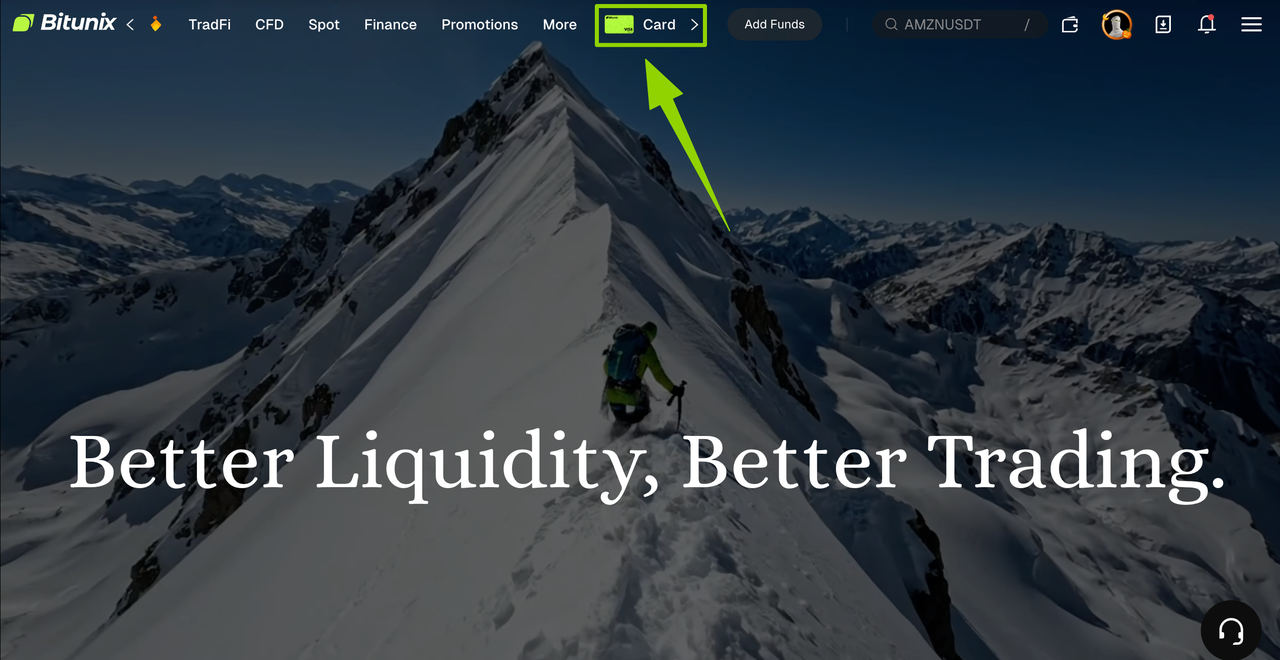
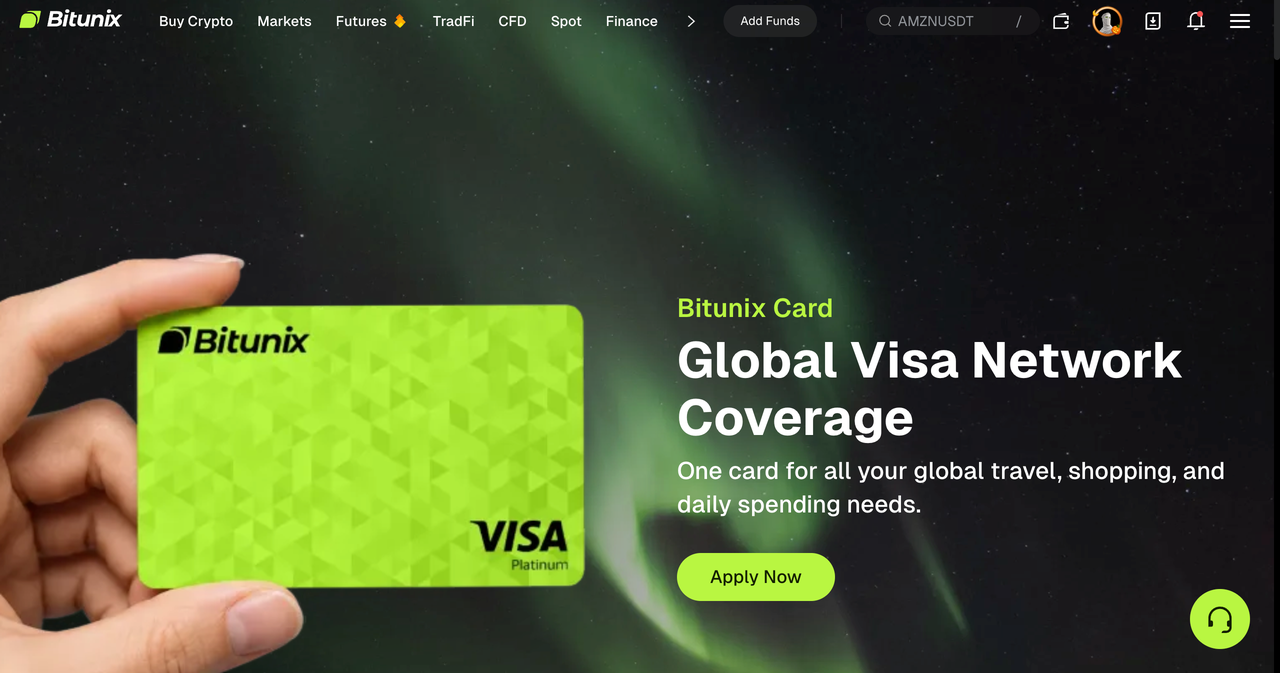
1.On the official Bitunix website, select Bitunix Card from the homepage, then click the application option.
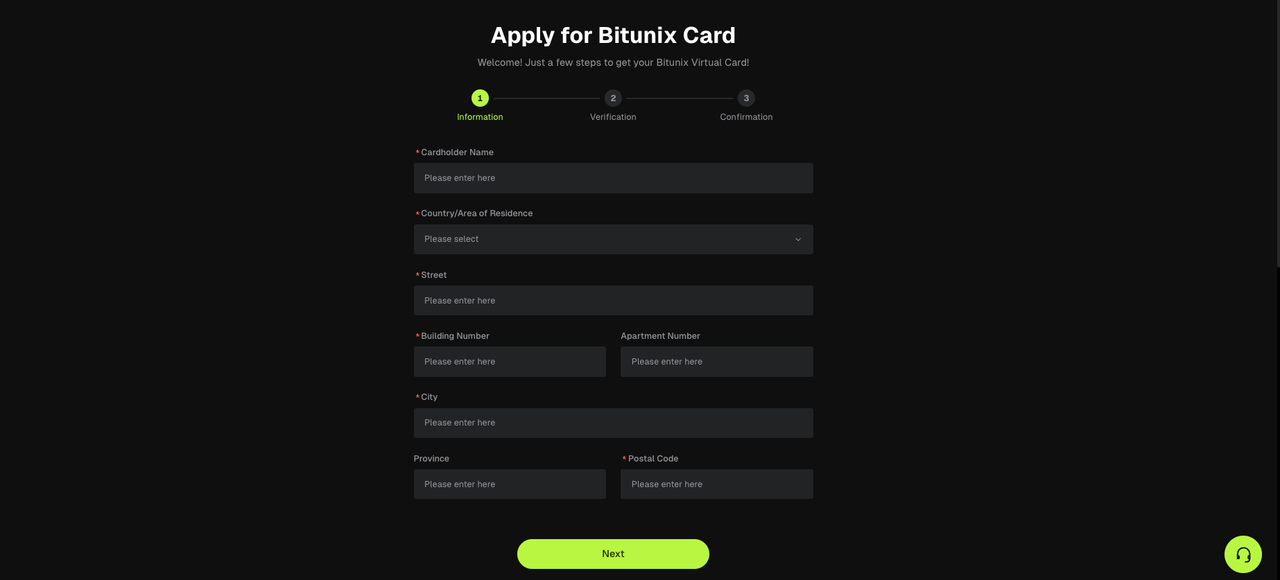
2.Complete KYC verification and follow the on-screen instructions to verify your information.
3.Transfer at least 10 USDT, or the amount specified on the page, from your Spot Account to your Bitunix Card Account to activate the card.
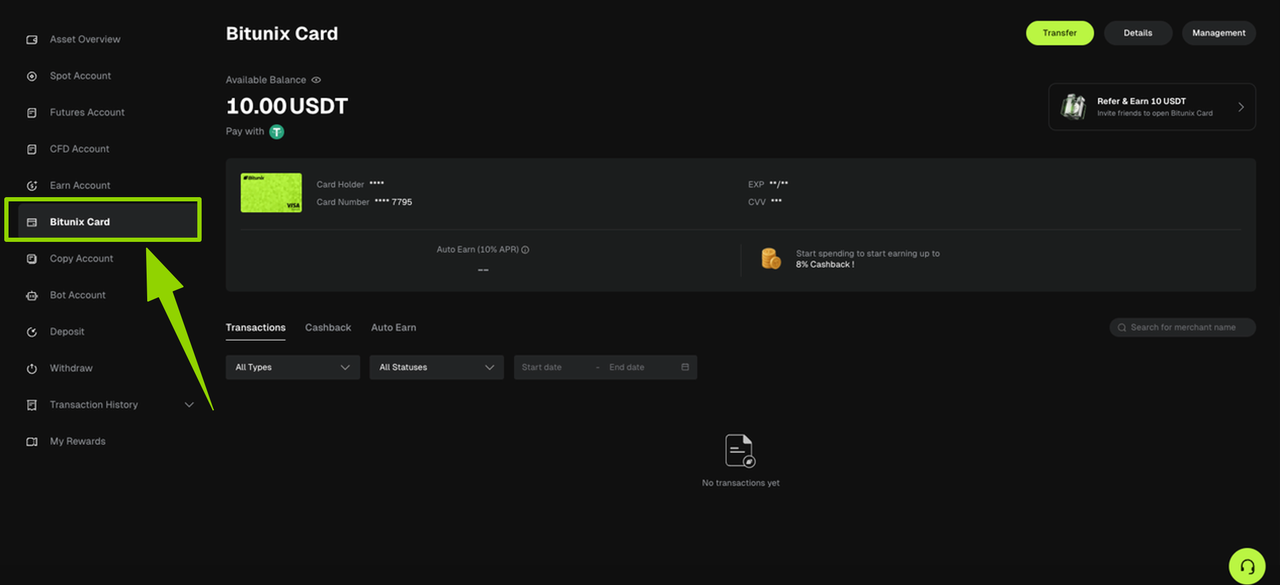
4.Go to Assets → Bitunix Card to view your card details and balance.
2.4 Physical Card: Application and Activation Overview
For instructions on applying for and activating a physical card, refer to the relevant guide in the Help Center: How to Apply for and Activate a Bitunix Physical Card.
The general process involves submitting an online application, completing compliance checks, receiving the physical card by mail, and activating it according to the instructions provided. Once activated, the card can be used at eligible Visa merchants worldwide, subject to the card's supported payment methods and regional restrictions.
2.5 Link Your Bitunix Card to Apple Pay or Google Pay
In the Bitunix app, open your card details or go to your mobile wallet and follow the instructions to add your card to Apple Pay or Google Pay.
Once successfully linked, you can use your phone to make contactless payments at supported merchants.
2.6 Recommended Steps for Everyday Payments
Ensure Sufficient Funds: Make sure your Bitunix Card Account has sufficient funds, or that your linked payment assets have enough balance to cover the purchase.
For online purchases: Select credit or debit card (Visa) at checkout, then enter your virtual card details or use a supported digital wallet.
For in-store purchases: Insert, swipe, or tap your physical card at the payment terminal.
Review your transactions: Go to Assets → Bitunix Card to check transaction authorizations, completed payments, and cashback records. If a transaction is disputed, follow the in-app support and dispute-resolution process.
3. Risk Controls and Important Considerations
Compliance and Regional Restrictions
Bitunix Card is available only to users who have completed KYC verification and reside in supported countries or regions. Card approval is subject to compliance review.
Assets and Security
Digital assets, including stablecoins, can be highly volatile and carry significant risks. Your Card Account balance may also be governed by different rules for spending, APR, and cashback. Consider your financial circumstances before transferring funds.
Never share your card number, CVV, or SMS or email verification codes with others. Beware of phishing links and use only the official Bitunix app and bitunix.com for card-related activities.
KYC verification is handled by third-party compliance service providers. Submit genuine, valid identity documents and proof of address when required to help avoid restrictions on your account or card.
Fee Transparency
No platform-level conversion fees does not mean spending is entirely free. Payment network fees and foreign exchange-related charges may still apply to cross-border transactions, non-USD payments, and transactions below certain amounts or beyond the applicable free transaction limit. Before making large or frequent payments, check the latest FAQ or fee schedule for applicable charges.
Not Financial, Tax, or Legal Advice
This article and other official content are provided for informational purposes only and do not constitute investment, tax, or legal advice. Consult a qualified professional about your local legal and tax obligations, and ensure that you comply with applicable laws and regulations.