

The Anti-Phishing Code is a security feature provided by Bitunix which allows users to add an extra protection their account and assets. Once you have enabled the Anti-Phishing Code, it will be included in all genuine emails sent to you from Bitunix. This code will help you to discern real emails from phishing emails, helping you to prevent phishing attempts, and protecting your account and assets.
How to Set Up Anti-Phishing Code
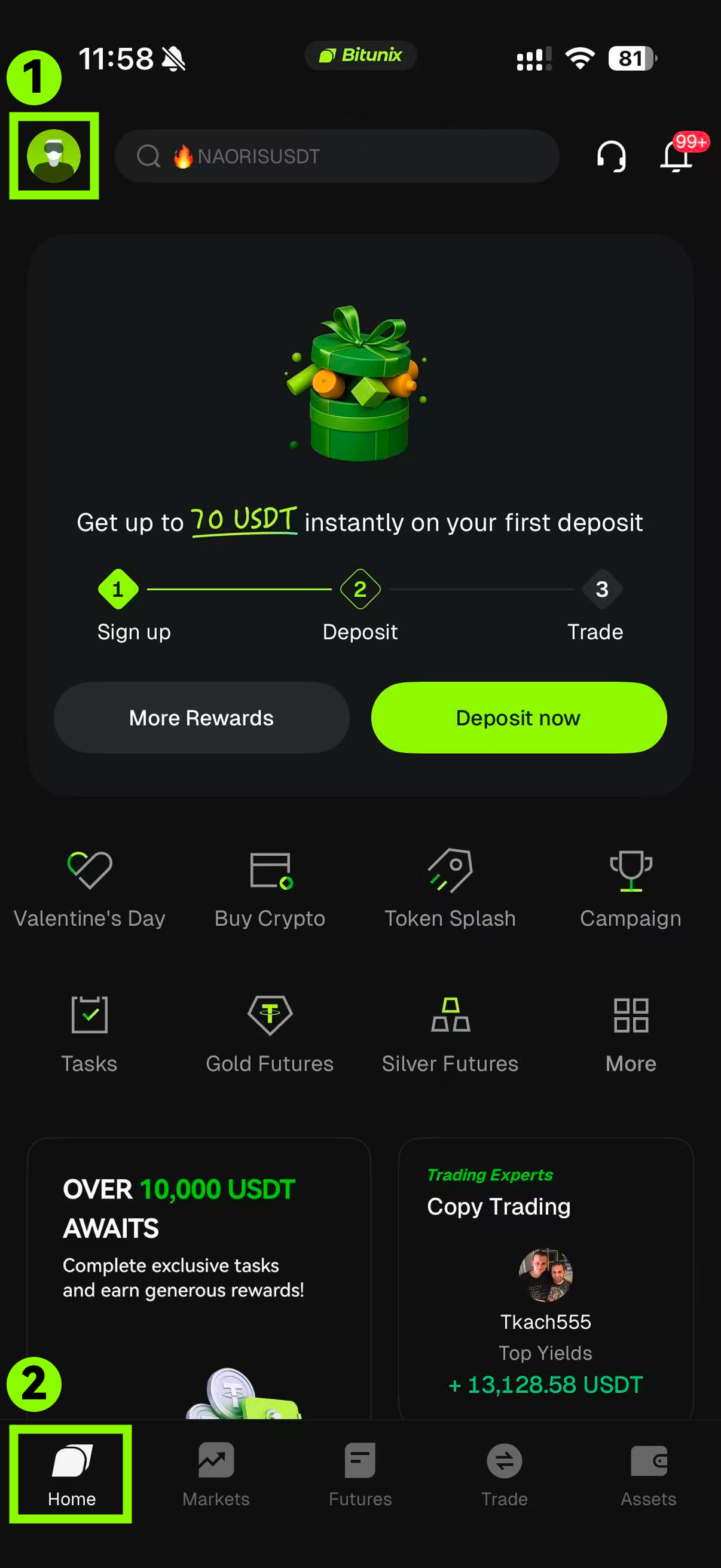
1. After logging into your account, tap user icon on the top left.
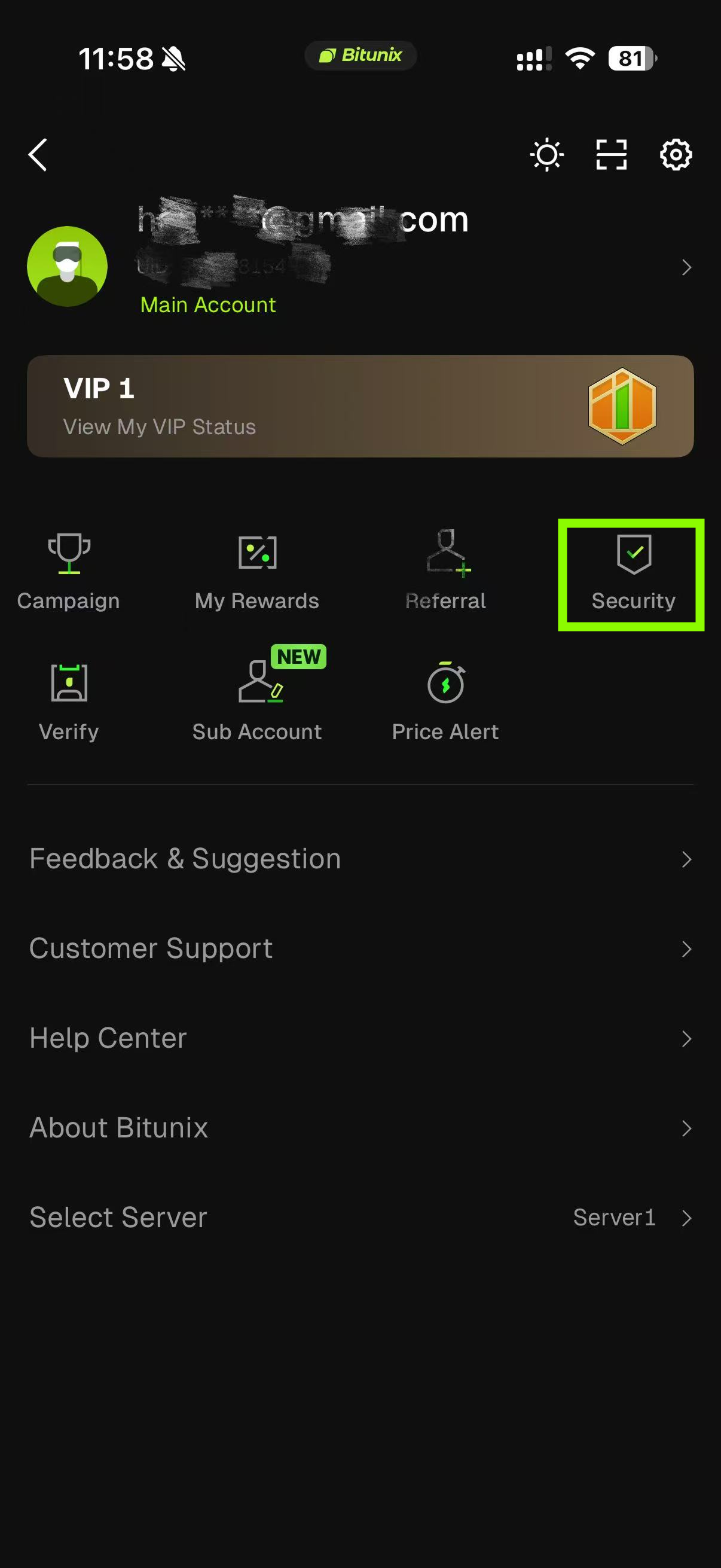
2. Select "Security" under the user icon in the middle of the pannel.
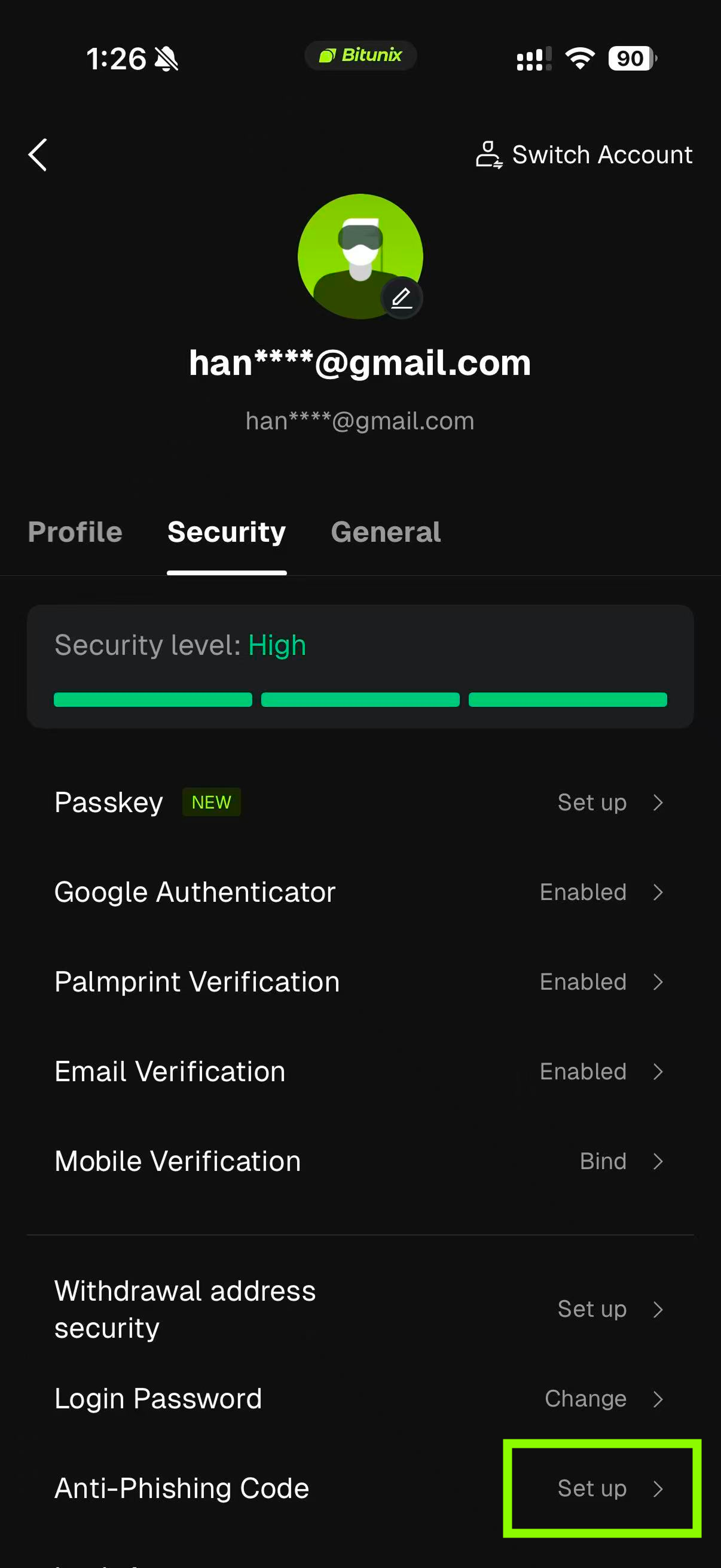
3. Click "Set up" next to Anti-Phishing code.
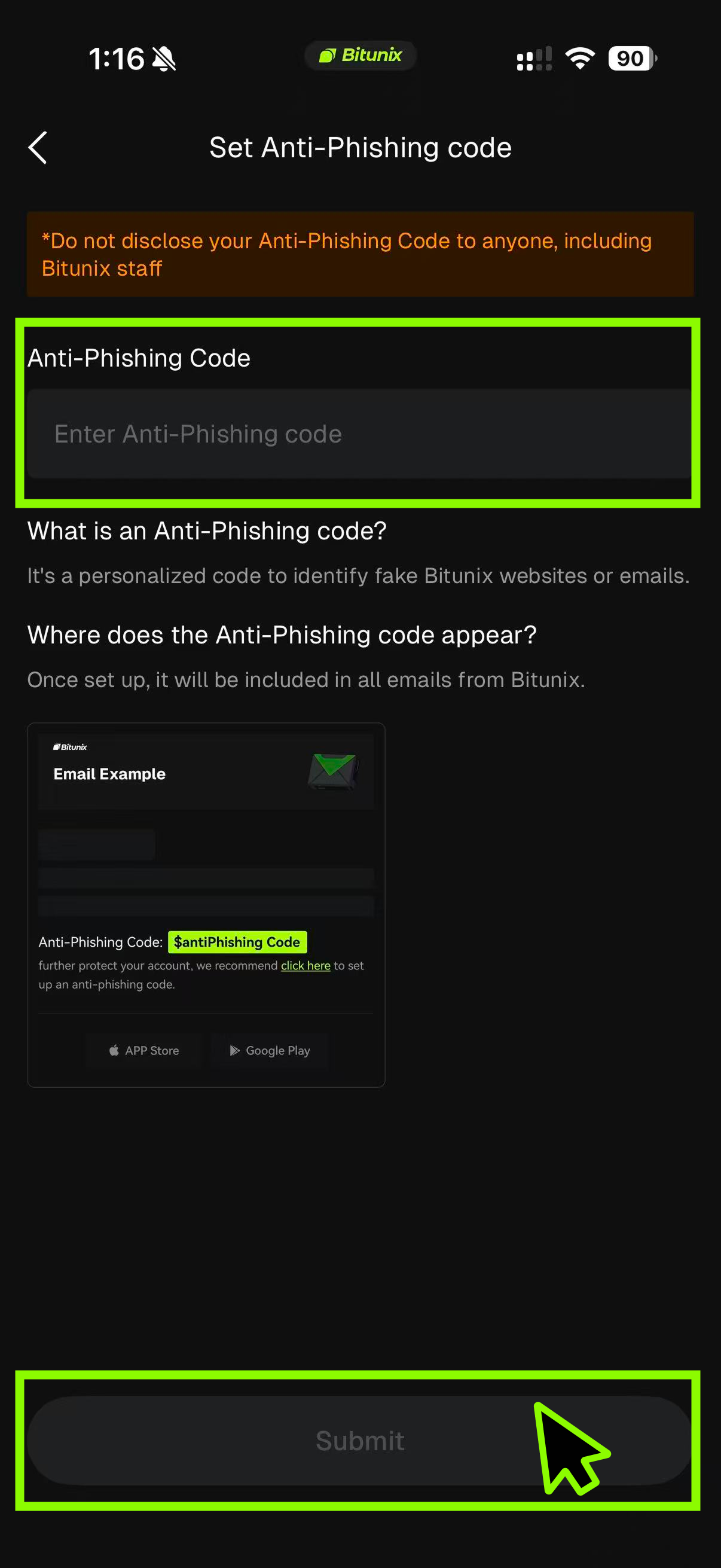
4. Enter the fund anti-phishing code you want to set up, which must be a combination of letters and numbers and between 8 to 20 characters. Then click "Submit".
Disclaimer
This article is not intended to provide:
(i) investment advice or investment recommendations;
(ii) an offer, invitation, or solicitation to buy, sell, or hold digital assets;
(iii) financial, accounting, legal, or tax advice.
Digital assets, including stablecoins and NFTs, carry significant risk and price volatility. Evaluate whether trading or holding digital assets is appropriate for your financial situation. Seek guidance from your legal, tax, or investment adviser regarding your specific circumstances.
Bitunix assumes no responsibility for any investment outcomes. You are solely responsible for understanding and complying with all applicable local laws and regulations.