

1. What is “Fixed Risk” in the Chart Trading Interface?
“Fixed Risk” is an intelligent order assistance tool designed to help you define the maximum acceptable loss for a single trade before entering a position. Based on this amount, the system automatically calculates the appropriate position size. By productizing the “risk-first” approach commonly used by professional traders, this feature allows you to establish clear risk boundaries before opening a position, effectively reducing the risk of overexposure caused by emotional decisions or manual calculation errors.
The chart trading interface provides an intuitive and efficient visual trading experience. Within the interface, both the “+ menu” and the “right-click menu” integrate the “Fixed Risk” feature, allowing you to quickly access the tool and complete risk-controlled order setup with ease. This feature helps improve overall trading efficiency and user experience.
2. Key Advantages of the “Fixed Risk” Feature
- Fixed Risk per Trade | Control Maximum Loss
You can directly set the maximum loss per trade (e.g., 50 USDT) without manually calculating position size, leverage, or stop-loss distance. The system automatically calculates the appropriate position size based on your input, helping keep risk within your predefined limit.
- Risk-Reward Strategy Trading | Automated Parameter Calculation
Supports order placement based on predefined risk-reward ratios (e.g., 1:2, 1:3). The system automatically generates corresponding take-profit and stop-loss levels along with the suggested position size, simplifying the process and reducing calculation errors.
- Quick Order Simulation | Preview Trade Parameters
You can quickly access the “Fixed Risk” feature via right-click on the chart. After entering the maximum loss and risk-reward ratio, you can preview entry price, take-profit, and stop-loss levels without placing an actual order, enabling efficient trade evaluation.
- Conditional Orders | Automated Entry on Trigger
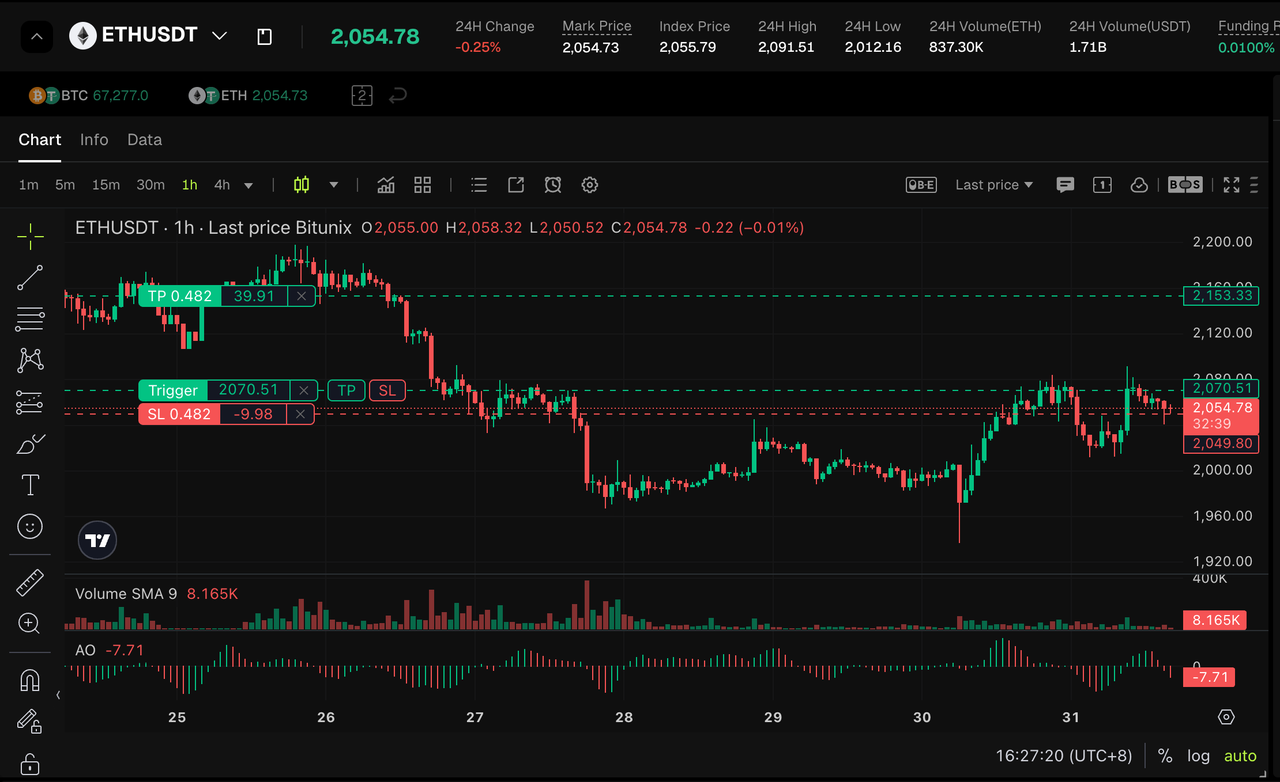
After setting the trigger price, maximum loss, and risk-reward ratio, the system will automatically execute the order when market conditions are met. This is particularly useful for breakout strategies, helping you enter the market under predefined risk controls.
3. How to Use “Fixed Risk” on Bitunix
3.1 Using the “+” Menu
1. Click the “+” icon on the price axis on the right side of the chart and select “Fixed Risk”.
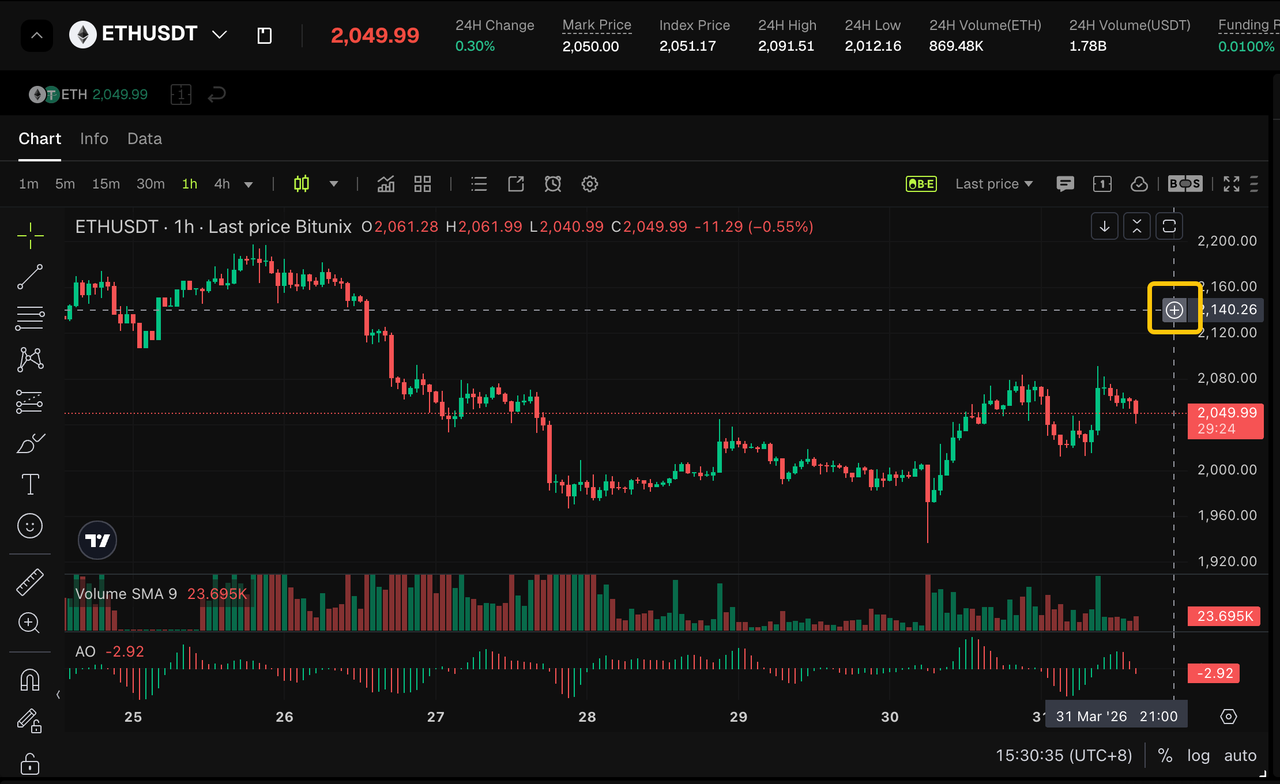
2. Select the order type (Limit or Trigger) and set your preferred risk-reward ratio.
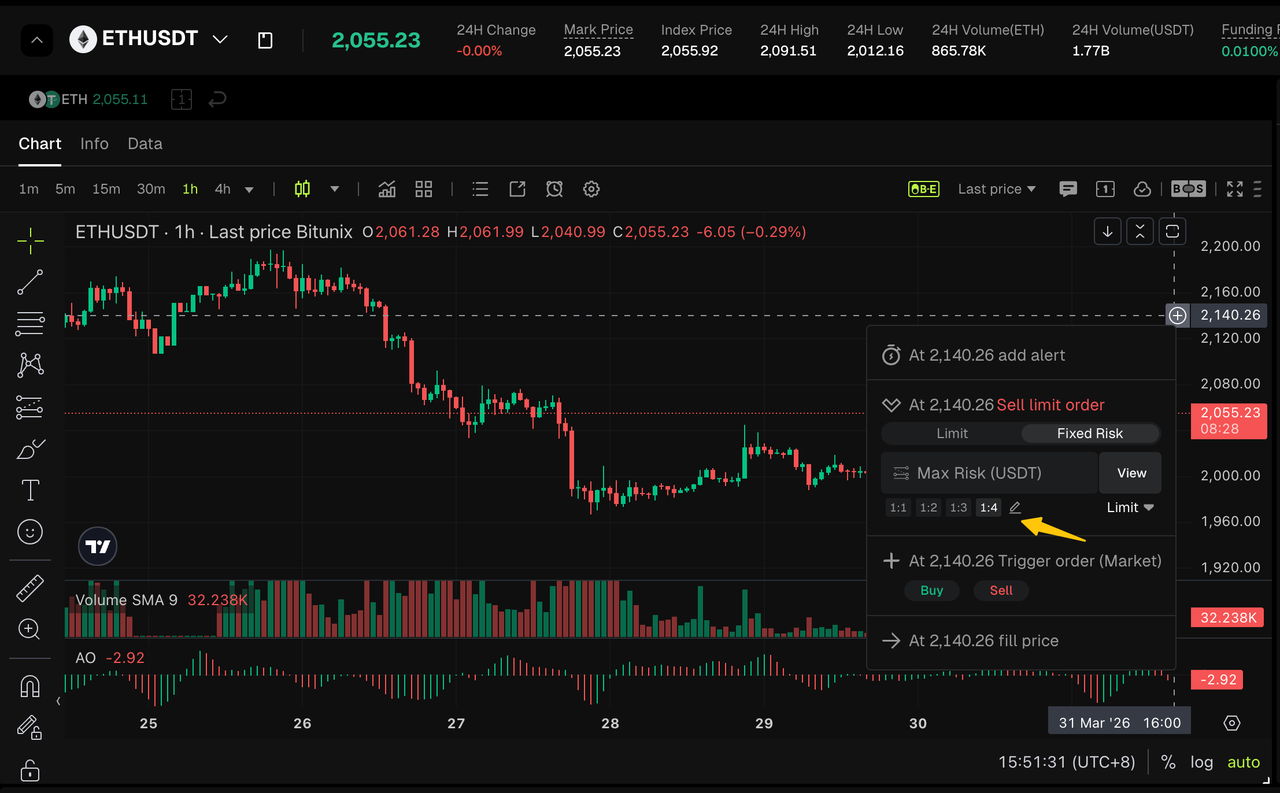
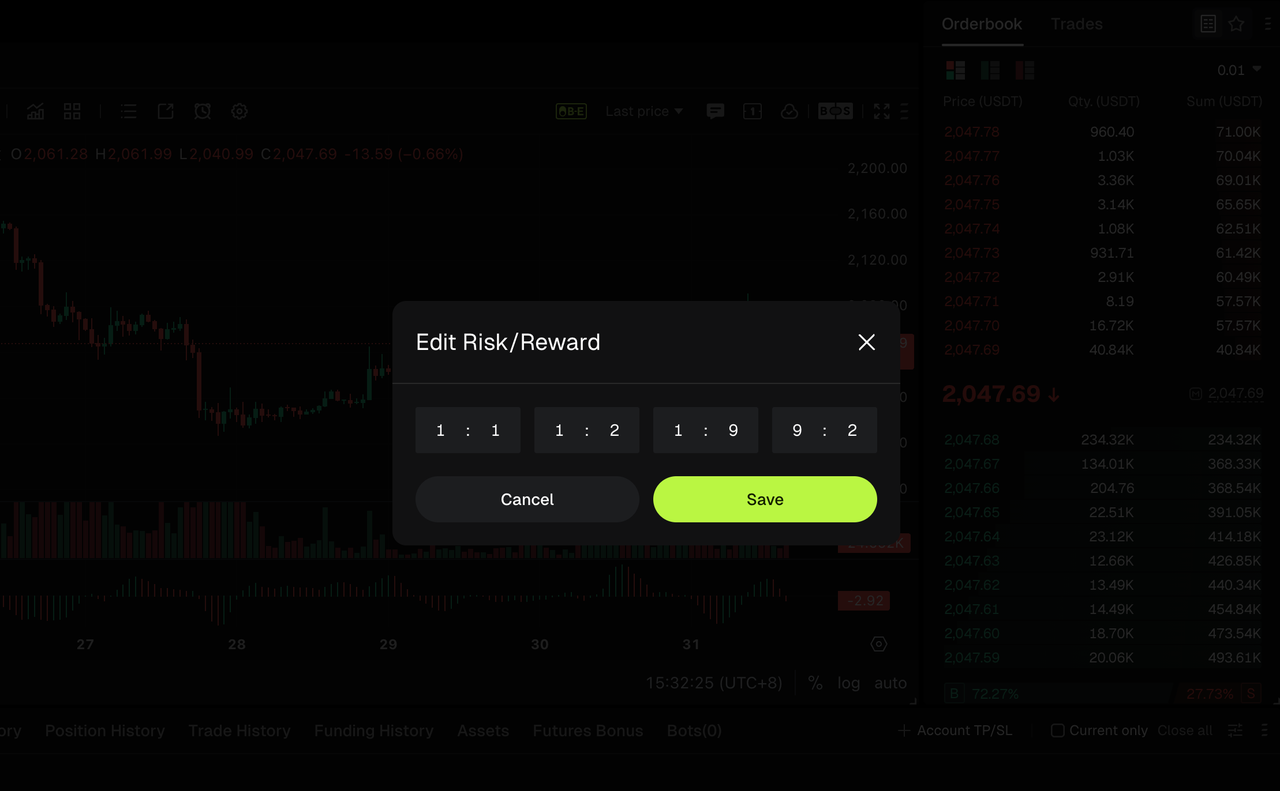
3. Enter the maximum loss amount (USDT). The system will calculate the position size in real time.
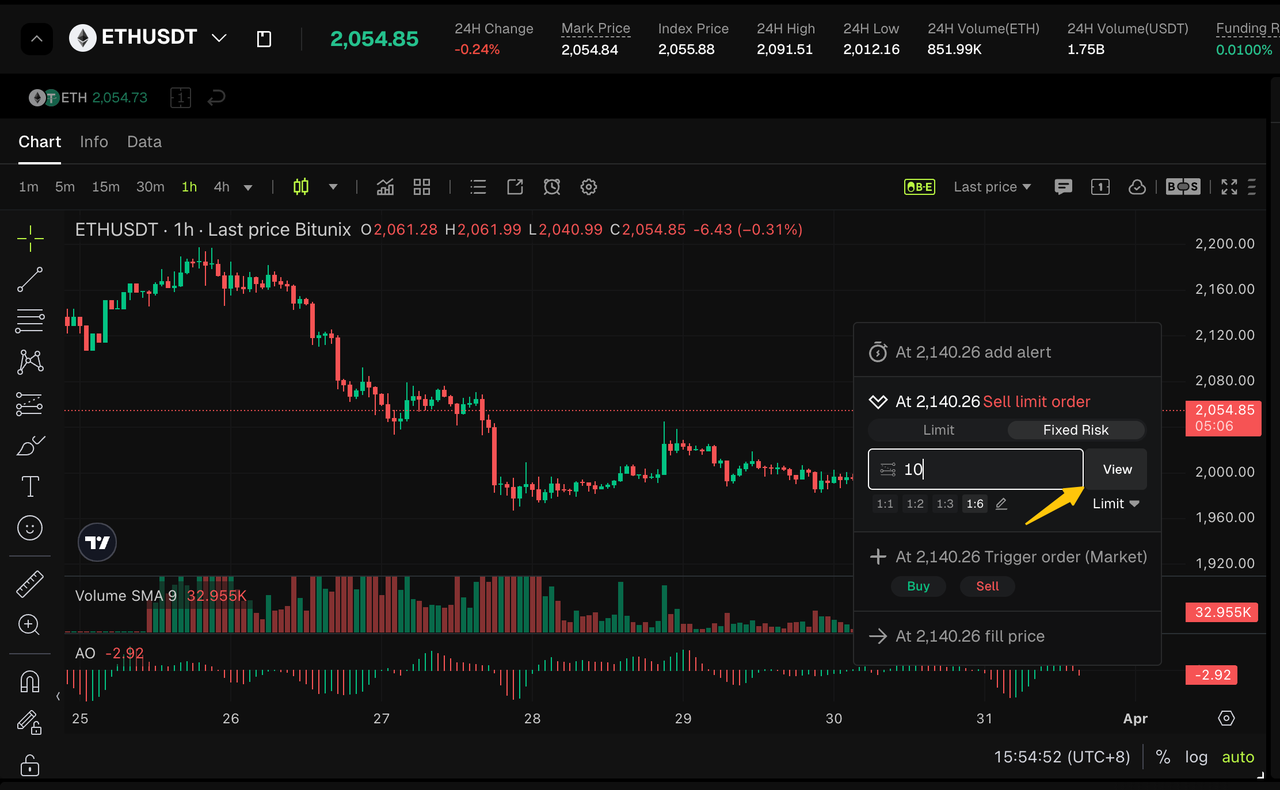
4. Click “View” to visualize take-profit and stop-loss levels on the chart.
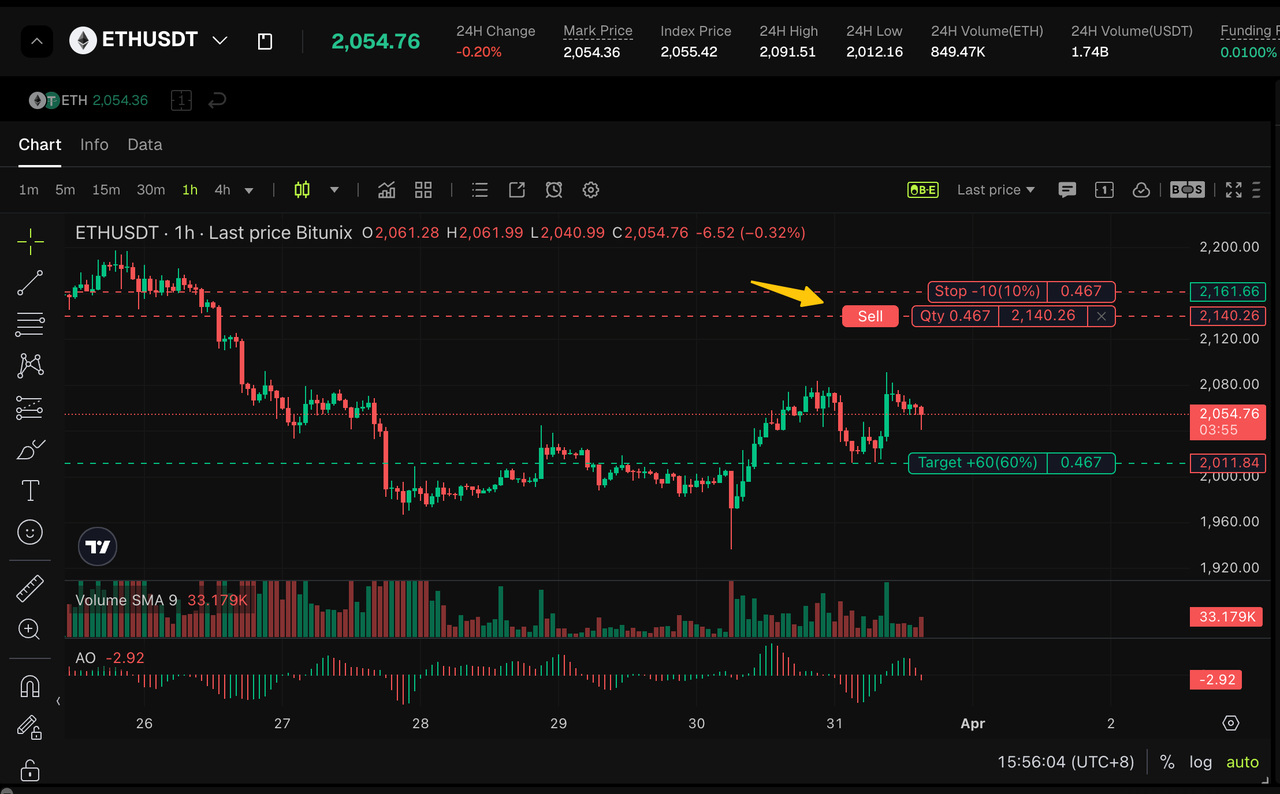
5. Click Buy/Sell to execute your strategy.
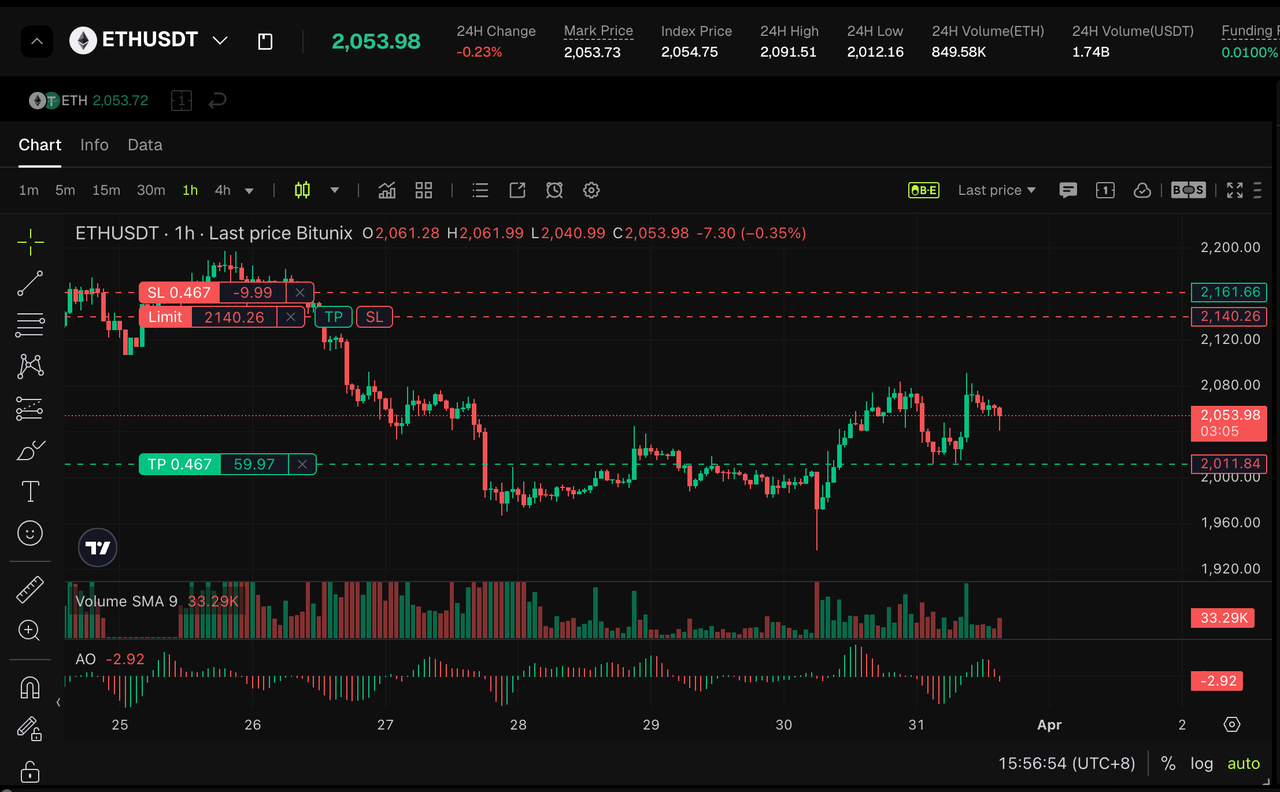
3.2 Using the Right-Click Menu
1. Right-click anywhere on the chart and select “Fixed Risk”.
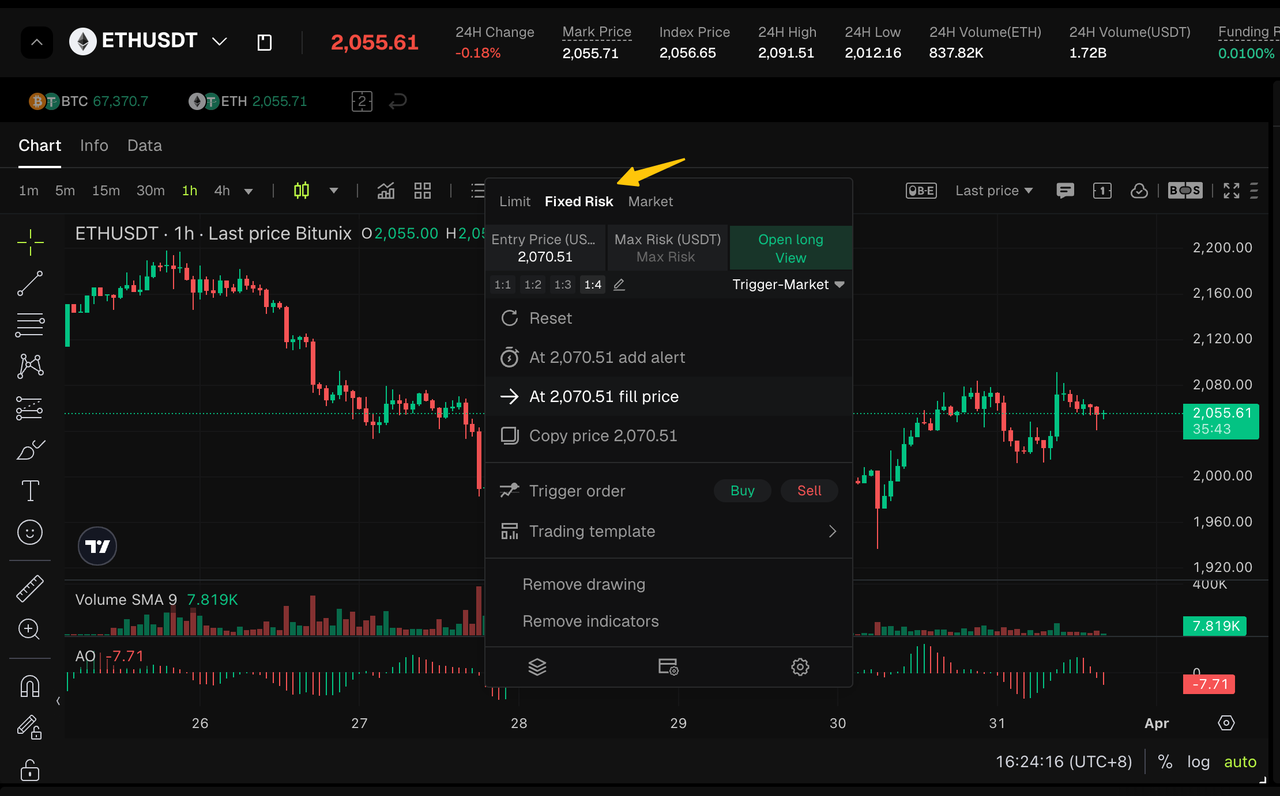
2. Use the menu in the lower-right corner to switch order types (Limit, Market, or Trigger).
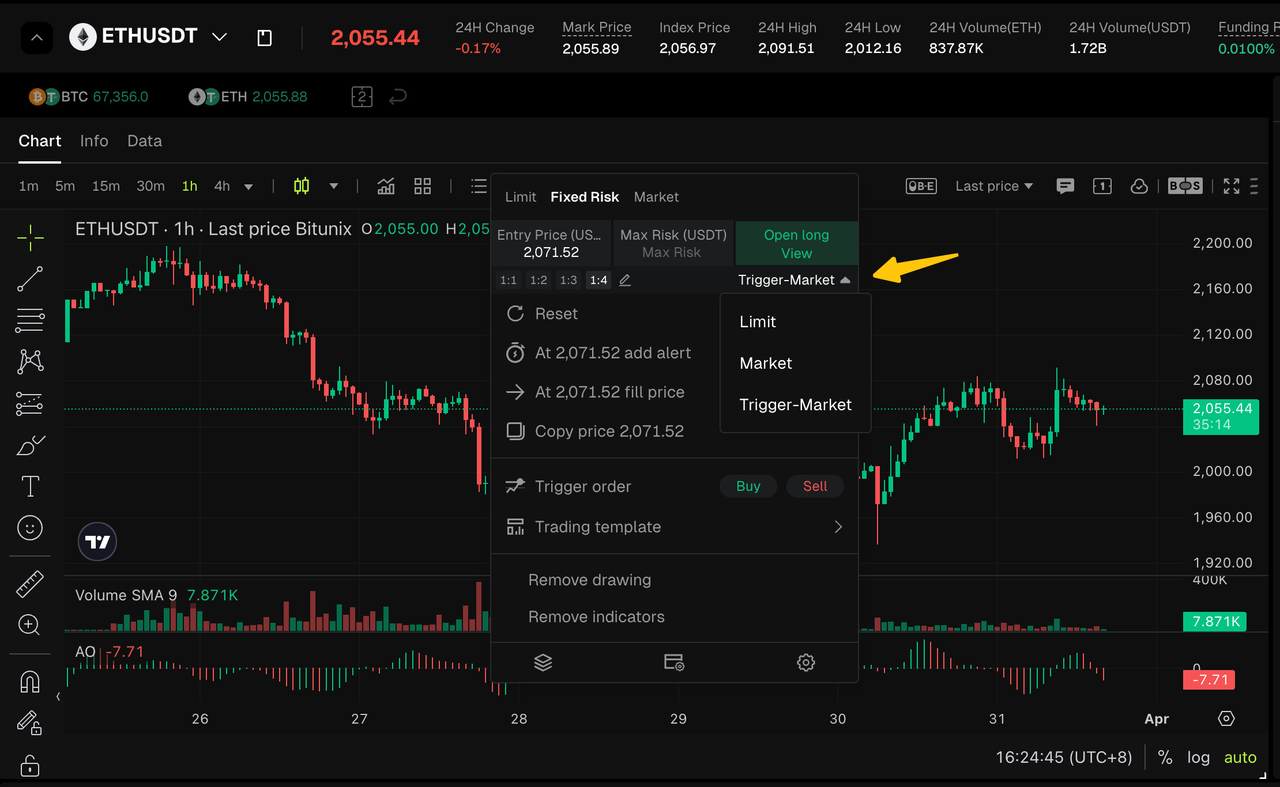
3. Select a risk-reward ratio. The system provides four presets (1:1, 1:2, 1:3, 1:4), and you can also customize it via the edit option.
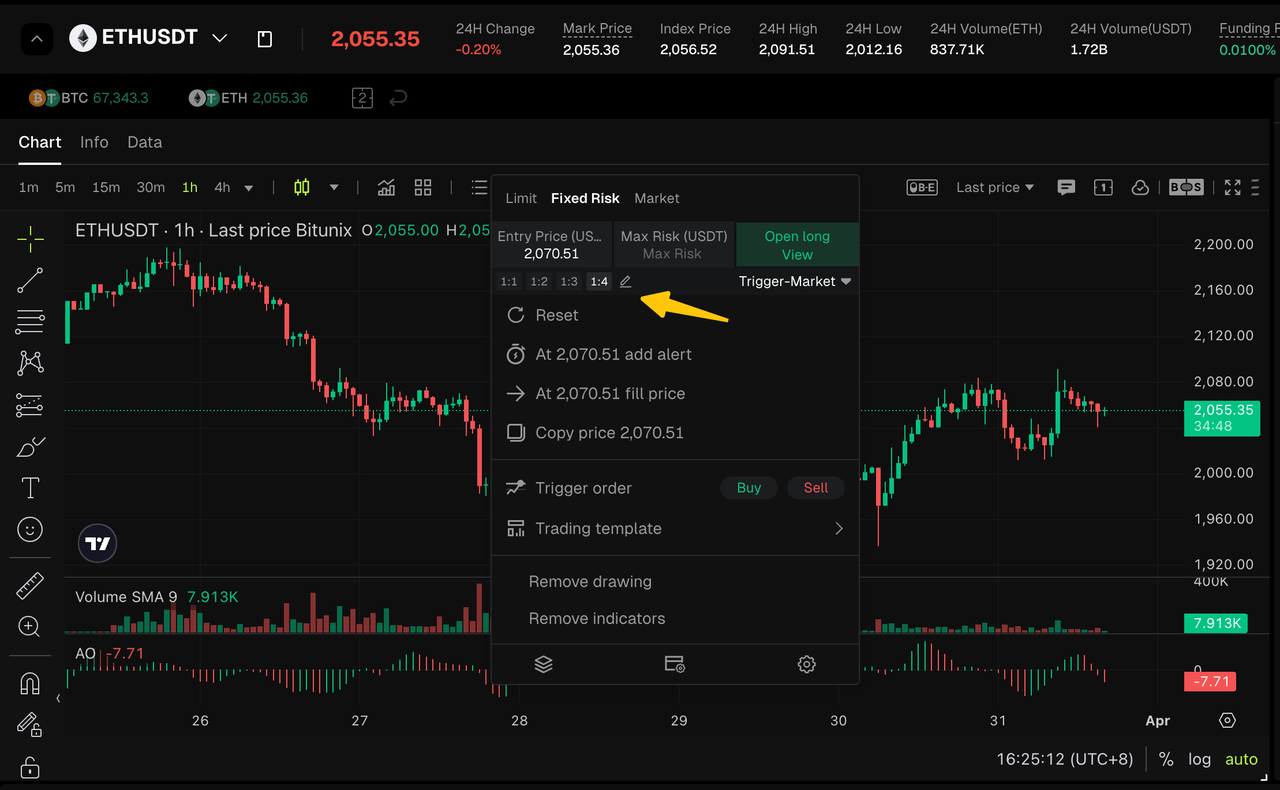
4. Enter the maximum loss (USDT) for trade. The system will automatically calculate the position size. Click “Preview” to display entry, take-profit (TP), and stop-loss (SL) levels on the chart.
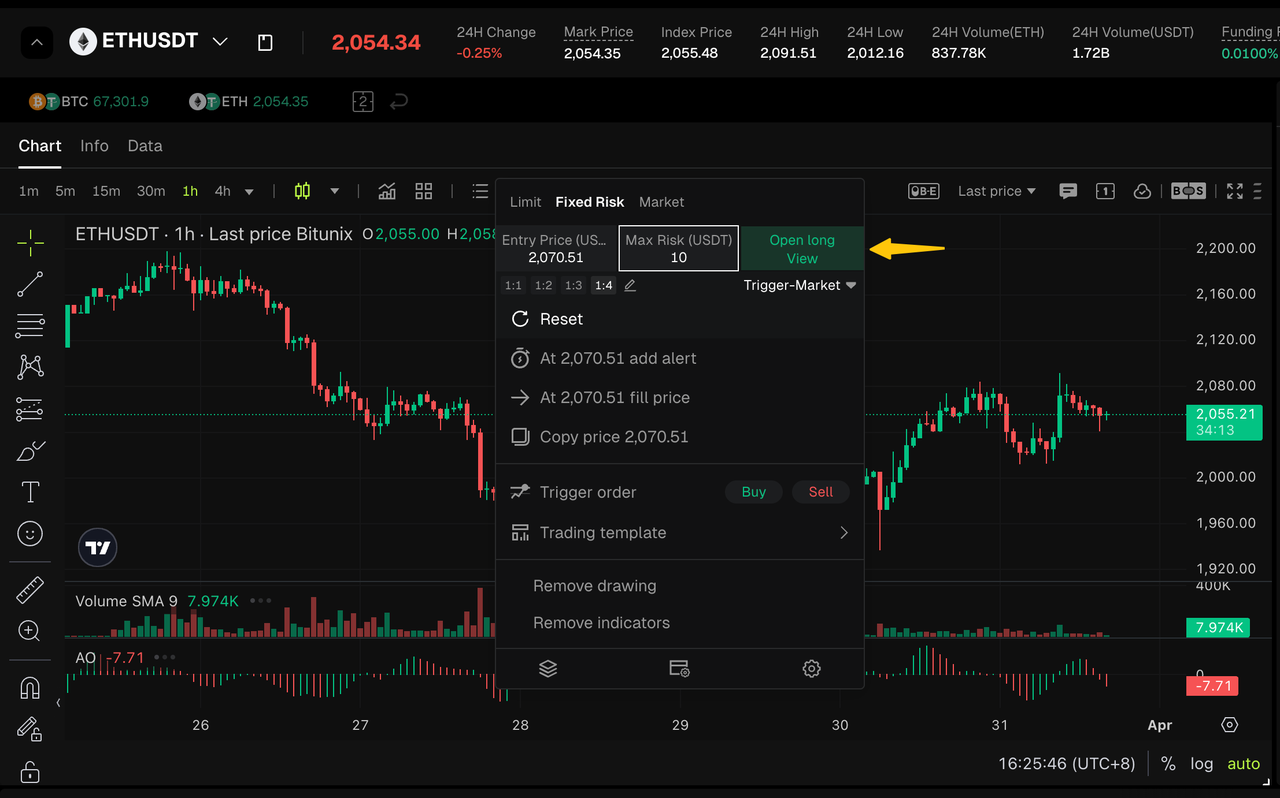
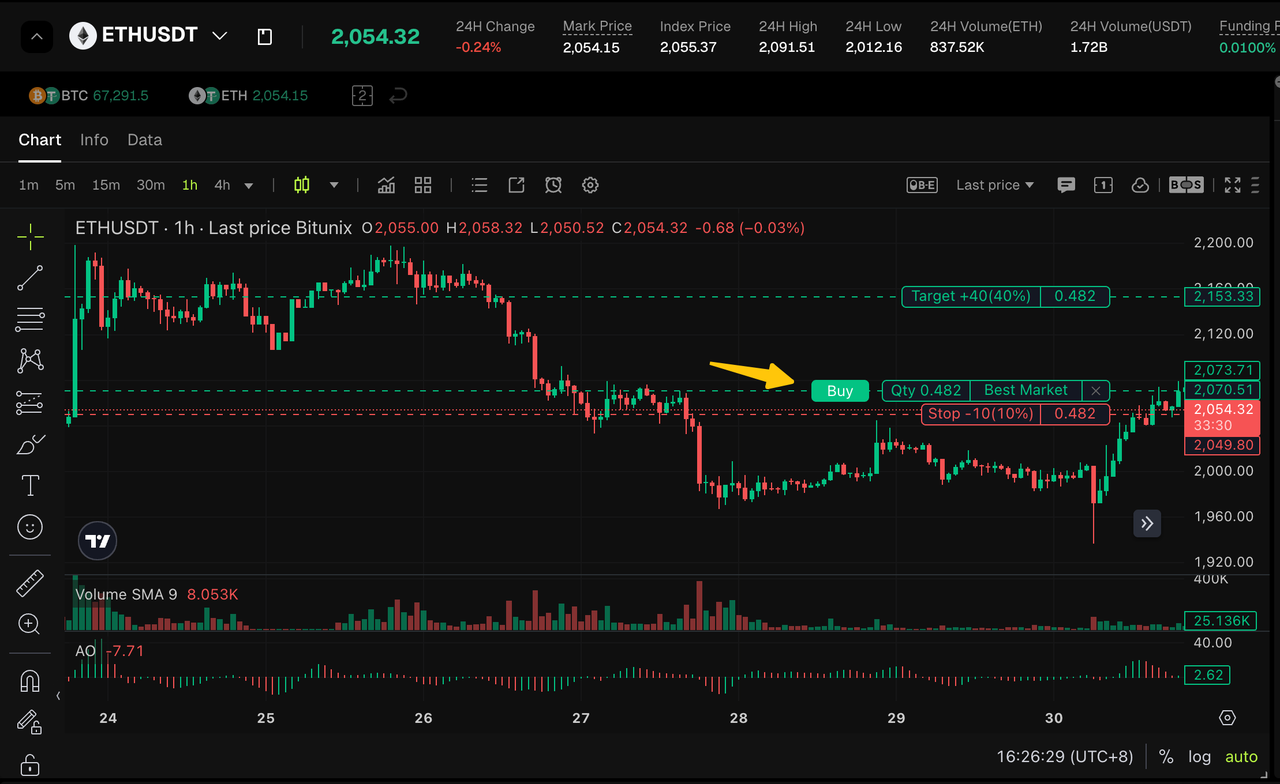
5. After confirming all parameters, click Buy or Sell. The system will place the order and open a position when the trigger conditions are met.
4. Notes
1. Custom risk-reward ratios must not duplicate preset options (1:1 / 1:2 / 1:3 / 1:4). Otherwise, the system will display an error message and prevent saving.
2. Order type requirements:
- Limit and Trigger-Market orders require manual price input and support customization.
- Market orders do not require price input. The system will execute at the best available market price; only the maximum loss needs to be specified.
3. Max Risk is a required field. If left empty, position calculation and chart preview will not be available.
4. Entry price, take-profit, and stop-loss levels shown on the chart are for reference only. Actual execution prices may vary due to market liquidity and slippage. Please refer to the final executed price.
Disclaimer
This article is not intended to provide:
(i) investment advice or investment recommendations;
(ii) an offer or solicitation to buy, sell, or hold digital assets; or
(iii) financial, accounting, legal, or tax advice.
Digital assets (including stablecoins and NFTs) involve high risk and may be highly volatile. You should carefully consider whether trading or holding digital assets is suitable for you based on your financial situation. For your specific circumstances, consult your legal, tax, or investment professionals. You are responsible for understanding and complying with all applicable local laws and regulations.