

What Is Fixed Risk Order?
Fixed Risk Order is an intelligent order-assist tool designed to help you define the maximum acceptable loss for a single trade before placing an order. Based on this predefined loss amount, the system automatically calculates an appropriate position size. By productizing the “risk-first” approach commonly used by professional traders, this feature allows you to establish clear risk boundaries before opening a position. It helps effectively prevent overexposure caused by emotional decisions or manual calculation errors.
It’s important to note that Fixed Risk Order is not a standalone order type. In execution, it still relies on limited orders or market orders. After selecting this feature, the system will generate a standard limit or market order, while automatically attaching a corresponding stop-loss condition. This mechanism ensures your trading logic integrates seamlessly with existing trading methods, allowing you to benefit from automated position sizing while keeping risk strictly under control.
What Are the Benefits of Fixed Risk Order?
- Risk-First Approach: Shifts from the traditional “place order first, calculate risk later” workflow to defining risk boundaries before entering a trade.
- Automatic Calculation: The system calculates position size automatically, reducing errors from manual calculations and minimizing the risk of loss mismanagement.
- Low Learning Curve: Seamlessly integrates with existing limit/market order logic. No need to learn complex order models—suitable for both beginners and advanced traders.
- Professional Risk Management: Embeds the “risk-first” philosophy of professional traders into the product, helping users develop disciplined trading habits.
How to Use Fixed Risk Order?
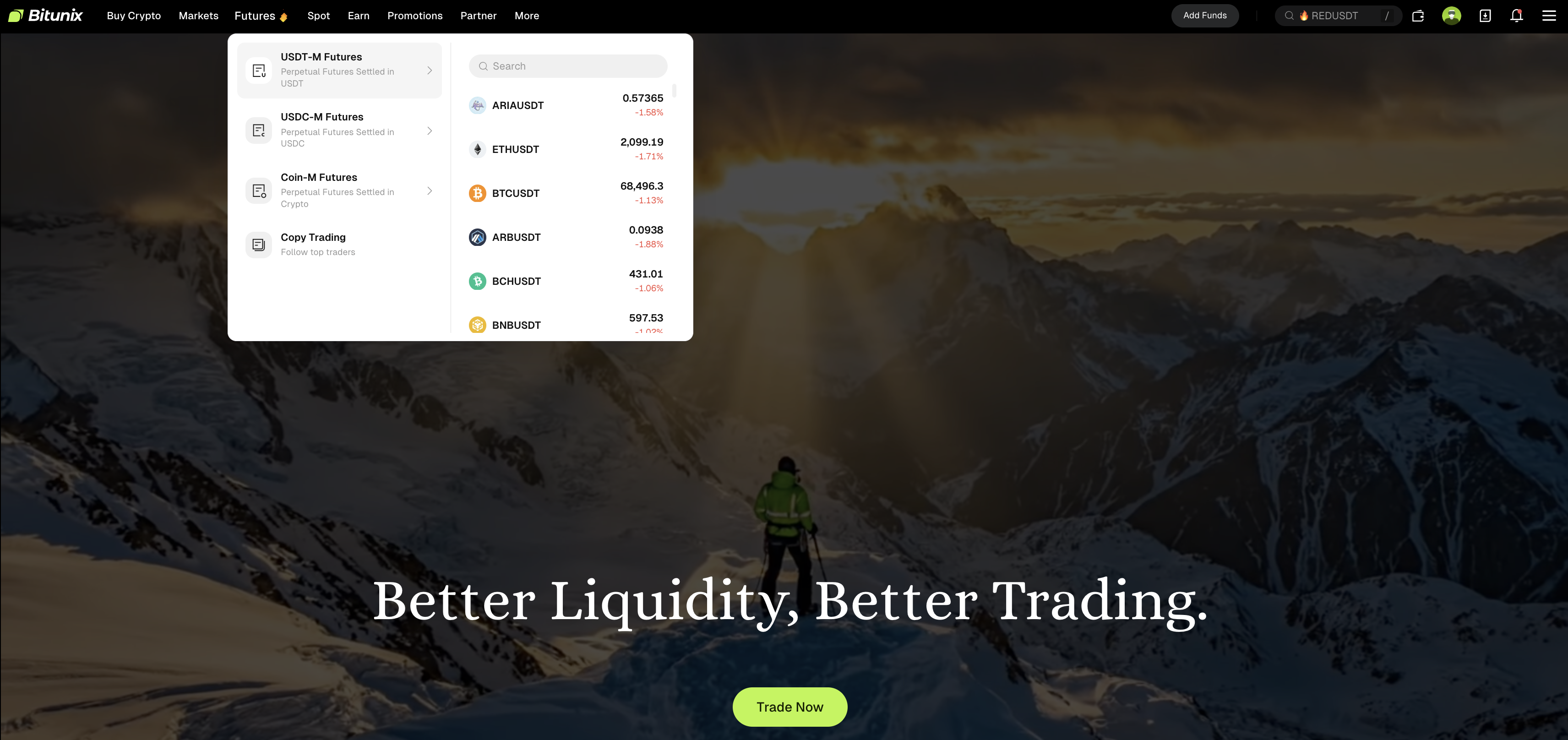
1. Log in to the Bitunix web platform, click “Futures Trading” in the top navigation bar, and select the trading pair you want to trade.
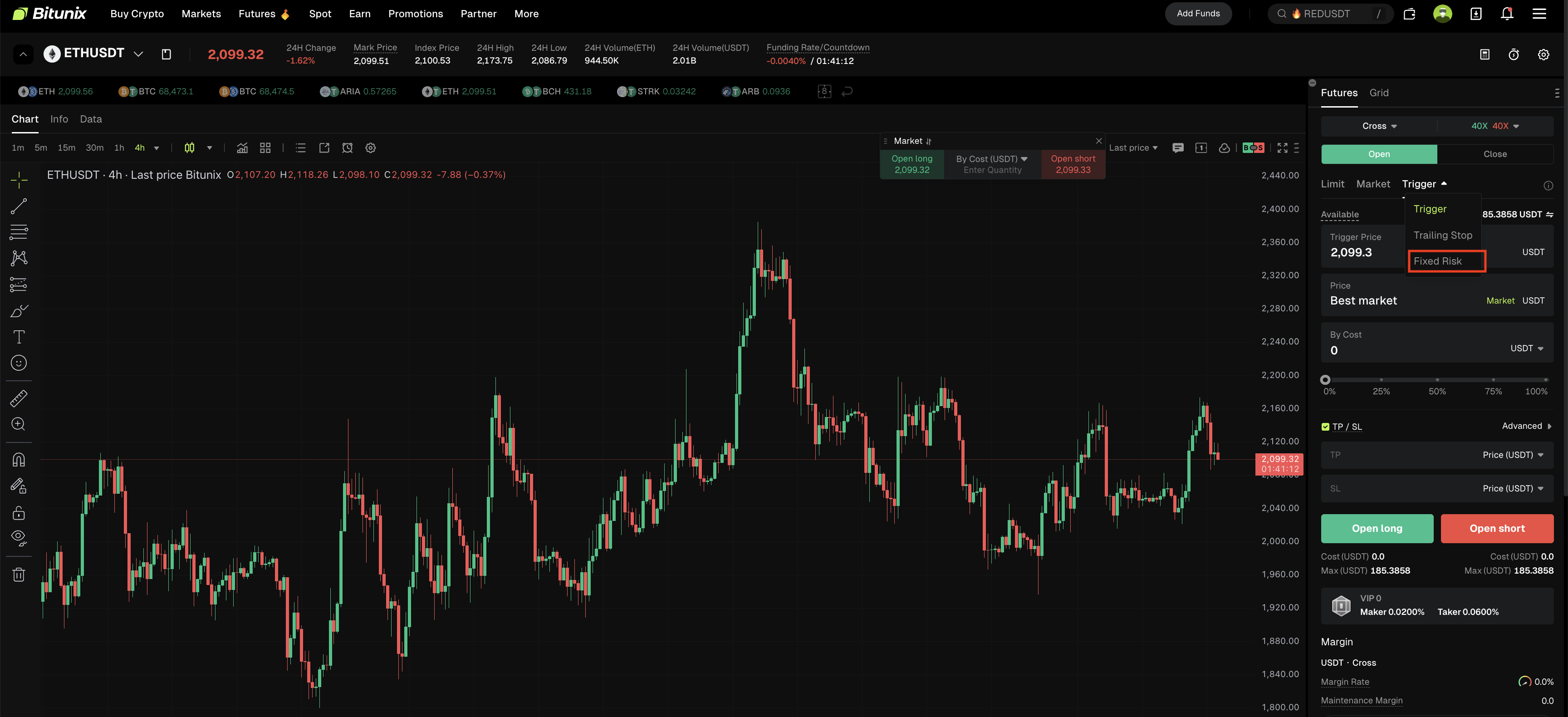
2. In the order panel on the right side of the trading page, click the “Trigger Order” button. From the dropdown options (Trigger Order, Trailing Order, Fixed Risk Order), select “Fixed Risk.”
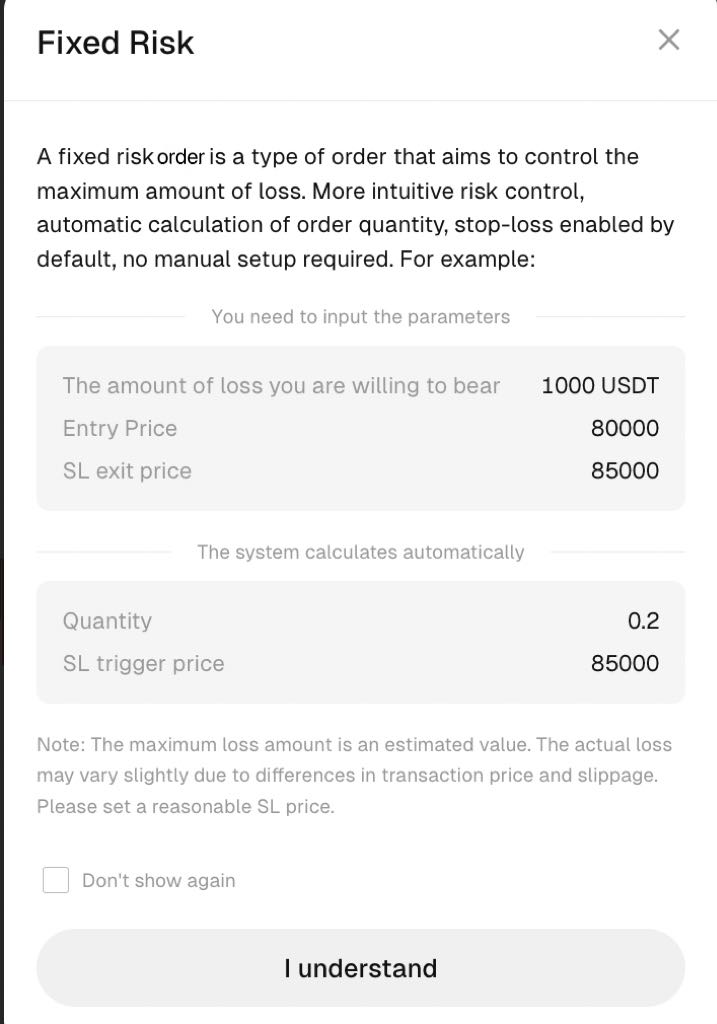
3. After selecting “Fixed Risk” a prompt will appear: A fixed risk order is a type of order that aims to control the maximum amount of loss. More intuitive risk control, automatic calculation of order quantity, stop-loss enabled by default, no manual setup required.
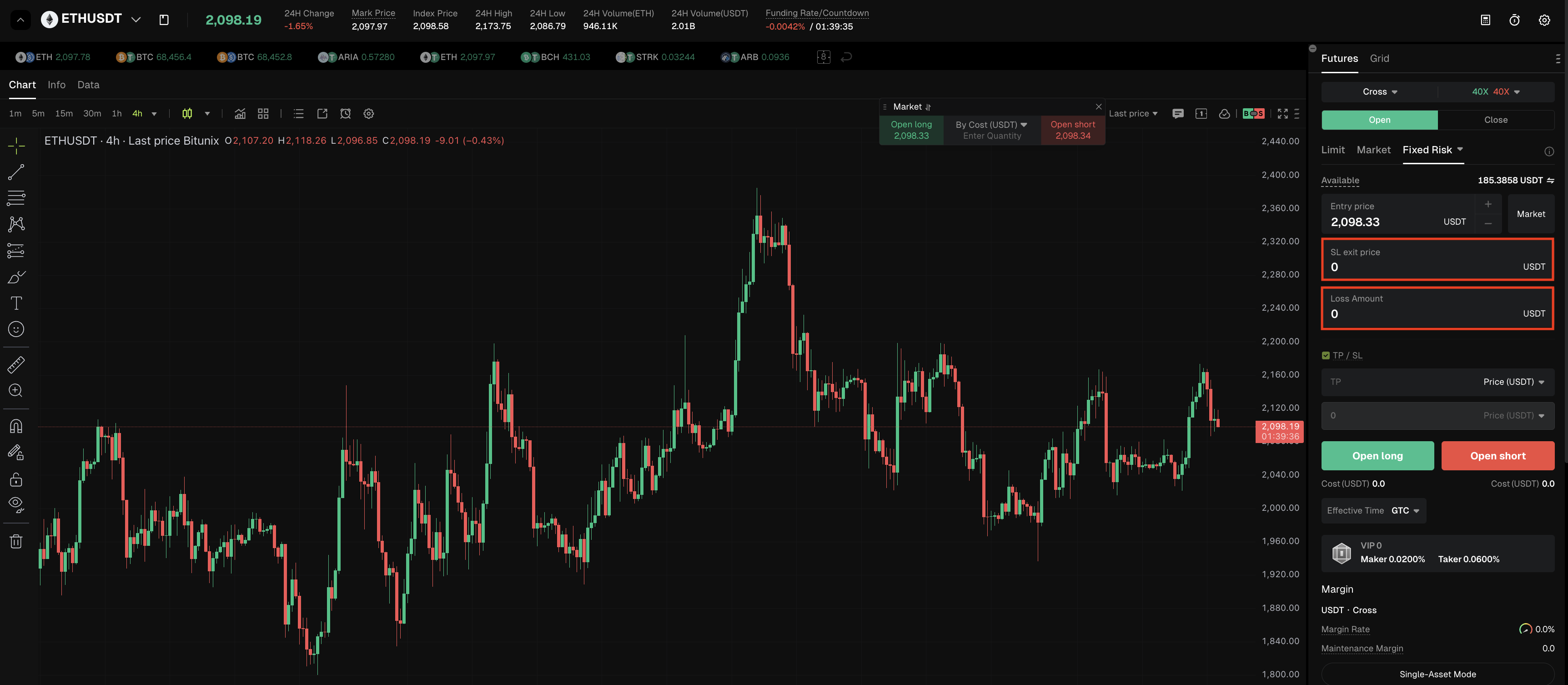
4. In Fixed Risk Order mode, you can manually enter the stop-loss price and loss amount. This ensures each trade is strictly confined within your acceptable risk range, helping you manage risk more clearly and achieve systematic position management.
Summary
Fixed Risk Order is a powerful tool for implementing effective risk management. By integrating the “risk-first” philosophy into the order placement process, it makes every trade more strategic and easier to manage.
Before using this feature, make sure you fully understand its calculation logic and applicable scenarios, and always operate in accordance with actual market conditions. With scientific position management, this feature can help you build a more disciplined and robust trading system, supporting long-term asset growth in volatile markets.
Disclaimer
This article is not intended to provide:
(i) investment advice or investment recommendations;
(ii) an offer, invitation, or solicitation to buy, sell, or hold digital assets;
(iii) financial, accounting, legal, or tax advice.
Digital assets (including stablecoins and NFTs) involve high risk and may be highly volatile. You should carefully consider whether trading or holding digital assets is suitable for you based on your financial situation. For your specific circumstances, consult your legal, tax, or investment professionals. You are responsible for understanding and complying with all applicable local laws and regulations.