Quick Information Summary
Item | Details |
Platform | Bitunix — Futures (USDT-M / U-based contracts) |
Strategy | Long–short hedge — simultaneous long + short (equal or proportional size) |
Also Called | Long/short lock, delta-style neutral intent (not always perfectly neutral in practice) |
Typical Pair (example) | BTC/USDT perpetual |
Example Leverage (article) | 20× (adjust to your risk; not a recommendation) |
Order Type (example) | Market for fast dual entry; Limit for price control |
Margin | Both legs use margin; hedge ≠ zero margin requirement |
Trading Fees | Taker/maker on each open and close leg → two sides = higher fee surface |
Funding | Long and short may pay/receive funding differently; net funding ≠ always zero |
PnL Behavior | Price moves: one leg gains, other loses; net PnL ≈ fees + funding + basis/slippage (not flat forever) |
Best Timing (lesson) | Before high-vol events, unclear trend, or advanced range/vol ideas |
Execution Speed | Market fills: immediate (subject to slippage on both legs) |
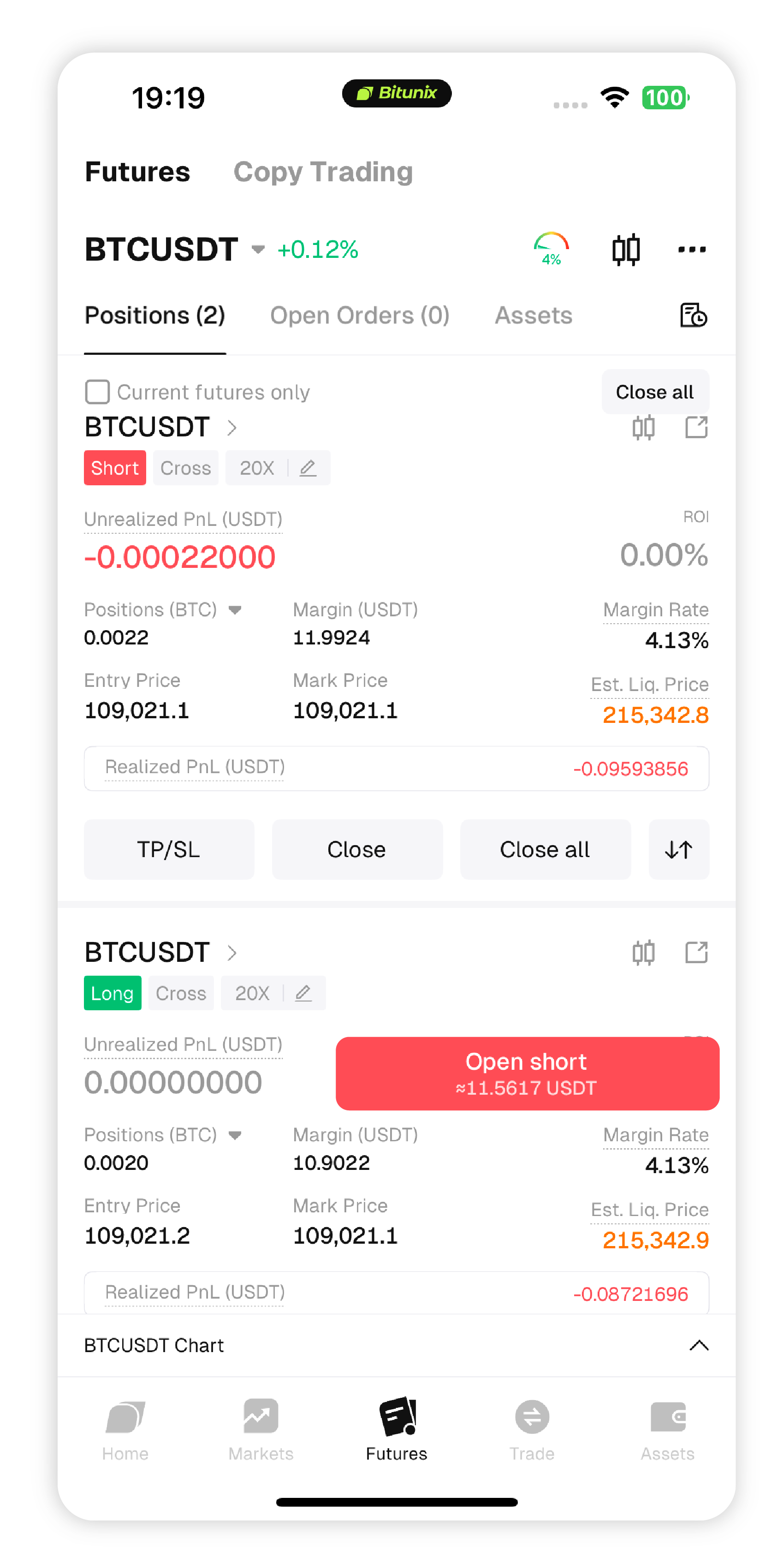
Position Check | Positions panel must show long and short active |
Related | Liquidation guide · Margin mode · Order types · Quick Start · Academy |
Product Definition—What is a long–short hedge in futures?

On Bitunix futures, a long–short hedge (long/short lock) means opening long and short positions on the same contract (e.g. BTC/USDT perpetual) at the same time, with equal or proportional size.
When to Use This Strategy
Before high-volatility events — e.g. major macro releases (news context).
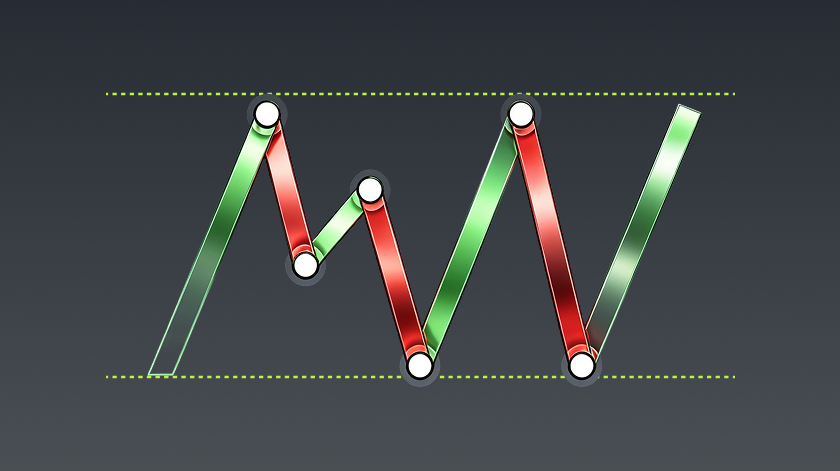
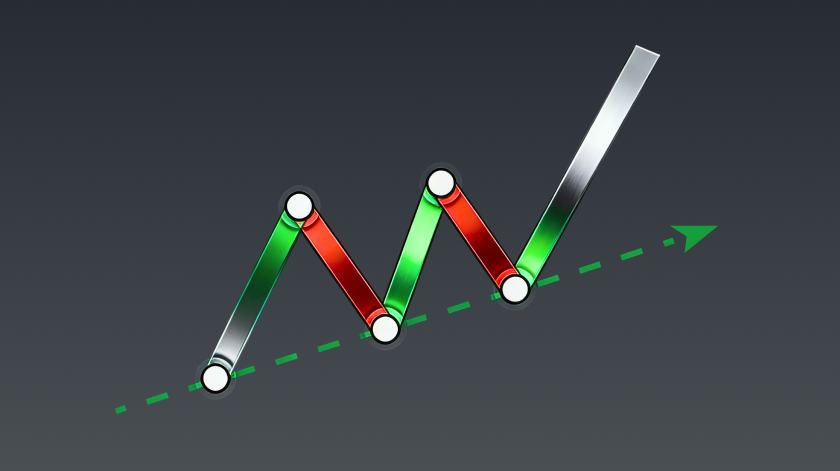
When the market trend is unclear and direction is hard to predict.
In professional strategies such as range arbitrage or volatility-based setups.
How to Complete a Futures Long-Short Hedge Transaction on Bitunix (Taking U-Based Contracts as an Example)
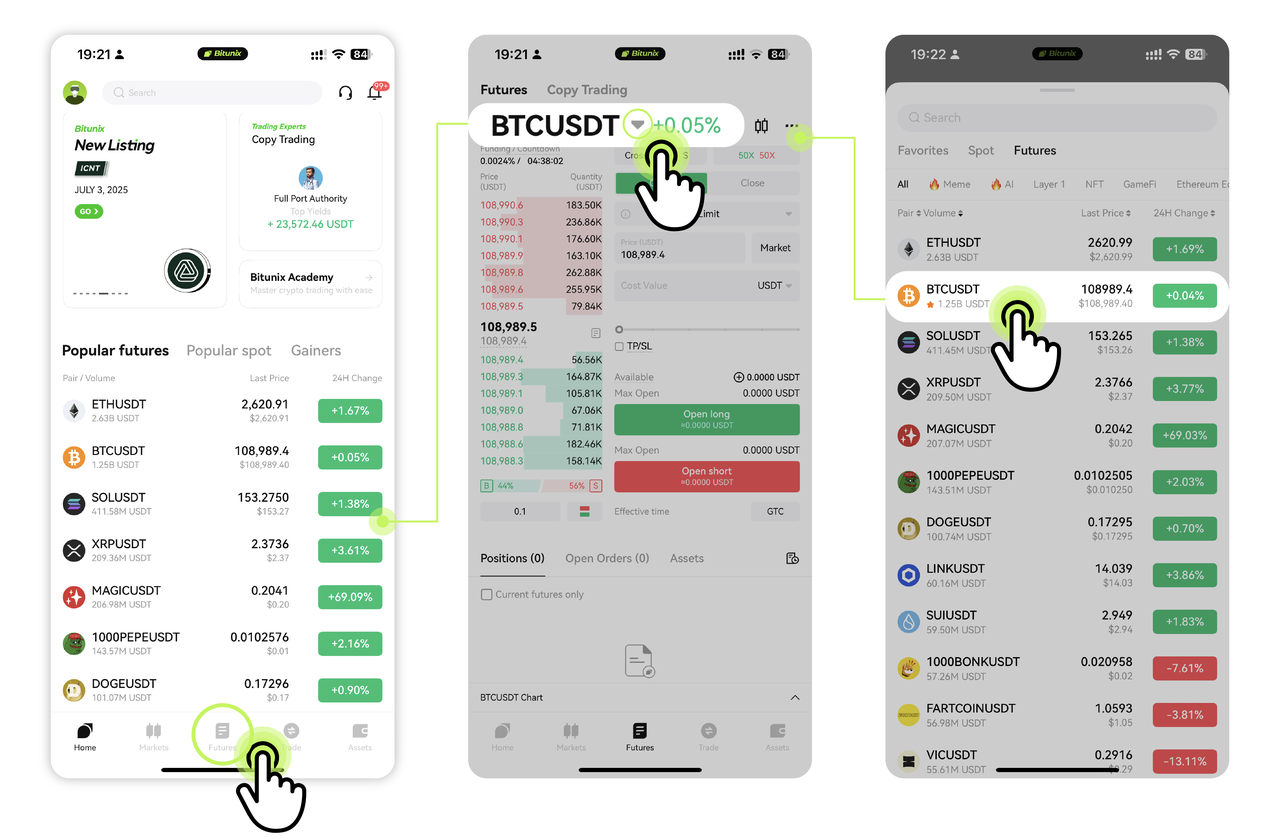
Step 1: Select your trading pair
Go to the [futures] tab. Select BTC/USDT (or your preferred pair).
Step 2: Choose leverage and order type
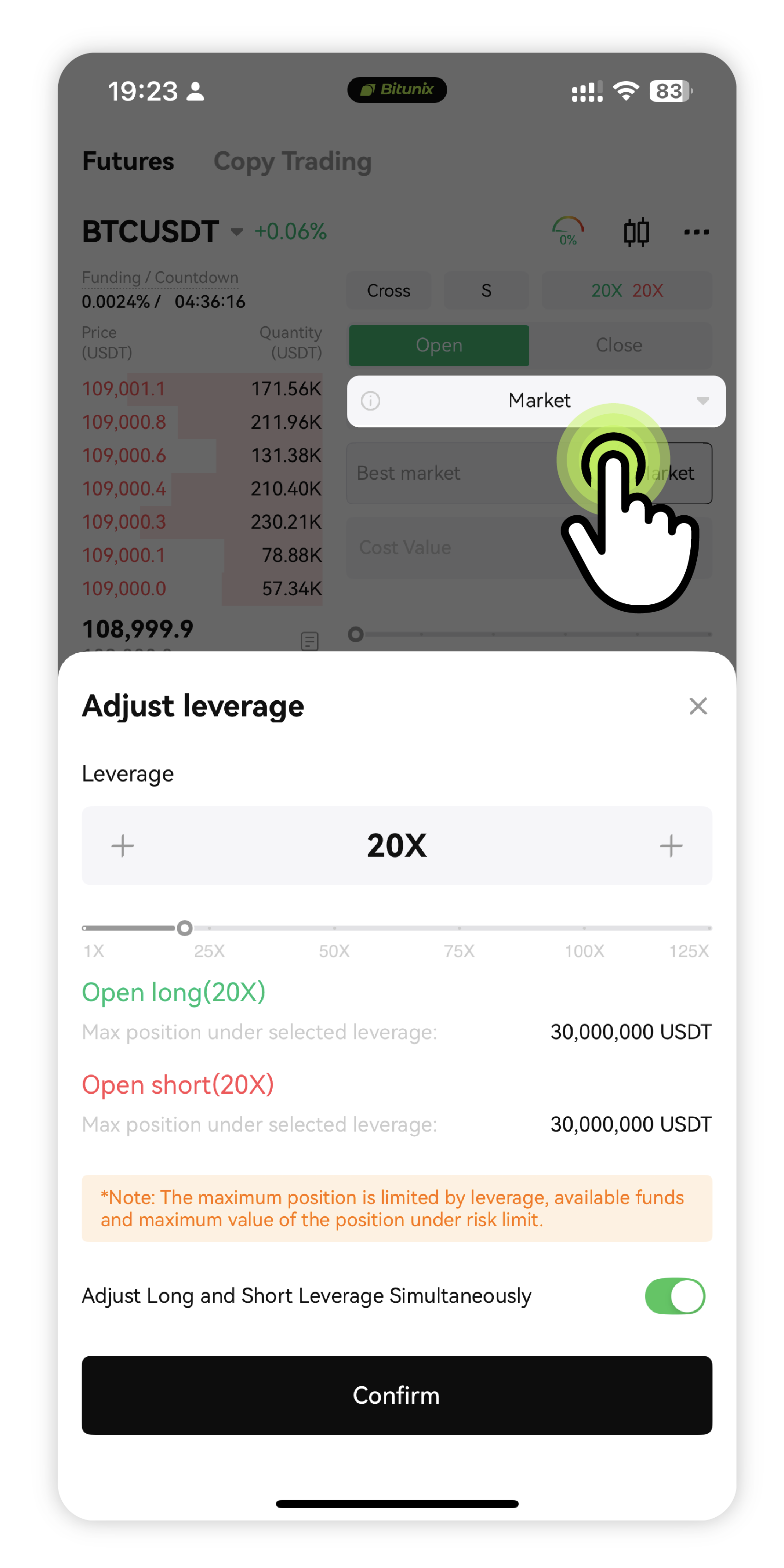
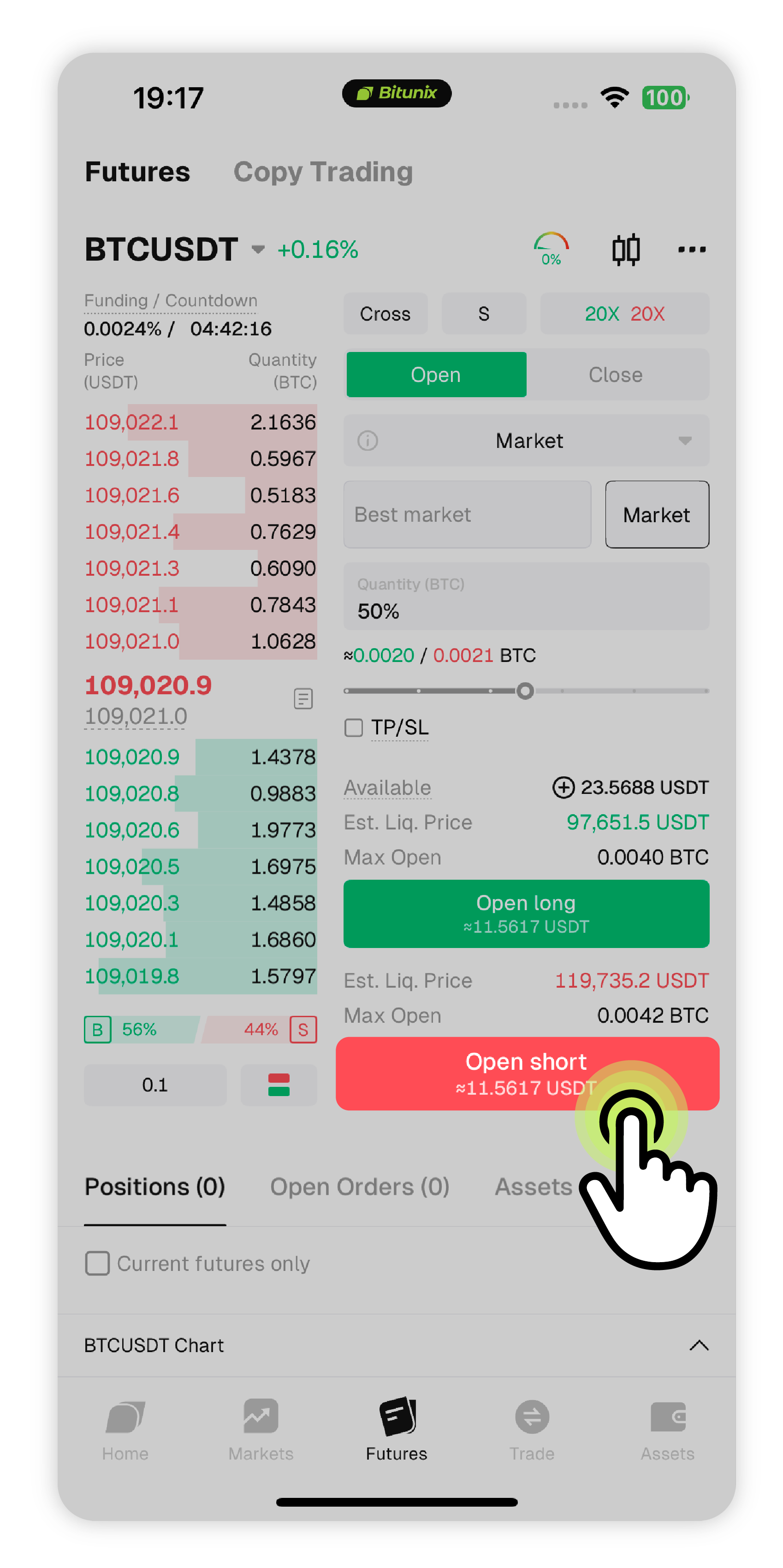
Set 20x leverage. Use a Market Order for faster execution.
Order types supported: limit orders, market orders, and more. Limit orders allow you to set a specific execution price, while market orders are filled at the current market rate.
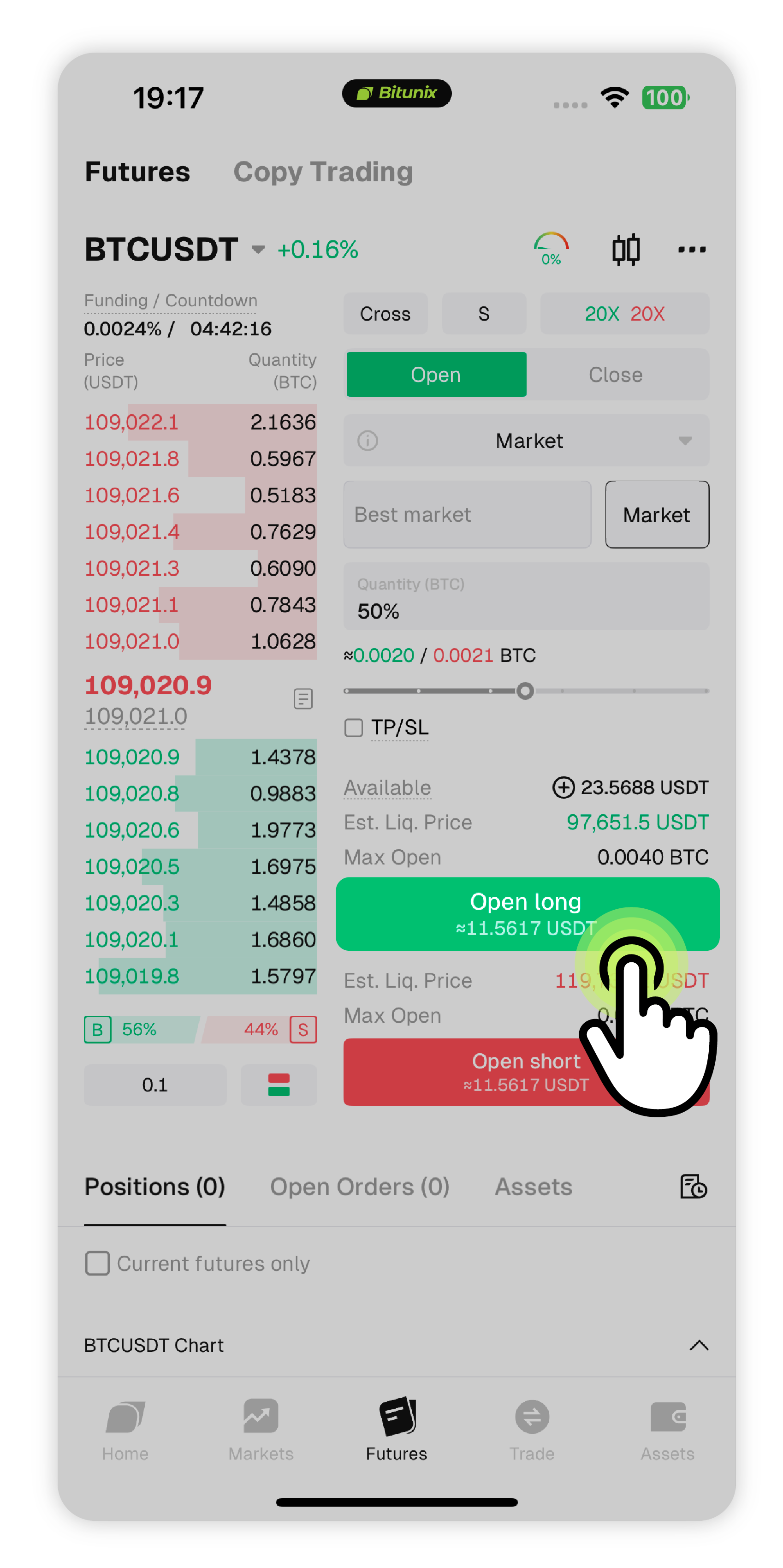
Step 3: Enter the quantity and place a Buy Long order
Input the amount and click Buy/Long.
Step 4: Repeat the same setup, but place a Sell Short order
Use the same quantity, leverage, and market order — now click Sell/Short.
Step 5: Check your positions
Both long and short should now be open.