Quick Information Summary
Item | Details |
Platform | Bitunix — Futures / Perpetual Contracts |
Topic | Order types and execution methods |
Order Types Covered | Market · Limit · Trigger |
Market Order | Instant execution at best available price |
Limit Order | Executes only at your specified price or better |
Trigger Order | Activates a Market or Limit order when a preset trigger price is reached |
Where to Place Orders | Futures Trading page → order panel (app or web) |
Execution Speed | Market: immediate · Limit: when price is met · Trigger: when trigger price is hit |
Price Control | Market: low · Limit: high · Trigger: depends on sub-order type (Market/Limit) |
Slippage Risk | Highest on Market orders; lower on Limit orders |
Trading Fees | Standard Bitunix futures fees apply per executed trade |
Settlement | Position and margin update immediately upon order fill |
Best For | Market: fast entry/exit · Limit: precise pricing · Trigger: automated conditional entries |
Related Guides | Settings 1: Margin Mode · Settings 2: Leverage · Settings 3: TP/SL · Bitunix Academy |
Bitunix offers several order types designed to fit different trading strategies and market conditions.
This guide explains how Market Orders, Limit Orders, and Trigger Orders work in futures trading, along with examples to help you understand when and how to use each one effectively.
Product Definition:— Futures Order Types on Bitunix
Bitunix futures trading offers multiple order types designed for different strategies and market conditions. Choosing the right order type affects your entry price, execution speed, and risk exposure.
Order Type | How It Works | Key Advantage | Main Risk |
Market Order | Fills immediately at the best available price | Fastest execution | Slippage — final price may differ from displayed price |
Limit Order | Fills only at your set price or a better one | Full price control | Order may not fill if price never reaches your level |
Trigger Order | Activates a Market or Limit order when trigger price is hit | Automated conditional entry/exit | Trigger price reached ≠ guaranteed fill (if sub-order is Limit) |
Order Types
Market Order
Definition
A Market Order executes immediately at the best available market price.
It’s ideal for traders who want to enter or exit a position quickly, but because prices can change rapidly, the final execution price might differ slightly from the price shown when you place the order.
Example
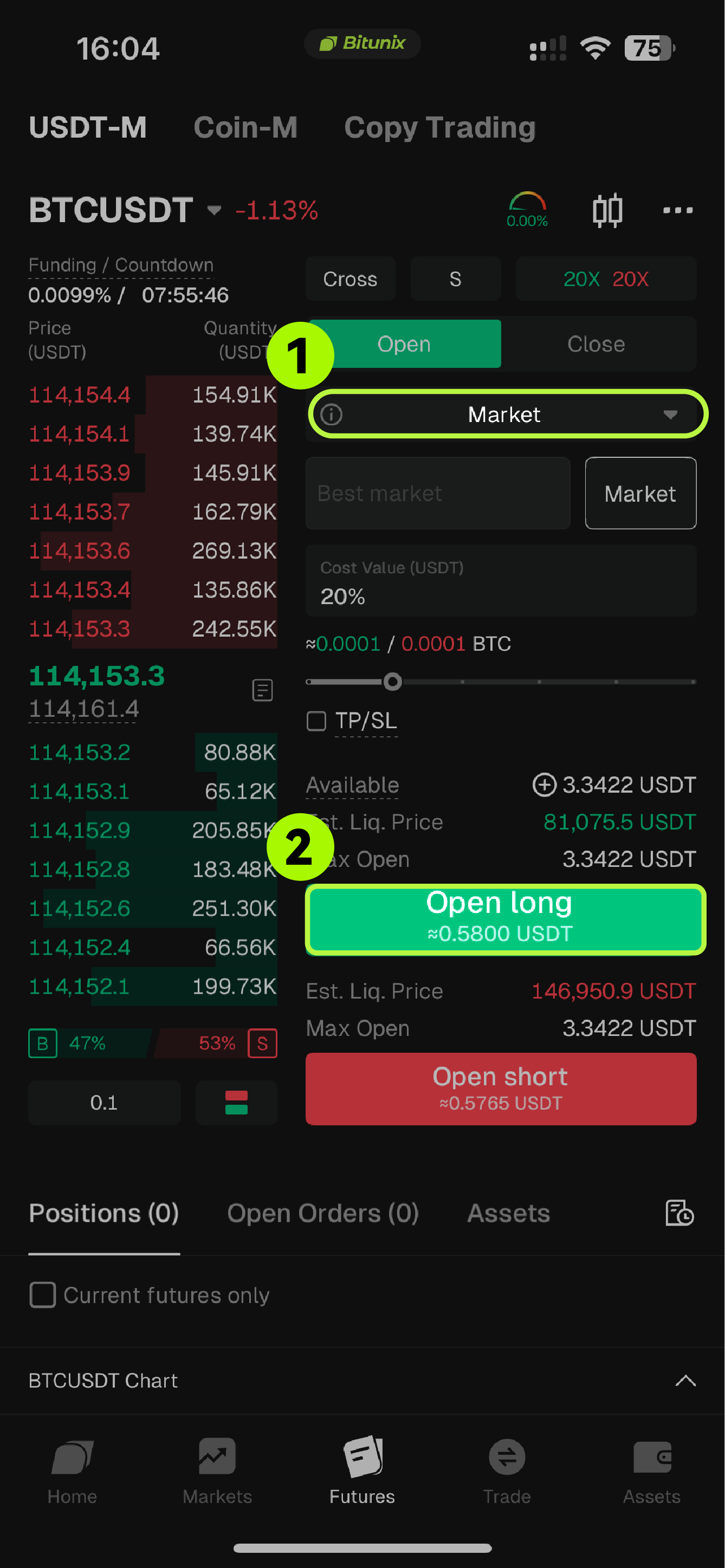
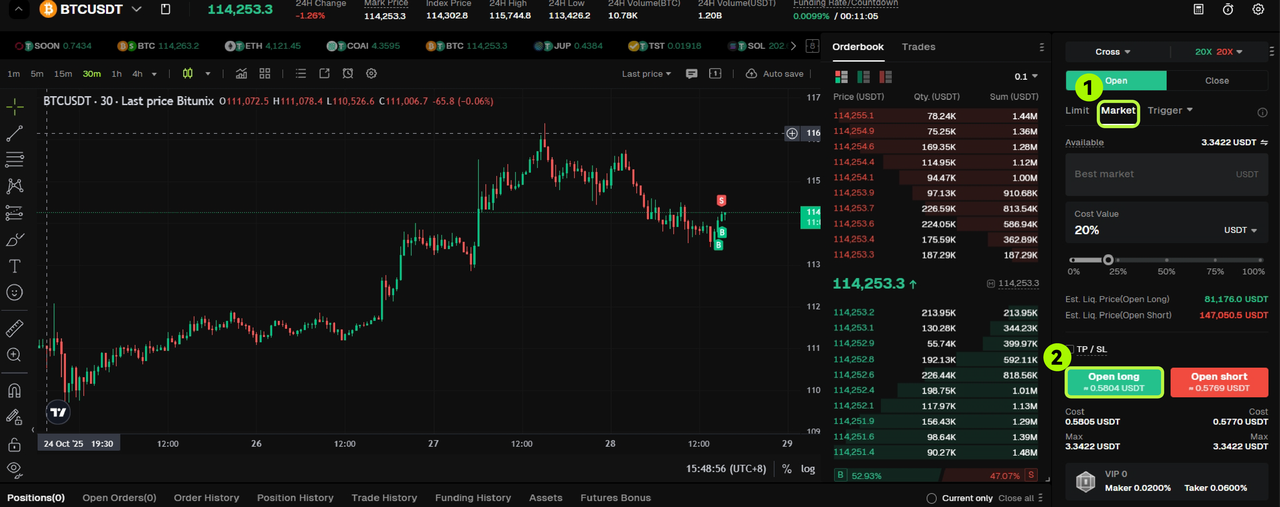
If BTC is trading at 114,200 USDT, and you want to buy it right away, select Market Order.
Your order will fill instantly, but depending on market volatility, the final trade price could be slightly higher or lower than 114,200 USDT.
App:
Website:
Limit Order
Definition
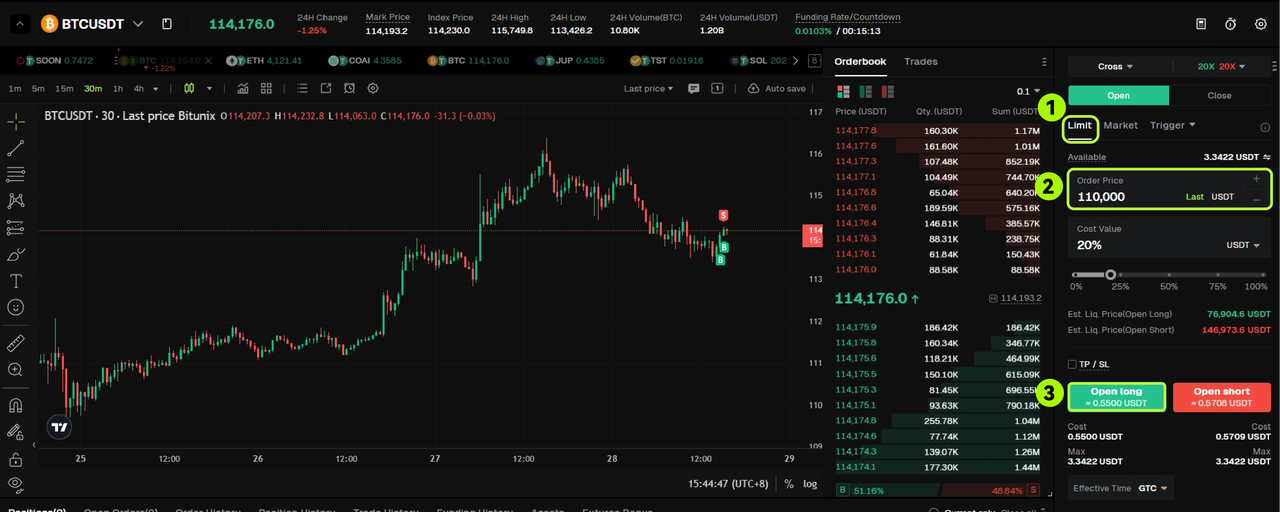
A Limit Order lets you set the exact price where you want to buy or sell.
The order will only execute when the market reaches that price, allowing you to control the cost of entry or exit.
Example
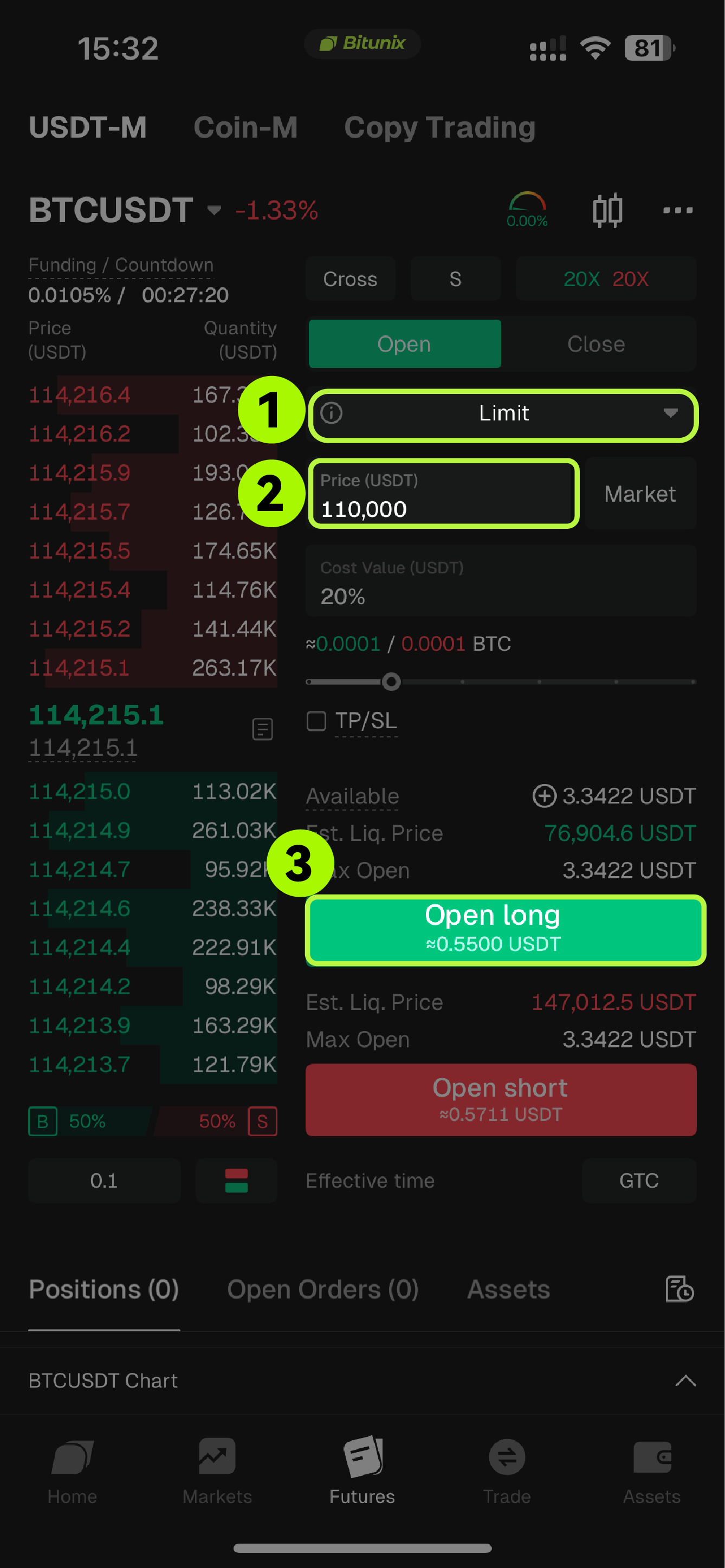
If BTC is priced at 114,200 USDT and you want to buy only if it drops to 110,000 USDT, place a Limit Buy Order at 110,000 USDT.
When the market hits that level or lower, your order will execute automatically.
App:
Website:
Trigger Order
Definition
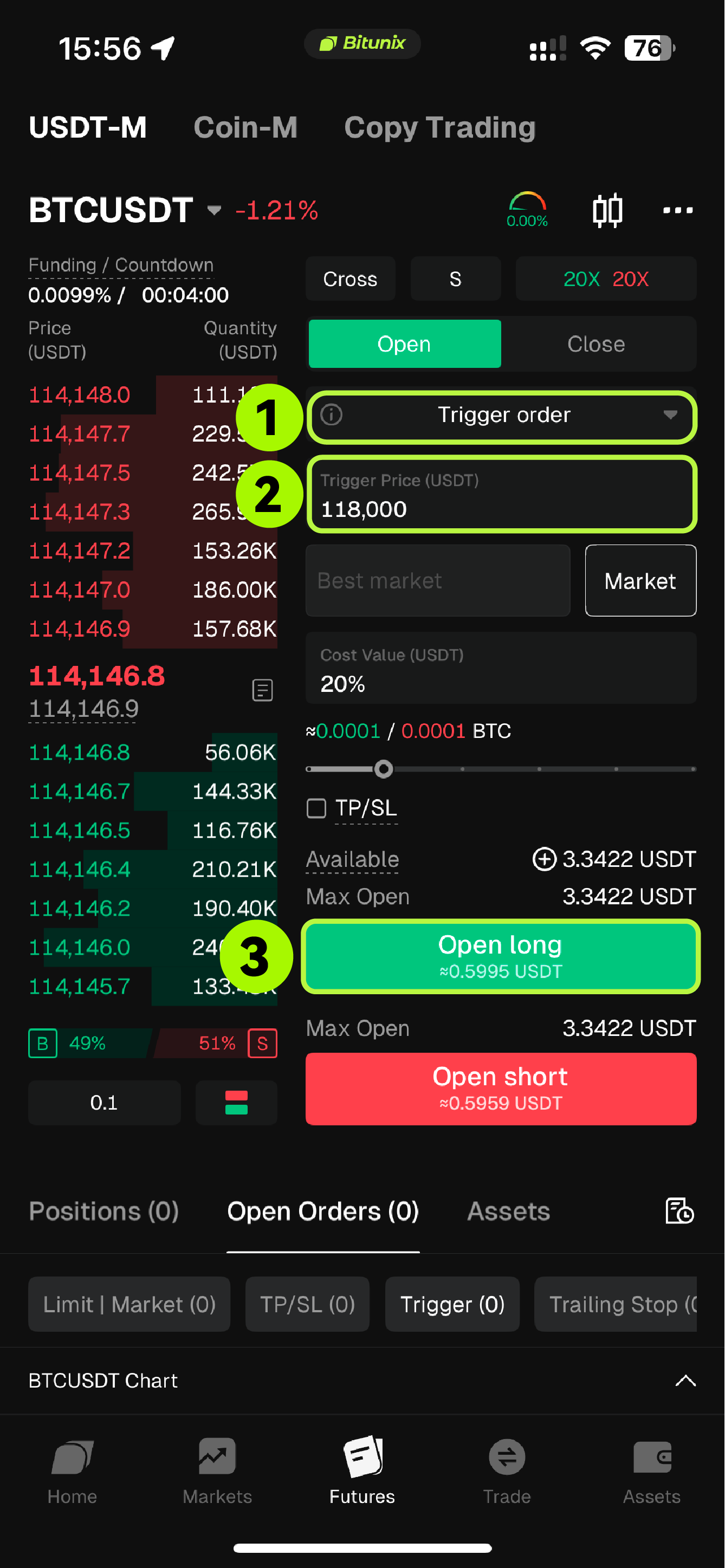
A Trigger Order activates automatically when the market reaches a specified trigger price.
Once triggered, the system places a Market or Limit Order based on the details you set in advance.
This order type helps automate entries or exits without the need to constantly watch the market.
Example
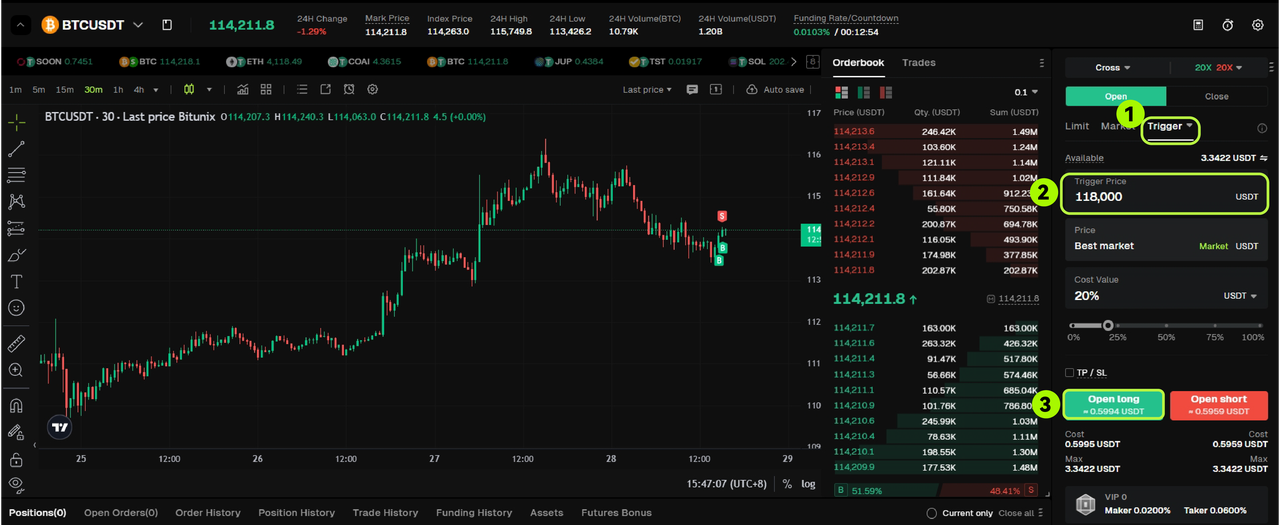
If BTC is trading at 114,200 USDT and you believe it will keep rising after breaking 118,000 USDT, you can place a Trigger Buy Order with a trigger price of 118,000 USDT.
When the market reaches 118,000 USDT, the system will execute your buy order automatically according to your preset conditions.
App:
Website: