Crypto markets move continuously, and important trading signals often appear when traders are not actively watching charts. A momentum shift, volatility expansion, or trend reversal signal can develop within minutes, making manual monitoring difficult across multiple assets and timeframes.
Bitunix Indicator Alert helps traders automate technical signal monitoring directly from the K-line chart. By setting conditions based on indicators such as MACD, RSI, and Bollinger Bands, traders can receive notifications when predefined technical events occur instead of constantly checking charts.
Previously introduced as Indicator Warning 1.0, Bitunix Indicator Alert is now integrated into the broader Bitunix Super Alert system. Super Alert combines indicator-based monitoring with other alert types, including price alerts, drawing alerts, candlestick alerts, combo alerts, TradingView signals, and on-chain monitoring, creating a more complete market monitoring workflow.
Indicator Warning 1.0 vs Bitunix Super Alert: What's the Difference?
Indicator Warning 1.0 was originally designed as a dedicated technical alert feature that allowed traders to monitor indicator-based signals directly from Bitunix charts.
With the introduction of Bitunix Super Alert, this functionality has become part of a broader alert ecosystem. Bitunix Indicator Alert focuses specifically on technical indicators, while Super Alert expands monitoring capabilities by combining multiple signal types within one system.
Understanding the difference helps traders choose the right tool for their workflow:
Item | Bitunix Indicator Alert | Bitunix Super Alert |
Main purpose | Monitor technical indicator signals | Complete market monitoring system |
Supported signals | MACD, RSI, Bollinger Bands | Price, Indicator, Drawing, Candlestick, Combo, Template, TradingView, On-chain |
Best suited for | Traders using technical analysis indicators | Traders building multi-condition monitoring workflows |
Relationship | One alert module | Full alert framework |
For traders who previously used Indicator Warning 1.0, the core technical alert functionality remains available through Bitunix Indicator Alert, while Super Alert provides additional tools for monitoring broader market conditions.
What Is Bitunix Indicator Alert?
Bitunix Indicator Alert allows traders to create automated notifications based on technical indicator conditions. Instead of manually checking whether a signal has appeared, traders can define specific rules and receive alerts when those conditions are met.
Bitunix Indicator Alert is designed to help monitor:
Momentum changes
Trend transitions
Volatility shifts
Potential breakout or reversal conditions
Supported technical indicators include:
MACD
RSI
Bollinger Bands
Beyond Indicator Alert, Bitunix Super Alert also supports additional monitoring tools, including Drawing Alert for trendlines and chart structures, Candlestick Alert for automated pattern monitoring, and Combo Alert for combining multiple trading conditions.
The goal is simple: help traders focus on important decision points while reducing the need for continuous screen monitoring.
Why Use Bitunix Indicator Alert Instead of Watching Charts Manually?
Crypto markets operate 24/7, making constant chart monitoring unrealistic for most traders. Even experienced traders cannot watch every candle, across every timeframe, and across every asset they follow.
Manual monitoring creates several challenges:
Capture Signals Without Constant Screen Time
Technical signals often appear outside a trader's active hours. A MACD crossover on a higher timeframe, an RSI recovery from oversold conditions, or a Bollinger Band expansion can occur while a trader is away from the screen.
Bitunix Indicator Alert helps bridge this gap by monitoring conditions automatically and notifying traders when predefined signals occur.
Reduce Emotional Reactions During Market Volatility
Watching charts continuously can lead to unnecessary reactions to short-term price movements.
By setting alerts in advance, traders can define what matters before market volatility increases:
Which indicator condition matters
Which timeframe to monitor
Which signal requires attention
This creates a more structured workflow instead of reacting to every market movement.
Monitor Multiple Trading Opportunities Efficiently
Following multiple trading pairs manually requires significant attention.
Bitunix Indicator Alert allows traders to monitor different markets simultaneously without keeping multiple charts open at all times.
For example:
BTCUSDT: MACD golden cross monitoring
ETHUSDT: RSI recovery above a key threshold
SOLUSDT: Bollinger Band volatility expansion
Each alert acts as a predefined checkpoint that notifies traders only when their conditions are triggered.
Build More Complete Trading Workflows With Super Alert
A single indicator signal may not always provide enough context.
For more advanced workflows, traders can combine Bitunix Indicator Alert with other Super Alert features:
Price Alert + Indicator Alert for breakout confirmation
Drawing Alert + Indicator Alert for trendline break monitoring
Combo Alert for multiple conditions in one setup
This allows traders to move from simple price monitoring toward condition-based market analysis.
Supported Technical Indicators: MACD, RSI, and Bollinger Bands
Bitunix Indicator Alert supports several widely used technical indicators that help traders monitor momentum, market strength, and volatility conditions.
Currently supported indicators include:
MACD
RSI
Bollinger Bands
Each indicator provides different market information. Traders can configure alerts based on specific conditions and receive notifications when their selected criteria are met.
MACD Alert: Monitor Momentum Shifts and Trend Changes
MACD (Moving Average Convergence Divergence) is commonly used to analyze momentum changes and potential trend transitions. With Bitunix Indicator Alert, traders can create alerts based on MACD conditions instead of manually checking charts for crossover signals.
Available MACD alert conditions include:
Golden cross
Death cross
DEA crossing the zero line
Top divergence
Bottom divergence
Best for: Monitoring momentum shifts, trend transitions, and potential reversal signals.
Example: Using MACD Alert to Monitor Momentum Changes
A trader monitoring BTC on a 4-hour chart may want to know when momentum begins shifting after a period of consolidation.
Instead of repeatedly checking the MACD indicator, the trader can create a MACD golden cross alert. When the condition occurs, the alert notification allows the trader to review additional factors such as:
Price structure
Trading volume
Broader market conditions
The alert does not predict future price movements. It simply helps traders identify when a predefined technical condition has occurred.
RSI Alert: Track Momentum Strength and Overbought or Oversold Conditions
RSI (Relative Strength Index) measures the strength and speed of recent price movements. Traders commonly use RSI levels to monitor momentum conditions and potential changes in market strength.
With Bitunix Indicator Alert, traders can configure RSI alerts based on:
Threshold crosses
Crosses through a specific level
Crosses above or below a threshold
Greater-than or lower-than comparisons
Best for: Monitoring momentum conditions and identifying when RSI reaches predefined levels.
Example: Using RSI Alert to Monitor Momentum Recovery
A trader may monitor whether BTC recovers above an RSI level after a period of weak momentum.
Instead of checking RSI manually across different timeframes, the trader can create an alert for a specific RSI threshold. When triggered, the trader can review whether the indicator change aligns with:
Key support or resistance levels
Price structure
Overall market trend
RSI alerts help automate monitoring, while interpretation still depends on the trader's strategy and market context.
Bollinger Bands Alert: Monitor Volatility Expansion and Market Conditions
Bollinger Bands are commonly used to analyze volatility changes and price positioning relative to moving averages.
Bitunix Indicator Alert supports Bollinger Bands conditions including:
Overbought and oversold signals
Middle band golden cross and death cross
Bandwidth expansion and contraction
Best for: Identifying volatility changes, including periods when market compression transitions into higher volatility.
Example: Using Bollinger Bands Alert to Monitor Volatility Changes
During a low-volatility period, traders may watch for signs that price movement is expanding.
A trader can create a Bollinger Bands alert to monitor bandwidth expansion. When volatility increases, the alert allows the trader to review whether the move is supported by:
Price breakout structure
Trading volume
Other technical signals
How Traders Use Bitunix Indicator Alert in Different Market Conditions
Technical indicators become more useful when they are connected to a specific trading workflow. Instead of creating alerts for every possible signal, traders can focus on conditions that match their analysis approach.
Below are common examples of how Indicator Alert can support different monitoring scenarios.
Market Scenario | Indicator Alert Setup | What Traders Monitor |
Momentum shift | MACD crossover alert | Changes in trend momentum |
Recovery from weakness | RSI threshold alert | Momentum returning above key levels |
Volatility expansion | Bollinger Bands alert | Changes from low to high volatility |
Trend confirmation | Multiple indicator checks | Alignment between different signals |
How to Create an Indicator Alert on Bitunix Super Alert

Bitunix Indicator Alert allows traders to create technical alerts directly from the K-line chart.
The setup process starts by adding the desired indicator and configuring the trigger conditions.
Step 1: Add an Indicator
Open the chart, go to Indicators, search for MACD, RSI, or Bollinger Bands, then add the selected indicator to the chart.

Step 2: Open the Alert Creation Panel
You can access the alert creation panel through several methods:
Right-click the indicator panel and select Add Alert
Click the plus icon near the indicator axis label if available
Open the indicator options menu and select Add Alert
These entry methods automatically associate the selected indicator with the alert setup process, allowing you to configure conditions faster.

Step 3: Configure the Alert Trigger
Select the required settings:
Indicator condition (for example, MACD golden cross)
Monitoring price source if available
Alert frequency (one-time or repeating)
Expiration time
These settings help define when and how the alert should be triggered.

Step 4: Create a Clear Alert Name
A consistent naming format makes alert management easier, especially when monitoring multiple assets.
Recommended format:
Market + Timeframe + Condition
Example:
BTCUSDT 15m RSI crosses above 50
Clear naming helps traders quickly identify why an alert was created and whether it is still relevant.
Drawing Alert: Turn Chart Structures Into Automated Notifications

While Bitunix Indicator Alert focuses on technical indicators, Drawing Alert helps traders monitor chart-based structures such as trendlines, support levels, and resistance levels.
Instead of setting a fixed price level manually, Drawing Alert attaches the alert condition directly to the chart object.
This allows traders to monitor:
Trendline breaks
Support and resistance tests
Breakout attempts
Pullback levels
For example, a descending trendline changes position as new candles form. A traditional price alert may become outdated, while a Drawing Alert continues following the chart structure.
How to Create a Drawing Alert
Step 1: Draw Your Level
Use drawing tools such as line segments or trendlines to mark important chart areas.
Common examples include:
Support levels
Resistance levels
Trend boundaries

Step 2: Select the Drawing and Add an Alert
Click the drawing object, then open the alert option from the drawing edit toolbar.

Step 3: Choose the Trigger Condition
Common trigger options include:
Price touches the line
Price crosses through the line
Price breaks above or below the line
Step 4: Set Frequency and Expiration
For short-term setups, expiration settings help prevent outdated alerts from remaining active after the market condition changes.
Channel Alert: Monitor Price Zones and Trading Ranges
Channel Alert helps traders monitor broader chart zones, including:
Parallel channels
Rectangle ranges
Defined price areas
Unlike a single trendline alert, Channel Alert focuses on whether price enters, exits, or crosses a larger market zone.
Common use cases include:
Range breakout monitoring
Trend channel tracking
Support and resistance zones
How to Create a Channel Alert

Step 1: Draw the Price Zone
Create a parallel channel or rectangle range to define the area you want to monitor.

Step 2: Add an Alert to the Channel
Select the channel or zone, then create an alert from the alert option.

Step 3: Select the Trigger Behavior
Choose the event that should trigger the alert, such as:
Touching the upper boundary
Crossing the middle line
Touching the lower boundary
Entering or leaving the channel zone
Alert Personalization: Customize Indicator Alert Settings
Bitunix Super Alert allows traders to customize alert preferences so notifications match their monitoring workflow.
These settings apply across supported alert types, including Indicator Alert and other Super Alert modules.
Traders can customize:
Alert sound
Alert duration
Notification channels
Alert frequency
Expiration time
Personalized settings help traders receive meaningful notifications while reducing unnecessary alert noise.
How to Customize Alert Sound and Duration
Step 1: Open the Alert Settings Window

Open the Create Alert pop-up window and click the Set button.
Step 2: Select the Alert Type


Click Select Alert Type and choose the alert type you want to configure:
Indicator Alert
Drawing Alert
Step 3: Configure Sound and Duration Settings

Customize the notification preferences:
Alert Sound
The system includes multiple built-in alert sounds. Users can preview available sounds and select their preferred option.
Alert Duration
The system supports different duration settings, allowing users to choose how long the alert notification remains active.
Available options:
2 seconds
5 seconds
10 seconds
Step 4: Save the Settings
After completing the configuration, click Save to apply the settings.
Your preferences will be used for future alerts created through the Super Alert system.
Best Practices for Managing Indicator Alerts Without Alert Noise
Creating more alerts does not always create better monitoring. The most effective alert setups focus on meaningful market conditions rather than every small price movement.
Create Alerts Around Decision Points
Avoid creating alerts for every indicator movement.
Instead, focus on conditions that require further analysis, such as:
Momentum changes
Breakout confirmation
Key indicator thresholds
Volatility shifts
Combine Indicators With Market Structure
A technical indicator provides information, but market context remains important.
For example:
MACD crossover + support level
RSI recovery + trendline breakout
Bollinger Band expansion + price breakout
Combining Indicator Alert with other Super Alert features can create more structured monitoring workflows.
Use Expiration Settings for Short-Term Setups
Short-term trading ideas often become invalid after a specific period.
Adding expiration times helps prevent outdated alerts from continuing to trigger after the original setup no longer matters.
Keep Alert Names Consistent
Clear naming makes it easier to review and manage multiple alerts.
Recommended format:
Asset + Timeframe + Condition
Examples:
BTCUSDT 4H MACD Golden Cross
ETHUSDT Daily RSI Above 50
SOLUSDT 1H Bollinger Band Expansion
Review and Remove Outdated Alerts Regularly
Market conditions change over time.
Regularly reviewing active alerts helps traders:
Remove unused conditions
Adjust outdated levels
Improve monitoring efficiency
A clean alert system makes important notifications easier to recognize.
Conclusion
Bitunix Indicator Alert helps traders transform technical analysis into an automated monitoring workflow.
By supporting MACD, RSI, and Bollinger Bands conditions, traders can monitor momentum shifts, volatility changes, and technical signals without constantly watching charts.
As part of Bitunix Super Alert, Indicator Alert works alongside other monitoring tools, including Price Alert, Drawing Alert, Candlestick Alert, Combo Alert, TradingView Alert, and On-chain Alert.
A well-designed alert system is not about creating more notifications. It is about defining meaningful conditions, receiving information at the right moment, and maintaining a structured approach to market monitoring.
Glossary
Alert Frequency: Determines how often an alert can trigger, such as one-time or repeating notifications.
Bollinger Bands: A technical indicator used to analyze volatility and price movement relative to a moving average.
Channel: A defined price area created by chart tools such as parallel channels or rectangle ranges.
Condition: The rule that activates an alert, such as a crossover, divergence, or threshold.
DEA: The signal line used in MACD analysis.
Death Cross (MACD): A bearish crossover where the faster MACD line crosses below the slower line.
Divergence: A situation where price movement and indicator movement show different directions.
Golden Cross (MACD): A bullish crossover where the faster MACD line crosses above the slower line.
Monitoring Price Source: The price reference used to evaluate an alert condition, such as open, close, high, or low.
Threshold: A predefined level that activates an alert when crossed.
Validity Period: The time period during which an alert remains active.
About Bitunix
Bitunix is a global cryptocurrency derivatives exchange trusted by over 5 million users across more than 150 countries. The platform is committed to providing a transparent, compliant, and secure trading environment for every user. Bitunix offers a fast registration process and a user-friendly verification system supported by mandatory KYC to ensure safety and compliance.
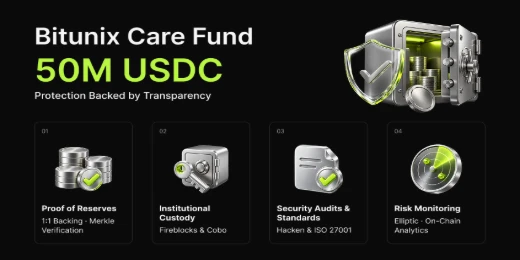
With global standards of protection through Proof of Reserves (POR) and the Bitunix Care Fund, Bitunix prioritizes user trust and fund security. The K-Line Ultra chart system delivers a seamless trading experience for both beginners and advanced traders, while leverage of up to 200x and deep liquidity make Bitunix one of the most dynamic platforms in the market.
Bitunix Global Accounts
X | Telegram Announcements | Telegram Global | CoinMarketCap | Instagram | Facebook | LinkedIn | Reddit | Medium