

The upgrade of K-line timeframes is a core feature optimization for Bitunix Web and Professional App versions. It focuses on supplementing granular timeframes for precise adaptation. We have greatly enhanced timeframe selection and added multiple new minute-level timeframes. Complementing the existing lineup including 1m, 5m, 15m and 1h, these new options resolve insufficient coverage and low granularity of traditional fixed timeframes. The upgraded system fully caters to refined analysis needs of traders with diverse styles, boosting operational efficiency and the accuracy of trading decisions.
I. New Feature Overview
1. New Minute-Level Timeframes
A total of 8 new minute-level timeframes are added: 2m, 6m, 9m, 10m, 12m, 24m, 27m and 45m. They fill gaps in the original timeframe lineup and serve various trading scenarios, supporting scalping, short-term trading, high-frequency analysis, trend observation and strategy backtesting.
2. Optimized Timeframe Selection (Web & Professional App)
Web Version
Efficient to use with personalized favorites supported
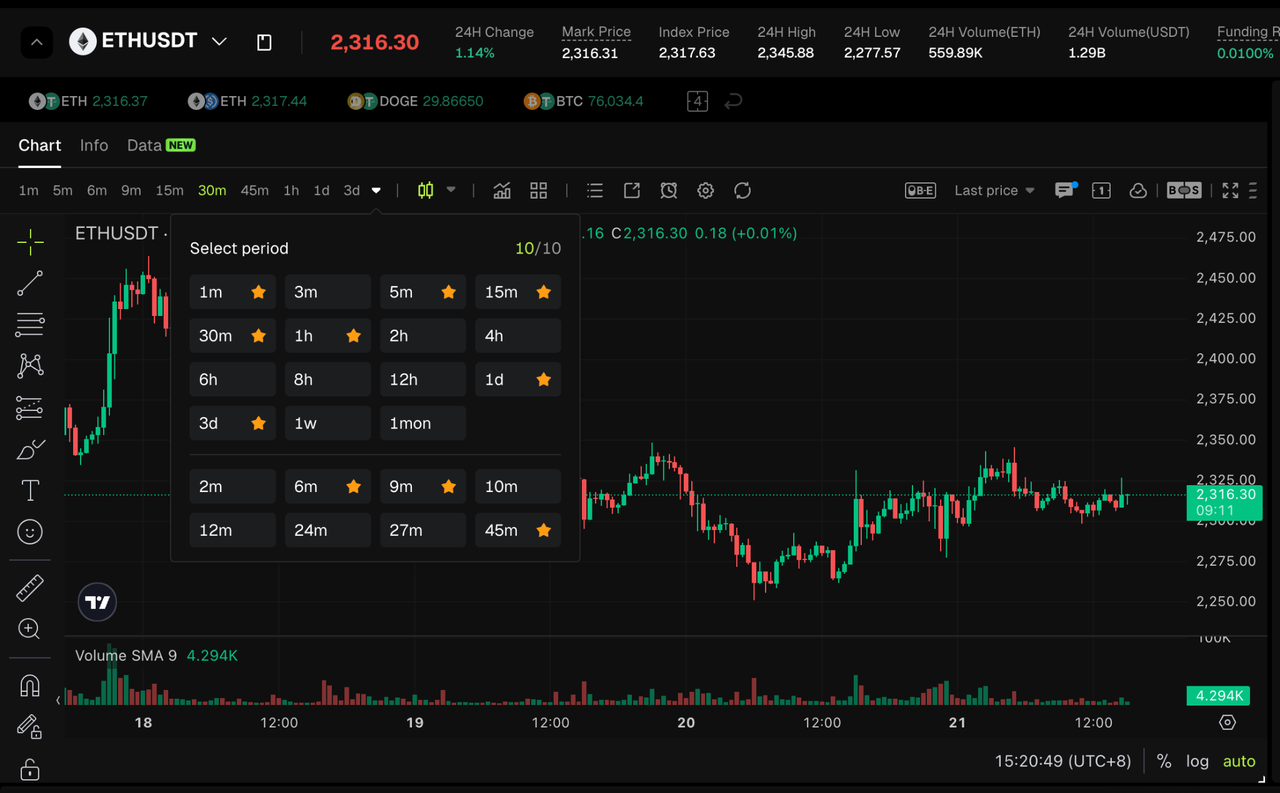
- Dual access: Quick timeframe bar for one-click switching of frequently used timeframes, and full timeframe panel displaying all options.
- Key optimization: New timeframes are available in both entrances. You can star and favorite timeframes, which will be automatically added to the quick bar for faster access.
- Visual cues: Selected and favorited timeframes are clearly marked to prevent misoperations.
Professional App
Well-organized layout and smooth operation
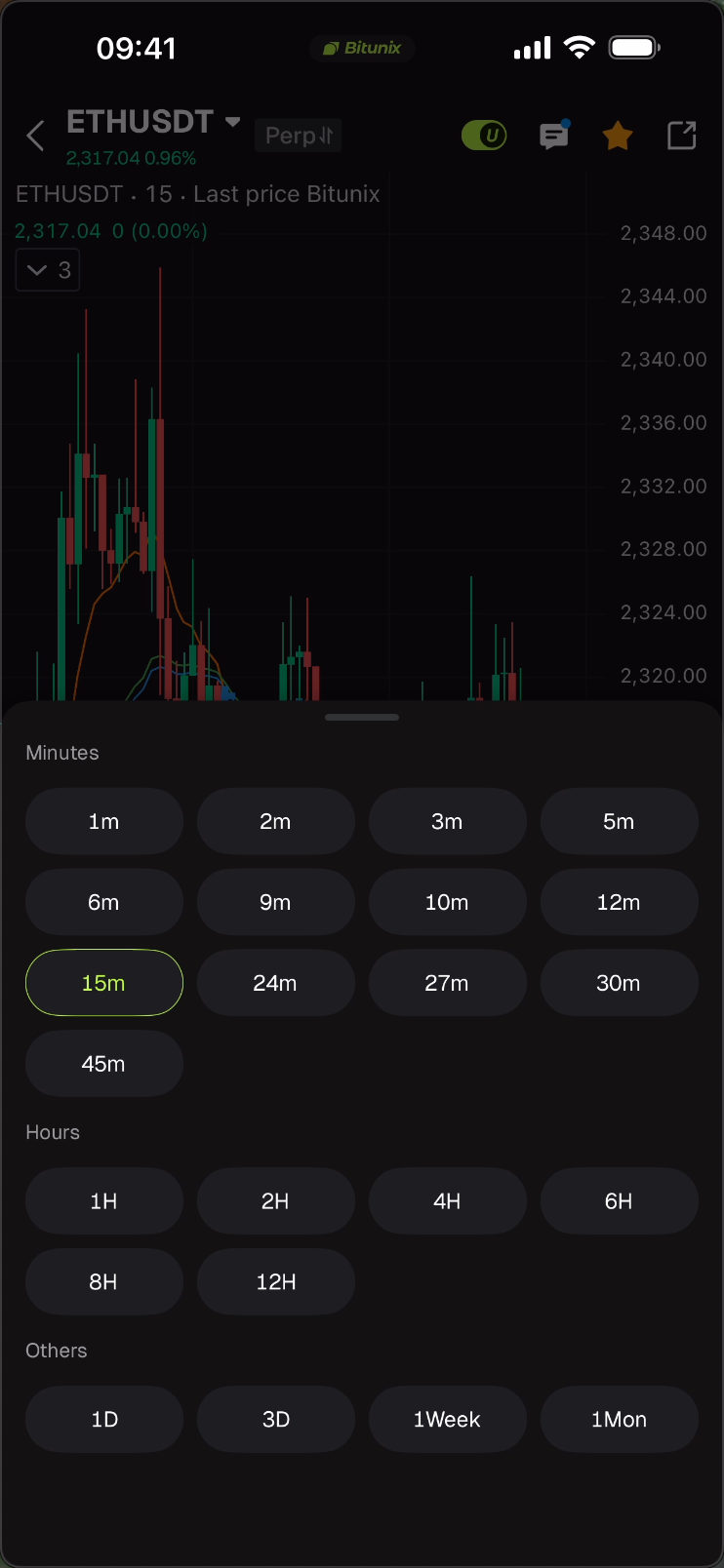
- Category grouping: Timeframes are divided into Minutes, Hours and Others. All new minute-level options are placed under the Minutes group for easy lookup.
- User experience: Tap to switch timeframes with no extra confirmation required. The selected timeframe is highlighted in green for clear recognition.
- Screen adaptation: Compatible with both landscape and portrait modes. The panel layout adjusts automatically to deliver a smooth operating experience.
II. Operation Guide
Web Version
Step 1: Switch to new timeframes Log in and open the K-line chart on any trading page. Click the timeframe display area at the top to bring up the panel, then select a new timeframe. The K-line chart will refresh instantly.
Step 2 (Optional): Favorite commonly used timeframes Tap the star icon next to the target timeframe. A solid star means the favorite is added, and the timeframe will appear in the quick bar synchronously.
Professional App
Switch to new timeframes Tap the current timeframe label at the bottom of the K-line chart (e.g. 15m) to open the bottom selection panel grouped by Minutes, Hours and Others. You may also swipe to switch timeframes.
Disclaimer
This material is provided for general information only. It is not intended to provide:
- Investment advice or investment recommendations.
- An offer or a solicitation to buy, sell, or hold digital assets.
- Financial, accounting, legal, or tax advice.
Digital assets, including stablecoins and NFTs, carry a high level of risk and can fluctuate significantly in value. Consider carefully whether trading or holding digital assets is suitable for your financial situation. Consult your legal, tax, or investment professional for guidance tailored to your circumstances. You are responsible for understanding and complying with all applicable laws and regulations in your location.