

Setting Up Google Authenticator on Web
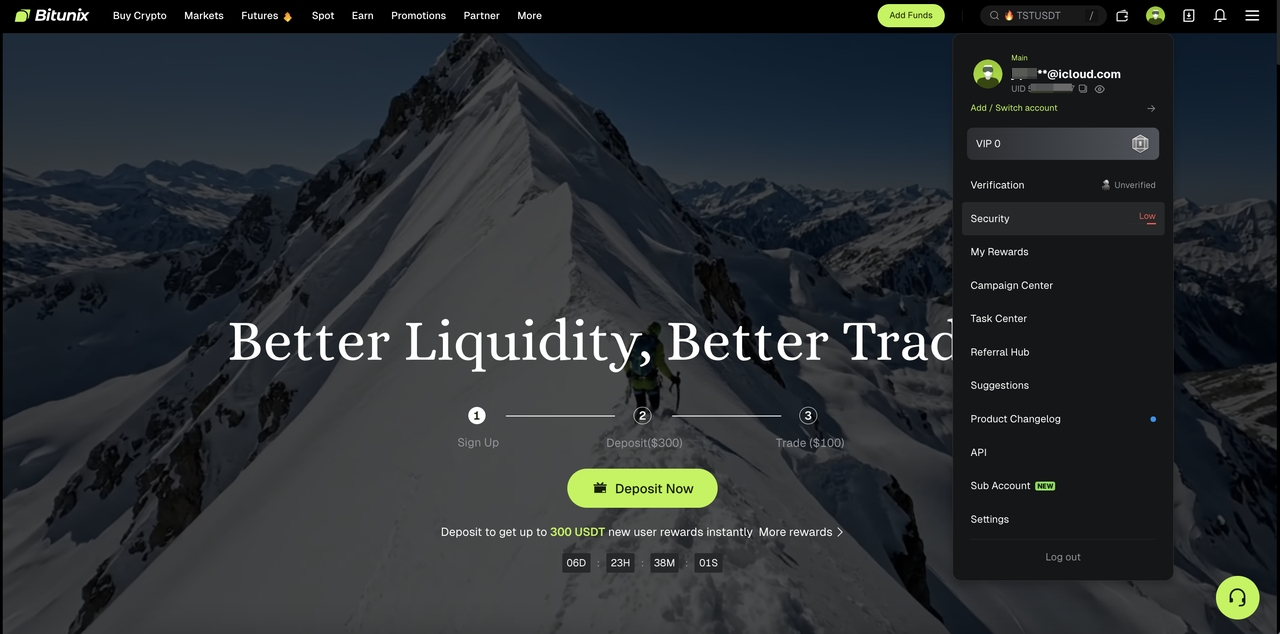
Step 1: Navigate to Security Settings
a. Sign in to your account at https://www.bitunix.com/
b. Click your profile icon in the top-right corner and select [Security]

Step 2: Enable Google Authenticator
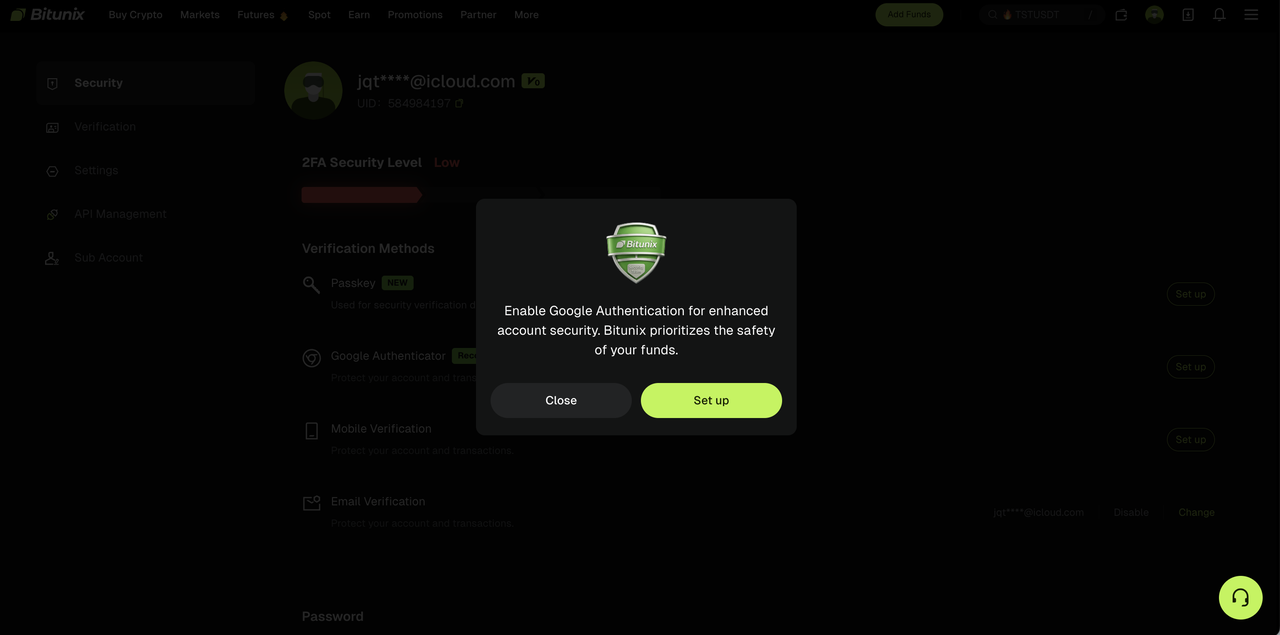
a. A system prompt will appear stating: "Enable Google Authenticator to strengthen your account security. Bitunix is committed to protecting the security of your assets."
b. If the prompt does not appear, click [Link] next to Google Authenticator
Step 3: Link Your Google Authenticator
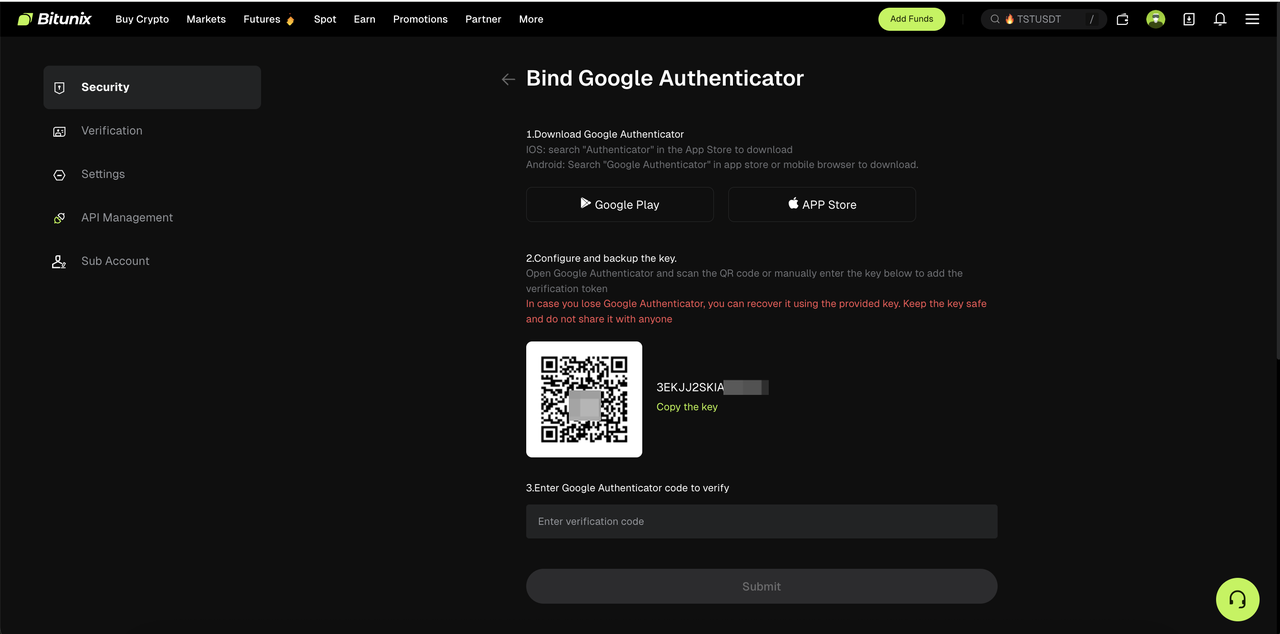
On the Google Authenticator setup page:
a. Download and install the Google Authenticator app on your mobile device
b. Link your account by either scanning the QR code displayed on screen, or by manually entering the 16-character secret key
c. Enter the 6-digit TOTP code generated by the Google Authenticator app to confirm the link (each code expires after 30 seconds)
Step 4: Complete Verification
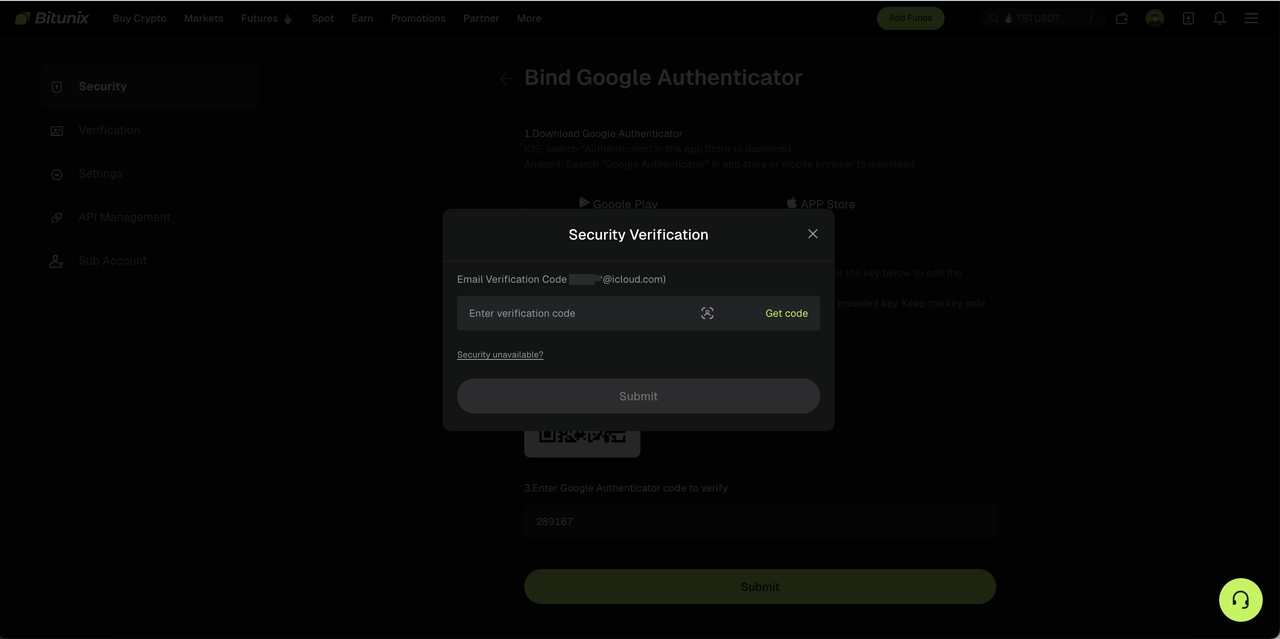
Complete any additional identity verification steps if prompted (such as SMS and/or email confirmation), then click [Submit].
Once submitted, Google Authenticator will be successfully linked to your account.
Important Notes
- Store your backup key and secret key securely and never share them with anyone
- If you ever lose access to your Google Authenticator app, your backup key will be required to recover 2FA access to your account
Disclaimer
This article is not intended to provide:
(i) investment advice or investment recommendations;
(ii) an offer or solicitation to buy, sell, or hold digital assets; or
(iii) financial, accounting, legal, or tax advice.
Digital assets (including stablecoins and NFTs) involve high risk and may be highly volatile. You should carefully consider whether trading or holding digital assets is suitable for you based on your financial situation. For your specific circumstances, consult your legal, tax, or investment professionals. You are responsible for understanding and complying with all applicable local laws and regulations.