

What is Bitunix Mobile Widget
The Bitunix Mobile Widget (Widget) is based on the iOS Home Screen and Lock Screen widget functionality, allowing you to quickly view futures-related information directly from your phone’s Home Screen or Lock Screen without opening the Bitunix App.
Through the widget, you can instantly monitor your current perpetual futures positions, including trading pairs, position direction, leverage, unrealized PNL, mark price, liquidation price, and risk status. This helps you stay aware of market movements and position risks at all times.
How to Add Bitunix Mobile Home Screen Widget
1.First, long press an empty area on your phone’s Home Screen. The 【Edit】 button will appear at the top of the screen. Tap this button, and a dropdown menu will appear. The first option in the menu is 【Add Widget】. Tap this option.
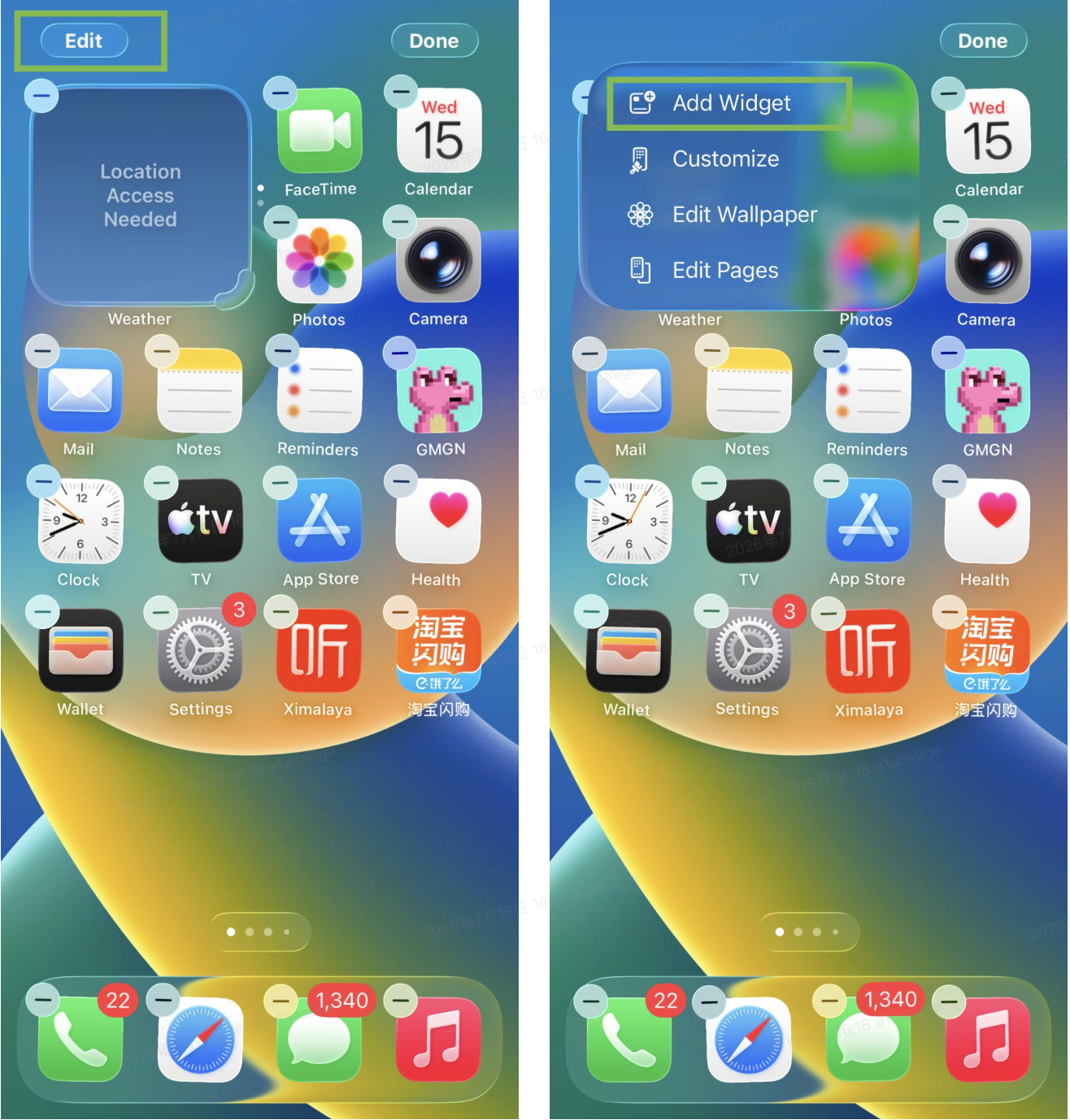
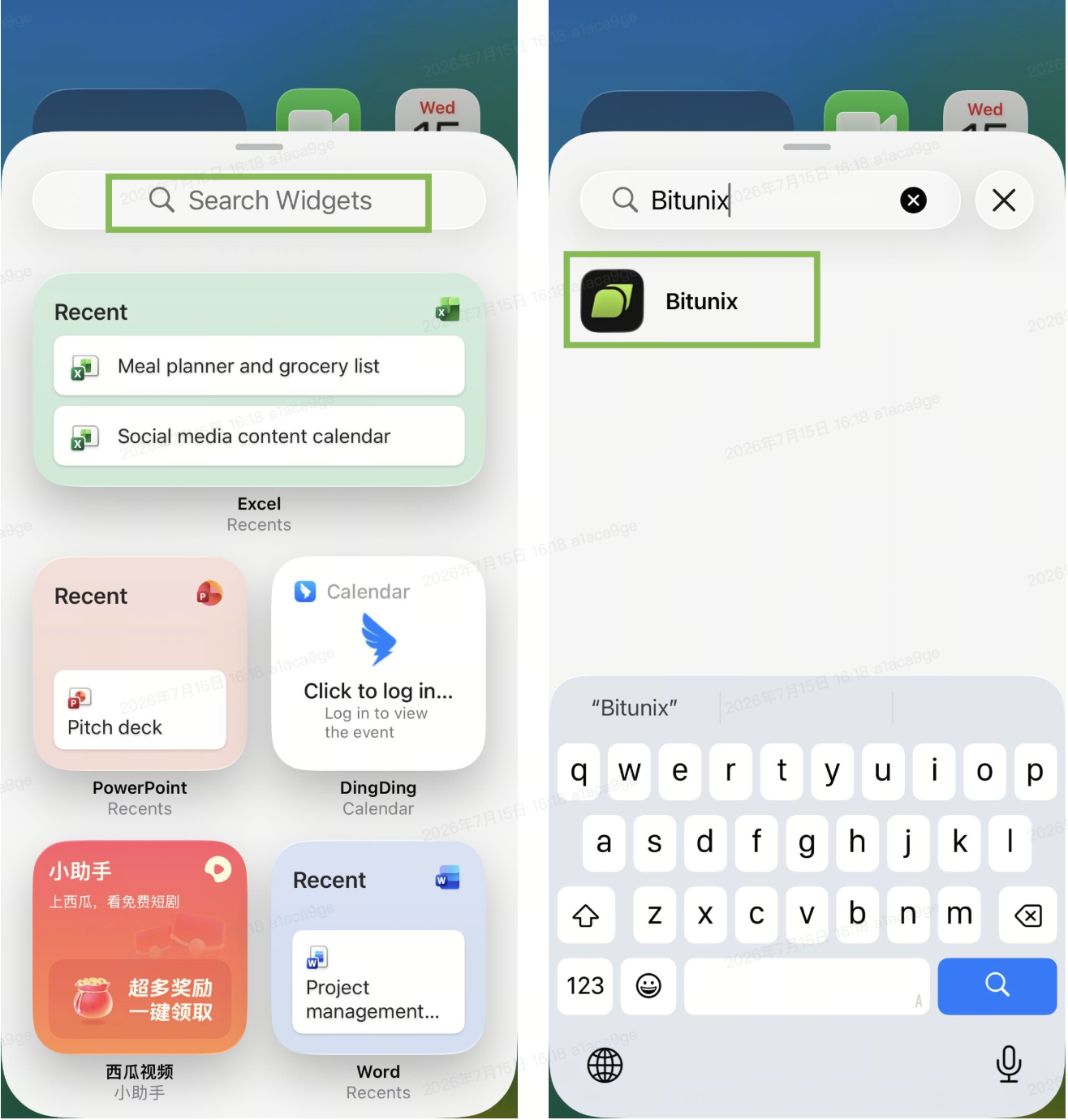
2.After tapping the button, you will be redirected to the widget search page. Enter Bitunix in the Search Widgets field to find the Bitunix App. Once found, tap the Bitunix icon.
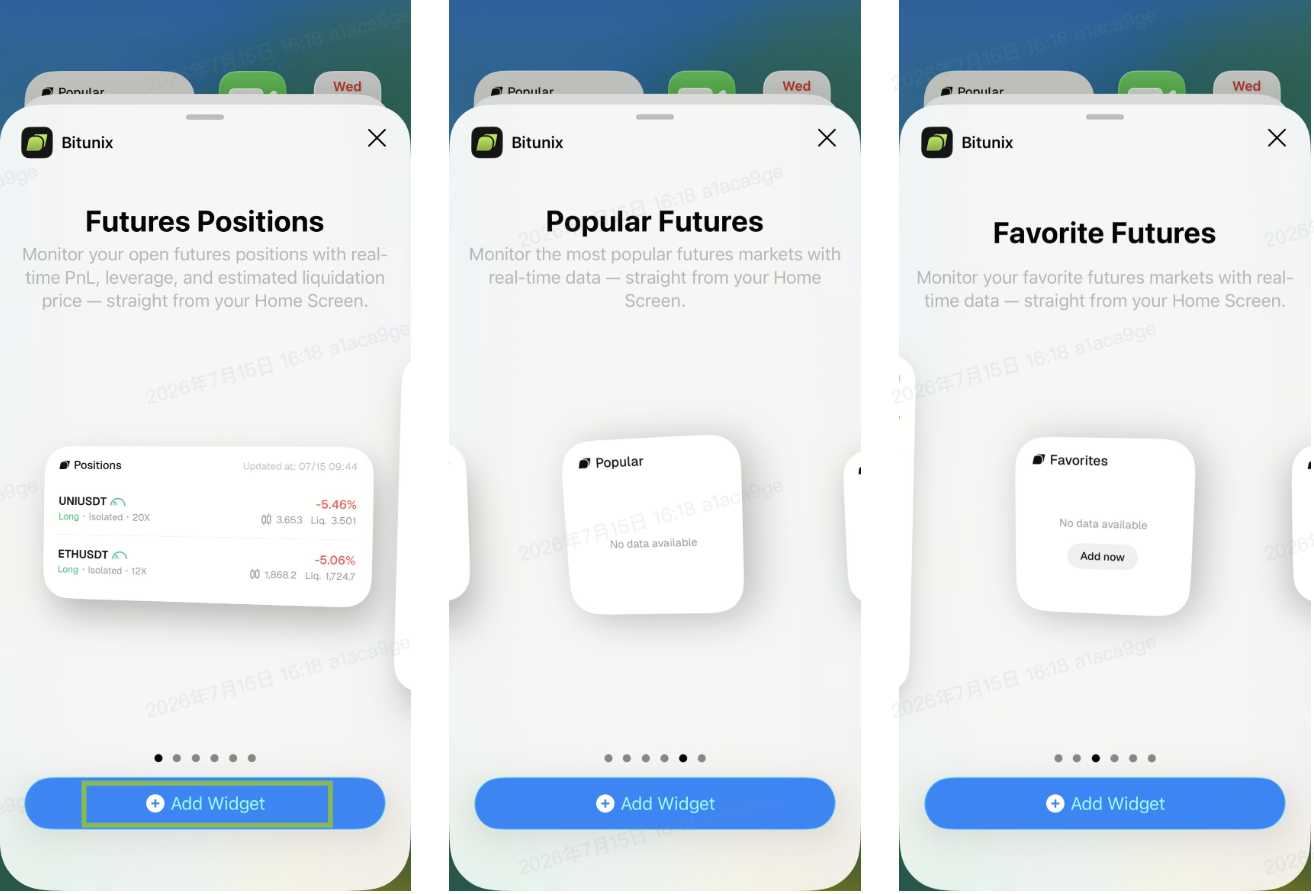
3.We provide three types of Home Screen widgets: Future Positions, Favorite Futures, and Popular Futures. Bitunix also provides widgets in different sizes to accommodate various usage scenarios. Tap the 【Add Widget】 button below to add the widget to your Home Screen.
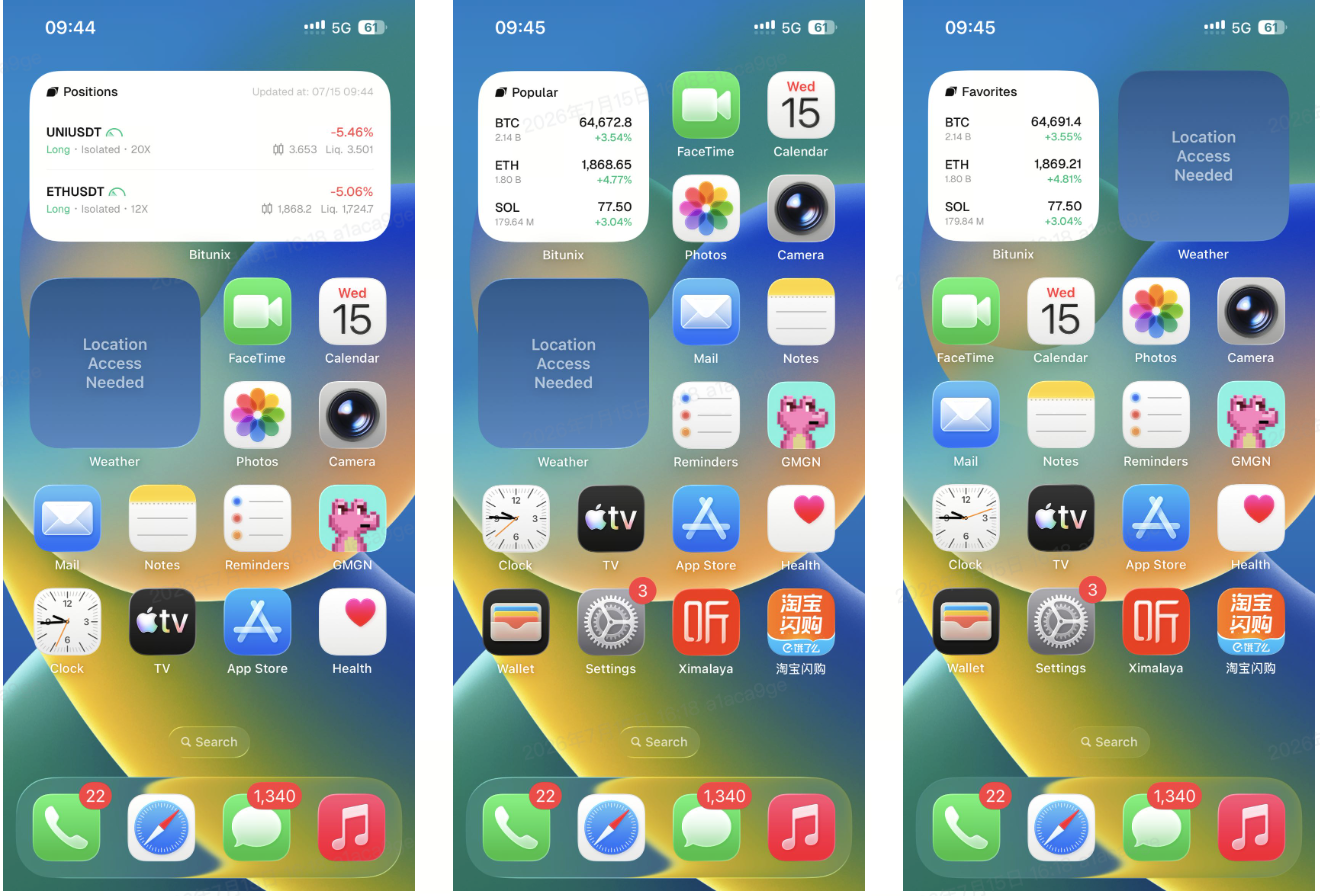
4.After adding the Home Screen widget, you can move it to your preferred location based on your viewing habits. The widget will display your current positions and market information.
How to Add Bitunix Mobile Lock Screen Widget
1. First, long press the screen while your phone is on the Lock Screen. The 【Customize】 button will appear. Tap this icon to enter the Lock Screen customization page, then tap the 【Add Widget】 button. The widget selection page will automatically display all available apps. Scroll down and find the Bitunix App icon.
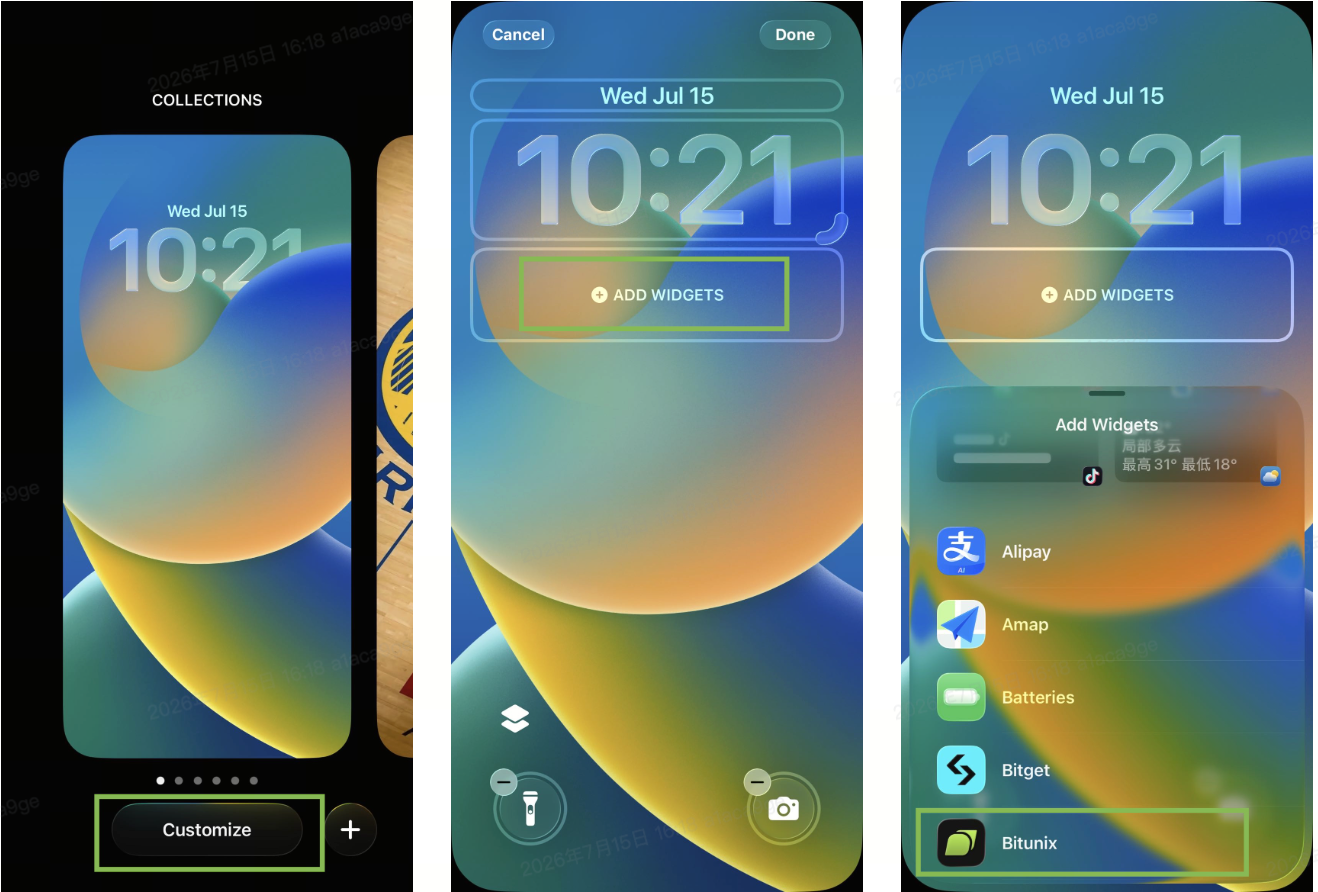
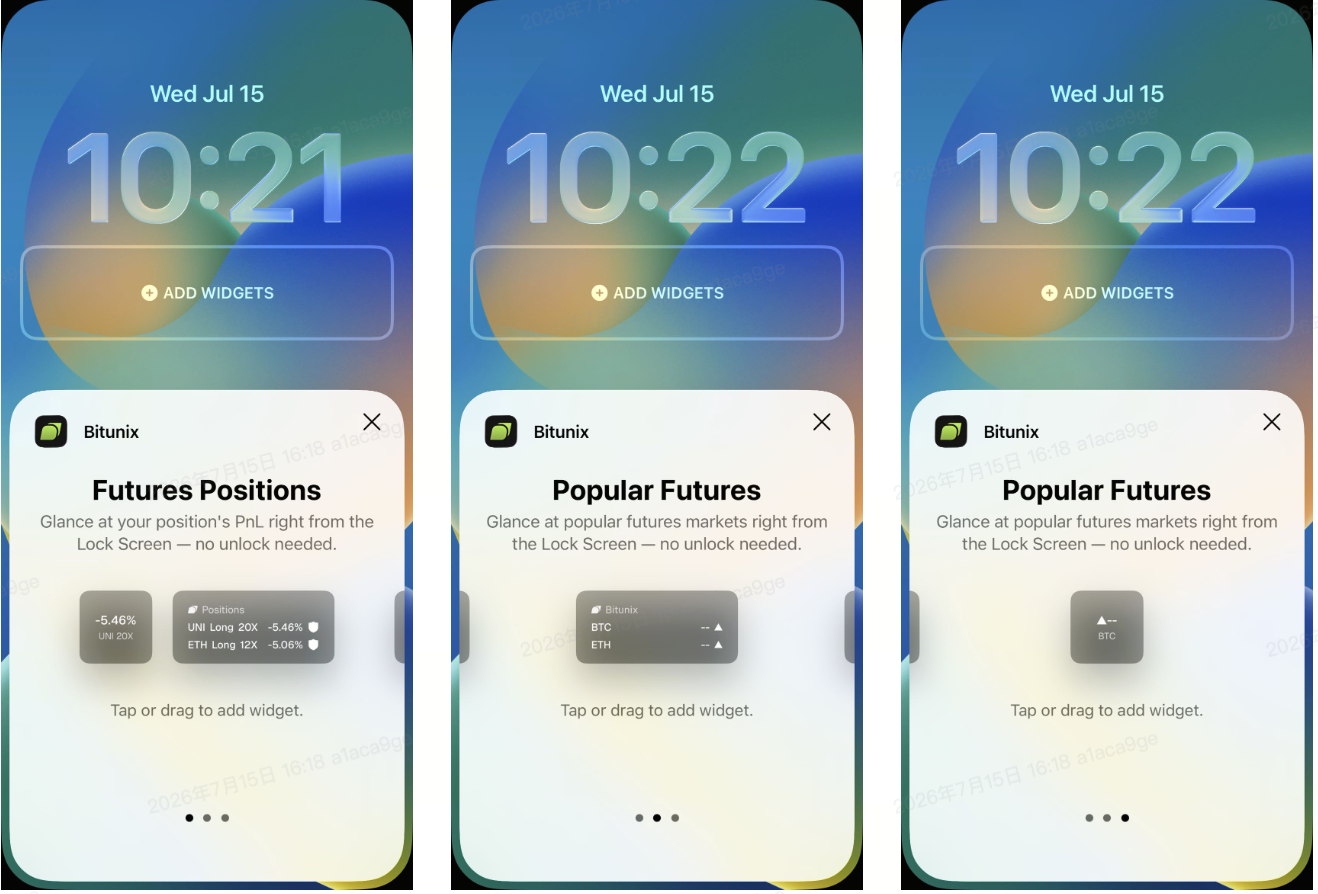
2.Tap the Bitunix App icon. We provide two Lock Screen widget options: Future Positions and Popular Futures. You can tap Add Widget, or drag the widget into the 【Add Widget】 area.
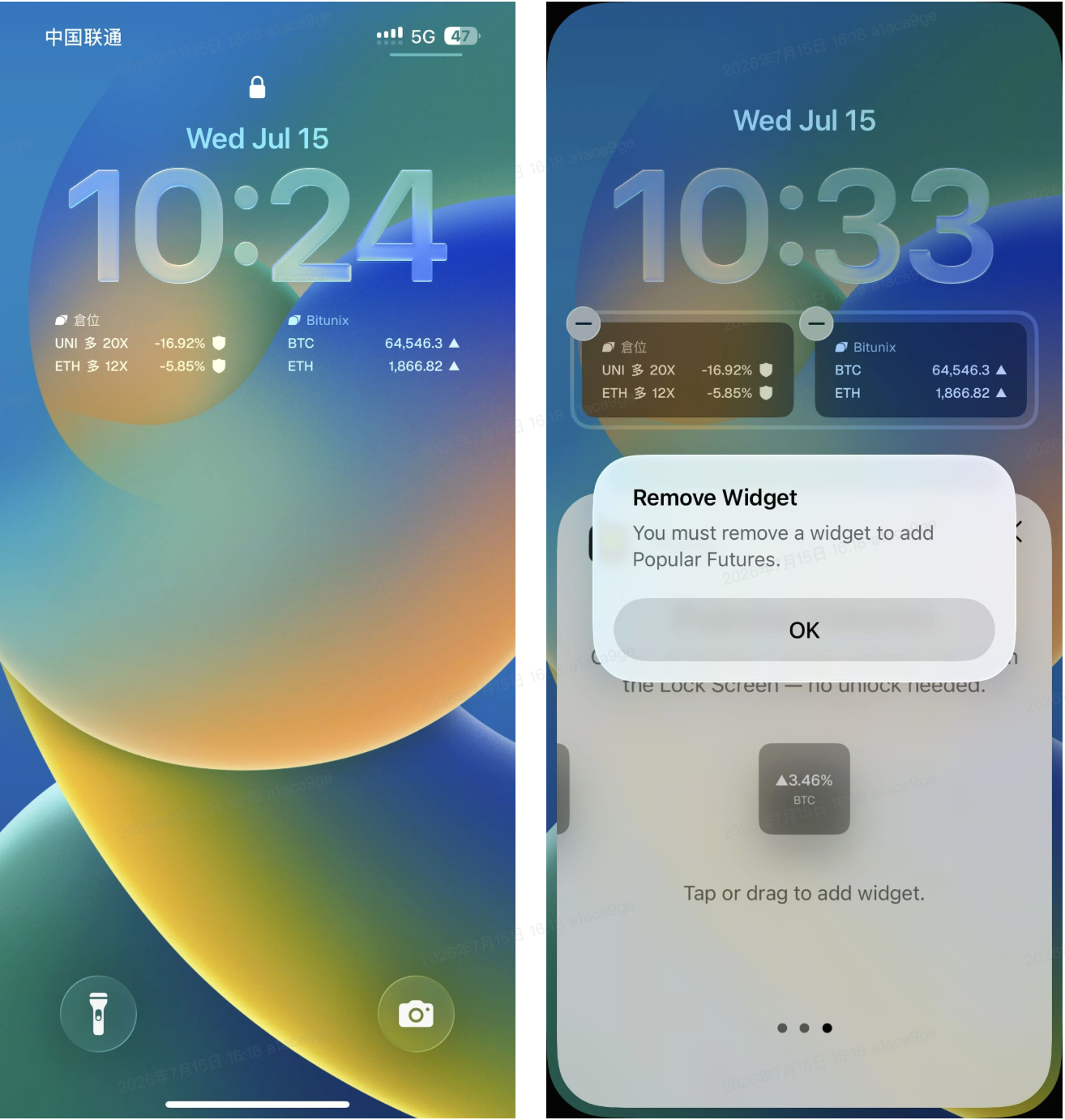
3. Please note that you can add a maximum of two widgets on the Lock Screen. If two widgets have already been added and you want to add another one, you must replace one of the existing widgets.
Advantages of Bitunix Mobile Widget
Check Position Status Quickly Without Opening the App
Bitunix iOS Widget allows you to view futures position information directly from your phone’s Home Screen and Lock Screen. Without opening the App, you can quickly understand your current position changes, seize trading opportunities, and manage risks in a timely manner.
View Key Position Information at a Glance
The Home Screen Futures Positions Widget displays key perpetual futures data, including trading pairs, long/short direction, leverage, PNL, mark price, liquidation price, and risk status.
Real-Time Risk Status Alerts to Help Manage Position Risks
The Home Screen widget uses color indicators to quickly display your current margin risk status:
- Green (Safe): Lower risk, Margin Rate < 67%
- Yellow (Warn): Requires attention, 67% ≤ Margin Rate < 85%
- Red (Danger): Approaching liquidation risk, 85% ≤ Margin Rate < 100%
Quick Access from Lock Screen to Improve Trading Efficiency
Bitunix Lock Screen Widget supports iOS 16 and above. You can quickly check key position information without unlocking your phone.
The Lock Screen Widget supports three display formats: Inline, Circular, and Rectangular, allowing you to customize the layout according to your personal preferences.
Disclaimer
This article is not intended to provide:
(i) investment advice or investment recommendations;
(ii) an offer, invitation, or solicitation to buy, sell, or hold digital assets;
(iii) financial, accounting, legal, or tax advice.
Digital assets (including stablecoins and NFTs) involve high risk and may be highly volatile. You should carefully consider whether trading or holding digital assets is suitable for you based on your financial situation. For your specific circumstances, consult your legal, tax, or investment professionals. You are responsible for understanding and complying with all applicable local laws and regulations.