1.Quick Information Summary
Item | Details |
Platform | Bitunix — Spot, Futures & Wallet |
Deposit Methods | On-chain deposit (external wallet or another exchange → Bitunix) |
Withdrawal Methods | On-chain withdrawal · Internal transfer (Bitunix user to user) |
Supported Assets | USDT, BTC, ETH, XRP, and other listed digital assets |
Deposit Fees (Bitunix) | No additional deposit fee — pay blockchain network fee on the sending side |
Withdrawal Fees | On-chain: network fee (varies by chain) · Internal: no on-chain fee, instant between Bitunix accounts |
Deposit Arrival | After required block confirmations — typically ~3–30 minutes (congestion-dependent) |
Internal Transfer Arrival | Immediate after verification |
Network Rule | Sending network must match Bitunix deposit network (e.g. USDT TRC-20 ↔ TRC-20) |
MEMO / TAG | Required for some assets (e.g. XRP, EOS) — missing MEMO may block credit |
Minimum Deposit | Per coin/network minimum — below minimum may not auto-credit |
Withdrawal Limits | Based on security level and KYC; e.g. $10,000 USD equivalent/day with only one security method enabled |
Where to Start | App/Web: [Assets] → [Deposit] or [Withdraw] |
Support | Official Customer Support / tickets in app — avoid unofficial “recovery” contacts |
Related |
2.Product Definition:What Are Deposits and Withdrawals?
Deposits refer to transferring digital assets from an external wallet or another exchange into your personal Bitunix account. Similar to an interbank transfer, deposits are the primary method for adding funds to your platform account.
Bitunix supports the following deposit method:
On-chain Deposit: Transfer digital assets across blockchain networks from an external wallet or another exchange to your Bitunix account.
Withdrawals refer to transferring digital assets from your Bitunix account to an external personal wallet or another exchange account.
Bitunix supports two withdrawal methods:
On-chain Withdrawal: Transfer digital assets through blockchain networks to an external wallet or another platform.
Internal Transfer: Instantly transfer assets between Bitunix users with zero on-chain fees and immediate arrival.
3. How to Deposit Crypto
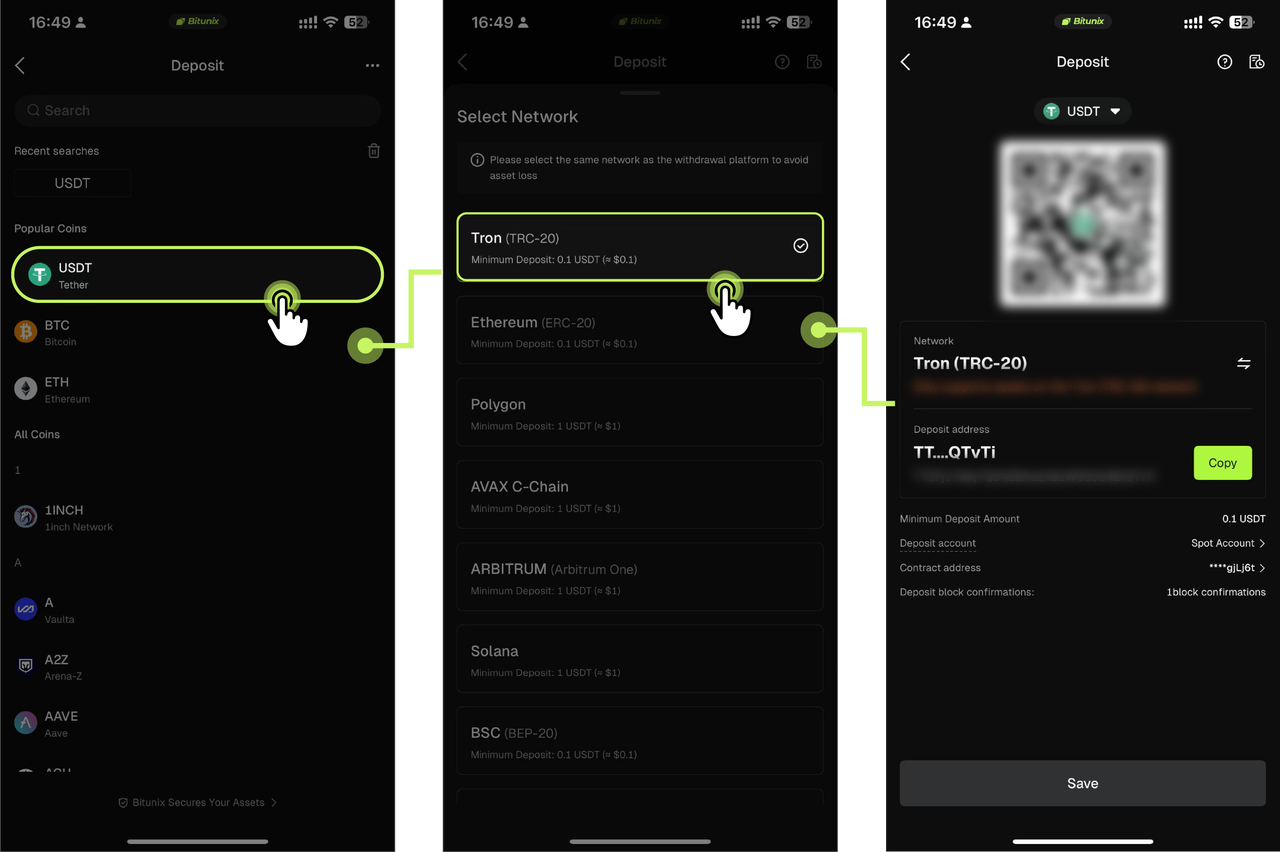
1. Open the Bitunix App homepage and tap [Assets] → [Deposit].
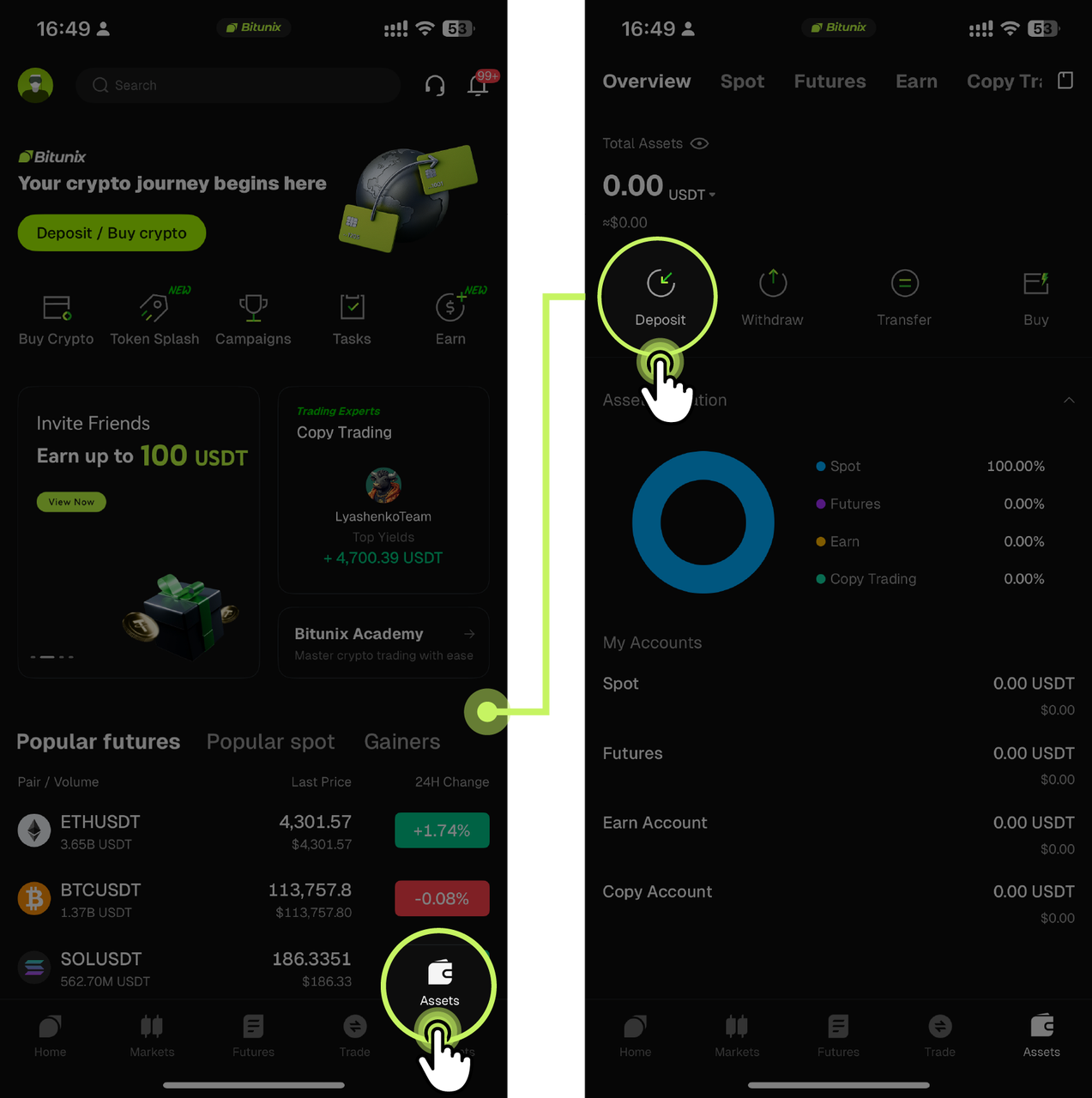
2. Select the cryptocurrency you want to deposit. In this example, we will use USDT. Choose a supported deposit network, such as TRON (TRC-20). Tap [Copy] to copy the generated deposit address, or save the provided QR code.
Note: When selecting a deposit network, make sure the withdrawal network used by the sending exchange or wallet matches the deposit network supported by Bitunix. For example, both networks must be USDT-TRON (TRC-20). Using an incompatible network may result in the loss of your assets.
For certain cryptocurrencies, such as XRP, additional identifiers such as a MEMO or TAG may be required. Make sure all required information is entered correctly when initiating the transfer.
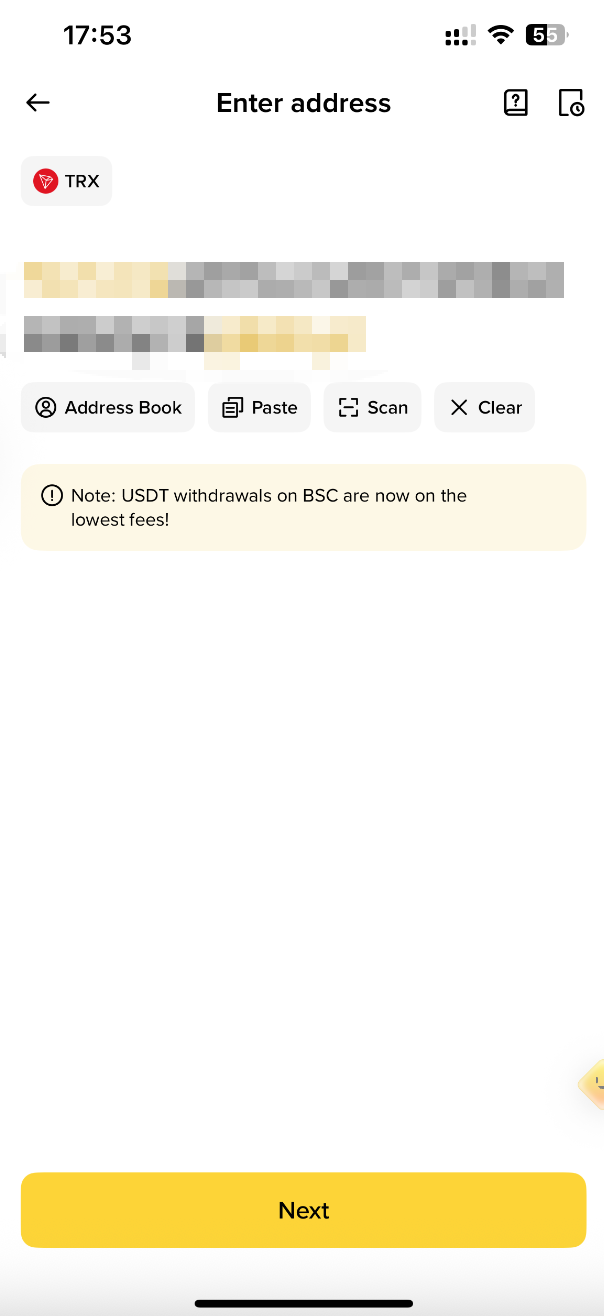
3. Open the external exchange or wallet, select [Withdraw], and choose USDT. Select the same blockchain network as the one supported by Bitunix, then paste the deposit address copied from Bitunix or scan the QR code using the corresponding app. Complete the required information according to the instructions and confirm the transfer.
4. Once the transaction is confirmed by the blockchain network, the deposit will be completed. Your funds will be credited to your Bitunix account and displayed on the Assets Overview page.
How to Deposit Crypto on Bitunix (Web Guide)
4. How to Withdraw Crypto
Method 1: On-chain Withdrawal
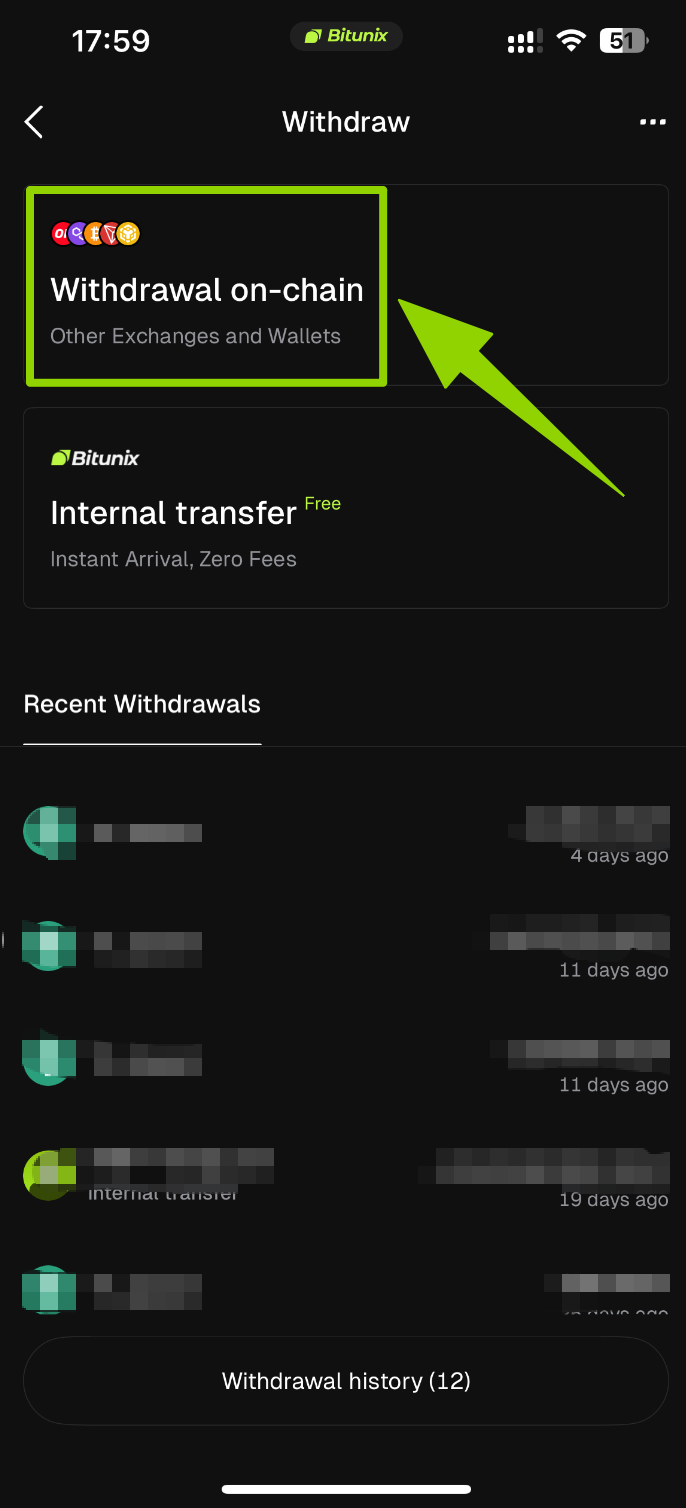
1. Open the Bitunix App homepage and tap [Assets] → [Withdraw].
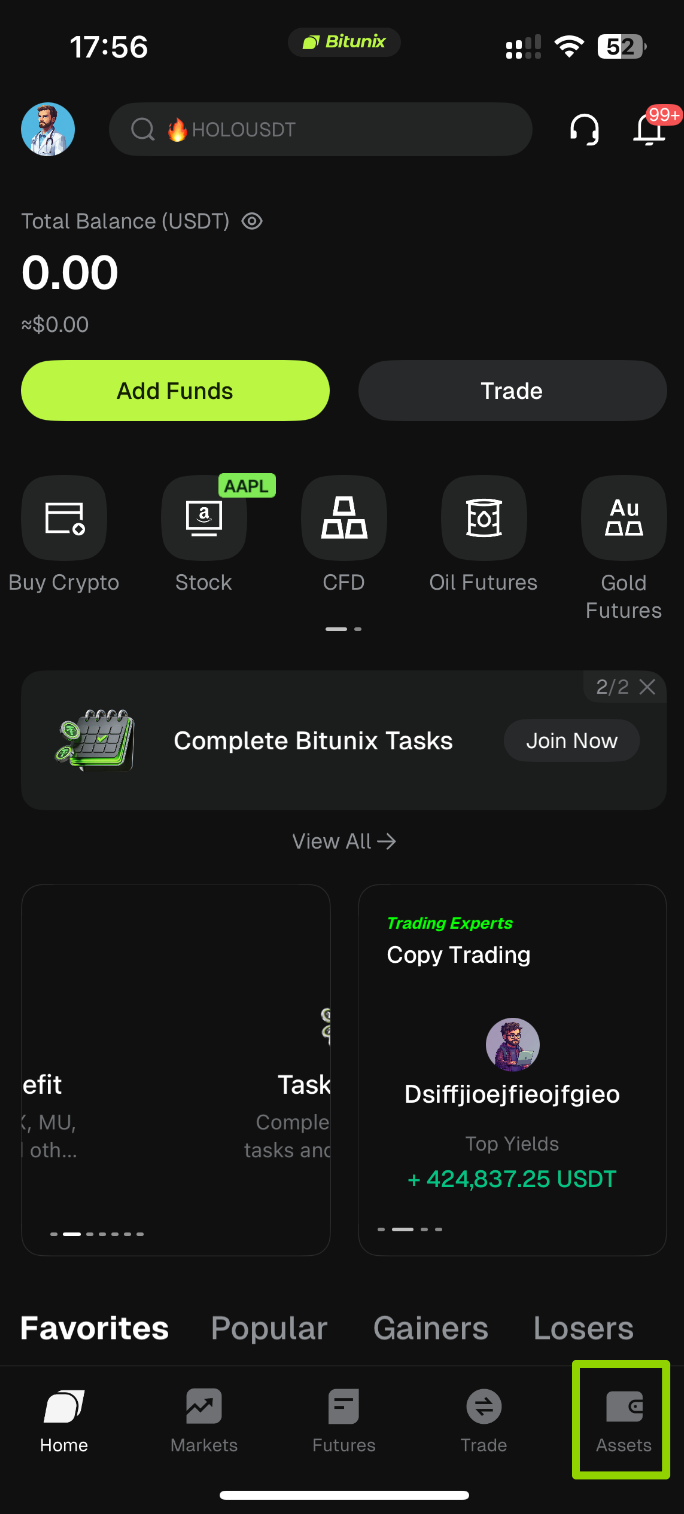
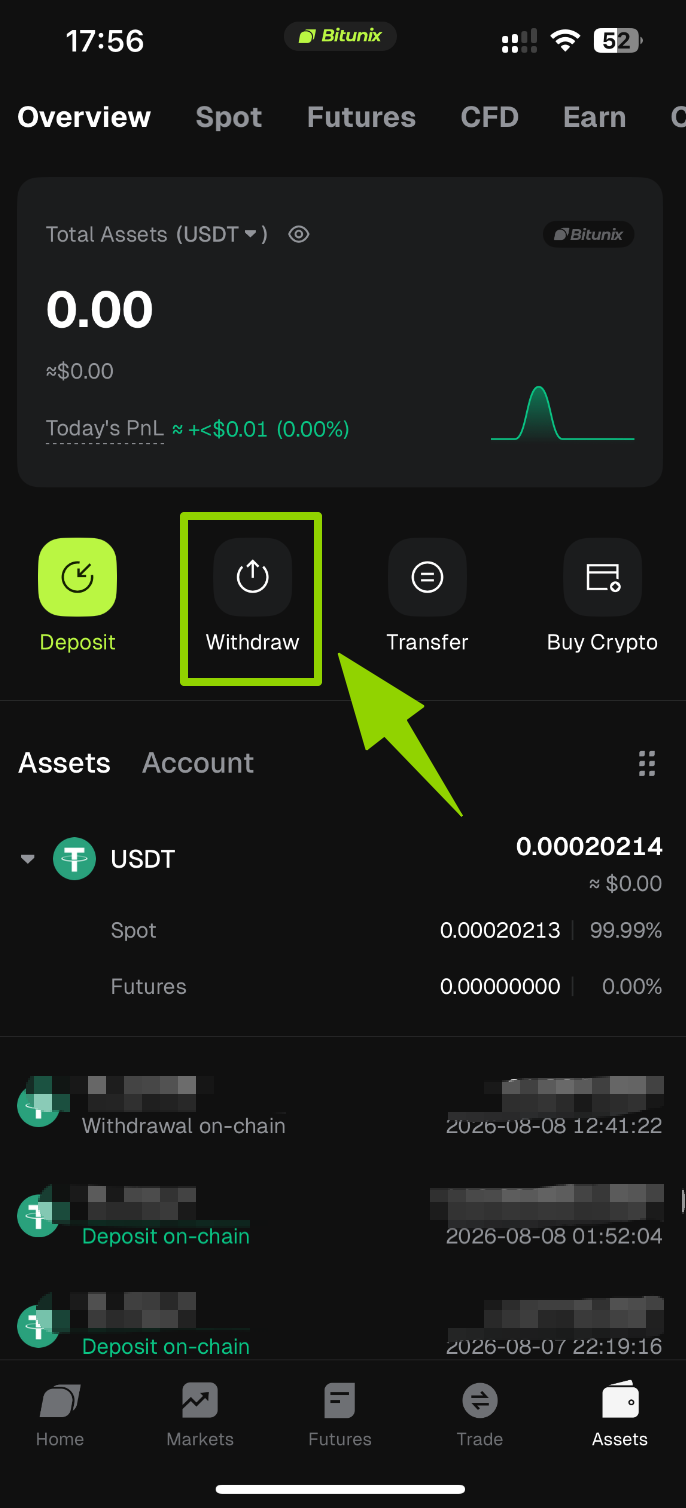
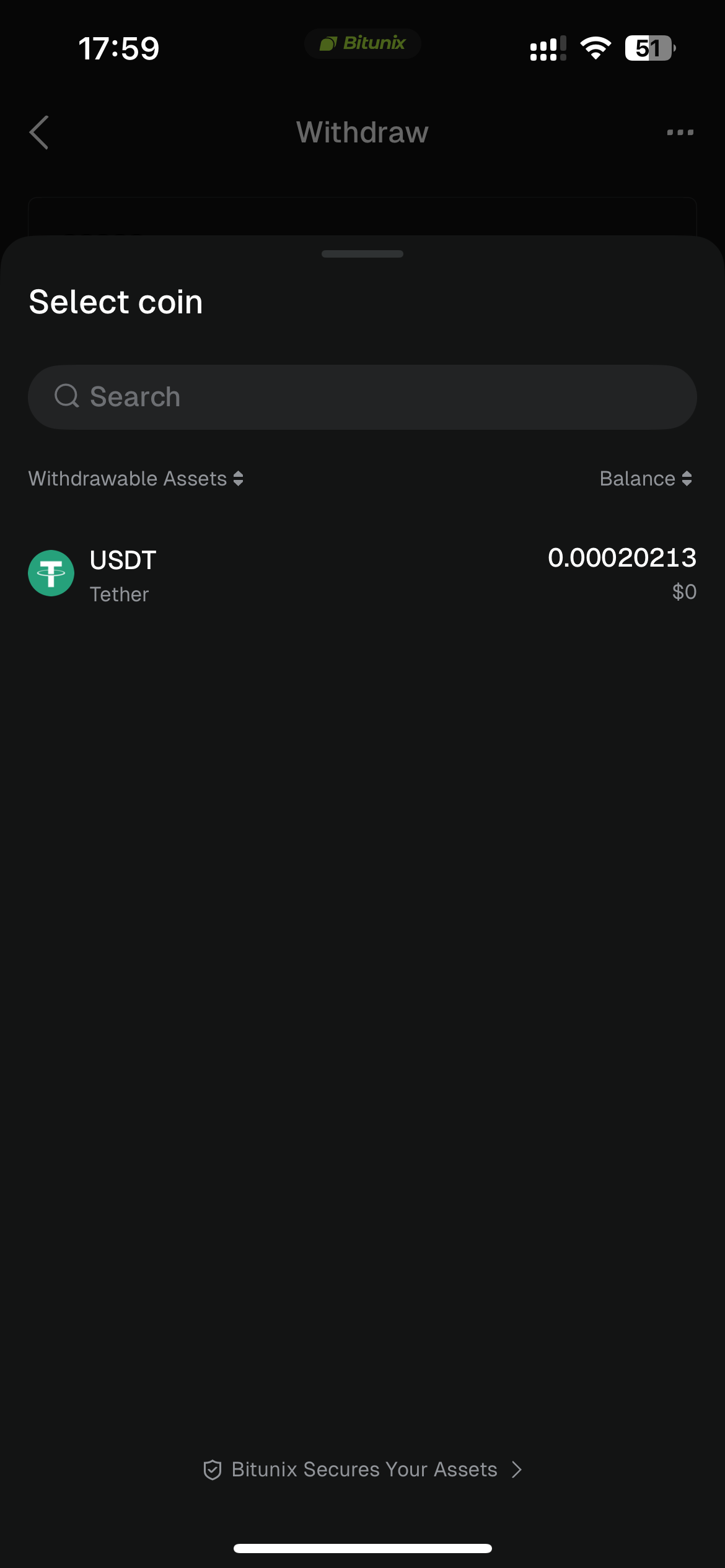
2. On the Withdraw page, choose [Withdrawal on-chain], then use the search bar at the top to search for the cryptocurrency you want to withdraw (such as USDT).
3. Select the network and enter withdrawal details. Using USDT as an example, select TRON (TRC-20) as the withdrawal network, then complete the following information:
Withdrawal Address: Enter or paste the deposit address of the destination wallet. You can also select an address directly from your [Address Book].
Withdrawal Amount: Enter the amount you want to transfer.
⚠️ Important: Before confirming the withdrawal, make sure the destination address type is correctly selected as [Address Book], [Exchange], or [Non-custodial Wallet], and carefully verify that the withdrawal address is accurate.
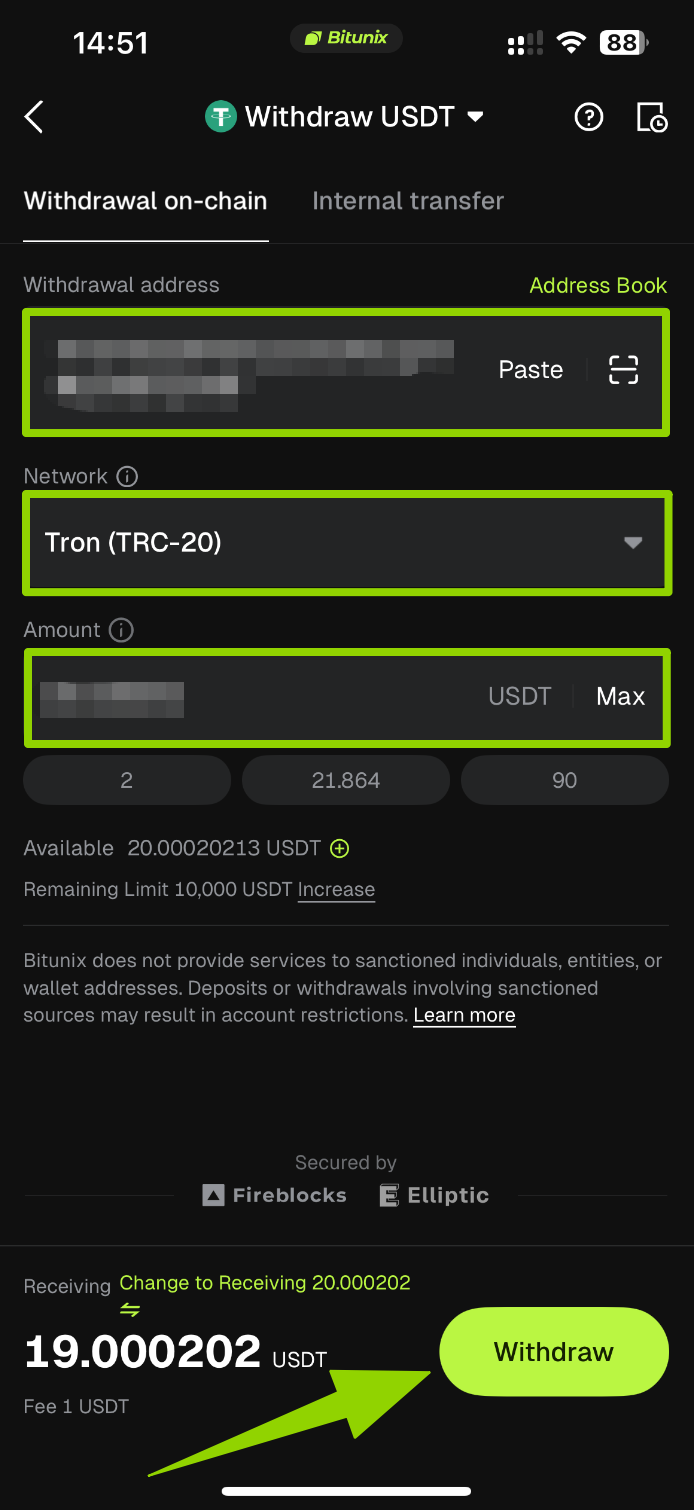
4. Confirm and verify. Carefully review all withdrawal details (asset, network, address, and amount). Tap [Withdraw], then complete SMS verification and Google Authenticator verification as instructed to submit the withdrawal request.
Method 2: Internal Transfer
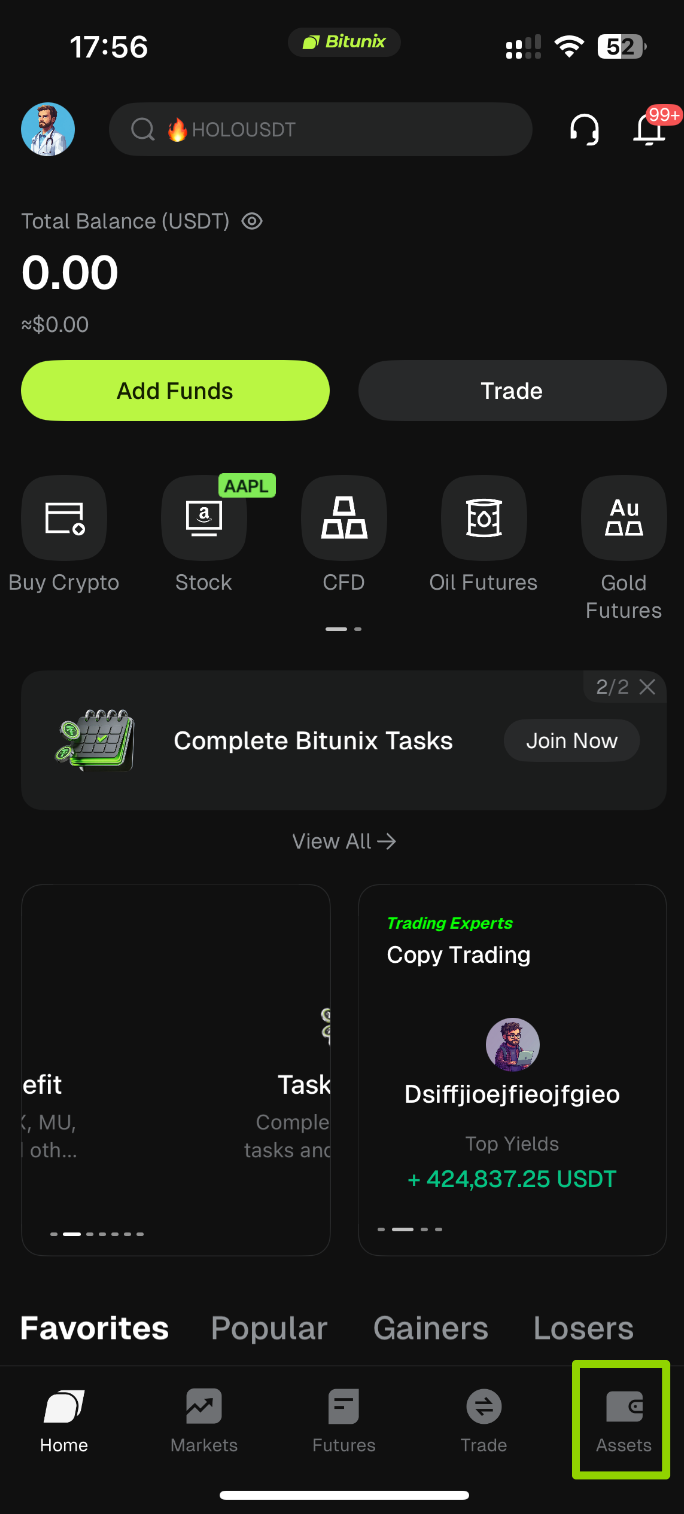
1. Open the Bitunix App homepage and tap [Assets] → [Withdraw].
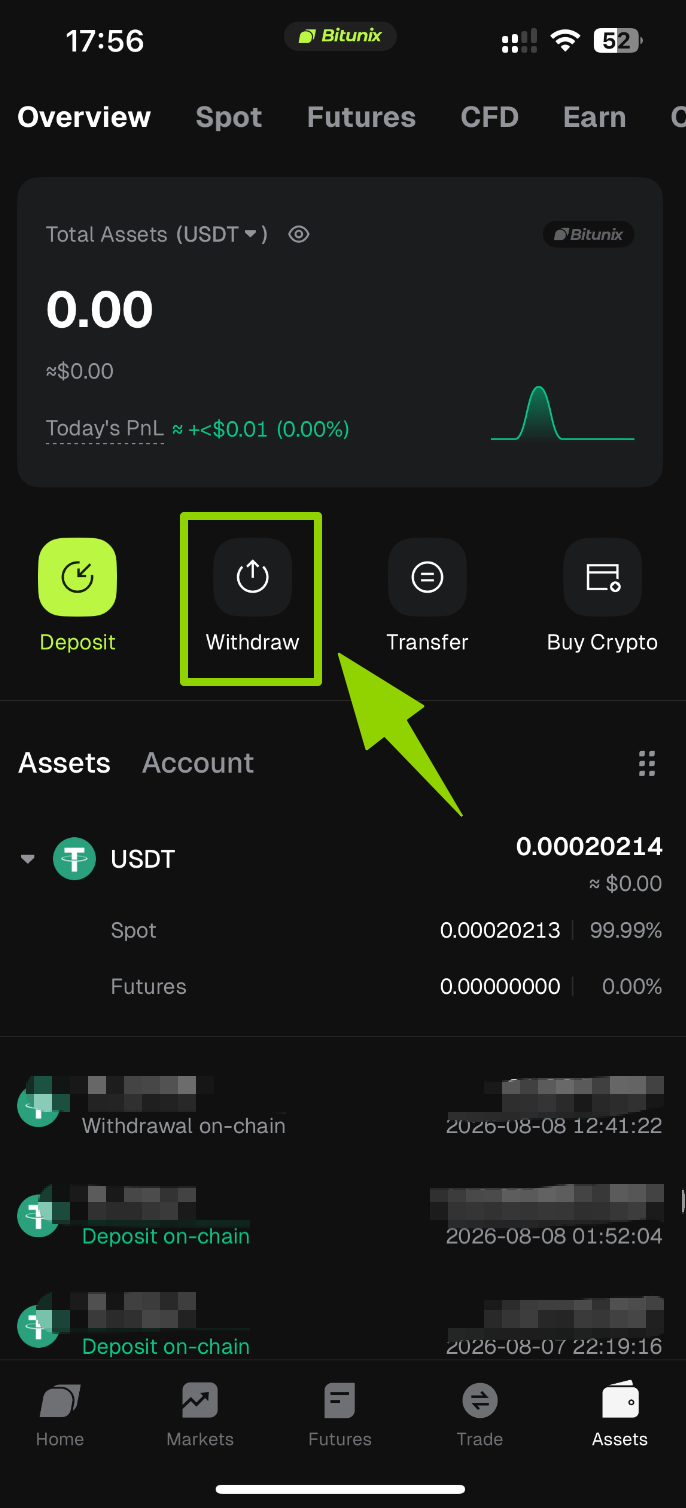
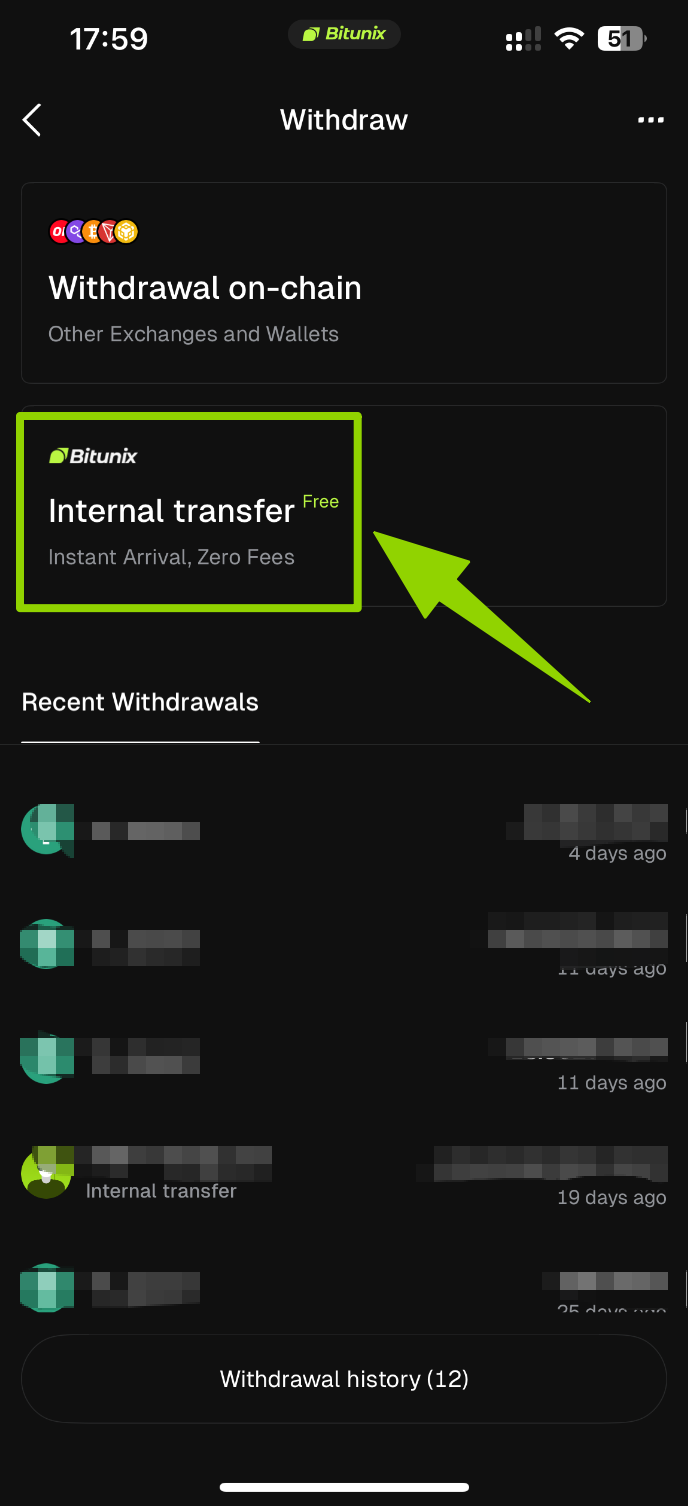
2. On the Withdraw page, choose [Internal Transfer], then use the search bar at the top to search for the cryptocurrency you want to withdraw (such as USDT).
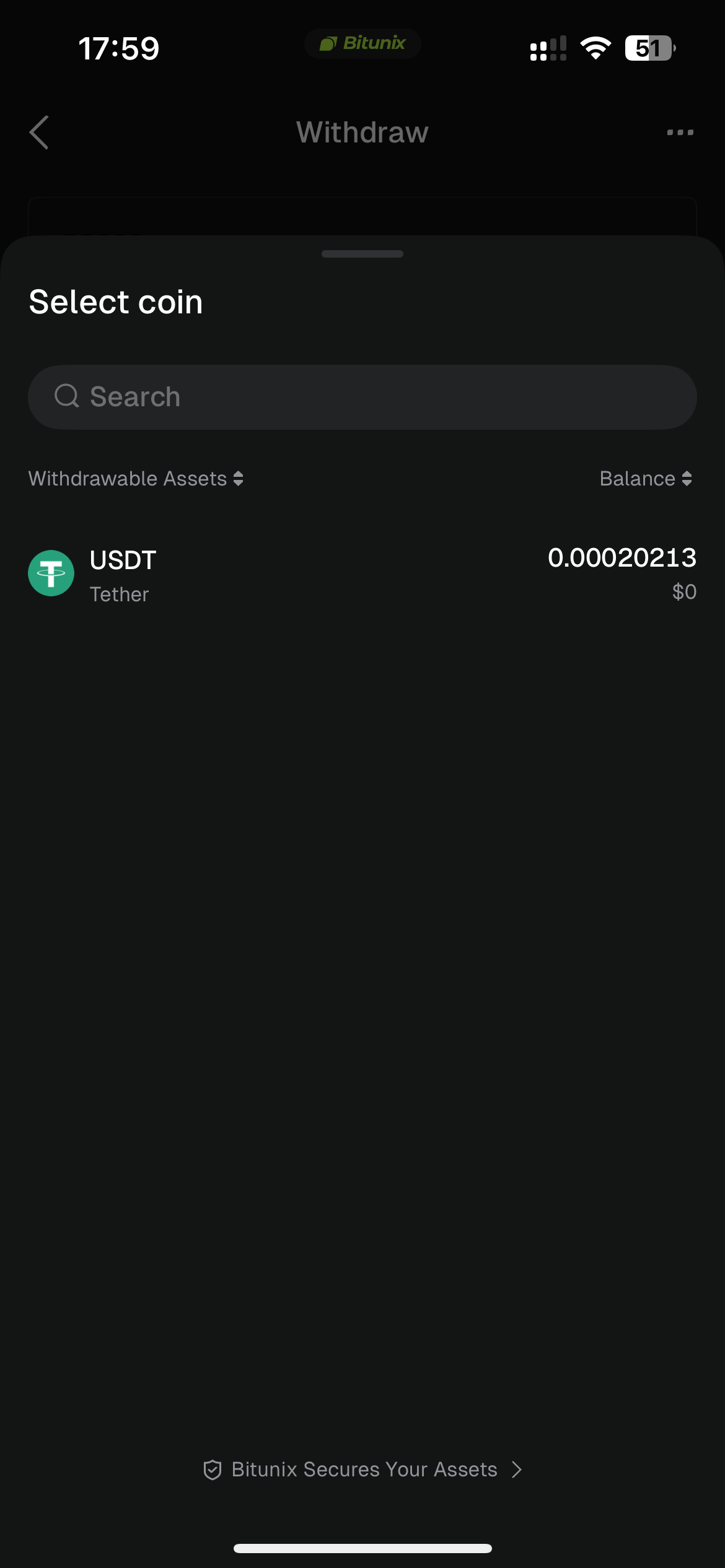
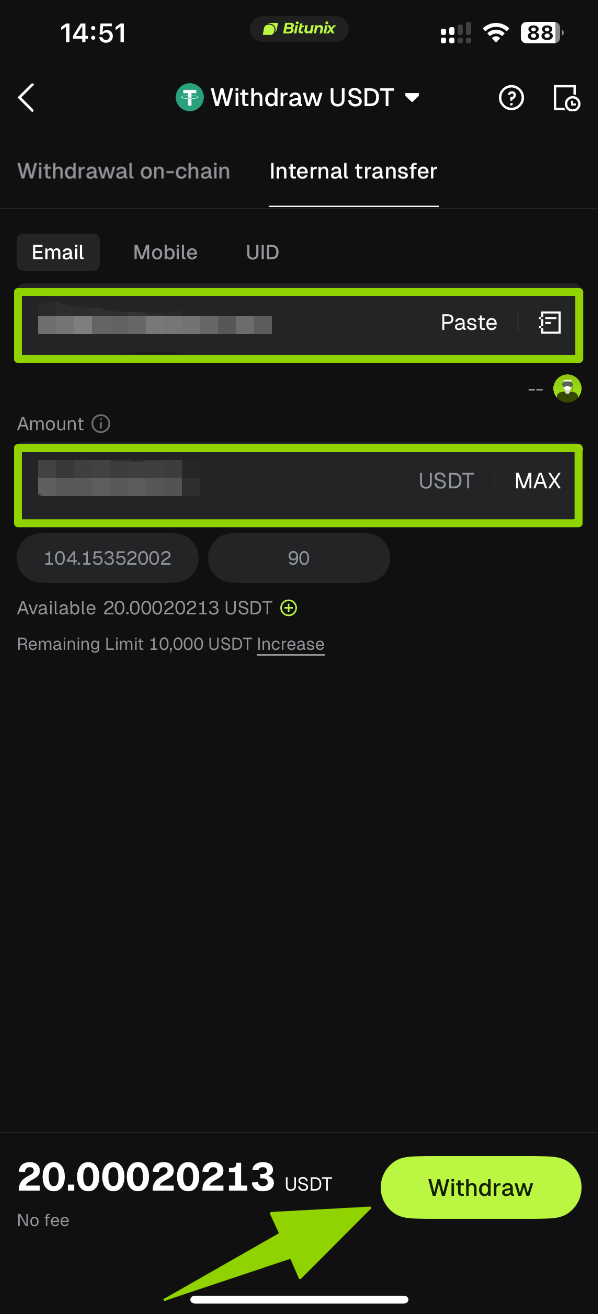
3: Enter recipient details and transfer amount.
Internal Transfer supports the following three identification methods. Enter any one of the following:
[Email]: The recipient's registered email address
[Phone Number]: The recipient's registered phone number
[UID]: The recipient's Bitunix User ID
After entering the recipient details, input the transfer amount. Confirm that all information is correct, then tap [Withdraw].
4. Verify and complete the transfer.
Follow the instructions to complete verification. Once verified, the transfer will be completed instantly, and the funds will be credited directly to the recipient's Bitunix account.
How to Withdraw Crypto on Bitunix (Web Guide)
5. Risk Control and Important Notes
Once the network, cryptocurrency, or MEMO information is entered incorrectly, blockchain transactions cannot be reversed and may result in the permanent loss of assets.
Before making a deposit, make sure the deposit amount meets the minimum deposit requirement for the selected cryptocurrency and network. Deposits below the minimum limit may not be automatically credited and can be difficult to recover.
Only use the deposit address generated on the Bitunix platform. Do not transfer funds directly to a cryptocurrency contract address.
During periods of high blockchain network congestion, transaction confirmations may be delayed. You can use the TXID to check the transaction status on a blockchain explorer.
Do not trust any third party who contacts you privately claiming to help "recover assets." All support requests should only be handled through Bitunix's official customer support ticket channels.