Key Highlights
Your First Futures Trade (The Focus of This Guide)
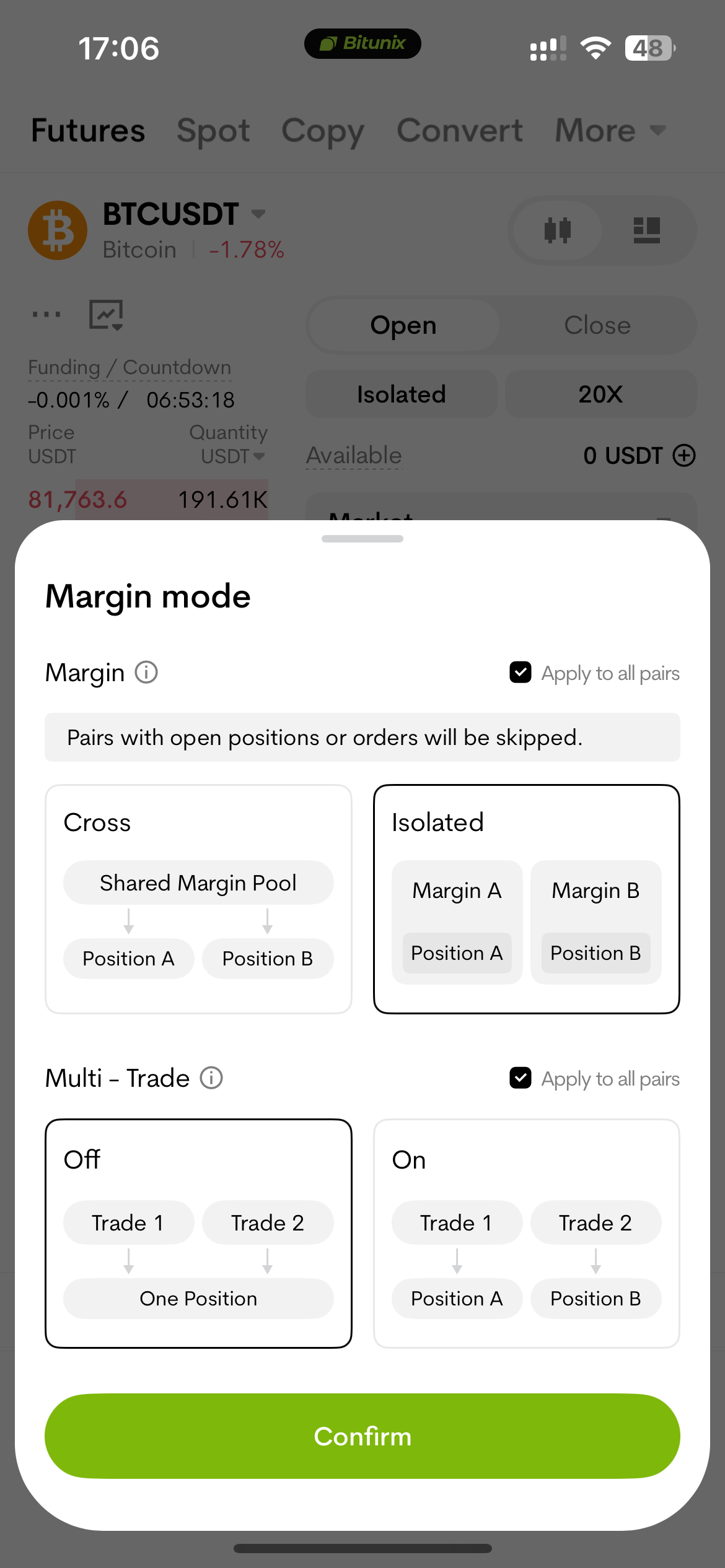
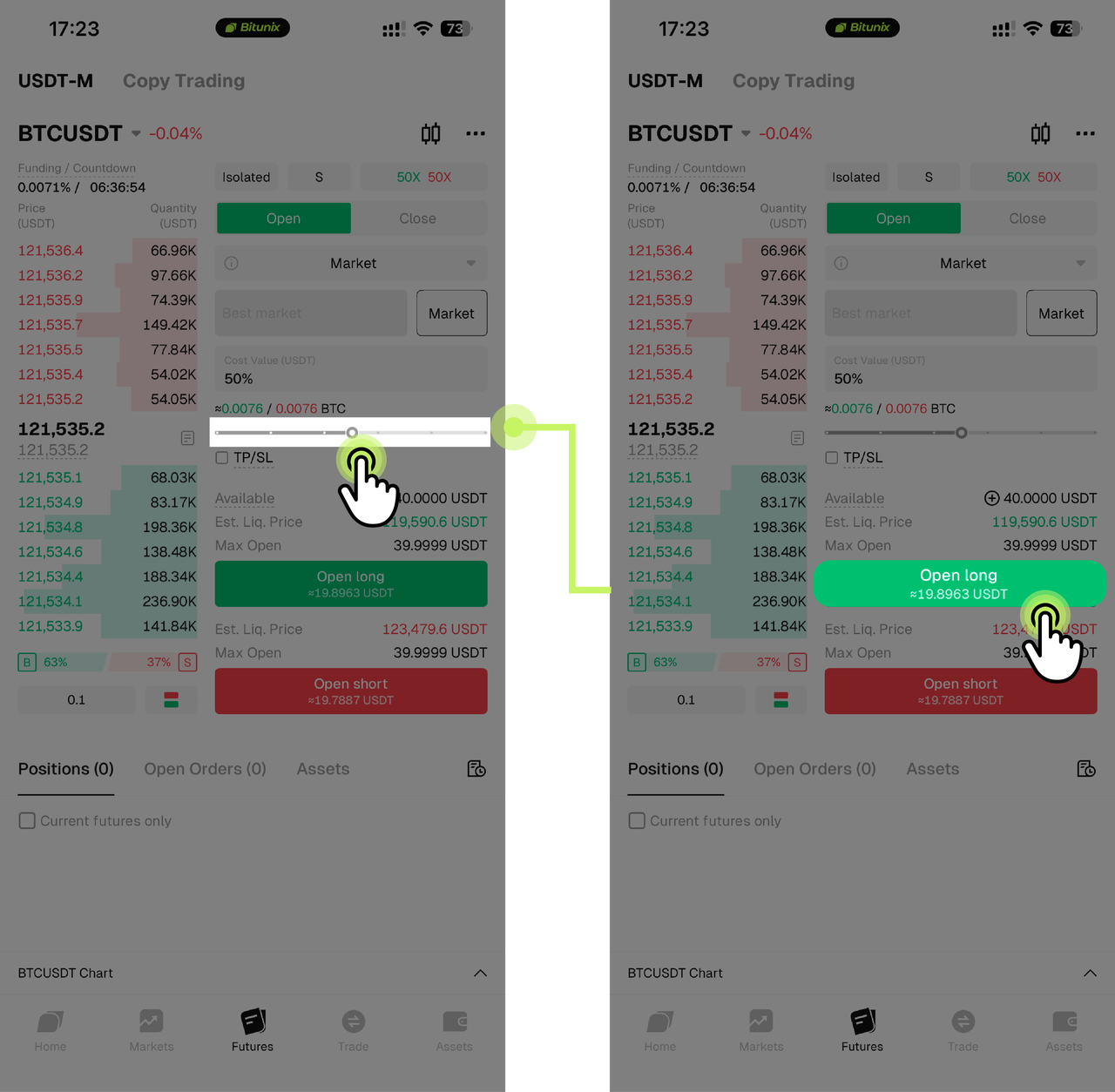
What It Is: Open a long position if you expect prices to rise or a short position if you expect them to fall using derivatives such as USDT-margined perpetual futures. Leverage allows you to control a larger notional position with less margin, but it can amplify both profits and losses.
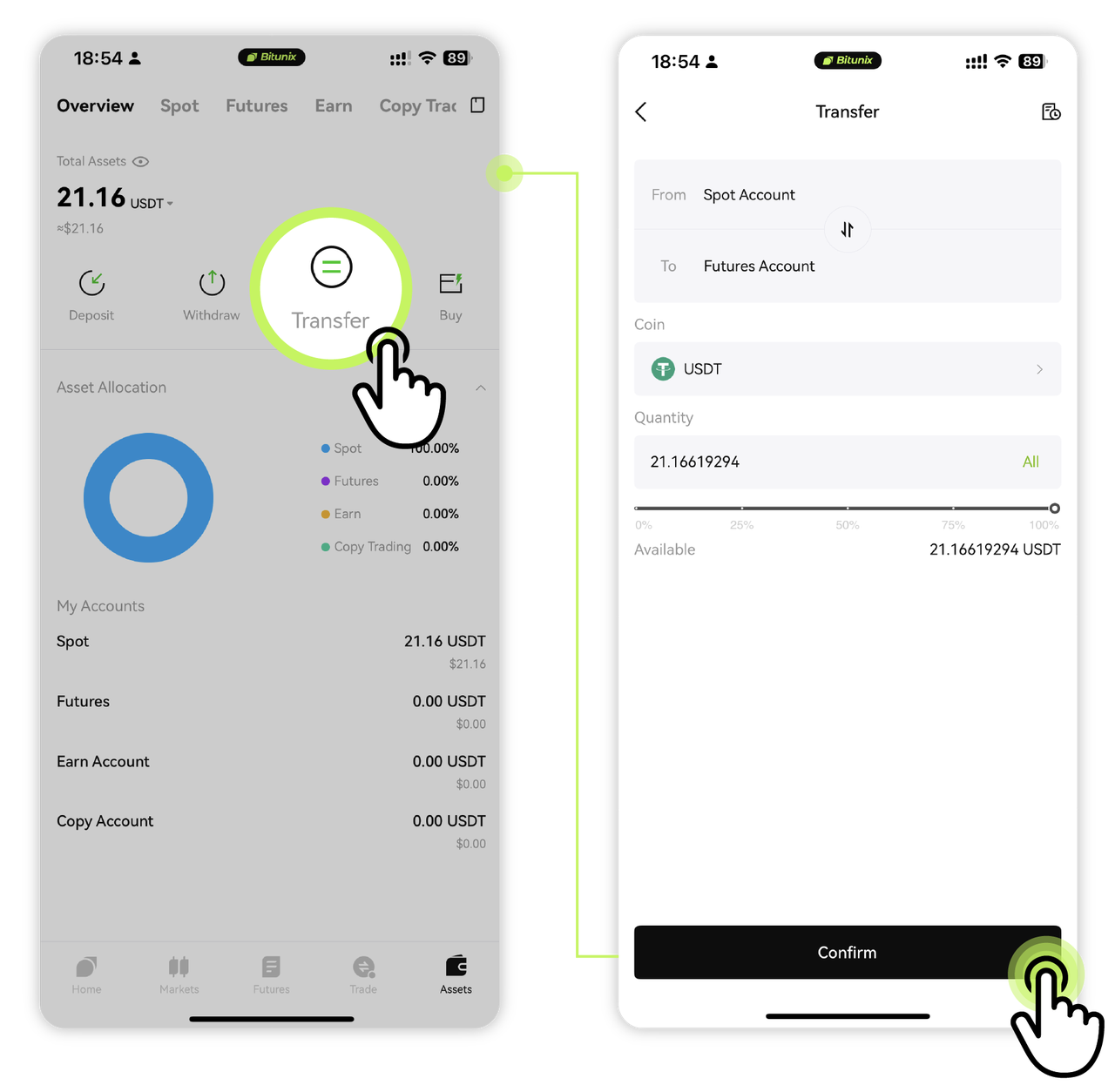
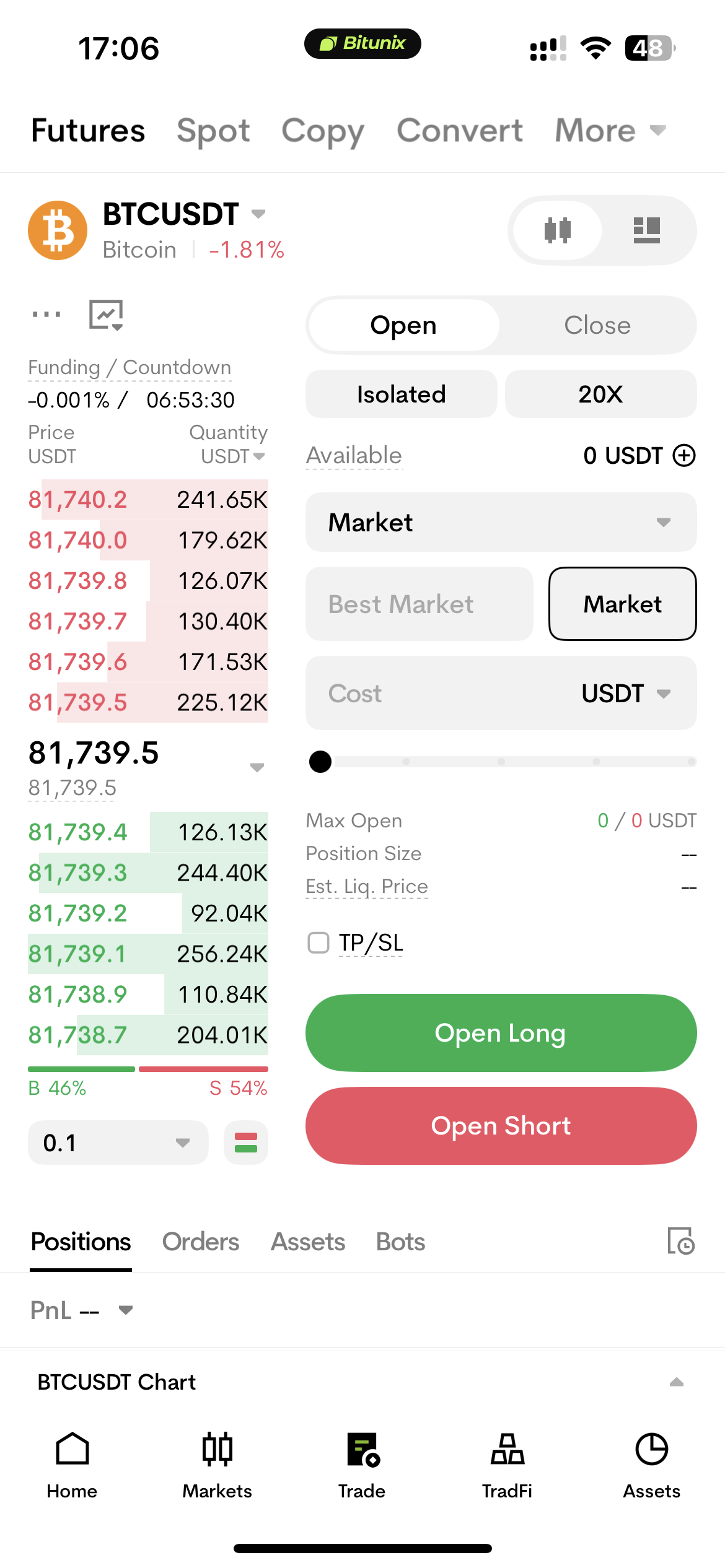
App Navigation: Go to Assets → Transfer, then select Futures and choose a trading pair, such as BTC/USDT. See More: How to complete futures trading on Bitunix (App)?
Web Navigation: Select Futures from the top navigation bar, then choose a perpetual futures pair, such as BTC/USDT, from the left-hand panel. See More: How to complete futures trading on Bitunix (Web)?
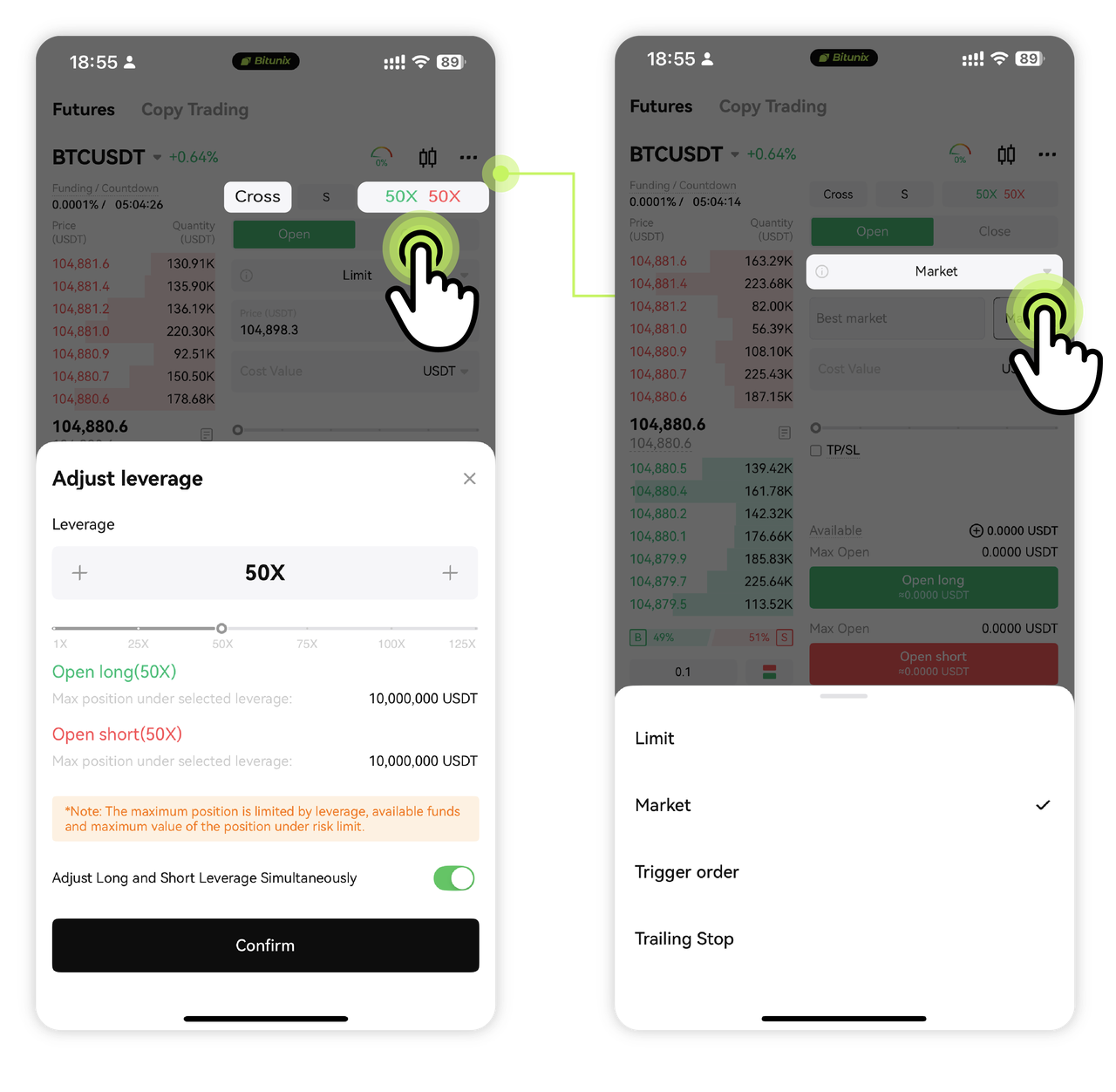
Order Types: This tutorial uses a Market Order, which aims to execute as quickly as possible at the best available prices. You can also use a Limit Order to specify your desired price, although execution may be delayed or may not occur. See More: Bitunix Futures All Order Types Trading Guide (Web).
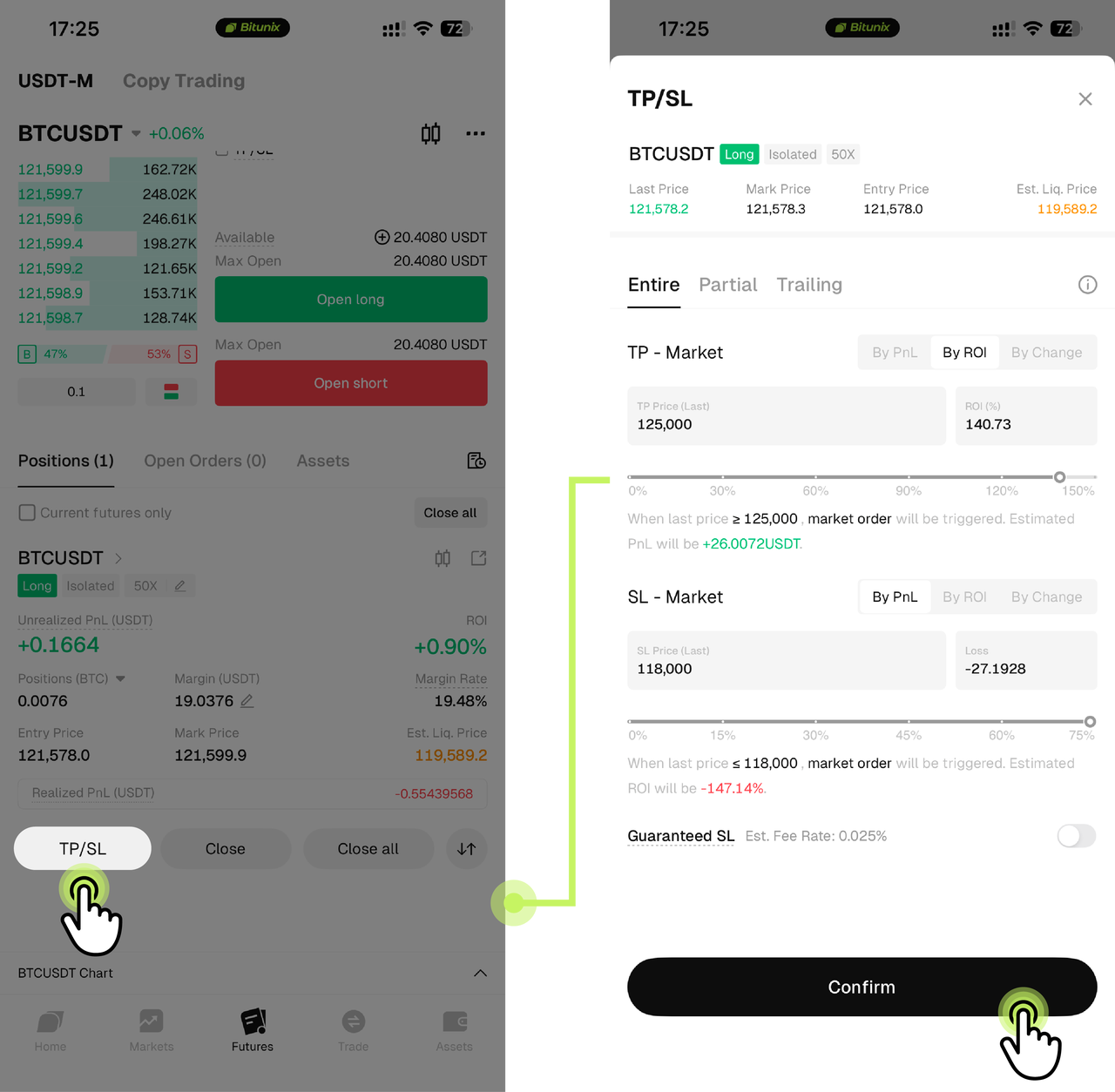
Position Management: Go to Positions to monitor your open positions. You can add or modify TP/SL settings or manually close a position.
Beginner Guidelines: Follow the Help Center's basic risk management principles: use low leverage, start with a small position, and set stop-loss orders carefully. Avoid chasing rallies or selling impulsively during market declines. You can also practice with Demo Trading before placing a live trade.
Trading Fees: Opening and closing positions incur fees according to the applicable Maker/Taker fee structure. Check the Bitunix Trading Fees Guide, your VIP level and benefits, and the estimated fees shown on the order confirmation screen before trading.
Liquidation-Related Fees: If a position triggers forced liquidation, additional liquidation or position-reduction fees may apply. Check the applicable user agreement and Help Center rules for details.