Quick Information Summary
Item | Details |
Platform | Bitunix — Futures / Perpetual Contracts |
Topic | Take Profit (TP), Stop Loss (SL), and manual position closing |
TP Function | Auto-closes position when price reaches your profit target |
SL Function | Auto-closes position when price hits your loss limit |
Setup Methods | 2 ways: Futures Trading page (pre-order) · Position Details page (existing position) |
Supported Devices | Bitunix mobile app and web platform |
Trigger Execution | System monitors price and executes automatically when trigger levels are hit |
Partial Close | Supported — set TP/SL quantity for part of an open position |
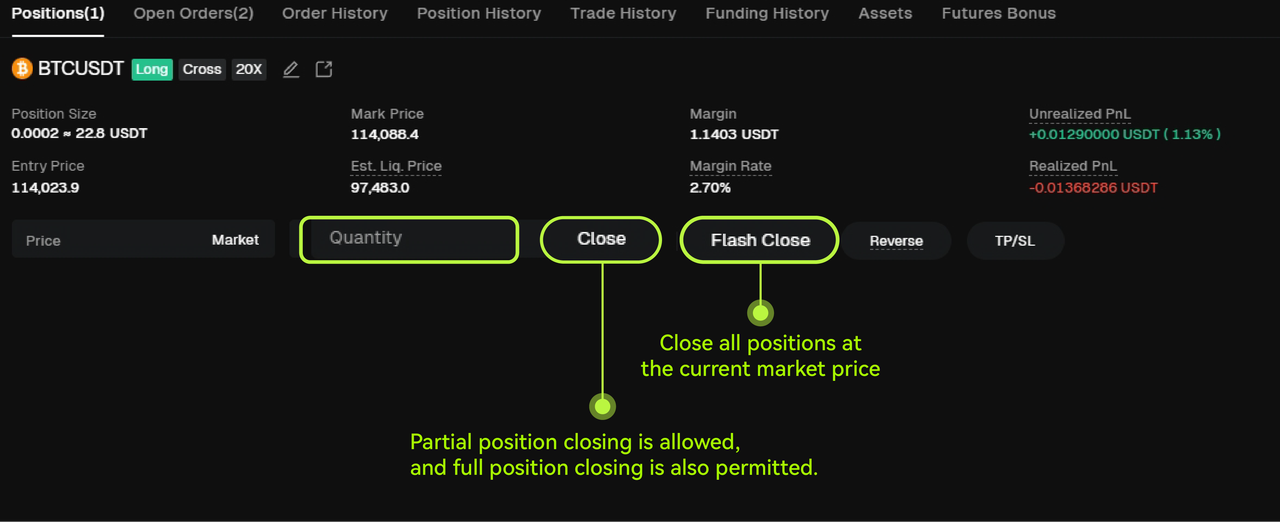
Manual Close | Close single, multiple, or all positions at market price instantly |
PnL Settlement | Realized profit/loss calculated at execution price upon close |
Trading Fees | Standard Bitunix futures fees apply when TP/SL or manual close orders execute |
Settlement Timing | PnL and margin updates reflect immediately after order execution |
Related Guides | Settings 1: Position Size & Margin · Settings 2: Leverage · Bitunix Academy |
What Are Take Profit and Stop Loss?
Take Profit (TP) and Stop Loss (SL) are essential tools in futures trading. They help traders manage risk and automatically lock in profits without constant market monitoring.
When a Take Profit (TP) target is reached, your position automatically closes to secure profits.
When the market price hits your Stop Loss (SL) level, your position automatically closes to limit losses.
Both tools ensure that your trades are executed according to your preset strategy, helping you maintain discipline and manage risk effectively.
Bitunix allows you to set Take Profit and Stop Loss for perpetual contracts in two ways:
On the Futures Trading Page
On the Position Details Page
You can choose either method based on your trading preferences.
How to Set Take Profit and Stop Loss on the App
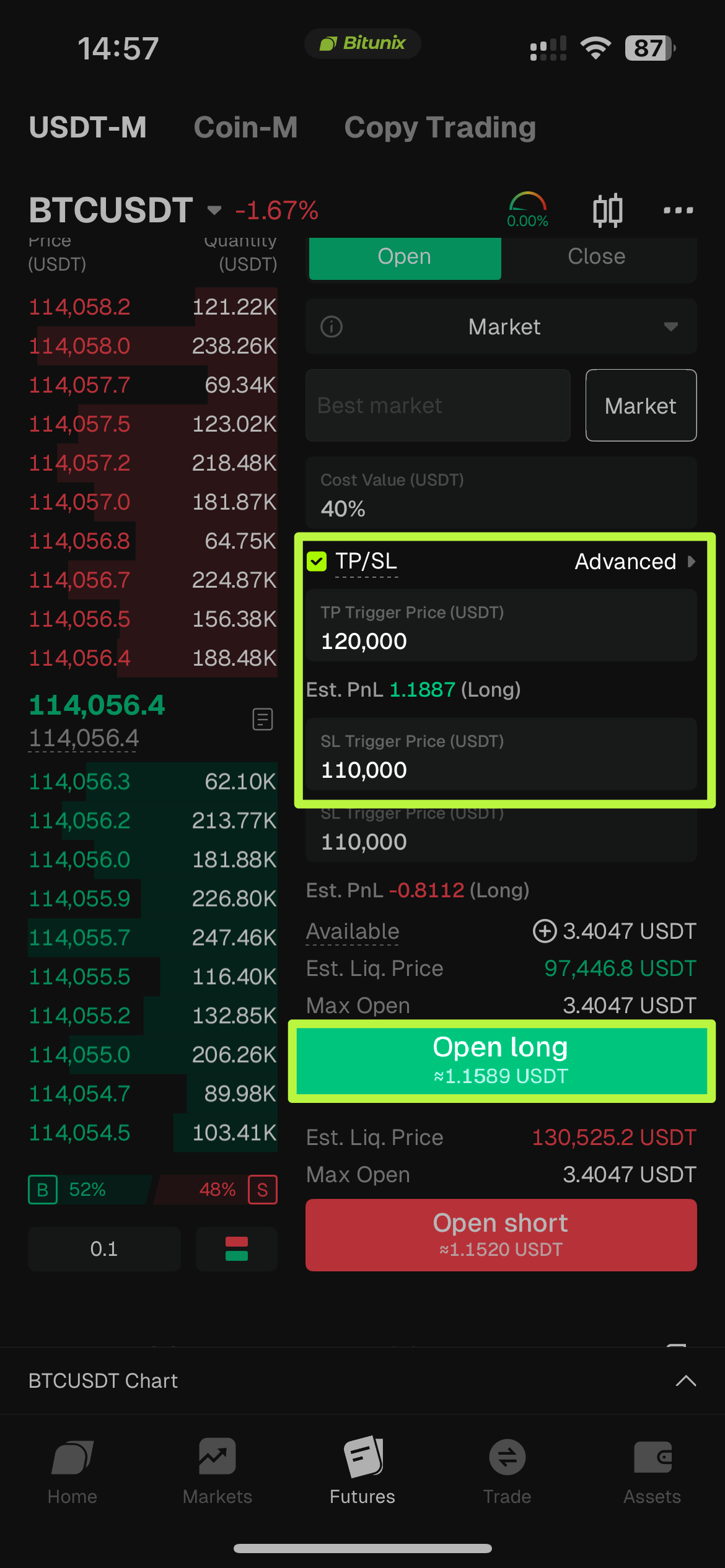
From the Futures Trading Page
Open the Bitunix App and go to the [Futures] trading page.
After entering your trade details, tap [Take Profit and Stop Loss] at the bottom of the screen.
Set your Take Profit trigger price and Stop Loss trigger price, then confirm.
Once confirmed, the system will automatically execute your TP/SL orders when the trigger prices are reached.
From the Position Details Page
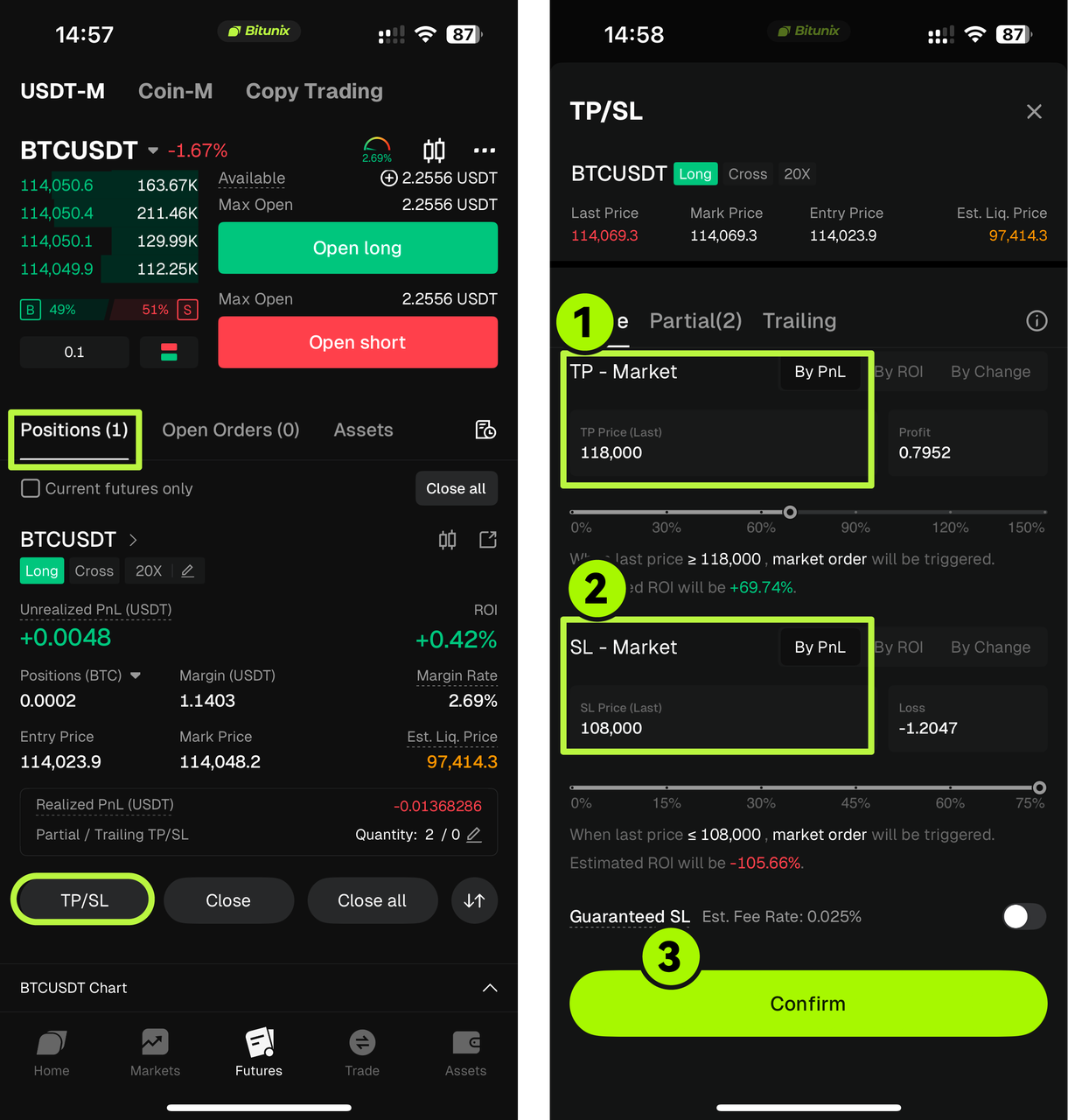
Tap [Positions] in the bottom menu.
Select the position you want to manage, then tap [Take Profit / Stop Loss].
Enter your Take Profit trigger price, Stop Loss trigger price, and quantity, then tap [Confirm].
The system will automatically monitor your position and execute the order when the market reaches those levels.
How to Set Take Profit and Stop Loss on the Website
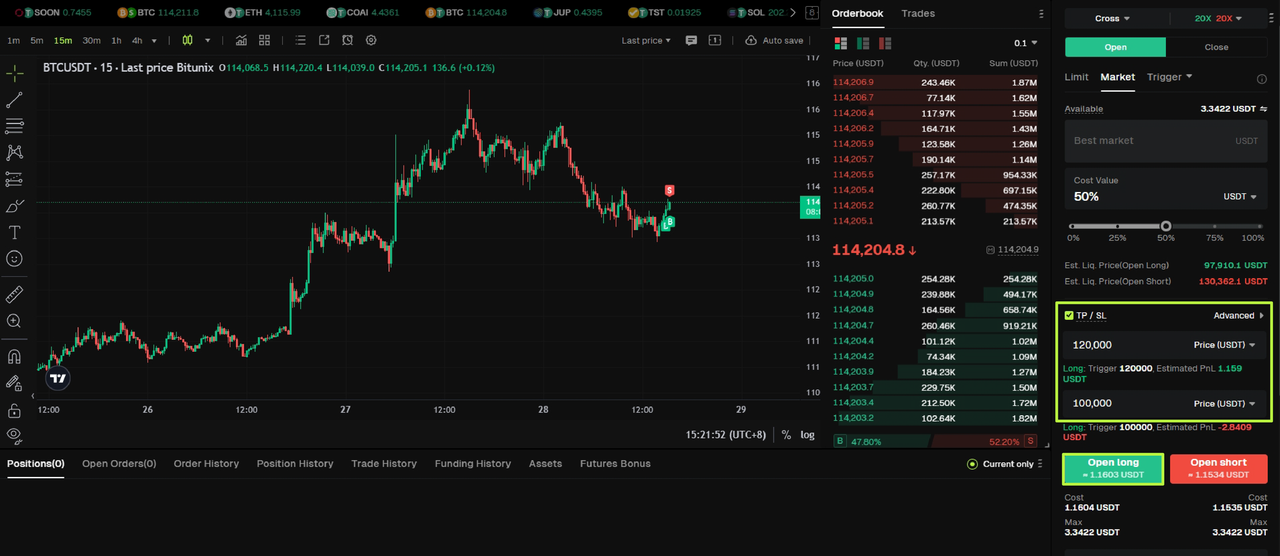
From the Futures Trading Page
Log in to your account on bitunix.com
Click [Futures Trading] from the top menu.
Set your order details and click [Take Profit and Stop Loss].
Enter your trigger prices and confirm.
Once confirmed, your TP/SL will automatically trigger when the market price hits your set levels.
From the Position Details Page
Click [Positions] in the bottom panel.
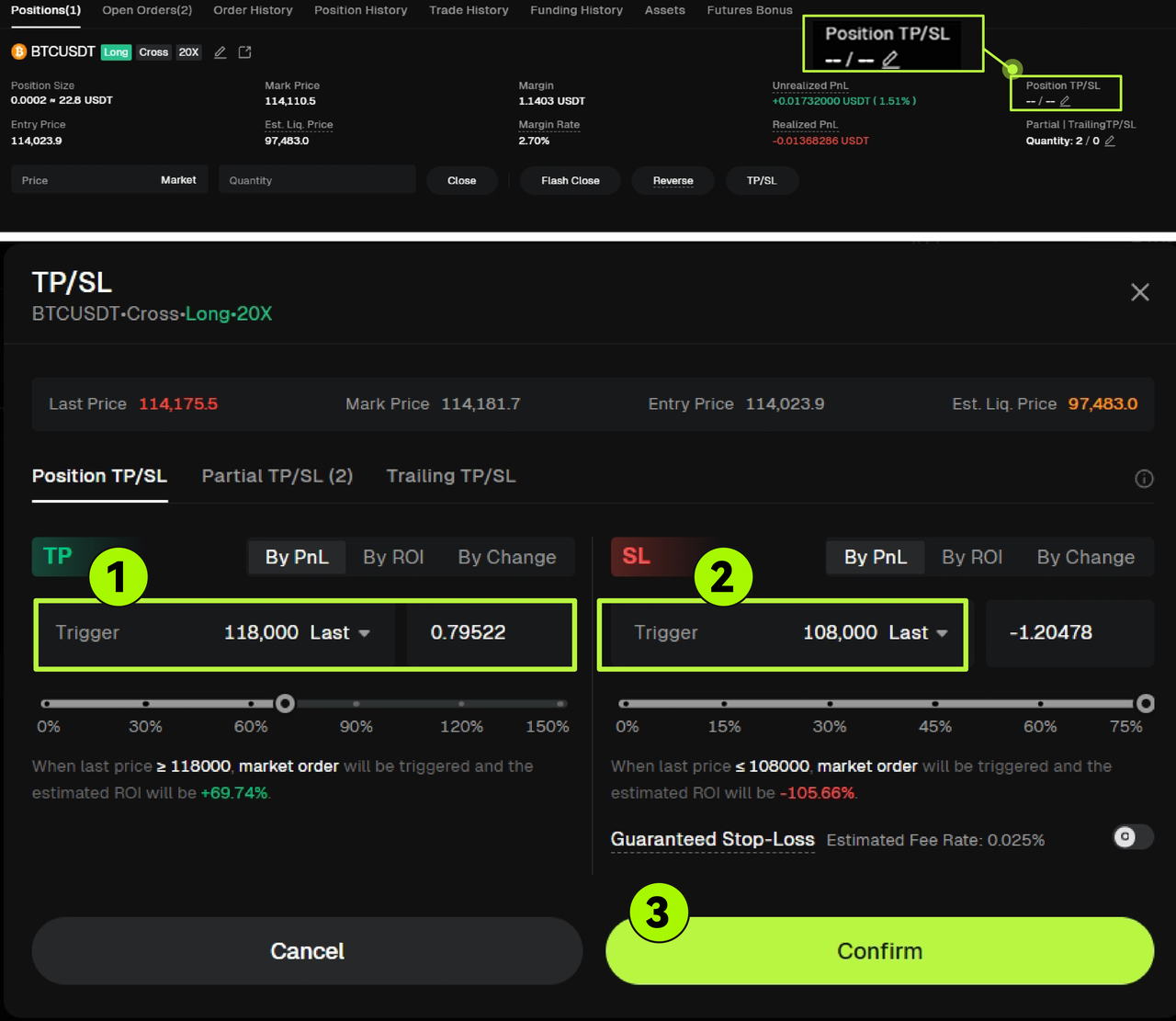
Select the position you want to modify, then click [TP/SL].
Enter your Take Profit and Stop Loss trigger prices, set the quantity, and click [Confirm].
The system will automatically apply your settings and manage your position accordingly.
What Does “Close Position” Mean?
In futures trading, closing a position means exiting all or part of an open trade to realize your profit or loss.
Once you close a position, the system calculates your realized PnL (profit and loss) based on the market price at that time.
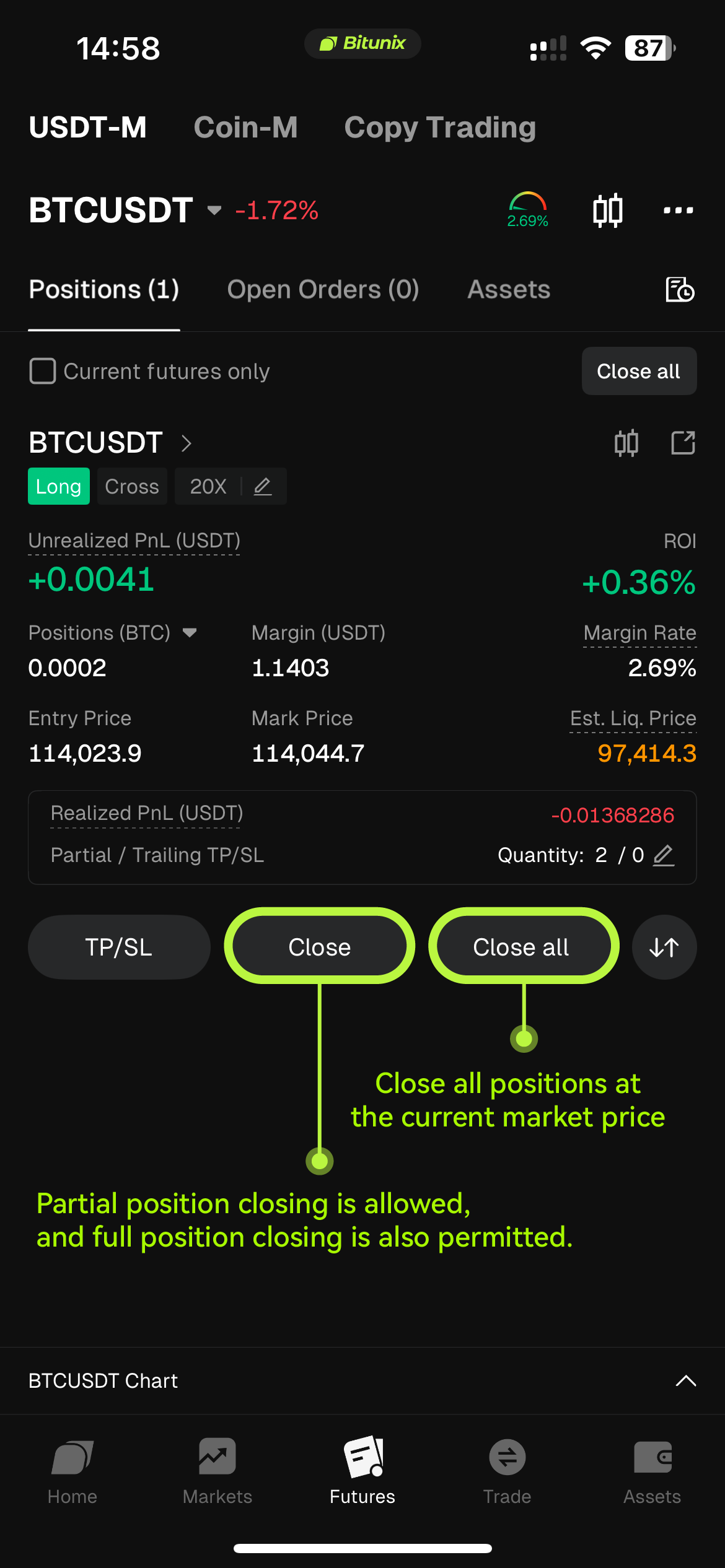
You can choose to close a single position, multiple positions, or all open positions simultaneously depending on your strategy.
The “Close” feature helps you manage your trades quickly and precisely when the market moves in your favor or against you.
App:
Website: