

To make trading faster and smoother, Bitunix has officially launched Chart Trading 2.0. This upgrade focuses on simplifying the order process, improving automation, and enhancing position management. Everything is designed to help you place trades more efficiently without leaving the chart.
This guide will walk you through how to use the Quick Panel to open and manage orders directly on the chart.
Quick Panel Order Guide
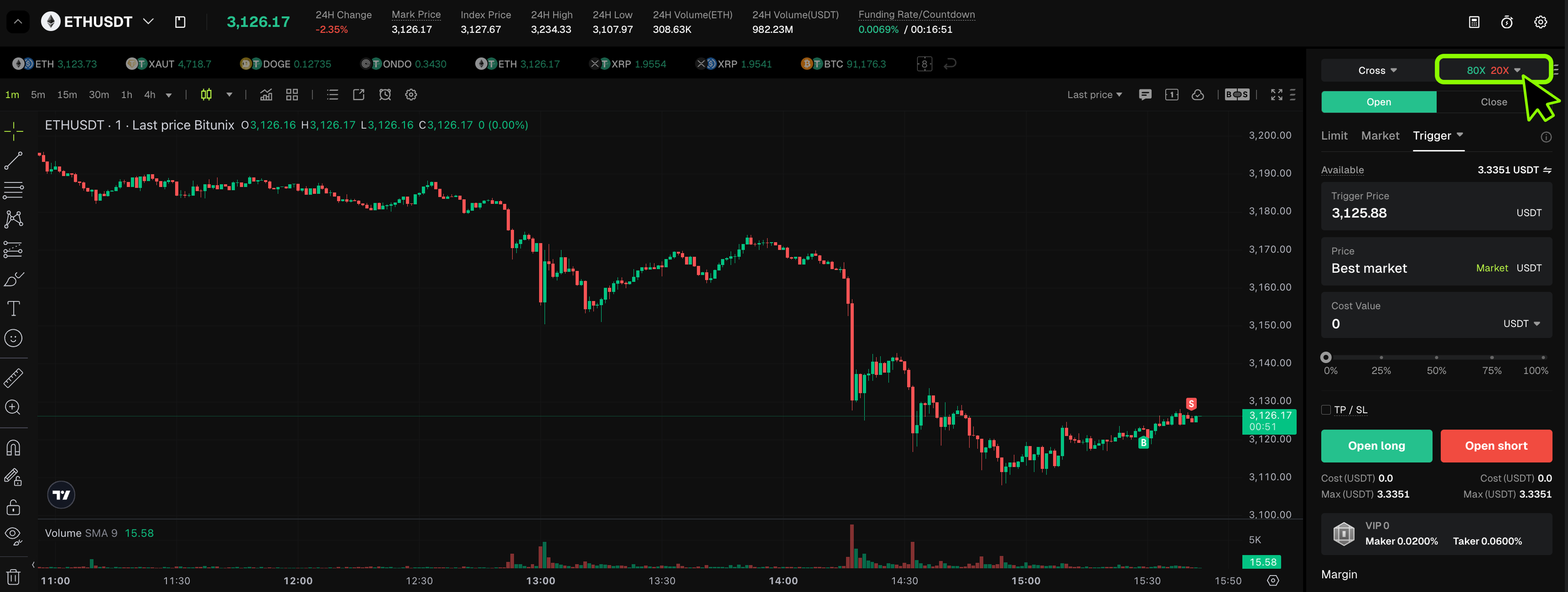
1. Set Your Leverage First
Before placing any trade, make sure your leverage is set correctly.
You can find the leverage option at the top right of the trading panel. Bitunix supports leverage up to 20x for this interface.
Choose a leverage level that matches your risk tolerance. Higher leverage increases potential profits, but it also increases risk.
Once your leverage is set, you are ready to place orders.
2. Open the Quick Panel
There are two easy ways to open the Quick Panel.
Method 1
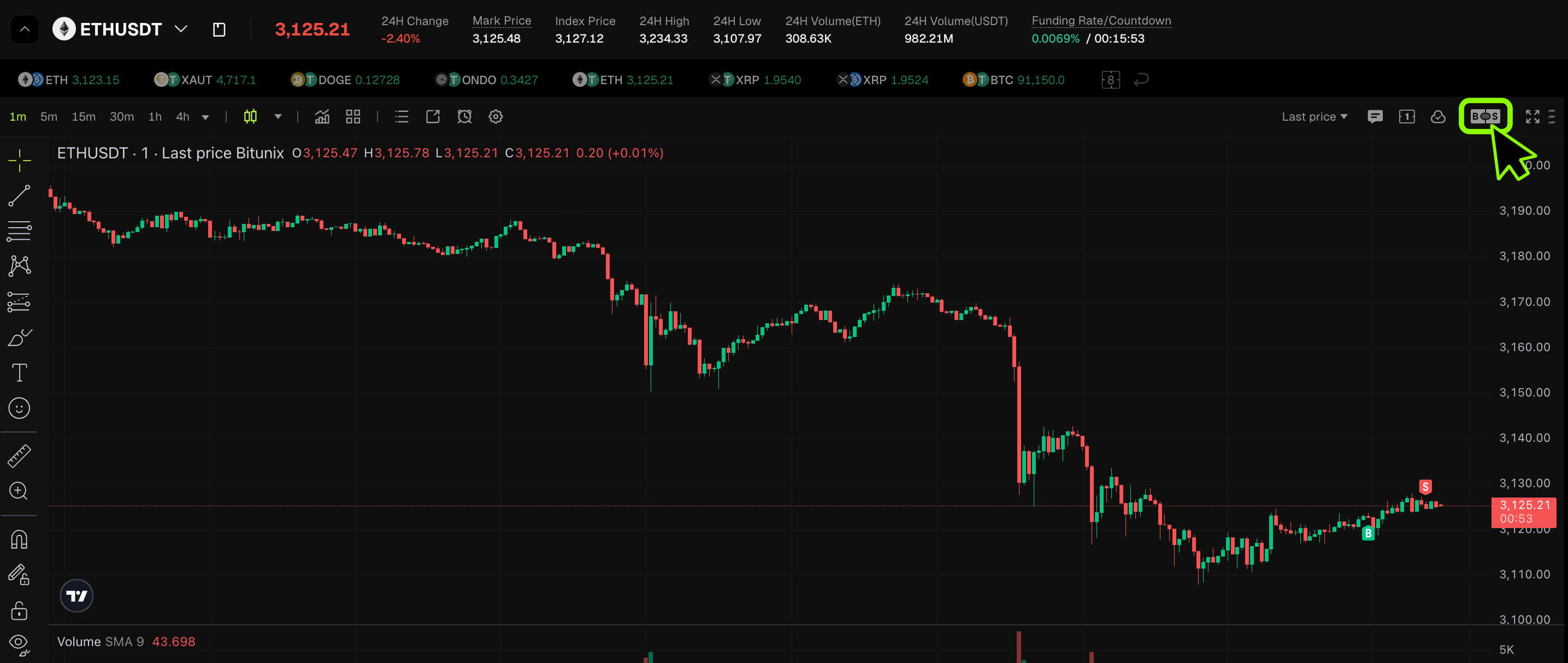
Click the B/S icon at the top right of the chart.
This will open the Quick Panel instantly.
Method 2
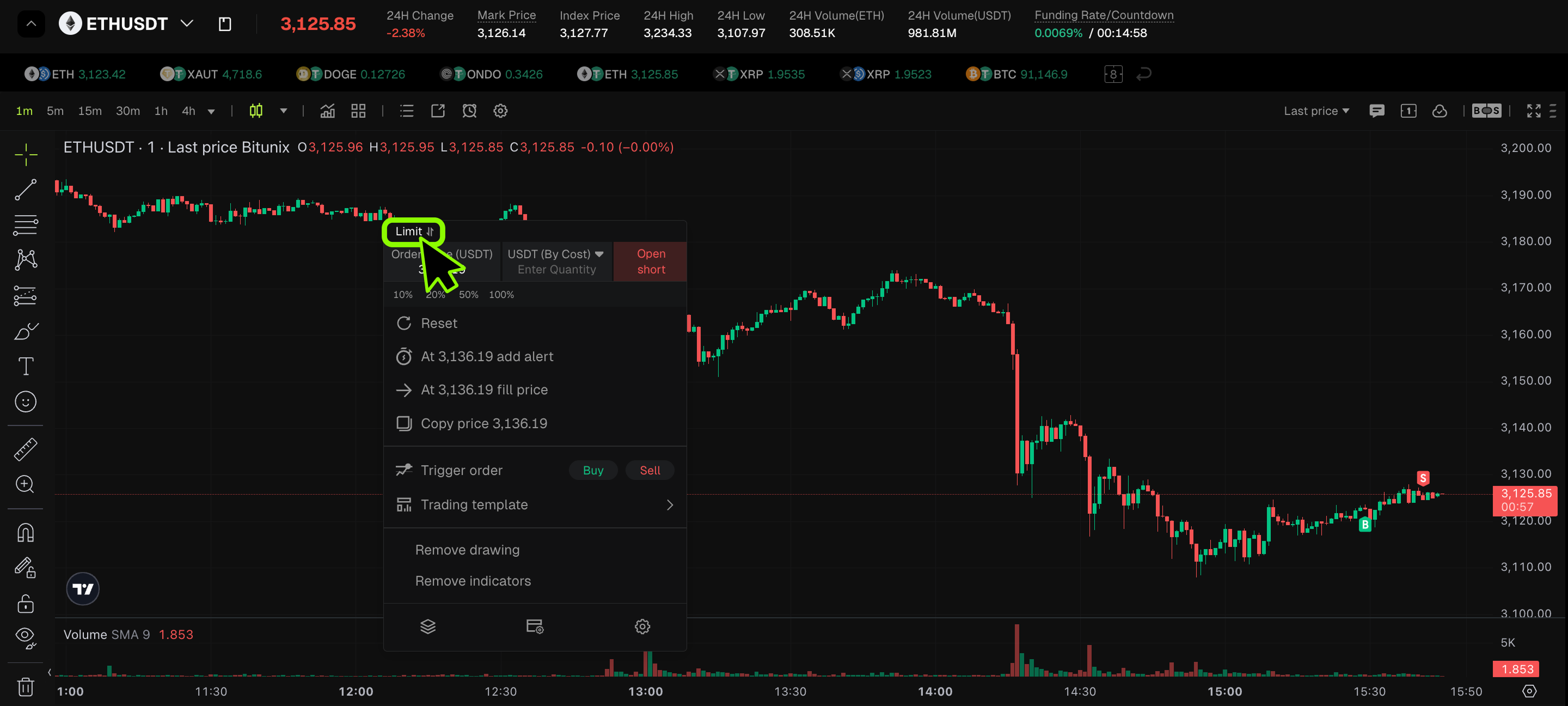
Right-click anywhere on the chart.
From the menu, select Quick Order.
You can switch between Market and Limit orders inside the panel.
3. Place a Market Order
Market orders are best when you want to enter a trade immediately at the current price.
Steps
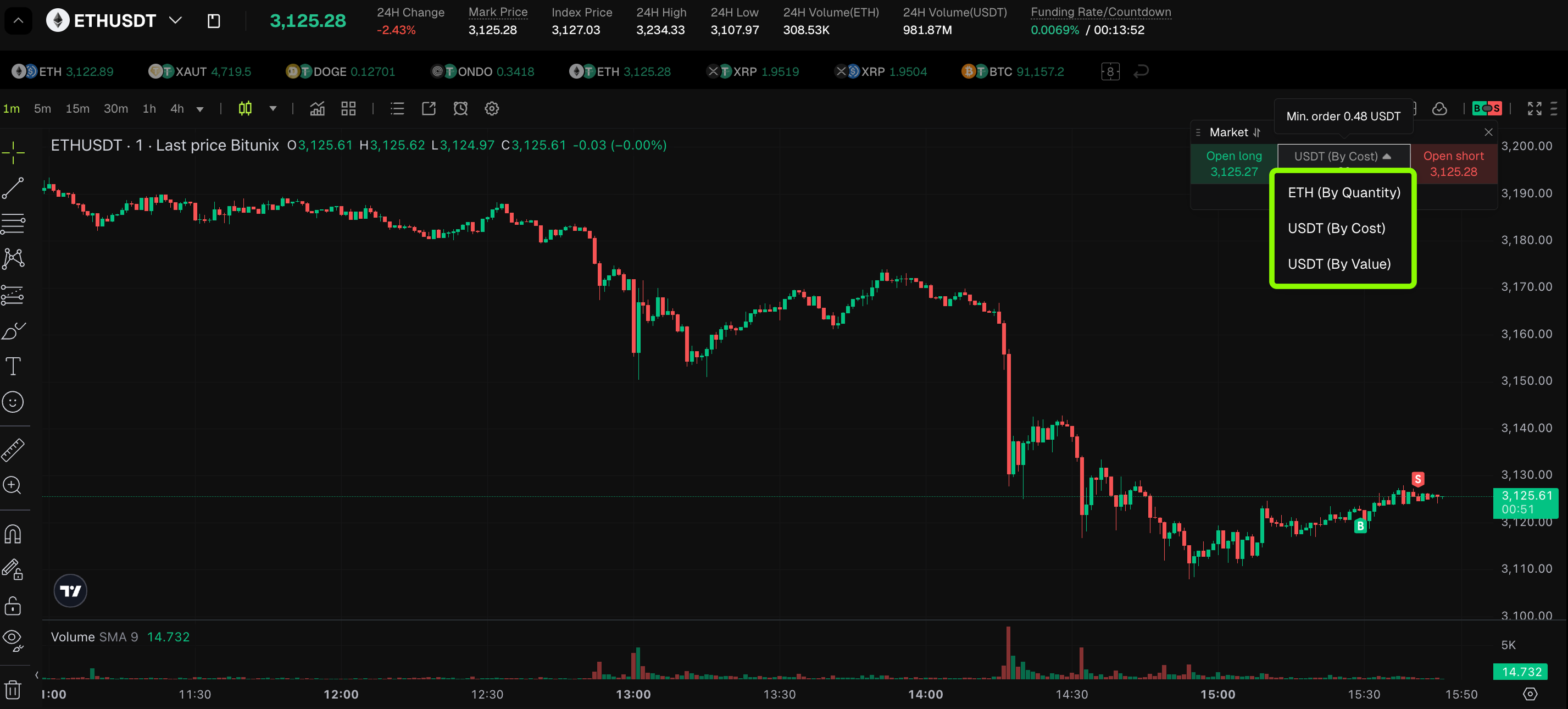
- Select Market in the order panel
- Choose your order unitETH (By Quantity)USDT (By Cost)USDT (By Value)
- Enter the amount
- Click Open Long or Open Short
Example
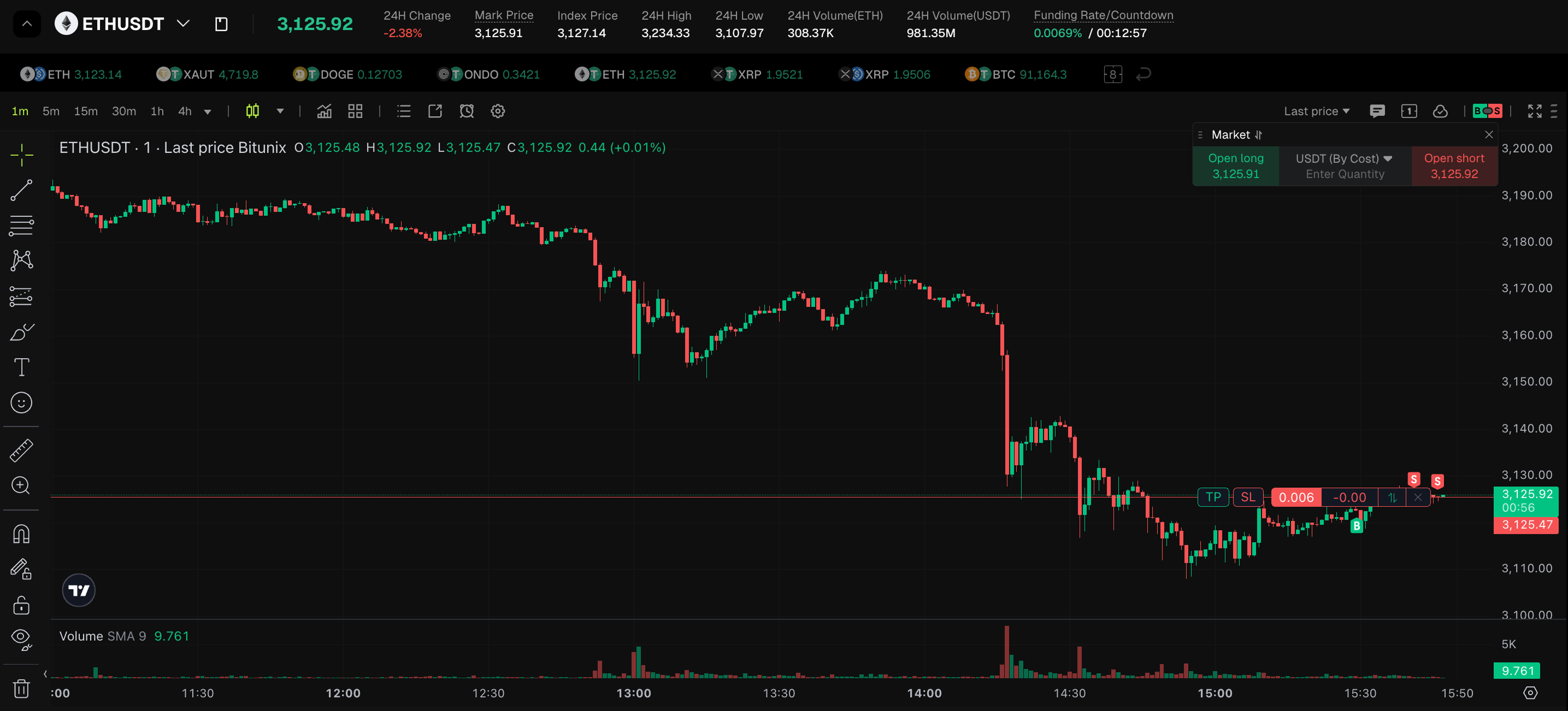
If ETH is currently trading at 3125, you use 20 USDT as margin with 20x leverage to open a position, and the system will instantly open your position at the market price.
After opening a position, the order details will appear on the chart in real time.
4. Place a Limit Order
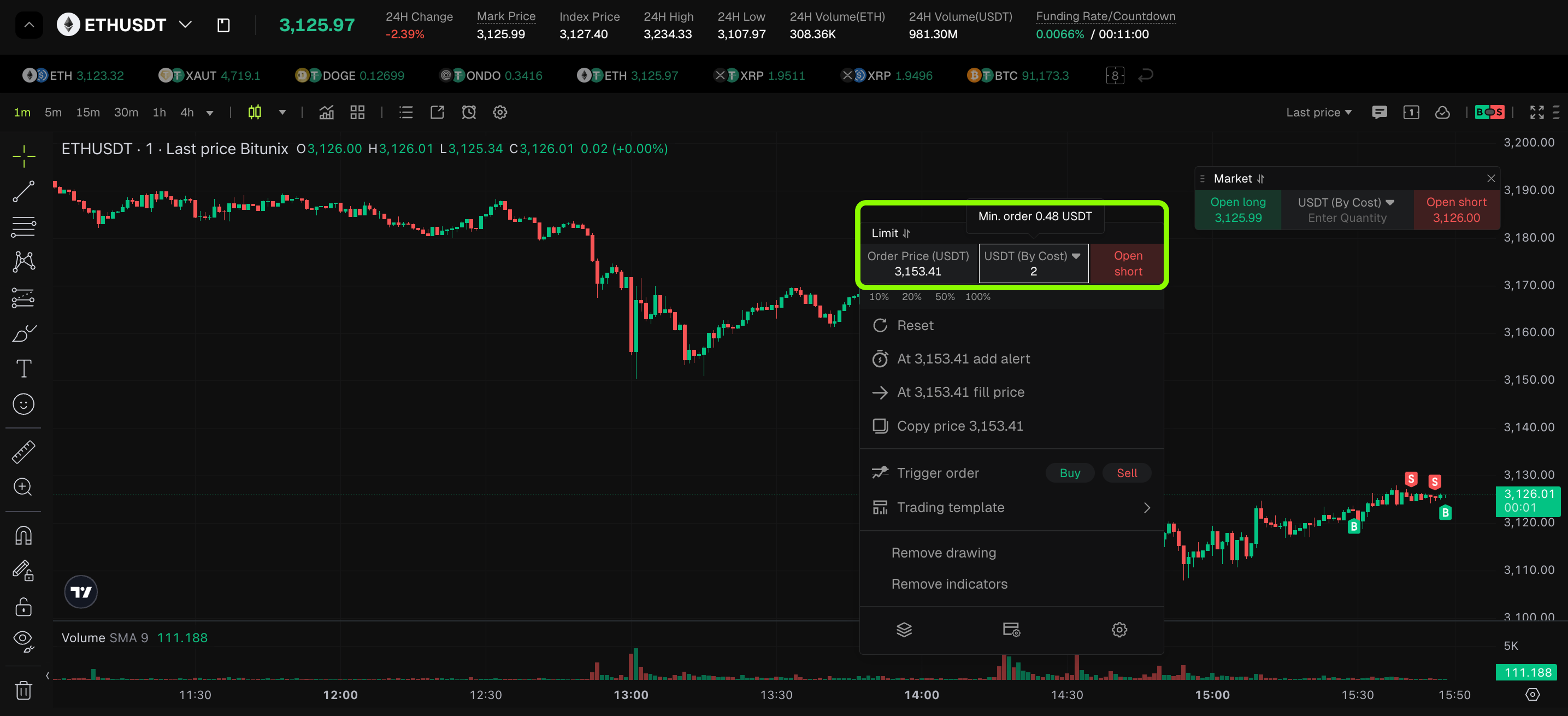
Limit orders let you set your own entry price.
Steps
- Switch to Limit mode
- Choose your order unit
- Enter your target price
- Enter the amount
- Click Open Long or Open Short
If your limit price is higher than the current price, it will open a short position.
If your limit price is lower than the current price, it will open a long position.
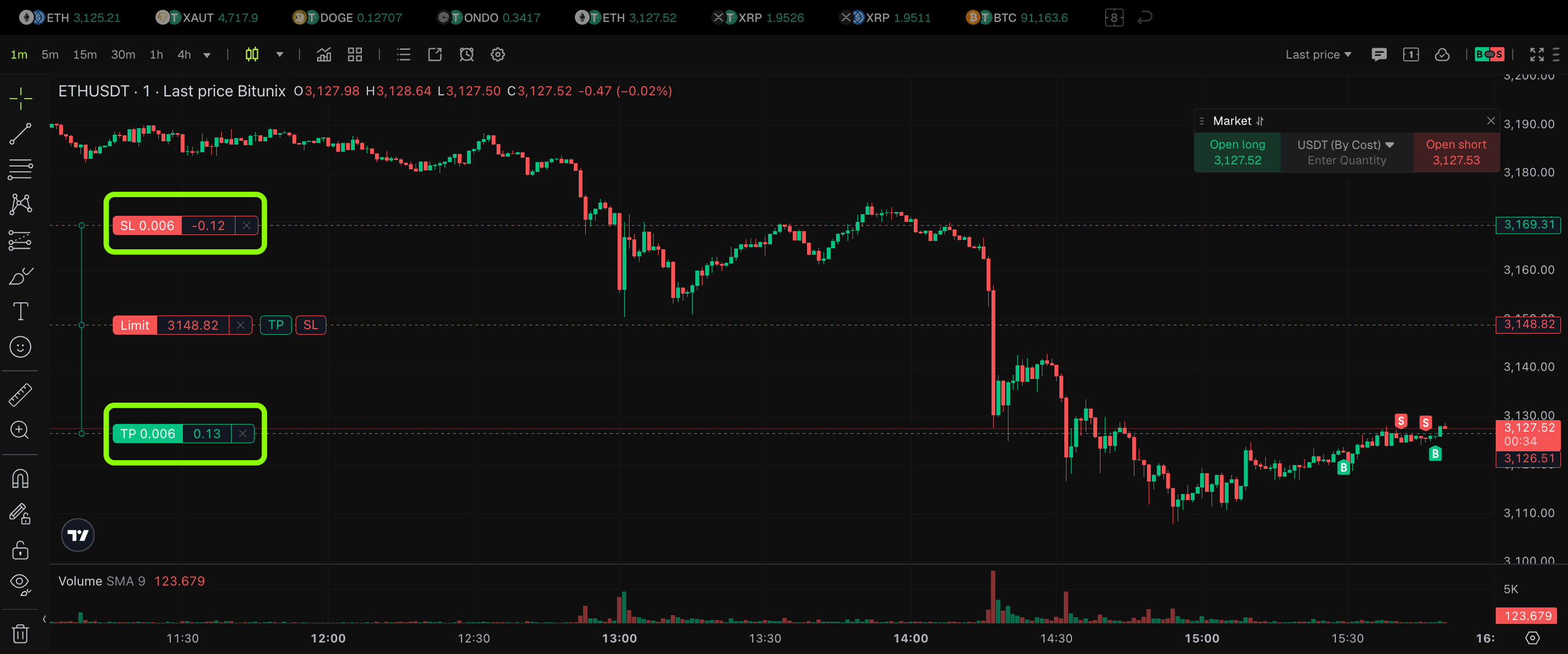
Your order will stay pending until the price reaches your set level.
5. Set Take Profit and Stop Loss
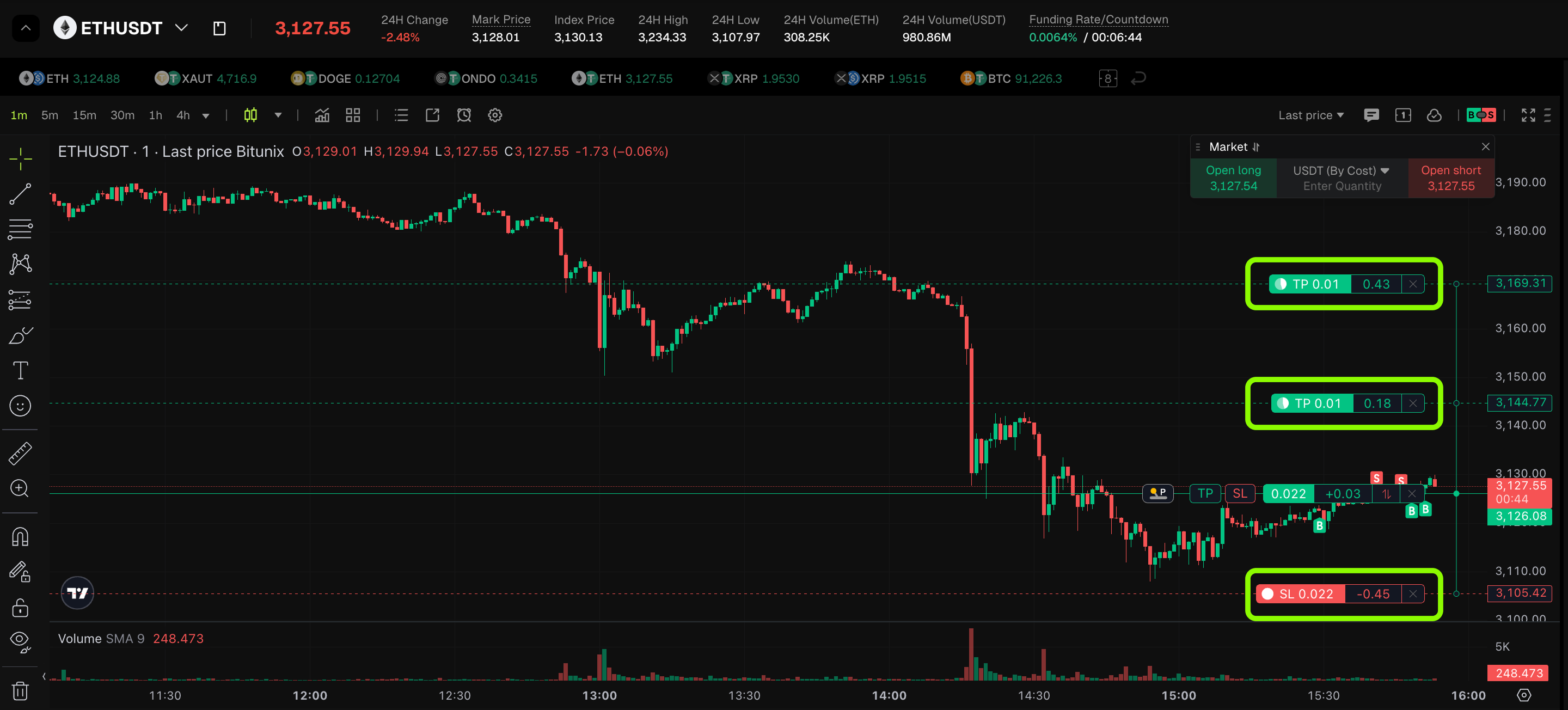
After opening a position, you can manage risk using TP/SL.
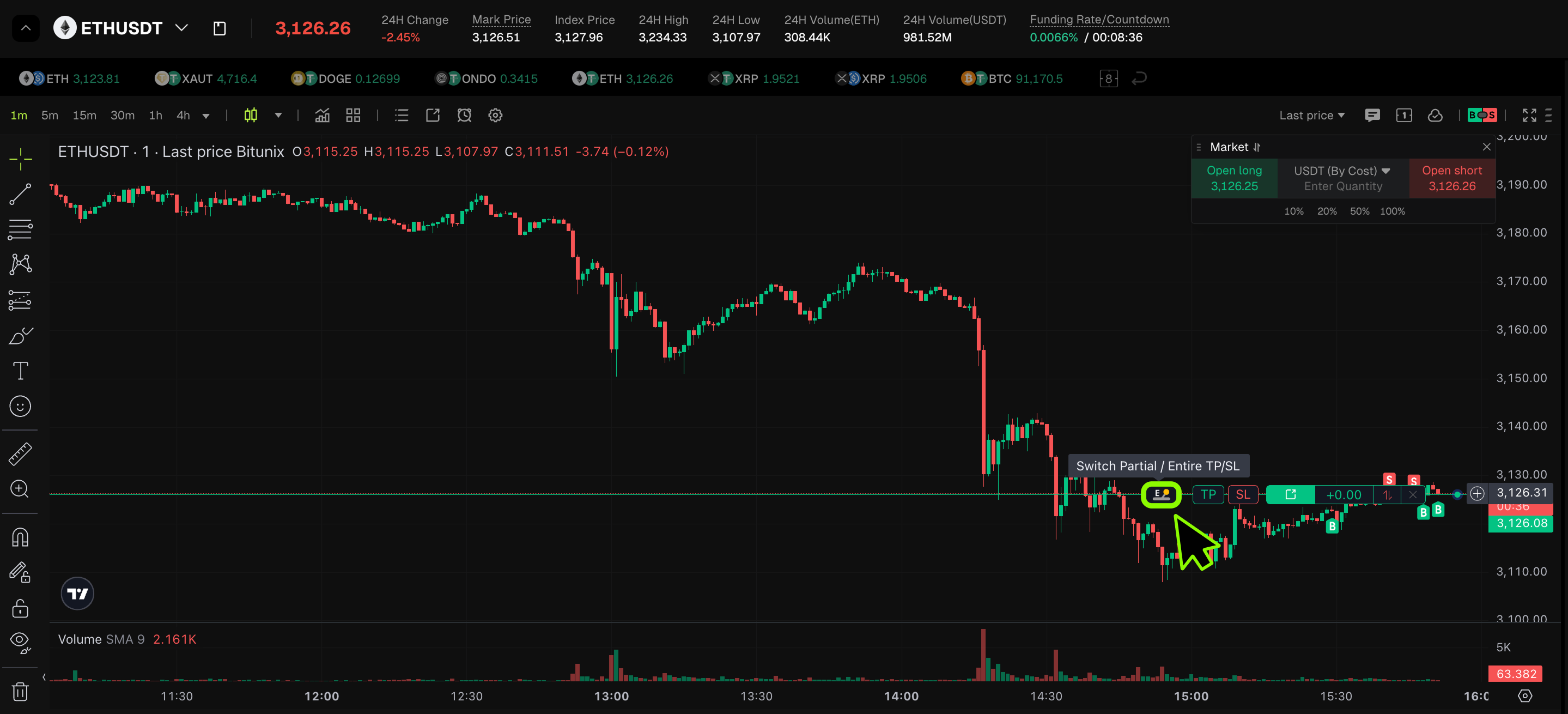
You will see two options on the position bar:
E for Entire position
This applies TP and SL to the full position.
P for Partial position
This allows you to close part of the position at different levels.
Click TP/SL, then drag the lines on the chart to set your profit and loss targets.
The system will automatically execute the order when the price hits your levels.
6. Share Your Trade Results
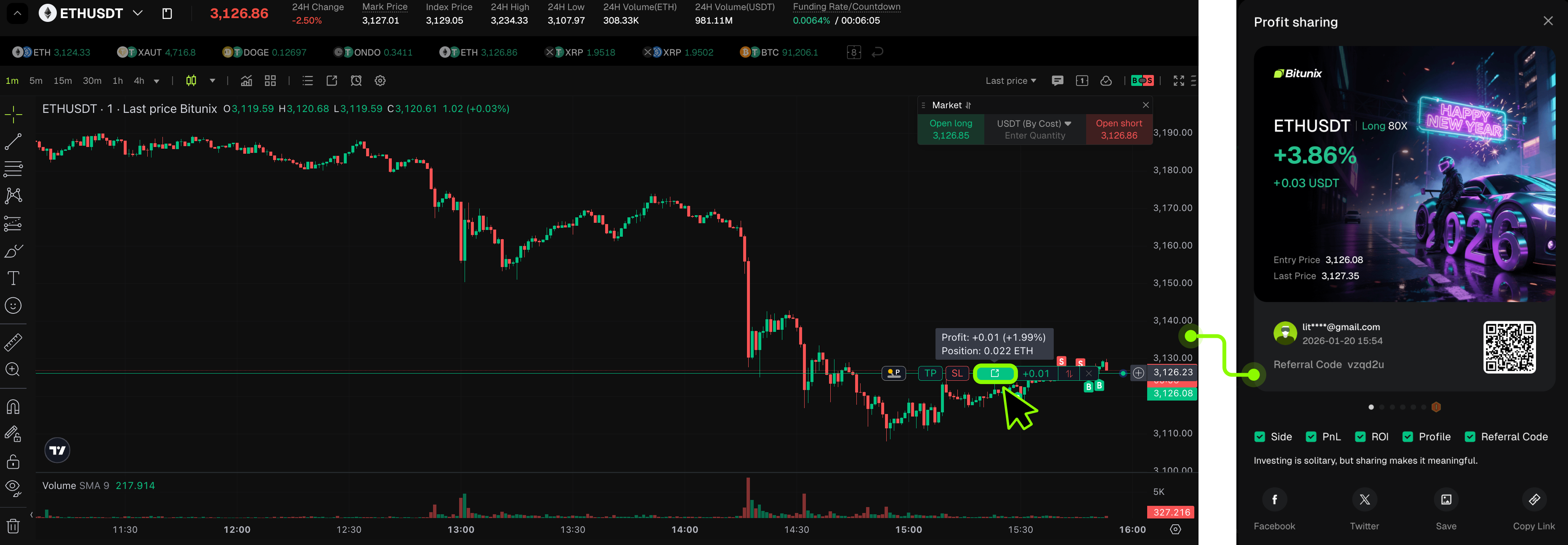
Want to show off your trading performance?
Click the Share button on your closed position.
You can instantly generate a result card and post it on social media or send it to friends.
Disclaimer
This article is not intended to provide:
(i) investment advice or investment recommendations;
(ii) an offer or solicitation to buy, sell, or hold digital assets; or
(iii) financial, accounting, legal, or tax advice.
Digital assets (including stablecoins and NFTs) involve high risk and may be highly volatile. You should carefully consider whether trading or holding digital assets is suitable for you based on your financial situation. For your specific circumstances, consult your legal, tax, or investment professionals. You are responsible for understanding and complying with all applicable local laws and regulations.