

Chart template is a personalized template configuration function provided by Bitunix chart tool for users. It can set personalized color scheme according to users' personal preferences, so as to meet users' personalized configuration needs for themes.
When the chart is loaded for the first time, the platform will configure the initial theme value for the chart. Users can set personalized configurations on the initial state. The specific operation steps are as follows:
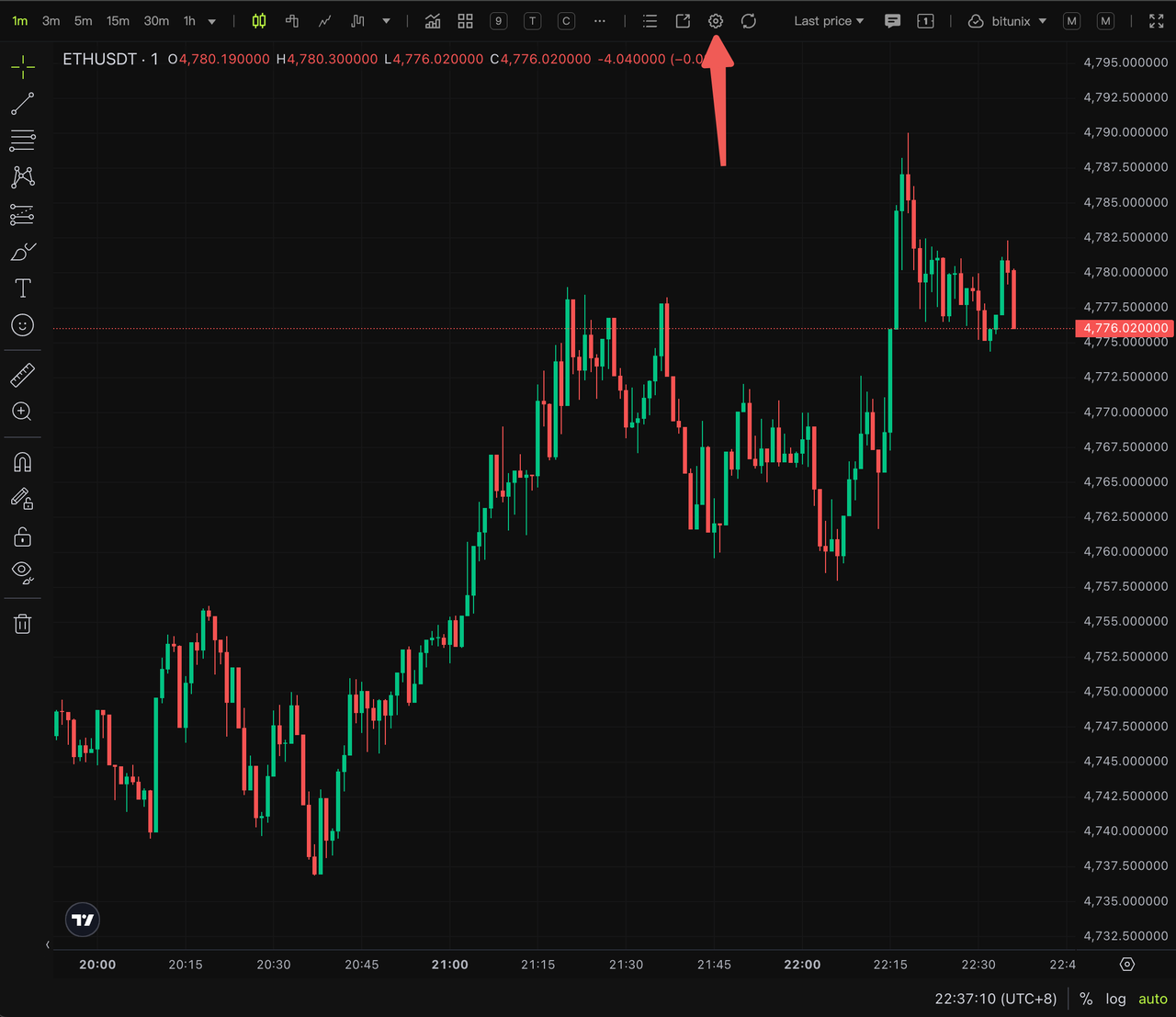
Step 1: Enable the chart settings function
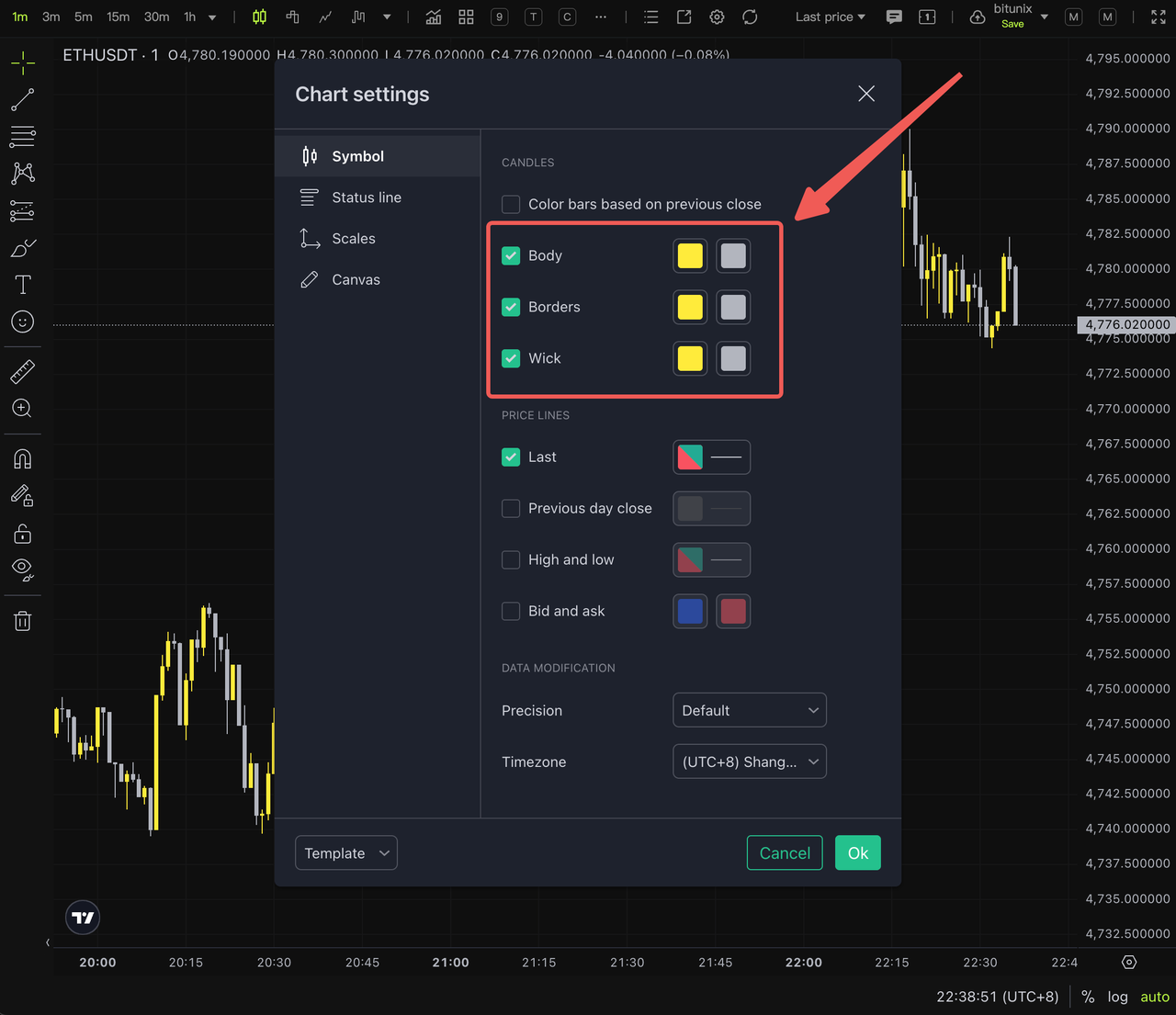
Step 2, modify the personalized configuration
For example, we want to modify the official initialized candlestick color scheme
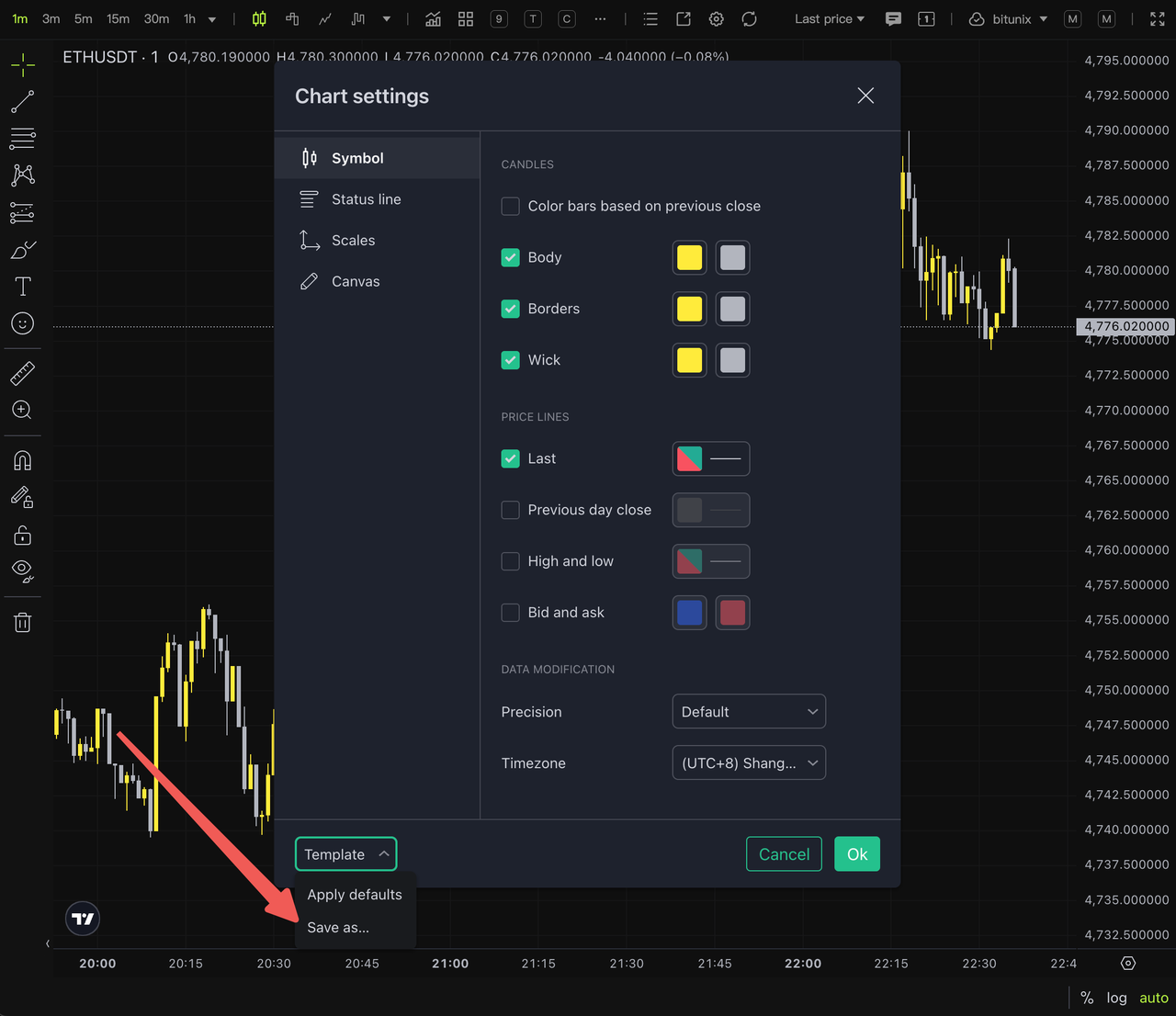
Step 3, save the chart template
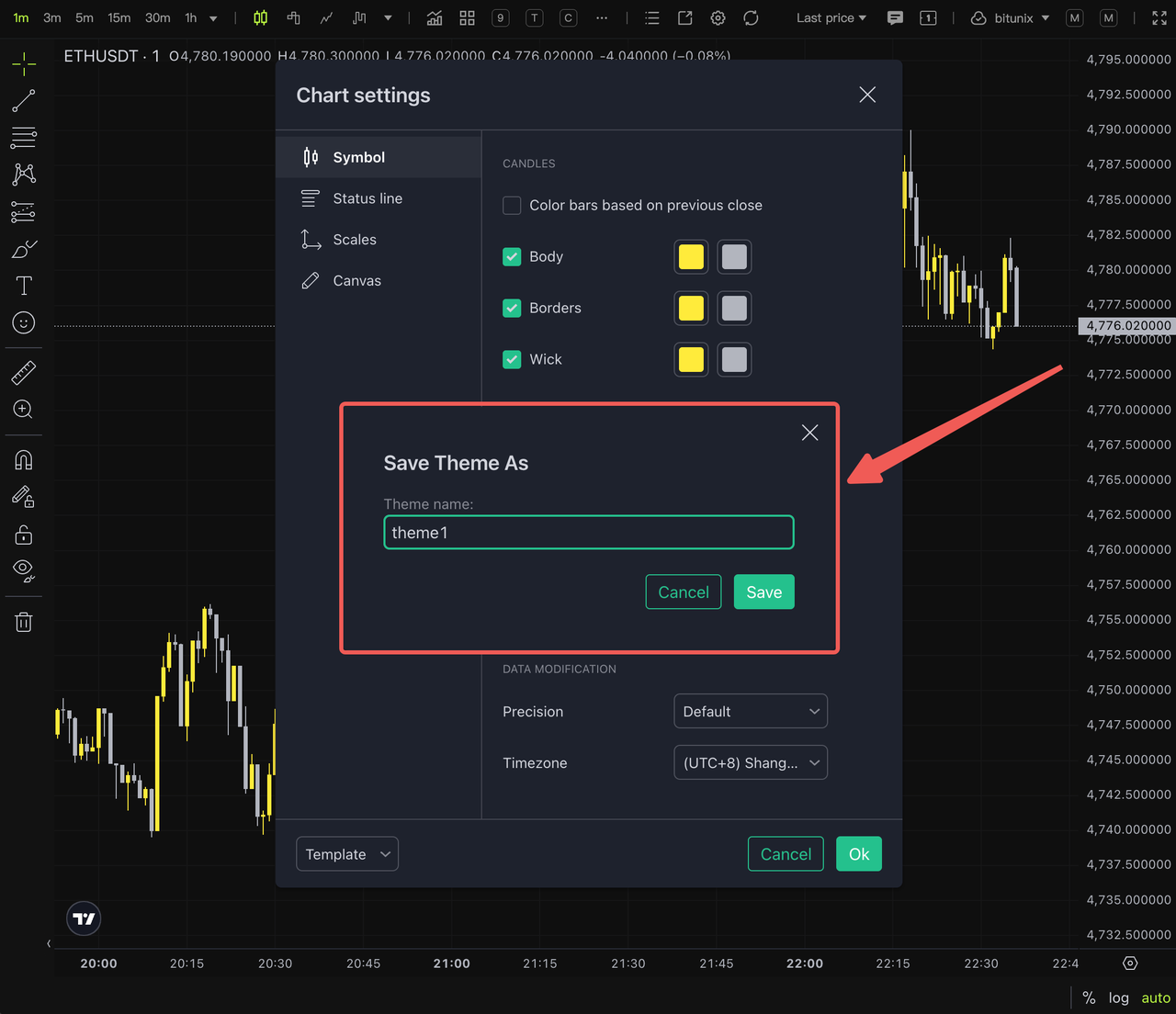
Step 4, enter the save name to complete the saving of the chart template
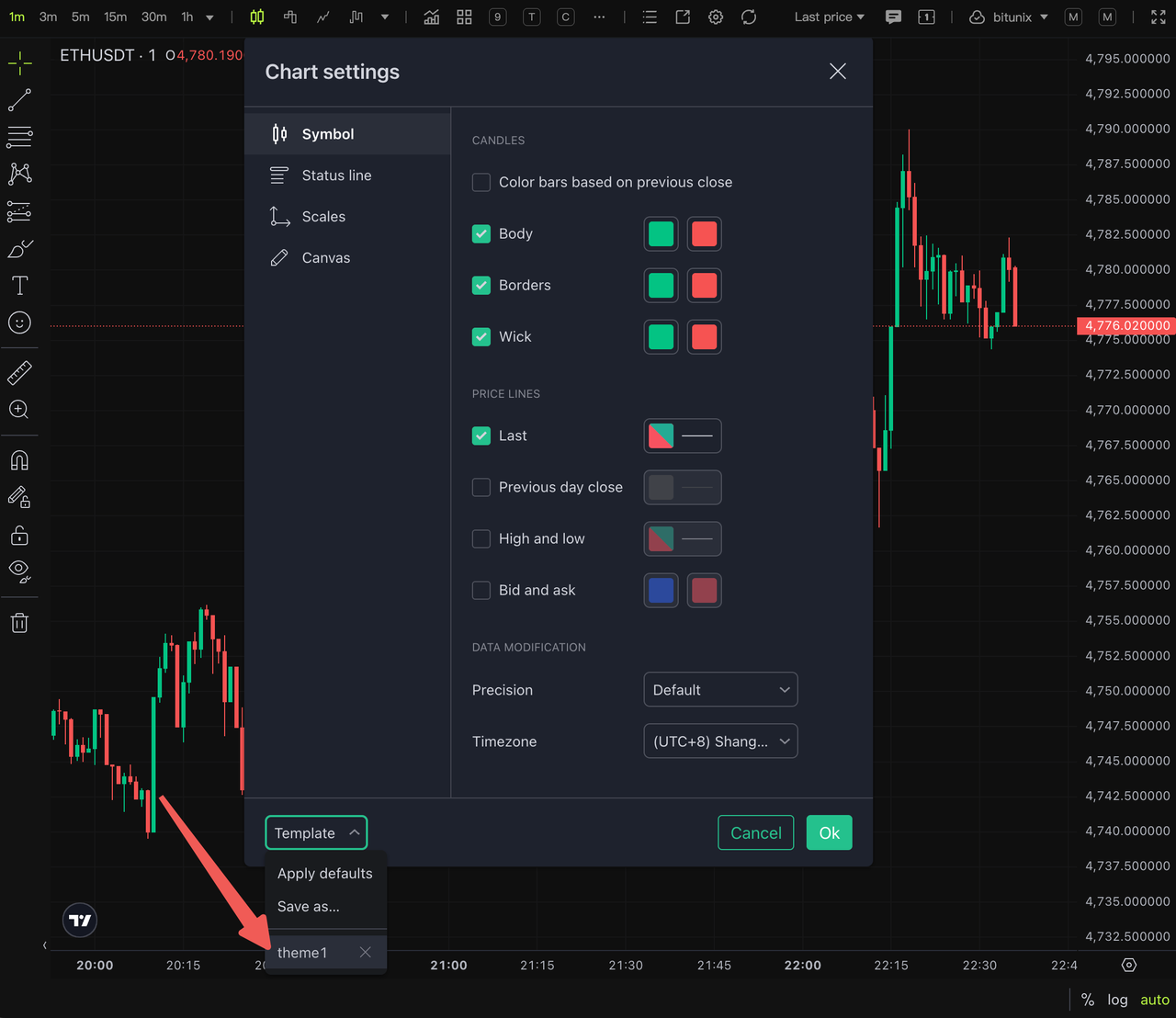
Step 5, apply chart templates as needed
When we need to use different themes in different trading scenarios, we can choose previously stored charts for application
Disclaimer
This article is not intended to provide:
(i) investment advice or recommendations;
(ii) an offer or solicitation to buy, sell, or hold digital assets; or
(iii) financial, accounting, legal, or tax advice.
Digital assets, including stablecoins and NFTs, are highly volatile and involve significant risk. Please carefully consider your financial situation and risk tolerance before trading or holding digital assets.
Consult your independent legal, tax, or investment professional to ensure that your actions comply with applicable local laws and regulations.