

1. What is Web Futures Position Lock
Web Futures Position Lock is a risk control feature designed to protect important positions. After enabling Position Lock, users can temporarily lock a specific position to prevent accidental actions such as closing positions, reversing positions, or adding positions. When users need to adjust their positions again, they only need to unlock the position to resume normal trading operations. Currently, this feature is available in the Web Futures position section, and is not yet available on the App.
2. Web Futures Position Lock Feature Highlights
✅ Prevent accidental operations: Lock important positions to avoid accidental closing, reversing, adding positions, and other operations, reducing trading risks.
✅ One-click lock/unlock: Click the lock icon in the position list to enable or disable the feature. A brief introduction will be displayed when using it for the first time.
✅ Clear locking scope: After locking, closing positions, reversing positions, adding positions, adjusting leverage, and reducing margin will be temporarily unavailable. Users can still set take profit and stop loss, add margin, and view profit and loss.
✅ Support quick search and status records: Locked positions can be moved to the top or bottom of the list for easier identification. The lock status is only saved in the current browser; Close All, system liquidation, and order placement in the K-line area are not restricted.
3. Web Futures Position Lock User Guide
First, log in to your Bitunix official website account and click the 【Futures Trading】 button in the upper-left corner.
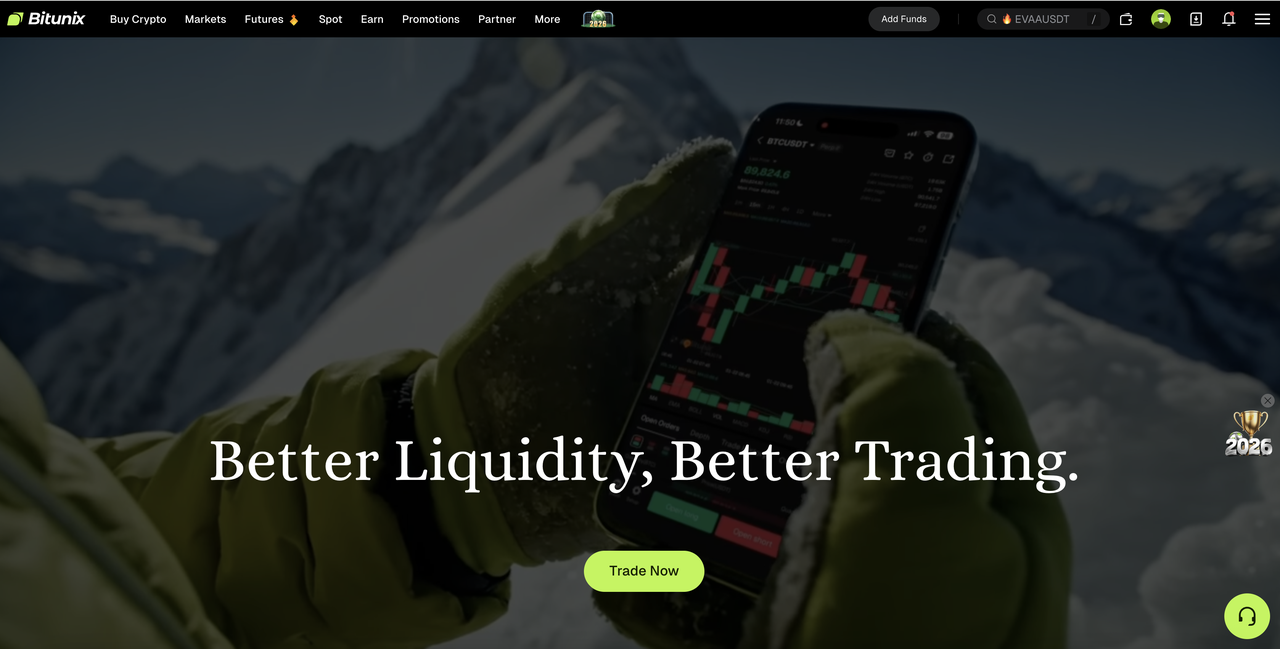
The page will automatically redirect to the Futures Trading page. Scroll down, and your current futures positions will be displayed at the bottom of the trading page.
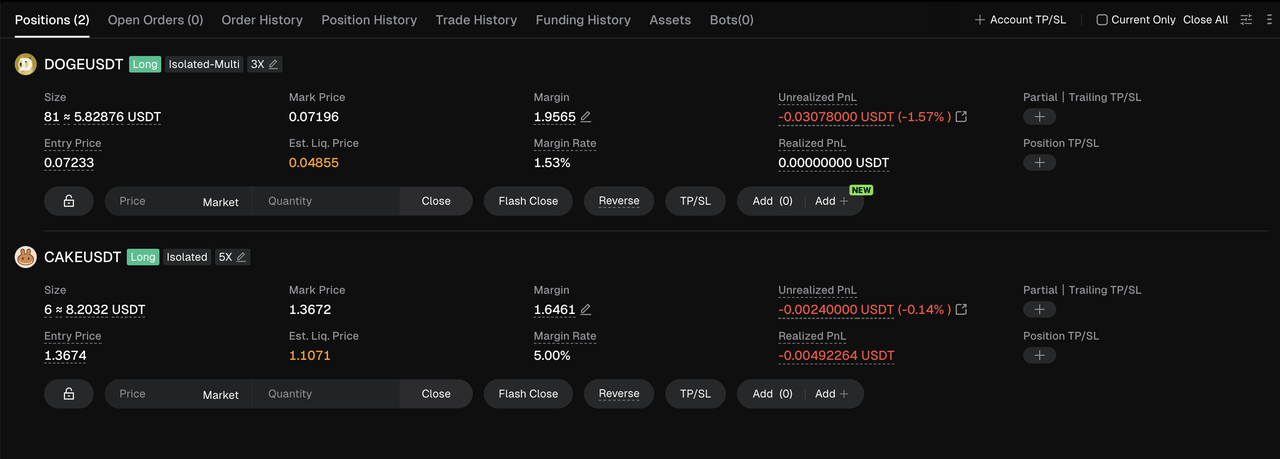
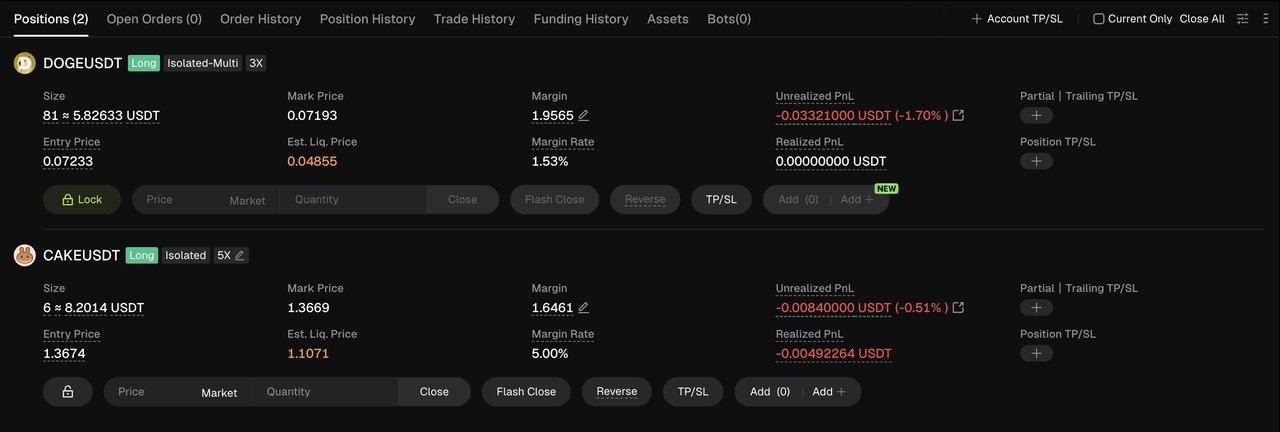
Click the 🔒 icon below 【Entry Price】, then click the 【Lock】 button. The Futures position will enter the 【Locked】 status. After locking, you will not be able to close positions, reverse positions, add positions, or perform other related operations.
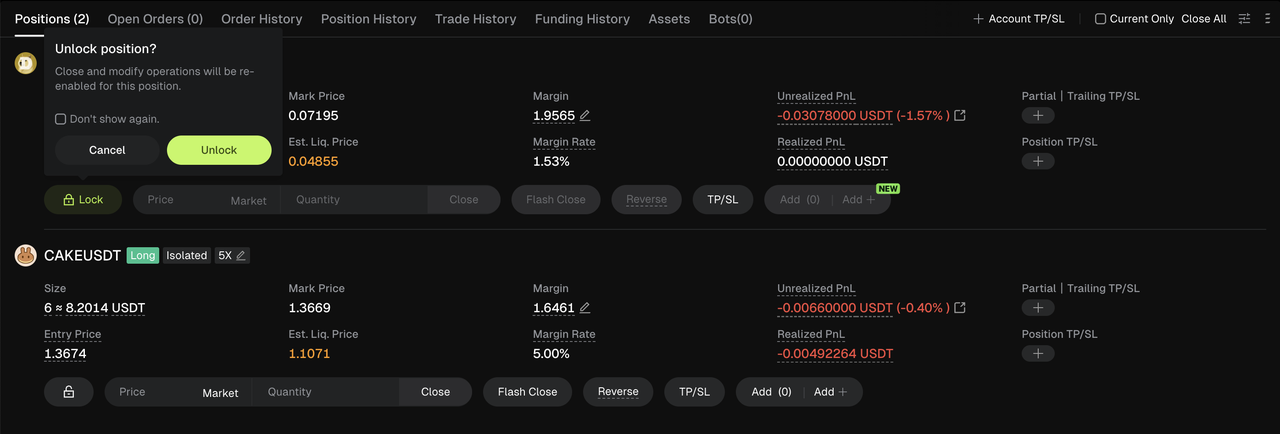
Click the 🔒 icon again and click the 【Unlock】 button to complete the unlocking of the Futures position and resume normal trading operations.
4. Classic Use Cases of Web Futures Position Lock
Scenario 1: Long-term Holding of Large Positions
When users hold important positions and plan to maintain them for the medium or long term, they can enable Position Lock to avoid accidentally closing positions while monitoring market movements. Especially when waiting for major market events, data releases, or periods of high market volatility, locking positions can help prevent misjudgments or accidental operations caused by rapid actions within a short period.
Scenario 2: Multi-window and Multi-task Trading
When multiple trading pages or tools are opened simultaneously, operational complexity increases. When switching between windows, comparing market conditions, or monitoring multiple positions at the same time, users may accidentally click the wrong buttons. By using Position Lock, users can add an additional layer of protection for important positions and avoid unintended trading actions.
Disclaimer
This article is not intended to provide:
(i) investment advice or investment recommendations;
(ii) an offer or solicitation to buy, sell, or hold digital assets; or
(iii) financial, accounting, legal, or tax advice.
Holdings of digital assets, including stablecoins and NFTs, involve a high degree of risk and may fluctuate significantly. You should carefully consider whether trading or holding digital assets is appropriate for you based on your financial situation. Please consult your legal, tax, or investment professional regarding your specific circumstances. You are solely responsible for understanding and complying with all applicable local laws and regulations.