

Want to start trading crypto on Bitunix? You can register an account in the Bitunix app in three steps: open the app and tap Sign Up, enter your email or phone number and a password, then enter the verification code. If you get stuck, the troubleshooting tips below cover the most common sign-up issues.
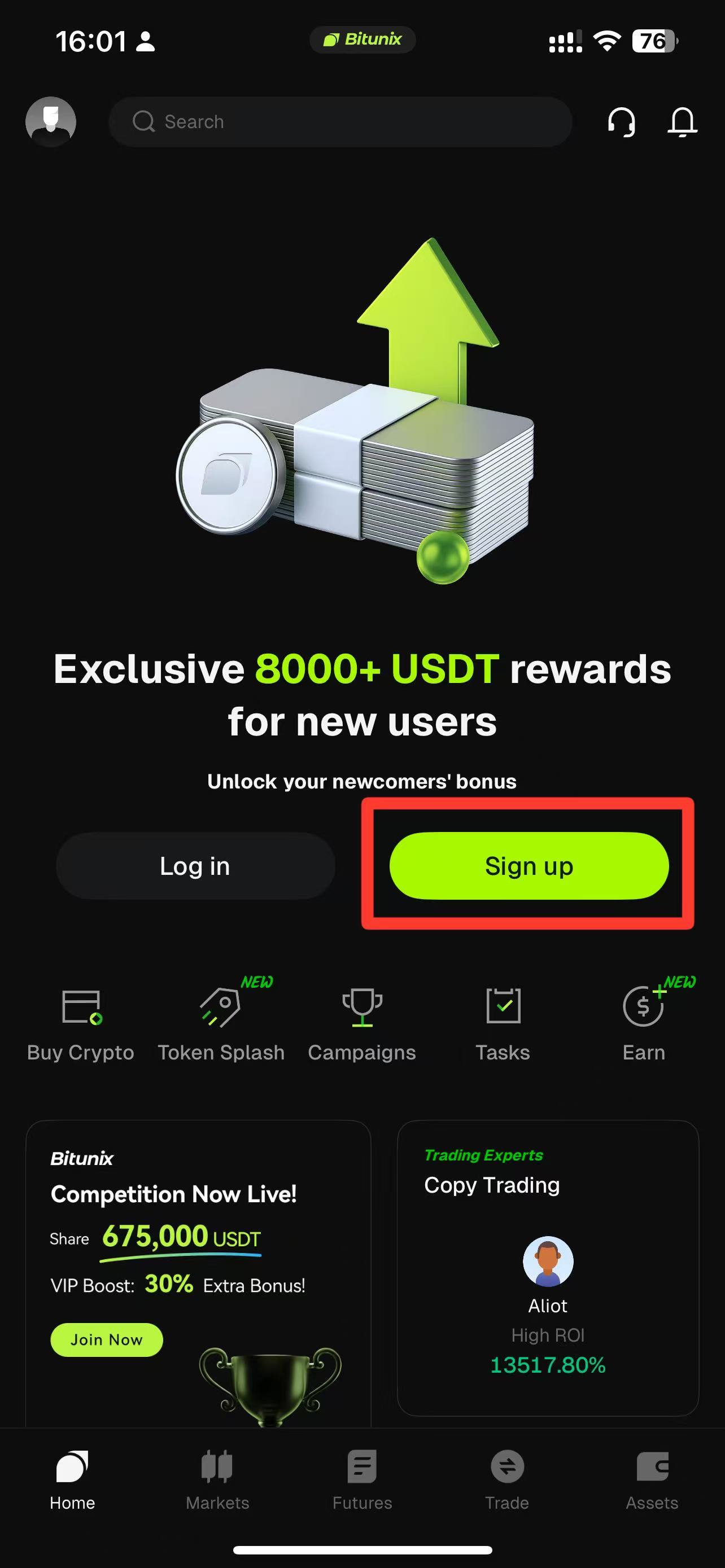
Step 1: Open the Bitunix App, tap [Sign Up] in the middle of the page to go to the registration page.
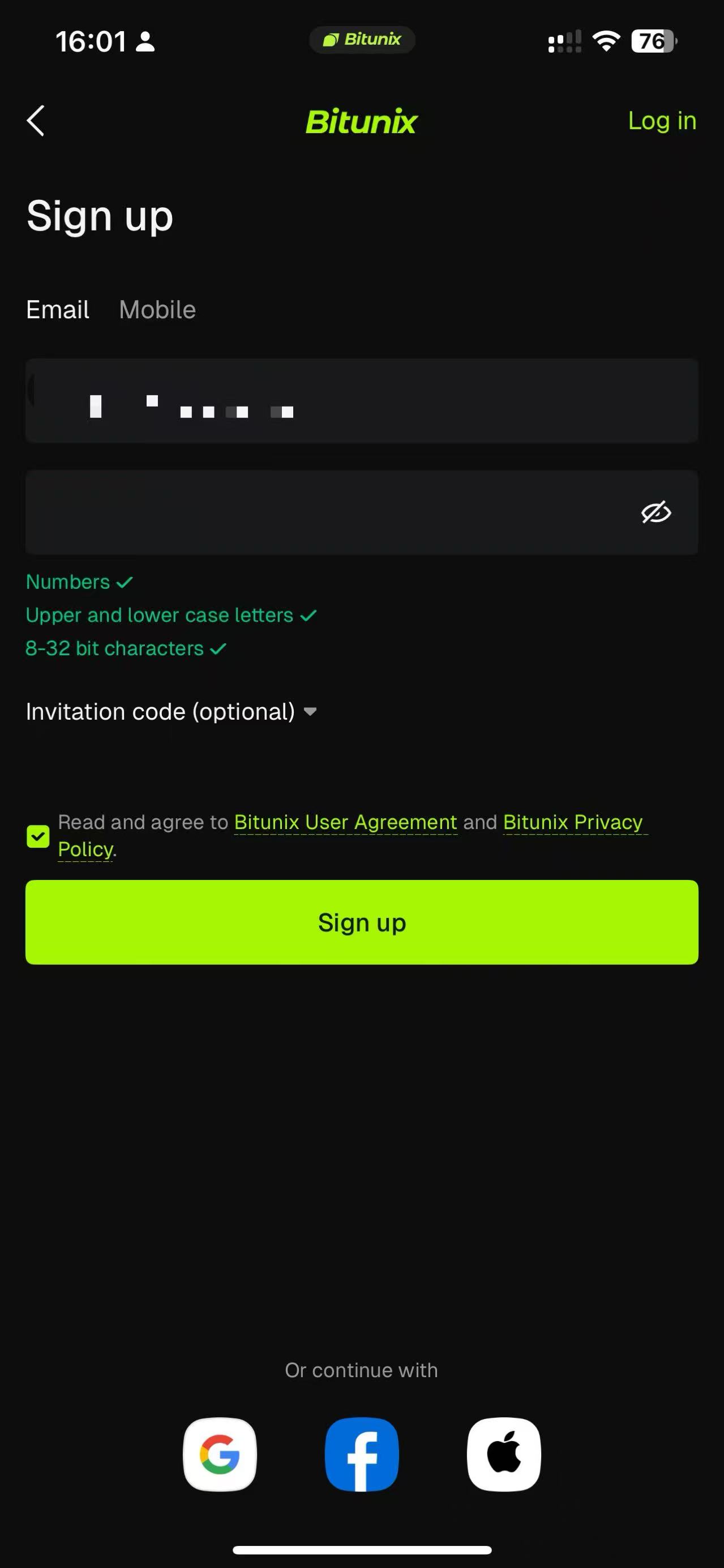
Step 2: Fill in your email address and password, and tick the box as prompted
Confirm that you have read and agreed to Bitunix User Agreement and Bitunix Privacy Policy. (If registering with a mobile phone number, you will need to select the appropriate area code.) Then, click [Sign Up].
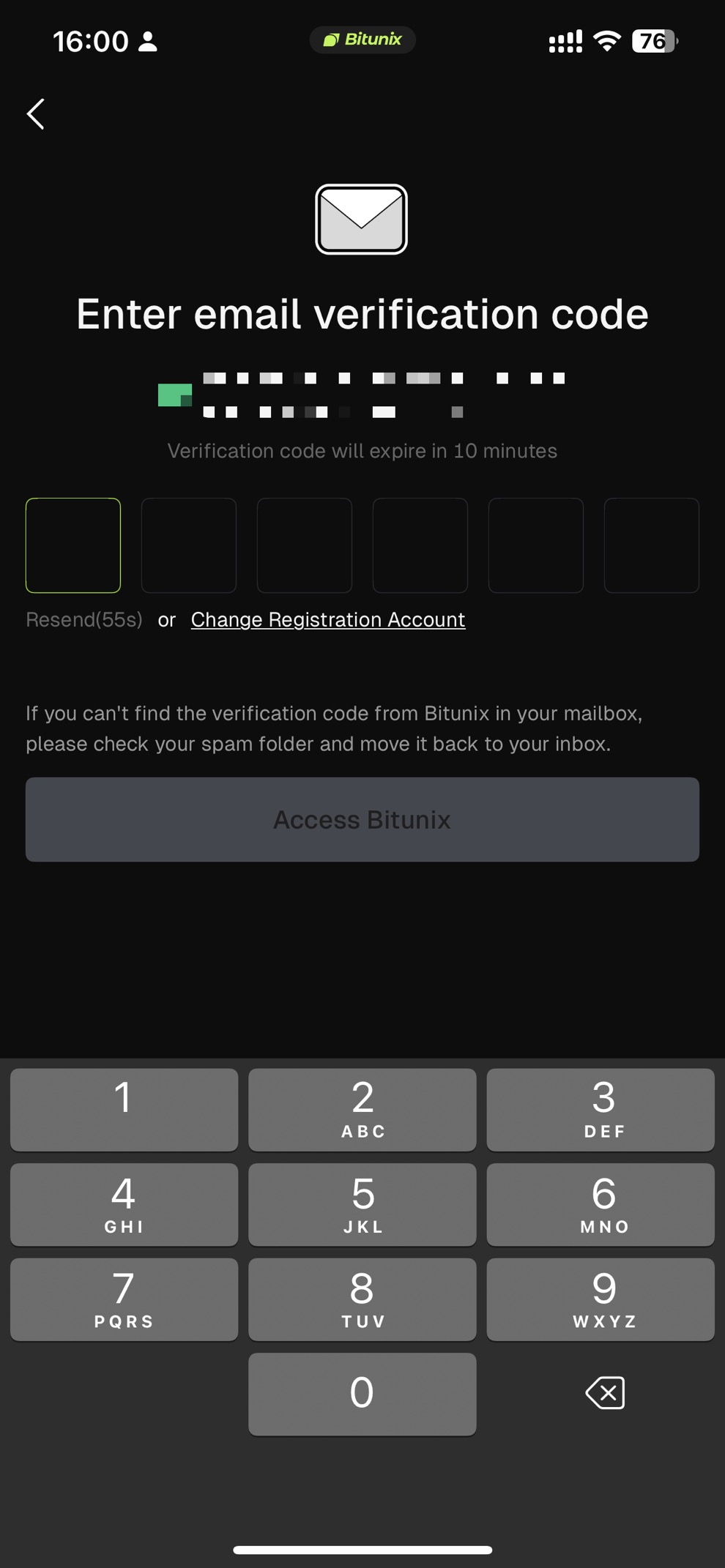
Step 3: Enter the verification code sent to your email or mobile phone via text message, and click [Access Bitunix] to complete the registration.
After registering, complete identity verification (KYC): Bitunix requires all users to complete it. Registering on a computer instead? See How to Register an Account on Bitunix (Web).
What should I do if I can't register?
If you are unable to register, it may be due to one of the following situations:
1. Check whether the personal information is correct 。
Please verify that the mobile phone number, email address, and other information you entered are accurate.
2. Check whether the network is stable。
If the network is not connecting properly, try switching to a personal network or Wi-Fi and attempt again from a stable location.
3. If you are registering through a friend’s invitation link and the link does not open, you can:
- Ask your friend for the QR code and register by scanning it, or
- Register directly through the App and enter your friend’s invitation code.
4、Check whether the personal information is already registered
If the page indicates that your mobile phone number or email address has already been registered, please confirm whether you have previously created an account.
- If you already have an account, log in again by retrieving your password.
- If it is not your personal registration, please contact Bitunix customer support for further assistance.
FAQ
Can I register on Bitunix with a phone number?
Yes. You can register with an email address or a mobile phone number. If you use a phone number, select your area code, then enter the verification code sent by text message.
Do I need an invitation code to register?
No. The invitation code is optional. If a friend’s invitation link does not open, you can register directly in the app and enter their invitation code.
What should I do after I register?
Complete identity verification (KYC) in the app. Bitunix requires all users to complete KYC.
Disclaimer:
This article is not intended to provide (i) investment advice or recommendations; (ii) an offer or solicitation to buy, sell, or hold digital assets; or (iii) financial, accounting, legal, or tax advice. Digital assets, including stablecoins and NFTs (non-fungible tokens), carry a high level of risk and may experience significant price fluctuations.
You should carefully evaluate whether trading or holding digital assets is suitable for your circumstances, based on your financial condition. Please consult a qualified legal, tax, or investment professional regarding your specific situation.
You are solely responsible for understanding and complying with all applicable local laws and regulations.