

Can't use your Google Authenticator code or your email to verify a login? You can reset the unavailable security item yourself on Bitunix, online and without waiting for manual support. This guide covers the Google and email reset flows, the documents you need, and what to expect after you submit.
Feature Descriptions
This feature provides a guided self-service process for users whose security verification methods have become unavailable due to force majeure or other unforeseen circumstances. Users can initiate the reset directly from the login verification page and update multiple security items simultaneously (e.g., resetting both email and Google Authenticator). By submitting identity verification documents and proof of funds, users can complete the required risk-control review online, significantly reducing the review time.
Feature Highlights
- Full Self-Service, No Waiting RequiredA completely self-service process that eliminates the need to queue for manual support.
- Multi-Item Reset SupportSupports combined resets for email, phone number, and Google Authenticator, providing a one-stop solution for scenarios where multiple security items are lost and users would otherwise be stuck in a verification “deadlock”.
- Enhanced Interaction DesignIntroduces dynamic reminders for verification code delivery and clear step-by-step progress navigation, allowing users to easily track the process and understand the expected review timeline.
Before You Start
- Prepare your KYC qualification and funding source certificate (upload at least one; pictures and videos are supported).
- Plan ahead: withdrawals are not allowed within 24 hours after you modify a security item.
- Review takes 3-5 working days, and you will be notified of the result.
- Open Bitunix.com directly or use the official app, and never share verification codes or upload documents anywhere else.
Google Verification - Failure Reset Guide
If you encounter any problems during the operation, please contact official customer service for assistance.
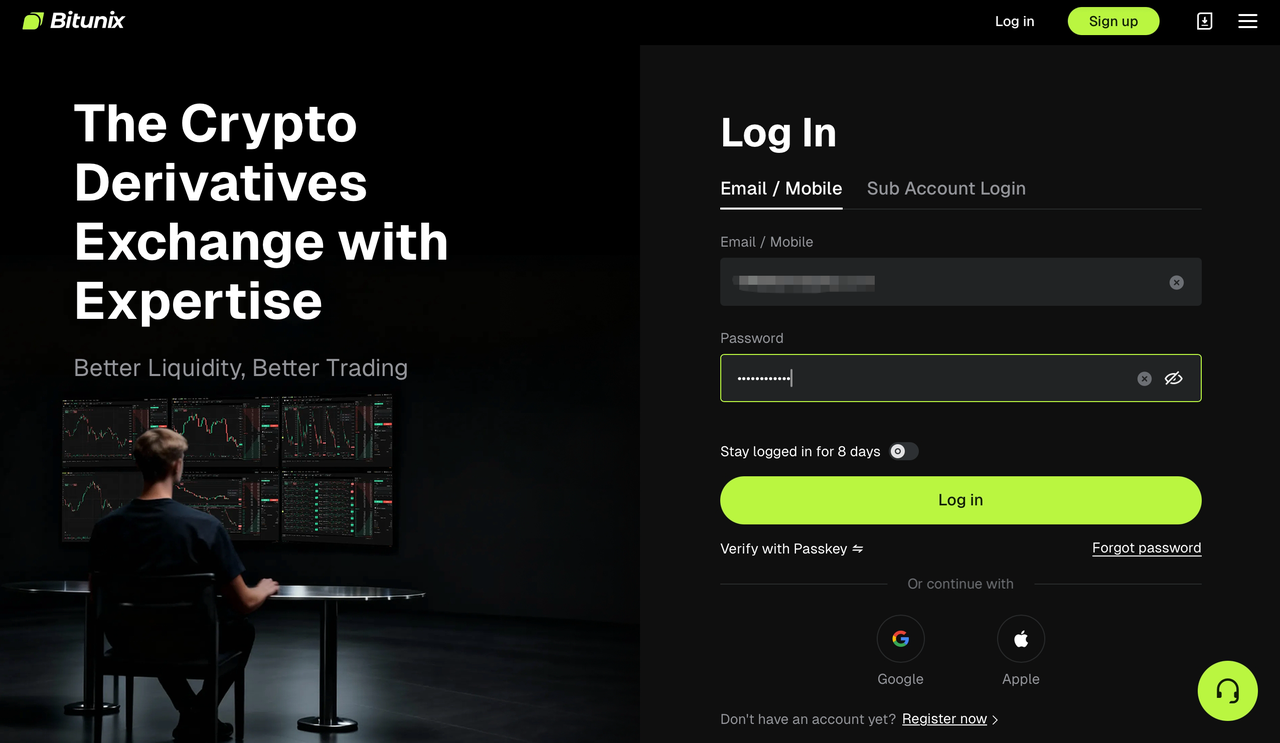
Step 1: Open Bitunix.com and log in to your account.
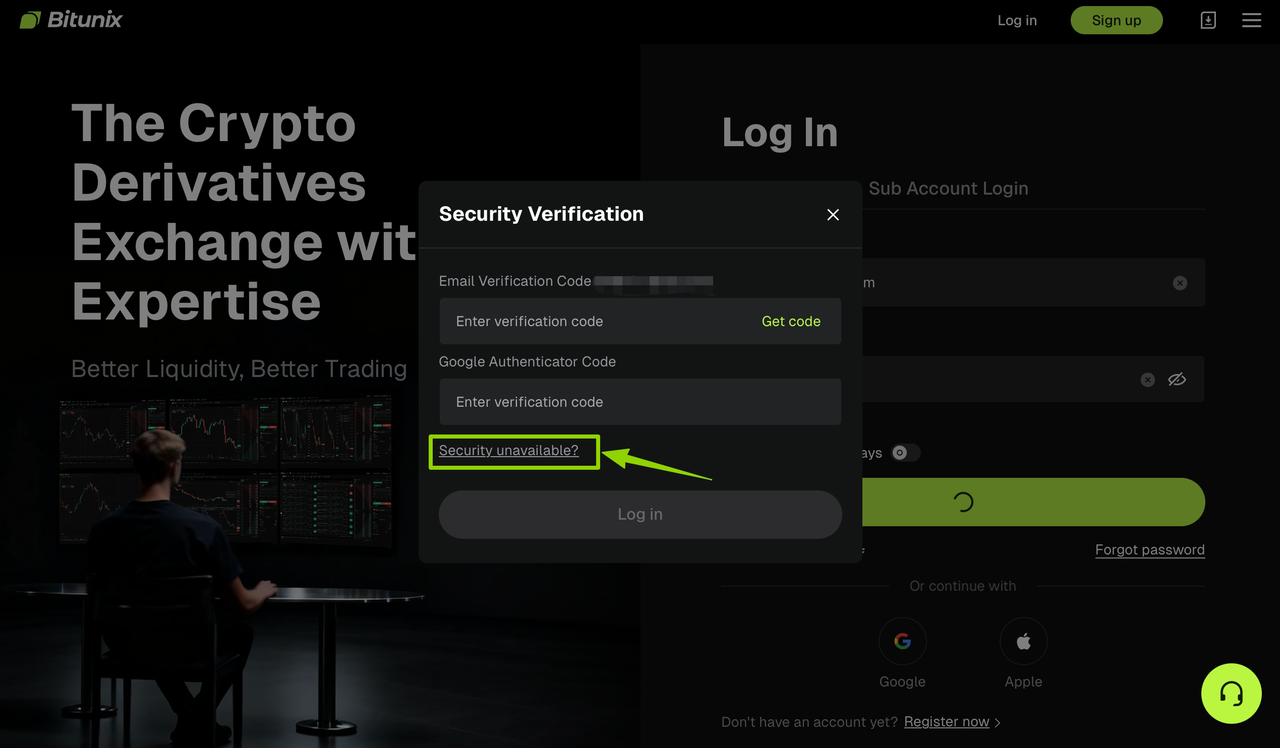
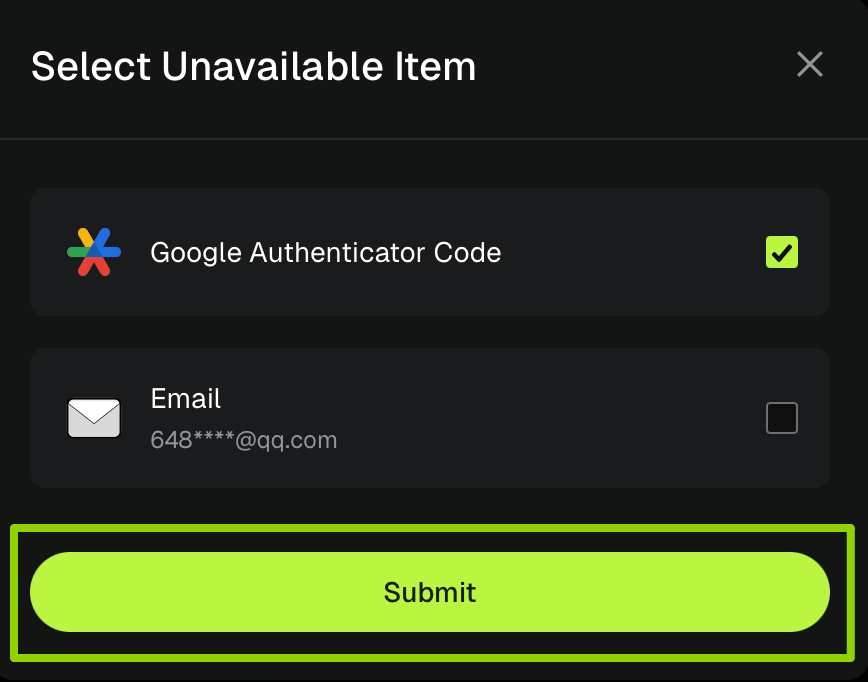
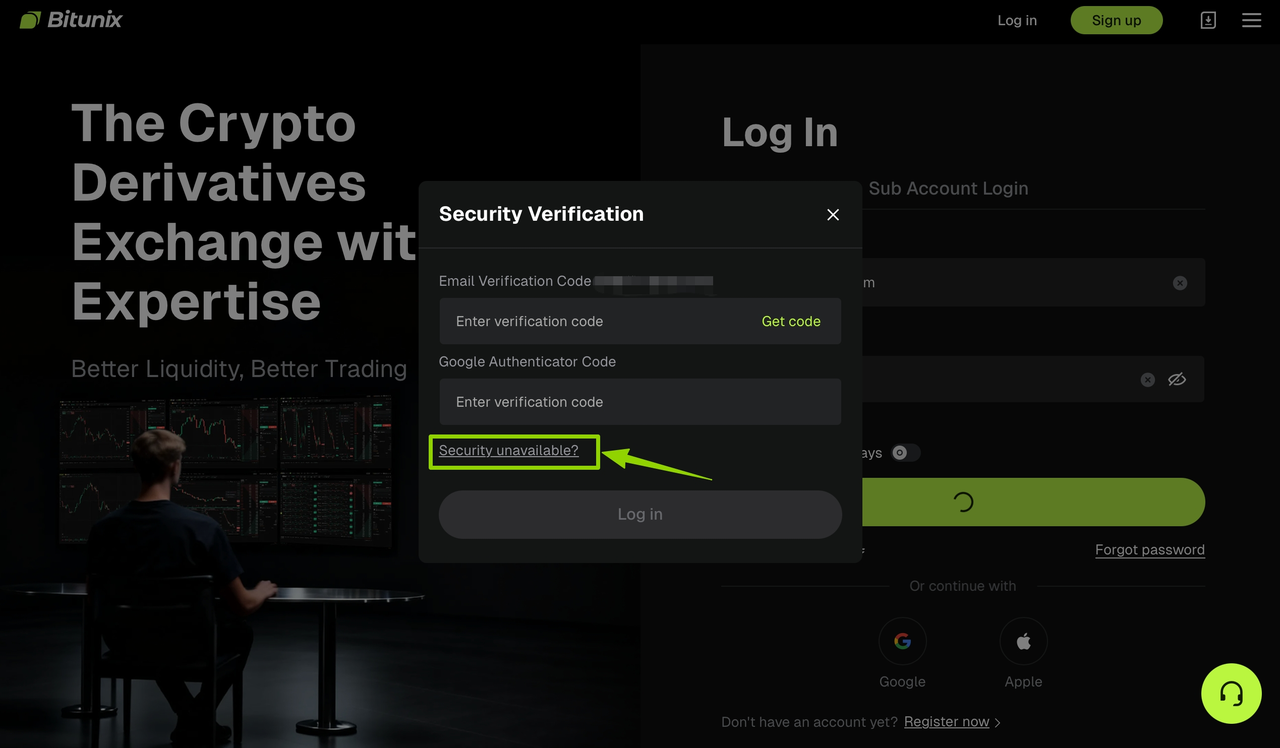
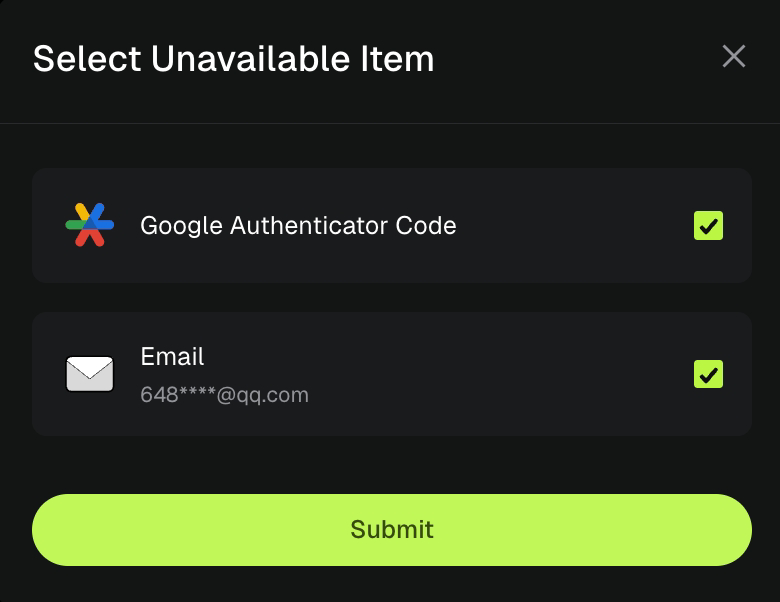
Step 2: Click on [Security unavailable], which will take you to the corresponding page. Check the fail-safe option to enter the processing page. We will use Google verification reset as an example to demonstrate:
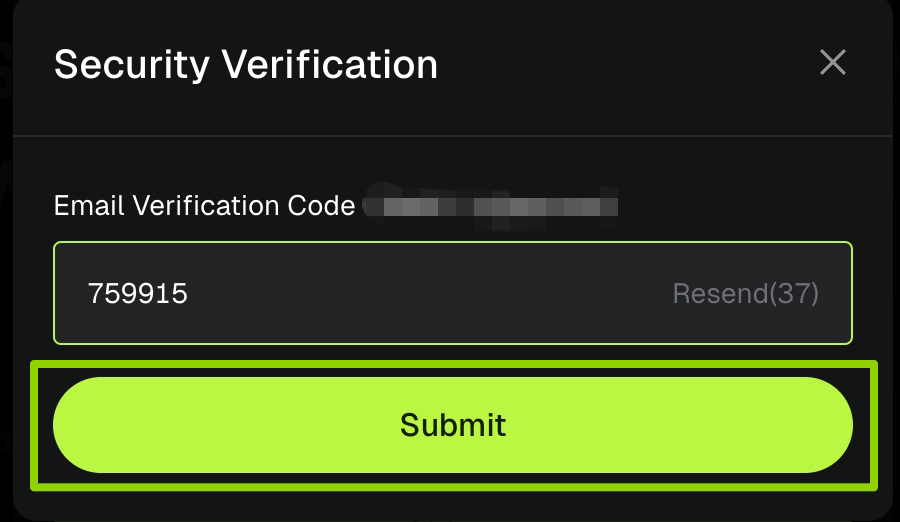
Step 3: The system will automatically switch to the email verification channel and send the [verification code] to your email. Enter the code in the input field after receiving it, then click [Submit] to complete the verification.
No email yet? Check your spam or junk folder, then request a new code.
Step 4: Open the Google Authenticator app and scan the code to complete the verification key addition. Click [Next] after completion.
New to the app? See the Google Authenticator binding guide (App) or the Web version.
For the safety of your funds, withdrawals are not allowed within 24 hours after modifying the security item.
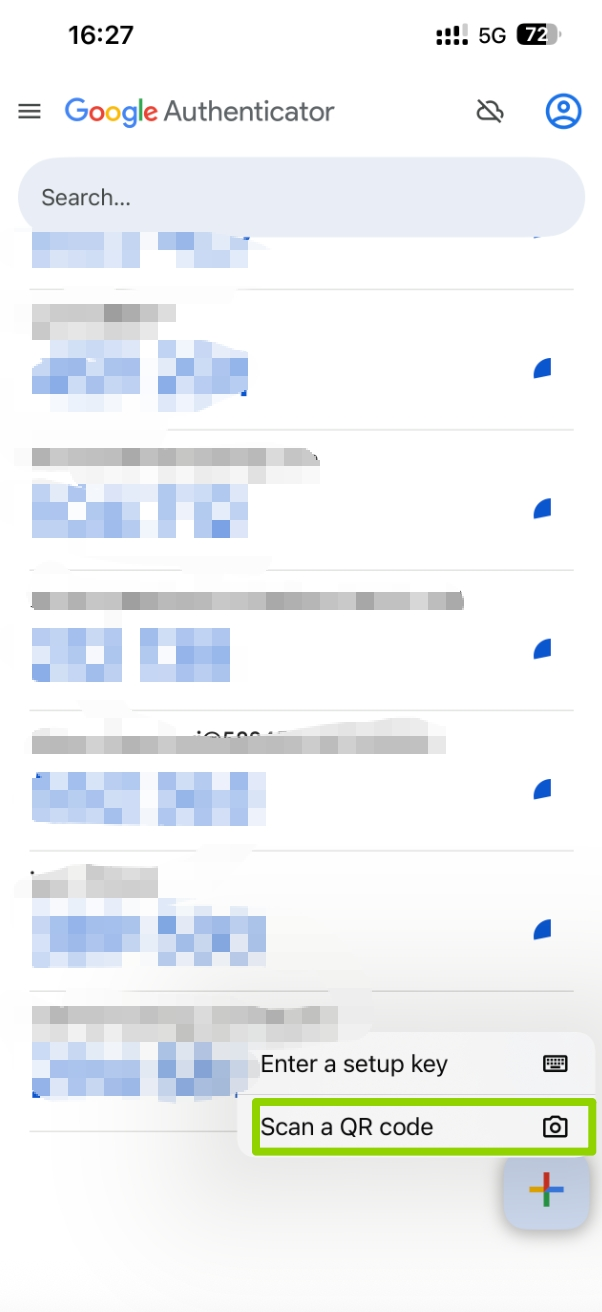
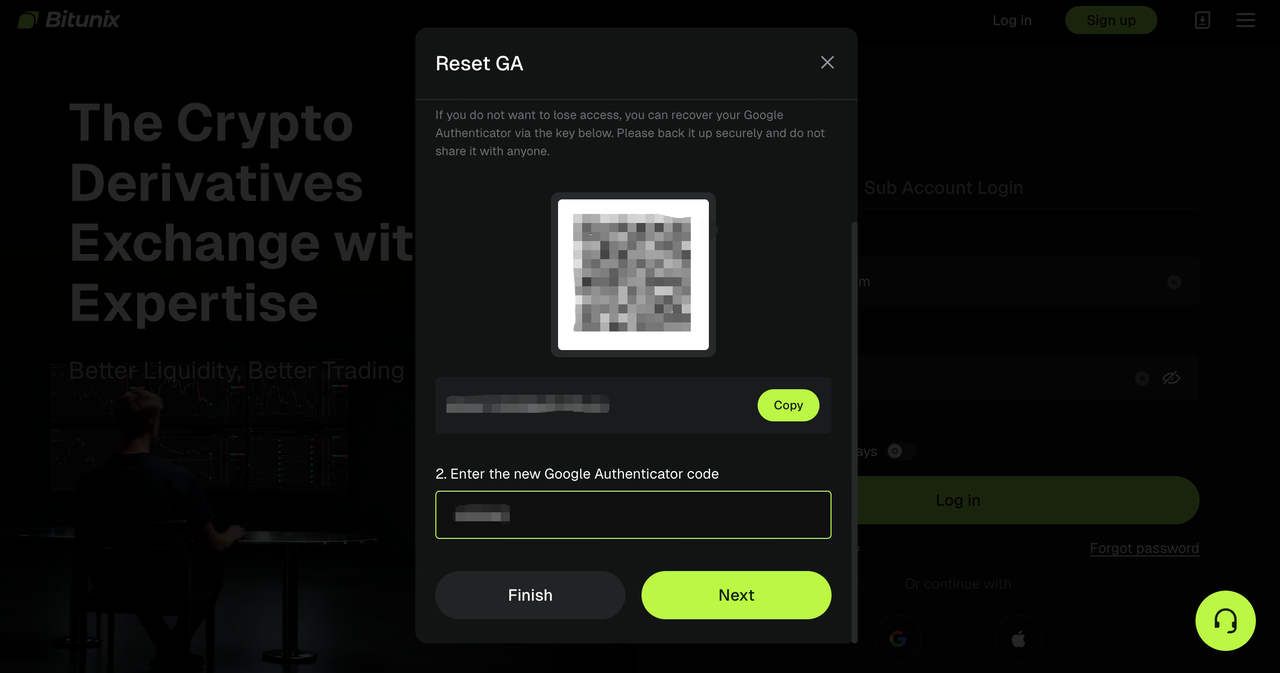
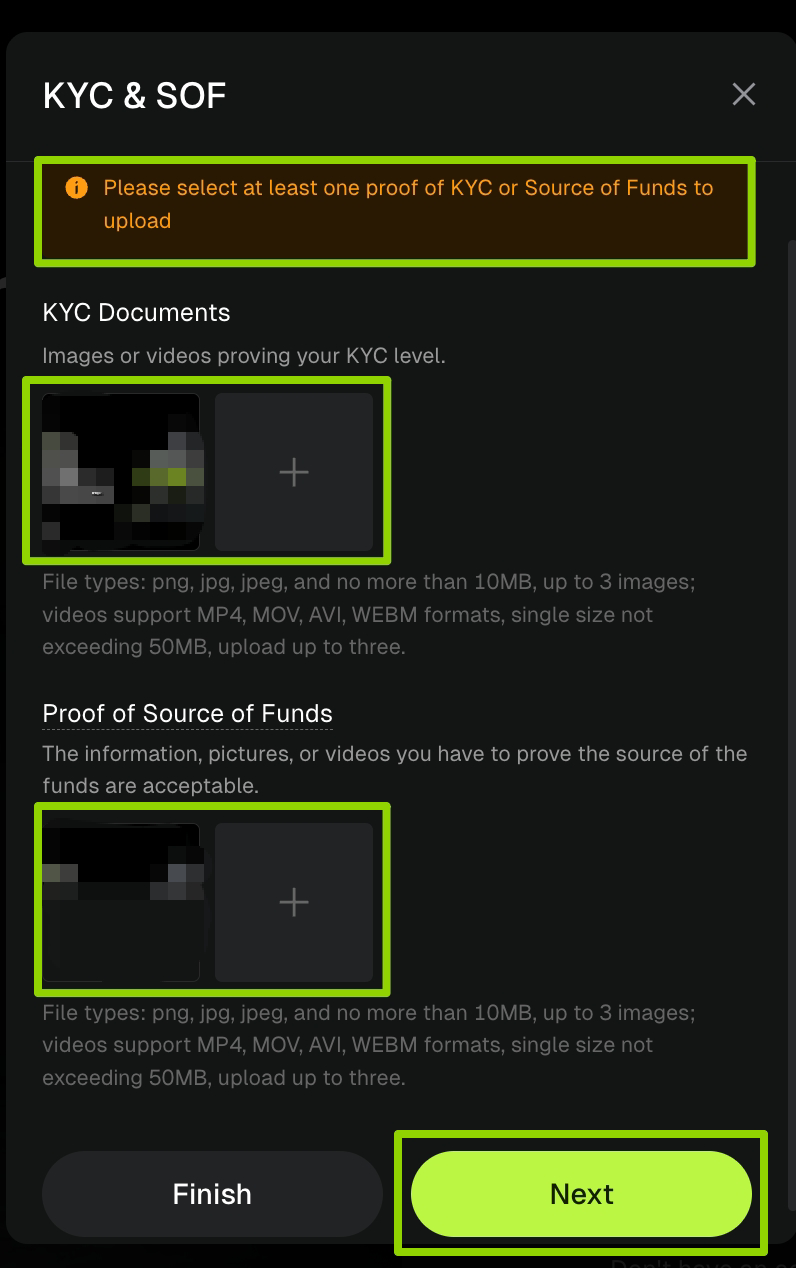
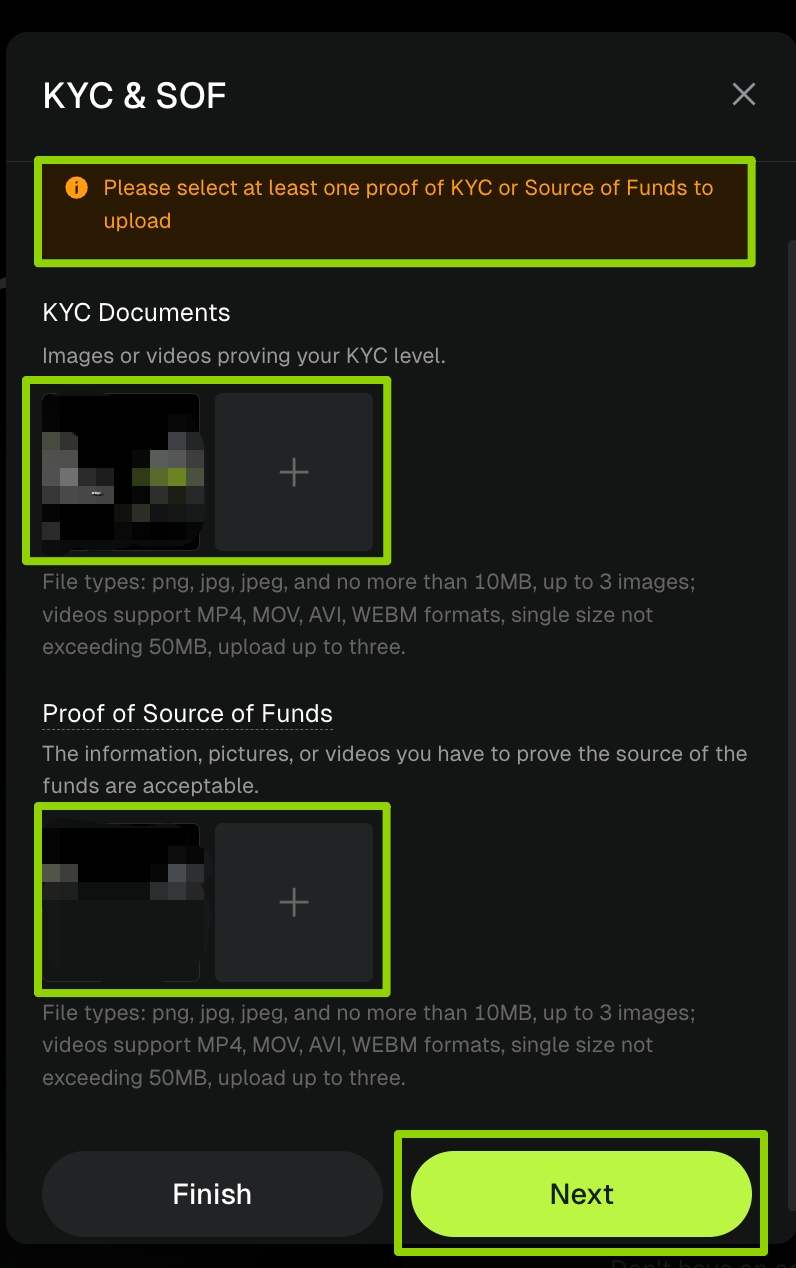
Step 5: Upload your KYC qualification and funding source certificate. Choose at least one to submit. The platform supports picture and video formats. Need to record a video? See How to Record Identity Verification Video and How to Record a Deposit Source Verification Video.
Once the upload is complete, click [Next] to submit. After successful submission, the platform staff will complete the review within 3-5 working days and notify you of the final verification results.
Email Verification - Failure Reset Guide
If you encounter any problems during the operation, please contact official customer service for assistance.
Step 1: Open Bitunix.com and log in to your account.
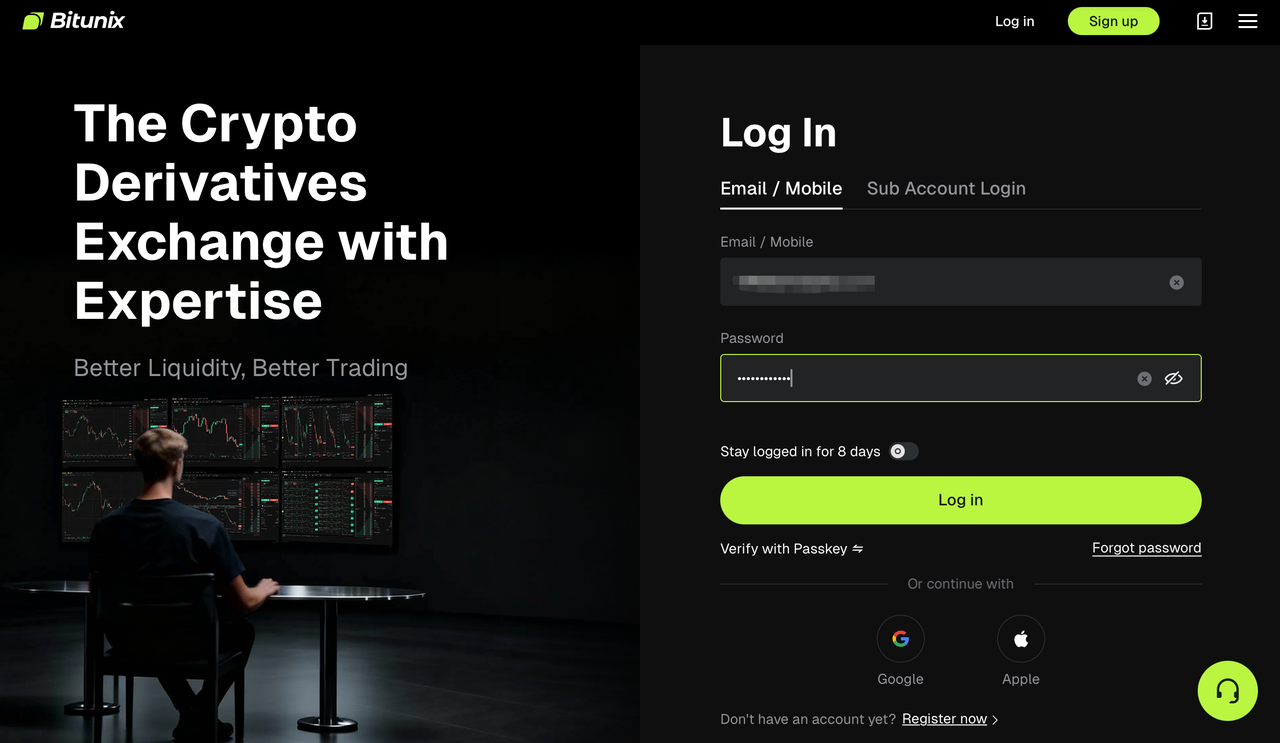
Step 2: Click on [Security unavailable], which will take you to the corresponding page. Check the fail-safe option to enter the processing page. We will use email verification reset as an example to demonstrate:
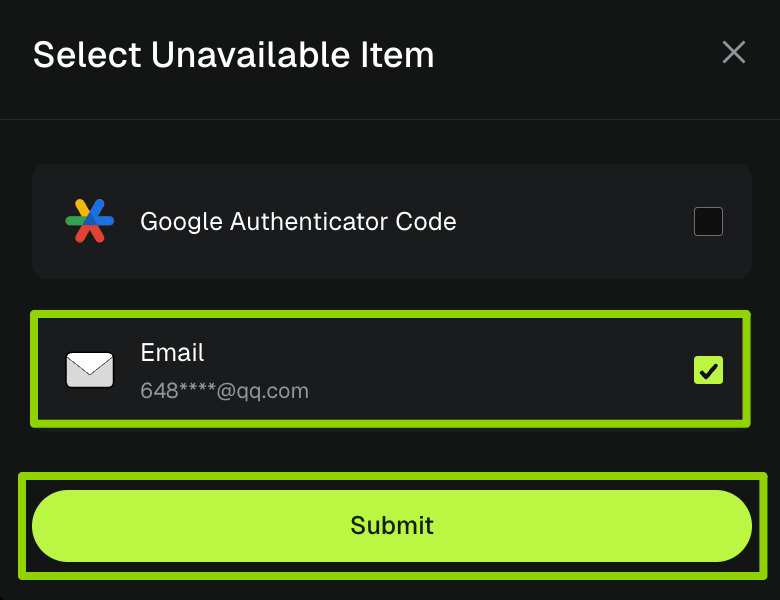
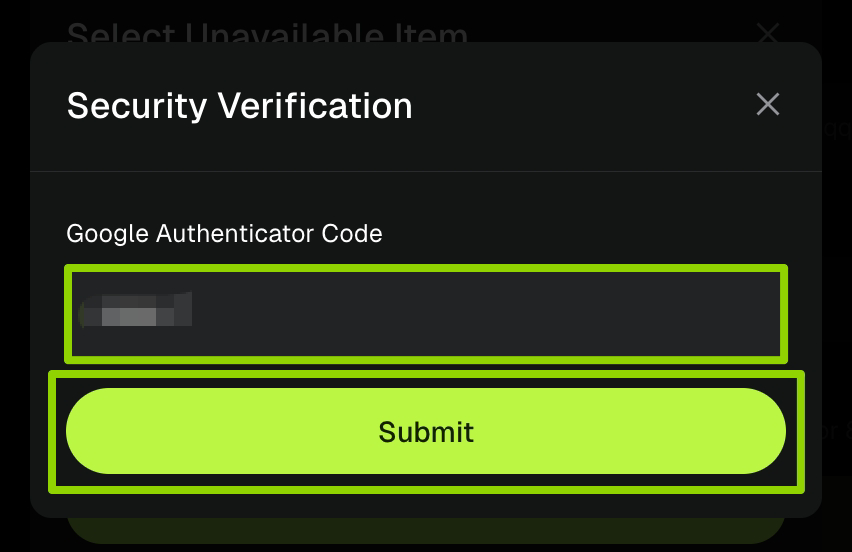
Step 3: Enter the [verification code] from your original bound Google Authenticator, then click [Submit] to complete the verification.
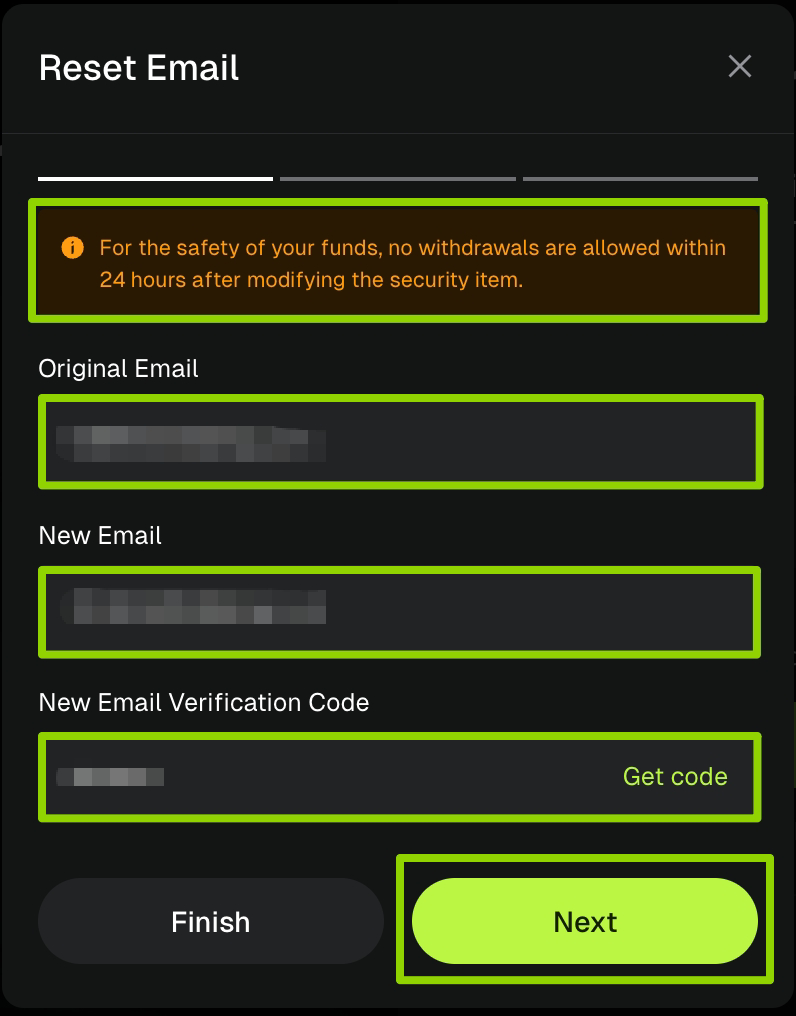
Step 4: Fill in the [original email] address and the [new email] address, then click send to receive the [new email verification code]. Enter the code in the corresponding text box. After confirming the information is correct, click [Submit] to submit the application. For the safety of your funds, withdrawals are not allowed within 24 hours after modifying the security item.
Can still log in? You can change your email without this process: see How to Set Up an Email and Change an Email (Web).
Step 5: Upload the KYC qualification and funding source certificate, choose one to submit , support image and video formats, click [Next] after uploading.
The platform staff will complete the review in 3-5 working days, and inform the final verification result synchronously.
Special reminder!!!
If the security verification of your original binding for both Google verification and email verification cannot be used, you can select both items at the same time to reset them. The system will verify the email verification first, followed by Google verification. Please refer to the "Email Verification Failure Reset Guide" and "Google Verification Failure Reset Guide" to complete the corresponding operation.
Related Guides
- Operation Guide for Binding Google Authenticator (GA) — Web
- How to change or disable Google Authenticator (App)
- How to Set Up an Email and Change an Email (Web)
- How to bind a mobile phone number (Web)
- How to Set Up Anti-Phishing Code (Web)
- How to Complete KYC Verification on Bitunix (Web Guide)
- How to Contact Bitunix Customer Service
Disclaimer
This article is not intended to provide
(I) investment advice or investment recommendations;
(Ii) an offer or solicitation to buy, sell or hold digital assets;
(Iii) Financial, accounting, legal or tax advice. Digital assets held (including stablecoins and NFTs) involve a high level of risk and may fluctuate significantly. You should carefully consider whether trading or holding digital assets is appropriate for you based on your financial situation. Please consult your legal/tax/investment professional for your specific situation. Please be responsible for understanding and complying with relevant local applicable laws and regulations.