
What's the basic version?
The Basic version focuses on simplicity, smooth interaction, and a low learning curve, complemented by a clean and intuitive visual design that enables new users to quickly understand the entire trading process.
The half-screen panel clearly separates the trading panel, positions panel, and orders panel, allowing users to switch freely between them with ease.
Panel switching and core operations are designed to be minimal and straightforward, focusing on essential trading functions so users can get started quickly without additional learning.
Step Guide to Use Non-Full-Screen Mode.
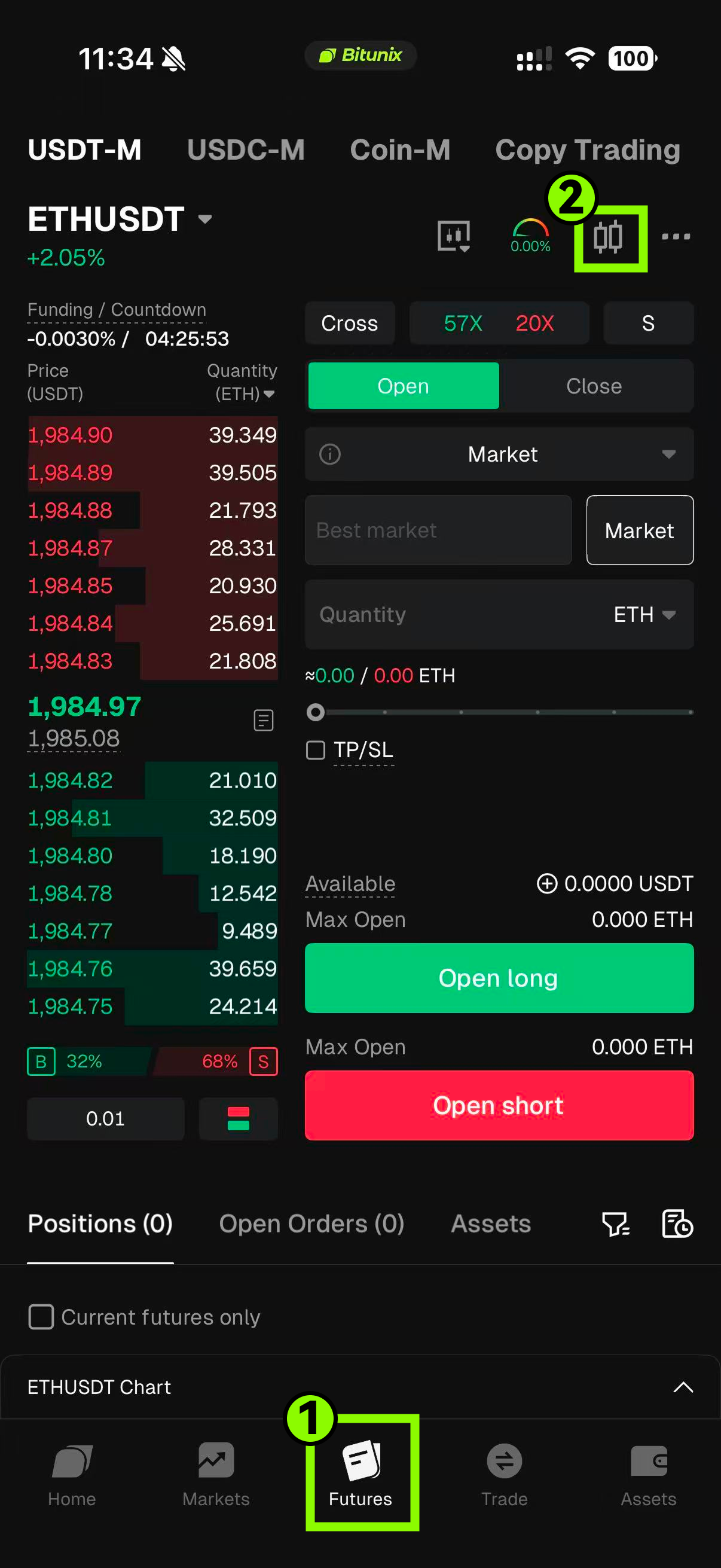
Step 1: Tap future button from the bottom navigation bar, then tap the k-line icon.
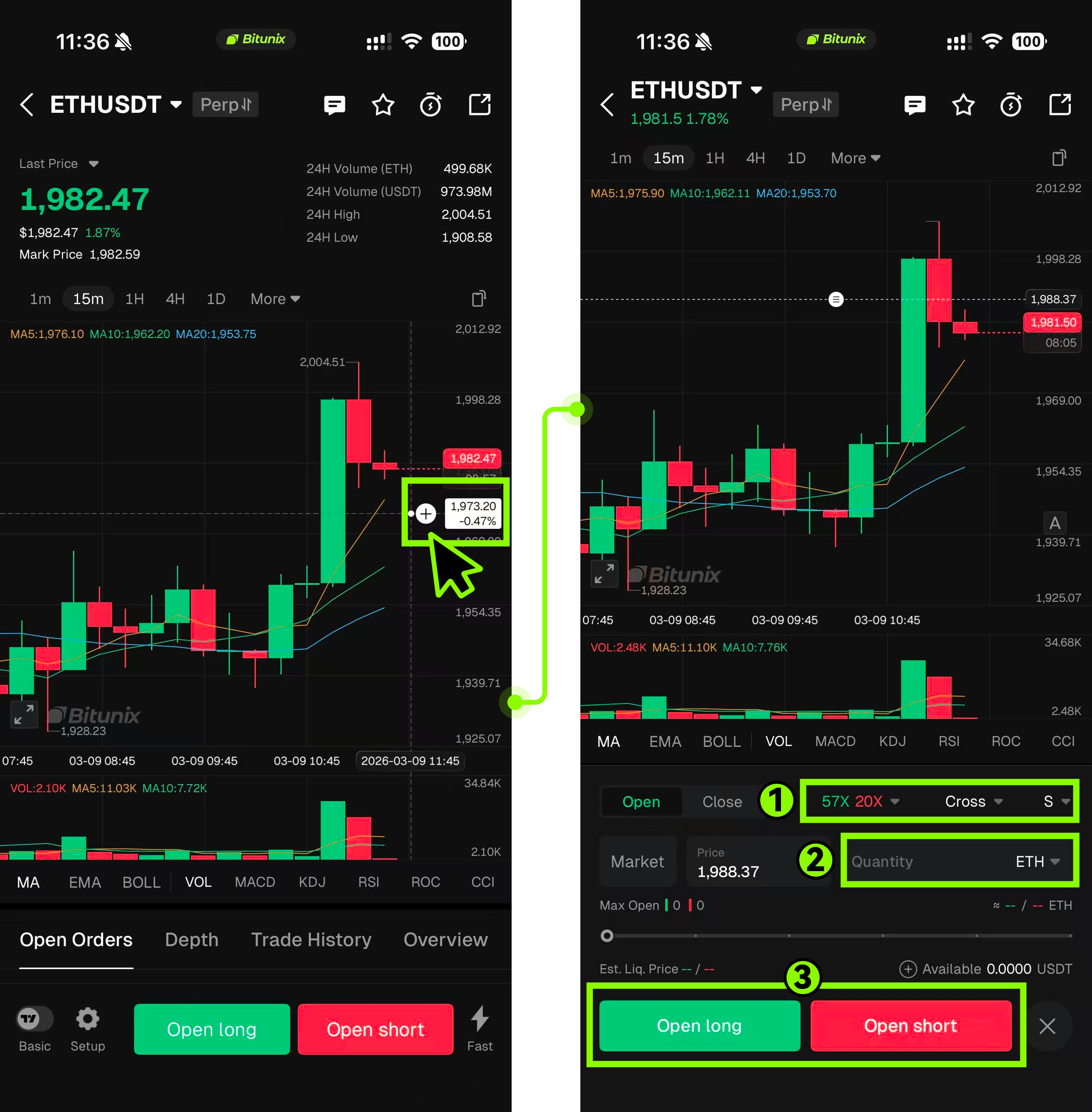
Step 2: Tap the “+” icon to instantly open the half-screen panel in Limit mode. The system will automatically populate the price at the tapped chart position into the input field, reducing manual input errors.
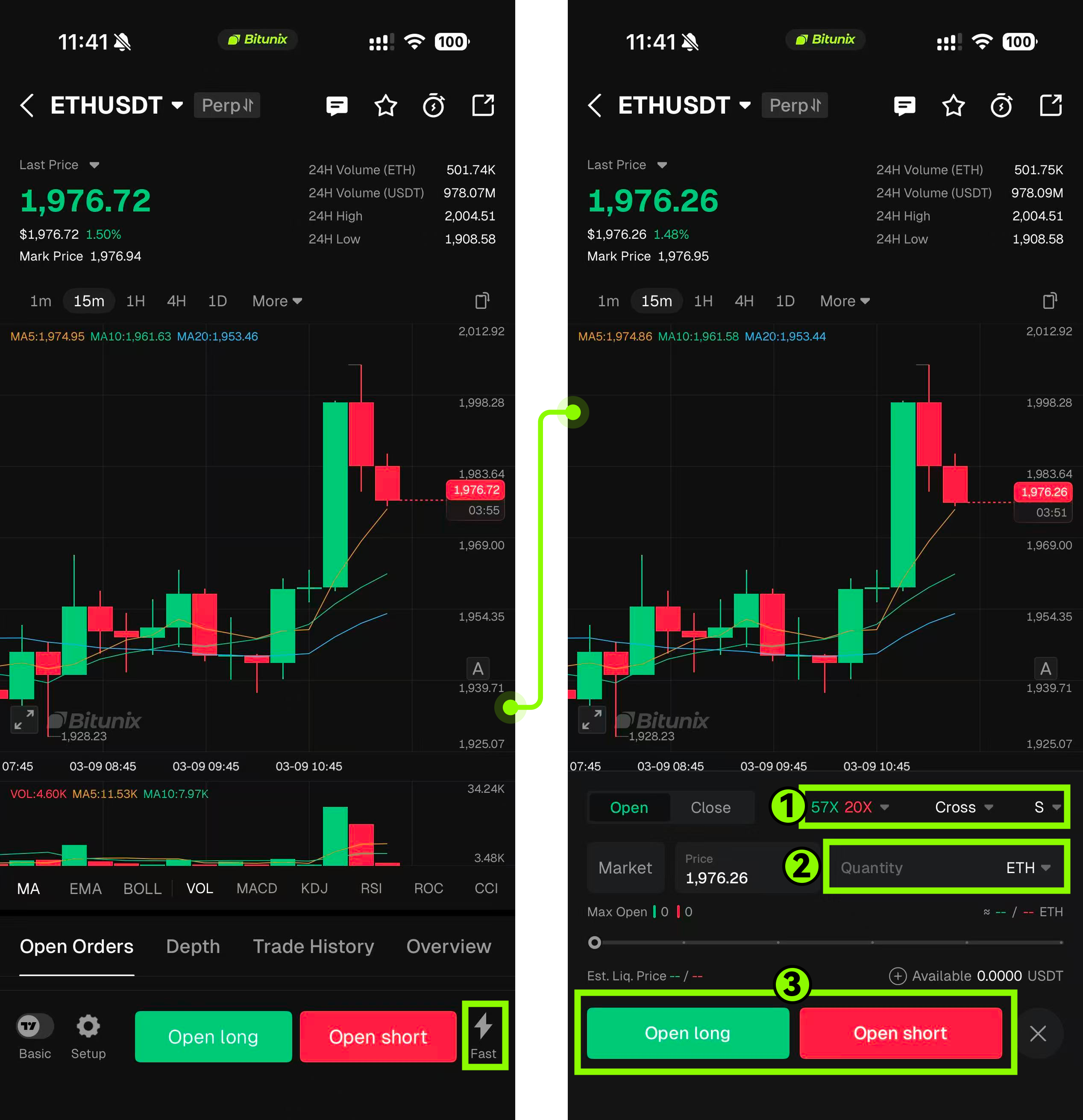
Step 3: Tap the “FAST” quick button → Market to open the half-screen panel in Market mode, providing a clear entry point and intuitive operation.
Step Guide to Use Full-Screen Mode
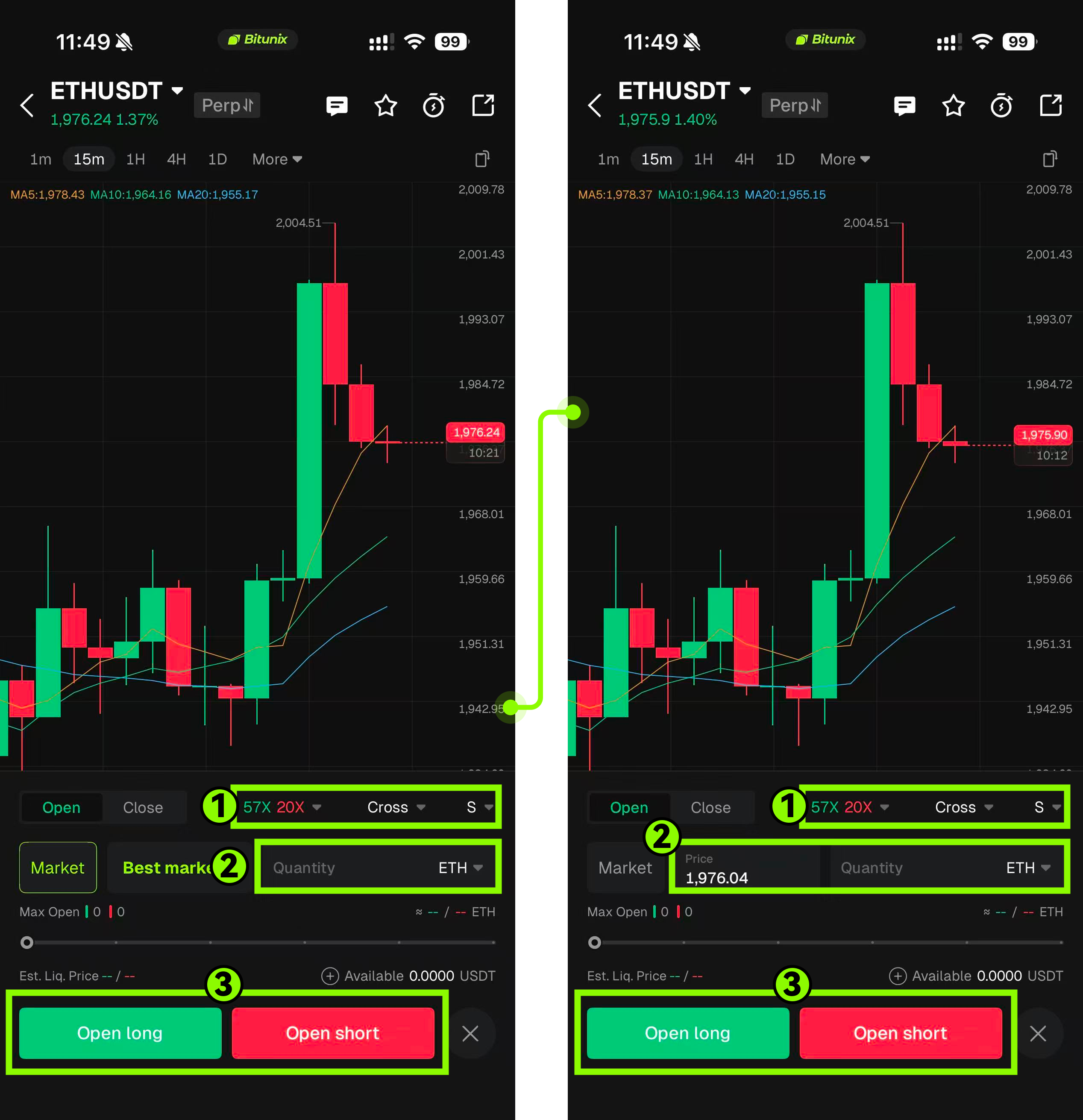
Step 1: After entering full-screen mode, the bottom bar panel is displayed by default. Tapping it will open the half-screen panel.
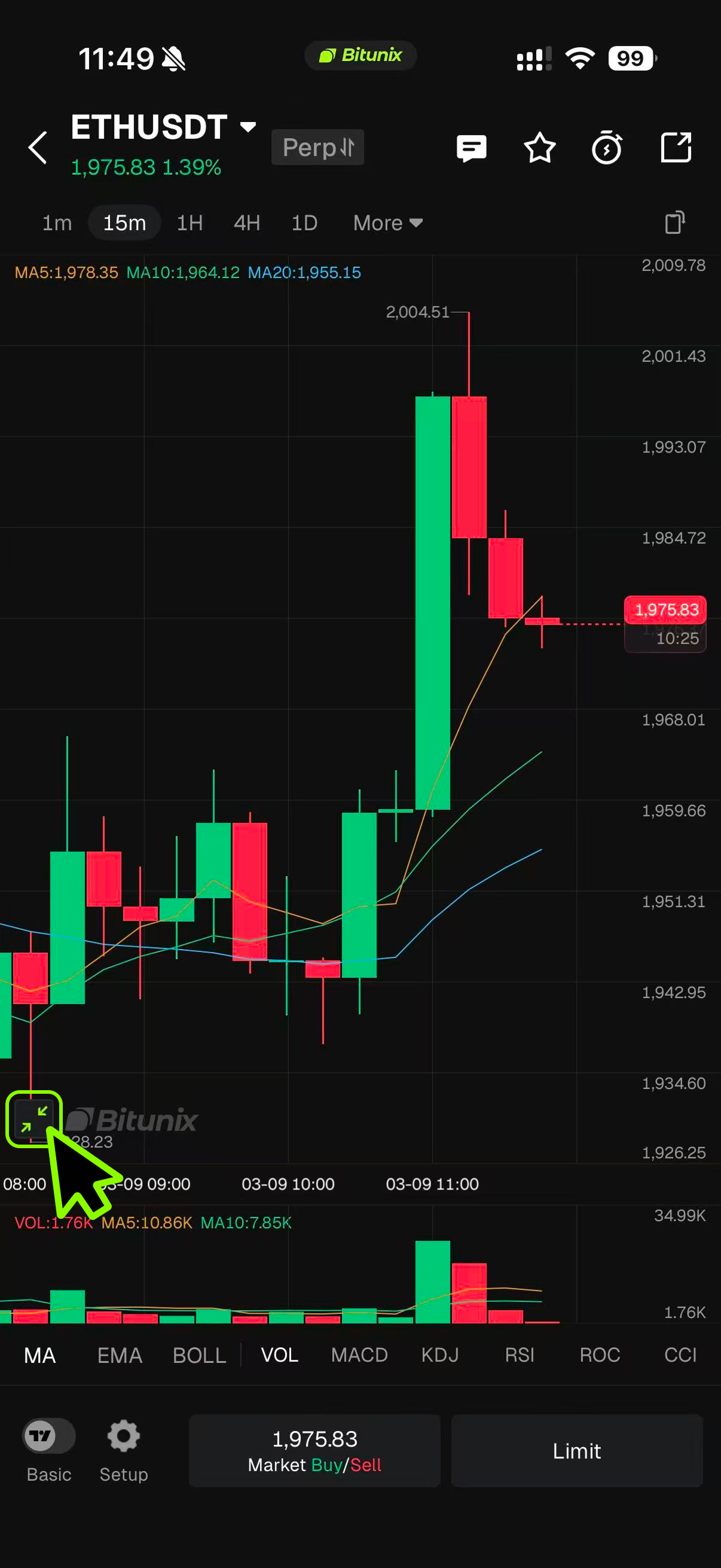
Step 2: Either Tap on Market Mode Or Limit Mode.
- Tap the Market button to instantly open the half-screen panel in Market mode.
- Limit Mode:Tap the Limit button to instantly open the half-screen panel in Limit mode, with the current price automatically populated to reduce input errors.Tap the “+” icon to instantly open the half-screen panel in Limit mode, with the price at the tapped chart position automatically filled in, reducing manual input errors.
Conclusion
The Basic version is designed to provide a simple and efficient trading experience for users who prefer a clear interface and minimal complexity. With its clean layout, intuitive controls, and streamlined panel switching, users can quickly understand the trading workflow and execute trades with ease. Whether using the half-screen panel for quick access or switching between Market and Limit modes, the design minimizes unnecessary steps and reduces input errors. Overall, the Basic version lowers the learning barrier while maintaining the essential tools needed for a smooth and efficient trading experience.
Disclaimer
This article is not intended to provide:
(i) investment advice or investment recommendations;
(ii) an offer, invitation, or solicitation to buy, sell, or hold digital assets;
(iii) financial, accounting, legal, or tax advice.
Digital assets, including stablecoins and NFTs, carry significant risk and price volatility. Evaluate whether trading or holding digital assets is appropriate for your financial situation. Seek guidance from your legal, tax, or investment adviser regarding your specific circumstances.
Bitunix assumes no responsibility for any investment outcomes. You are solely responsible for understanding and complying with all applicable local laws and regulations.