Choosing the best crypto app in 2026 is less about finding one universal winner and more about finding the platform that fits how you buy and trade.
For a beginner, an intuitive buying flow and supported payment methods may matter most. An active trader may care more about fees, order types, charting, and derivatives. Someone looking for a wider range of assets may prioritize market coverage instead.
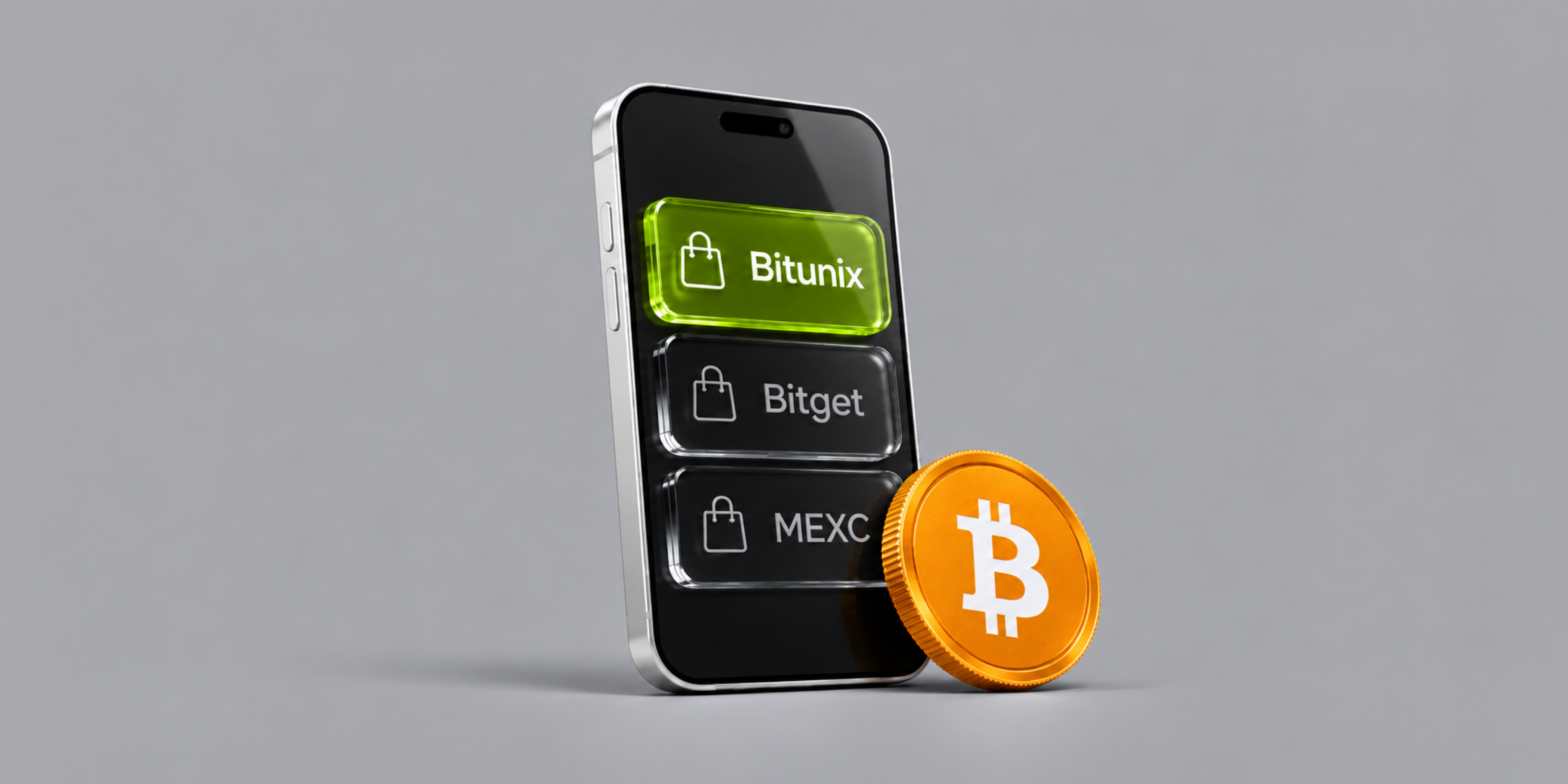
This guide compares Bitunix, Bitget, and MEXC across mobile buying, spot trading, fees, asset selection, security, and advanced trading tools. It also explains what to check before choosing a crypto app and how to buy crypto from your phone.
What Makes a Good Crypto App for Buying Crypto?
A crypto app is more than a mobile interface for an exchange. For someone buying crypto, the important question is whether the entire process — from funding an account to placing an order and managing the resulting assets — is clear and practical.
Current crypto-app comparisons commonly assess factors such as security, fees, asset support, availability, usability, and track record rather than simply counting features.
Ease of Buying and Funding
The first test is simple: How easy is it to get from cash or existing crypto to the asset you want?
Check whether the platform supports your preferred funding method and whether those options are available in your country or region. Depending on the platform and location, this may include bank transfers, cards, third-party payment services, or crypto deposits.
Also check the minimum deposit, processing time, and any additional payment or conversion fees.
A platform can have a polished trading interface and still be inconvenient if funding your account is difficult in your region.
Fees and Total Trading Costs
Trading fees are important, but they are only part of the cost.
When comparing crypto apps, look at:
Spot maker and taker fees
Instant-buy or conversion spreads
Deposit fees
Withdrawal fees
Network fees
Futures funding rates, if applicable
Any payment-provider charges
For example, Bitunix currently lists VIP 0 spot fees of 0.0800% maker and 0.1000% taker, while its VIP 0 futures rates are 0.0200% maker and 0.0600% taker. Higher VIP tiers have lower rates.
Fee schedules can change, and rates may depend on trading volume, account level, product, or promotions. Always check the current schedule before trading.
Supported Assets and Markets
A large token list can be useful, but quantity alone does not tell you whether an app is a good fit.
Check:
Whether the crypto you want is actually available in your region
Whether it is supported for spot trading
Which trading pairs are available
Whether deposits and withdrawals support the network you need
Whether the platform provides the liquidity and order types you require
If you only plan to buy major assets such as Bitcoin or Ethereum, an enormous asset list may not matter much.
If you regularly trade smaller-cap assets, market availability becomes much more important.
Security and Account Protection
Before depositing funds, review the platform's security controls.
Useful areas to check include:
Two-factor authentication
Withdrawal protection
Login notifications
Device or session management
Anti-phishing controls
Custody and wallet-security practices
Proof-of-reserves information, where available
Regional regulatory or licensing information
No single security feature proves that an exchange is completely safe. Proof of reserves, for example, can provide information about reported asset backing, but it does not eliminate operational, market, counterparty, or user-account risks.
Mobile Trading Experience
A good mobile crypto app should make common tasks easy without forcing users through unnecessary screens.
Look for:
Fast access to markets and balances
Clear order-entry screens
Useful charts
Multiple order types
Position and P&L monitoring
Price alerts
Deposit and withdrawal management
Reliable notifications
For advanced users, charting and order management can matter more than visual simplicity.
Regional and Payment Availability
Availability is one of the easiest factors to overlook.
An app may be available globally in principle while offering different assets, payment methods, products, or app-store availability depending on the user's country.
For example, MEXC notes that App Store availability can vary by region, and users in unsupported regions may not see the app in their local App Store.
Before choosing an exchange, check the current terms and product availability for your specific country or region.
How to Buy Crypto on a Mobile App
The exact interface varies between exchanges, but the basic process is similar.
Step 1: Choose an Exchange and Create an Account
Start with an exchange that supports your country, preferred funding method, and target asset.
Download the app from the platform's official website or the relevant official app store listing. Avoid APKs, links, or websites from unknown sources.
Create your account using your email address or phone number, depending on the platform.
Step 2: Complete Required Verification
Many centralized exchanges require identity verification before users can access certain products or deposit or withdraw funds.
The exact requirements vary by platform and jurisdiction.
Complete the verification process through the official app and make sure the account details match your identity documents where required.
Step 3: Fund Your Account
Choose the funding method available to you.
You may be able to deposit fiat currency directly, purchase crypto through an integrated payment provider, or transfer crypto from another wallet or exchange.
Before confirming a transfer, check:
For crypto transfers, selecting the wrong network can result in a loss of funds.
Step 4: Choose the Crypto You Want to Buy
Search for the asset you want, such as BTC or ETH, and open its spot market or available buy interface.
Check the trading pair and quoted price before proceeding.
If you are using an instant-buy function rather than the spot order book, pay attention to the quoted price and any spread or service fee.
Step 5: Select an Order Type
For a straightforward purchase, a market order executes at the best available prices in the order book.
A limit order lets you specify the price at which you are willing to buy, although execution is not guaranteed if the market does not reach that price.
For beginners, understanding the difference between market and limit orders is more useful than simply choosing the app with the largest number of order types.
Step 6: Review Fees and Order Details
Before confirming, review:
This step matters because the displayed crypto price is not always the same as the final effective purchase price.
Step 7: Confirm the Purchase and Manage Your Assets
After the order is completed, review the transaction in your account.
You can then decide whether to keep the asset on the exchange or transfer it to another wallet, depending on your own custody preferences and risk considerations.
Bitunix vs. Bitget vs. MEXC: At a Glance
The three platforms overlap in core exchange functions, but their mobile experiences emphasize different parts of the crypto trading journey.
Platform | Best suited for | Mobile spot trading | Futures | Copy trading | Key mobile strengths | Main consideration |
Bitunix | Users wanting a focused trading app | Yes | Yes | Not the main focus | Advanced charts, order management, alerts | More trading-oriented than beginner-only apps |
Bitget | Users wanting a broad trading ecosystem | Yes | Yes | Yes | Spot, futures, copy trading, bots and other products | Larger feature set can mean a steeper learning curve |
MEXC | Users prioritizing broad asset access | Yes | Yes | Product availability varies | Broad trading platform and mobile access | Asset and app availability varies by region |
This is a use-case comparison, not a ranking of one exchange as universally better than the others.
Bitunix App: Best for Mobile Spot and Futures Trading
Bitunix is particularly relevant for users who want to combine spot buying with more advanced trading tools in a mobile environment.
The official Bitunix app is available for iOS and Android, with official download options including the App Store, TestFlight, Google Play, Android APK, and Bazaar. Bitunix's current download page also highlights separated hot and cold wallets, Fireblocks protection, and $50 million in insurance.
What Bitunix Offers
The Bitunix mobile experience covers both spot markets and perpetual futures, allowing users to monitor markets, place orders, manage positions, and track their portfolio from a mobile device.
Bitunix Pro supports spot markets and perpetual futures, along with market, limit, and stop-loss orders, deposits and withdrawals, portfolio tracking, and live P&L monitoring.
That makes the app more suitable for users who expect their mobile exchange to function as a full trading environment rather than simply a basic crypto-buying tool.
Mobile Buying and Spot Trading
For users primarily buying crypto, the key advantage is having spot trading and account management in the same app.
The relevant questions are straightforward:
Is the asset available?
Is the desired trading pair available?
What is the current fee?
What funding method is available in your region?
How much will you receive after fees?
These checks matter more than simply choosing an app based on its number of features.
Futures and Advanced Trading Tools
Bitunix also supports perpetual futures, making it relevant to users who want to move beyond spot trading.
The mobile platform includes advanced order and position-management functions, while its futures environment supports tools such as stop-loss and take-profit orders and isolated or cross margin modes.
Futures are substantially more complex and carry additional risks, including liquidation and funding costs. Users who only want to buy and hold crypto do not need to use derivatives simply because their exchange offers them.
Charts, Alerts, and Order Management
Charting is one of Bitunix's more prominent mobile features.
Bitunix Pro supports TradingView-powered charting, up to 16 multi-window charts, custom price alerts, order-execution notifications, real-time portfolio tracking, and live P&L monitoring.
These tools are more relevant to active traders than to someone making an occasional Bitcoin purchase.
Security and Account Controls
Bitunix currently states that its app separates hot and cold wallets and uses Fireblocks protection. Its download page also lists $50 million in insurance.

These are useful points to review, but users should still evaluate account-security settings, withdrawal protections, regional availability, and the platform's latest security documentation before depositing funds.
Who Bitunix May Suit
Bitunix may be a good fit if you:
Want spot and perpetual futures in one mobile app
Prefer detailed charts and trading tools
Need multiple order types
Want mobile price and order alerts
Regularly monitor positions from your phone
Prefer a trading-focused interface over a simple buy-only app
What to Consider Before Choosing Bitunix
Bitunix's feature set is more relevant to active traders than to someone who only wants the simplest possible crypto purchase.
If your main requirement is a beginner-oriented buying experience, compare the funding flow and interface directly with other exchanges before deciding.
Also verify current product availability in your jurisdiction.
Bitget App: Best for a Broader Trading Ecosystem
Bitget positions its mobile app as a one-stop crypto trading platform. Its current app supports spot, margin, futures, copy trading, bots, and Earn products, alongside live market data and mobile trading.
What Bitget Offers
The main distinction is breadth.
Instead of focusing only on buying and selling, the Bitget app brings multiple trading products into one mobile environment:
Spot trading
Margin
Futures
Copy trading
Trading bots
Earn products
That breadth can be useful for experienced users who want several trading methods within one account.
Spot and Futures Trading
Bitget supports both spot and futures markets through its mobile app. Users can move between basic spot trading and more advanced derivatives products without switching platforms.
As with Bitunix, the availability of specific products can vary according to jurisdiction and account eligibility.
Copy Trading and Other Trading Tools
Copy trading is one of Bitget's more distinctive features.
Its current documentation covers both spot and futures copy trading. Users can browse trader profiles and configure copy-trading settings within the mobile app.
However, copy trading should not be treated as a shortcut to predictable returns. Following another trader still exposes the account to market risk, execution differences, losses, and the strategy's own limitations.
Mobile Experience
Bitget's app is designed for users who want access to a broad range of products from their phone.
The advantage is flexibility. The tradeoff is complexity: users who only want to buy Bitcoin may find a full trading ecosystem less focused than a simpler app.
Who Bitget May Suit
Bitget may be a good fit if you:
Want spot and futures trading
Are interested in copy trading
Want access to trading bots and additional products
Prefer having multiple crypto products in one app
Already understand basic exchange and trading concepts
What to Consider Before Choosing Bitget
A broader feature set is not automatically better.
If your main goal is occasional spot purchases, compare the actual buying flow, fees, payment methods, and regional availability rather than choosing based on the number of products available.
MEXC App: Best for Broad Asset Access
MEXC is another full-service crypto exchange with mobile access across major platforms.
Its official download page currently offers iOS, Android, and Windows versions and highlights its trading infrastructure and security measures.
What MEXC Offers
MEXC provides access to spot and futures trading alongside a broad selection of digital assets.
This makes the platform particularly relevant to users whose priorities extend beyond the largest cryptocurrencies.
However, asset availability should always be checked at the individual trading-pair level. A token being listed on an exchange does not necessarily mean that every trading pair, deposit network, or feature is available in every region.
Spot and Futures Markets
MEXC supports both spot and futures trading, giving users the option to stay with straightforward asset purchases or explore more advanced markets.
For beginners, the distinction is important: buying an asset through spot trading is fundamentally different from opening a leveraged derivatives position.
Asset Selection
Broad asset coverage can be useful for users looking for tokens that are not available on every major exchange.
But more listings also mean more assets to evaluate. A large selection should not be interpreted as an indication that a token is a good investment.
Before trading a less-established asset, check its liquidity, contract address, trading pair, withdrawal support, and the risks associated with the asset itself.
Mobile Experience
MEXC offers mobile access through iOS and Android, while its official download documentation provides additional installation guidance for users whose regional App Store does not display the application.
This makes regional availability an important part of the decision process.
Who MEXC May Suit
MEXC may be a good fit if you:
Want access to a broad range of digital assets
Trade both spot and futures markets
Prefer having a large selection of markets in one account
Want mobile access alongside other platform options
What to Consider Before Choosing MEXC
Check whether the specific assets and products you want are available in your country.
Also compare liquidity, fees, withdrawal costs, and the actual mobile buying experience rather than judging the platform solely by its number of listed assets.
Which Crypto App Is Best for Different Users?
The answer becomes clearer when the question changes from "Which app is the best?" to "Which app is best for what I need?"
Best Crypto App for Beginners
For beginners, prioritize:
Simple account setup
Clear funding instructions
Straightforward spot buying
Transparent fees
Strong account-security controls
Easy access to transaction history
A beginner does not necessarily need the exchange with the most products.
A platform with fewer distractions and a clear buying process can be more useful than an app packed with advanced trading features.
Best Crypto App for Active Traders
Active traders generally need:
Detailed charts
Multiple order types
Fast order execution
Market depth
Position management
Competitive trading fees
Reliable notifications
Bitunix, Bitget, and MEXC all offer broader trading functionality than a basic crypto-buying app, so the final choice should come down to the specific tools, markets, fees, and regional availability you need.
Best Crypto App for Futures Trading
For futures traders, compare more than the published trading fee.
Look at:
Futures can magnify both gains and losses. If you are new to crypto, understanding spot trading first may be more appropriate than selecting an app based primarily on its derivatives offering.
Best Crypto App for Copy Trading
If copy trading is your priority, Bitget deserves closer consideration because its mobile platform supports both spot and futures copy-trading products.
But the feature should be evaluated as a trading tool, not a performance guarantee.
Review a trader's historical results, drawdowns, strategy, trading frequency, and risk exposure before allocating funds. Past performance does not guarantee future results.
Best Crypto App for Broad Asset Access
If you regularly trade assets outside the largest cryptocurrencies, MEXC may be worth comparing because of its broad market offering.
The important qualification is that asset count is not the same as asset quality.
Liquidity, spreads, supported networks, withdrawal availability, and regional restrictions can matter more than the headline number of listed tokens.
Best Crypto App for a Focused Mobile Trading Experience
If your priority is a mobile trading environment with spot and perpetual futures plus advanced charting and alerts, Bitunix is a relevant option to evaluate.
Its current mobile documentation emphasizes spot and futures access, TradingView-based charting, price alerts, order management, and portfolio monitoring.
Crypto App Fees: What Should You Compare?
Comparing fees is one of the easiest ways to make a crypto-app decision more objective.
Trading Fees
Most exchanges use maker and taker fee schedules, often with different rates based on trading volume or VIP tiers.
For example, Bitunix currently lists VIP 0 spot fees at 0.0800% maker and 0.1000% taker.
Do not compare a single rate without checking:
Deposit and Withdrawal Costs
A platform with low trading fees can still be expensive if your preferred deposit or withdrawal method carries additional charges.
For crypto withdrawals, network fees and exchange-specific withdrawal fees may apply.
Always check the current withdrawal page before transferring funds.
Spreads and Conversion Costs
Some simple “Buy Crypto” interfaces do not use the same pricing model as an exchange order book.
The quoted price may include a spread or service charge.
This is why comparing only the trading-fee percentage can produce a misleading result.
Futures Funding Fees
If you trade perpetual futures, funding can become an additional recurring cost or credit.
Funding is separate from the exchange's standard trading commission and can change with market conditions.
Why the Lowest Published Fee Is Not Always the Lowest Total Cost
Suppose Exchange A advertises a lower trading fee but gives you a wider effective spread or charges more for your preferred payment method.
Exchange B may have a slightly higher trading fee but a lower overall execution cost.
The better comparison is therefore:
Total cost = trading fees + spread/conversion cost + payment cost + withdrawal cost + other applicable charges.
Crypto App Security: What Should You Check?
Security should be evaluated before convenience.
Account Protection
At minimum, check whether the app supports strong authentication and account-security controls.
Useful features include:
Enable the strongest available options rather than relying only on a password.
2FA and Withdrawal Security
A compromised password should not automatically give an attacker unrestricted access to your funds.
Where available, use an authenticator-based second factor and review withdrawal-address or withdrawal-security settings.
Never share authentication codes, recovery credentials, or private keys with anyone claiming to be customer support.
Custody and Proof of Reserves
Centralized exchanges generally hold assets on behalf of users.
Proof-of-reserves reports can provide useful information about reported asset backing, but they are only one part of a broader risk assessment.
They should not be interpreted as a guarantee against:
Account compromise
Operational failures
Market losses
Fraud
Regulatory restrictions
Withdrawal disruption
User mistakes
Official App Downloads
Always download a crypto app through the exchange's official website or a verified app-store listing.
Bitunix currently provides official App Store and Google Play options alongside other download methods.
Bitget similarly provides official App Store, Google Play, Android APK, and other platform downloads through its official site.
MEXC provides official iOS, Android, and Windows download options and publishes separate installation guidance.
Do not assume that a search-engine advertisement, social-media post, or third-party APK is legitimate simply because it uses an exchange's branding.
Regulatory and Regional Availability
Crypto regulations and product availability vary by jurisdiction.
An exchange's global product list may therefore differ from what you can actually access.
Before depositing funds, confirm:
Your country is supported
The specific product is available
Your preferred payment method works
Withdrawals are available
Any applicable verification requirements are clear
What Security Claims Can and Cannot Tell You
Statements such as "secure," "protected," or "institutional-grade" are not enough on their own.
Look for concrete information about the controls behind the claim.
The goal is not to find an exchange that can promise zero risk. No centralized platform can eliminate every operational, market, or user-security risk.
Common Mistakes When Choosing a Crypto App
Choosing Only by Fees
The lowest headline fee does not necessarily produce the lowest total cost.
Check spreads, payment fees, withdrawals, and funding costs as well.
Choosing Only by Number of Assets
More listings can be useful, but they also require more due diligence.
Check liquidity and actual trading-pair availability instead of treating asset count as a quality score.
Ignoring Regional Availability
A platform may support a product globally while restricting it in your country.
Check the current local terms before depositing.
Downloading an Unofficial App
Fake crypto apps can be used to steal credentials or funds.
Use official download pages and verified app-store listings.
Using Futures Before Understanding Liquidation
Futures are not simply a faster way to buy crypto.
Leverage can increase the size and speed of both gains and losses, and positions can be liquidated if margin requirements are not maintained.
Assuming Copy Trading Guarantees Results
Copy trading automates the replication of another trader's strategy. It does not eliminate market risk or guarantee the copied trader's future performance.
Ignoring Withdrawal and Payment Costs
Trading fees are only one part of the cost of using an exchange.
Review the full fee schedule before choosing a platform.
How to Choose the Right Crypto App in 2026
If you are comparing Bitunix, Bitget, MEXC, or another exchange, use this seven-step checklist.
1. Check Your Region
Confirm that the platform and the products you want are available where you live.
2. Check Your Payment Method
Make sure your preferred bank transfer, card, payment provider, or crypto deposit method is supported.
3. Compare Total Costs
Look beyond the headline trading fee.
Calculate the likely cost of buying, holding, and eventually withdrawing your assets.
4. Check the Assets You Actually Need
Do not choose based solely on the total number of listings.
Confirm your specific coins, trading pairs, networks, and withdrawal options.
5. Review Security Controls
Check 2FA, withdrawal protections, custody information, proof-of-reserves disclosures, and other concrete controls.
6. Decide Whether You Need Advanced Trading
If you only want to buy and hold spot assets, you may not need futures, copy trading, bots, or complex charting.
If you actively trade, those tools may become more important.
7. Test the Mobile Interface
Before committing significant funds, explore the app.
Check whether you can easily find:
A feature is only useful if you can actually use it when you need it.
Start Trading Crypto on Bitunix
For users looking for a mobile trading platform that combines spot markets, perpetual futures, advanced charting, and account management, Bitunix is one option to consider.
Bitunix offers mobile access on iOS and Android, with Bitunix Pro providing spot and perpetual futures trading alongside advanced charting, alerts, and order-management tools.
If Bitunix supports your country and the products you need, you can compare its current fees and mobile features with other exchanges before deciding whether it fits your trading workflow.