

On the Bitunix Card page, you can transfer funds, view your card details, and manage your card settings.
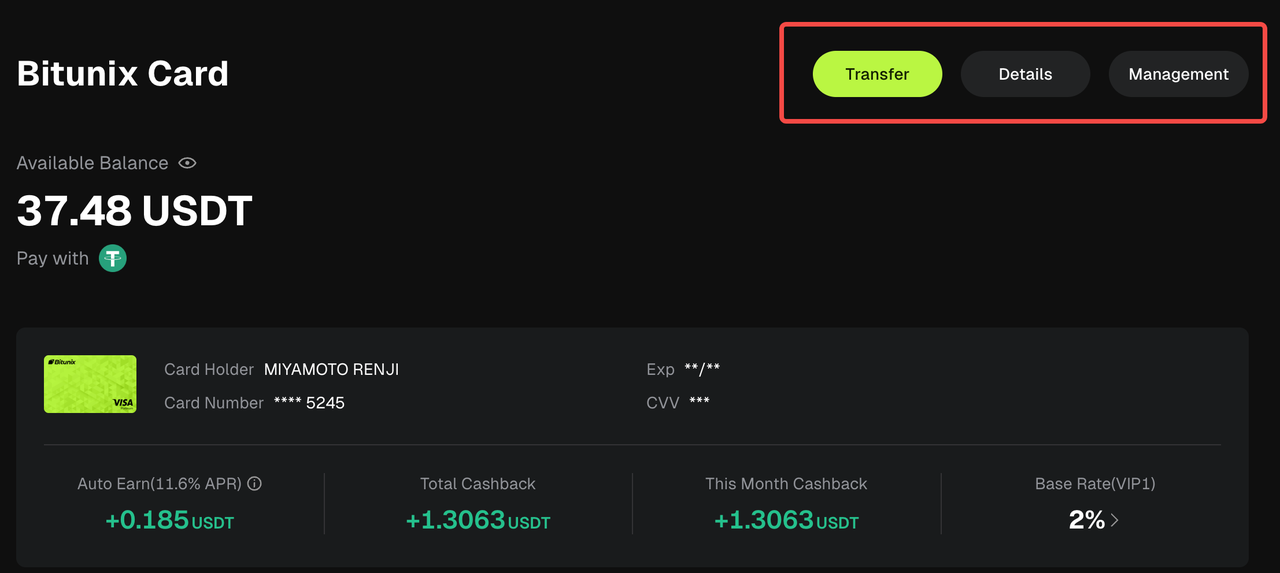
1. Transfer Funds
Transfer funds between your Bitunix Card account and your exchange accounts at any time.
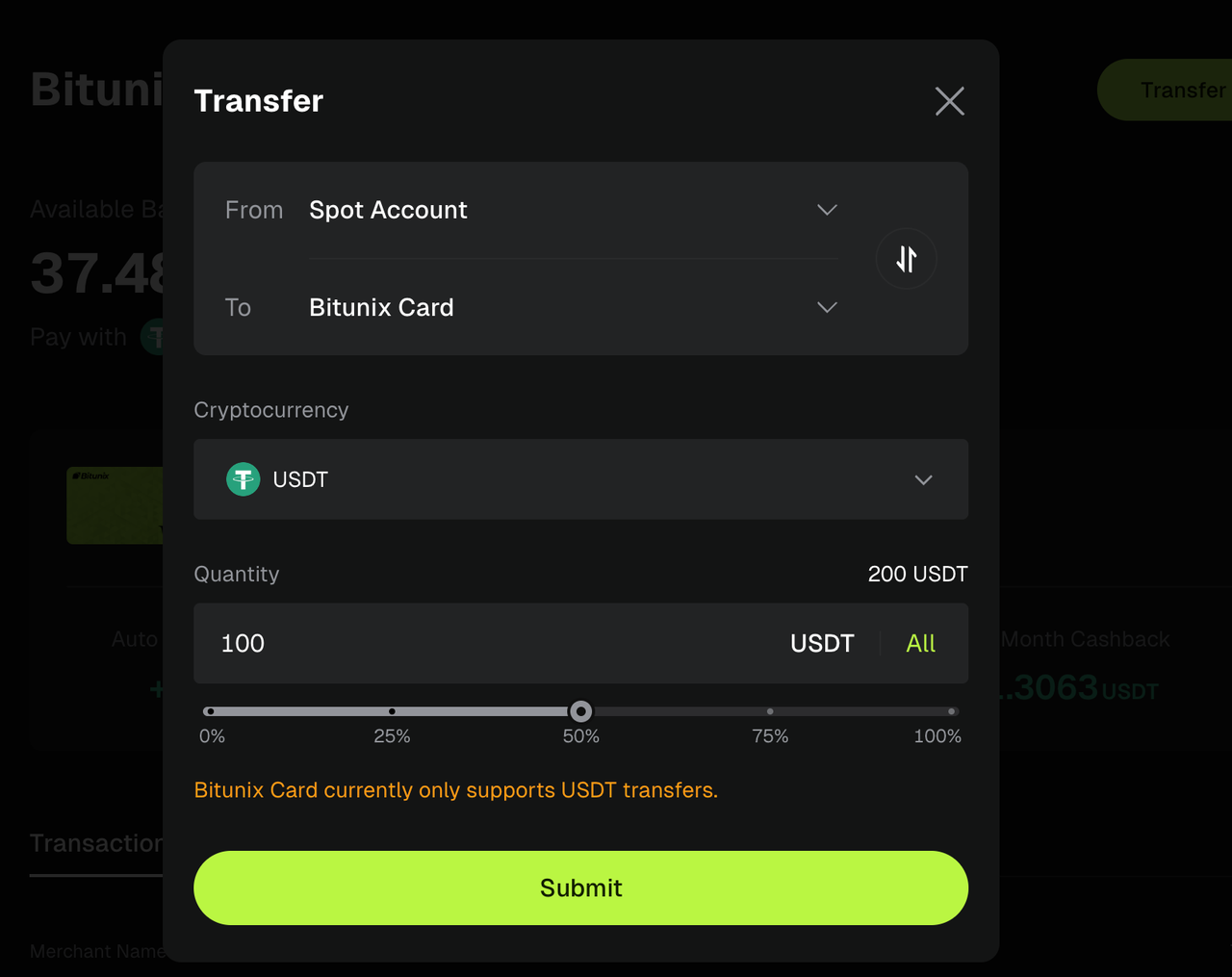
Add funds to your Bitunix Card
If your card balance is insufficient, you can transfer funds from your Spot Account or Futures Account to your Bitunix Card account.
Withdraw funds from your Bitunix Card
You can also transfer your available balance from your Bitunix Card account back to your Spot Account or Futures Account at any time.
2. View Card Details
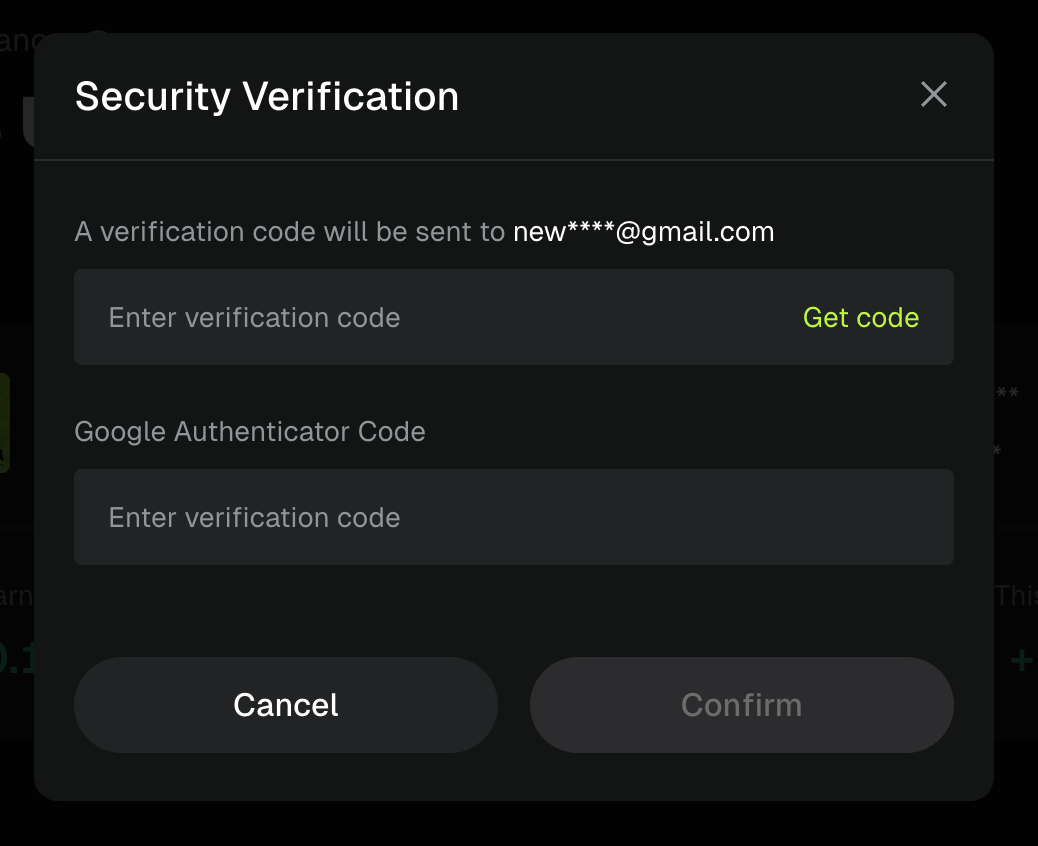
If you need to view your card number, CVV, or expiration date, tap View Details and complete the required security verification to access your card information.
Important:Keep your card number, CVV, and expiration date confidential to help protect your card from unauthorized use.
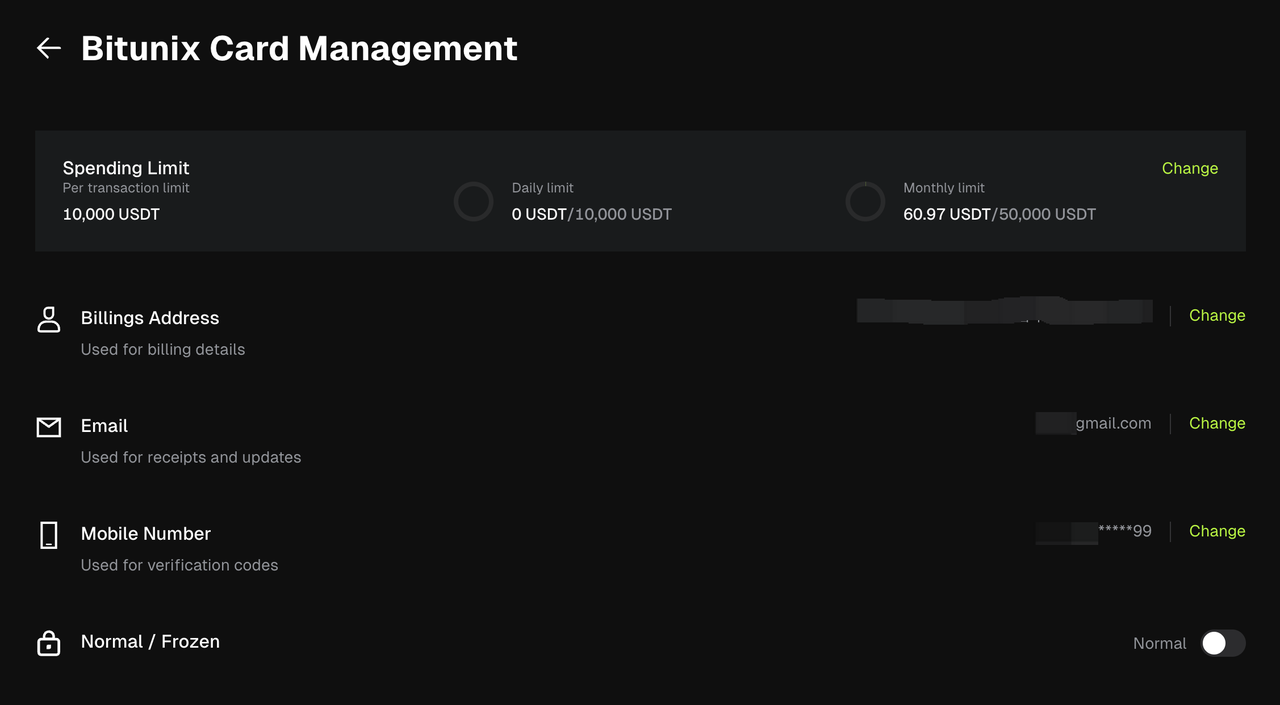
3. Manage Your Card
From the Card Management page, you can:
- Update your spending limits
- Change your billing address
- Update your email address
- Update your linked mobile number
- Freeze or unfreeze your card
Update Spending Limits
The default spending limits for your Bitunix Card are:
- Maximum per transaction: 10,000 USDT
- Daily limit: 10,000 USDT
- Monthly limit: 50,000 USDT
You can adjust these limits at any time based on your spending needs. For example:
- Maximum per transaction: 5,000 USDT
- Daily limit: 5,000 USDT
- Monthly limit: 20,000 USDT
Update Billing Address
You can update the billing address associated with your Bitunix Card at any time.
Update Email Address
You can change the email address linked to your Bitunix Card.
Update Linked Mobile Number
You can update the mobile number linked to your Bitunix Card. This number may be used to receive verification codes for certain transactions.
Freeze or Unfreeze Your Card
You can temporarily freeze or unfreeze your card whenever needed.
When your card is frozen, all card transactions will be blocked, while your card balance will remain safely stored in your Bitunix Card account.
Once you unfreeze your card, it can be used again immediately.
Disclaimer
This article is not intended to provide:
(i) investment advice or investment recommendations;
(ii) an offer, invitation, or solicitation to buy, sell, or hold digital assets;
(iii) financial, accounting, legal, or tax advice.
Digital assets (including stablecoins and NFTs) involve high risk and may be highly volatile. You should carefully consider whether trading or holding digital assets is suitable for you based on your financial situation. For your specific circumstances, consult your legal, tax, or investment professionals. You are responsible for understanding and complying with all applicable local laws and regulations.