

Four Quick Ways to Create Alerts
Open the Bitunix Futures Trading page and enter the market chart for your target trading pair, such as BTCUSDT.
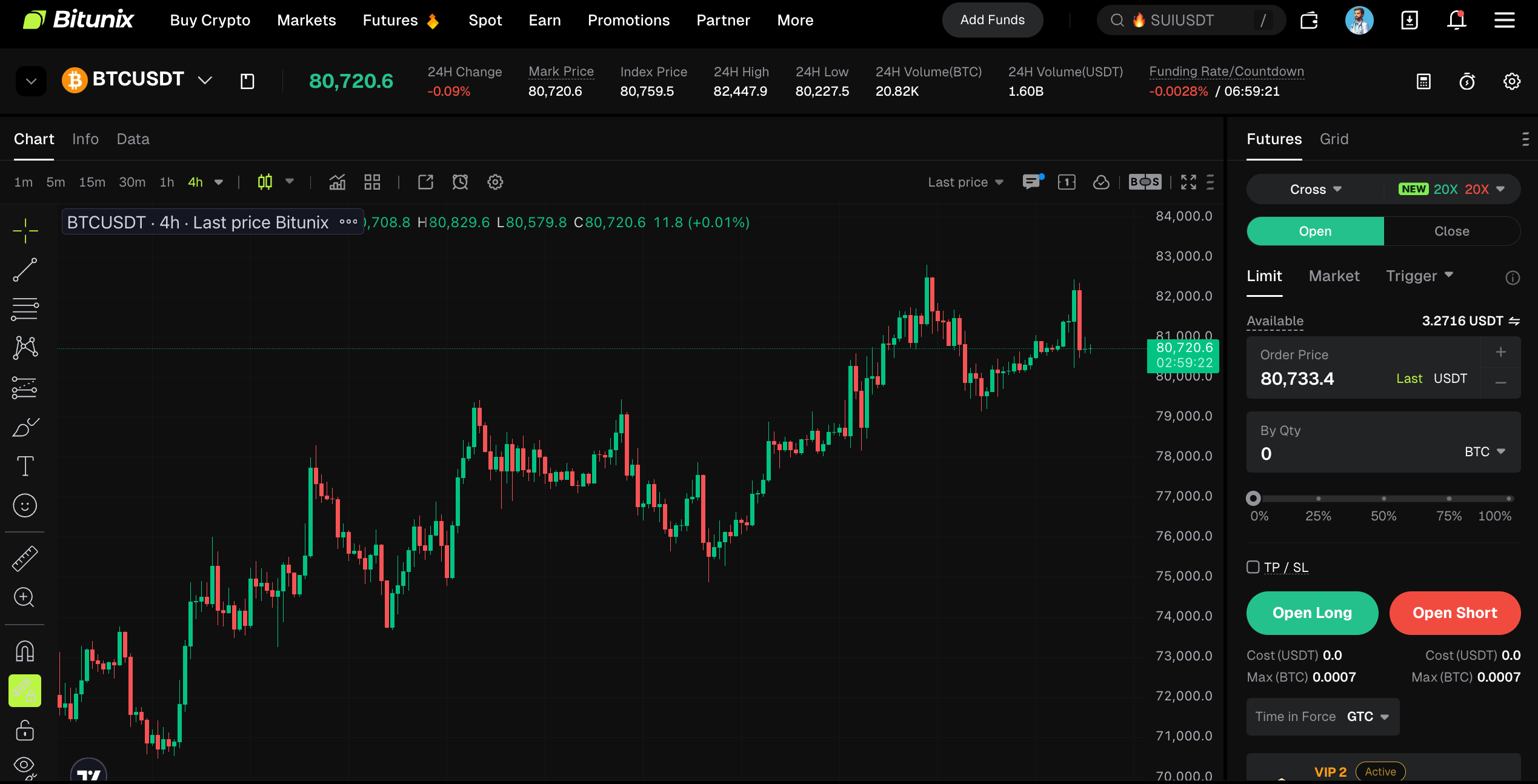
1、Drawing and Indicator Right-Click Creation Method
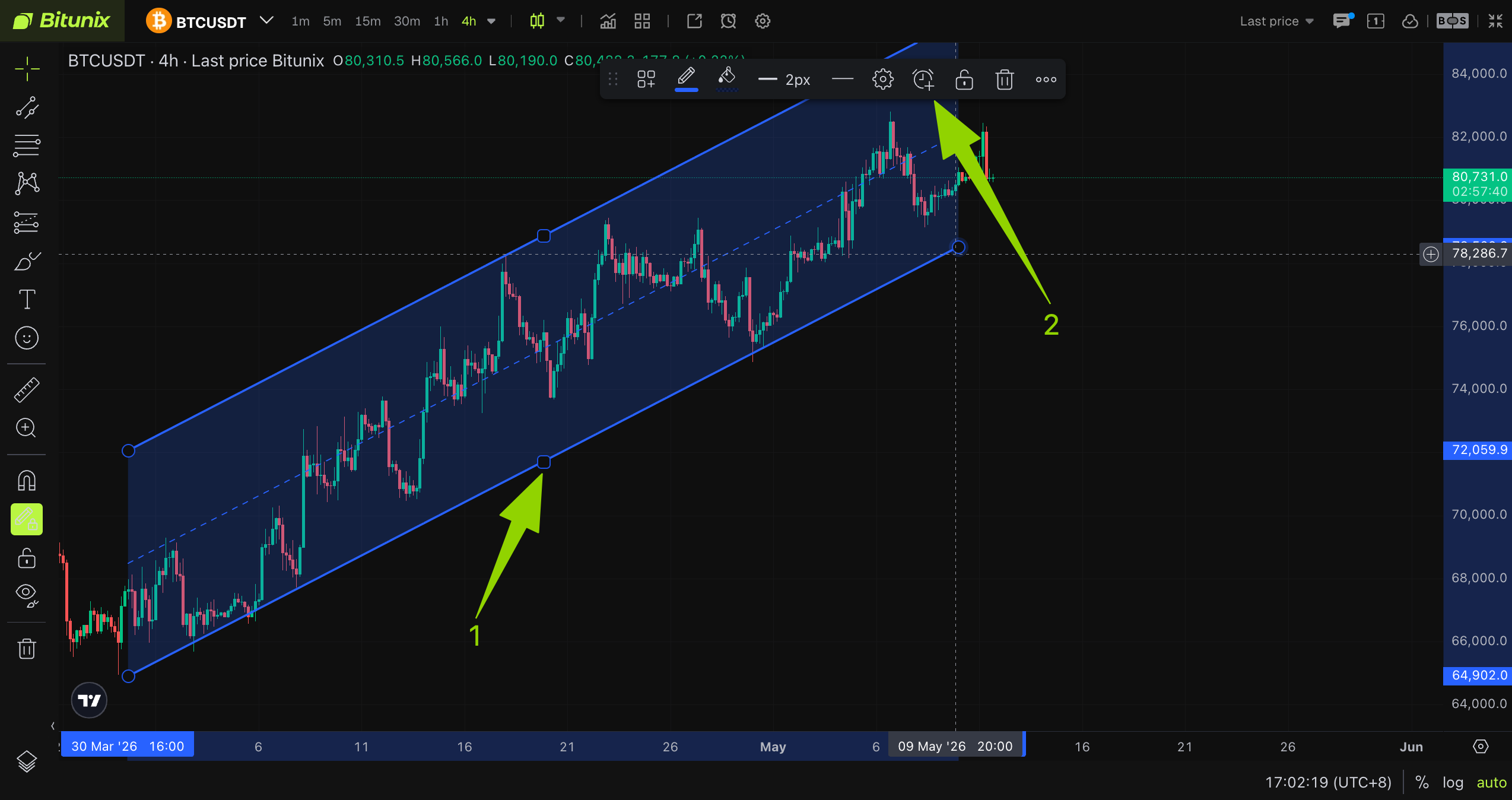
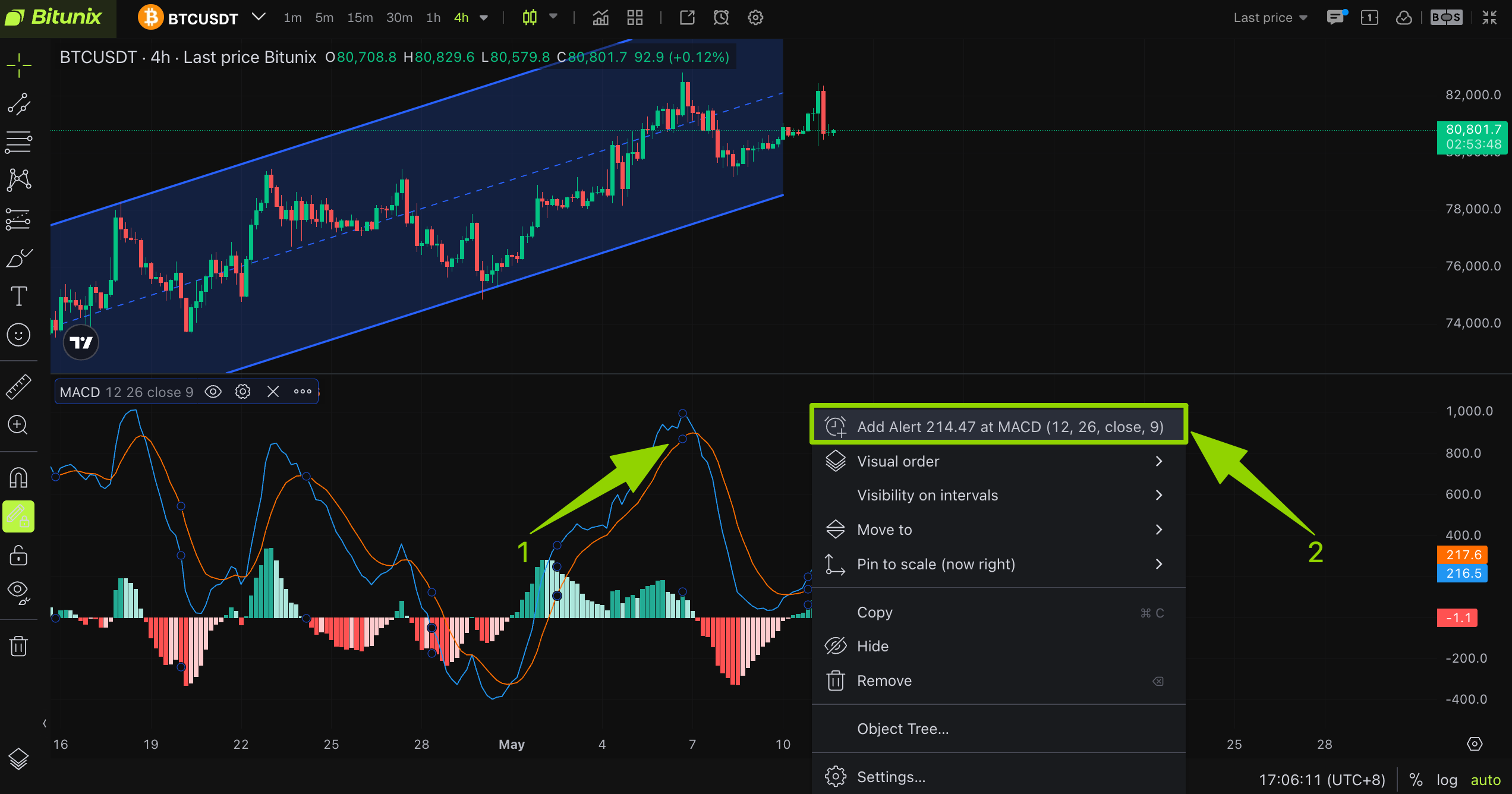
Right-click directly on the K-line panel, either in the drawing line area or the indicator area, to open the function menu. Then click [Add Alert] to open the alert creation dialog box. Complete the settings and click [Create] to save the alert.
- Currently, the Bitunix platform supports the following 5 types of technical indicator alerts: MACD, RSI, BB (Bollinger Bands), Volume, and MA (Moving Average).
- Currently, the Bitunix platform supports the following 6 types of line drawing tool alerts: Trend line, ray, information line, extension line, trend line angle, and parallel trend line.
Demo A:
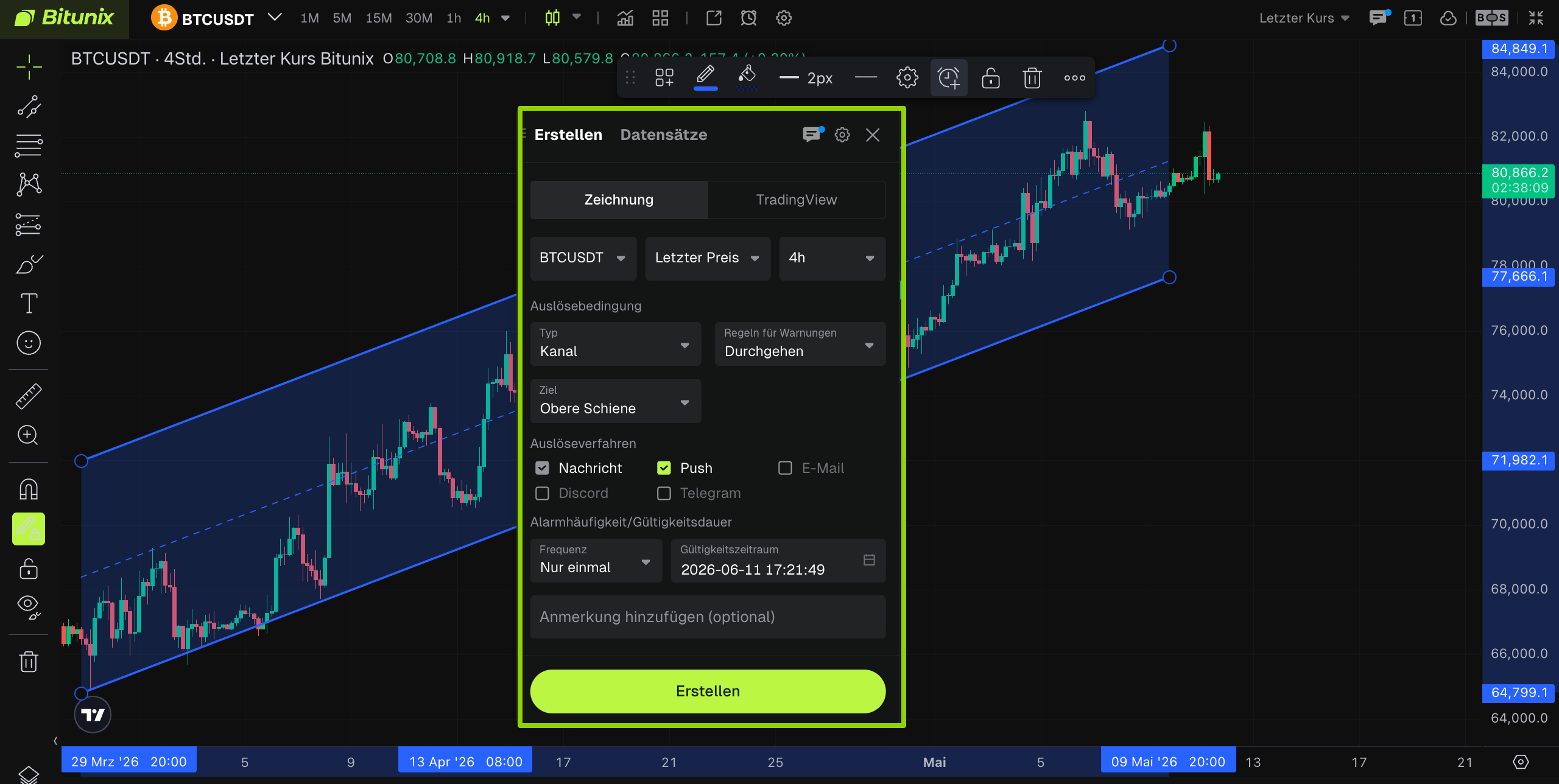
Demo B:
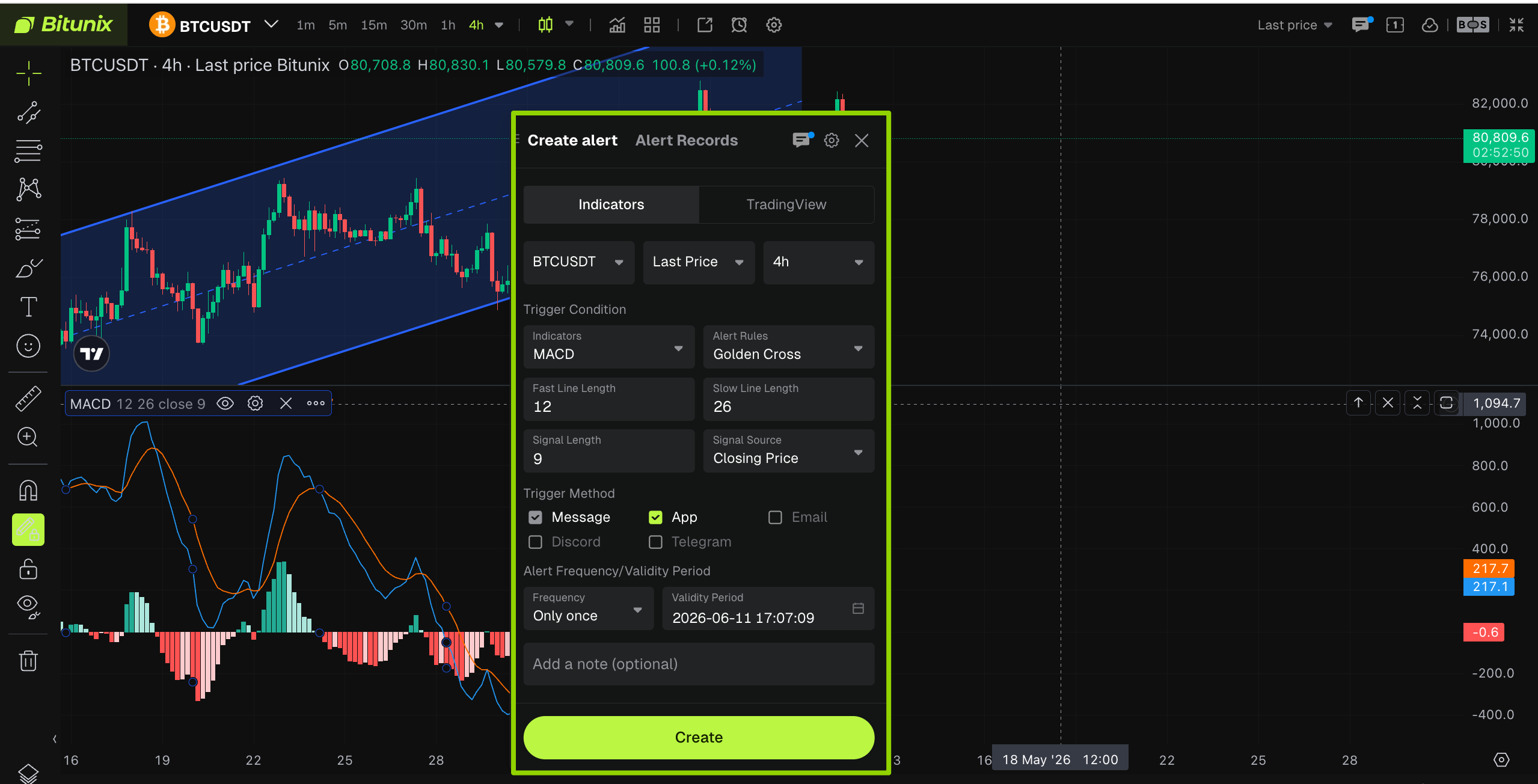
Click to Learn: Bitunix Drawing Alert Creation Guide
Click to Learn: Bitunix Metrics Alert Quick Creation Guide
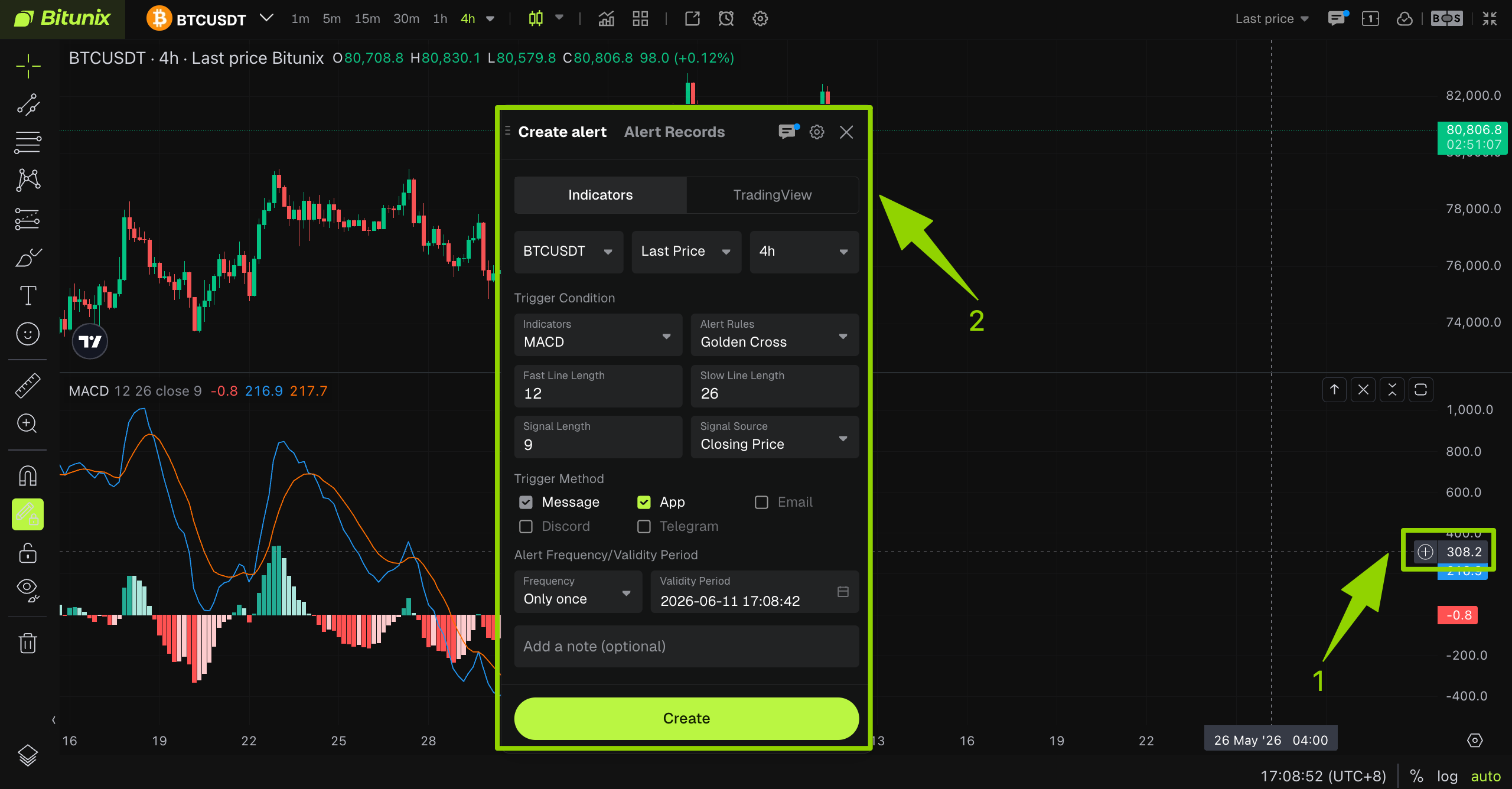
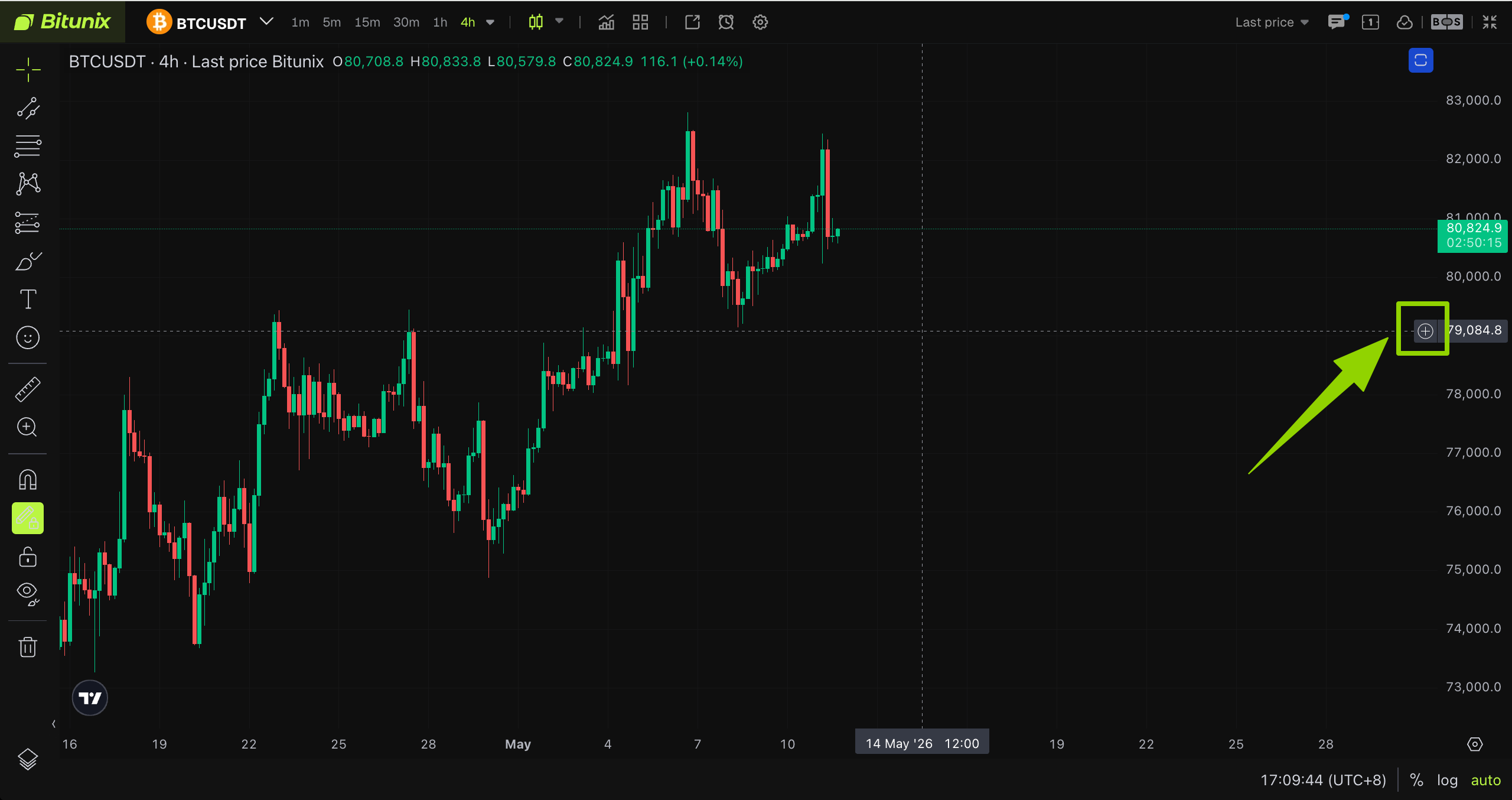
2、Y-Axis Shortcut [+] Sign Creation Method
In the corresponding indicator area or K-line area, move the cursor to the label on the right side of the Y-axis. Click the [+] sign next to the label and quickly open the [Add Alert] pop-up window. Complete the settings and save the alert in the alert creation dialog box.
Demo A:
Demo B:
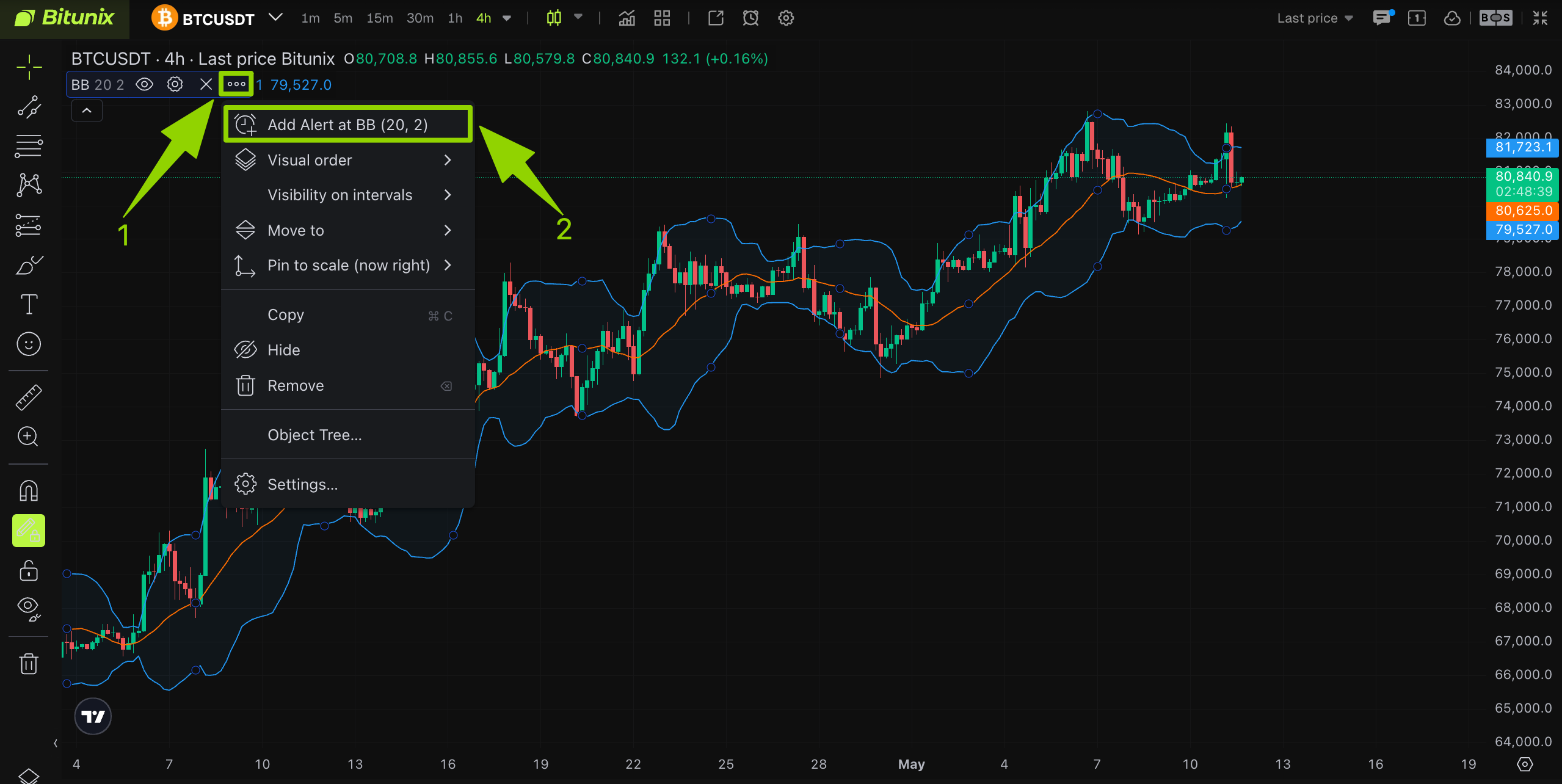
3、Indicator [More] Menu Creation Method
Select the target indicator and click the [...] More Options button on the right side of the area. In the drop-down menu, select [Add Alert]. This method is suitable for complex, multi-layer indicators.
Demo:
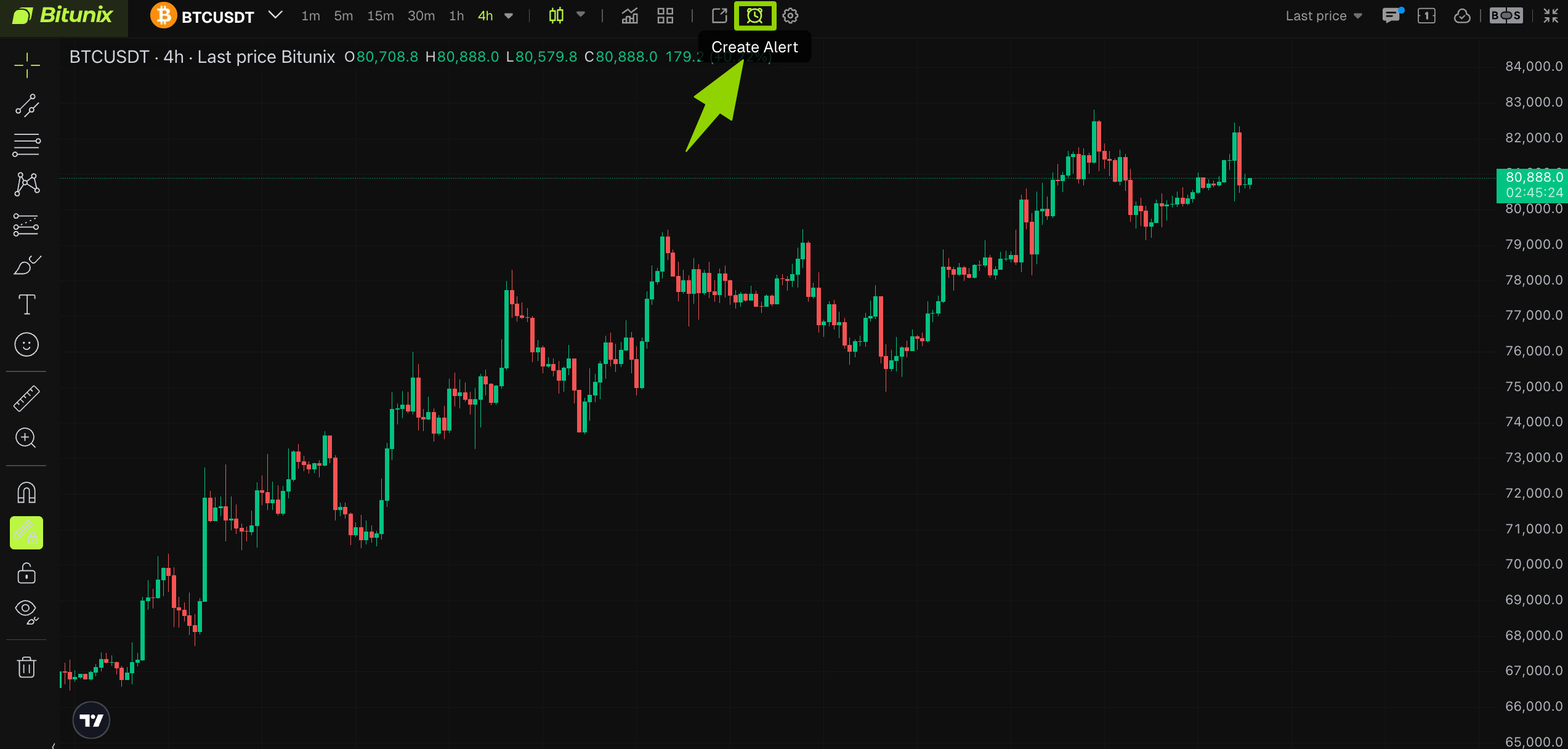
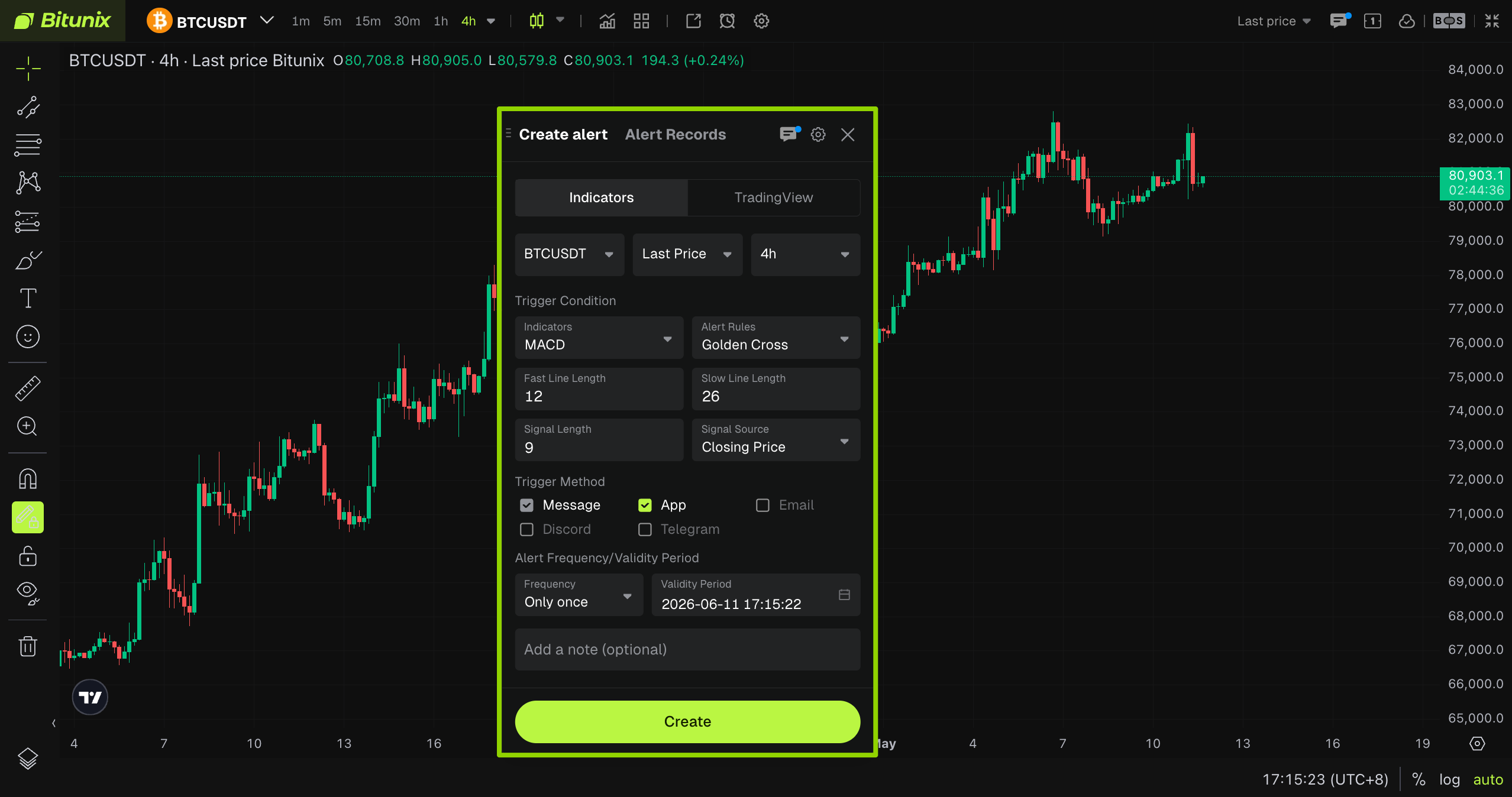
4、Toolbar Alarm Clock Icon Creation Method
Click the alarm clock icon on the top toolbar to create an alert.
Demo:
Frequently Asked Questions FAQ
1. Alert Not Triggered
Basic check: Confirm that the target indicator is in the selected active state and has not been hidden or deleted.
Parameter validation: Verify that the K-line period, indicator values, and trigger threshold settings are correct, and check that there are no errors in the direction or condition settings.
Channel investigation: Confirm that notification channels, such as app push, email, and inbox notifications, have been enabled and are not blocked by the system.
- 2. Repeated Alert Triggers or Frequent Reminders
Frequency optimization: Adjust the alert trigger frequency to only one reminder to avoid repeated notifications for the same market movement.
Conditional filtering: Overlay multiple indicator combinations and price range filters to reduce invalid oscillation market triggers.
Threshold adjustment: Moderately relax the trigger threshold to avoid frequent alerts caused by short-term choppy market trends.
- 3. Alert Not Saved or Disappeared Unexpectedly
After creating the alert, confirm that the pop-up window has been saved successfully to avoid alert loss caused by page refreshes or indicator resets.
It is recommended to name and annotate multiple indicator alerts for quick positioning and management.
Best Use Recommendations
- Prioritize the first three automatic creation methods to automatically synchronize indicator parameters and reduce the probability of configuration errors.
- In high-frequency trading scenarios, set the alert to a single reminder to reduce message interference.
- For important market alerts, use dual indicator combination triggers to improve signal reliability.
Disclaimer
This article is not intended to provide:
- Investment advice or investment recommendations;
- An offer or solicitation to buy, sell, or hold digital assets;
- Financial, accounting, legal, or tax advice.
- Digital assets, including stablecoins and NFTs, involve high risks and may fluctuate significantly. You should carefully consider whether trading or holding digital assets is suitable for you based on your financial situation. Please consult your legal, tax, or investment professional for advice specific to your circumstances. It is your responsibility to understand and comply with applicable local laws and regulations.