

If users register with an email address, they are still allowed to set up phone number address for their accounts.
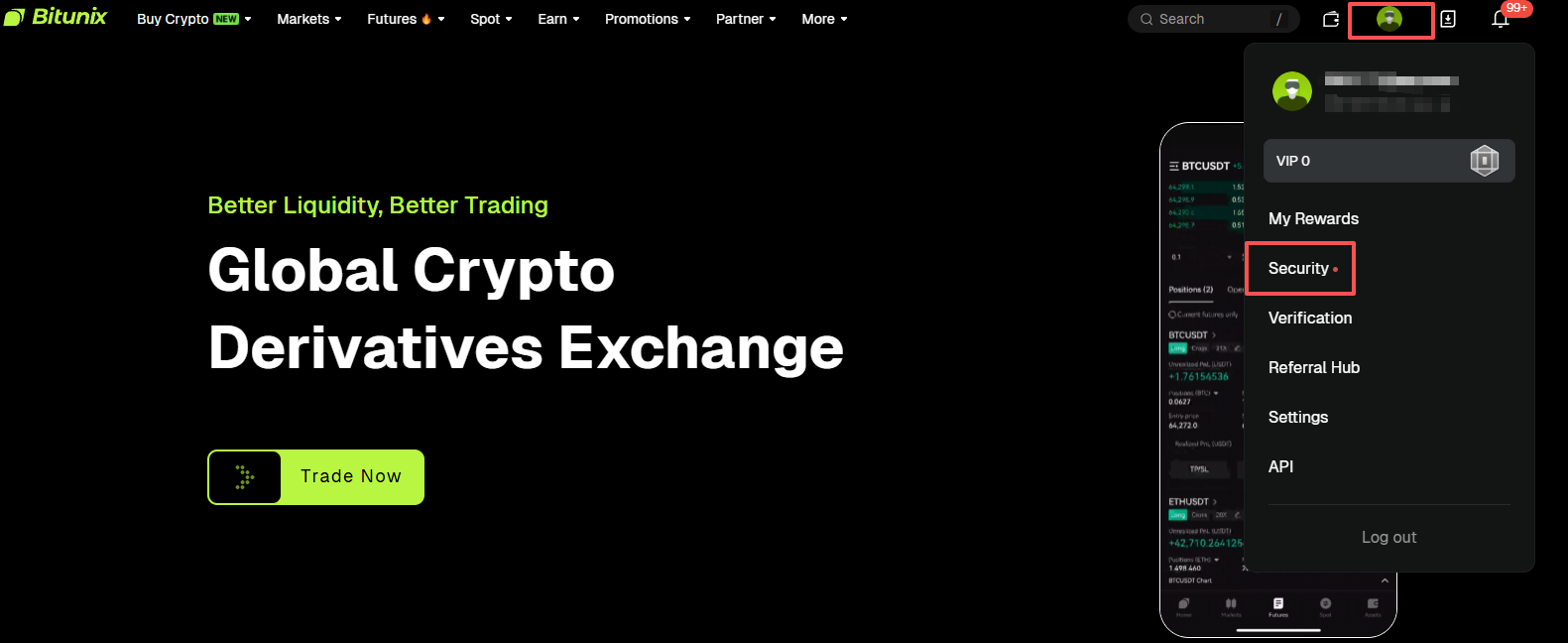
1、After logging into your account, select "Security" under the user icon on the top right.
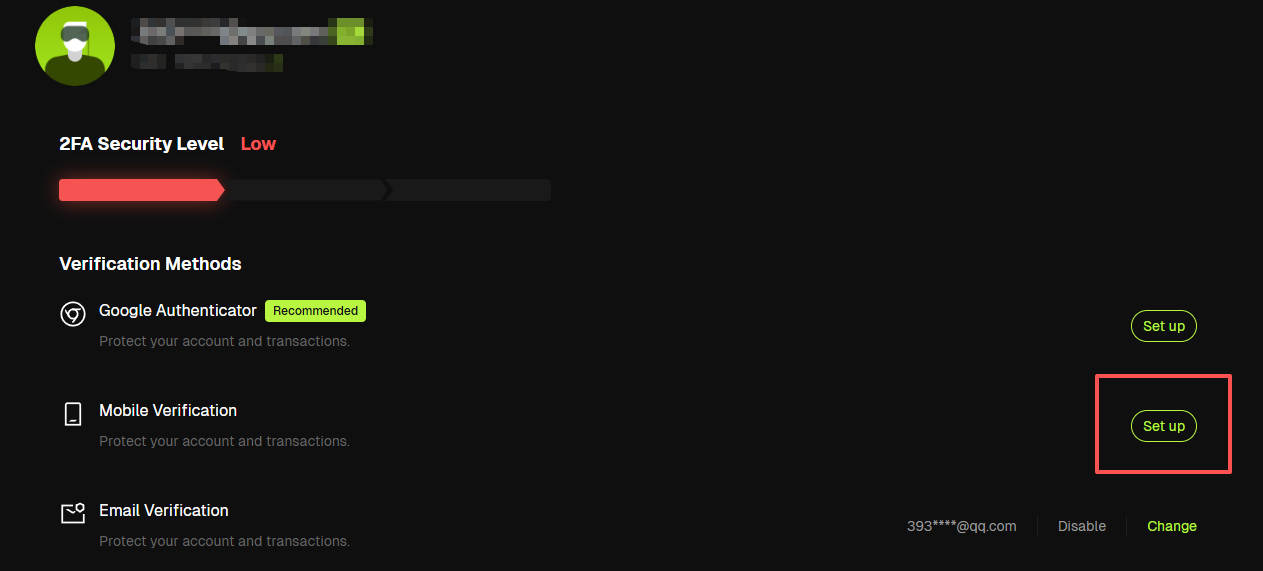
2、 Find "Mobile Verification" and click "Set up".
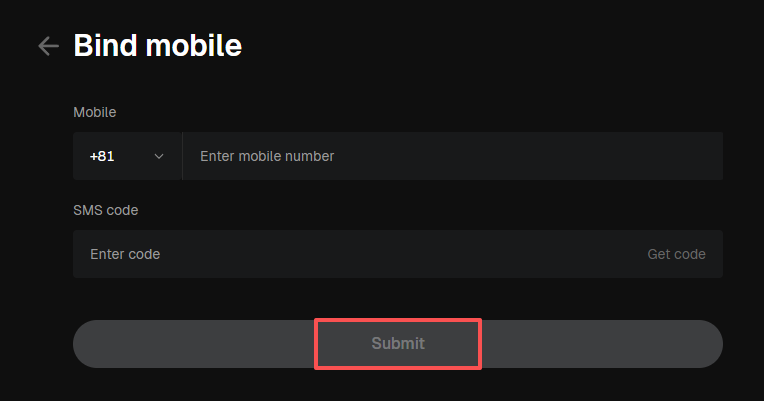
3、Enter the phone number, click "Get Code", then enter the 6-digit code you received via message.
4、 Click "Submit" to complete Security verification.
*Please use an phone number that never registered with Bitunix before to complete the set up.
Disclaimer
This article is not intended to provide:
(i) investment advice or investment recommendations;
(ii) an offer or solicitation to buy, sell, or hold digital assets; or
(iii) financial, accounting, legal, or tax advice.
Digital assets (including stablecoins and NFTs) involve high risk and may be highly volatile. You should carefully consider whether trading or holding digital assets is suitable for you based on your financial situation. For your specific circumstances, consult your legal, tax, or investment professionals. You are responsible for understanding and complying with all applicable local laws and regulations.