

Indicator Template is a quick template feature available on the charts of the Bitunix platform. It combines frequently used technical indicators into an indicator group. You can use this group to quickly perform technical analysis on trading pairs, eliminating the hassle of repeatedly switching between indicators during trading.
Before creating an indicator template, add the indicators you want to include in the group on the chart first. Follow the steps below:
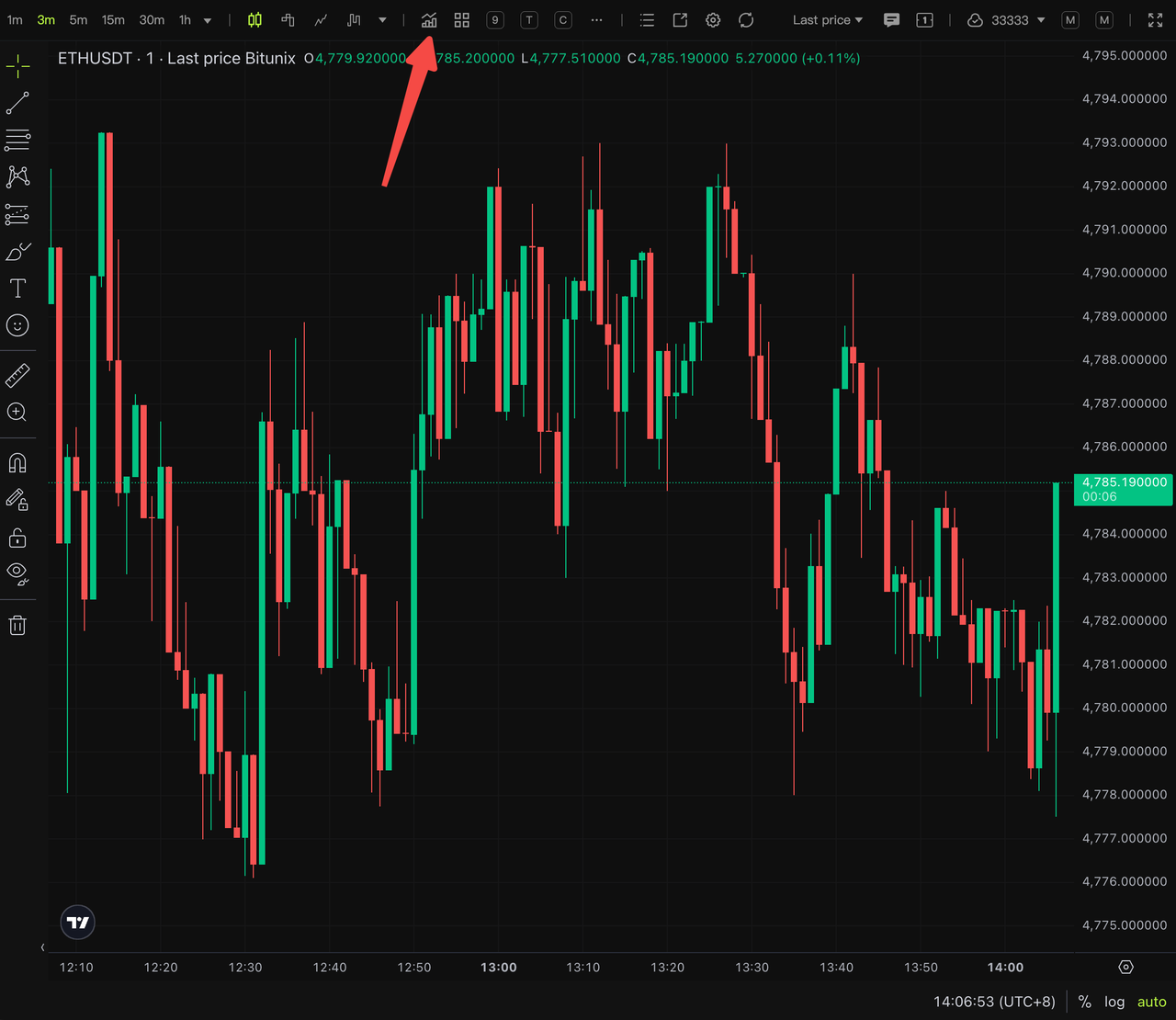
Step 1: Click the indicator icon to pop up the indicator list.
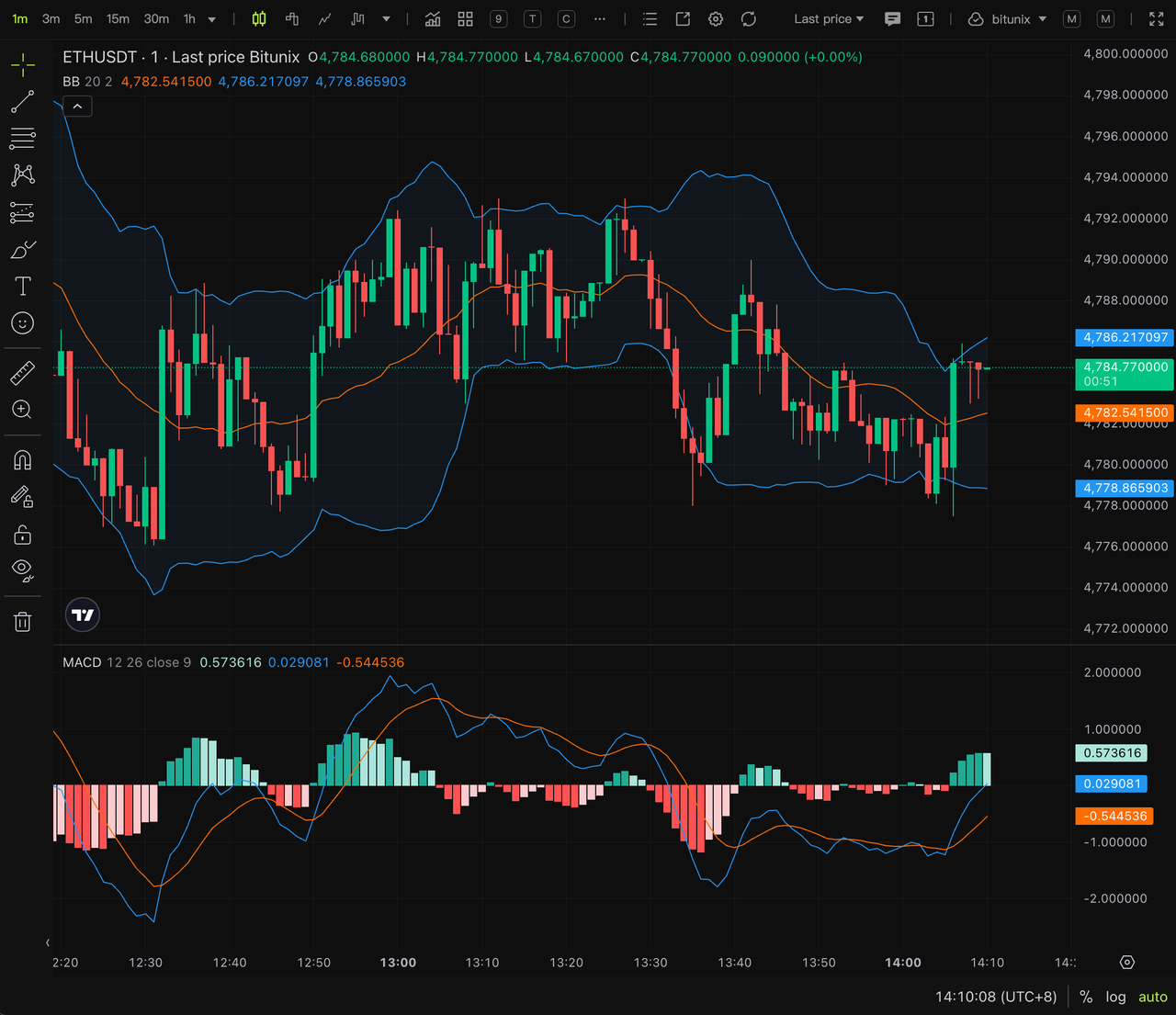
Step 2: Select the desired indicators from the list. For example, add Bollinger Bands and MACD to the chart.
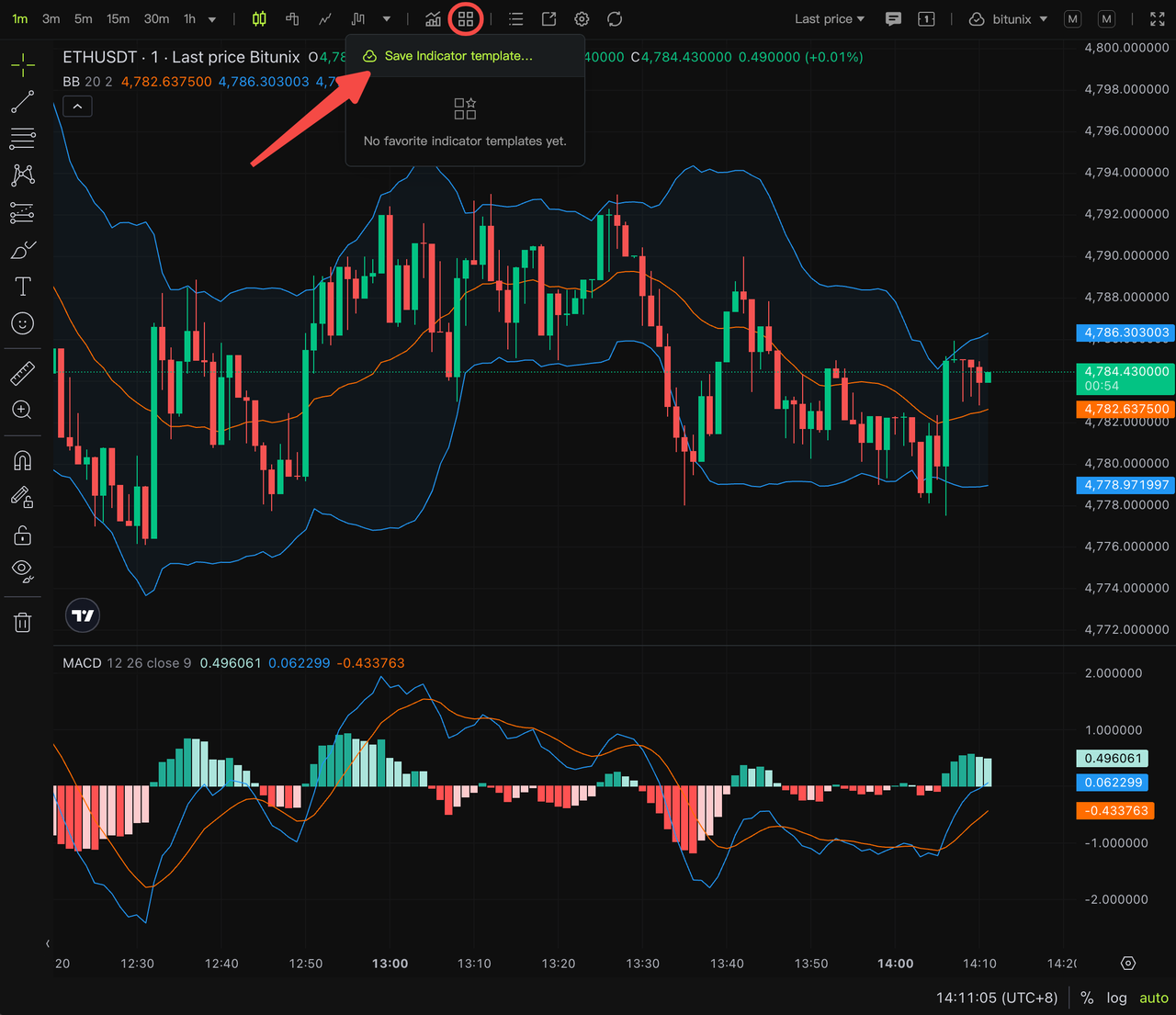
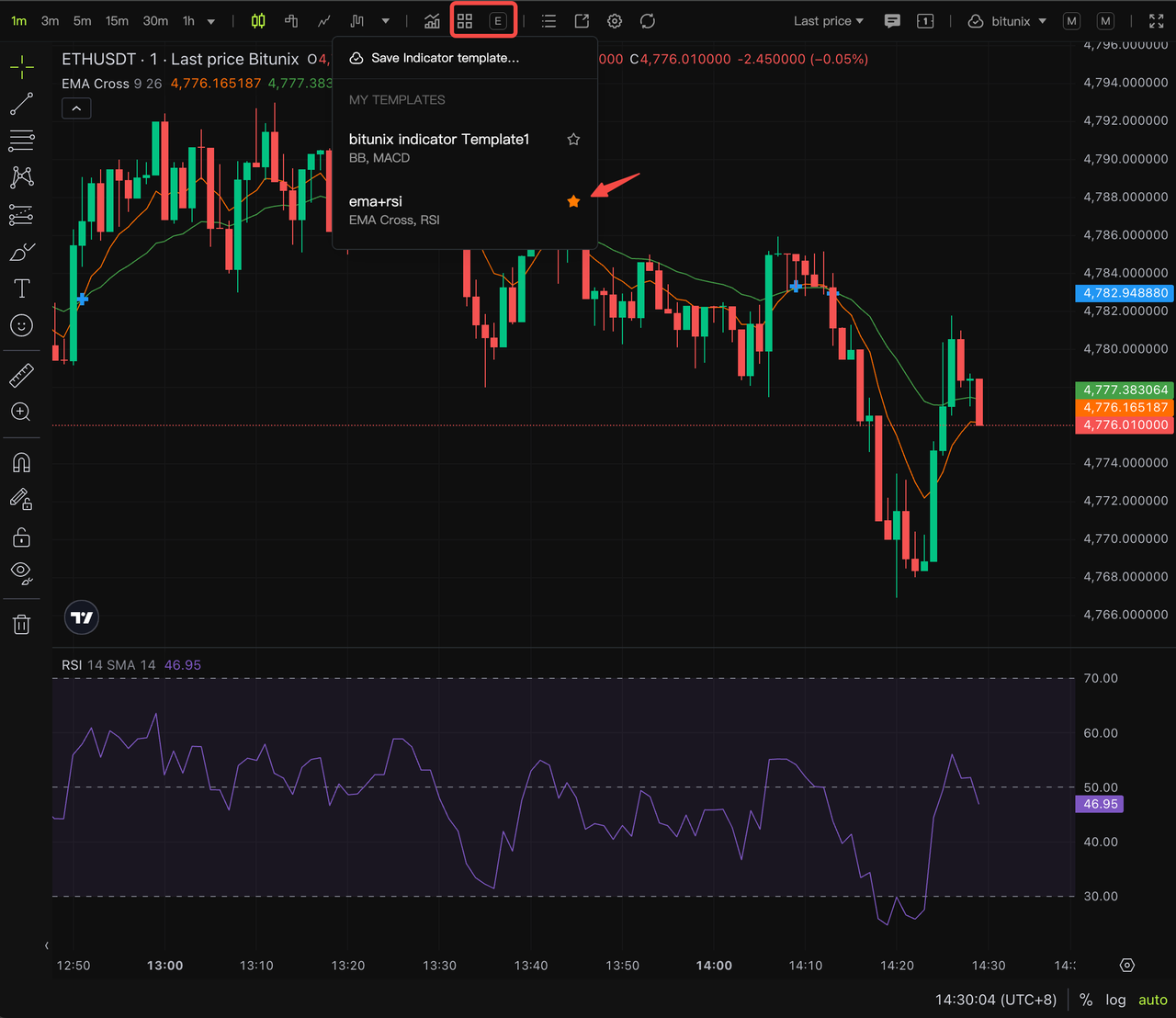
Step 3: Click the indicator template icon to save the template.
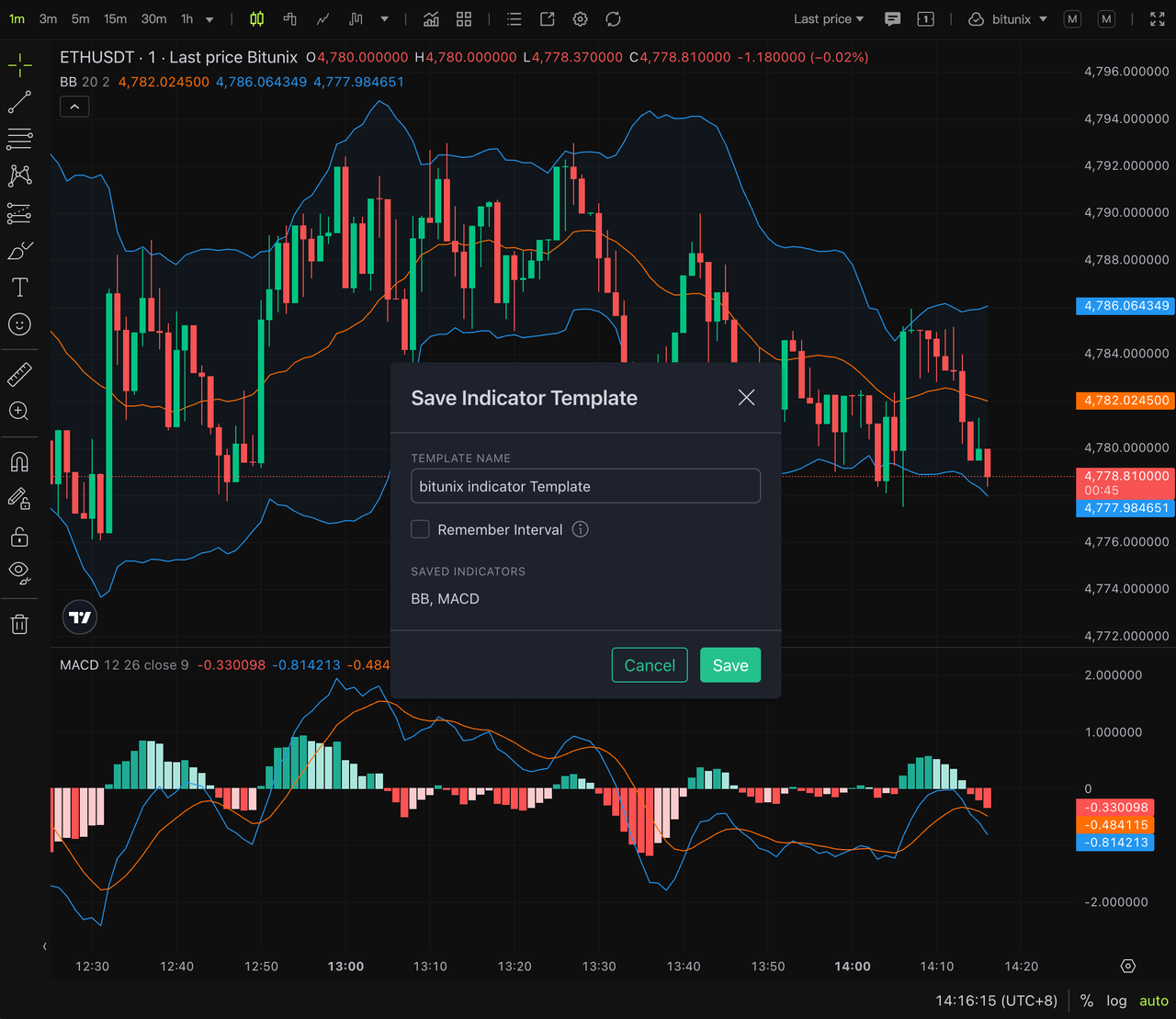
Step 4: Name your indicator template and save it. Click the Save button to finish creating and storing the template. The template will be saved to our cloud server, enabling synchronized use across multiple scenarios including contracts, spot trading, copy trading and the professional version of the App.
Step 5: Set up a shortcut bar for frequently used indicator templates. Click the Favorite button to bookmark regular templates. Favorited templates will be displayed on the top bar of the chart, allowing one-click switching for next use.
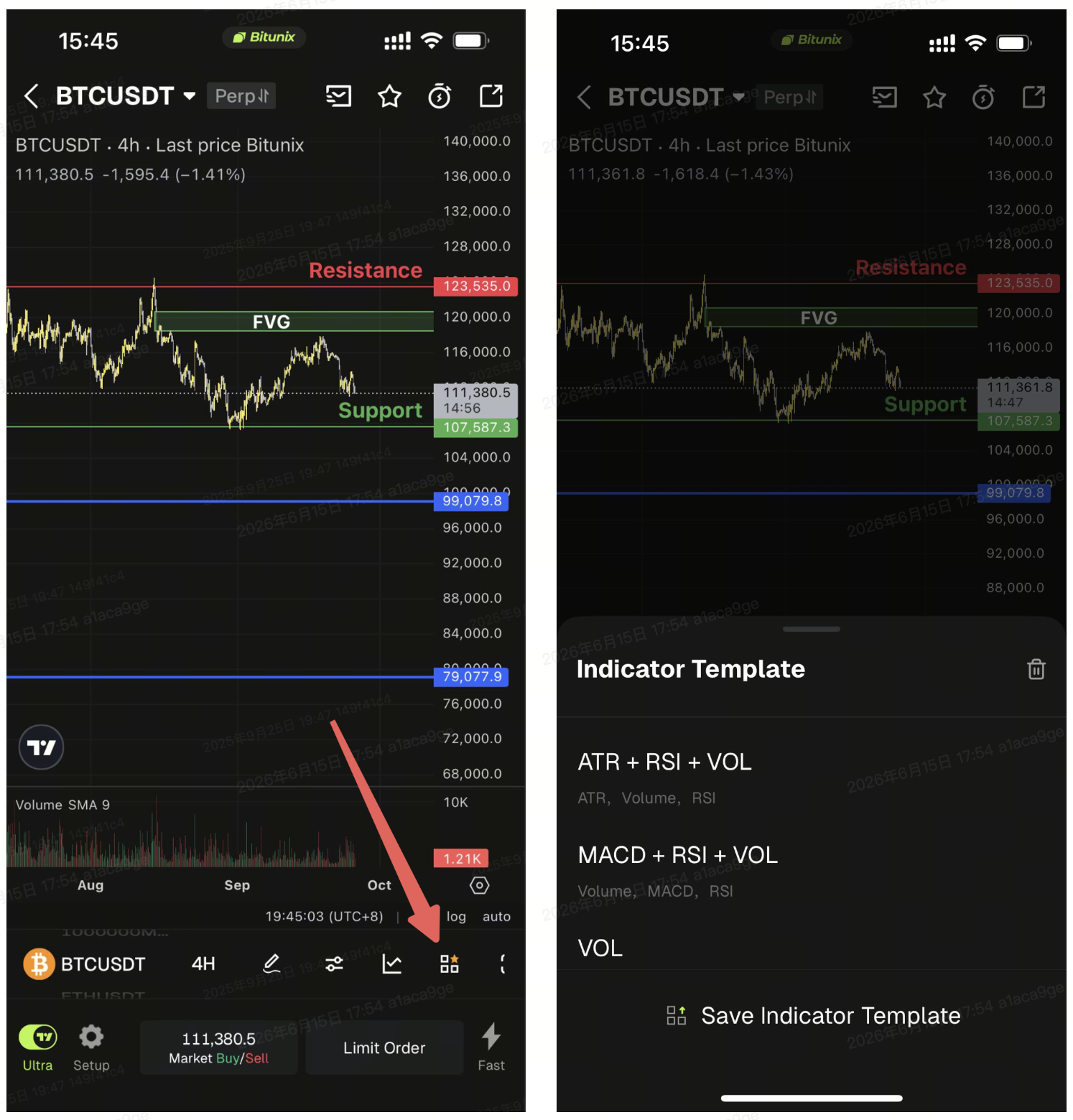
Step 6: View and use indicator templates in the professional App. In the professional version of the App, tap the chart template button below the chart to access your saved indicator templates.
FAQ
1. Can other users see my saved indicator templates and parameter settings? No. All data is synchronized and stored under your logged-in account. Cloud storage is bound to your personal account, ensuring complete privacy and security.
2. What does the Remember Interval option do when saving an indicator template? Traders usually have preferred time intervals such as 15 minutes, 1 hour and 4 hours for market analysis. Check this option if you want the time interval to switch automatically to the preset one whenever you apply the corresponding template.
Disclaimer
This article is not intended to provide:
(i) investment advice or investment recommendations;
(ii) an offer, invitation, or solicitation to buy, sell, or hold digital assets;
(iii) financial, accounting, legal, or tax advice.
Digital assets (including stablecoins and NFTs) involve high risk and may be highly volatile. You should carefully consider whether trading or holding digital assets is suitable for you based on your financial situation. For your specific circumstances, consult your legal, tax, or investment professionals. You are responsible for understanding and complying with all applicable local laws and regulations.