

TradingView alerts allow traders to receive instant notifications when custom market conditions are met, helping you capture trading opportunities in real time. This guide provides a clear, step-by-step walkthrough on how to connect TradingView with Bitunix, so you can receive accurate price alert signals on both the web and mobile app.
Important Notes
- Access Requirement: The alert feature is available for TradingView Essential plans or higher.
- Webhook Security: Do not share your exclusive Bitunix Webhook URL with anyone to prevent unauthorized or malicious use.
- Alert Trigger Logic: All TradingView alerts are generated solely based on user-defined conditions. Bitunix only receives and delivers the alerts — it does not modify, delay, or influence them in any way.
1.Obtain Your Exclusive Webhook URL and Message Body
The Webhook URL acts as the connection bridge between TradingView and Bitunix.
Follow these steps to obtain it:
1.Log in to the Bitunix official website and open the chart page of your desired trading pair (for example, BTC/USDT Perpetual Futures or ETH/USDT Spot).
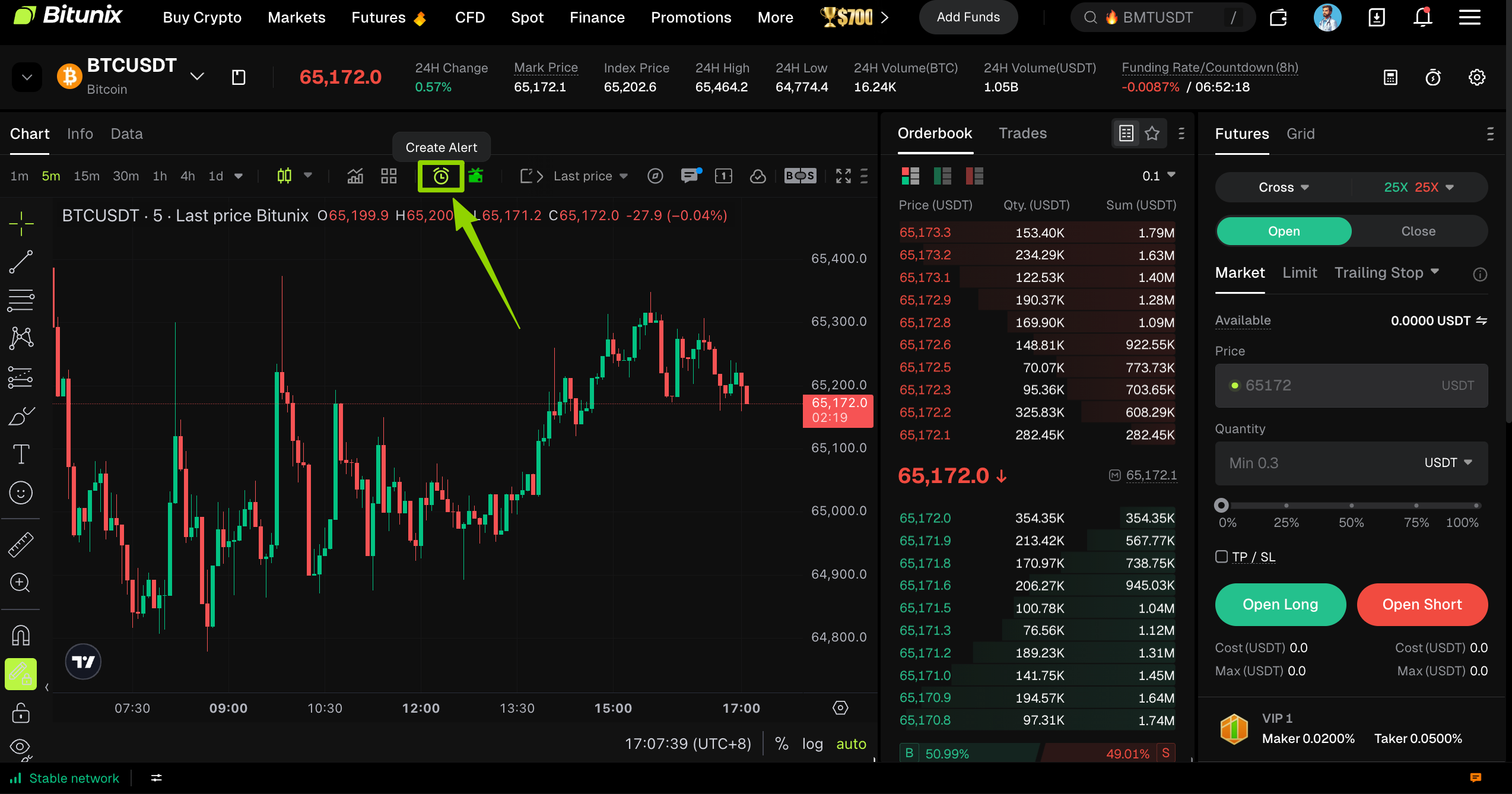
2.Click the TradingView Alert icon (displayed as a clock symbol ) located in the upper-right toolbar of the chart, as shown in the image below:
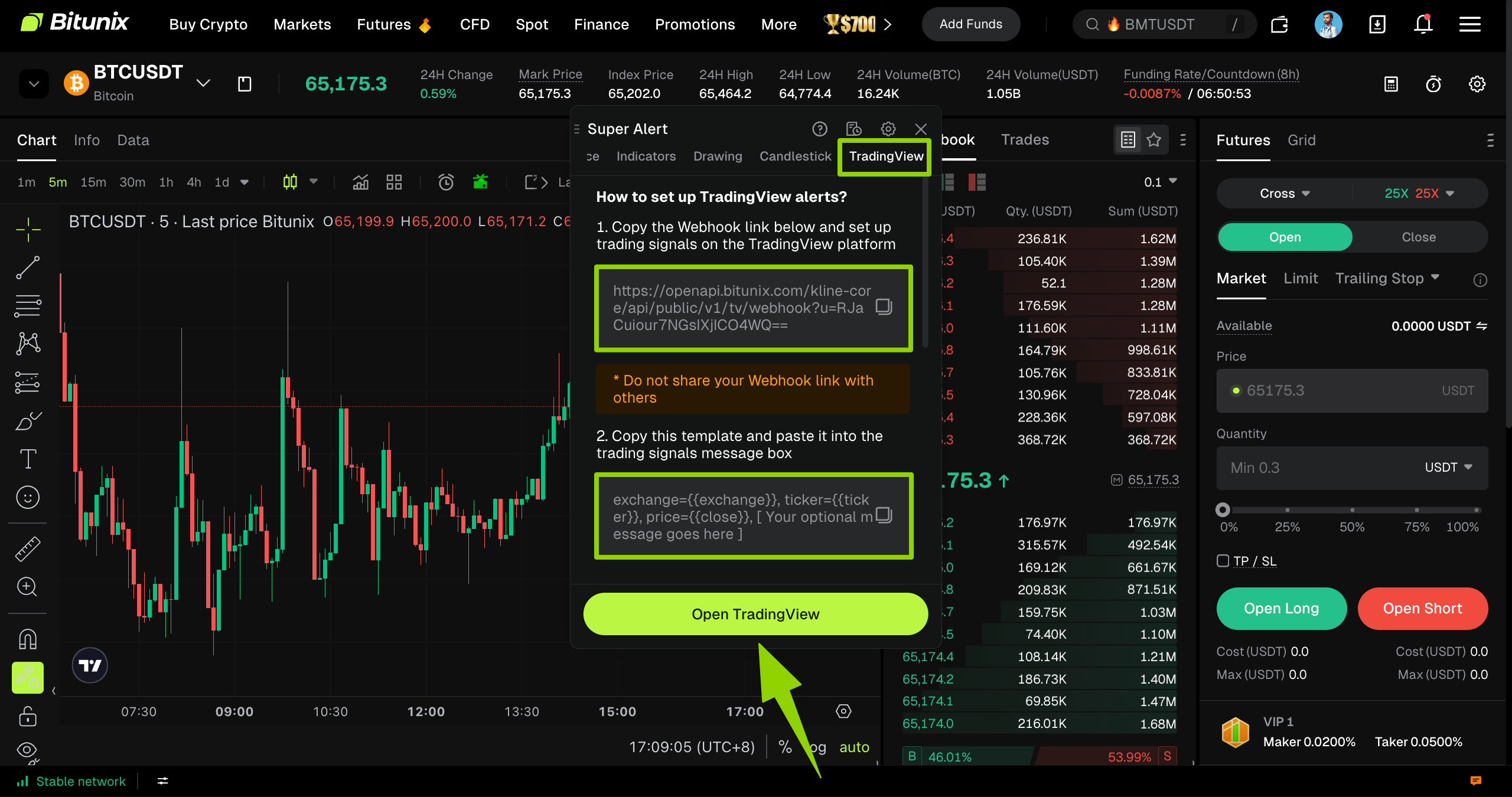
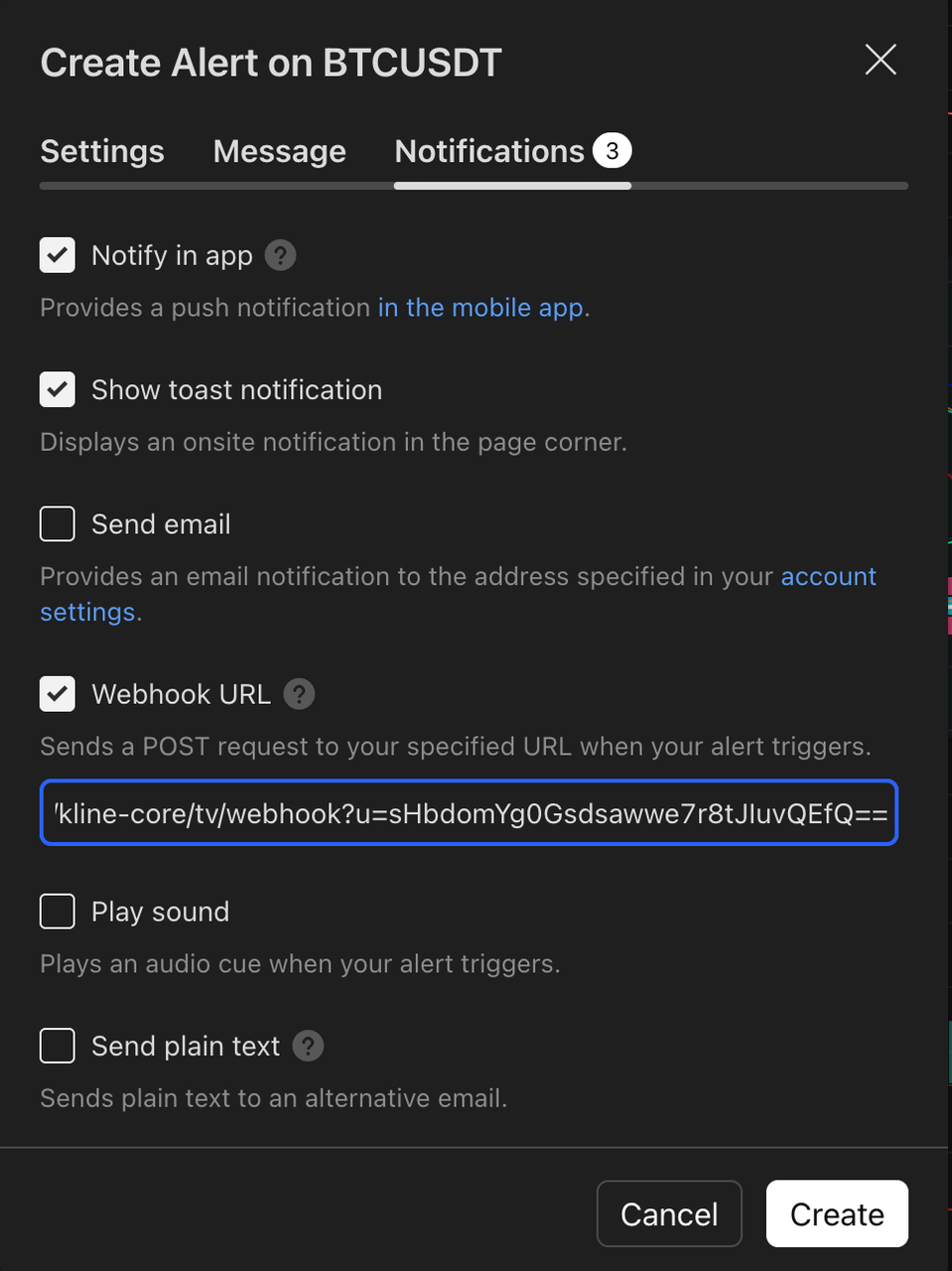
3. Go to the Super Alert page, select the TradingView tab, click the window, and press the first copy button to obtain the exclusive Bitunix Webhook URL (automatically copied to the clipboard). Paste it into the Webhook‑URL field in TradingView.
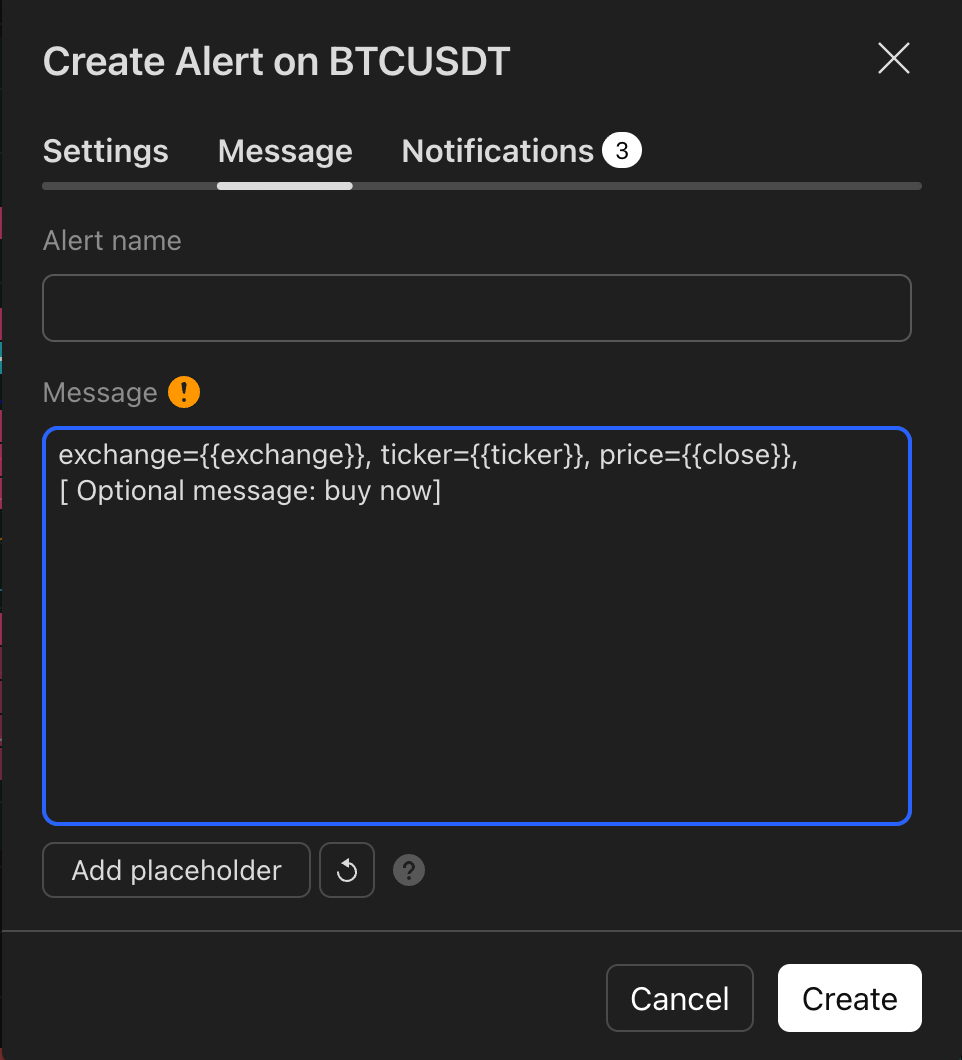
4.Next, click the second “Copy” button to copy the message template, then paste it into the Message Body field in TradingView. You can add your own custom message inside the placeholder “[ Your optional message goes here ]” if needed.
2.Configure Bitunix Alerts in TradingView
After obtaining your Webhook URL and message body, you can now set up price alerts in TradingView.
For example, you can trigger an alert when BTC rises to 110,000 USDT or when ETH falls to 4,000 USDT.
Here’s how to configure it:
1.Open the TradingView interface (you can access it directly from the Bitunix chart page or through the TradingView official website).
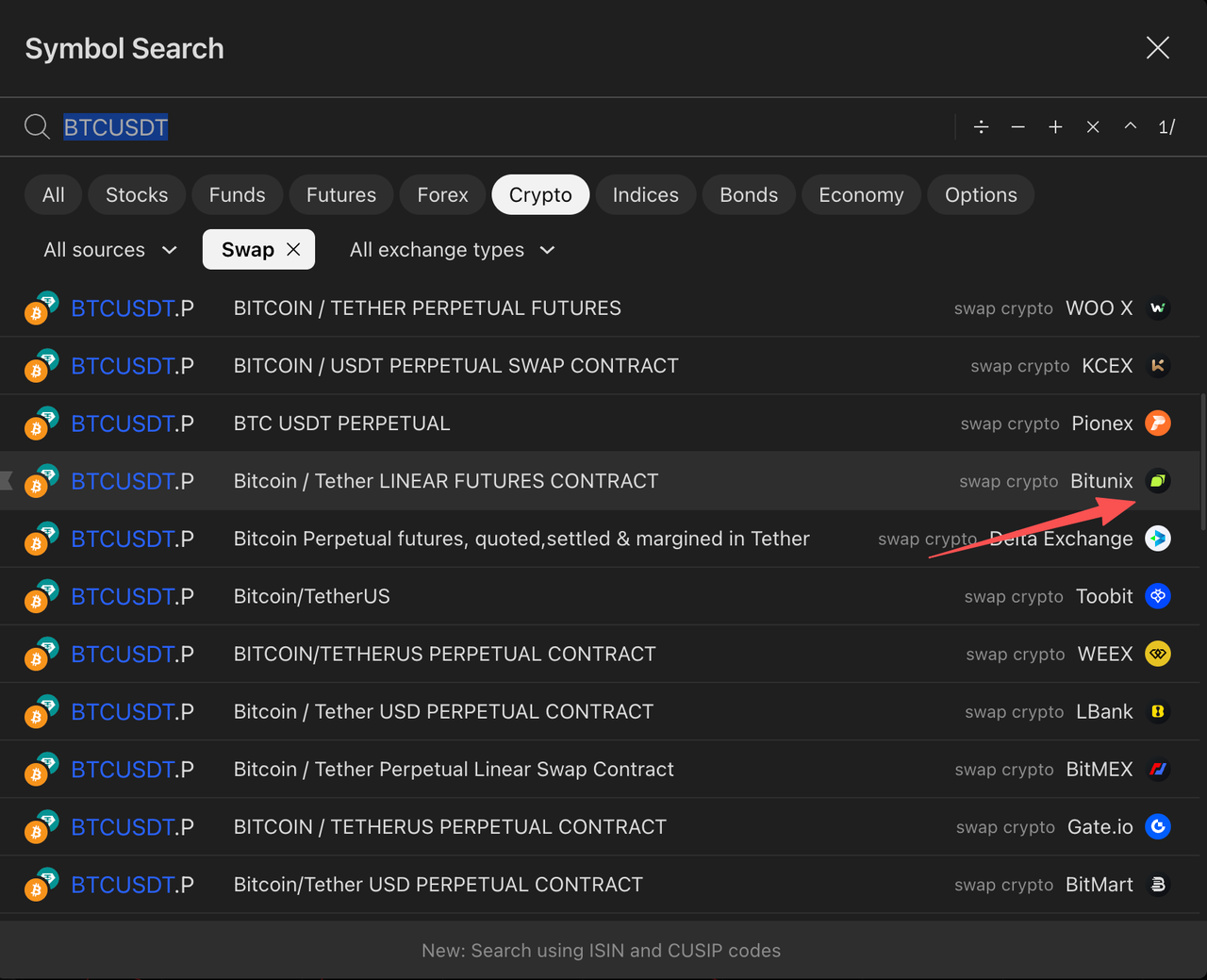
2.On the homepage, search for a trading pair — for example, enter “BTCUSDT” in the search bar.
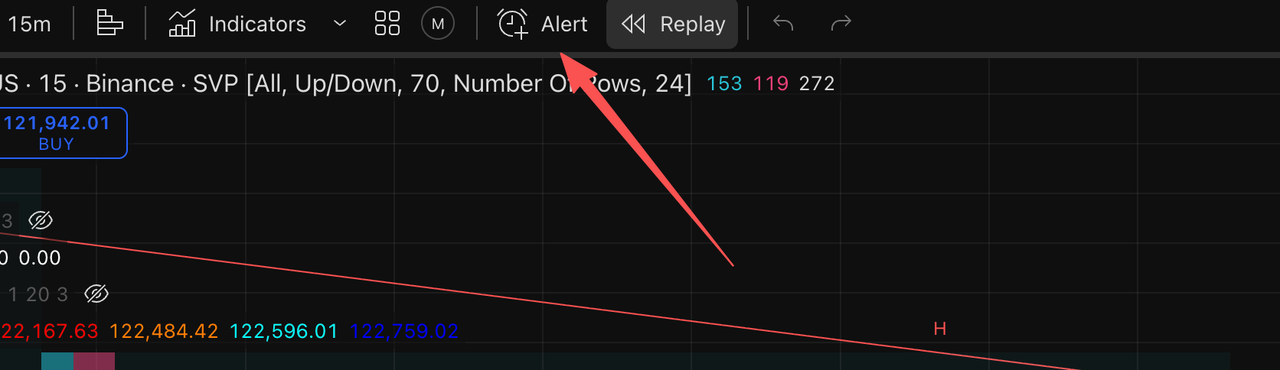
3.After opening the chart page, click the “Alerts” option in the top navigation bar to proceed.
4.In the “Create Alert” window, configure the following settings:
- Set your preferred price, condition, alert frequency, and expiration time in this tab.
- For example, you can configure an alert to trigger when the BTC/USDT price crosses a specific value.
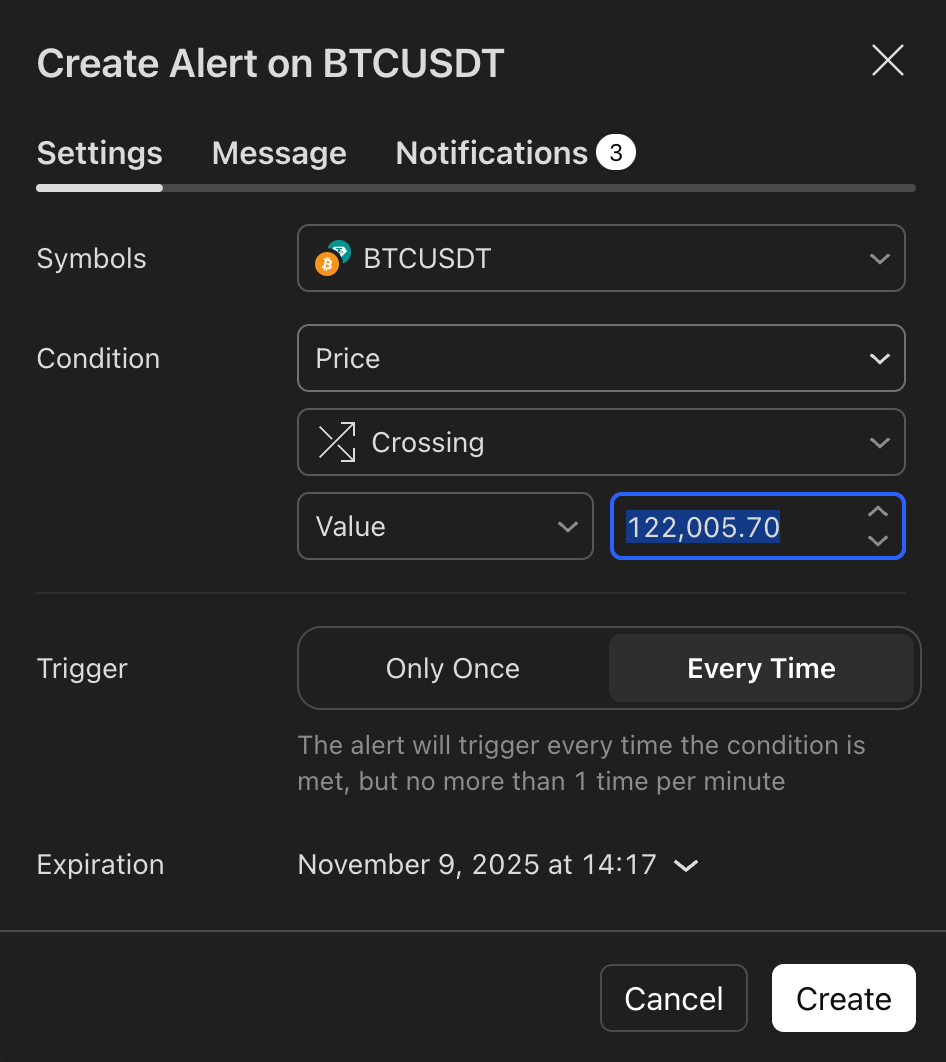
- 【Message】Paste the message body you copied from Step 1 into the message box.
- 【Notifications】Enable the Webhook URL option and paste the Bitunix Webhook URL you copied in Step 1.
3.View Alert Notifications on Bitunix
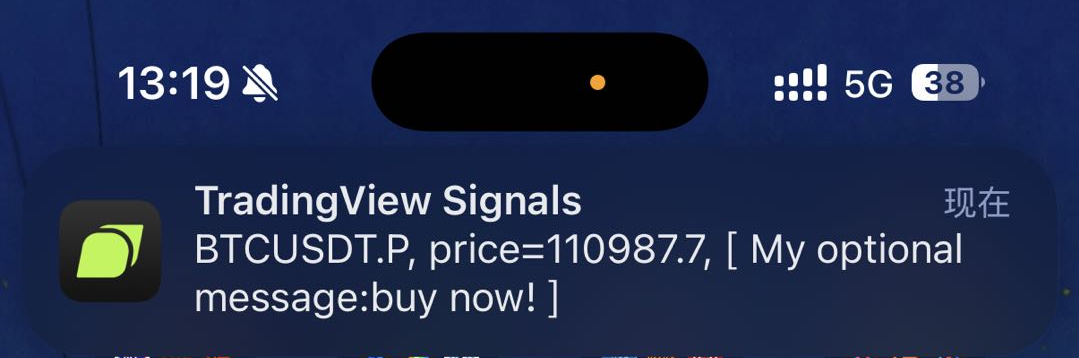
Once a TradingView alert is triggered, the notification will be instantly delivered to both the Bitunix web platform and the Bitunix mobile app.
You can check your alerts in the following ways:
1.Real-time pop-up notification: A pop-up will appear in the upper-right corner of the Bitunix interface, displaying the alert details in real time.
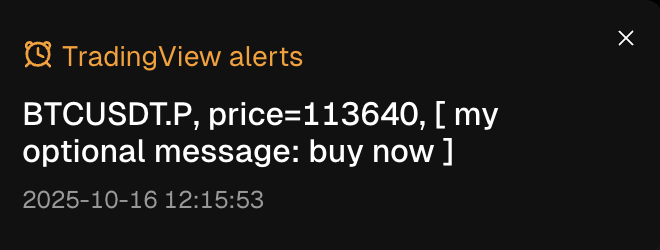
2.Internal Message: Click the bell icon on the top right to view your messages.
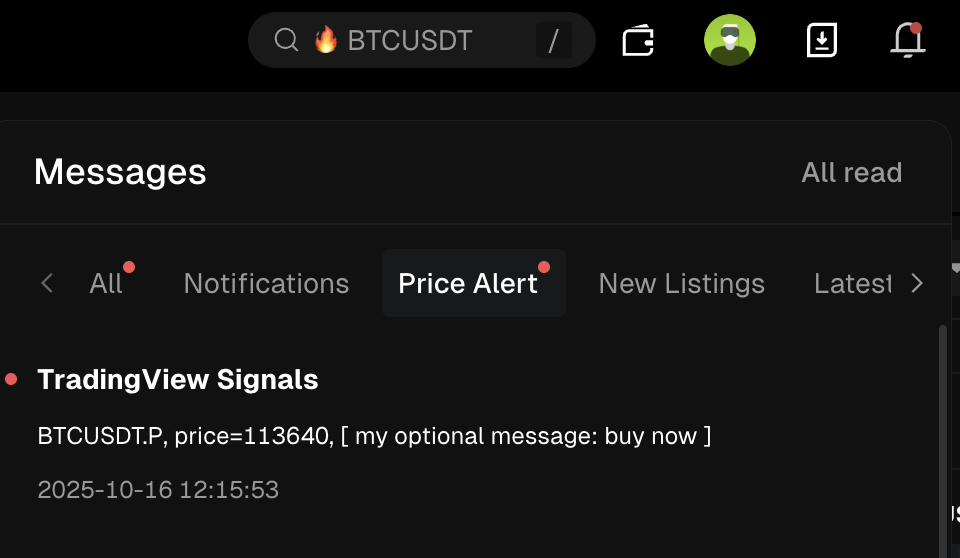
3.App Push: Bitunix App Push is required
Disclaimer
This material is provided for general information only. It is not intended to provide:
- Investment advice or investment recommendations.
- an offer or solicitation to buy, sell, or hold digital assets;
- Financial, accounting, legal, or tax advice.
- Digital assets, including stablecoins and NFTs, carry a high level of risk and can fluctuate significantly in value. Consider carefully whether trading or holding digital assets is suitable for your financial situation. Consult your legal, tax, or investment professional for guidance tailored to your circumstances. You are responsible for understanding and complying with all applicable laws and regulations in your location.