

How to Delete Your Bitunix Account and Data
You can request account deletion through the Bitunix App or the Bitunix website. After the 7 day cancellation window ends and your request is approved, account deletion is irreversible. Please read the instructions below carefully before submitting your request.
Part 1: Prerequisites for Deletion
To help protect your assets, your account must meet all of the following conditions before you can submit a deletion request:
- No outstanding Unified Margin debts.
- No active Earn products.
- No open orders or positions (Spot or Futures).
- No active transfers or pending transactions, including:Active P2P orders or adsOn chain deposits or withdrawals that are still confirmingPending third party crypto purchasesFiat depositsCard purchases
- Total assets across your Master Account and all sub accounts must not exceed 5 USDT.
- Note: If your total assets exceed 5 USDT, please withdraw or transfer them first. Any remaining assets after deletion will be considered voluntarily waived.
Part 2: How to Submit an Account Deletion Request
Option 1: Via the App
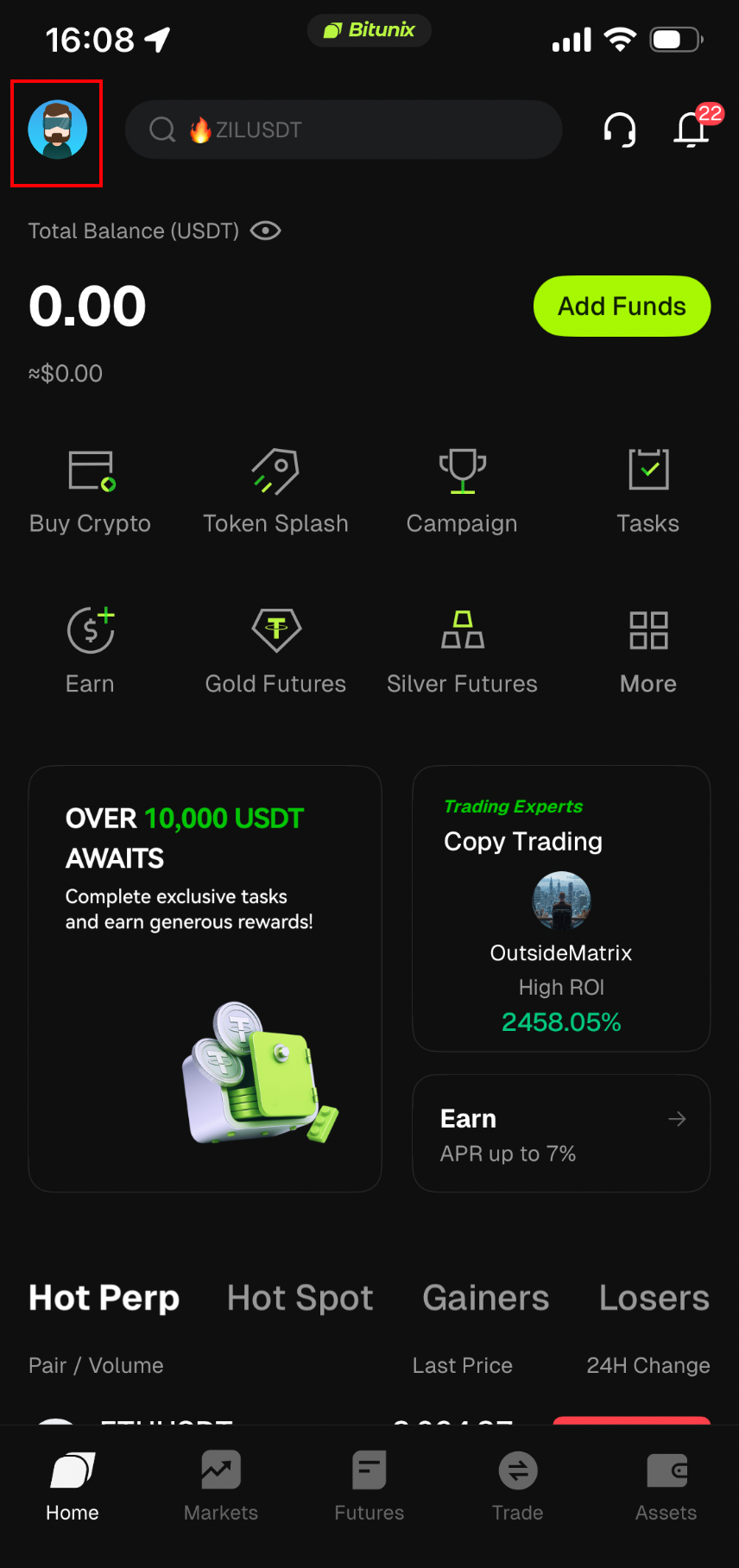
- Log in to the Bitunix App and tap the Profile icon in the top left corner.
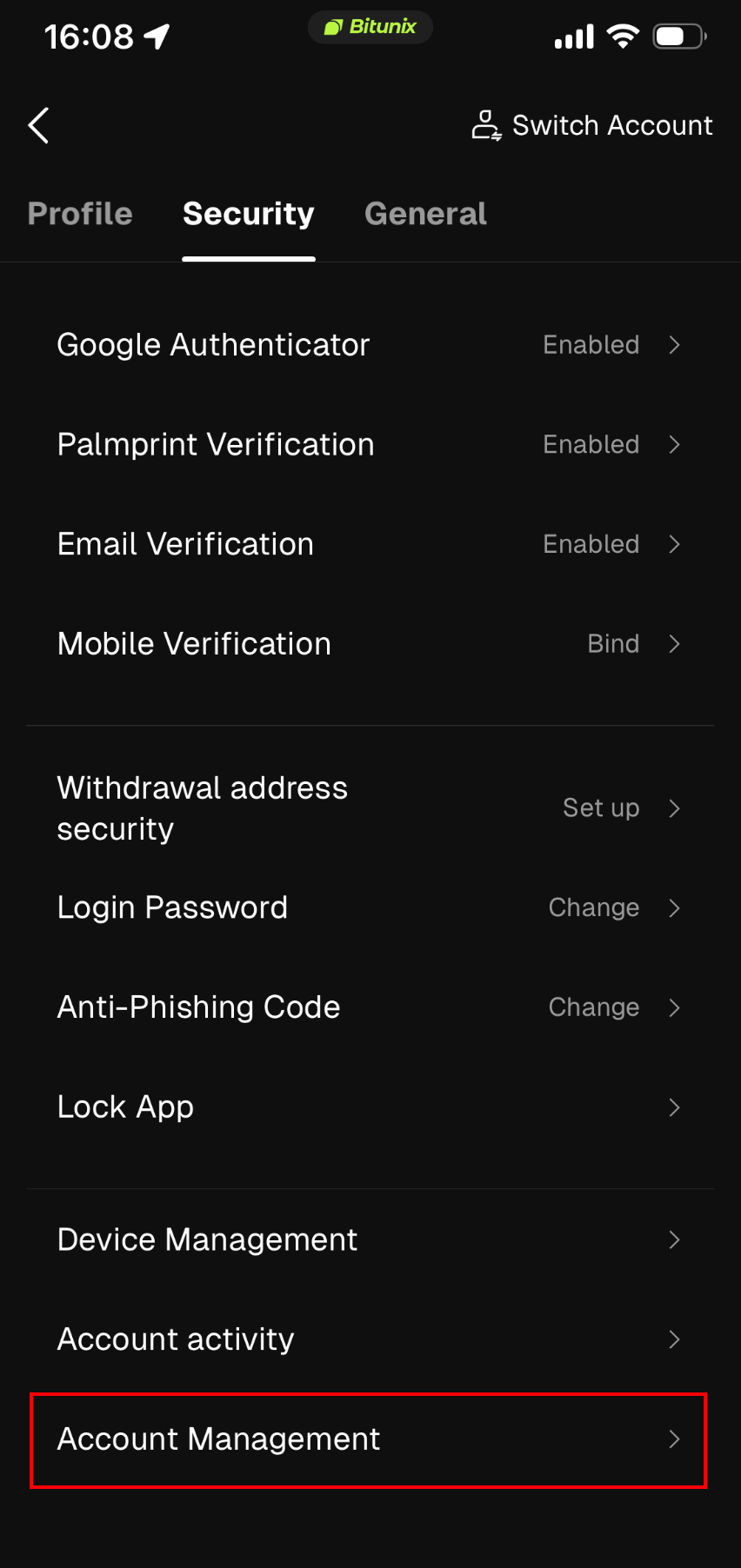
2. Go to Security → Account Management.
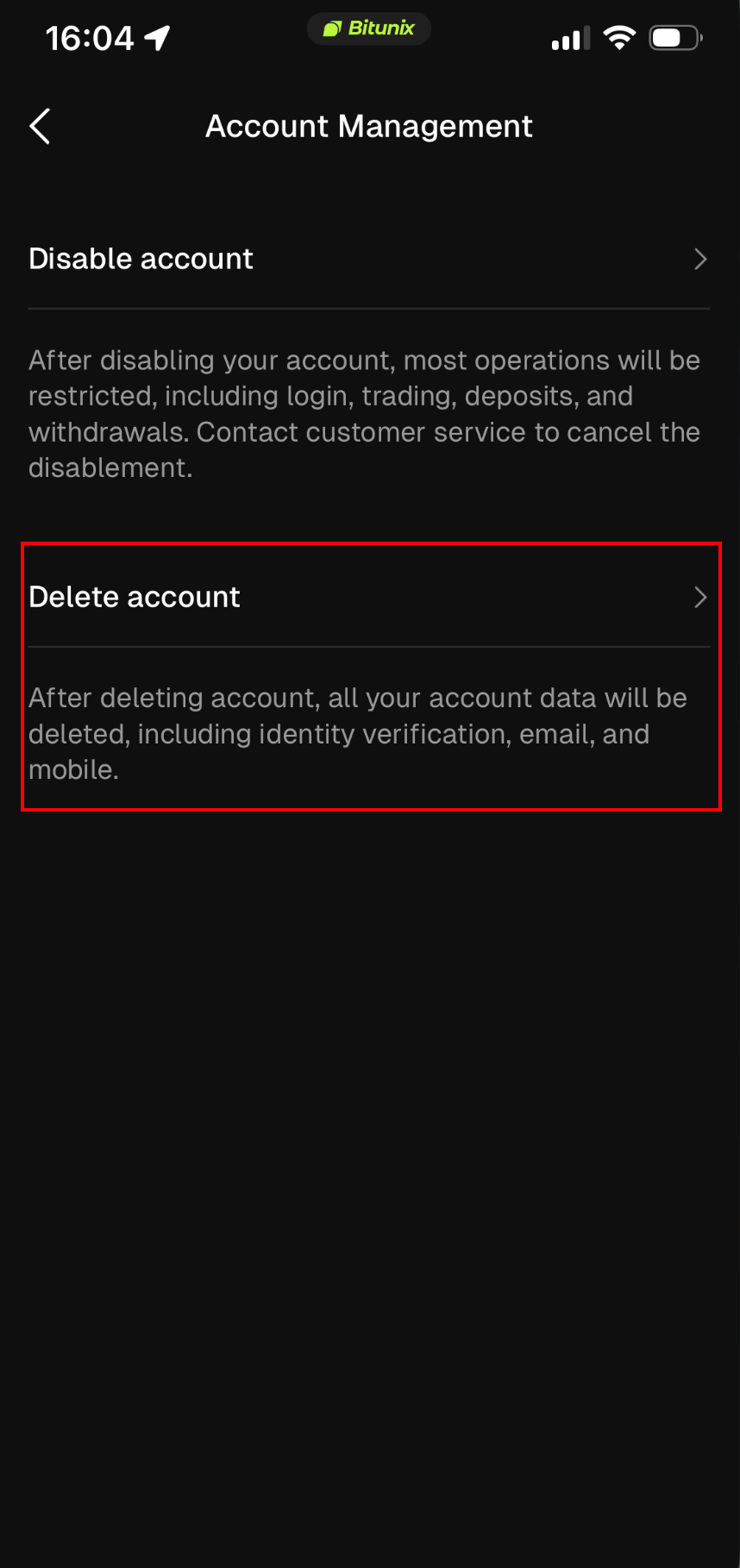
3. Select Delete Account.
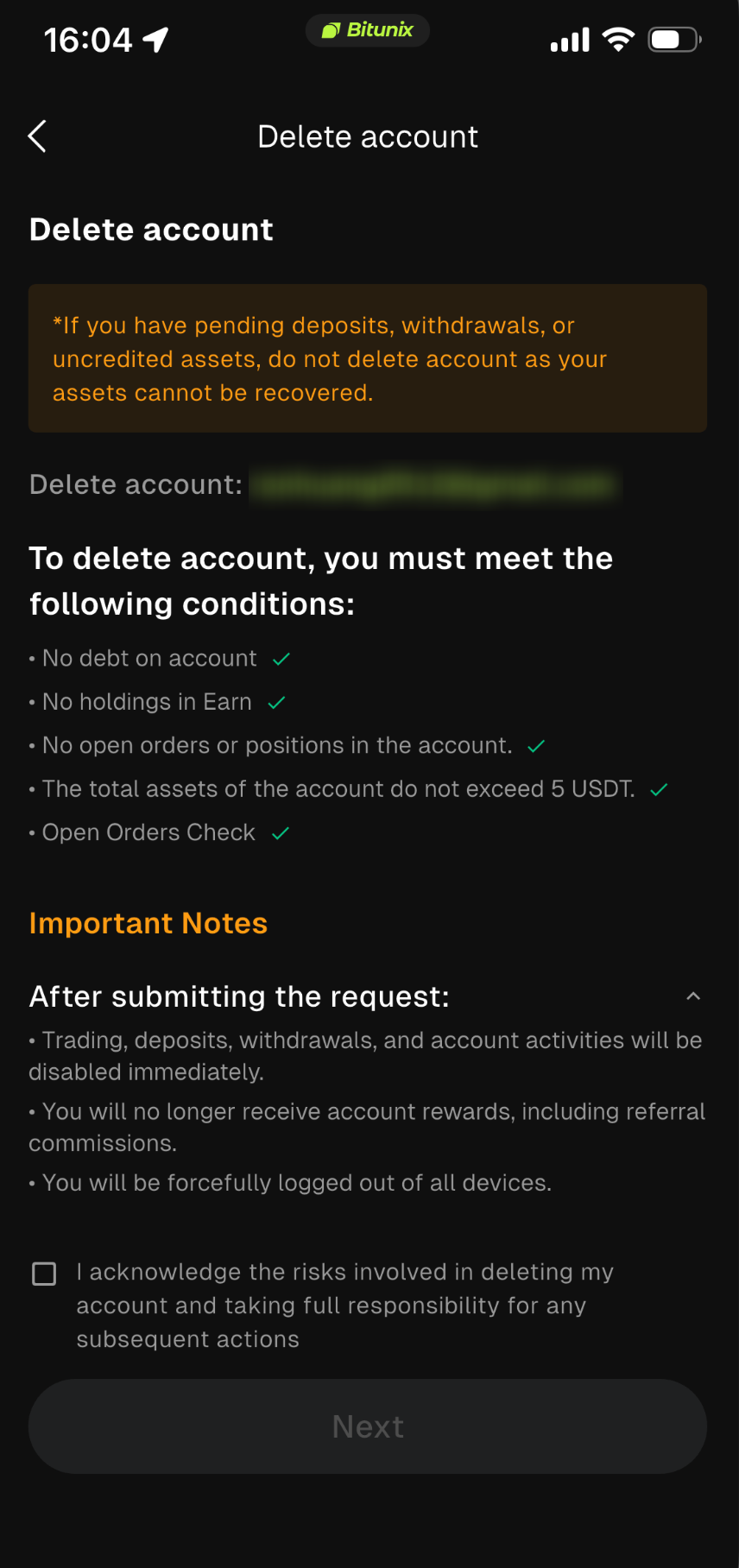
4. The system will automatically check your account status:
- If all conditions are met, check the Asset Waiver & Risk Confirmation agreement and tap Submit.
- If conditions are not met, follow the prompts to resolve the issues (for example, close orders or withdraw assets) and try again.
5. Complete the required security verification. After submission, you will be automatically logged out.
Option 2: Via the Web
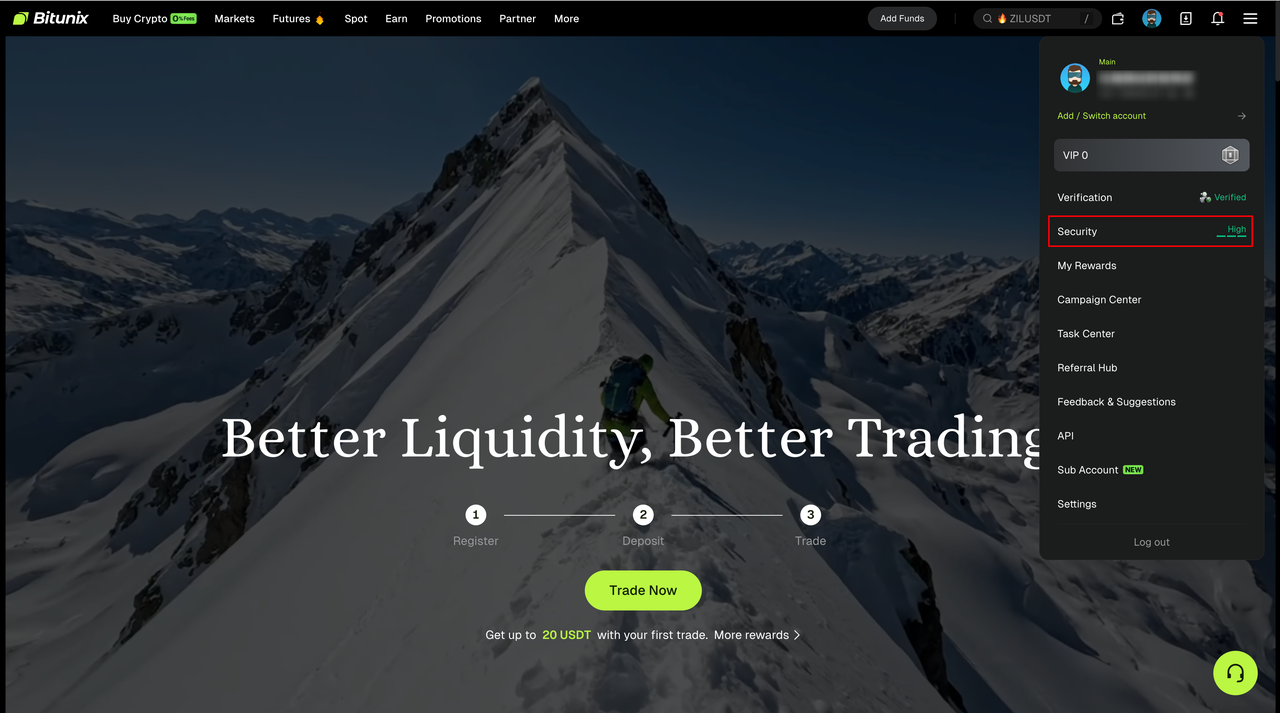
- Visit the Bitunix website and log in. Click the Profile icon in the top right corner, then select Security.
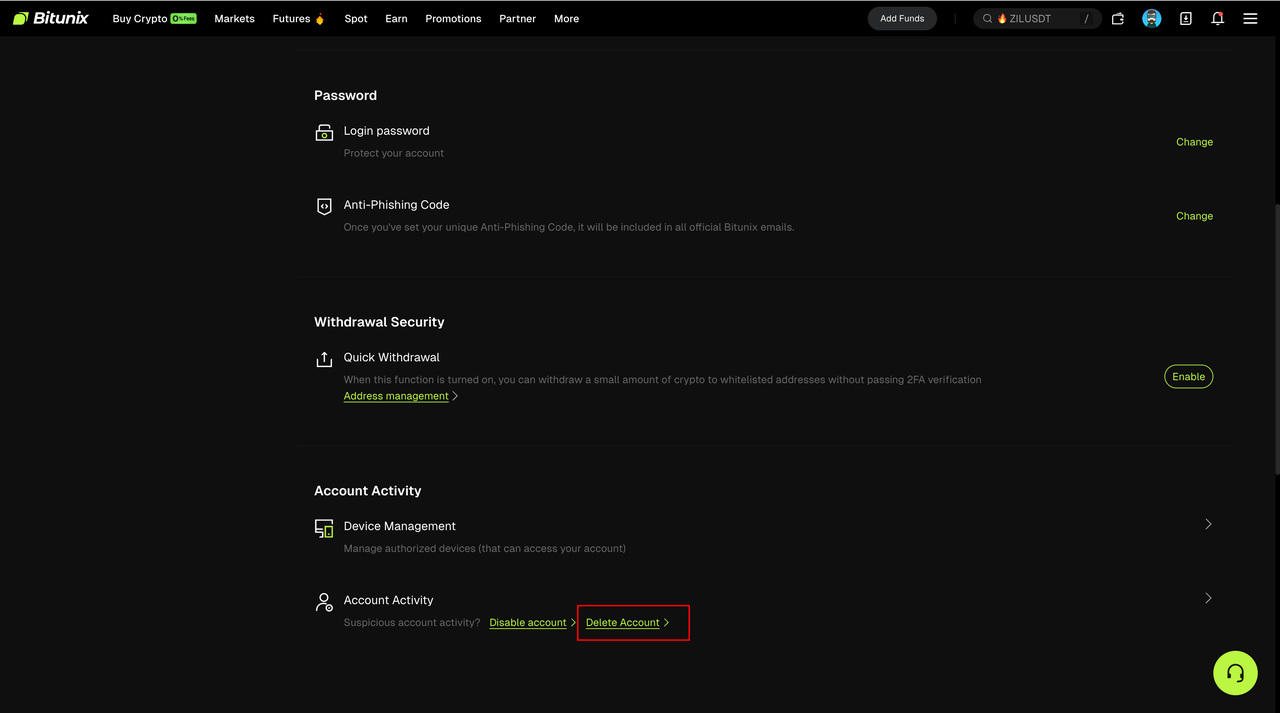
2. Scroll to the bottom of the page and find Delete Account.
3. The system will display the account check results:
- If you pass the check, click Next.
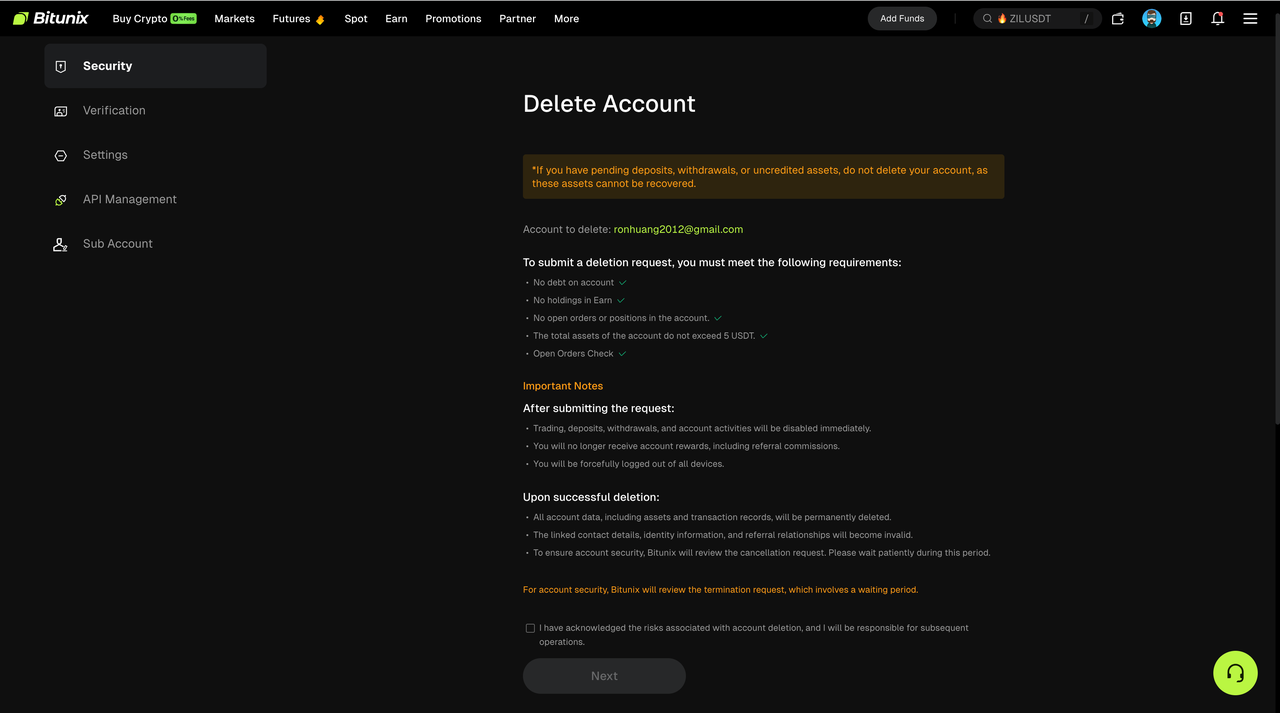
4. Complete the required security verification and submit the request. After submission, you will be automatically logged out.
Part 3: What Happens After Submission
1) Cancellation Window
After you submit the request, your account will be logged out immediately and a 7 day cancellation window (168 hours) will begin.
During this period, your account permissions may be temporarily restricted, including:
- Trading
- Deposits and withdrawals
- API keys
2) How to Cancel the Request
If you change your mind during the 7 day cancellation window, log in to your Bitunix account again.
- A confirmation window will appear. Select Confirm & Revoke to cancel the deletion request.
- Your account permissions will be restored to normal.
3) Final Review and Deletion
If you do not log in to cancel the request during the 7 day cancellation window, Bitunix will proceed with the final review after the cancellation window ends.
If approved, the system will permanently delete your account and associated data, including identity information and transaction history.
Part 4: Notifications
To keep you informed about your account status, the system will send email notifications to your registered email address at the following four key stages:
- Upon Submission You will receive a notification confirming that your account deletion request has been submitted and that the 7 day cancellation window has begun.
- Upon Revocation You will be notified if the deletion request is successfully cancelled and your account access has been fully restored.
- Upon Rejection If your request is rejected during review, you will receive an email explaining the specific reason, such as unresolved asset issues or account anomalies.
- Upon Approval (Deletion Completed) You will be notified once your account and all associated data have been permanently deleted.
FAQ
Q: Why can’t I submit an account deletion request?
A: Your account may still have outstanding Unified Margin debts, open orders or positions, active Earn products, or total assets exceeding 5 USDT. All conditions must be resolved before submission.
Q: How long does the account deletion process take?
A: After submission, there is a 7 day cancellation window. Once this window ends, Bitunix will complete the final review and deletion process within 7 to 10 business days.
Q: Can I re-register after deleting my account?
A: Yes. However, in certain cases, such as accounts previously linked to an affiliate or agent, re-registration using the same identity information may be subject to temporary restrictions to ensure platform fairness.
Disclaimer
This article is not intended to provide:
(i) investment advice or investment recommendations;
(ii) an offer or solicitation to buy, sell, or hold digital assets; or
(iii) financial, accounting, legal, or tax advice.
Digital assets (including stablecoins and NFTs) involve high risk and may be highly volatile. You should carefully consider whether trading or holding digital assets is suitable for you based on your financial situation. For your specific circumstances, consult your legal, tax, or investment professionals. You are responsible for understanding and complying with all applicable local laws and regulations.