

I. What Is a Trailing Stop Order?
A Trailing Stop is a type of trading order whose trigger price dynamically adjusts in response to market price movements. Once the price reaches the preset activation condition, the system automatically executes a market order based on the configured retracement range. This allows users to dynamically lock in profits or limit losses during periods of market volatility.
The underlying logic is closely aligned with trend trading strategies in cryptocurrency markets. When a clear trend emerges, the Trailing Stop enables traders to capture long or short opportunities at the moment of trend reversal, allowing them to ride the prevailing trend while responding promptly to market retracements.
II. Core Advantages of Trailing Stop Orders
- ✅ Automatic price tracking: The trigger price adjusts automatically as the market fluctuates, eliminating the need to monitor charts manually.
- ✅ Dynamic profit locking: When the retracement condition is met, the order executes automatically at market price, helping to lock in gains or reduce losses.
- ✅ Flexible trigger configuration: Users can customize both the activation price and the retracement range to capture the optimal trade timing.
- ✅ Versatile strategy application: Suitable for both selling into rallies near a top and accumulating at lows during a sell-off, with a simple and efficient workflow.
II. Trailing Stop Order Operating Guide (Web)
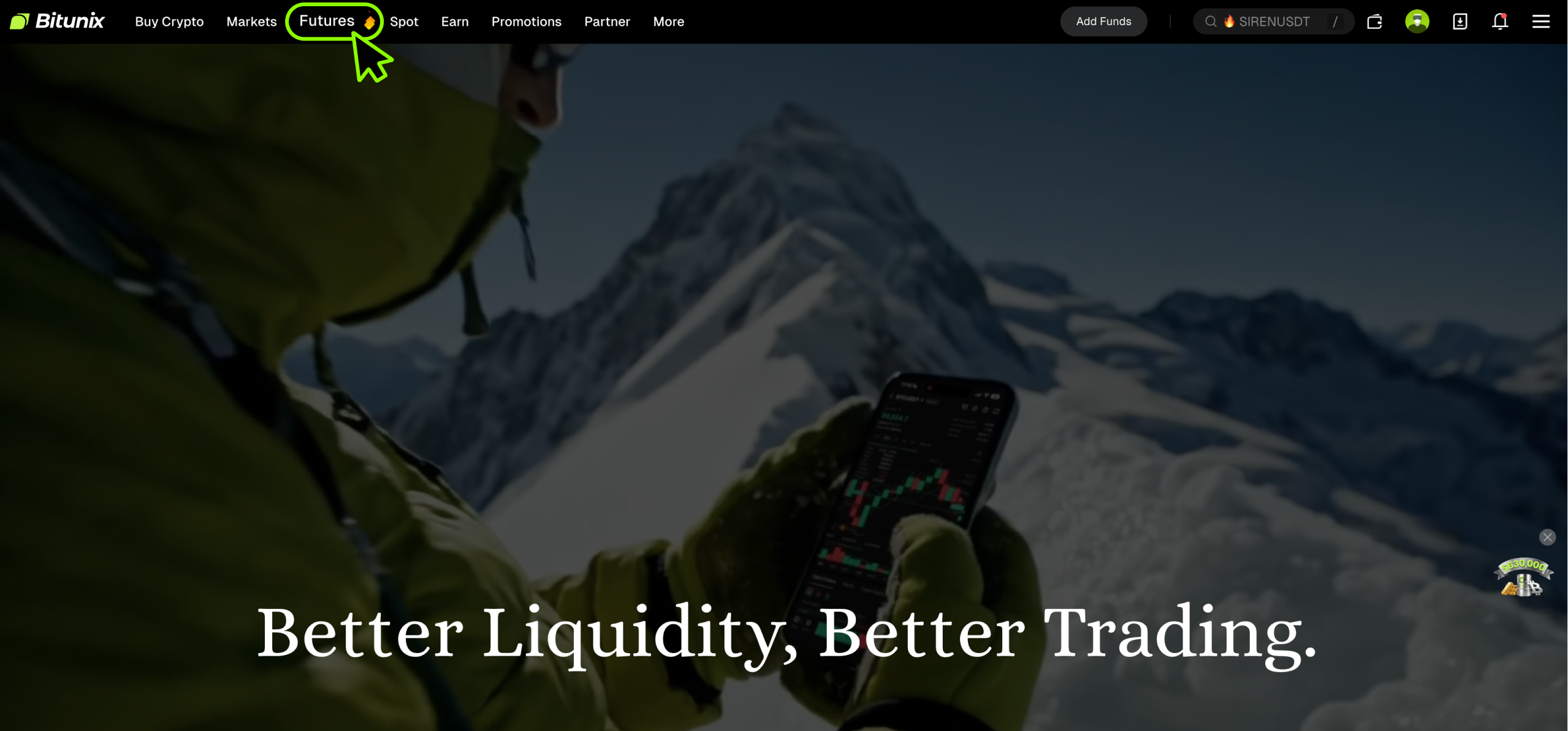
1. Log in to your Bitunix account and navigate to the Futures Trading page.
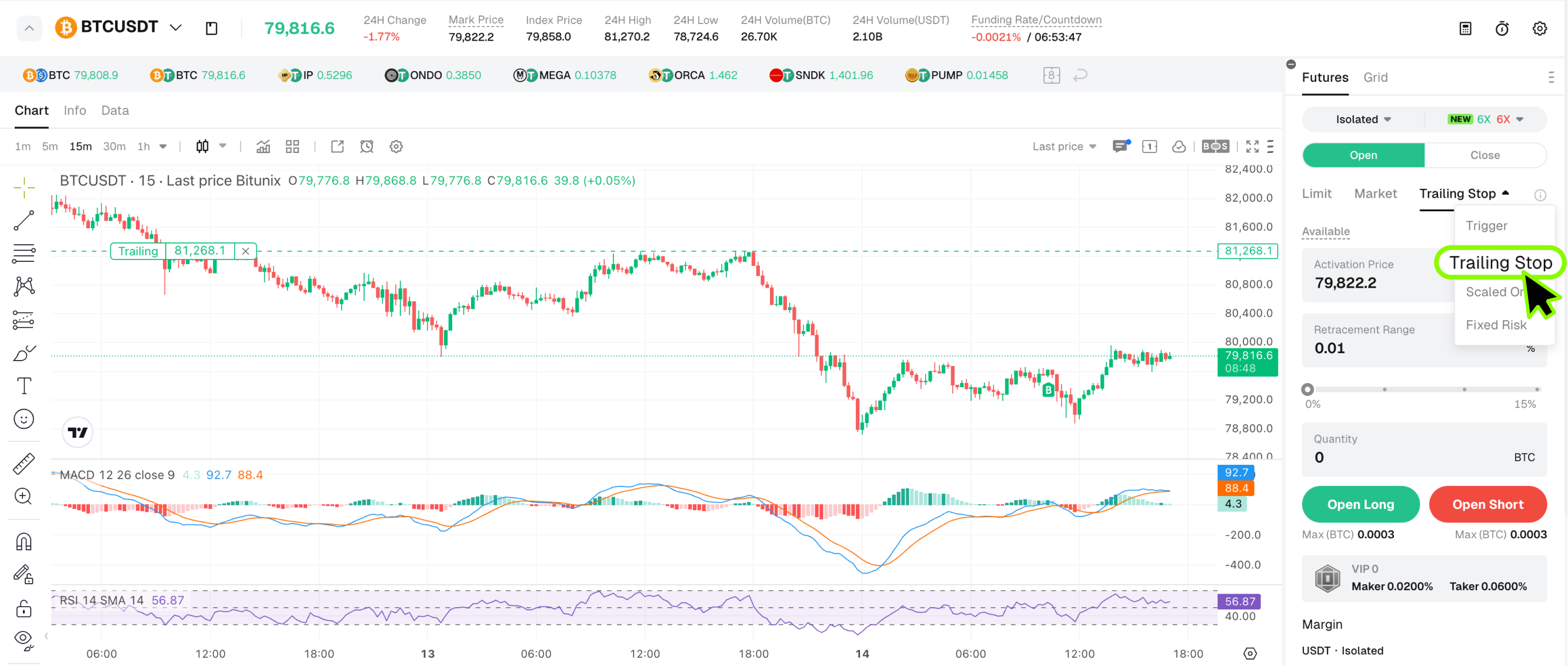
2. Select the target futures contract (for example, BTC/USDT Perpetual). In the order panel, tap Order Type and select Trailing Stop.
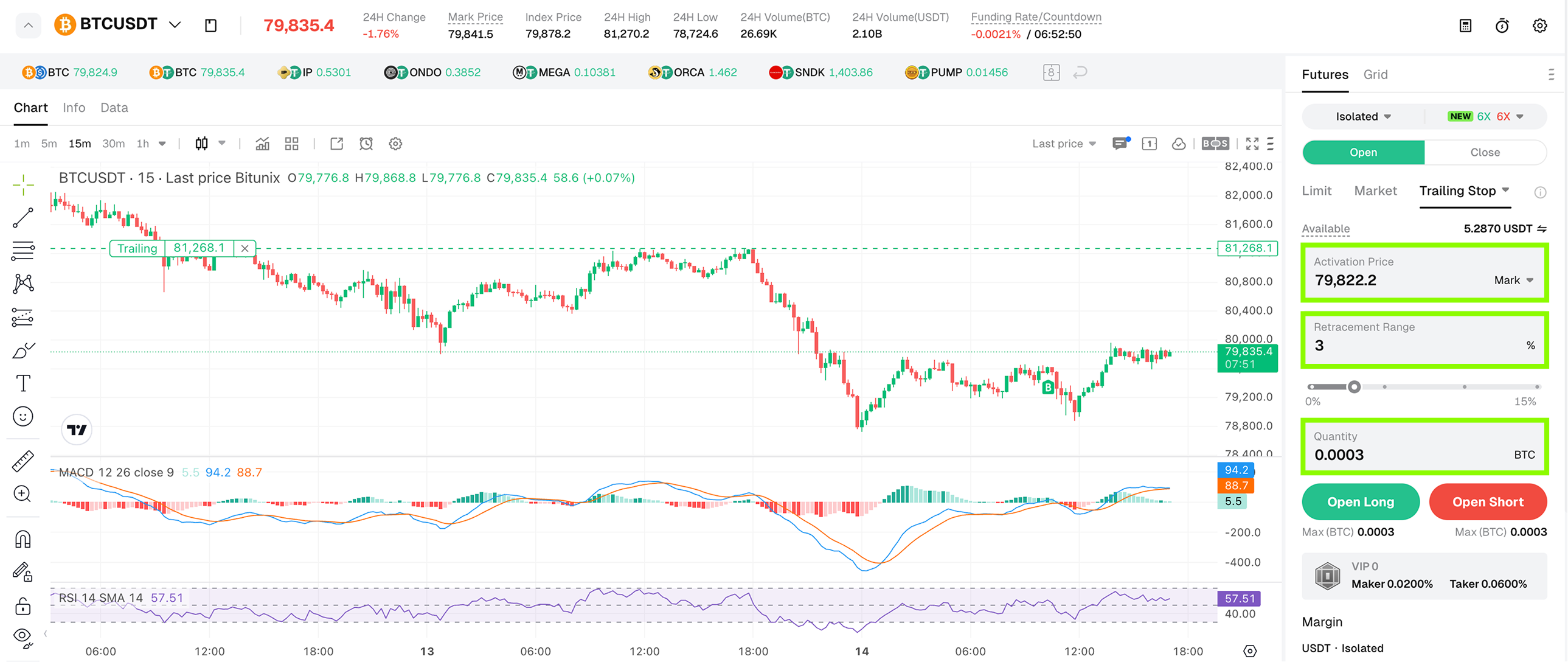
3. Configure the core Trailing Stop parameters. The following demonstration uses the BTC/USDT perpetual futures contract with 6x leverage on a long entry and a 3% retracement range to walk through the Trailing Stop workflow.
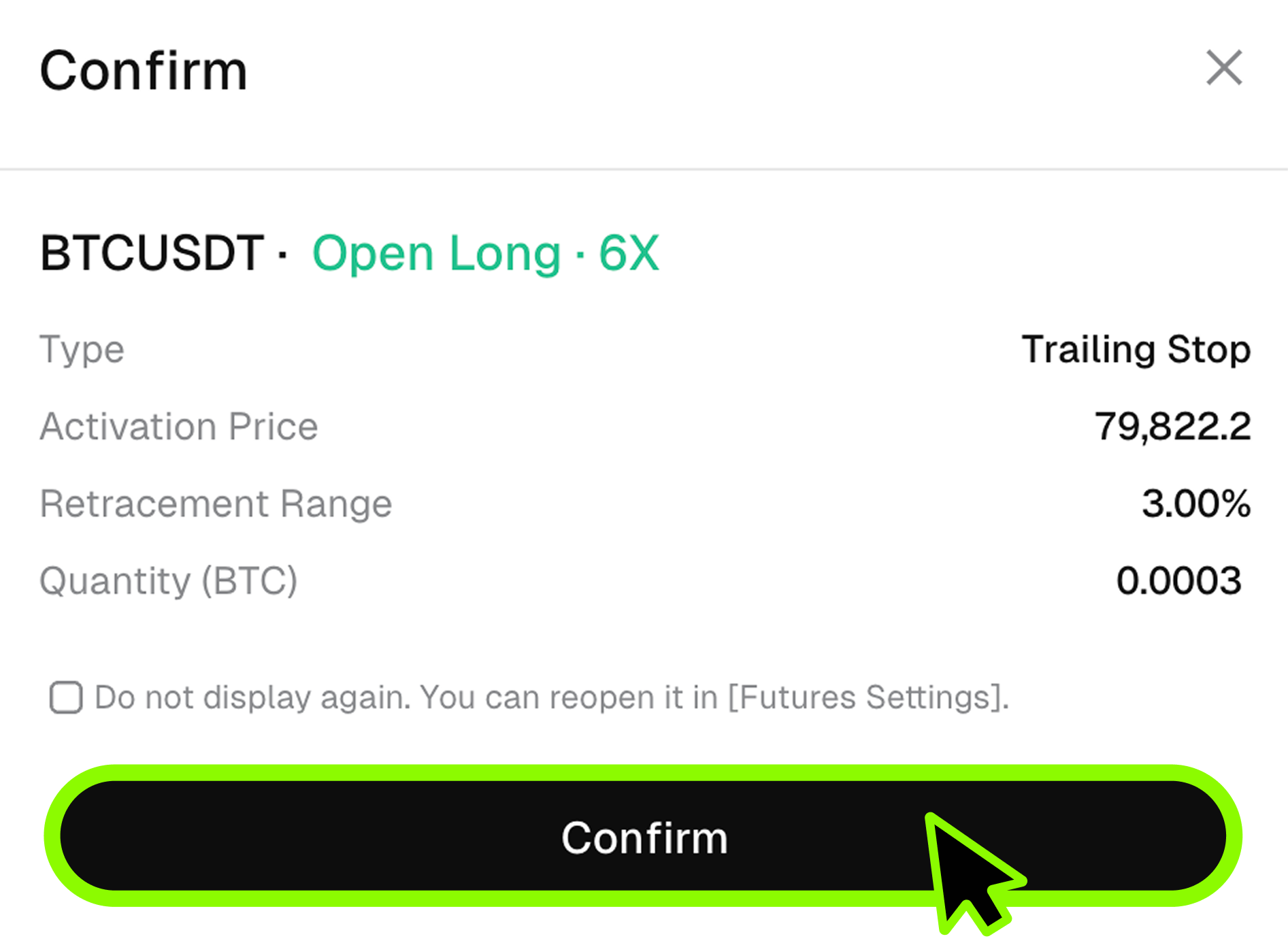
4. After tapping Confirm, the order is submitted. This order means that the position activates when BTC reaches $79,603. Even if BTC continues to decline thereafter, the buy condition will be triggered as soon as the price rebounds upward by 3% from its post-activation low.
IV. Typical Trailing Stop Use Cases
Short at Highs
Suppose you intend to sell BTC, and the latest traded price is $30,000. If you anticipate that BTC will continue to rise before potentially retracing, you can set the activation price at $31,000, the retracement range at 10%, and the quantity at 1 BTC. After the order is submitted, the order is activated once BTC rises to $31,000. If BTC then continues higher to a peak of $40,000 before retracing to $36,000, the 10% retracement condition is satisfied, and the system will automatically open a short position at the market price of $36,000 to help users enter short trades at high price levels.
Long at Lows
Suppose you intend to buy BTC, and the latest traded price is $40,000. If you anticipate that BTC will fall further before potentially rebounding, you can set the activation price at $30,000, the retracement range at 5%, and the quantity at 1 BTC. After the order is submitted, the order is activated when BTC declines to $30,000. If the price then continues lower to $20,000 before rebounding to $21,000 (a 5% retracement from the low), the system automatically buys at market price at $21,000, Help users go long at low price levels
V. Important Considerations for Trailing Stop Orders
- ⚠️ Trailing Stop orders do not lock the position or margin until they are successfully triggered.
- ⚠️ The number of Trailing Stop orders is subject to the overall order quantity limit on the account.
- ⚠️ While an active Trailing Stop order exists, modifications to the leverage multiplier, margin mode, and position mode are not permitted.
- ⚠️ A Trailing Stop order is only moved to Order History when its status becomes Triggered, Trigger Failed, Canceled, or System Canceled.
- ⚠️ When submitting a Trailing Stop order, if the order quantity exceeds the maximum order quantity per transaction, the system will display the message: "Order quantity cannot exceed the maximum order size."
Disclaimer
This article is not intended to provide:
(i) investment advice or investment recommendations;
(ii) an offer or solicitation to buy, sell, or hold digital assets; or
(iii) financial, accounting, legal, or tax advice.
Holdings of digital assets, including stablecoins and NFTs, involve a high degree of risk and may fluctuate significantly. You should carefully consider whether trading or holding digital assets is appropriate for you based on your financial situation. Please consult your legal, tax, or investment professional regarding your specific circumstances. You are solely responsible for understanding and complying with all applicable local laws and regulations.