

Credit and Debit Card Purchases
You can buy cryptocurrency using a credit card (Visa) or debit card (Mastercard) for a fast and convenient checkout experience. Bitunix supports card purchases across multiple fiat currencies and crypto assets, with a guided in-app flow designed to help you complete your order quickly and securely.
1.How to Buy Crypto With a Credit or Debit Card (App)
Buy crypto in minutes using your Visa or Mastercard directly in the Bitunix app. Follow the steps below to choose your payment method, enter your amount, and complete the required verification to place your order securely.
- Log in to your Bitunix account.
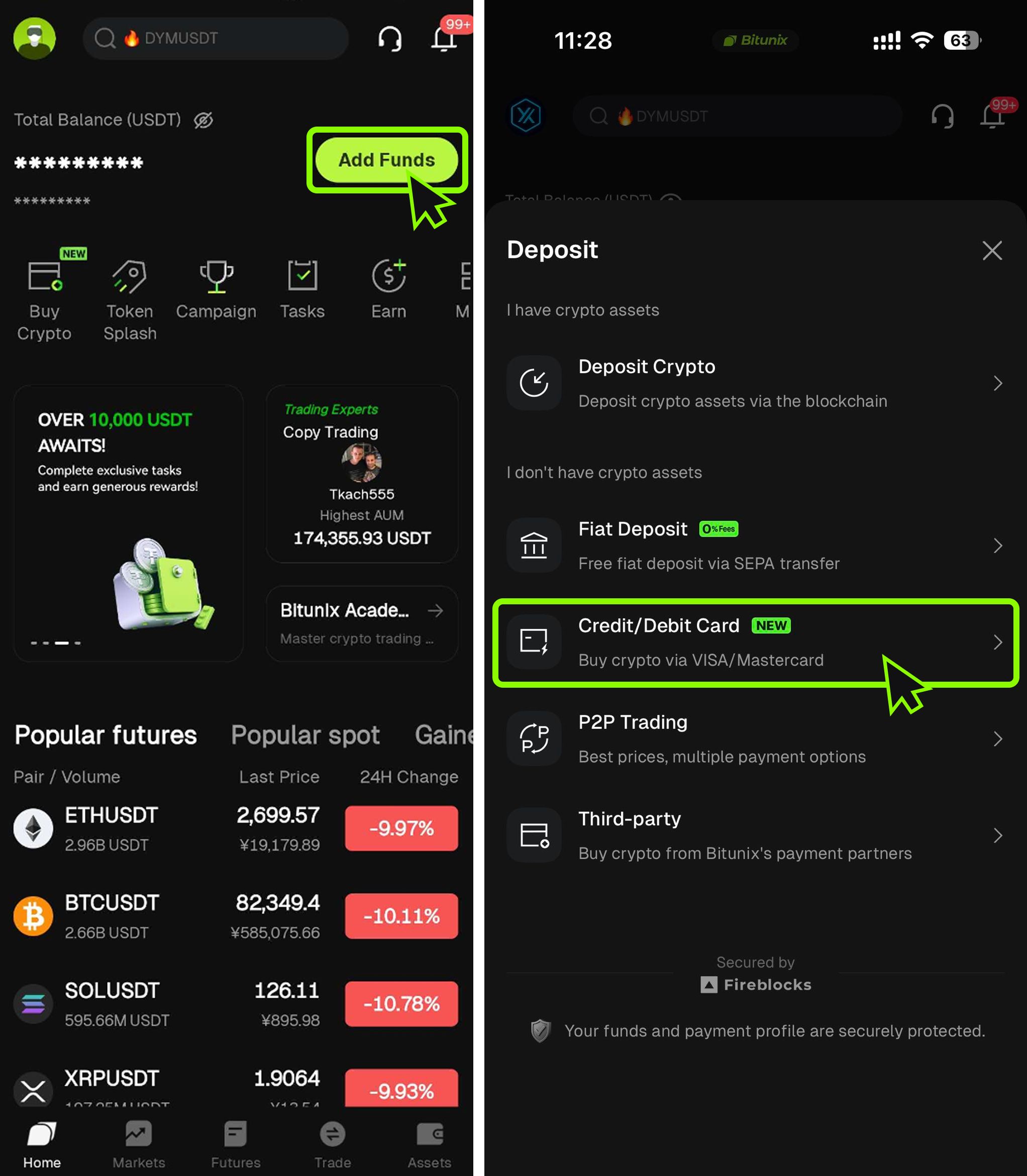
- On the homepage, tap Add Funds, then select Credit/Debit Card under the deposit options.
2.Enter the Purchase Amount
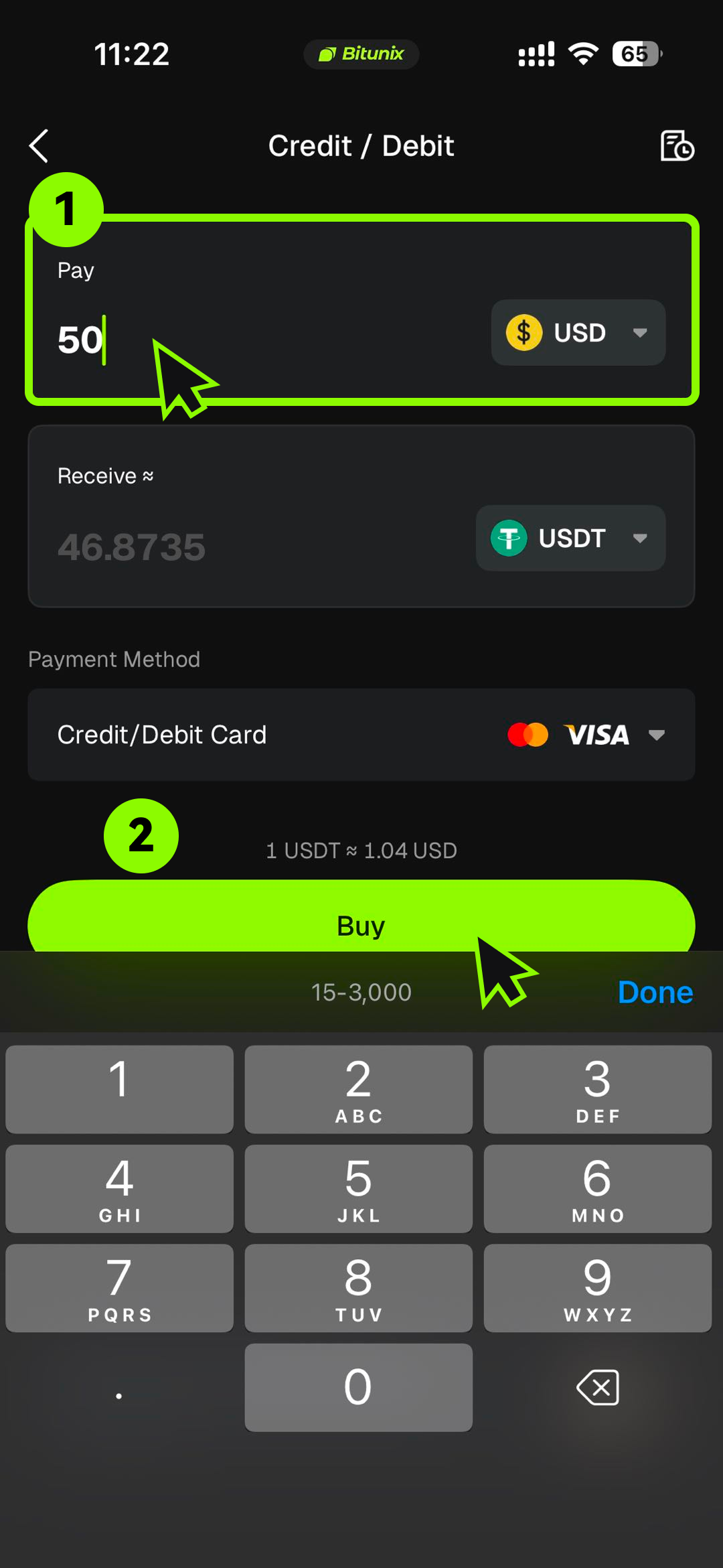
On the purchase screen, select your fiat currency and the crypto you want to buy, then enter the amount. The app will automatically show the estimated crypto you will receive and the current price.
Tap Next to complete the verification steps:
- Link your account details: Make sure your email address or mobile number is linked to your account.
- Complete KYC verification: Card purchases require identity verification. In some cases, you may be asked to complete an additional verification step even if you have previously passed KYC.
- Provide required compliance details: Complete any additional information requested by the payment service provider.
3.Link Your Card and Confirm Payment
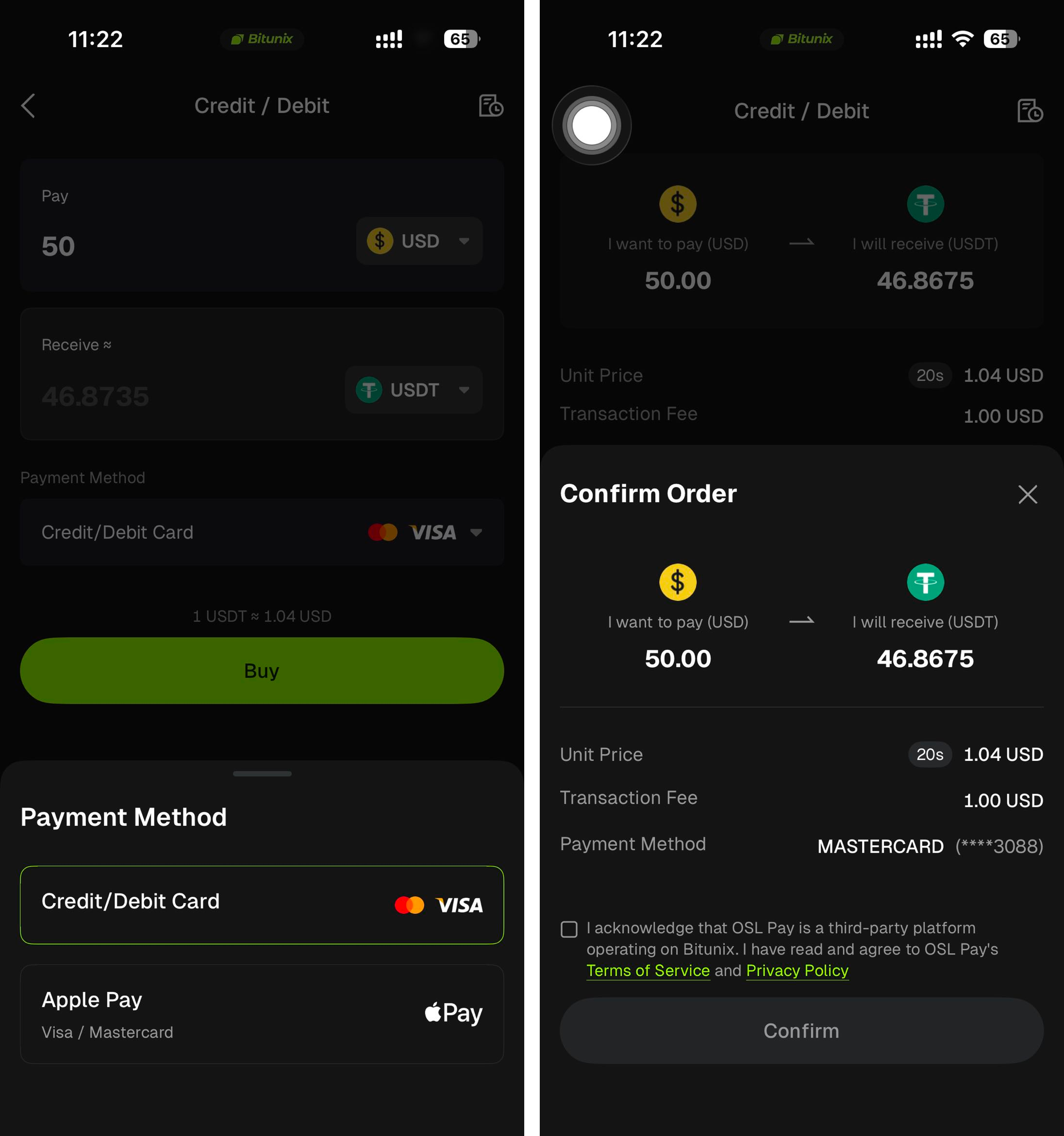
- Link your card (first-time users): If you have not linked a card yet, tap Bind Card and enter your credit or debit card details. Note: Only cards in your own name can be used. The cardholder name must match the name on your Bitunix KYC verification.
- Complete 3D Secure verification (if required): Some banks may prompt you to enter a 3D Secure (3DS) code to verify the card during the linking process.
- Confirm your purchase: After your card is linked, tap Buy and enter your card’s CVV/CVC to confirm the payment.
4.View Your Credit or Debit Card Purchase History
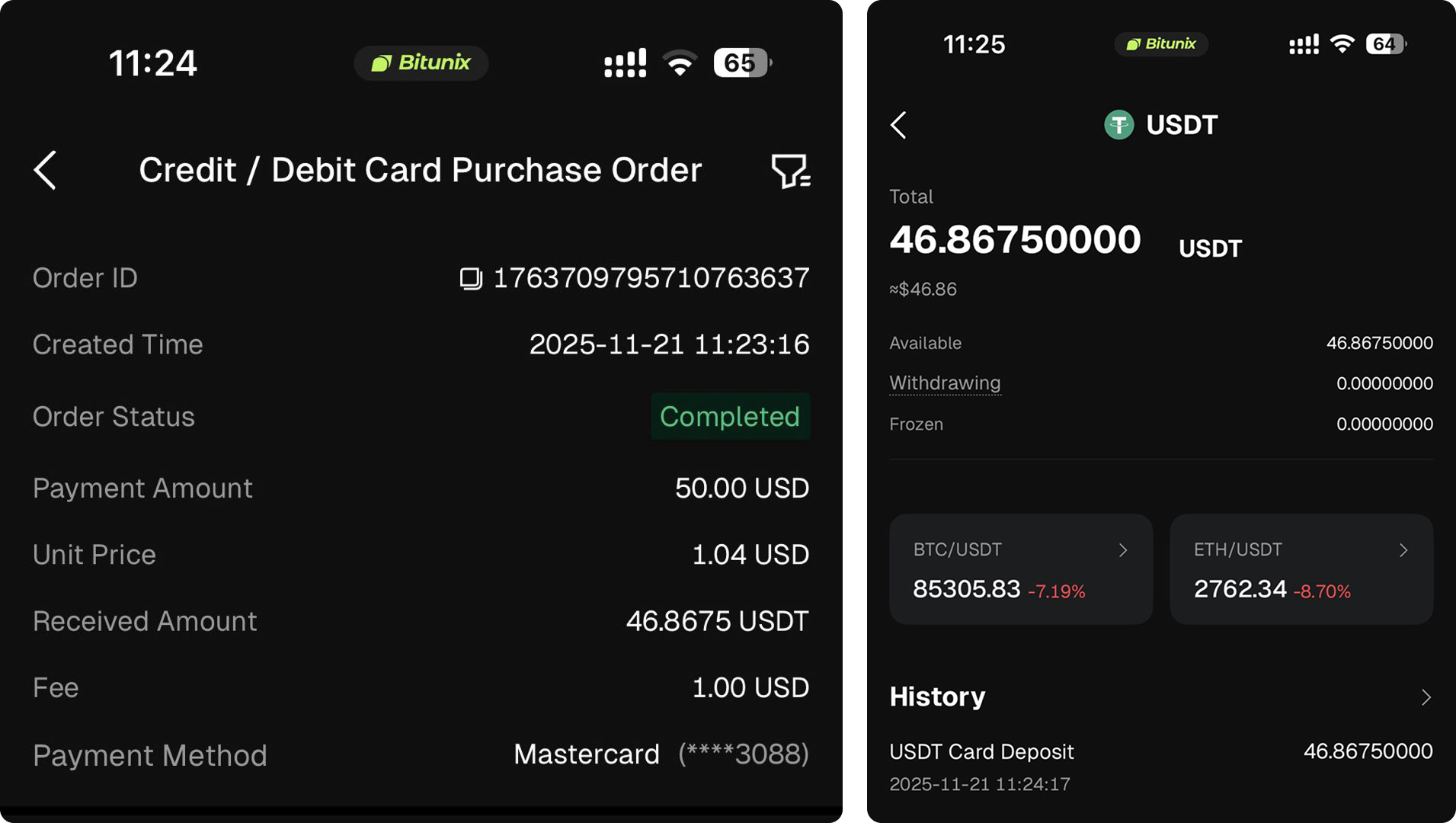
You can view your past card purchase orders in the order list. On the Credit/Debit Card Purchase Order page, tap My Orders in the top-right corner to see your order history.
Notes
- KYC verification: You must complete Bitunix KYC before buying crypto with a credit or debit card. In some cases, an additional verification step may be required to improve payment success.
- Supported fiat currencies: More than 30 fiat currencies are supported (for example, USD, EUR, GBP, AUD).
- Supported cryptocurrencies: BTC, ETH, USDT, USDC, and more.
- Per-transaction limit: Minimum $50 equivalent, maximum $5,000 equivalent (limits may vary by region and issuer).
- Daily limit: Up to $5,000 equivalent (limits may vary).
- Order limit: You can have up to 5 orders in a payable or processing status at the same time. Additional attempts may be temporarily restricted.
- Card type recommendation: Debit cards often have a higher success rate than credit cards.
- Supported countries: Service availability depends on local regulations and compliance requirements. Certain jurisdictions may be restricted.
- Bank fees: Some banks may treat crypto purchases as a “cash advance” and charge additional fees.
Disclaimer
This article is provided for informational purposes only and does not constitute:
(i) investment advice or recommendations;
(ii) an offer or solicitation to buy, sell, or hold digital assets; or
(iii) financial, accounting, legal, or tax advice.
Digital assets, including stablecoins and NFTs, involve significant risk and may be highly volatile. You should carefully consider whether buying, selling, or holding digital assets is suitable for you based on your financial situation and risk tolerance. Please consult a qualified professional for advice specific to your circumstances and ensure compliance with applicable local laws and regulations.