

What Is Order Leverage?
Order Leverage is an advanced optimization feature introduced by Bitunix for futures trading. Under traditional trading models, when unfilled pending orders exist in an account, users are typically unable to modify the leverage directly. Instead, they must cancel the existing order, adjust the leverage, and then resubmit the order, a cumbersome workflow that can easily cause traders to miss market opportunities.
The upgraded Order Leverage feature removes the constraints of this legacy logic. You can now adjust leverage at any time without canceling existing limit orders, trigger orders, or trailing stop orders. The system automatically recalculates and adjusts the required margin in real time based on your new leverage multiplier, delivering a more efficient trading experience.
What Does Order Leverage Do?
- Zero operational delay: Modify leverage directly while open orders exist, eliminating the multi-step process of canceling, adjusting, and reordering.
- Greater flexibility under Multi-Trade: In Multi-Trade mode, you can assign independent leverage multipliers to different pending orders and positions, enabling more granular risk management.
- Automated calculation: The system automatically recalculates margin utilization based on the new leverage and performs real-time risk limit checks to safeguard your account.
- Full-scenario coverage: Intuitive leverage adjustment entry points are available across the order panel, the Open Orders list, and the Positions list.
How to Use the Order Leverage Feature
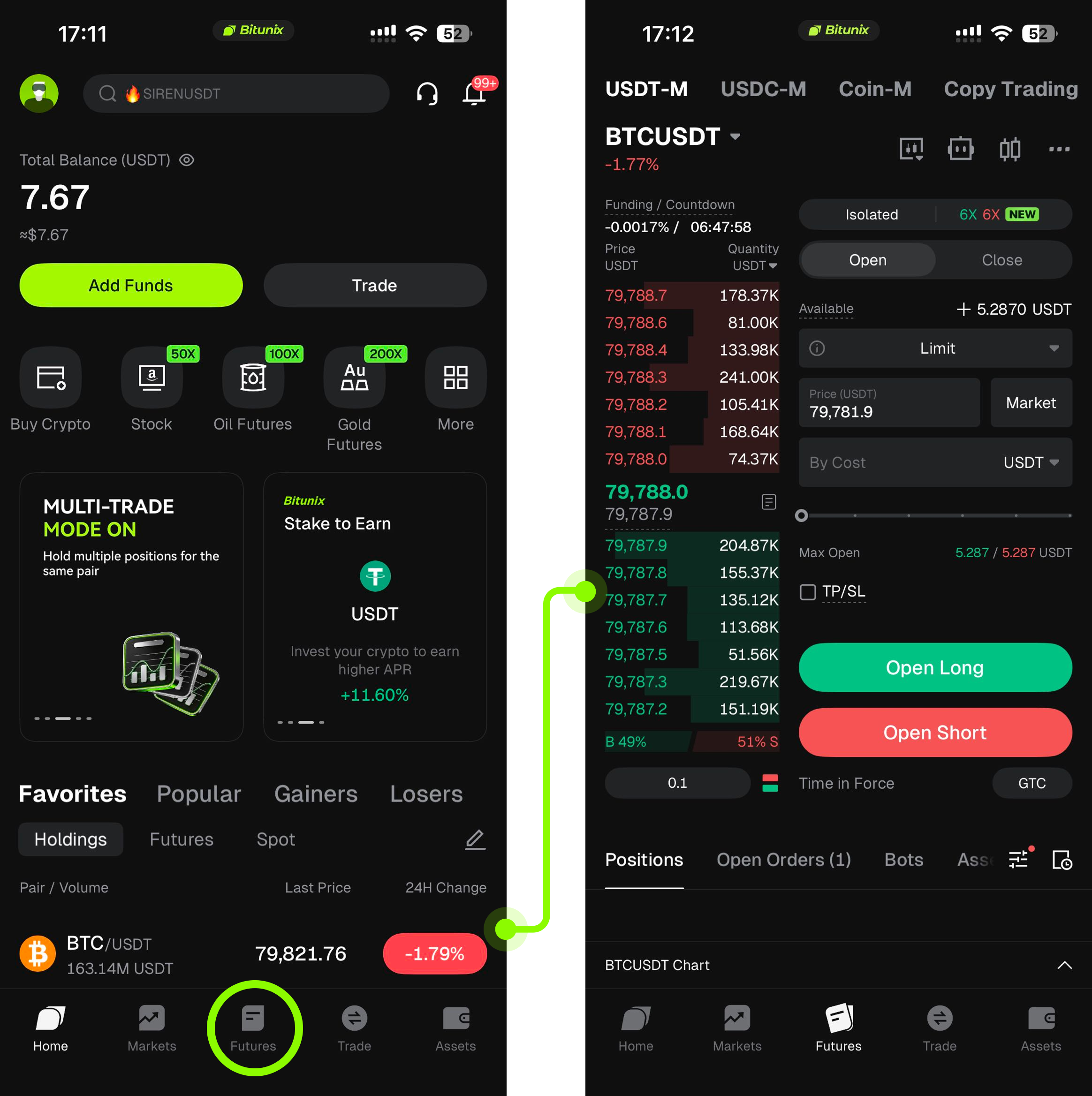
1. Log in to your Bitunix account and tap the Futures button. The page will navigate to the futures trading interface.
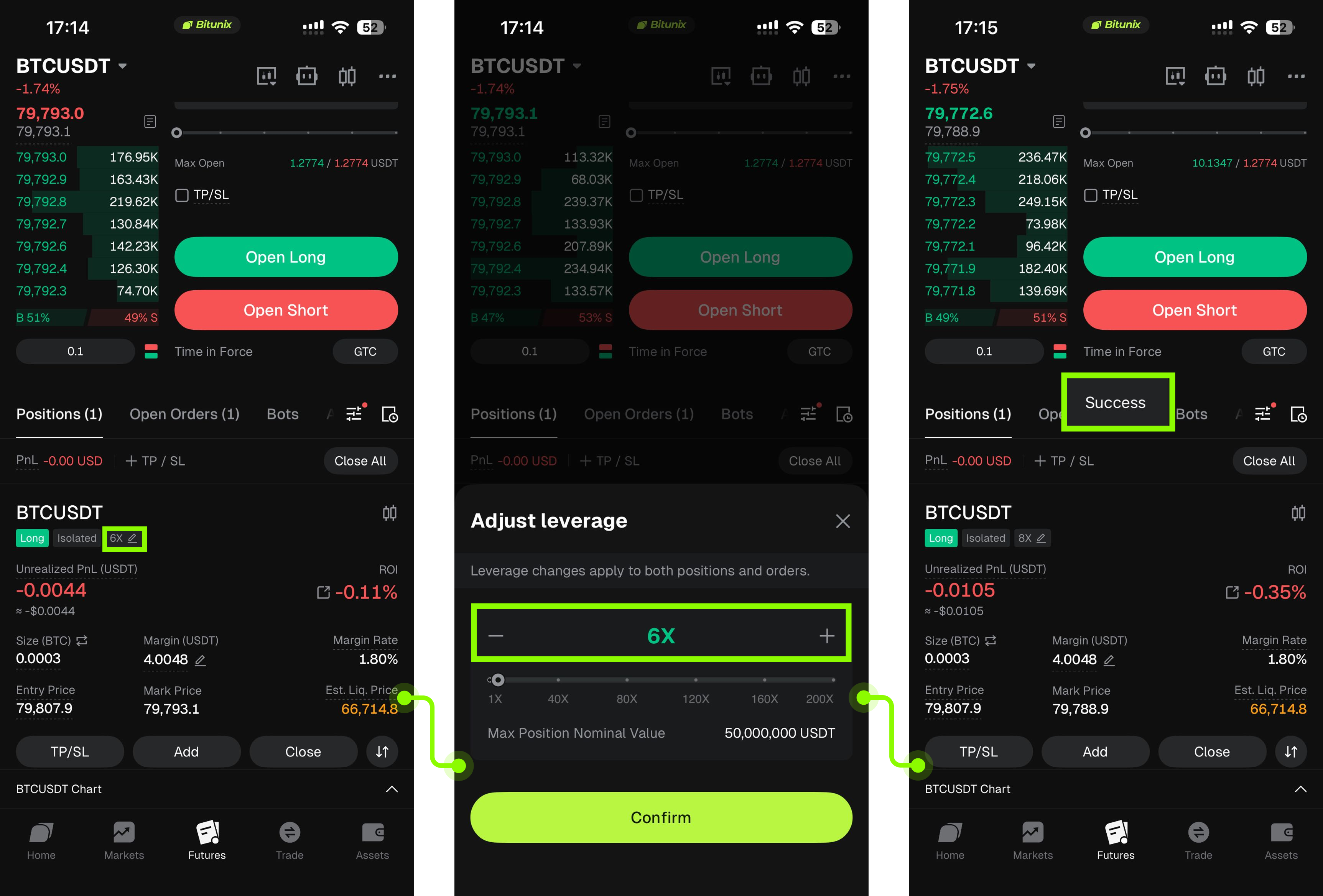
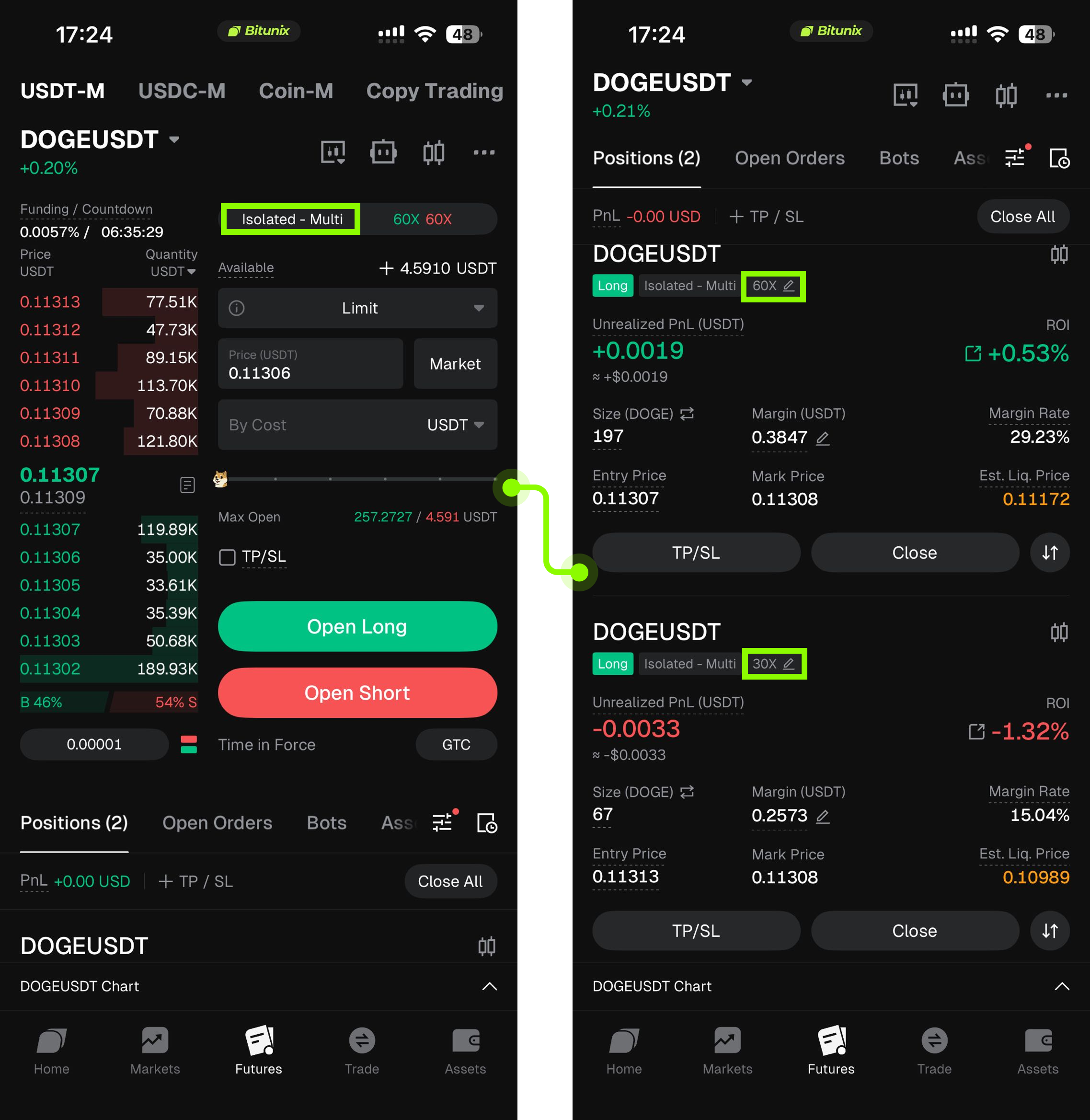
2. If you already hold a futures position, you can open the drop-down menu, select the relevant position, and adjust its leverage. Once the adjustment is complete, the system will display a Success confirmation, and your profit and loss will subsequently be calculated based on the new leverage multiplier.
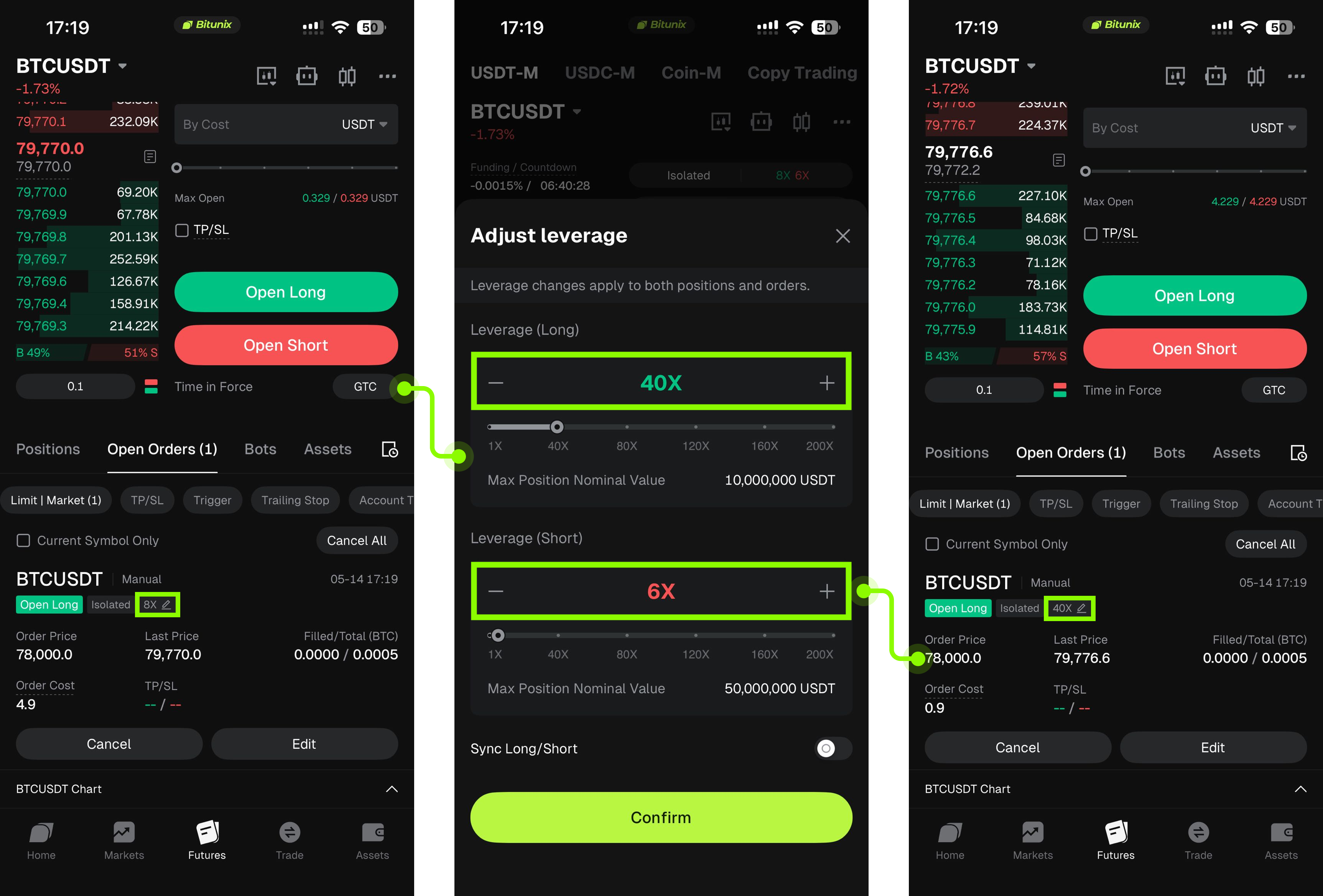
3. If you do not currently hold a futures position but have active futures orders, you can modify the leverage at the top of the trading page. After the leverage is updated, the pending orders listed below will automatically sync to the new leverage multiplier. Alternatively, you can modify the leverage directly from the Open Orders section.
4. By default, the system operates in standard (non-Multi-Trade) mode. To enable Multi-Trade, tap the Isolated button at the top of the trading page, then toggle on the Multi-Trade switch displayed below.
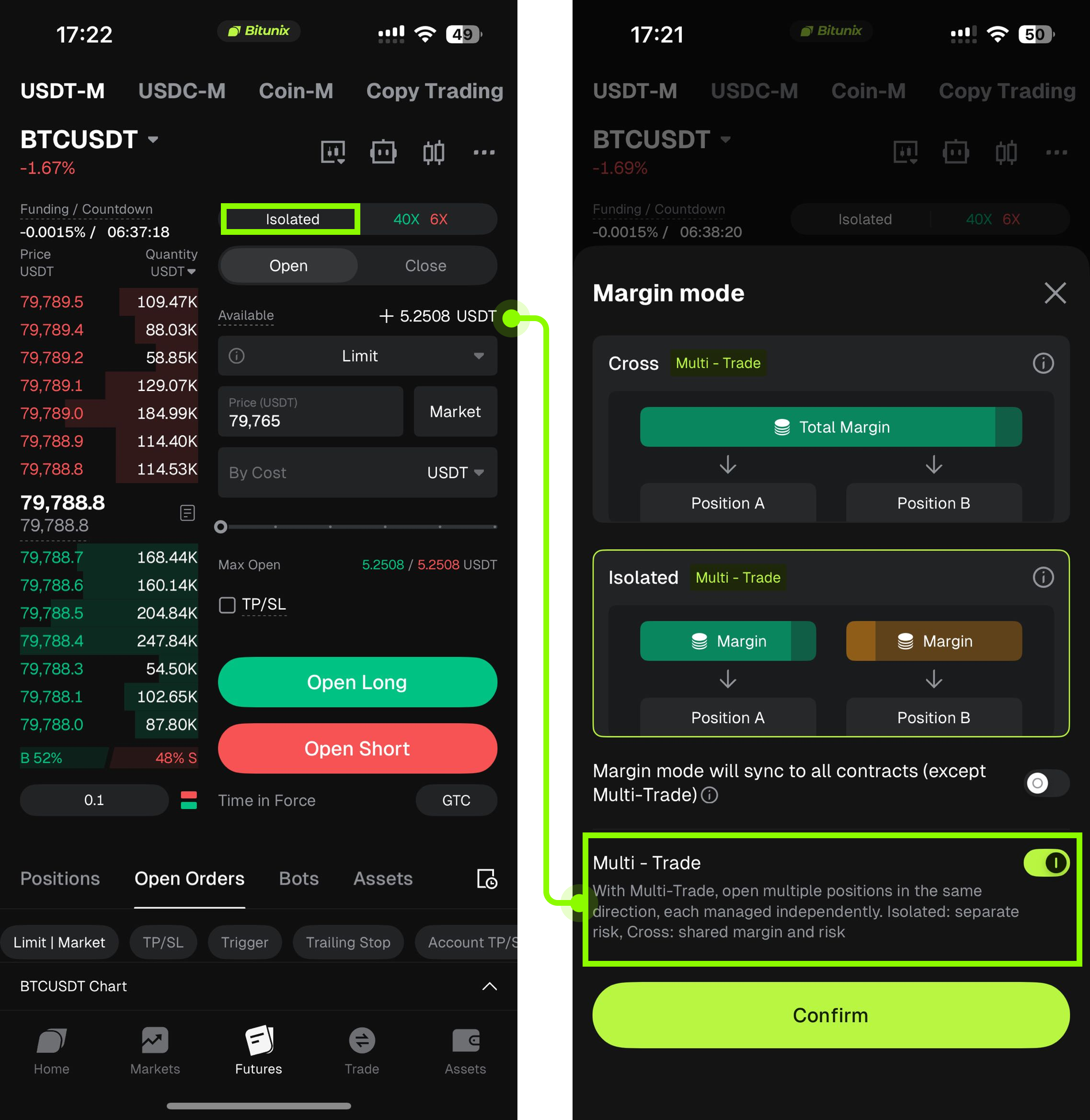
5. In Multi-Trade mode, the leverage for positions, the order entry area, and pending orders are fully independent of one another. You can modify the leverage of one position without affecting the leverage of any other position or pending order.
Summary
The launch of the Order Leverage feature is designed to give traders a higher dimension of flexibility. By optimizing the leverage modification workflow, it enables you to adjust position weighting and risk boundaries at maximum speed in volatile market conditions. Before adjusting leverage, you are advised to closely monitor your available account balance and estimated liquidation price, and to maintain disciplined, methodical trading practices.
Disclaimer
This article is not intended to provide:
(i) investment advice or investment recommendations;
(ii) an offer or solicitation to buy, sell, or hold digital assets; or
(iii) financial, accounting, legal, or tax advice.
Holdings of digital assets, including stablecoins and NFTs, involve a high degree of risk and may fluctuate significantly. You should carefully consider whether trading or holding digital assets is appropriate for you based on your financial situation. Please consult your legal, tax, or investment professional regarding your specific circumstances. You are solely responsible for understanding and complying with all applicable local laws and regulations.