

What Is One-Click Buy?
One-Click Buy is a fast, convenient way to purchase cryptocurrency using fiat currency. Depending on your region and the fiat currency or crypto pair you select, you may be able to pay with a credit or debit card, your fiat balance, trusted third-party payment providers, or P2P payment options (when available).
Note: Available payment methods vary by region and by the fiat currency and cryptocurrency you choose.
How to Use One-Click Buy to Purchase Crypto
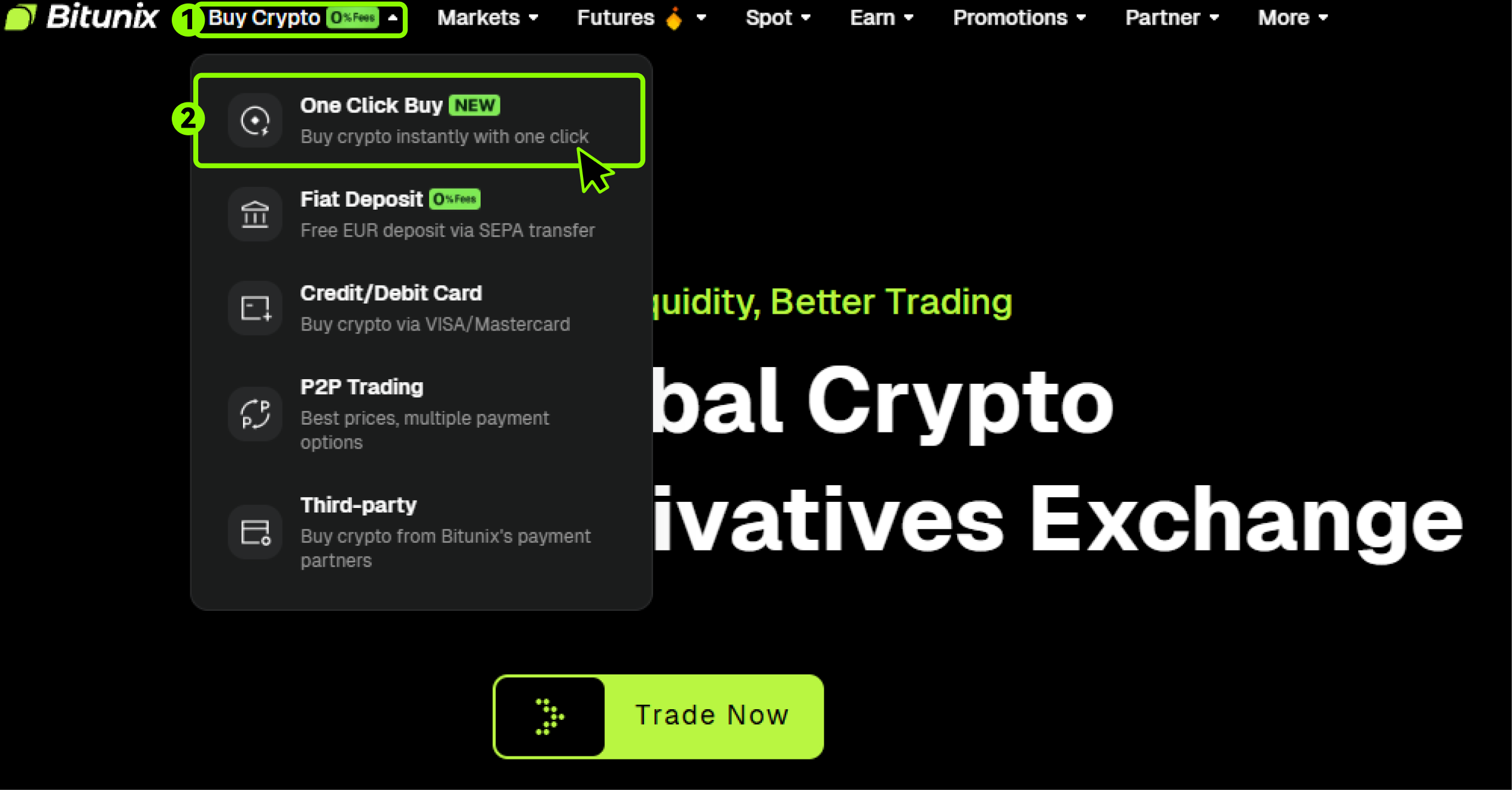
1.Log in to your Bitunix account. In the top navigation, select 【Buy Crypto】, then choose 【One-Click Buy】.
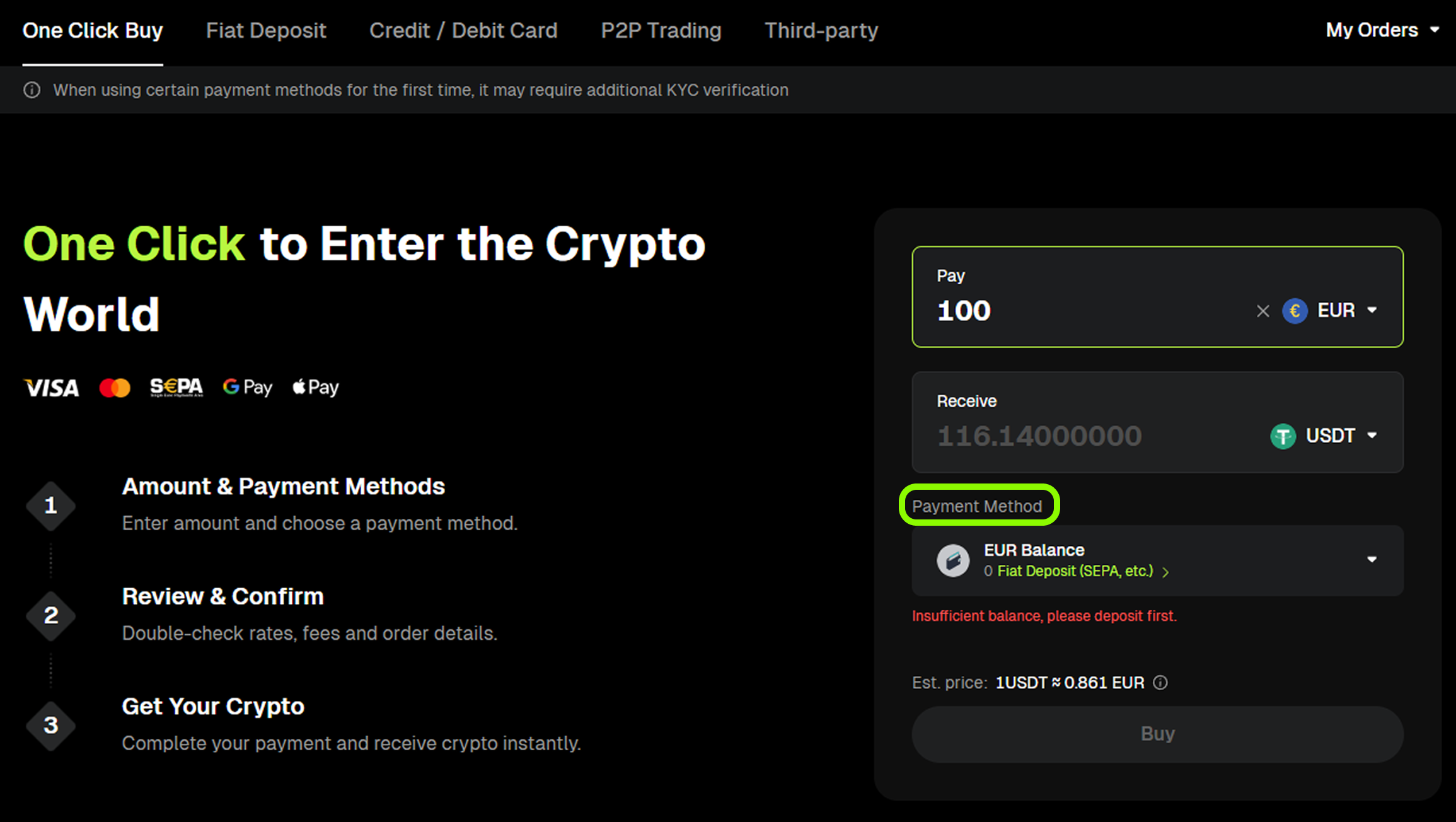
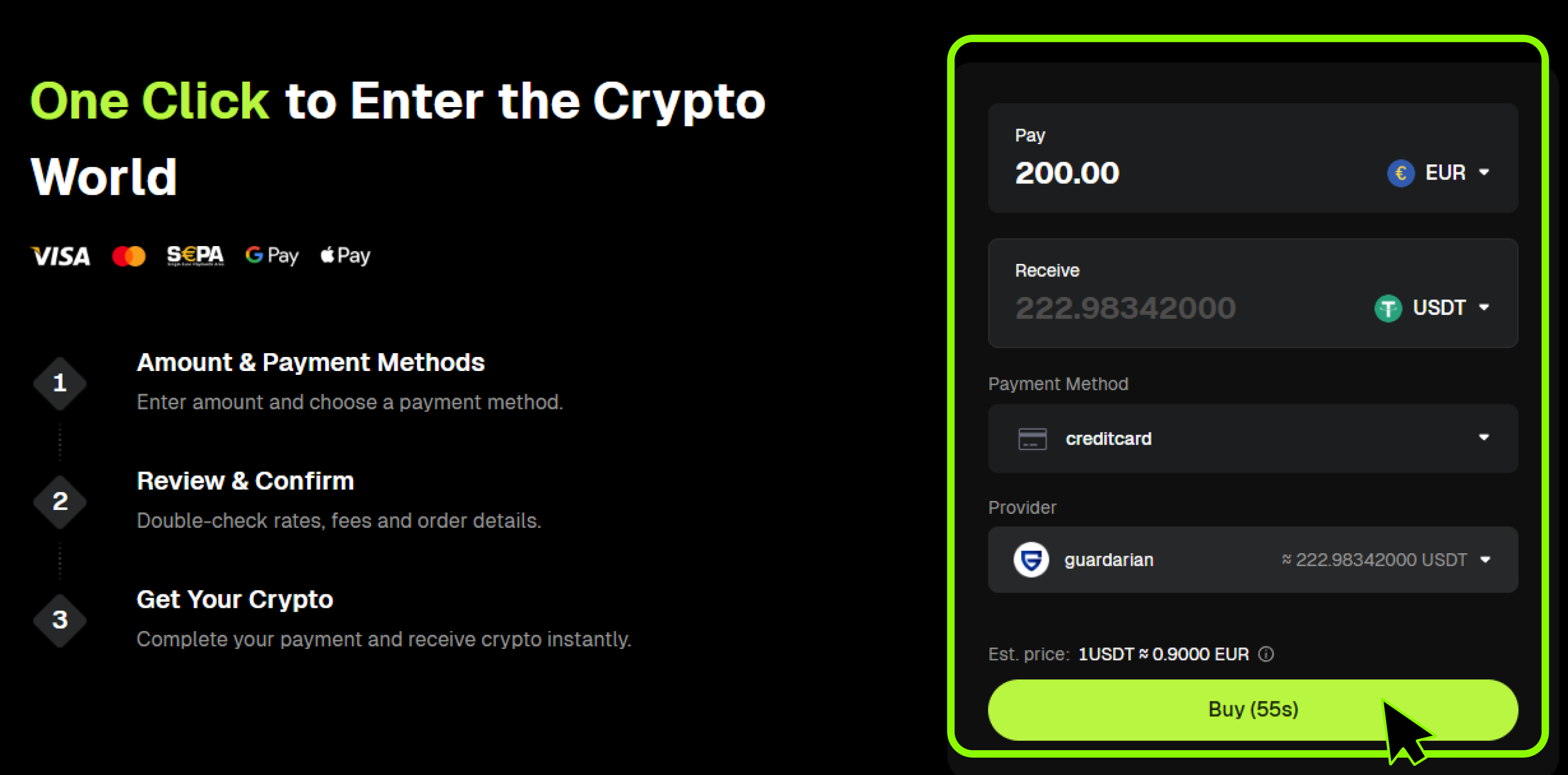
2.On the 【One-Click Buy】 page, enter the amount of fiat currency you want to pay. The system will automatically estimate the amount of crypto you will receive based on the real-time exchange rate. Then select a 【Payment Method】.
3.From the pop-up window, choose your preferred payment method and click 【Confirm】.
Note: The system will automatically filter and display the most suitable payment methods for your transaction.
- One-Click Buy: A channel for users to purchase cryptocurrency using local fiat currency.
- Fiat Deposit: Pay using your existing fiat balance (if available).
- Credit/Debit Card: Pay with a supported card, such as Visa or Mastercard.
- P2P Trading: Buy from verified merchants using local payment methods (for example, bank transfer or e-wallet), when available.
- Third-Party: Pay through an external payment provider (for example, TransFi or Banxa), when available.
4.Payment Method Details
One-Click Buy:
A channel for users to purchase cryptocurrency using local fiat currency.
- Click 【One-Click Buy】 on the upper left of the page. Taking India as an example, select 【Indian Rupee (INR)】, enter the amount, choose 【UPI QR】 as payment method, then click 【 Next 】.
- If you have not completed KYC, you need to finish identity verification first. Verification for Indian users usually takes around 5 minutes.
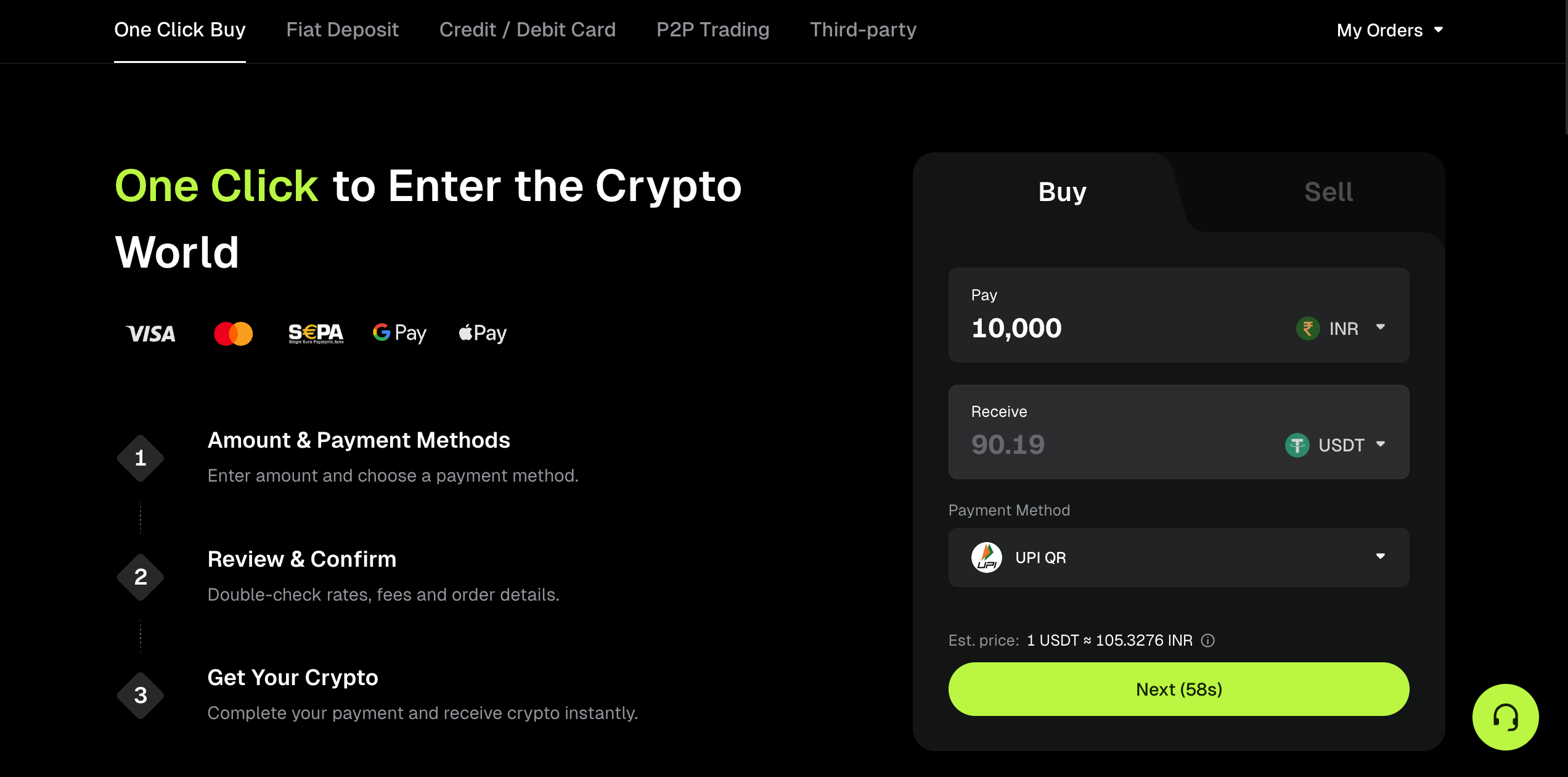
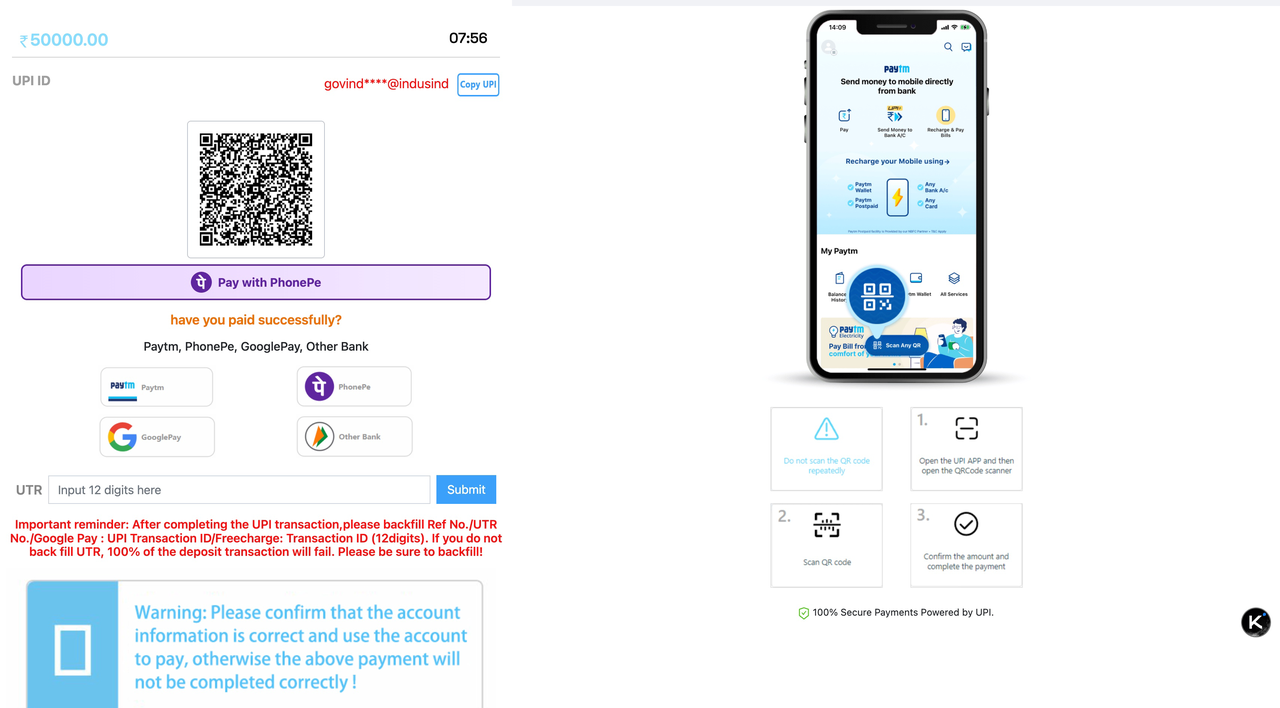
- After verification passes, select 【UPI QR】 under recommended channels to scan and make payment. Once the transfer is completed, wait for the cryptocurrency to arrive in your account.
Should you have any questions while using Bitunix One-Click Buy, please contact our official support team via live chat or email [email protected] for assistance.
Fiat Deposit
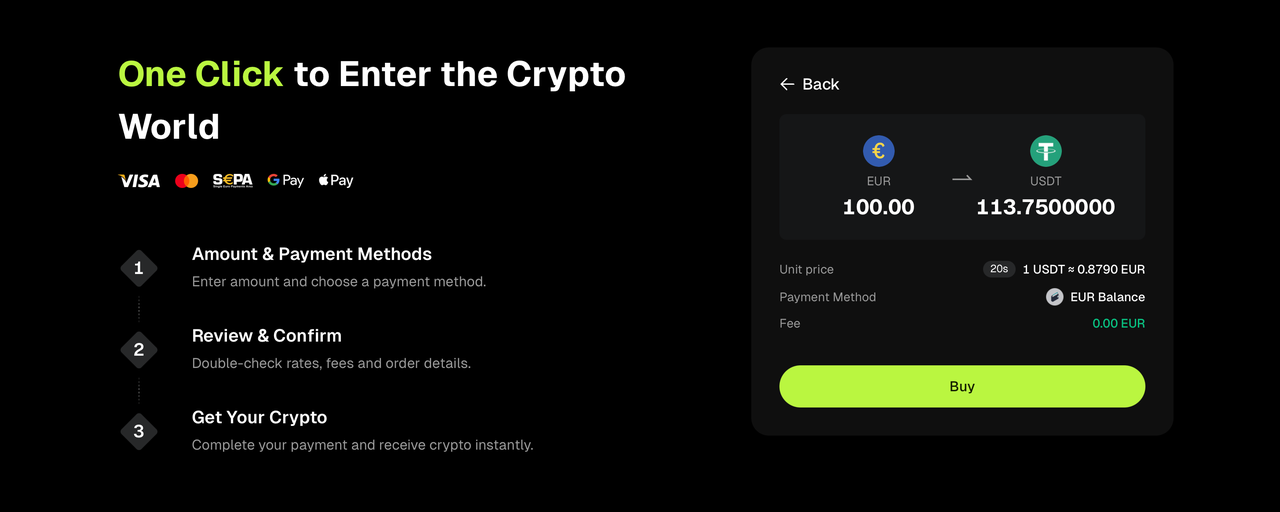
If your fiat balance is sufficient, you can complete the purchase directly. If you need to add funds, you can deposit fiat first, then return to One-Click Buy to place your order. Deposit processing times vary by method and region, and may take 1 to 2 business days.
Learn about buying crypto via Fiat Deposit
Credit/Debit Card
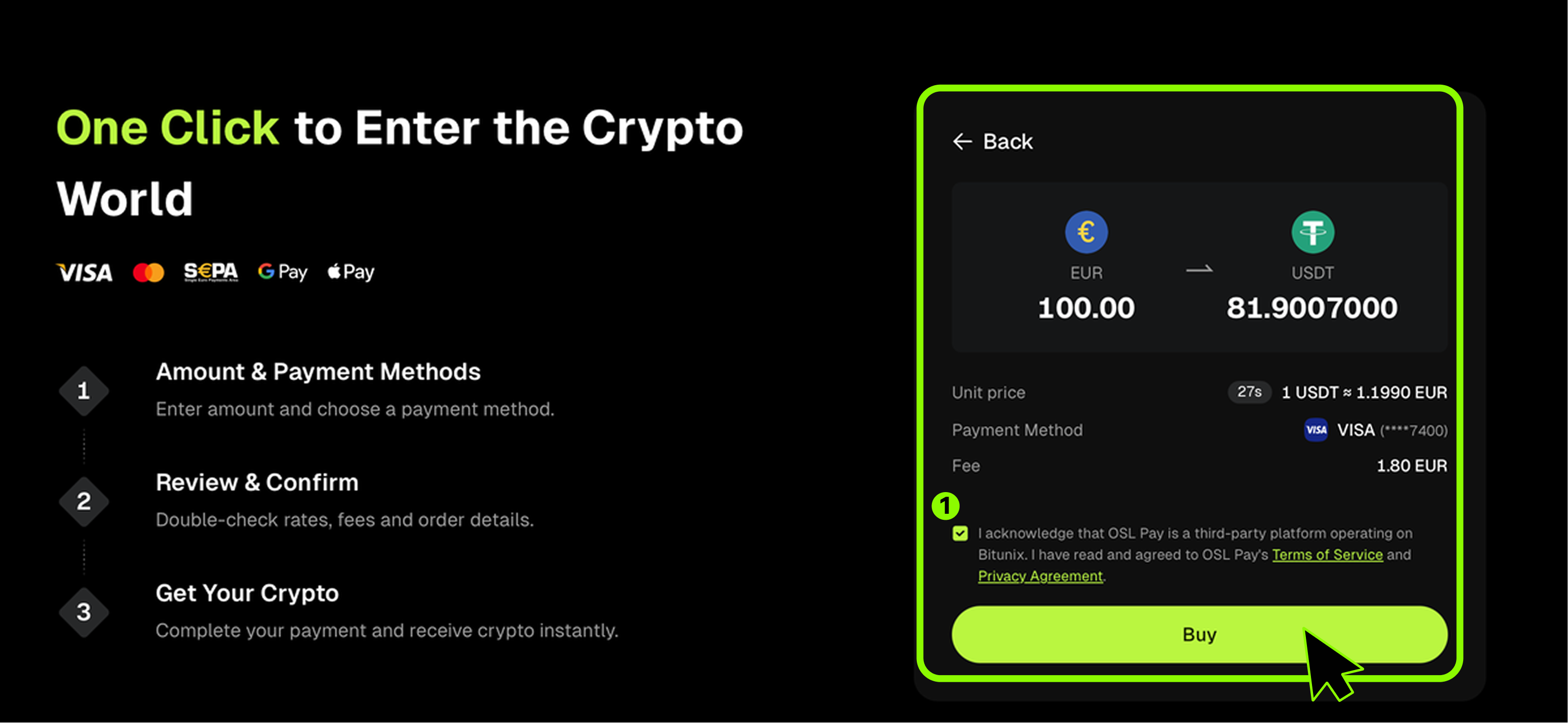
Select an existing card or add a new one. Review the unit price and any fees shown on the order page, agree to the terms and privacy policy, then click 【Buy】 to complete the purchase.
Learn about buying crypto with Credit / Debit Card
P2P Trading
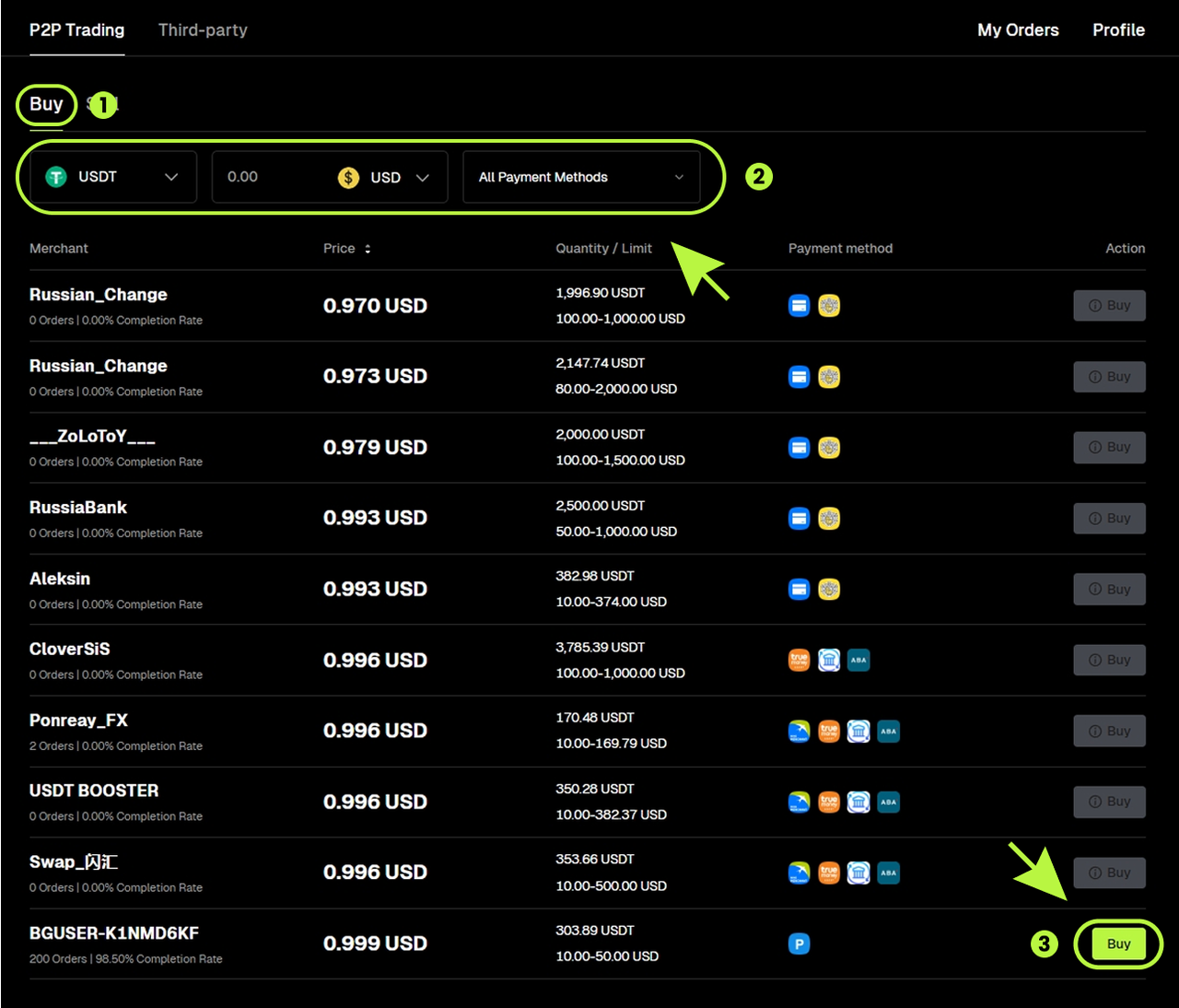
Select P2P Trading as your purchase method. The system will take you to the P2P marketplace to complete your order using local payment options (when available).
- On the P2P page, use filters such as crypto, fiat currency, amount, and payment methods to find an offer.
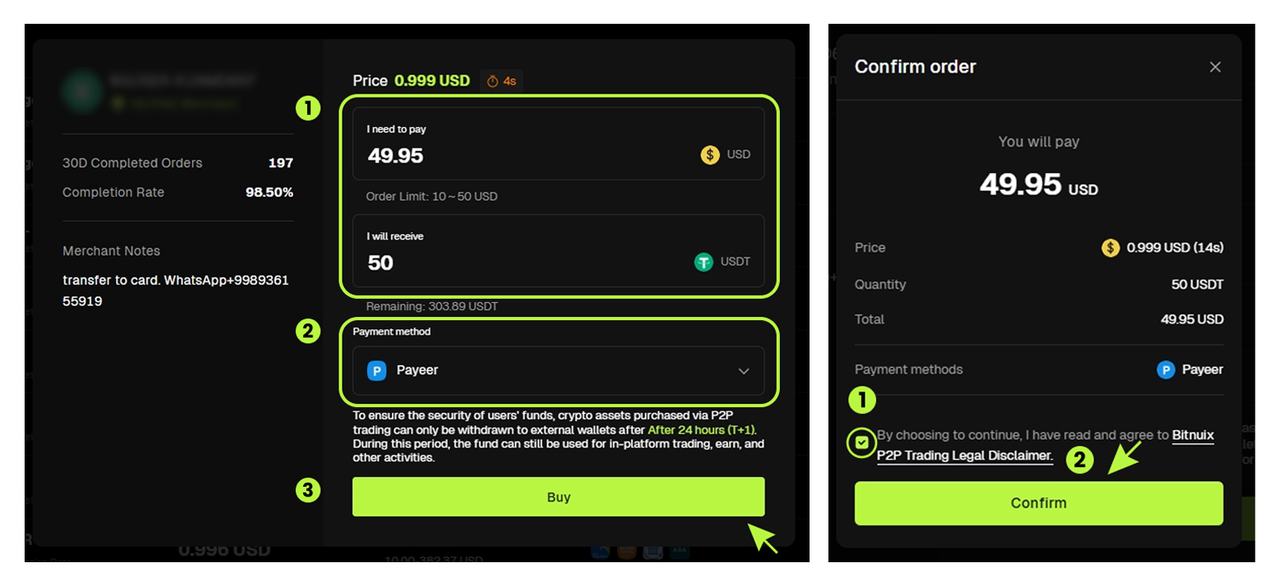
- Enter the amount or quantity you want to buy, choose a payment method, then click【Buy】.
Learn about buying crypto via P2P Trading
Third-Party Payment
Select a third-party service provider (for example, Guardian) and choose your payment method, then click【Buy】.
Learn about buying crypto via Third-party Payment
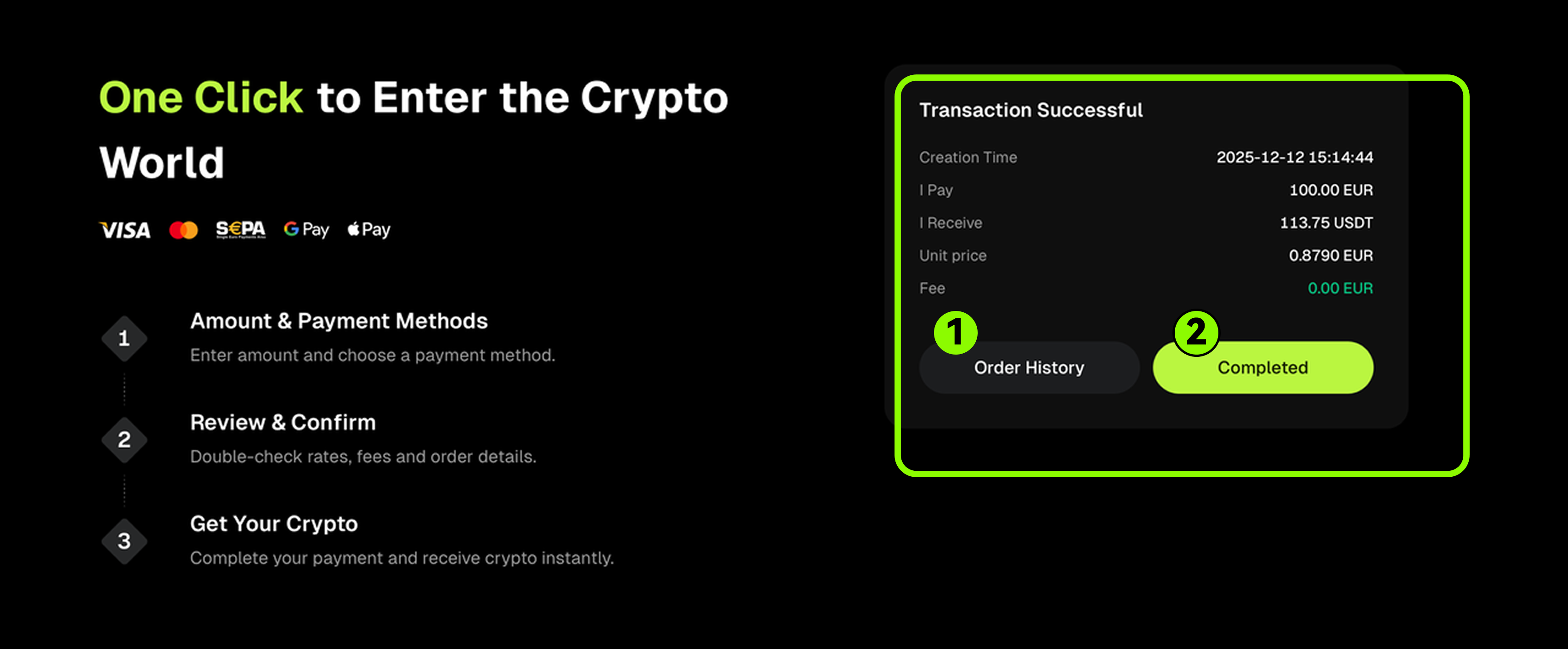
5.After your payment is completed, you will see a confirmation page with your order details.
- Click 【Order History】 to view past transactions.
- Click 【Completed】 to return to the main page.
FAQs
- How many currencies does One-Click Buy support?
One-Click Buy supports 80+ fiat currencies and 120+ cryptocurrencies, so you can purchase crypto with local currency in many regions worldwide.
- Can I use all payment methods shown in “One-Click Buy”?
It depends. Some payment methods require you to complete KYC verification first. Once your account meets the verification requirements, you can use the available payment methods.
Disclaimer
This article is for informational purposes only and does not constitute:
(i) investment advice or investment recommendations;
(ii) an offer or solicitation to buy, sell, or hold digital assets; or
(iii) financial, accounting, legal, or tax advice.
Digital assets (including stablecoins and NFTs) involve significant risk and may be highly volatile. Carefully consider whether trading or holding digital assets is suitable for you based on your financial situation. Please consult qualified legal, tax, or investment professionals for advice specific to your circumstances. You are responsible for understanding and complying with applicable local laws and regulations.