
1. Why Launch the Ultra K-Line?
In digital currency trading, powerful K-line chart tools are essential for traders to analyze market opportunities and execute quick entry and exit orders. Previously, the basic K-line charts on mobile apps fell short of the web-based Trading View version in terms of usability and functional richness, which compromised user experience and trading efficiency.
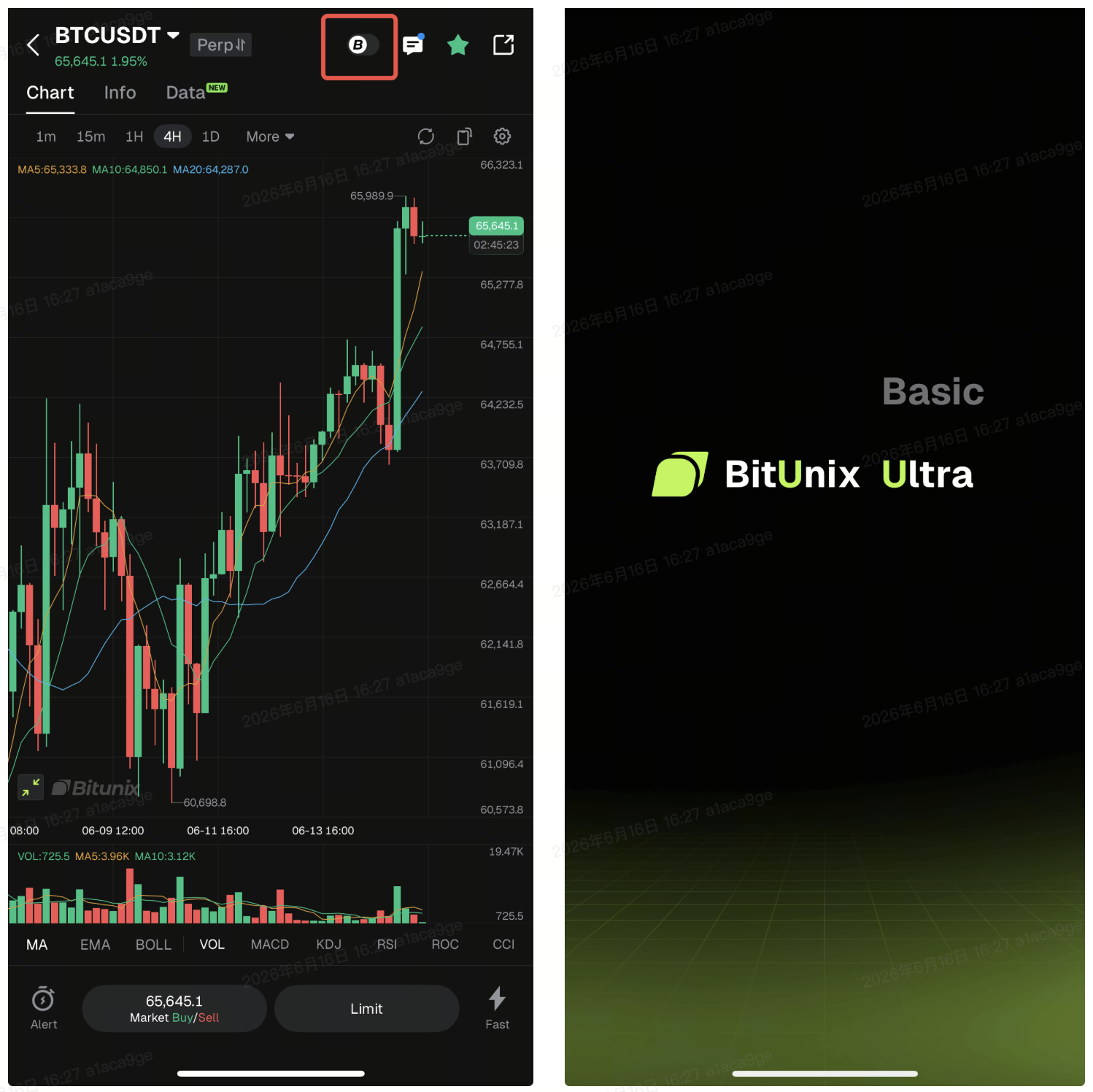
Committed to delivering industry-leading trading experiences, Bitunix, through close collaboration between users and the product & R&D team, has launched the App Ultra K-Line. Mobile users can seamlessly switch to the Ultra version while using basic charts. This new edition features full functional alignment with the web platform, enabling users to get started with the brand-new K-line tool effortlessly with minimal learning effort.
2. Our Highlights
- Industry-leading TradingView integration for mobile: Bitunix is among the first trading platforms to launch exclusive professional K-line charts on mobile apps.
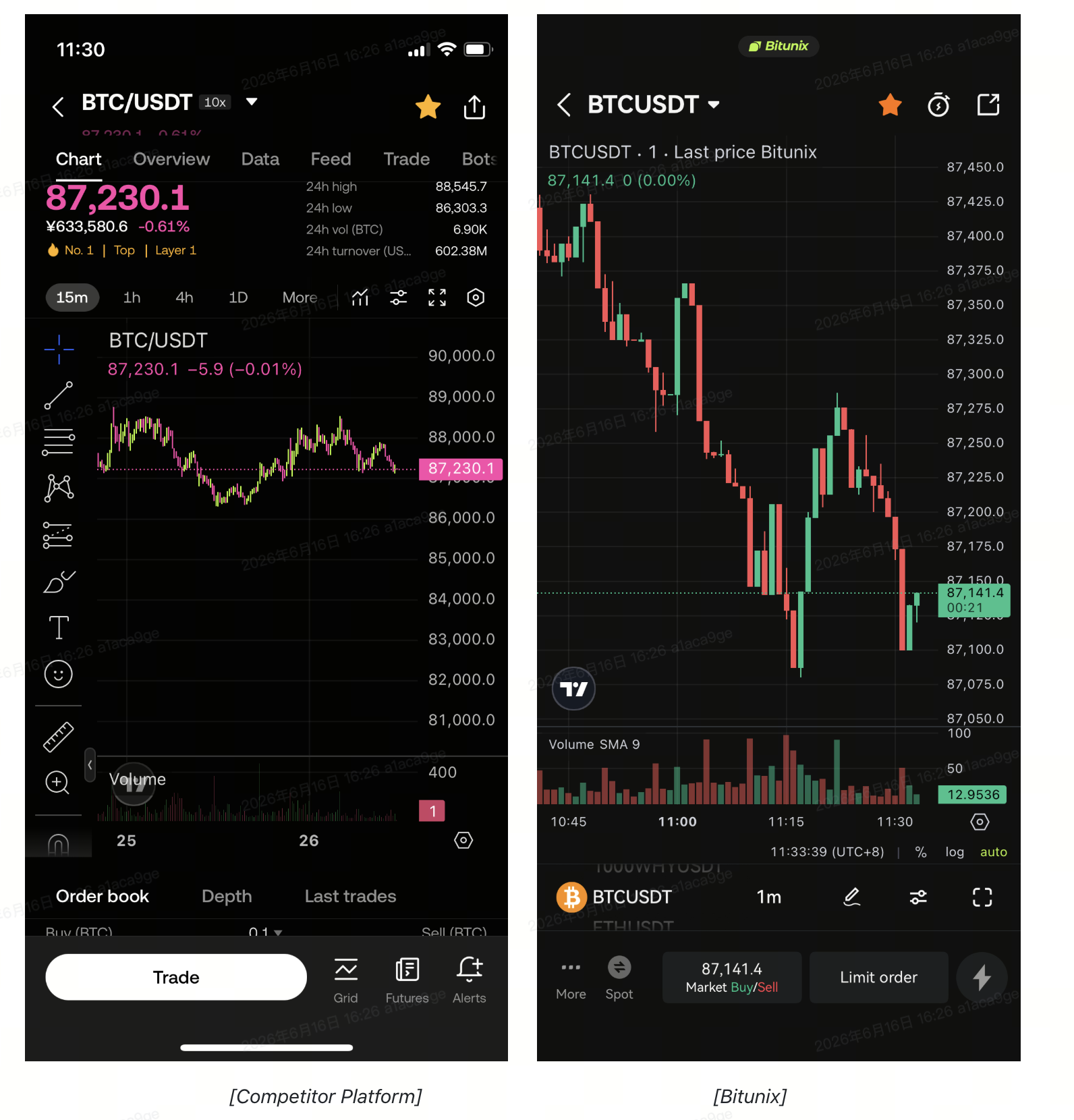
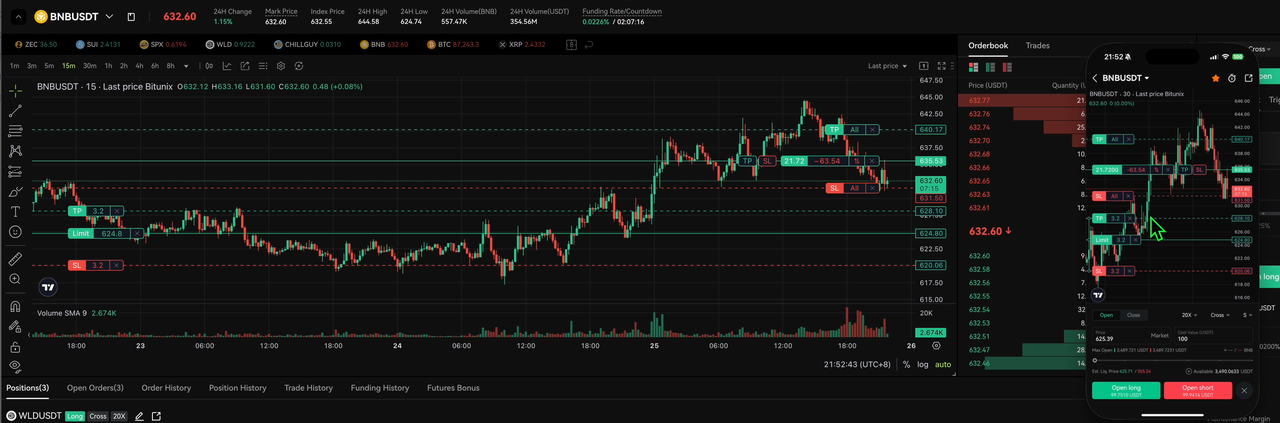
- Fully consistent experience with the web platform: Users can drag to set take-profit and stop-loss levels, and place limit orders directly in the app, with all operations identical to those on the web.
- Ultra-smooth K-line interactions: Optimized interactions ensure fluid sliding, zooming and dragging.
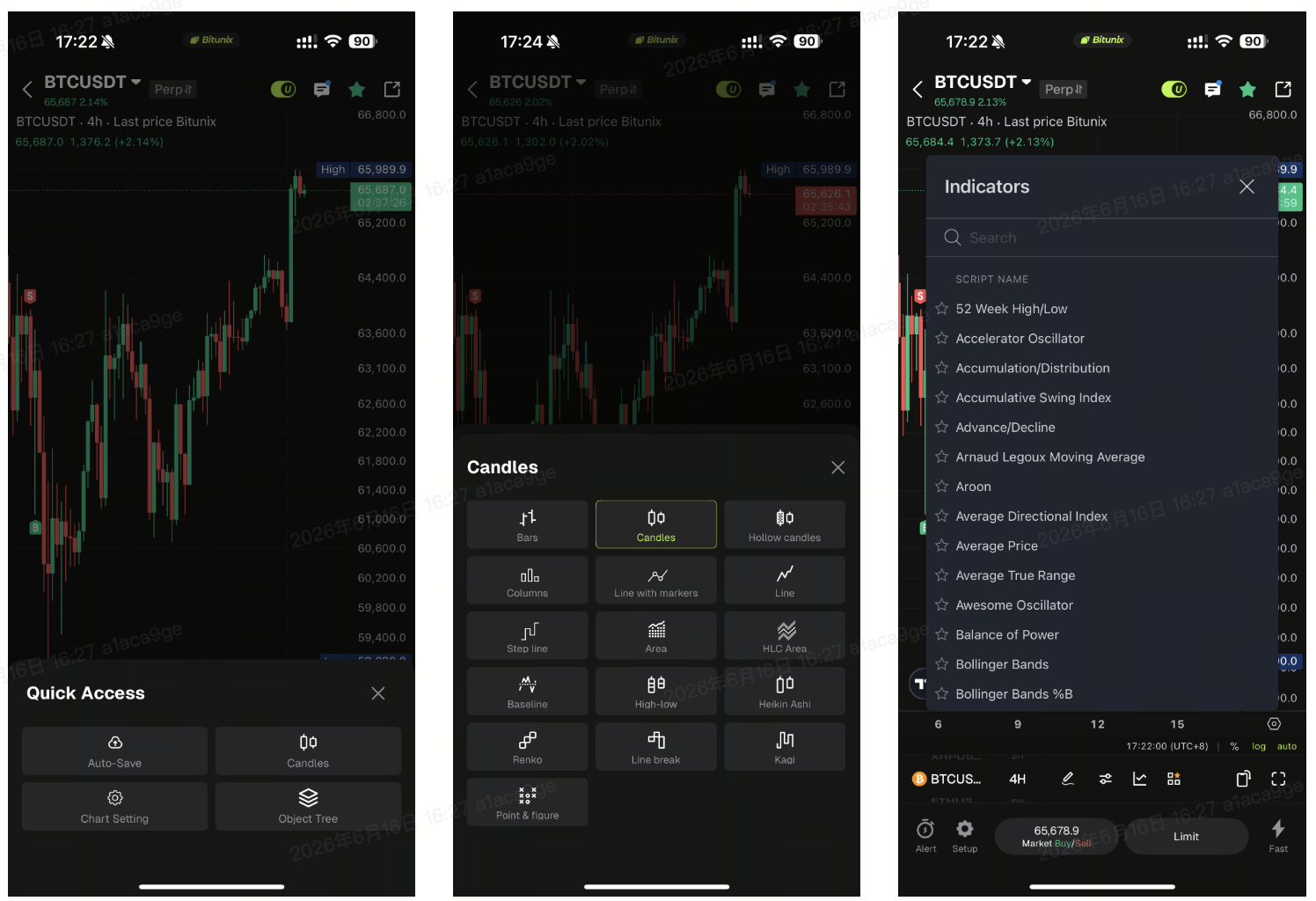
- Comprehensive customization: 16 K-line styles, 106 technical indicators, 112 drawing tools and full chart style customization options are available.
- Innovative interaction design: Slider controls and other optimized elements deliver enhanced comfort and a brand-new user experience.
3. Feature Entry
Follow the steps below to access Ultra K-Line: In the K-line section of the app, tap the designated entry to enter the professional K-line mode.
4. Ultra K-Line Settings
After entering the professional K-line mode, users can configure the following basic settings:
- Chart adjustments: Reset charts, configure icons and customize visual styles such as red for rising candles and green for falling candles.
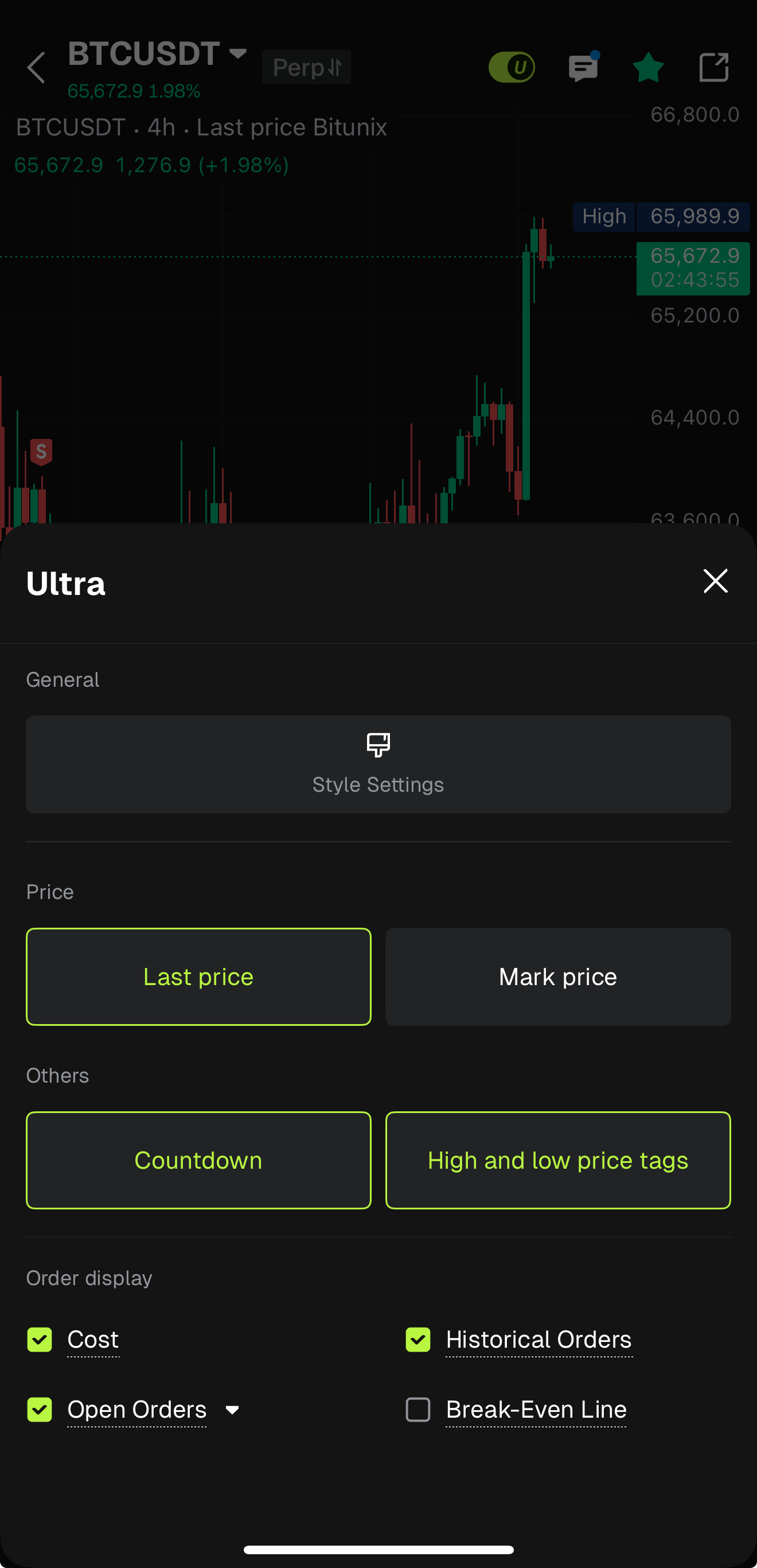
- Tool options: Adjust K-line shapes and add technical indicators.
- Trading information display: Check position opening cost, transaction history and pending orders.
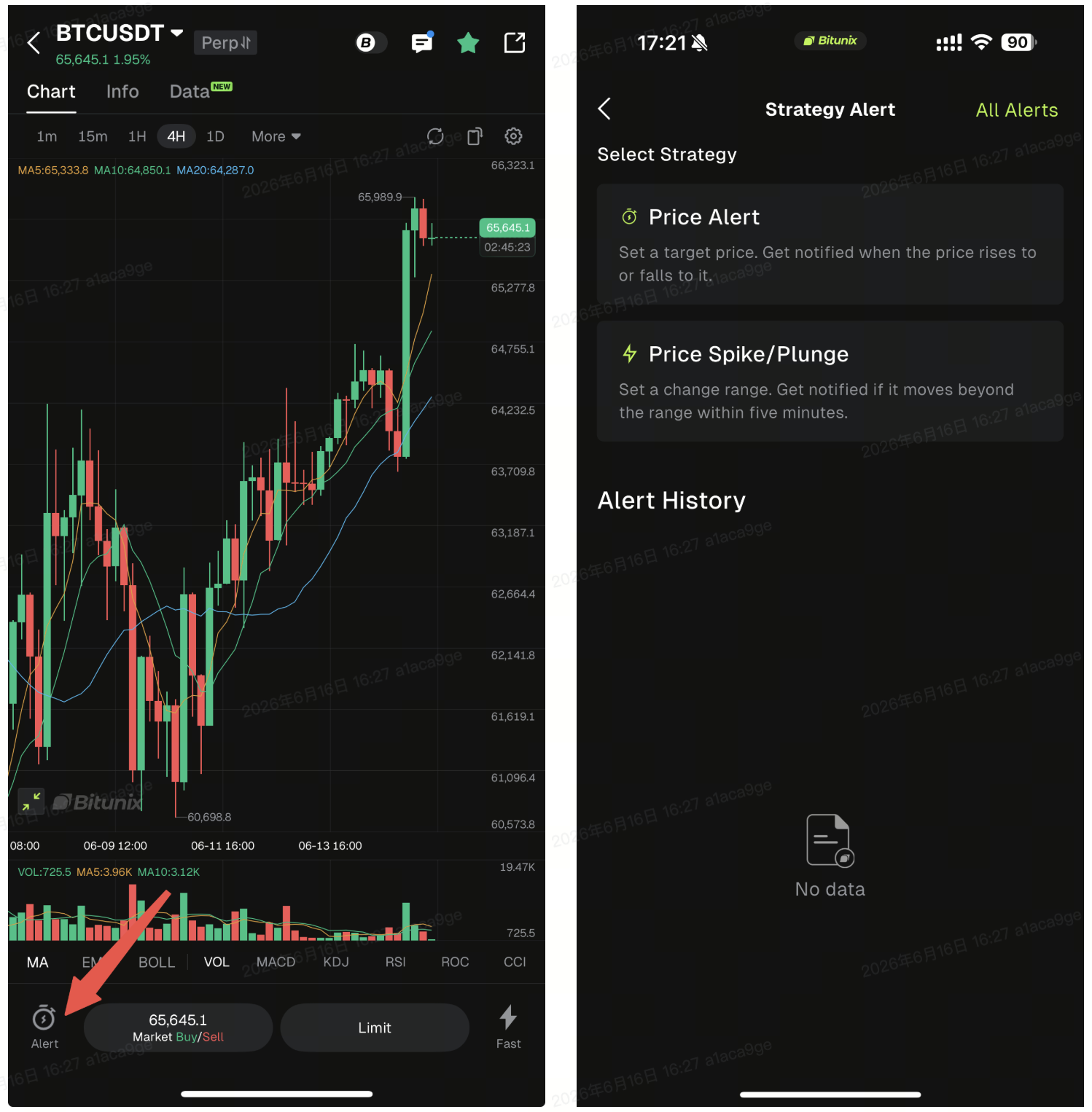
5. Layout & Functions of Ultra K-Line
The Ultra K-Line comes with a fully optimized layout and features:
- Enhanced layout: A more spacious K-line area for better visual presentation.
- Premium slider interaction: The slider delivers an ultra-smooth operating experience.
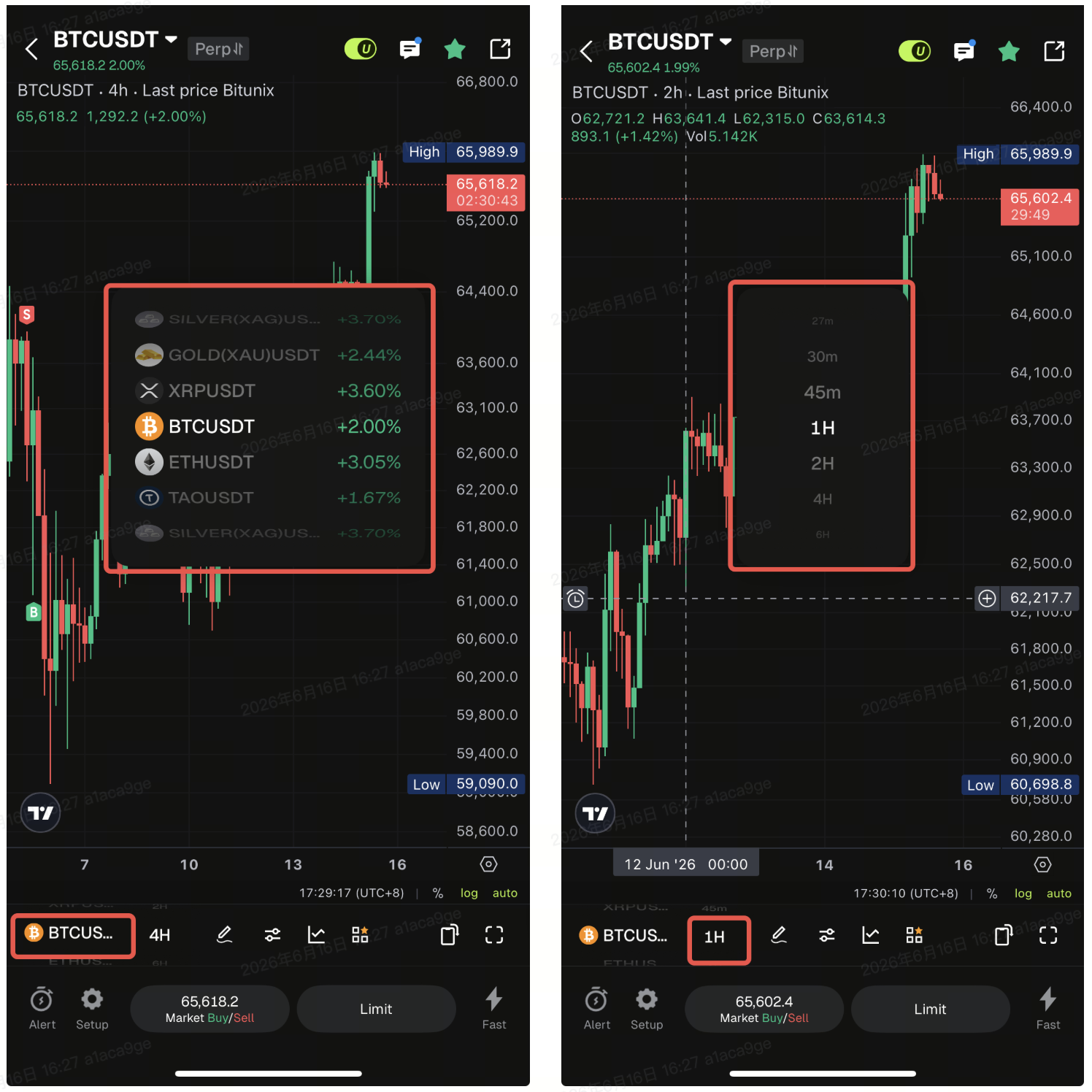
- Optimized drag operations:
Drag directly onto the K-line area to set take-profit, stop-loss and limit orders for position opening, closing and risk management.
All trading actions are displayed intuitively to streamline your workflow.
6. Key Function Details
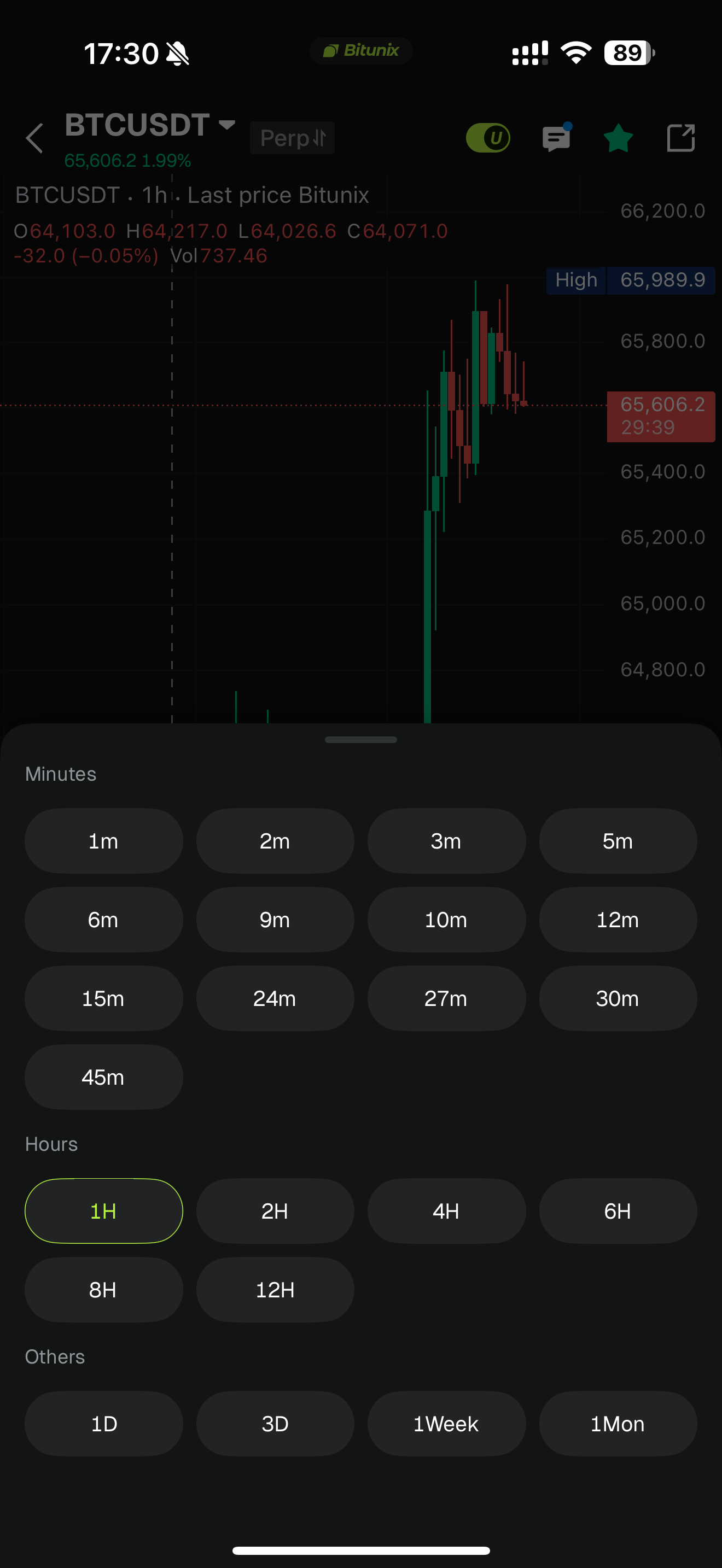
- Timeframe selection: Supports a wide range of timeframes.
- Drawing ToolsAccess:Available features:
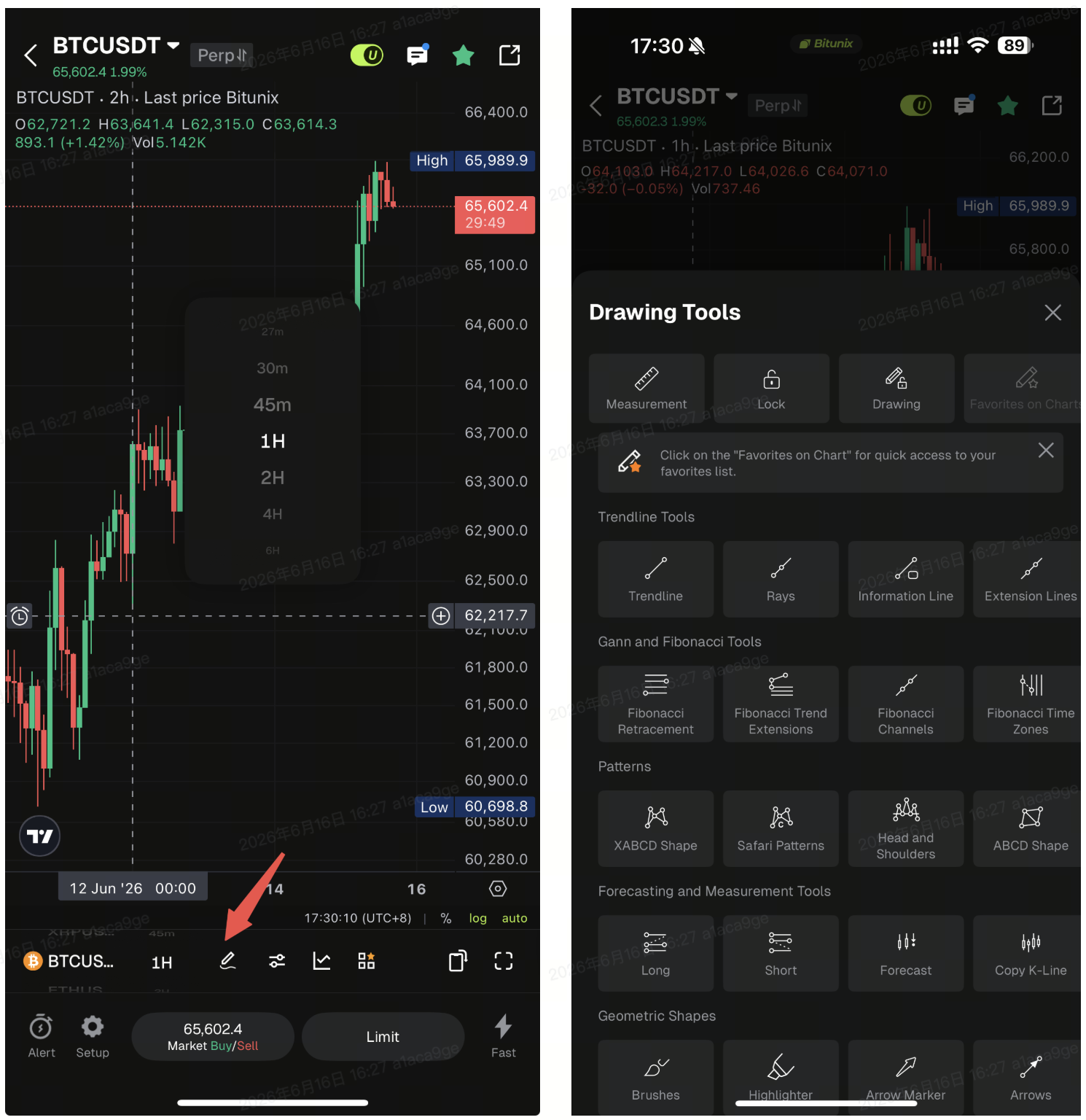
- Hide positions, orders, indicators and drawings
- Eraser and removal tools
- Trend lines, Fibonacci lines, selection lines and various visual effects
The launch of Bitunix App Ultra K-Line has revolutionized mobile K-line interactions, bringing desktop-level smooth experience to mobile traders. We will keep optimizing features to elevate user experience. Feel free to try it out and share your feedback!
Disclaimer
This material is provided for general information only. It is not intended to provide:
- Investment advice or investment recommendations.
- An offer or a solicitation to buy, sell, or hold digital assets.
- Financial, accounting, legal, or tax advice.
Digital assets, including stablecoins and NFTs, carry a high level of risk and can fluctuate significantly in value. Consider carefully whether trading or holding digital assets is suitable for your financial situation. Consult your legal, tax, or investment professional for guidance tailored to your circumstances. You are responsible for understanding and complying with all applicable laws and regulations in your location.