

In order to ensure the safety of your funds, ensure the development of compliance in the digital asset industry, and reduce fraud, money laundering, extortion and other illegal activities, Bitunix recommends that you complete palm print verification on the app.
How to do Palmprint Verification
At present, only palm print verification settings are supported through the App. Please make sure you have updated to the latest version. Bitunix website is not supported for the time being.
1. Open Bitunix app and log in to your account.
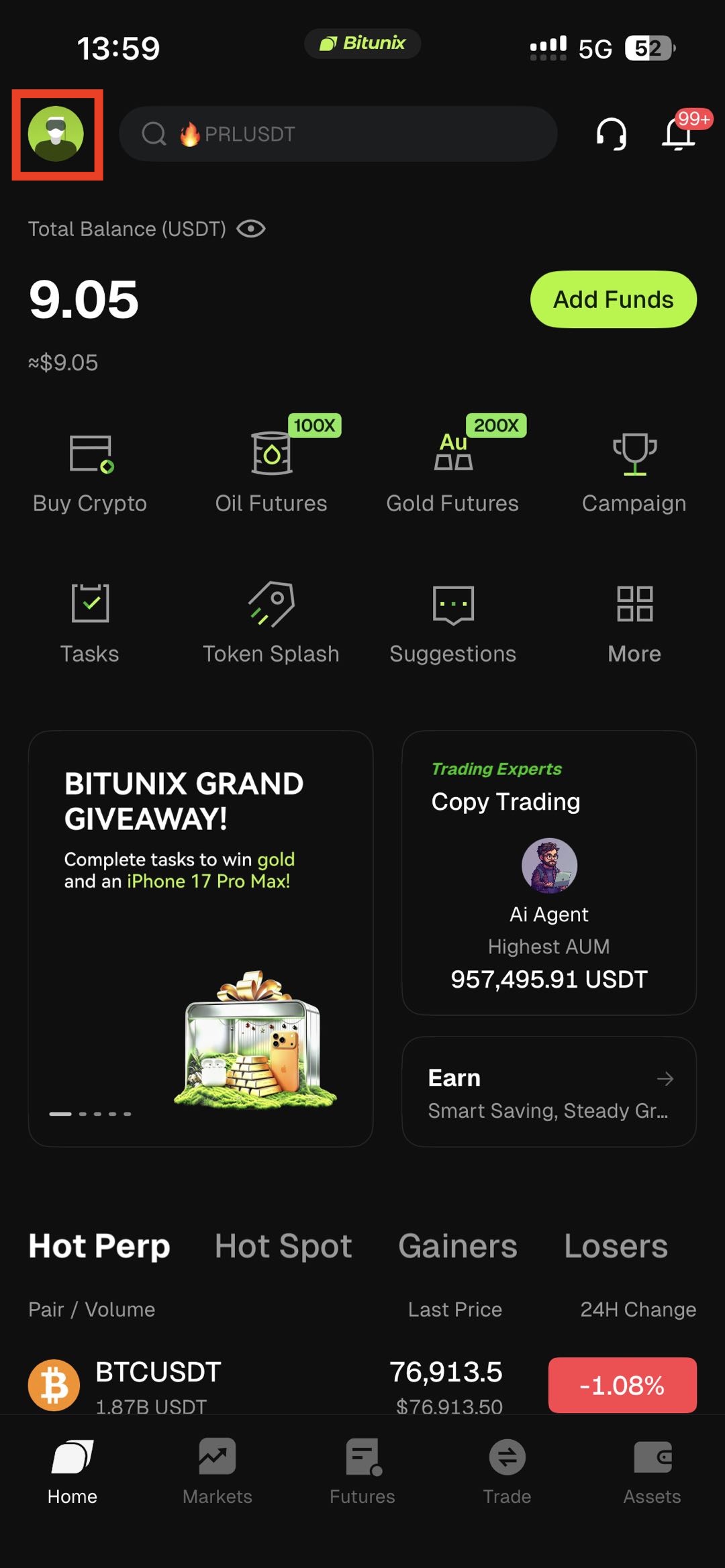
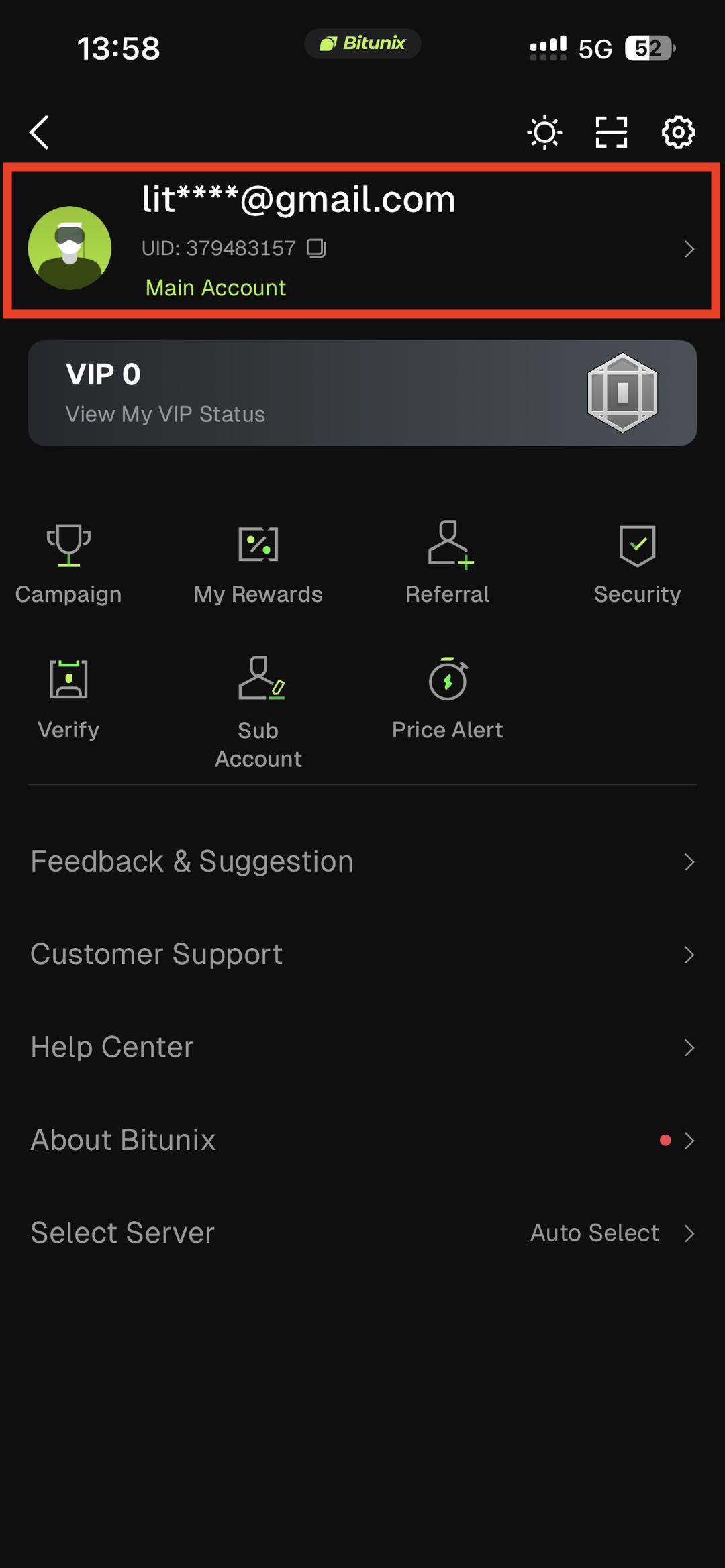
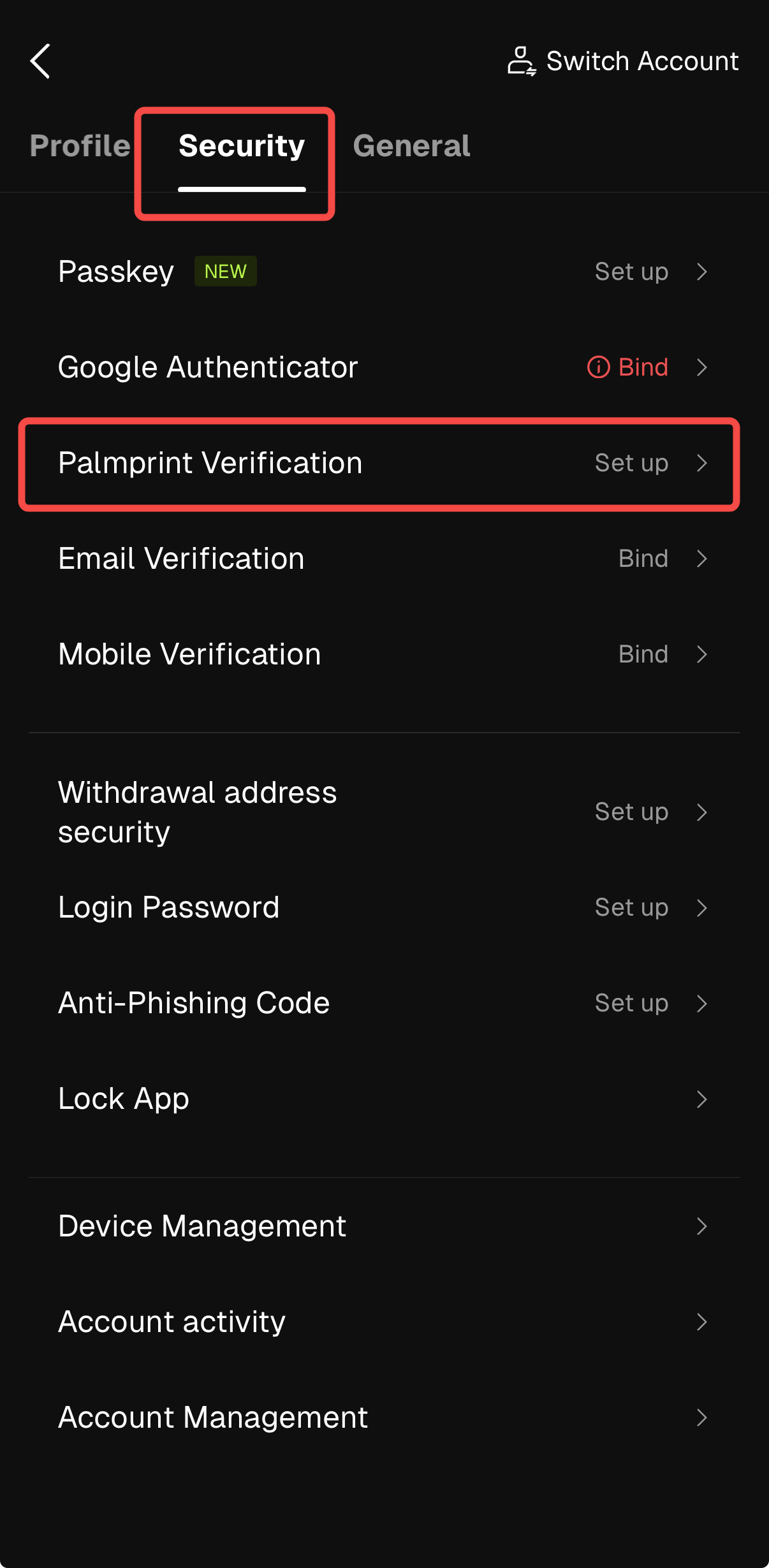
2. Tap on the user avatar on the homepage -> security -> navigate to Palmprint Verification -> tap on Set up.
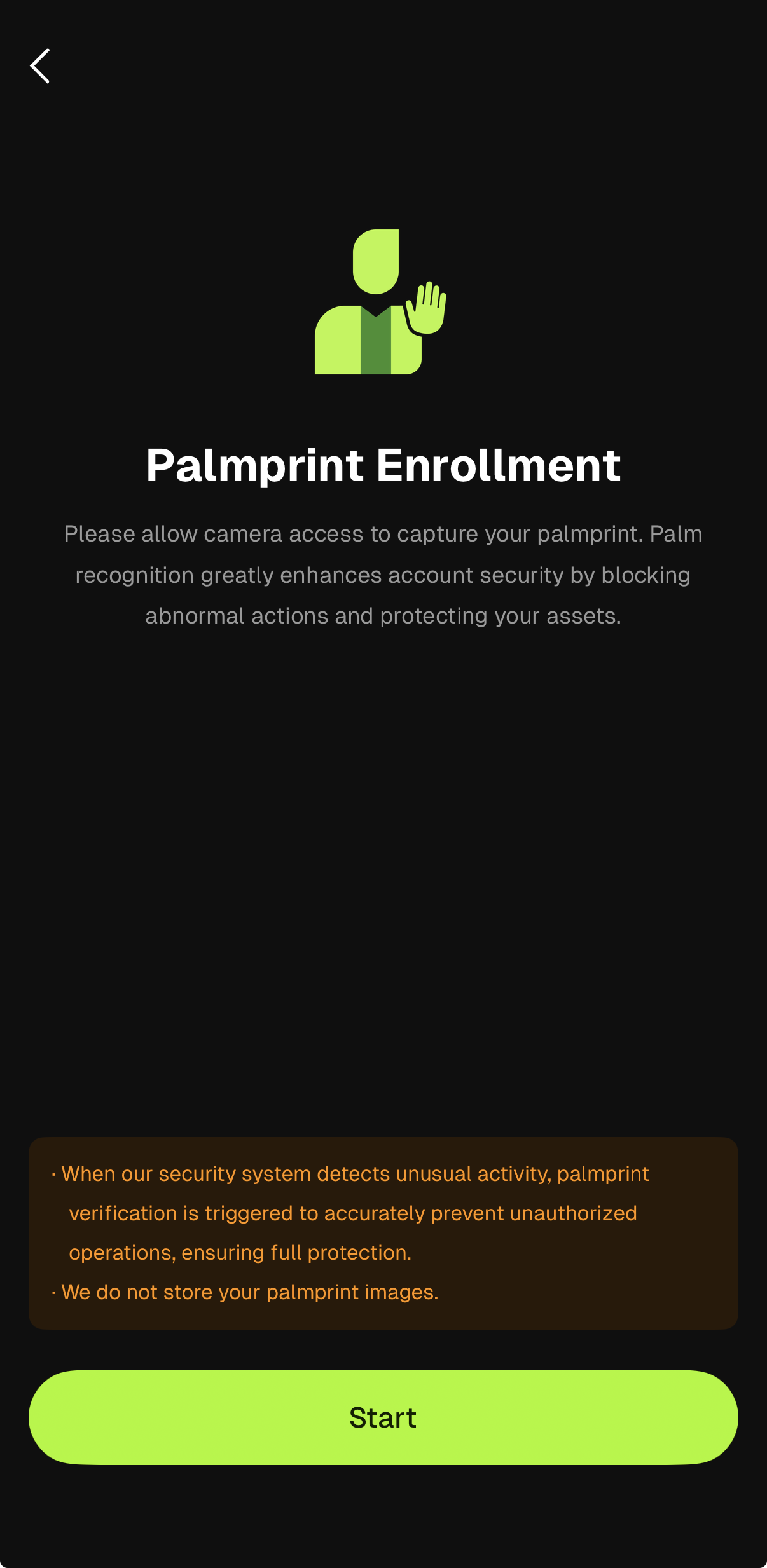
3. Check camera access on your device, then click Start.
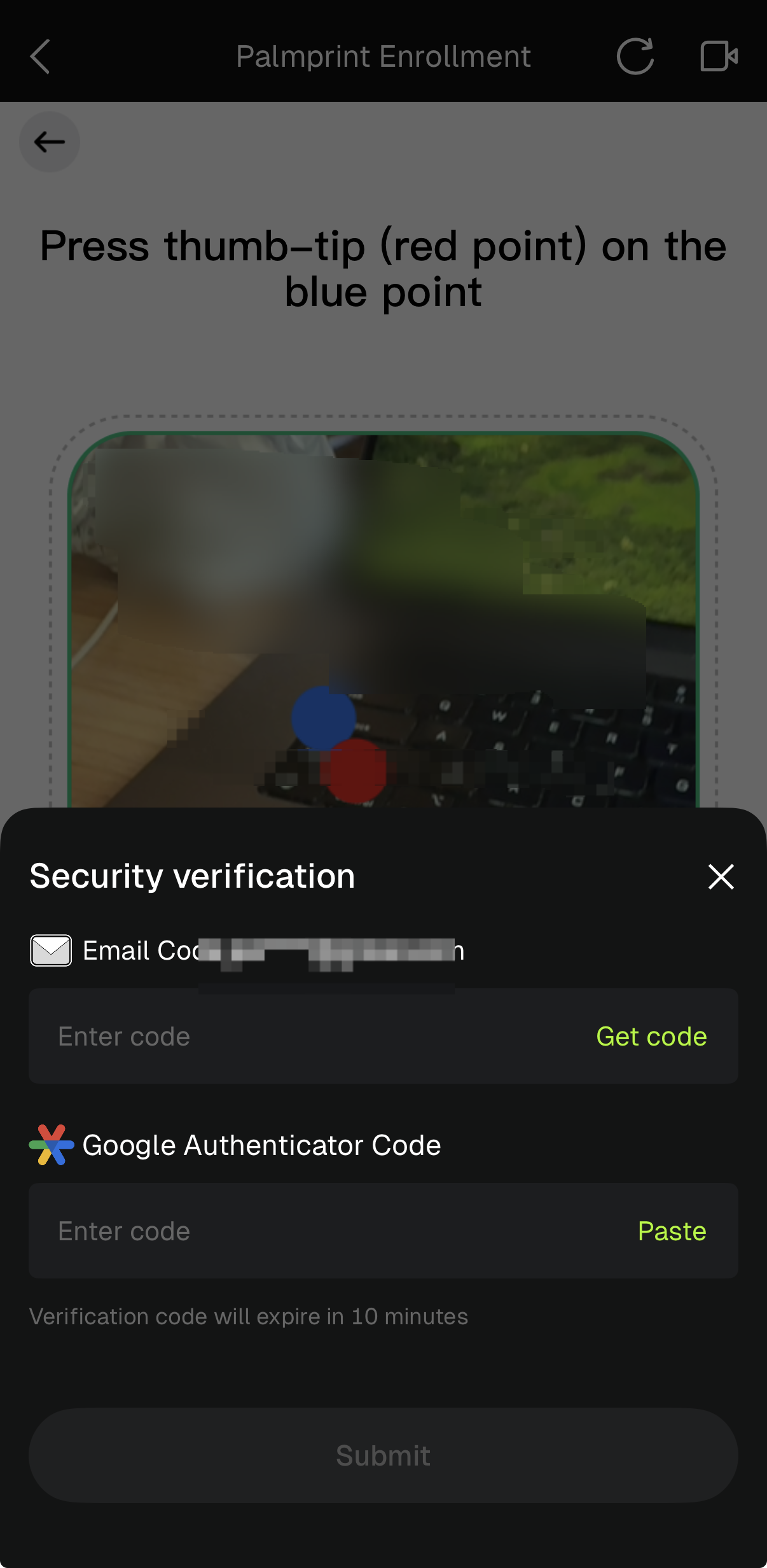
4. Follow the guide on the page to complete the palmprint information and security verification. Palmprint is added successfully.
FAQ
Q1: Why must I use my right hand for palmprint verification?
Currently, HumanCode only supports right-hand palmprint recognition. The system is not capable of recognizing left-hand or other palm data. Support for more options may be available in future updates, and we will notify users accordingly.
Q2: What should I pay attention to when placing my palm?
To ensure accurate identification, follow these recommendations: fully cover the scanned area with your palms to avoid missing edges; open your fingers naturally to avoid excessive bending or overstretching; keep your palms parallel to the camera at a distance of about 10-15 cm; correct posture and good lighting can help improve the recognition success rate.
Q3: Does lighting affect verification?
Yes, light has a great impact on recognition: strong direct light may produce reflection, which affects image capture; insufficient light may cause blurred palmprint; it is recommended to operate in a uniform natural light environment to avoid backlight or shadows blocking the palm.
Q4: How should the device be maintained to improve recognition accuracy?
Please use soft fabric to clean the device lens regularly to avoid fingerprints or dust affecting the identification. At the same time, ensure that the palm is dry and clean, and avoid stains or accessories that obscure the palm print characteristics. Clean equipment and palms are the key to smooth verification.
Q5: What should I do if it says “No palm detected”?
Possible reasons are as follows: using the wrong palm (such as the left hand) → please try again with the right hand; the palm is not centered → adjust to the center of the scanning area; the camera is blocked or dirty → try again after cleaning; usually retry 2-3 times to solve the problem.
Q6: What if I keep failing the verification?
Common reasons include: palm condition problems: wet, dirty or wearing a ring → please clean and dry your palms, remove the accessories and try again; the initial palm print data is not clear → delete and re-enter the clear palm print; poor light → replace it with a well-lit environment; if it still cannot be completed, please contact customer service for assistance.
Q7: What if the system shows a “Service Error”?
Usually a system or network problem, please check: whether the network connection is stable (Wi-Fi or mobile data); whether the device meets the version requirements (Android 10 +/iOS 13 +); restart the app or device and try again; if the problem persists, please provide screenshots and UID to contact customer service.
Q8: Is it normal for the verification to be slow?
HumanCode may be slow to respond on older devices or in poor lighting. Recommendations: Turn off other apps that use the camera; make sure the lens is clean and in focus; use newer devices to improve performance; please note: for security, biometric verification may take seconds to complete.
Disclaimer
This article is not intended to provide:
(i) investment advice or investment recommendations;
(ii) an offer or solicitation to buy, sell, or hold digital assets; or
(iii) financial, accounting, legal, or tax advice.
Digital assets (including stablecoins and NFTs) involve high risk and may be highly volatile. You should carefully consider whether trading or holding digital assets is suitable for you based on your financial situation. For your specific circumstances, consult your legal, tax, or investment professionals. You are responsible for understanding and complying with all applicable local laws and regulations.