

What is Bitunix Futures Bonus?
Bitunix Futures Bonus is a type of reward distributed to Bitunix users through various promotional campaigns and activities. It can be used for Futures trading products on the Bitunix platform. Futures Bonus is designed to allow new users to experience Bitunix Futures products and trading features in a real trading environment without using their own funds. Futures Bonus is trial funds credited to the user's Futures account and is not real funds. Futures Bonus can only be used for Futures trading. It cannot be transferred to the Spot wallet for Spot trading or withdrawn.
Queue Futures Bonus Auto-Activation Feature Introduction
To improve the user experience of Futures Bonus, this upgrade introduces the Queue Futures Bonus Auto-Activation feature. When you receive multiple Queue Futures Bonus vouchers, you no longer need to manually activate each voucher one by one. The system will automatically arrange the Futures Bonus vouchers in a queue according to the usage order you set.
After the current Futures Bonus is fully used or expires, the next voucher in the queue will be automatically activated. This reduces manual operations and prevents interruptions caused by failing to activate the next voucher on time. Queue Futures Bonus and regular Futures Bonus vouchers exist independently. Previously received regular Futures Bonus vouchers still need to be manually activated.
Queue Futures Bonus Auto-Activation Operation Guide (Web)
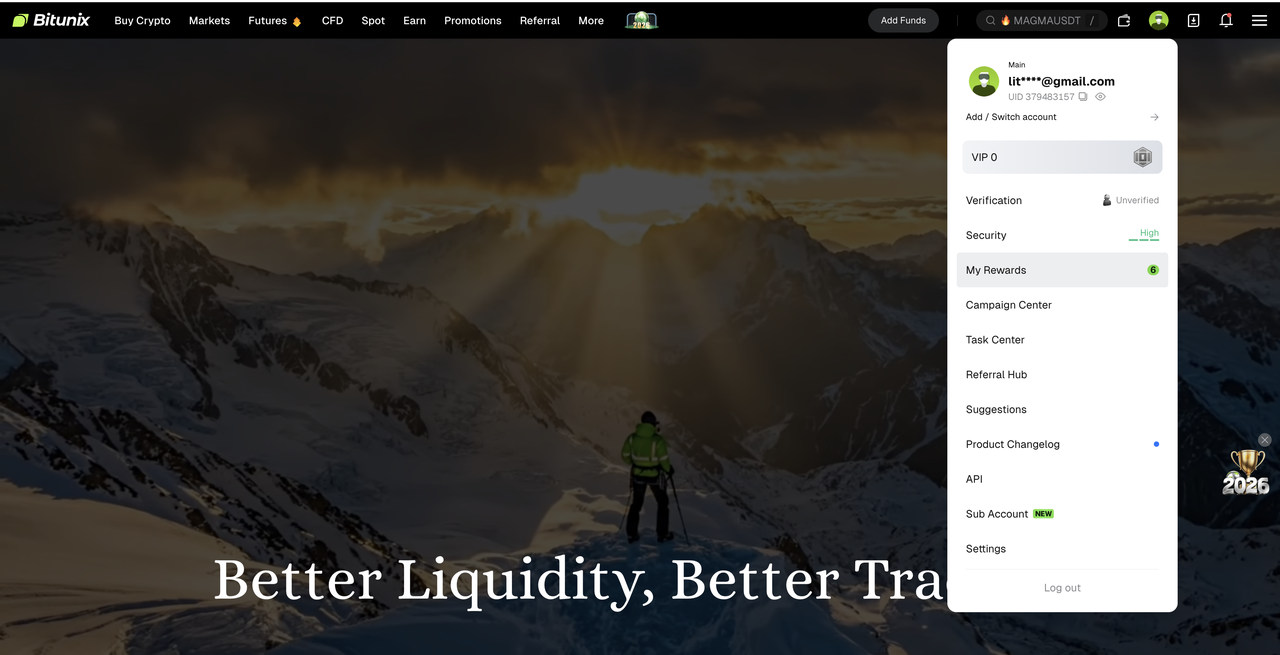
1. First, log in to the Bitunix official website. Click the avatar icon in the upper-right corner, then select [My Rewards] from the dropdown menu.
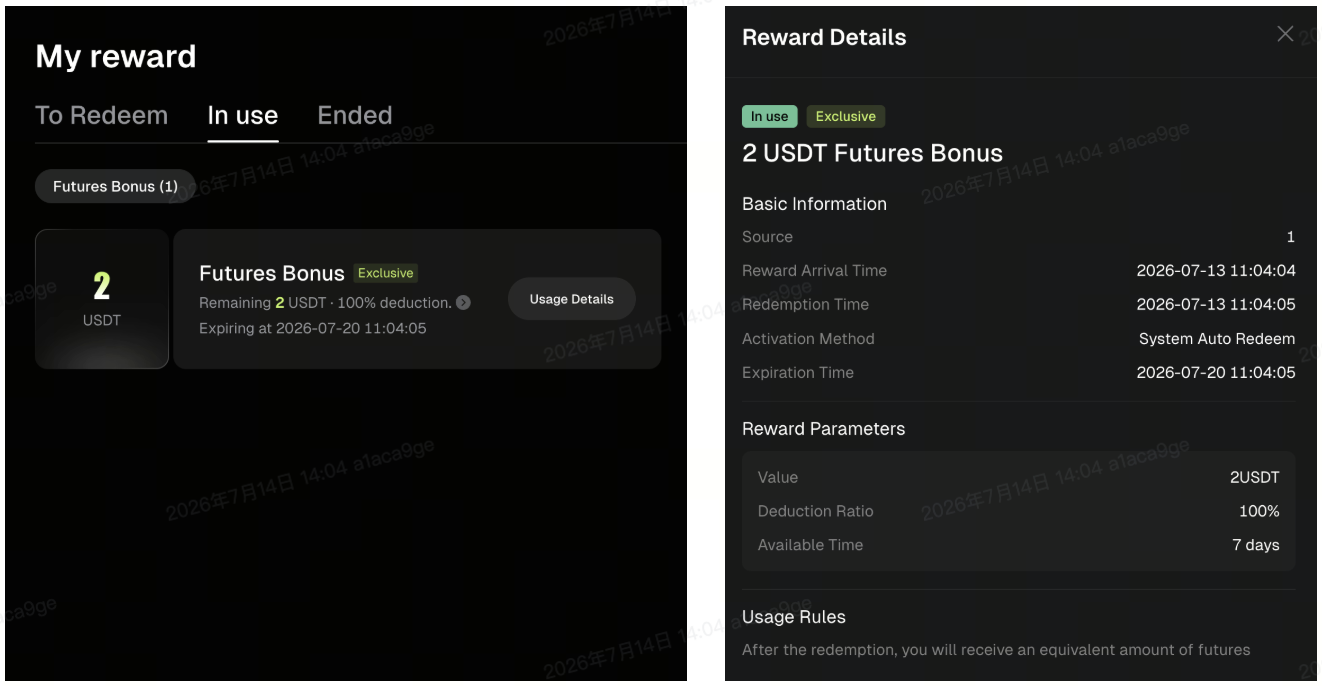
2. After clicking, you will be redirected to the My Rewards page. Your first Exclusive Futures Bonus voucher will already be automatically activated. Click the [In Use] button to view the currently active voucher. Click the > icon to view detailed reward information. Queue Futures Bonus vouchers will display an [Exclusive] label in the upper-left corner of the reward details page.
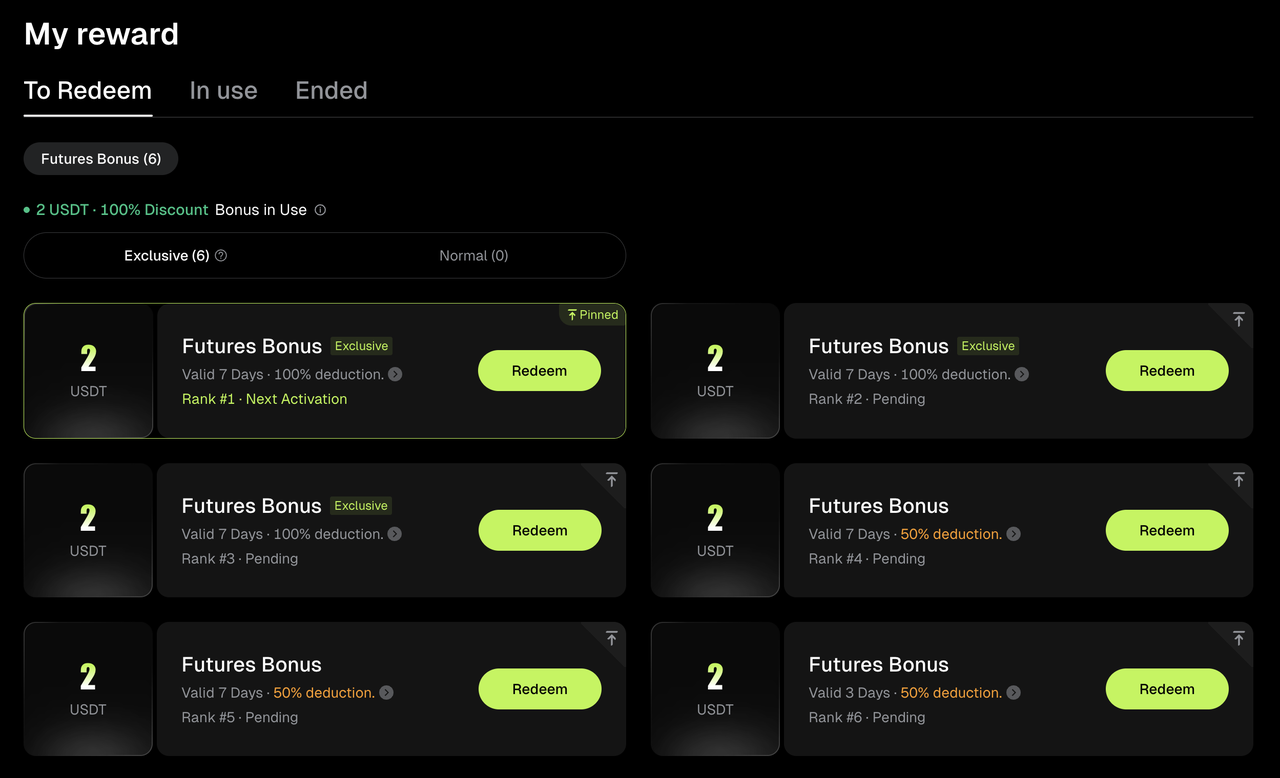
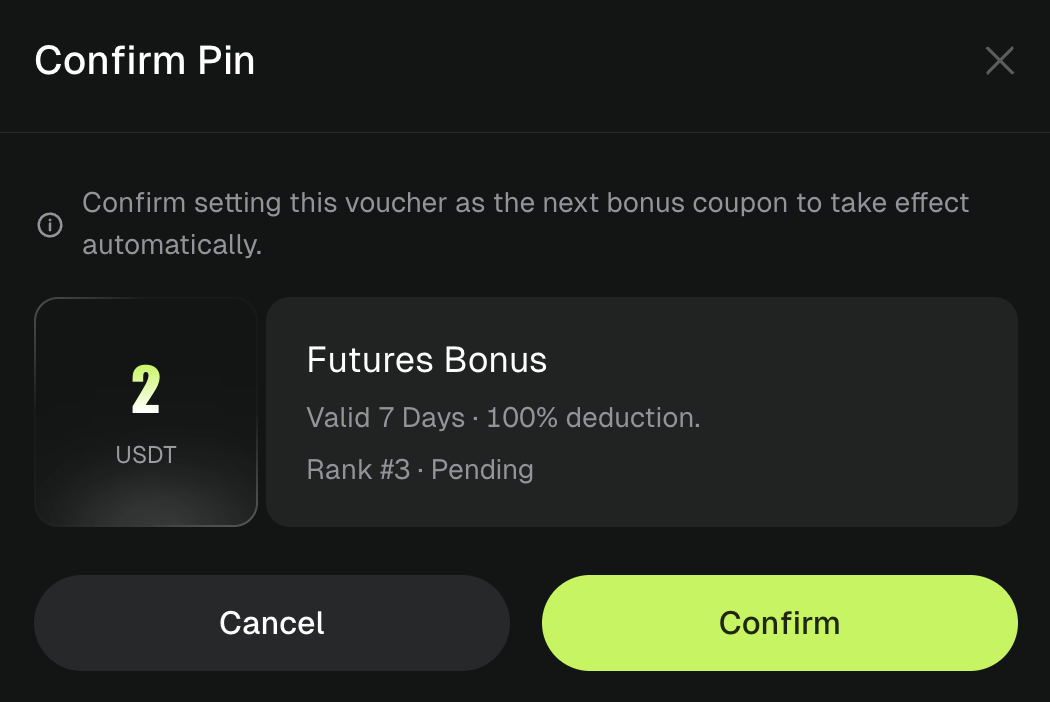
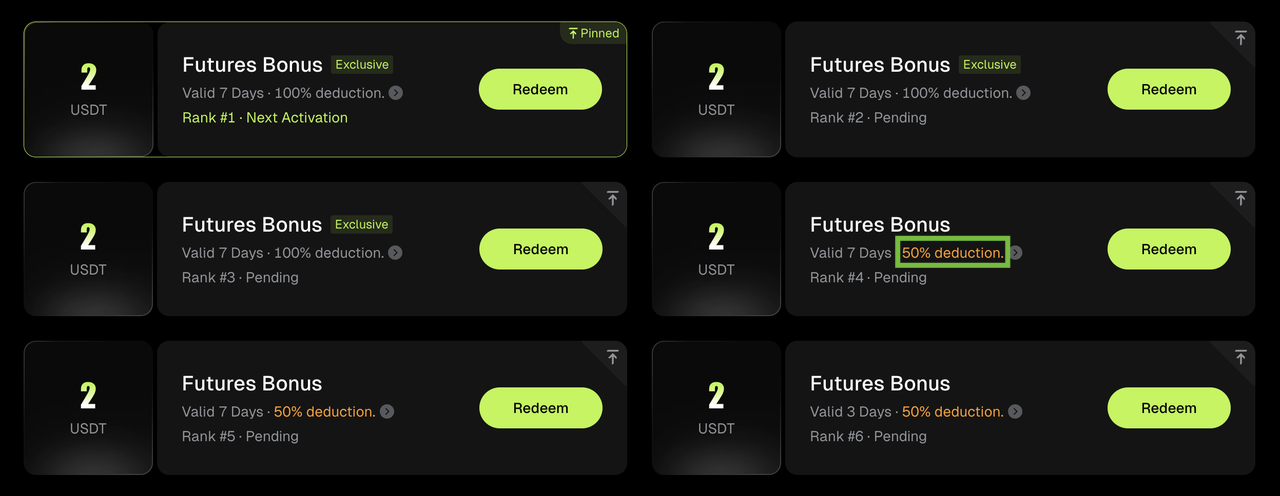
3. If you have multiple Queue Futures Bonus vouchers, vouchers marked as [To Redeem] will be placed in the queue. You do not need to click [Redeem]. After the currently used Futures Bonus amount is fully consumed, the first voucher in the queue will be automatically activated by the system. You can adjust the queue order based on your usage preference. Click the icon in the upper-right corner of each Futures Bonus voucher, then click [Confirm] to move that voucher to the top of the queue.
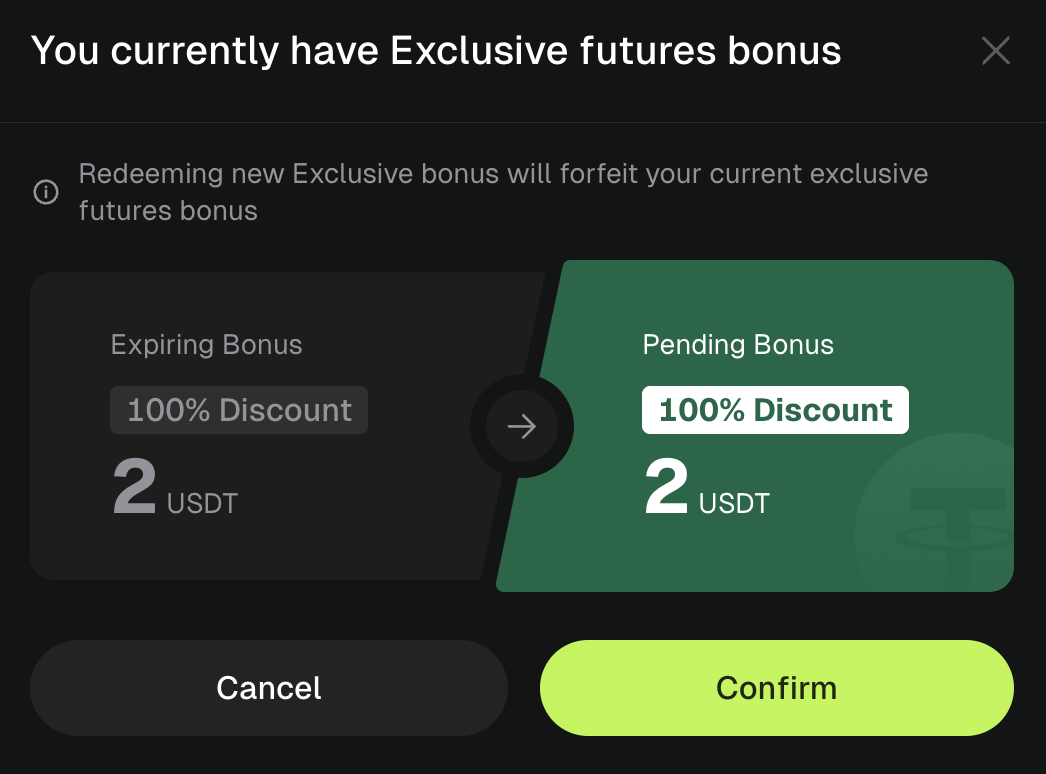
4. Please note that after the Futures Bonus upgrade, you can only use one Queue Futures Bonus voucher at a time. If a voucher is currently [In Use] and you click [Redeem] on another voucher, the system will ask whether you want to give up the currently active Futures Bonus. We recommend using the next Futures Bonus voucher after the current voucher has been fully used.
5. Please note that the Queue Auto-Activation feature only supports vouchers with the same Deduction Ratio. Vouchers with different Deduction Ratios cannot be automatically activated by the system even if they are placed in the queue. You will still need to click [Redeem] manually to activate these Futures Bonus vouchers. The system will highlight vouchers with different Deduction Ratios in yellow to indicate that they cannot be automatically activated.
Advantages of Queue Auto-Activation
1. Automatic Activation, Fewer Manual Steps
Previously, users needed to manually visit the Rewards Center to activate each Futures Bonus voucher when it became available. After the upgrade, the system automatically completes the activation process for subsequent Futures Bonus vouchers, eliminating repetitive operations.
2. Sequential Usage, Improved Bonus Utilization
Multiple Futures Bonus vouchers will take effect according to the queue order, preventing multiple vouchers from being activated simultaneously or remaining unused. This ensures that each Futures Bonus voucher can be used at the appropriate time.
3. Extended Usage Period, Enhanced Trading Experience
With the automatic transition mechanism, you can continue enjoying the trading support provided by Futures Bonus while reducing interruptions caused by manual voucher management.
4. Simplified Management, Greater Convenience
You no longer need to frequently check Futures Bonus status or manually switch between vouchers. The system will automatically manage the activation process of subsequent Futures Bonus vouchers, making the overall experience more convenient.
Disclaimer
This article is not intended to provide:
(i) investment advice or investment recommendations;
(ii) an offer or solicitation to buy, sell, or hold digital assets; or
(iii) financial, accounting, legal, or tax advice.
Digital assets (including stablecoins and NFTs) involve high risk and may be highly volatile. You should carefully consider whether trading or holding digital assets is suitable for you based on your financial situation. For your specific circumstances, consult your legal, tax, or investment professionals. You are responsible for understanding and complying with all applicable local laws and regulations.