

What is the Bitunix Price Alert function?
Bitunix Price Alert is an automated market monitoring tool that allows you to preset price or price fluctuation threshold conditions for specific trading pairs (e.g. BTCUSDT). When market movements trigger these conditions, the system will send you instant notifications through multiple channels including in-app messages and App push notifications, enabling you to track market dynamics in real time.
Core Advantages
1. Free up chart-watching time and focus on decision-making You do not need to monitor price charts around the clock. Simply set your target price or fluctuation thresholds in advance, and the system will automatically track the market for you. You will receive instant alerts once the market hits your set conditions, shifting you from passive chart monitoring to active decision-making and greatly improving your time efficiency.
2. Accurately capture trading opportunities The alert will notify you promptly when prices break key resistance levels, hit critical support levels, or reach your preset take-profit/stop-loss targets. This prevents you from missing ideal trading opportunities due to overlooking market moves, making it especially suitable for swing trading and trend following.
3. Strengthen risk management and avoid emotional trading You may pre-set risk boundaries such as stop-loss alerts. If the market moves against your positions, timely notifications will remind you to execute your trading plan, preventing larger losses caused by hesitation or emotional impulses and helping you maintain strict trading discipline.
Price Alert Detailed Operation Guide for App
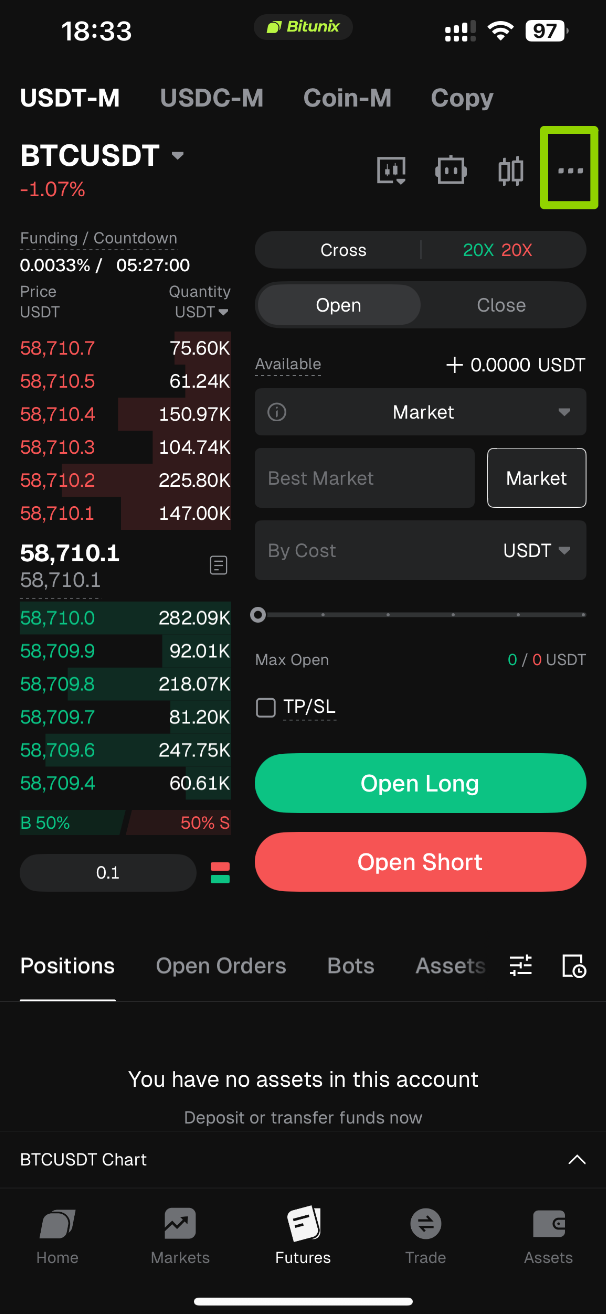
1. Open the App and log in to your account, then enter the futures trading page via the bottom navigation bar, and click the [...] icon.
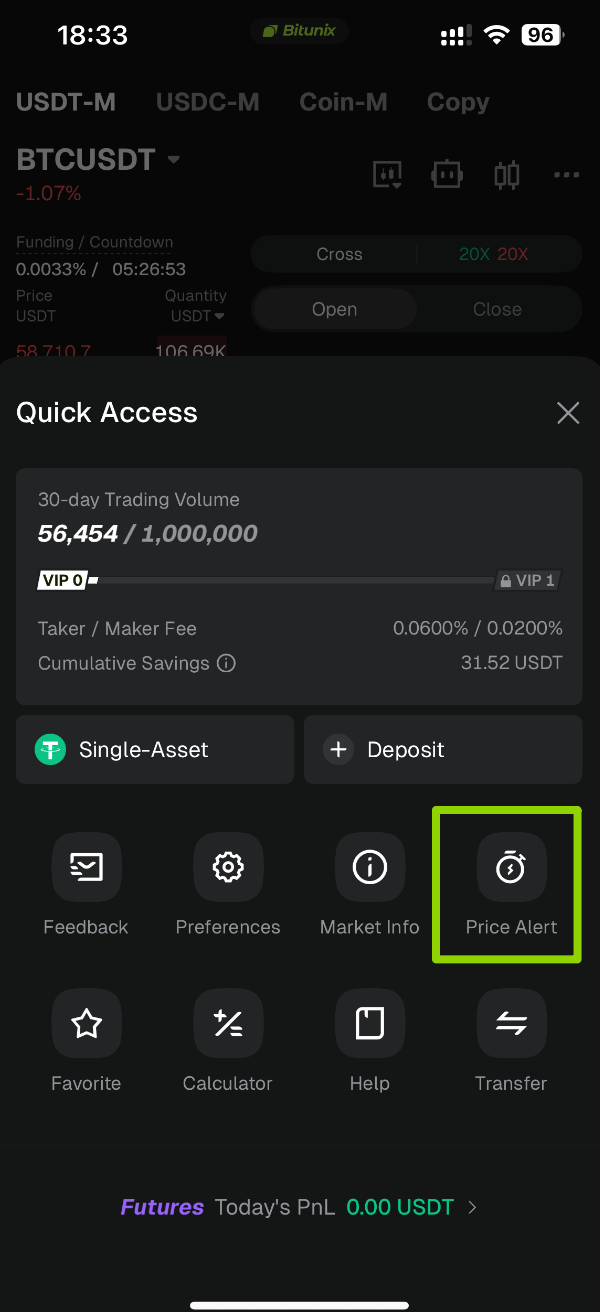
2. Click the 【Price Alert】 icon in the upper right corner of the page.
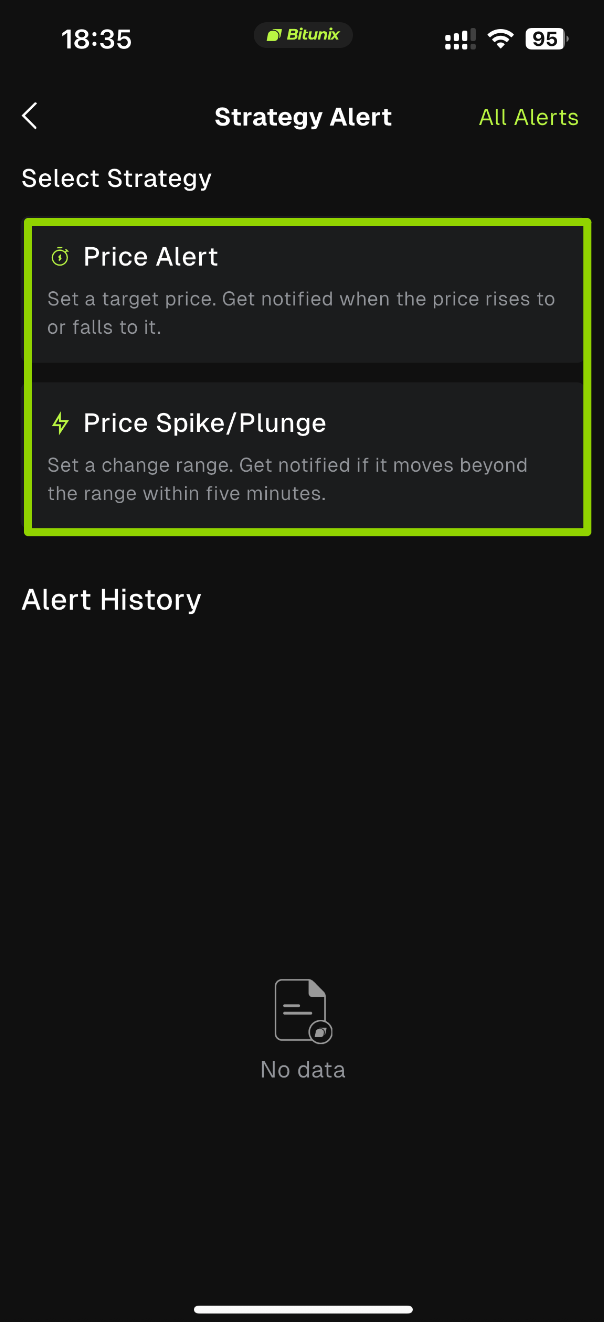
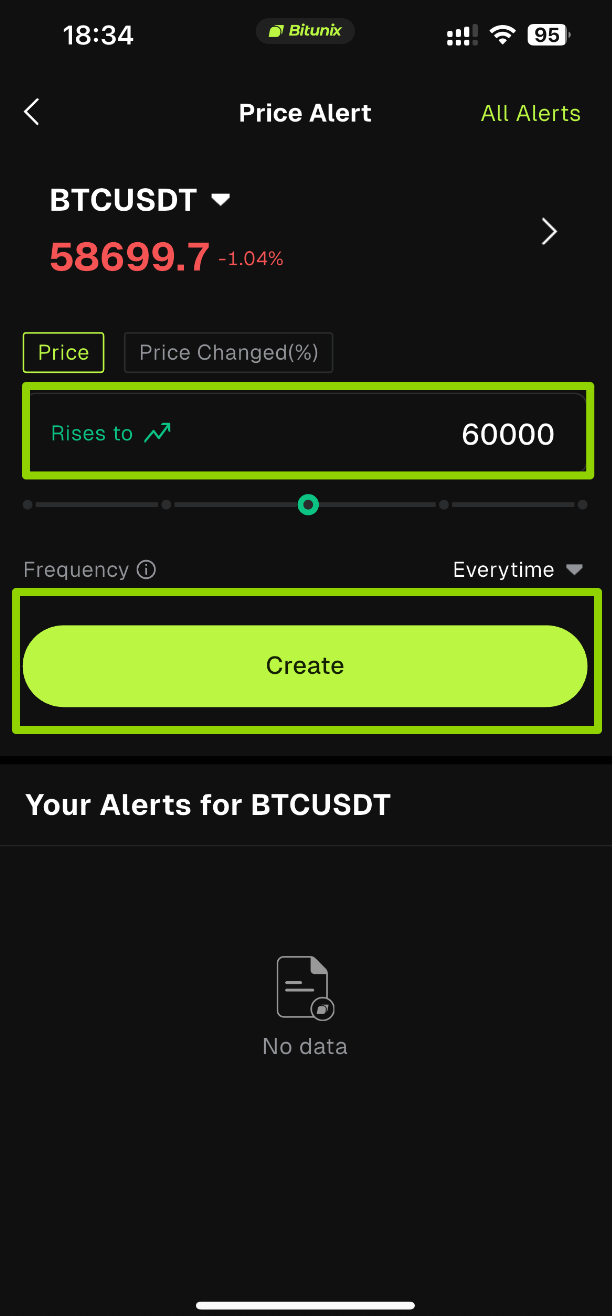
3. Select your target trading pair, e.g. BTC/USDT. Choose either 【Price Alert】 or 【Price Spike & Plunge】 Alert, set the alert frequency and notification method, then click Create to complete the alert setup.
Tutorials for detailed configuration of all alert types can be found in the corresponding dedicated documents:
- Indicator Alert: Capture market fluctuations via technical indicators
- Combo Alert :Mix and match multiple conditions to achieve multi-dimensional composite triggering
- K-Line Alert:dentify market signals based on candlestick patterns
- Drawing Alert: Custom trend graphics to spot support and resistance breakouts
- Template Alert: Apply preset strategies with one click to quickly generate combo alerts
Disclaimer
This article is not intended to provide:
(i) investment advice or recommendations;
(ii) an offer or solicitation to buy, sell, or hold digital assets; or
(iii) financial, accounting, legal, or tax advice.
Digital assets, including stablecoins and NFTs, are highly volatile and involve significant risk. Please carefully consider your financial situation and risk tolerance before trading or holding digital assets.
Consult your independent legal, tax, or investment professional to ensure that your actions comply with applicable local laws and regulations.