

When you receive an account risk review and restriction notice, you can follow the instructions provided in the notification to submit the required supporting documents for review.
To restore full access, you are required to complete the appeal process for verification. This process helps ensure account security and compliance with platform policies.
Steps to Submit an Appeal (APP)
1、Access the Appeal Page
Option 1:
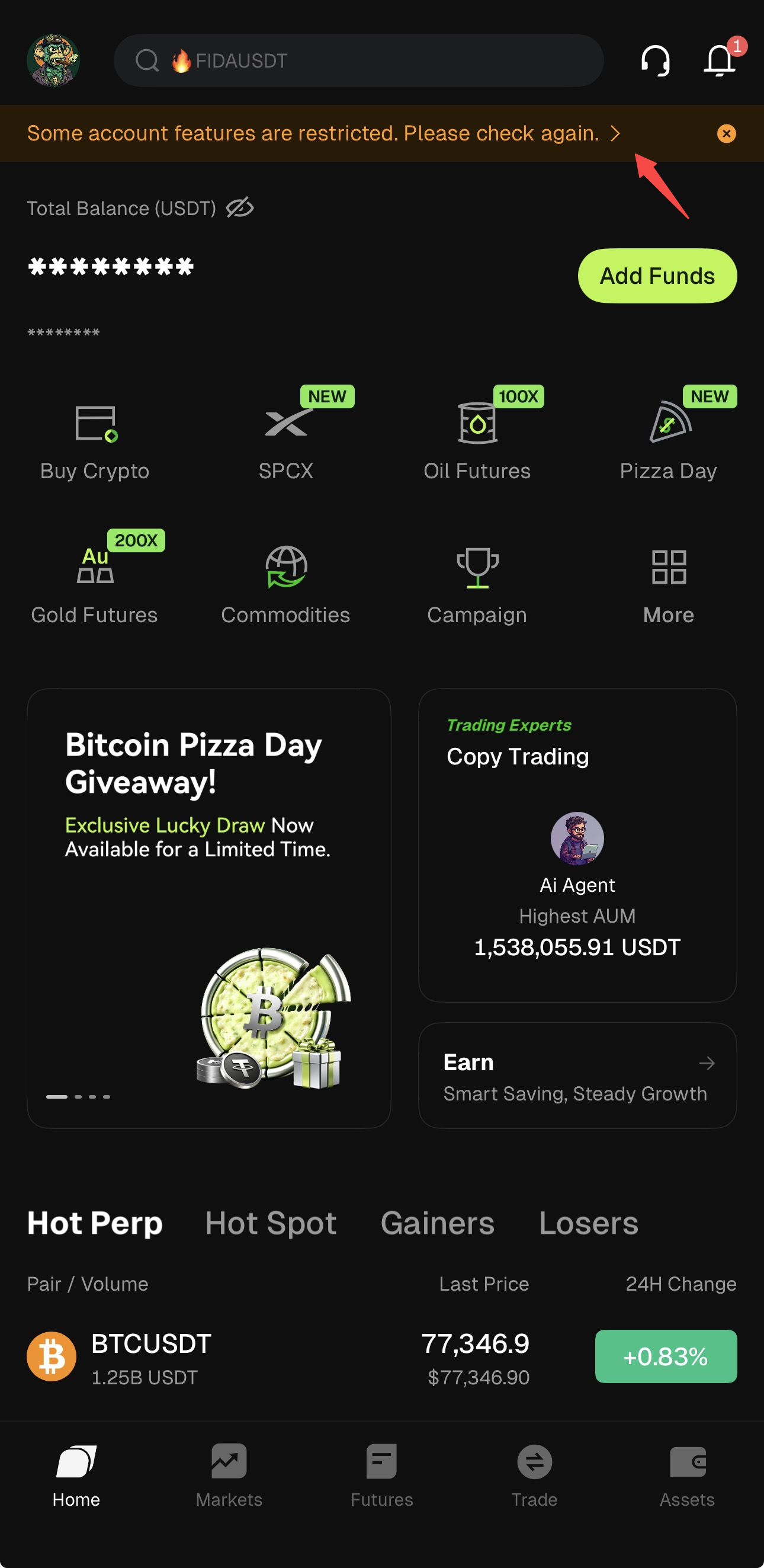
On the Web or App homepage, tap the notification banner displayed at the top of the page:
"Some features of your account are restricted. Please check."
Option 2:
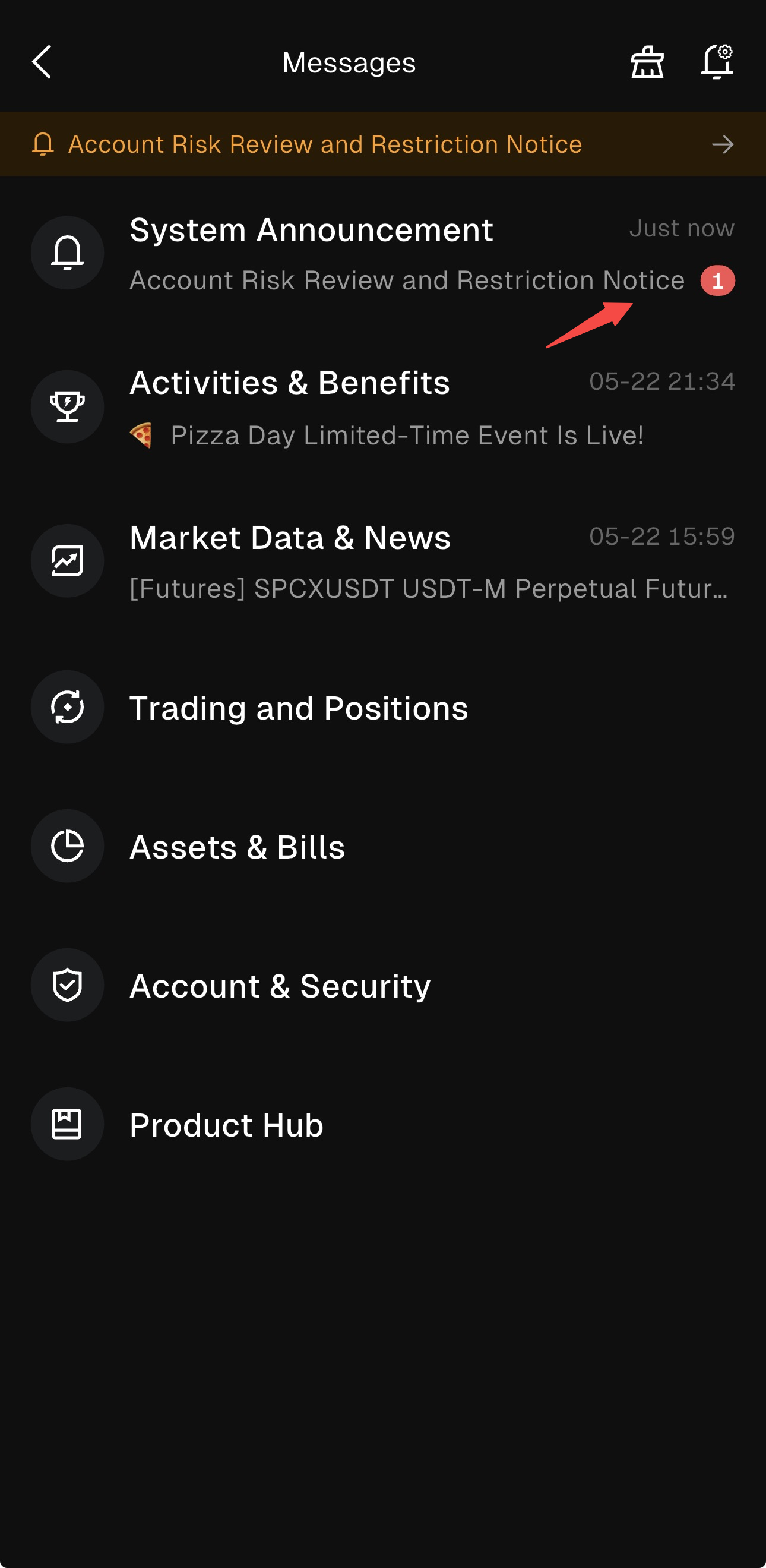
Access the appeal page via the in-app notification path:
Messages > System Announcement > Account Risk Review and Restriction Notice
2、Select Appeal Items
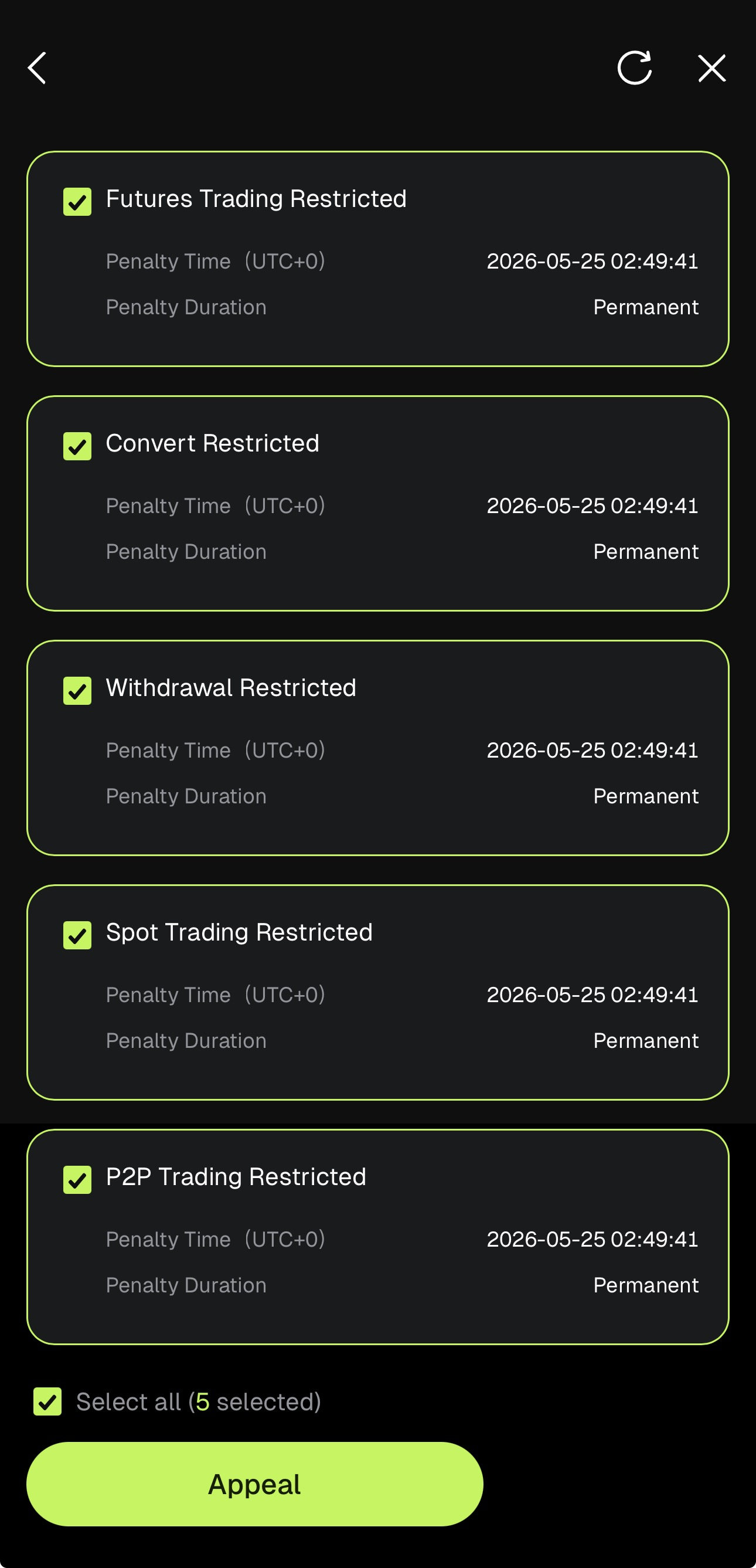
On the Account Penalty Information page, select all applicable appeal items for review, then tap Appeal to proceed.
3、Facial Verification
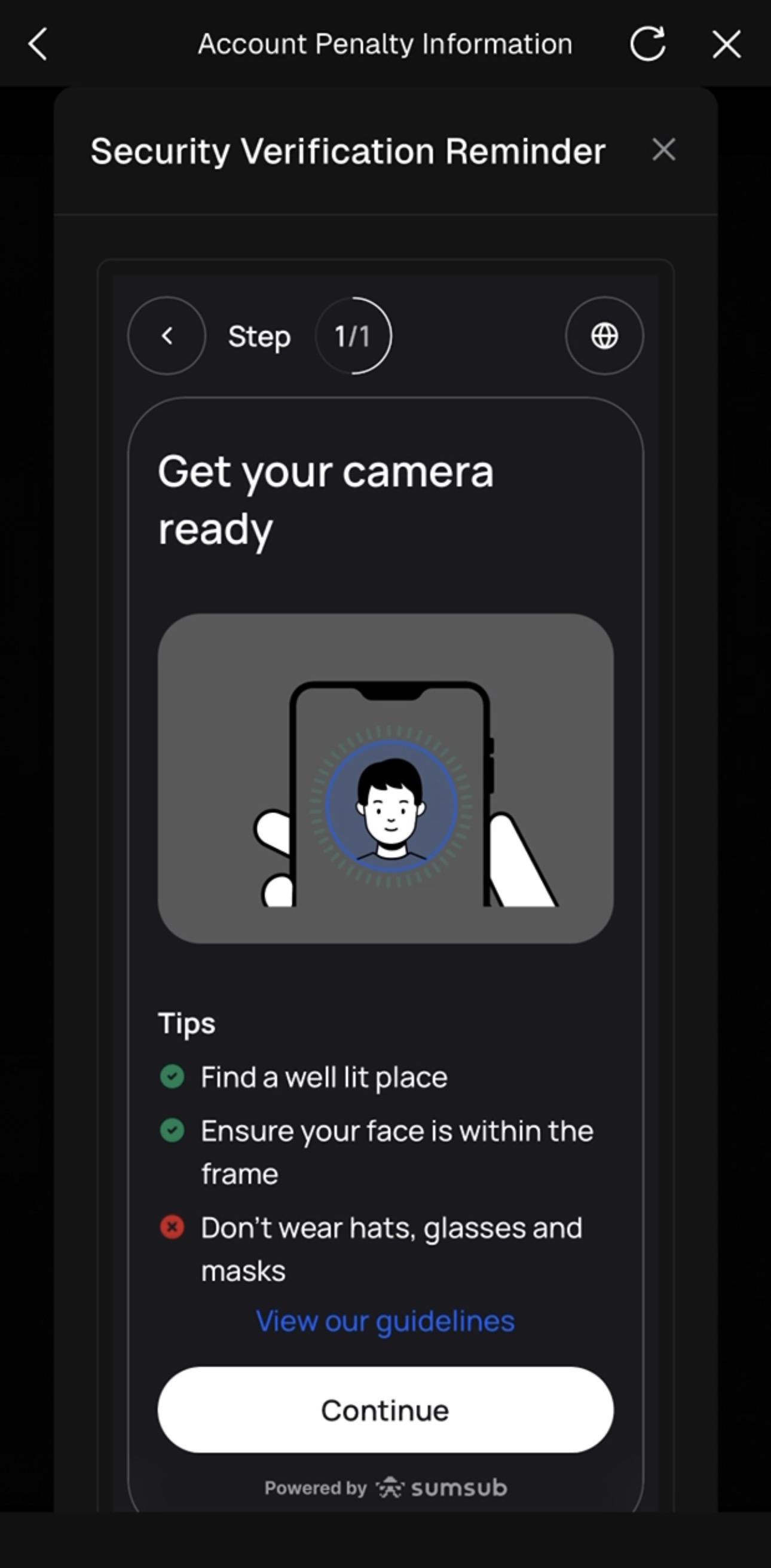
Please complete facial verification before submitting your appeal materials. On the Account Penalty Information page, tap Facial Verification, then tap Start Verification on the Security Verification Reminder screen to begin the liveness check.
Tips:
- Find a well-lit location.
- Ensure your face is fully within the frame.
- Do not wear hats, glasses, or a mask.
- Follow the on-screen instructions to complete verification.
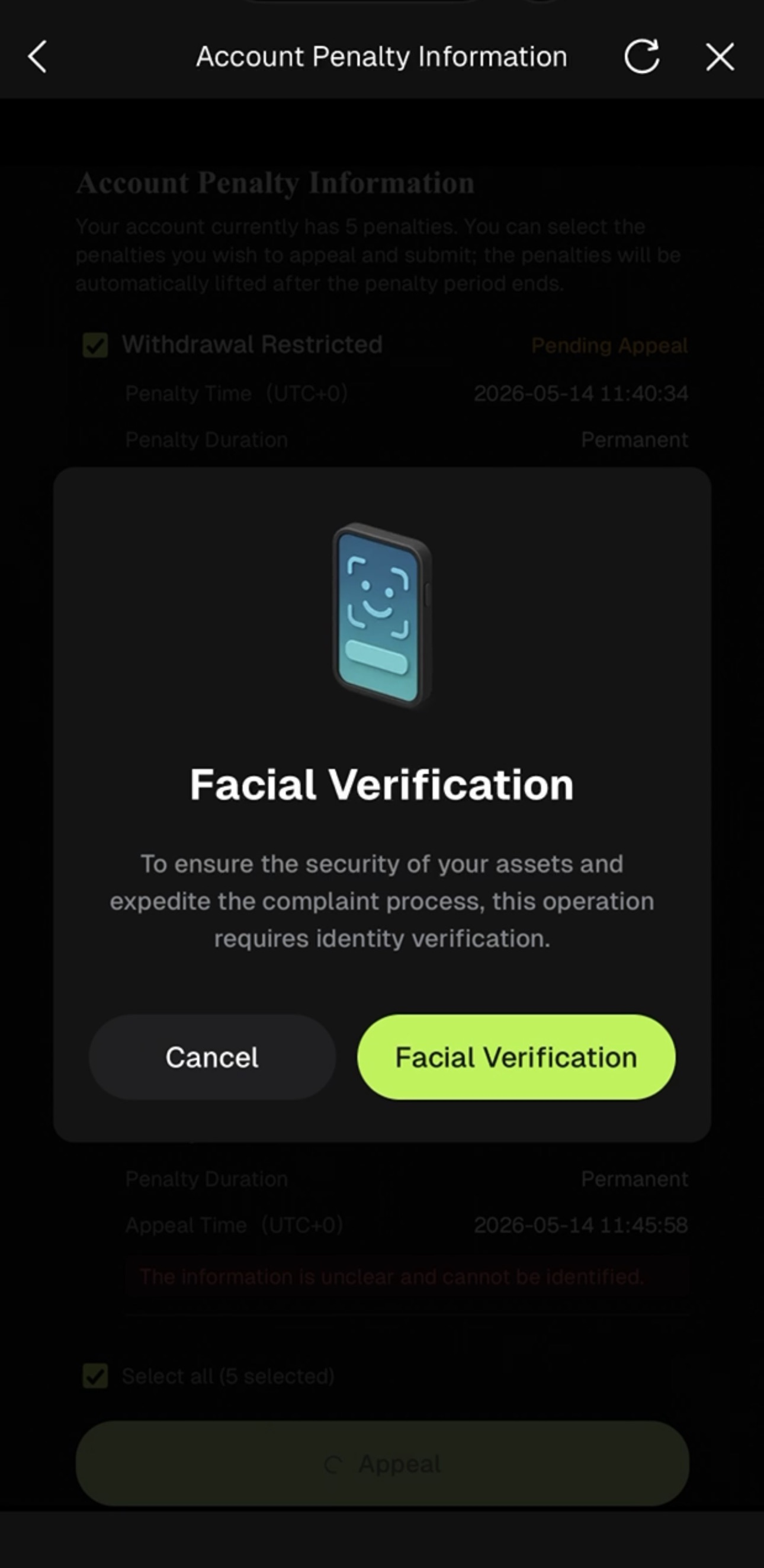
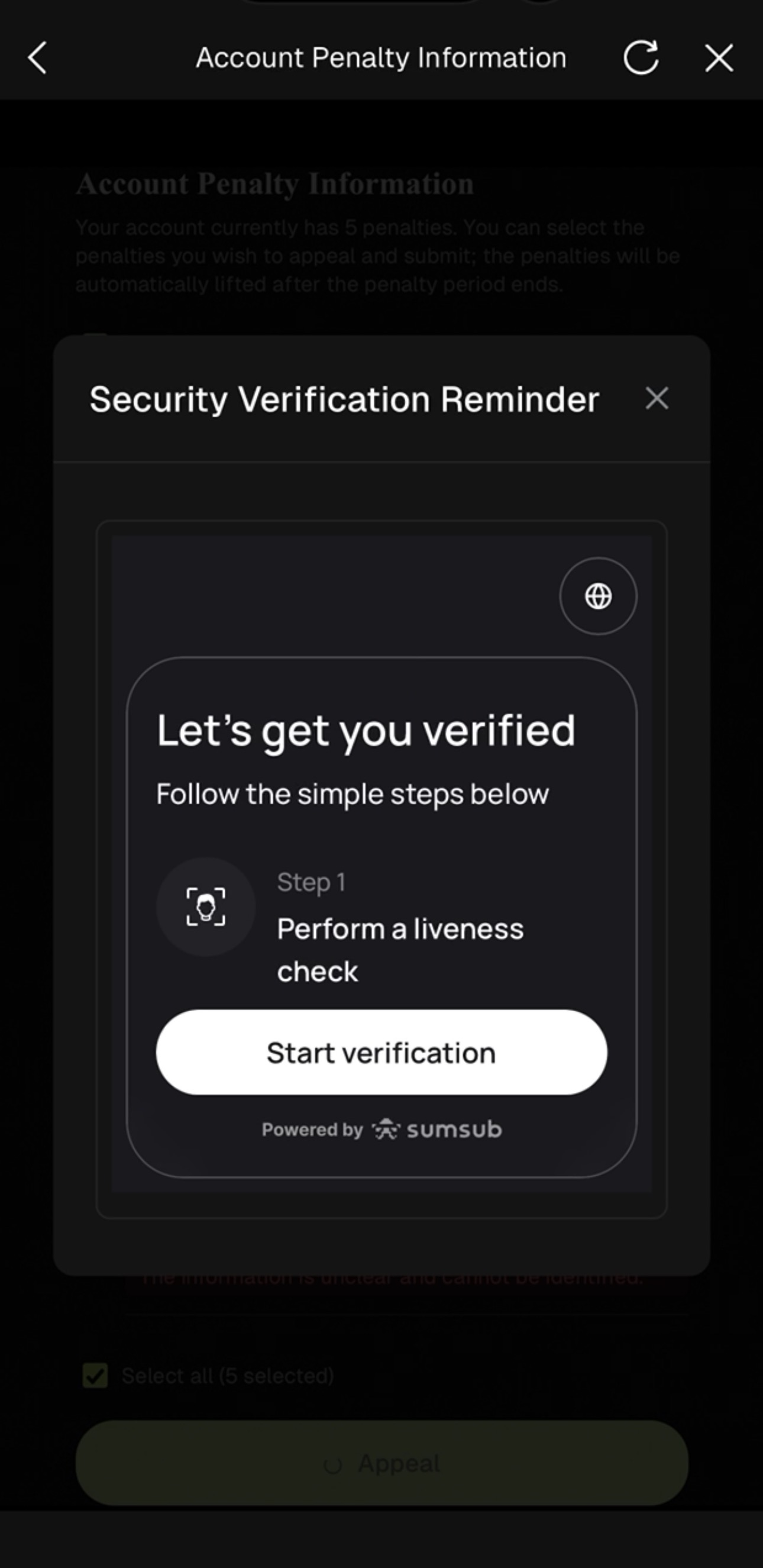
Unable to Complete Security Verification?
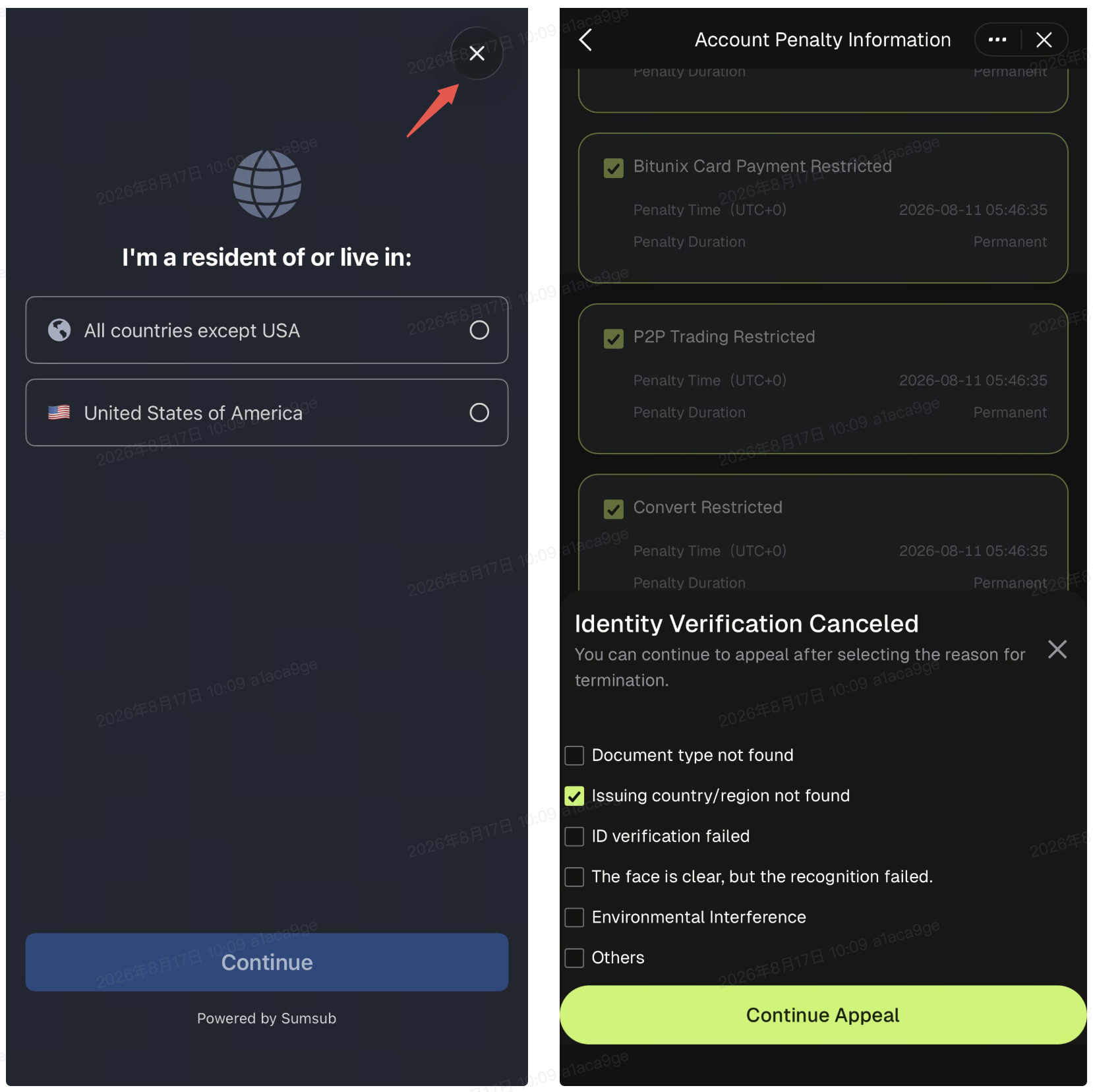
If you are unable to complete security verification, you can still proceed with your appeal.
- Tap Cancel Security Verification.
- On the Identity Verification Canceled page, select the applicable reason, then tap Continue Appeal to proceed with your appeal submission.
4、Upload Supporting Documents and Submit Your Appeal
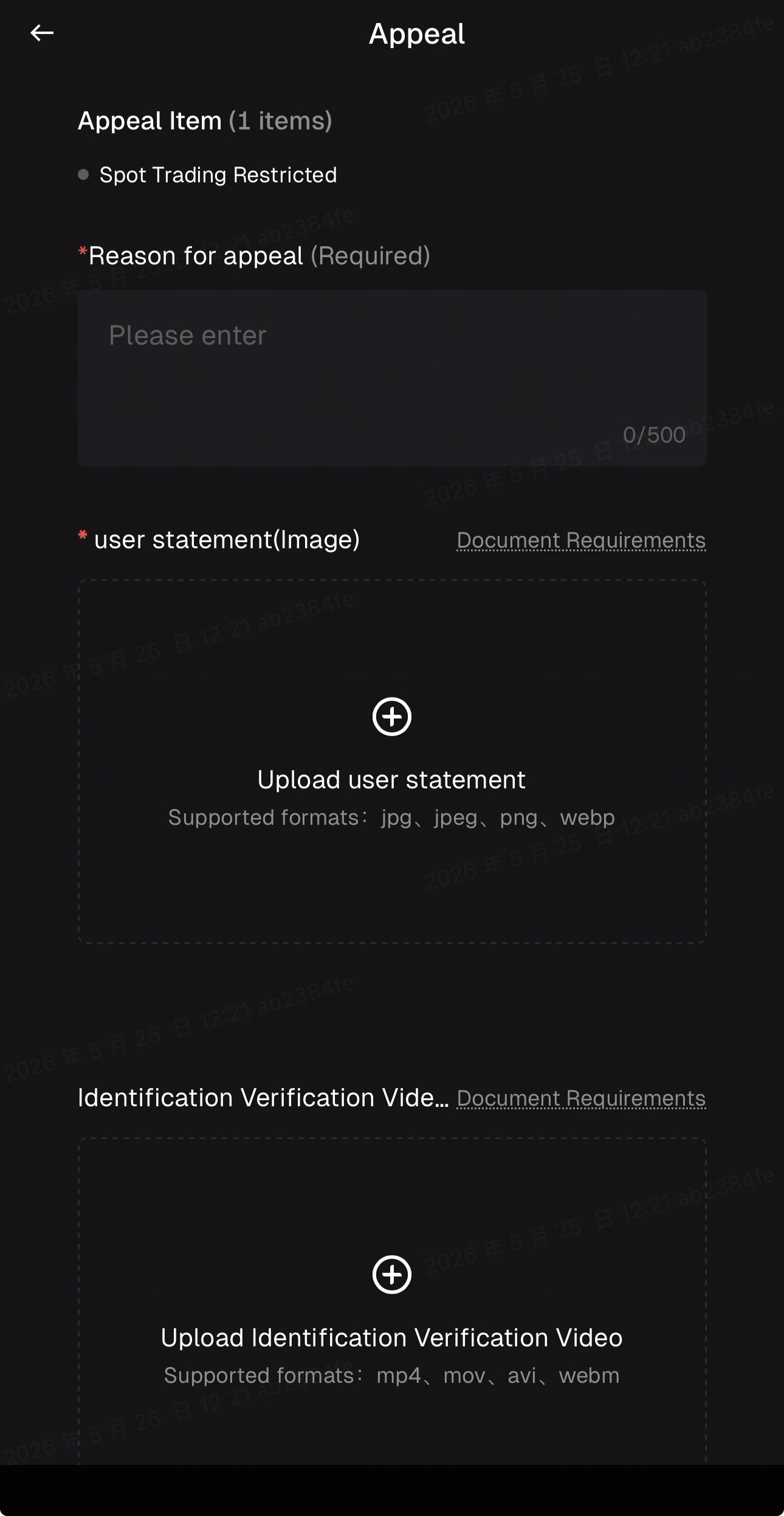
Once facial verification is complete, upload the required supporting documents and enter the reason for your appeal.
Document Requirements:
- File Documents: pdf, doc, docx, xlsx, xls
- Video Documents: mp4, webm, mov, avi
- Image Documents: jpeg, jpg, png, webp
Notes:
- Ensure that uploaded documents comply with the supported formats listed above.
- Unsupported formats will not be accepted and may delay the review process.
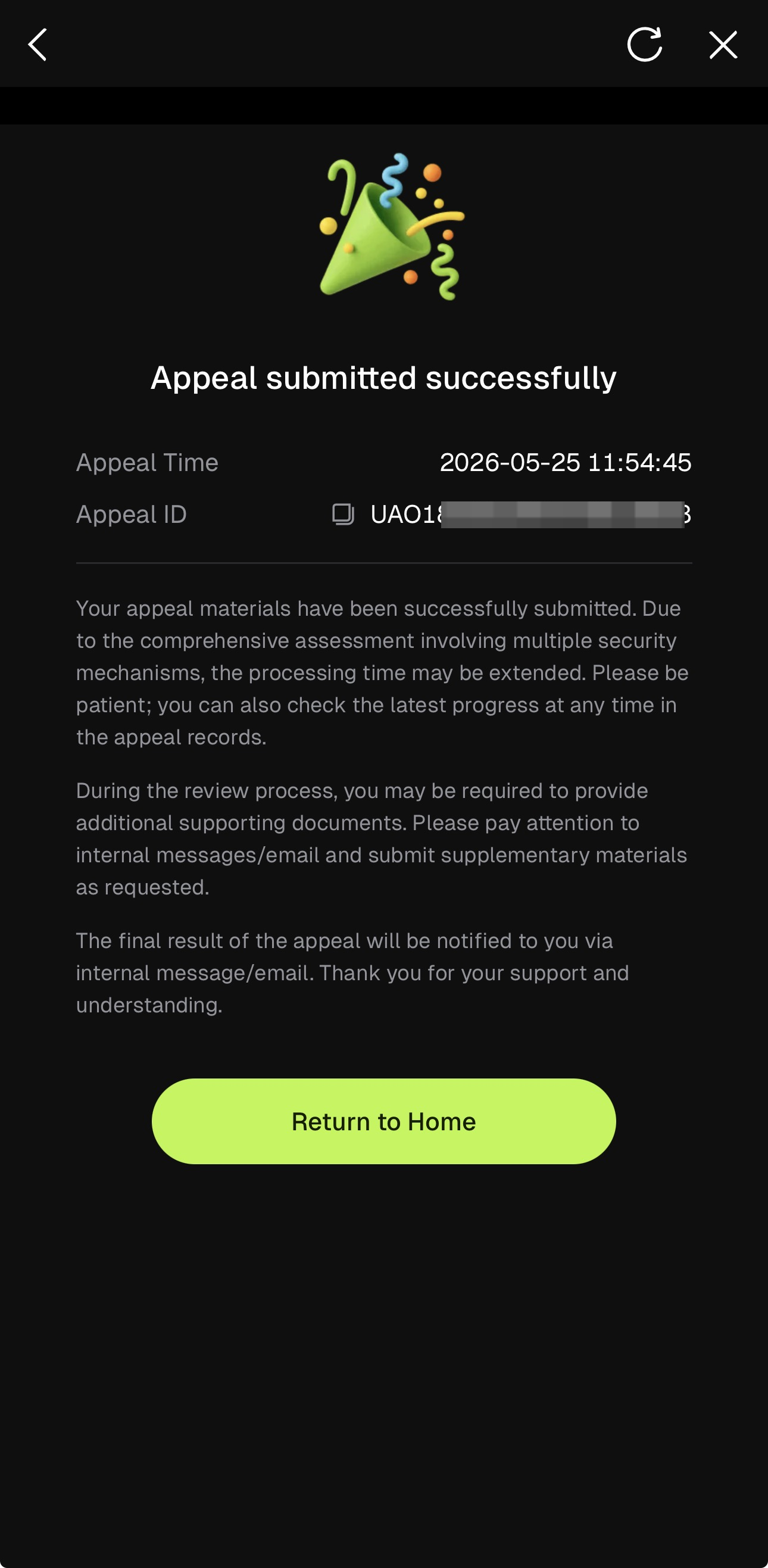
5、Appeal Submitted Successfully
Once your appeal has been successfully submitted, a confirmation message reading "Appeal submitted successfully" will be displayed, along with your Appeal Time and Appeal ID for future reference. Tap Return to Home to exit the appeal flow.
During the review process, please check your in-app messages and email regularly for any requests for additional documents or updates on your appeal status.
Disclaimer
This article is not intended to provide
(I) investment advice or investment recommendations;
(Ii) an offer or solicitation to buy, sell or hold digital assets;
(Iii) Financial, accounting, legal or tax advice. Digital assets held (including stablecoins and NFTs) involve a high level of risk and may fluctuate significantly. You should carefully consider whether trading or holding digital assets is appropriate for you based on your financial situation. Please consult your legal/tax/investment professional for your specific situation. Please be responsible for understanding and complying with relevant local applicable laws and regulations.