

Bitunix provides customer support through:
- Live Chat (fastest)
- Email Support
- Help Center / Submit a Request (ticket form)
- VIP Support / Get your Own VIP Customer Service Maanger
- Official support email: [email protected] Bitunix Help Center
1、Fastest Support: Live Chat (Recommended)
Best for:
- Login issues / account access
- Withdrawal delays
- Deposit not credited
- Trading system questions
- Urgent issues that need immediate attention
- Or any other general or trading inquiries.
1.1 How to access Live Chat (Website)
1、Open Bitunix Homepage
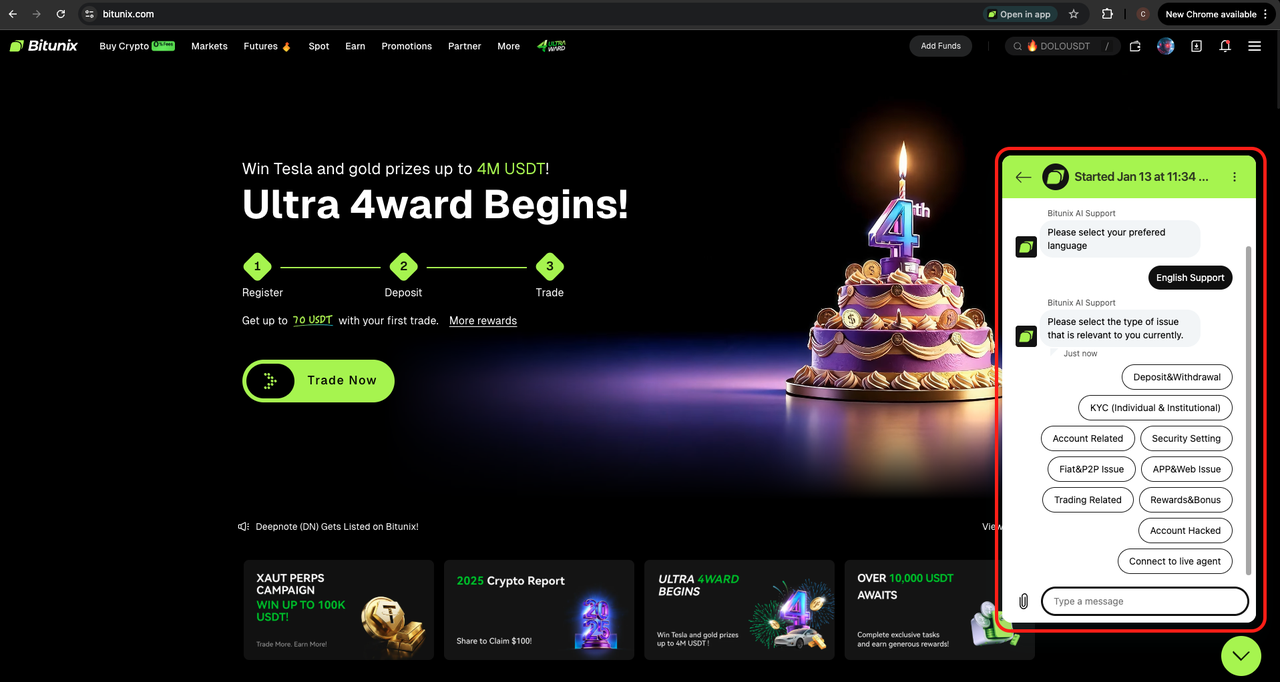
2、Click “Chat with us” / Zendesk at the bottom-right corner) Bitunix
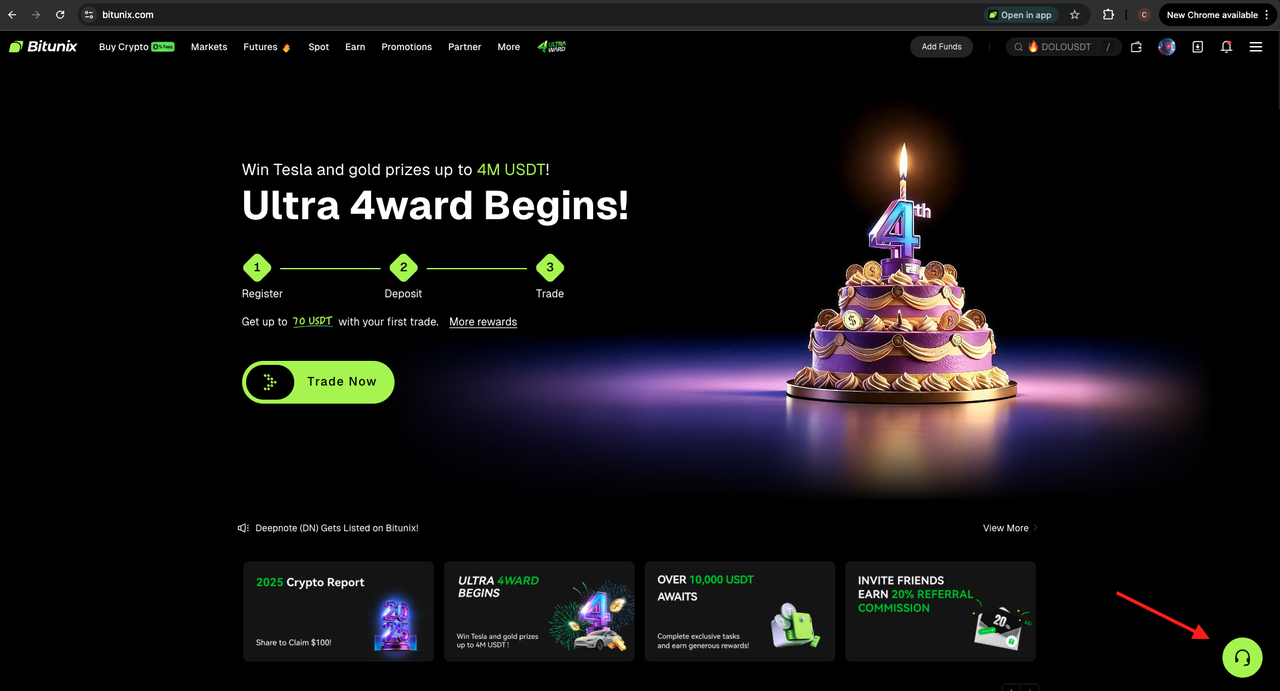
3、Select the most suitable topic
4、Follow the prompt to provide your details then your Customer service agent will be with you.
1.2 How to access Bitunix Support (App)
1、Open the Bitunix App
2、Click the handset icon above
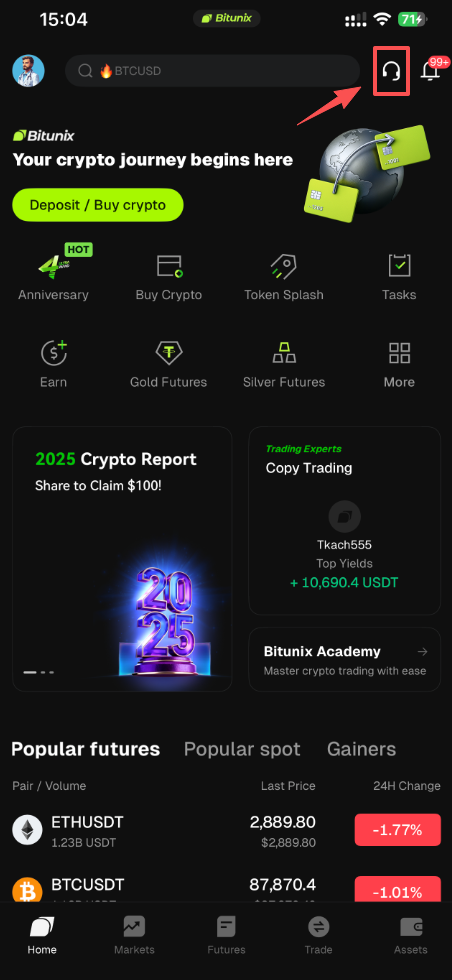
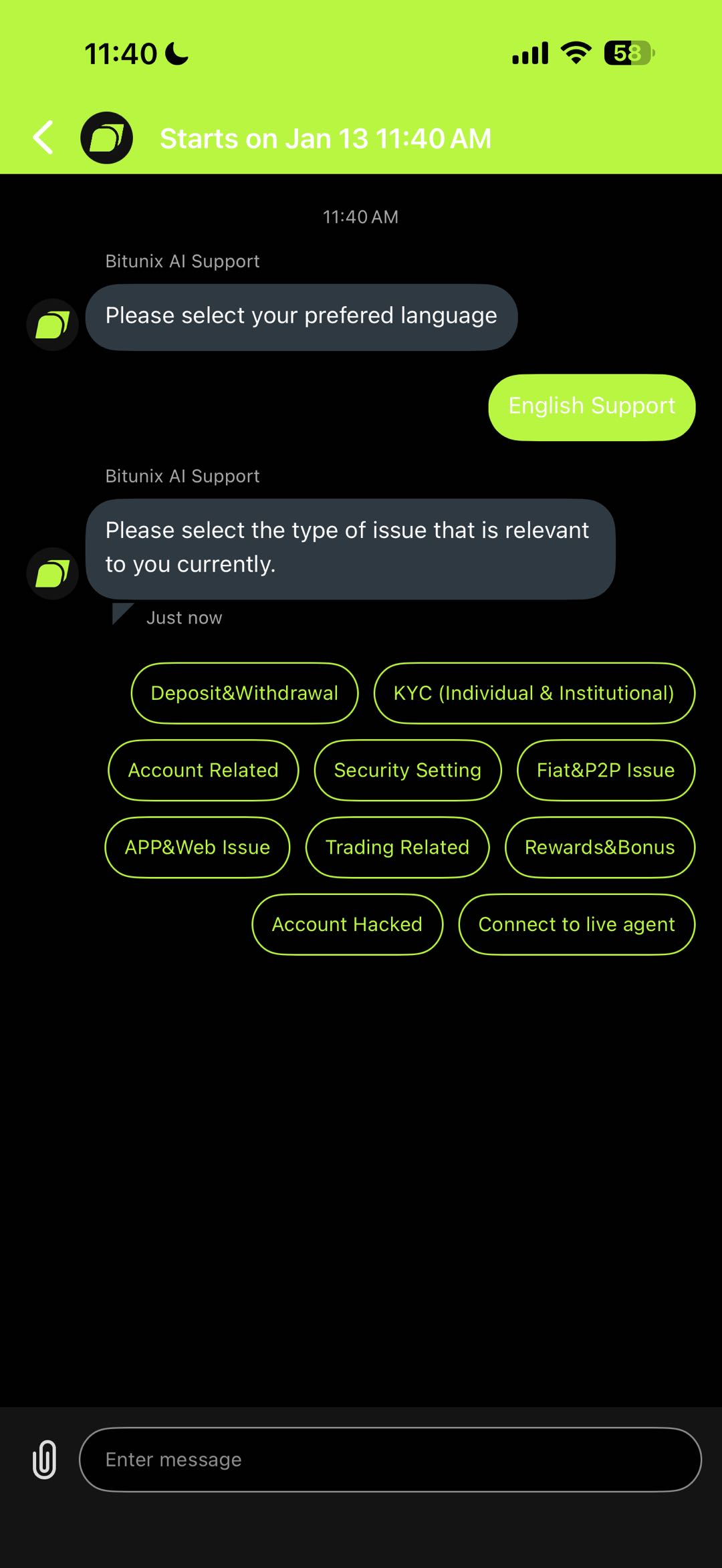
3、Follow the prompt to provide your details then your Customer service agent will be with you.
4、Bitunix currently offers multiple language preferences, including: English, Spanish, German, Persian, Mandarin and others.
2、📩 Email Support (Best for Formal or Complex Issues)
Best for:
- Account hacked / fraud claims
- Appeal requests / disputes
- Compensation requests
- KYC verification concerns
- Cases needing proof (screenshots, TxID, video proof)
- Anything requiring documentation
Official Support Email:
📧 [email protected] Bitunix Help Center
Email format (recommended)
Subject: [Issue Type] – UID XXXXXXX
Example: Withdrawal Pending – UID 123456
Include these in the email:
- UID
- Registered email or phone (partial only for safety)
- Issue description (what happened + when)
- Screenshots / screen recording (if available)
- TxID / Hash (for deposits/withdrawals)
3、📝 Submit a Ticket (Help Center Request Form)
This is ideal if you want your issue formally logged as a ticket.
Best for:
- Structured support requests
- Non-urgent issues
- Tracking progress by category
- Cases requiring supporting documents
3.1 How to submit:
- Go to Bitunix Help Center
- Click Contact Support
- Select the correct category (important!)
- Fill in the information + attach proof Bitunix Help Center
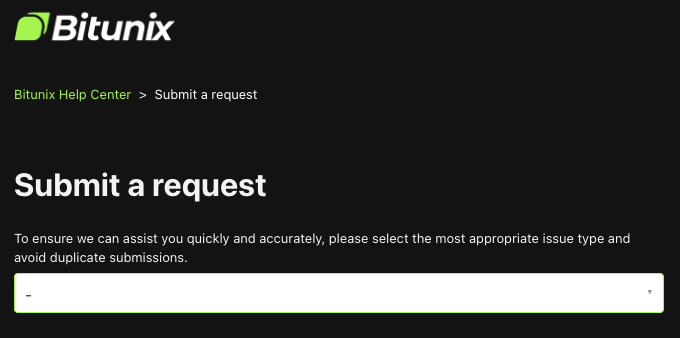
Ticket categories include:
- Account hacked / scam
- KYC
- On-chain deposit/withdrawal
- Spot/Futures trading
- Rewards & bonuses
- App/system issues Bitunix Help Center
Bitunix Official Support Channels
🔹 Product & Service Support
For concerns related to account access, deposits/withdrawals, trading issues, and general product inquiries:
📧 [email protected]
🔹 VIP Support / VIP Upgrade Inquiries
For VIP level upgrade requests, VIP-related concerns, and premium support assistance:
📧 [email protected]
🔹 Media & PR Inquiries
For interview requests, press releases, partnerships with media, or PR coordination:
📧 [email protected]
🔹 Business Partnerships
For project collaboration, joint marketing campaigns, affiliate opportunities, or other business-related proposals:
📧 [email protected]
🔹 Regulatory & Law Enforcement Requests
For official compliance, legal, regulatory, and law enforcement inquiries:
📧 [email protected]