

What is the Bitunix Combo Alert feature?
The Bitunix Combo Alert feature allows you to combine price conditions, technical indicators, and candlestick patterns. The system will trigger an alert only when all defined conditions are met.
It helps solve a key problem: avoiding false signals from a single indicator and capturing more reliable trading opportunities.
Key Features
• Supports both single-condition alerts and multi-condition Combo Alerts, allowing multiple trigger rules in one setup without creating alerts repeatedly
• Up to 5 conditions can be added to a single Combo Alert
• Fully customizable notifications, trigger frequency, expiration time, and notes to support flexible trading strategies
1、How to Set Up a Combo Alert
- Open the candlestick chart of your selected trading pair
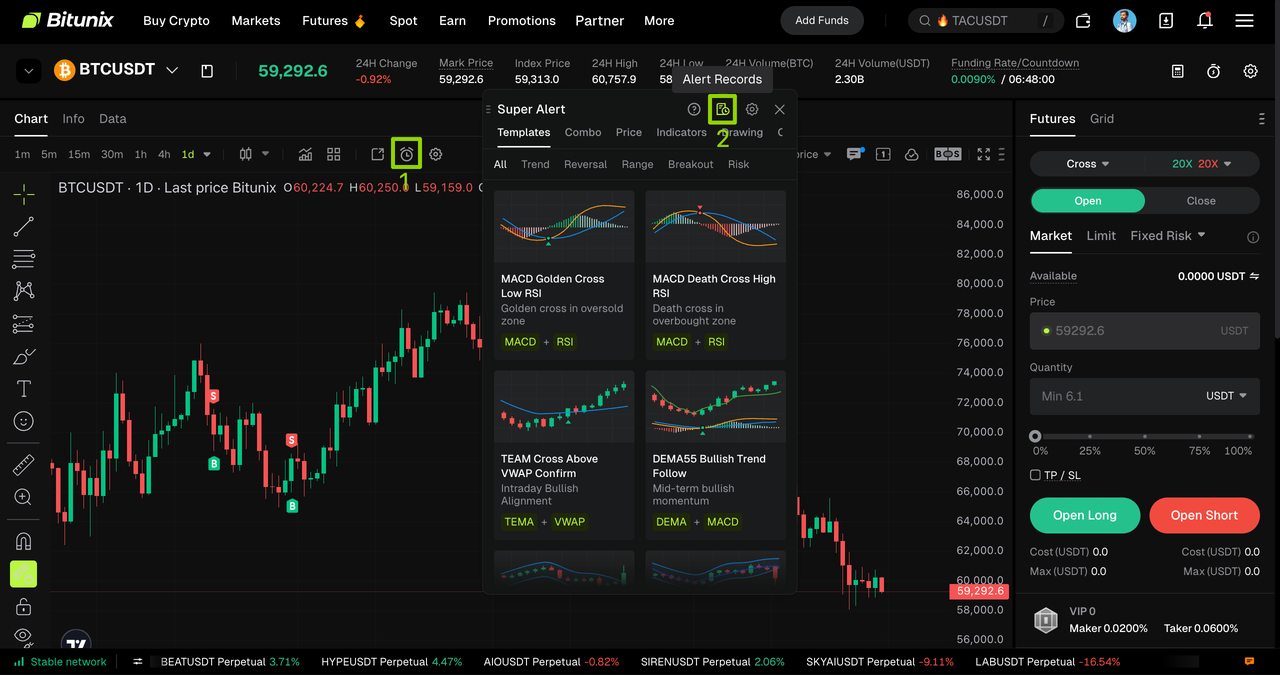
- Click the 【Create Alert】 (⏰) icon in the chart toolbar
- Switch to the 【Combo】 (Combo Alert) tab to enter the configuration interface
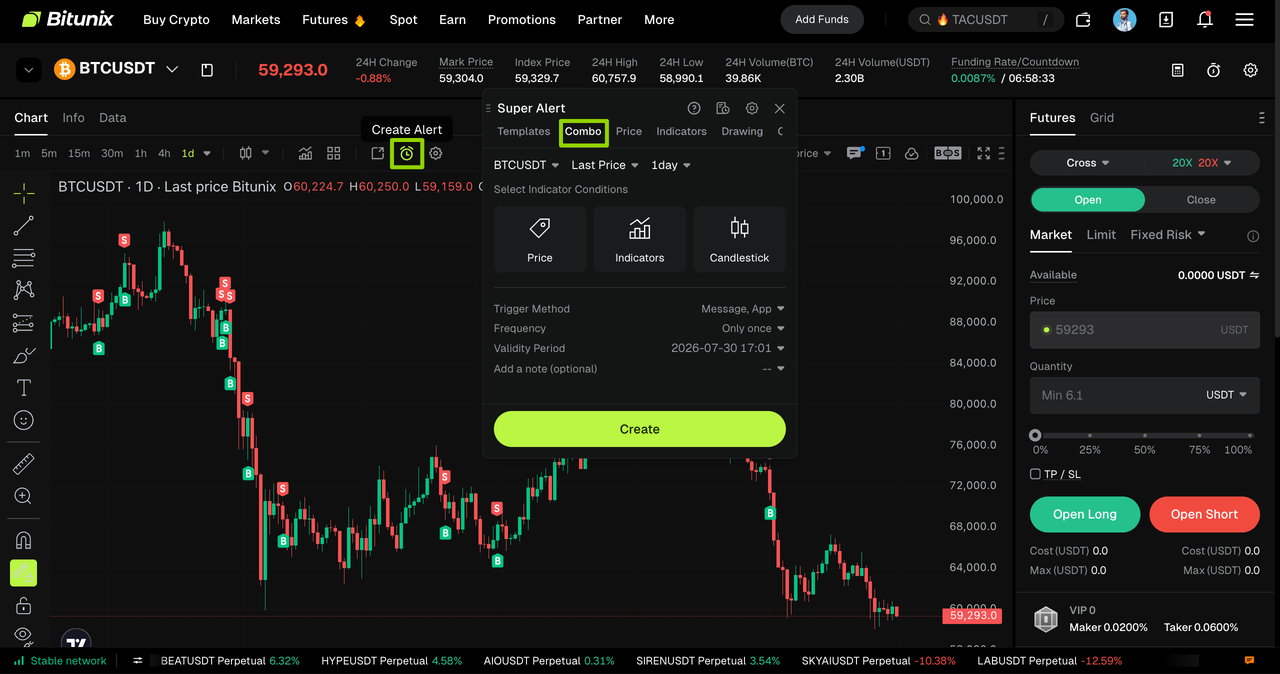
2、Add Your First Condition
Select a condition type from Price, Indicator, or Candlestick patterns and configure it accordingly.
Example: Indicator Alert
1.Select Indicator Alert
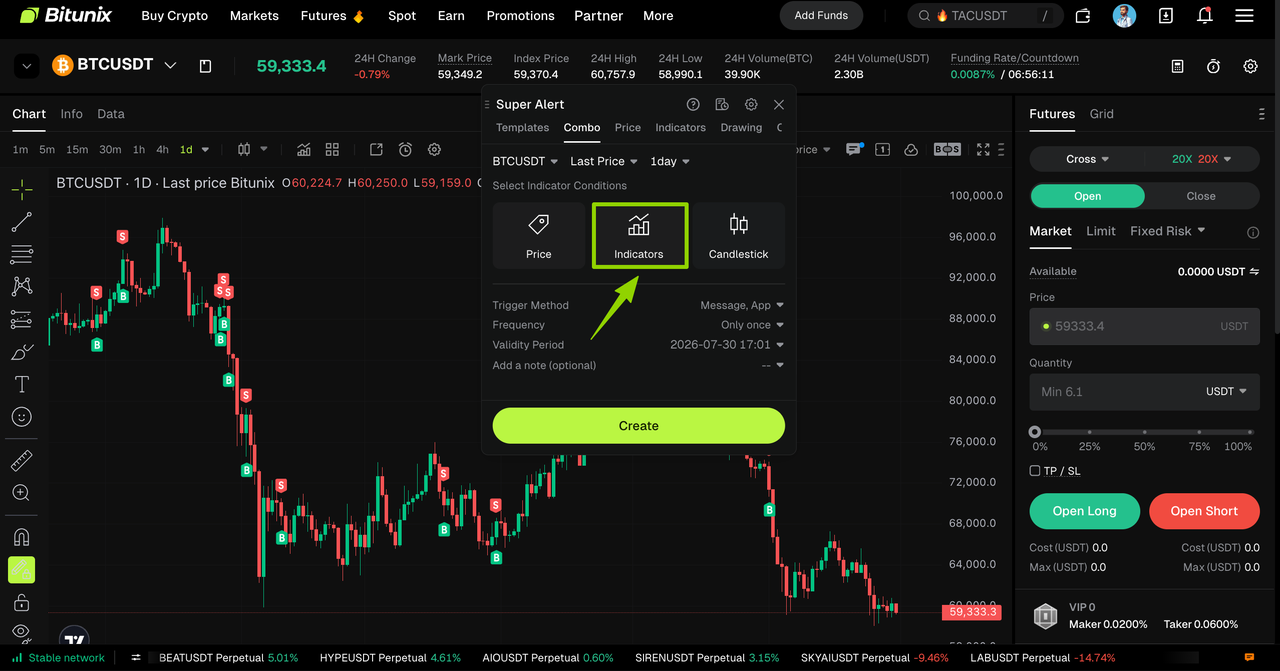
2.Choose a technical indicator (e.g., MACD, RSI, etc.)
Configure custom trigger parameters, including indicator timeframe, threshold values, and comparison rules. After completing the setup, click Add to include this condition in your Combo Alert.
⚠️ Important Note:
The current setup is based on the BTC/USDT daily chart. Indicator settings are only valid for the selected timeframe and will not apply after switching to a different timeframe.
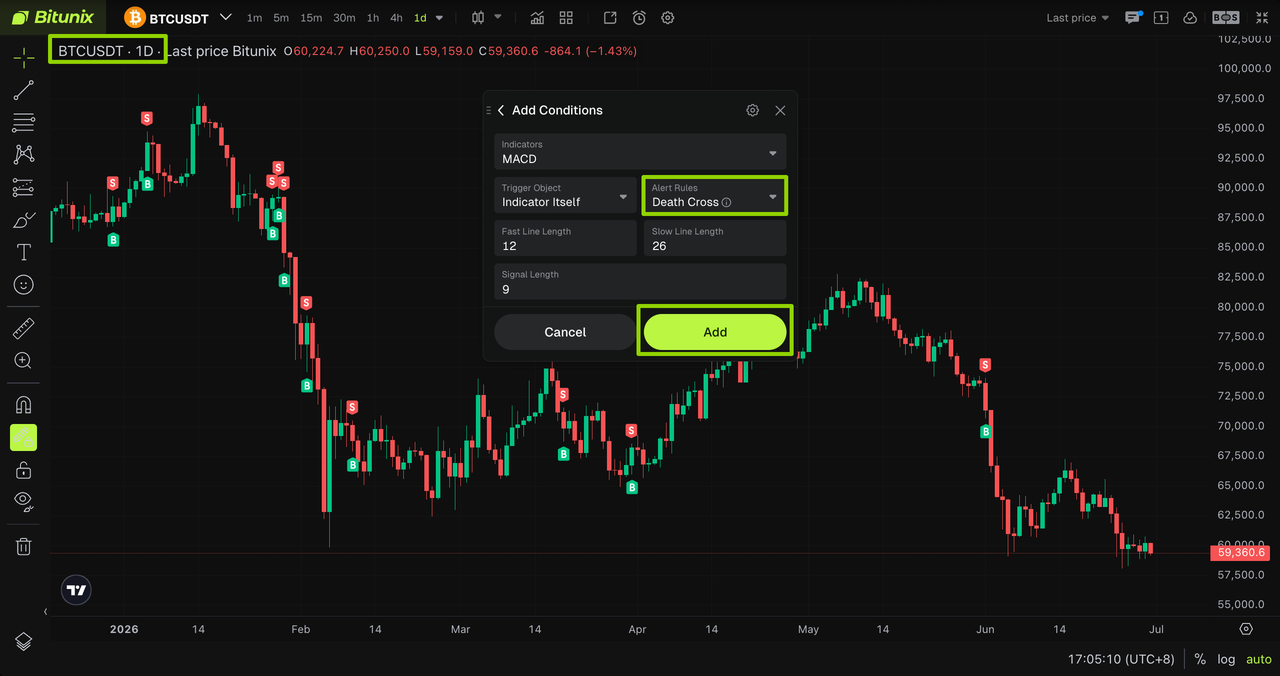
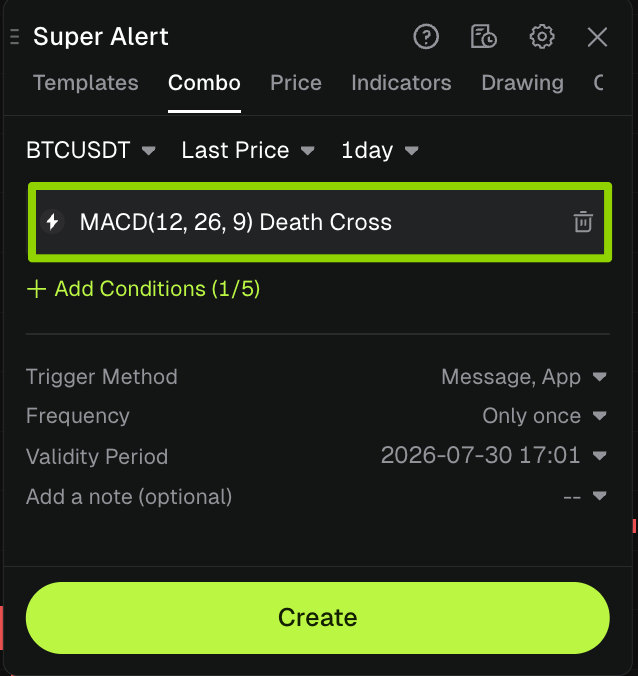
3、Add Multiple Conditions (Optional)
After adding your first condition, all configured conditions will be displayed. You can continue adding more conditions for multi-dimensional market filtering.
1.Click 【Add】 Condition to include additional alert rules
• Supports cross-condition combinations such as price + indicator + candlestick patterns
• Up to 5 conditions can be added per Combo Alert
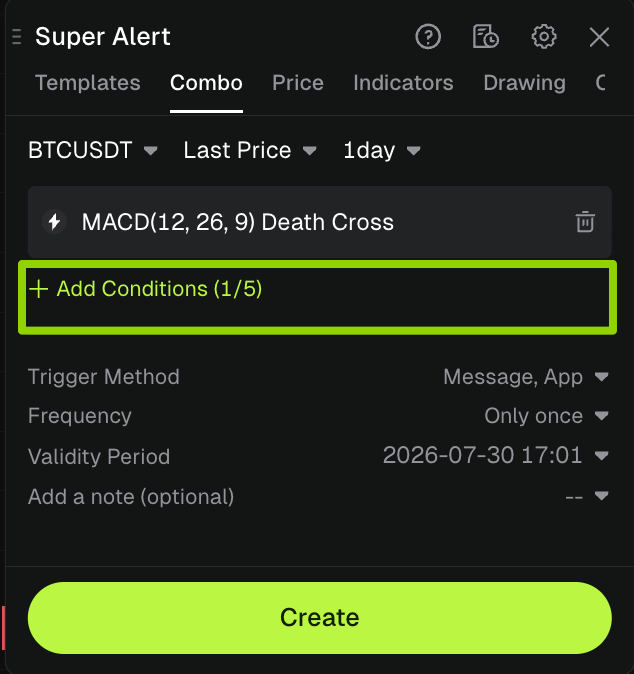
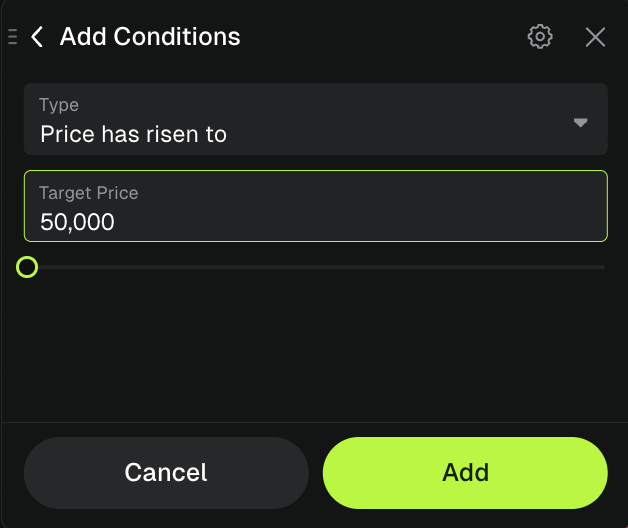
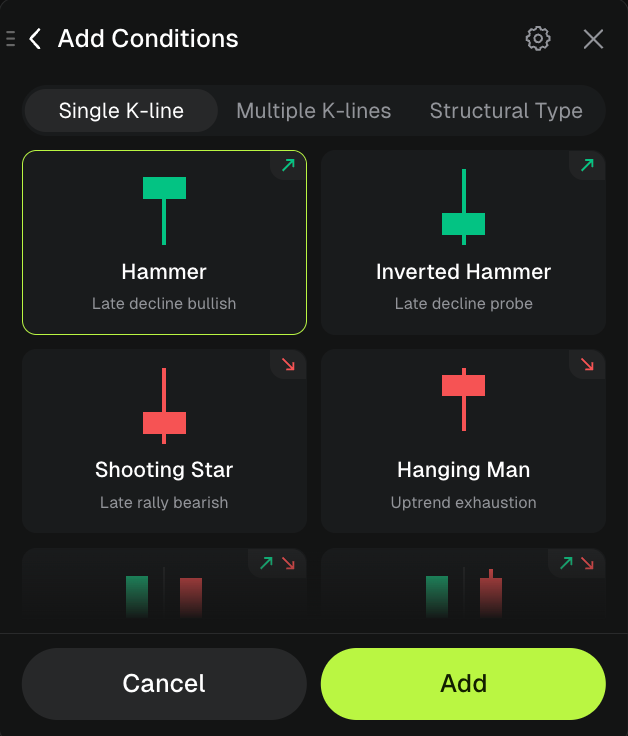
2.Configure all parameters and finalize your combo alert
Once all combination conditions have been configured and the trading logic has been verified, you can set up alert preferences, trigger frequency, expiration time, and notes at the bottom of the page. After double-checking that all parameters are correct, click 【Create】 to complete combo alert setup.
- When configuring combo alerts, you can customize the condition logic. Two matching rules are supported: either all conditions must be met simultaneously (AND), or any single condition being met will trigger the alert.
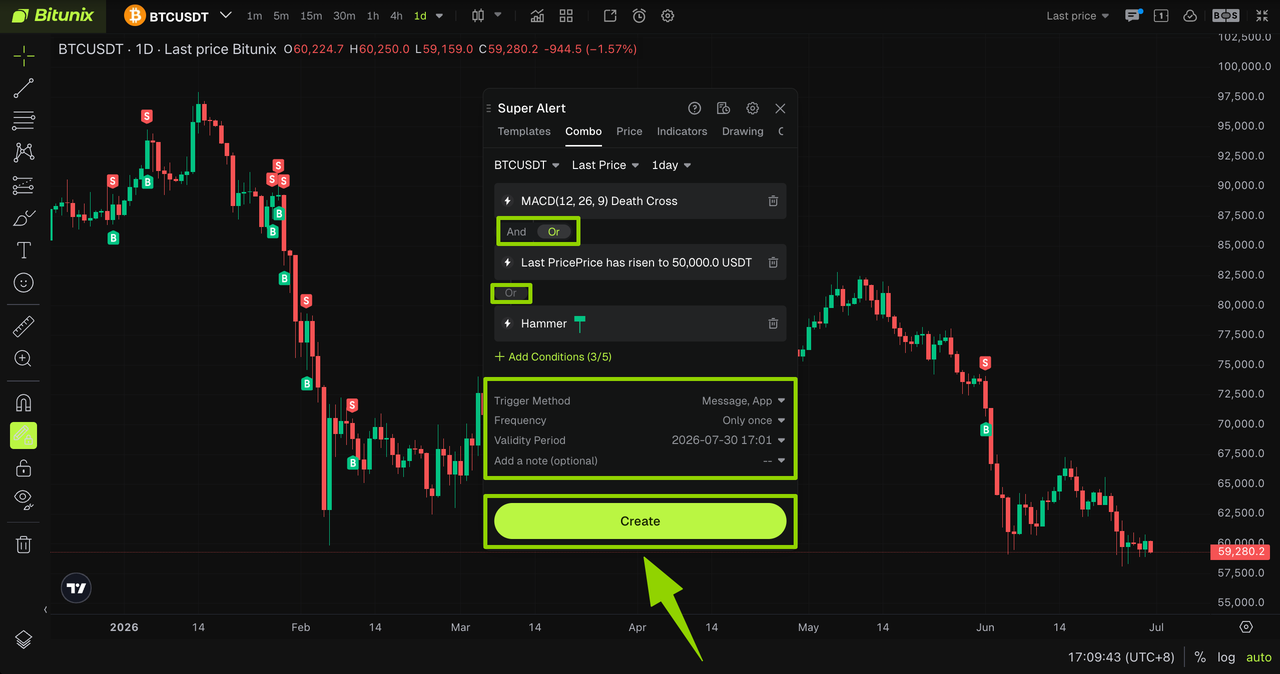
4、Check Alert Records & Status
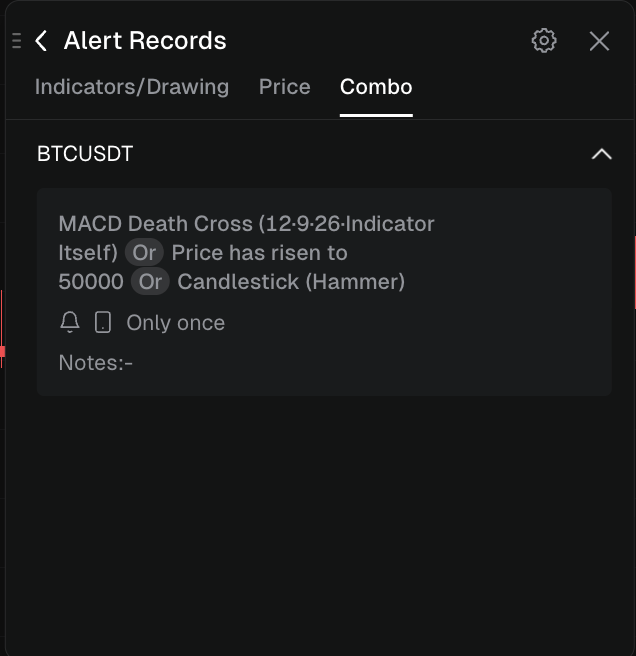
After creating an alert, go to the trading page and click 【Create Alert】 → 【Alert Records】 to manage all alerts and view their status and data.
Related Alert Types
For detailed guides, please refer to:
- Indicator Alert: Capture market fluctuations via technical indicators
- Drawing Alert: Custom trend graphics to spot support and resistance breakouts
- Template Alert: Apply preset strategies with one click to quickly generate combo alerts
- Price Alert: Trigger reminders when prices hit specified levels
- K-Line Alert:dentify market signals based on candlestick patterns
Disclaimer
This article is not intended to provide
(I) investment advice or investment recommendations;
(Ii) an offer or solicitation to buy, sell or hold digital assets;
(Iii) Financial, accounting, legal or tax advice. Digital assets held (including stablecoins and NFTs) involve a high level of risk and may fluctuate significantly. You should carefully consider whether trading or holding digital assets is appropriate for you based on your financial situation. Please consult your legal/tax/investment professional for your specific situation. Please be responsible for understanding and complying with relevant local applicable laws and regulations.
About Bitunix
Bitunix is a global cryptocurrency derivatives exchange trusted by more than 3 million users from over 100 countries. Bitunix is committed to providing a transparent, compliance and secure trading environment for every user. The platform has a fast registration process and friendly verification system, and enforces KYC to ensure security and compliance.
Through global protection standards such as Proof of Reserve (PoR) and Bitunix Care Fund, Bitunix puts user trust and money security first.The K-Line Ultra Charting System provides a seamless trading experience for both novice and advanced traders, with up to 200 times leverage and deep liquidity, making Bitunix one of the most dynamic platforms in the market.
Bitunix Global Account
X | Telegram Announcements | Telegram Global | CoinMarketCap | Instagram | Facebook | LinkedIn | Reddit | Medium